Inspiration
I kept seeing agent demos that ended at a chat response. That felt incomplete to me. Real work happens inside tools people already use, with state, approvals, handoffs, and some kind of record of what changed.
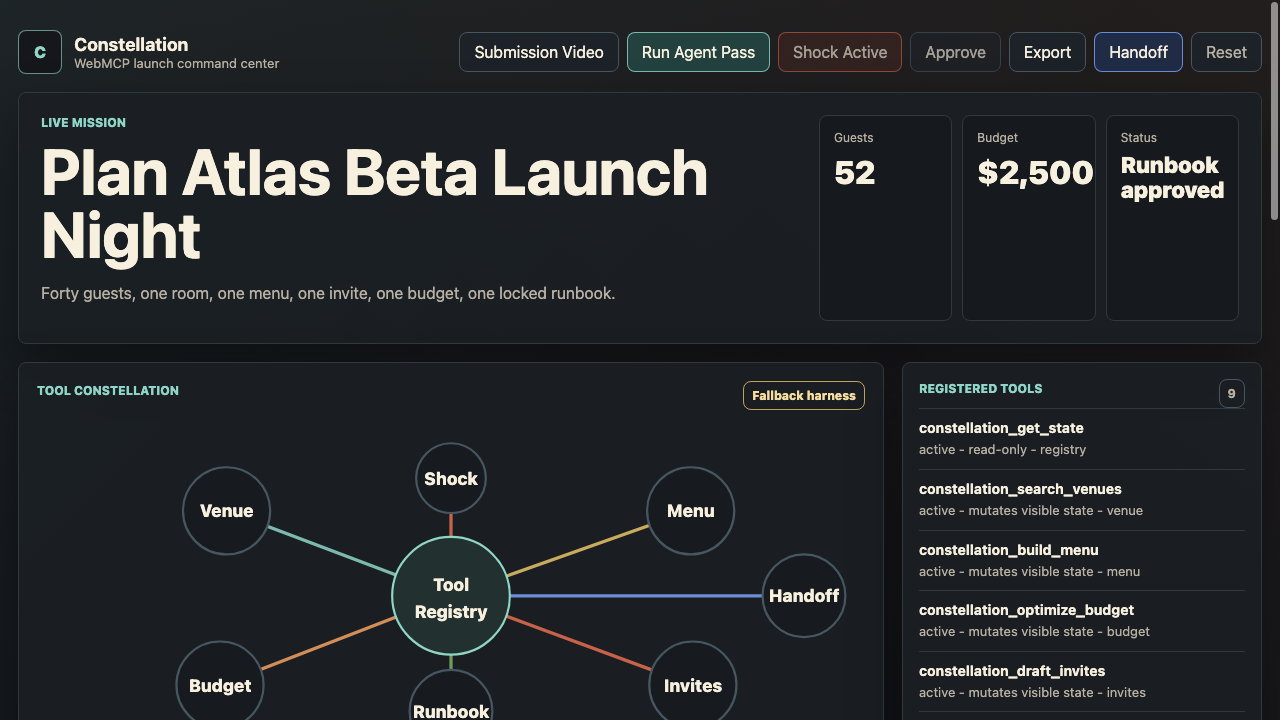
Constellation started from that idea: what if a normal browser page could become a controlled agent workspace through WebMCP? Not a hidden backend, not a fake assistant flow, but a page where the agent can inspect state, use narrow tools, recover when constraints change, and leave a readable trail.
What it does
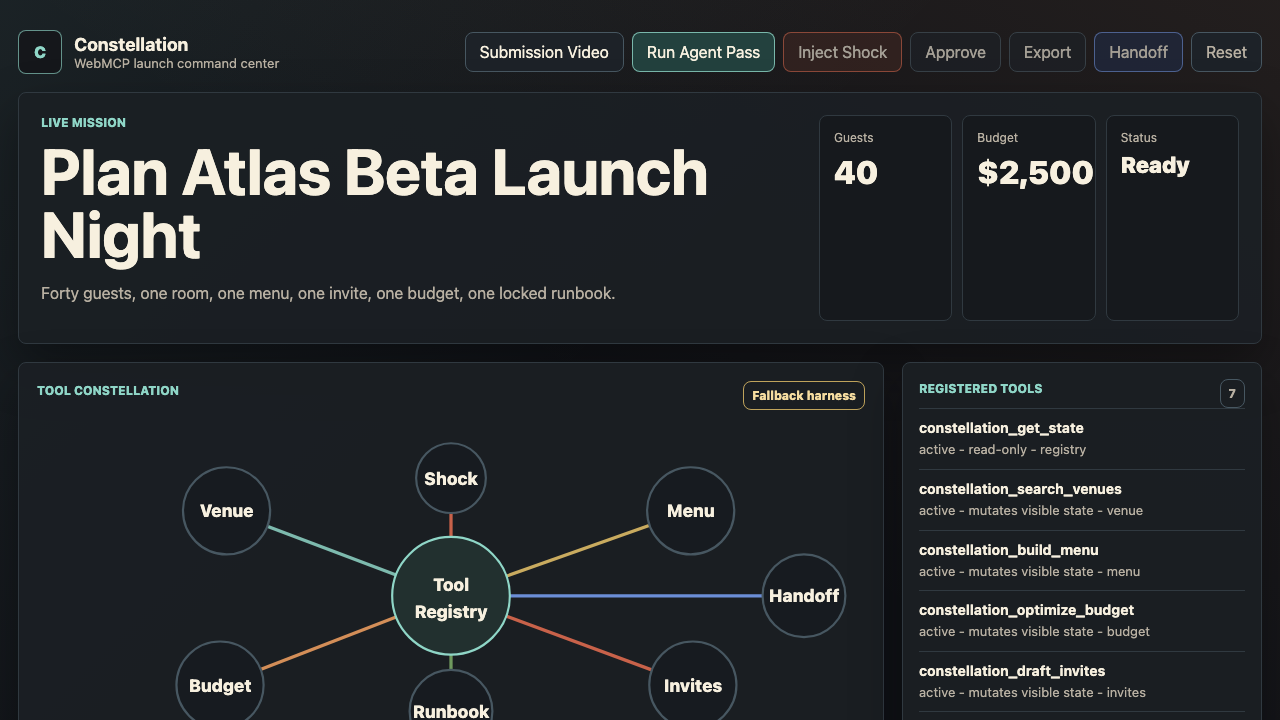
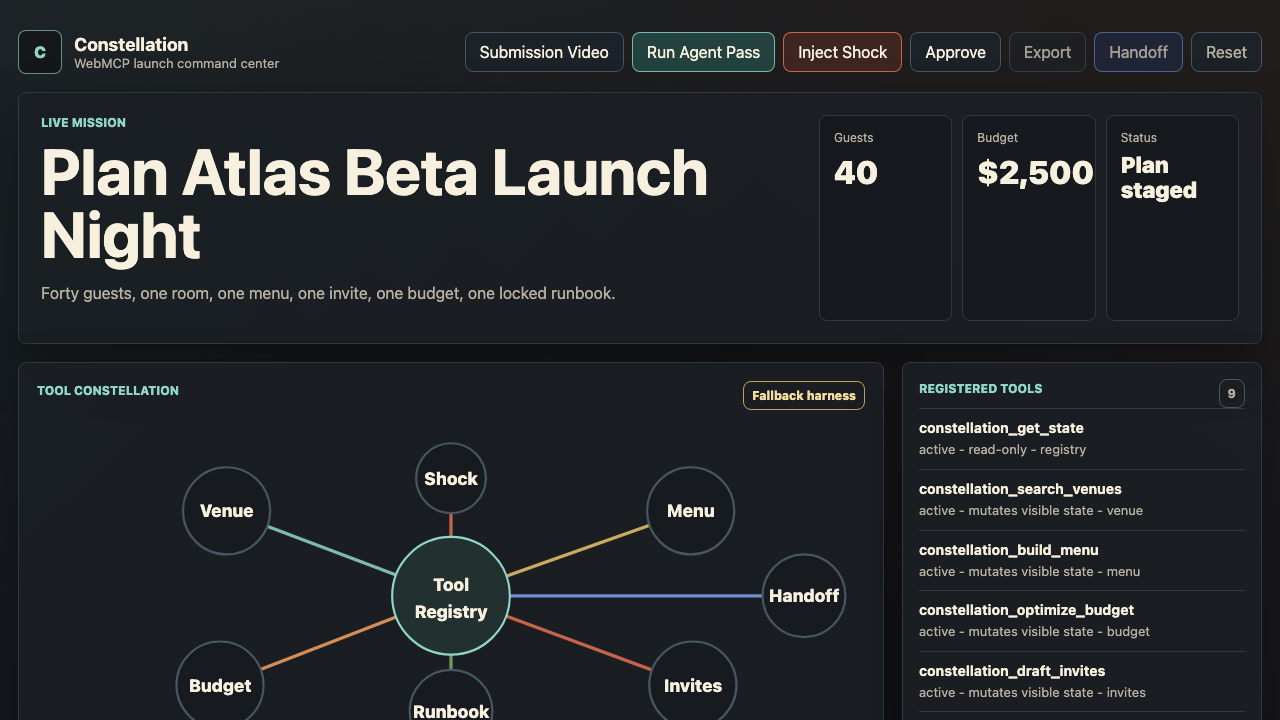
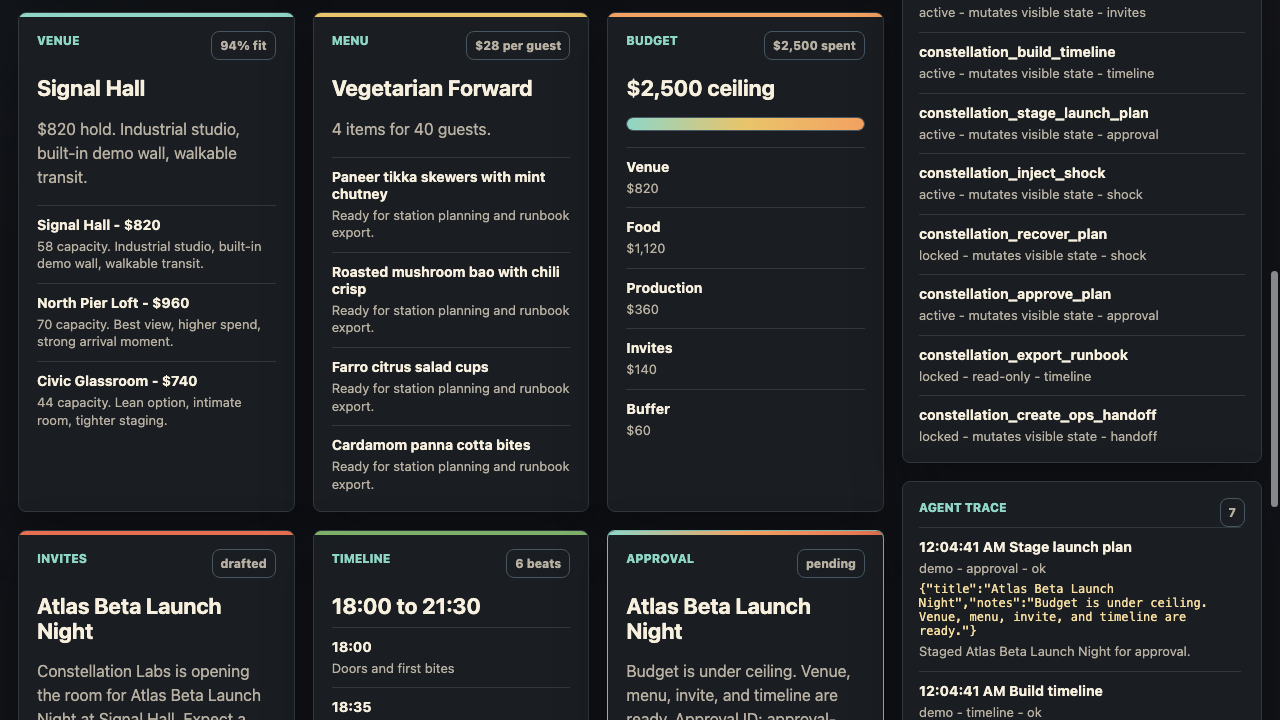
Constellation is a WebMCP launch command center. The demo plans “Atlas Beta Launch Night” from inside the browser: it selects a venue, builds a vegetarian-forward menu, optimizes a fixed budget, drafts invites, creates a timeline, and stages the plan for approval.
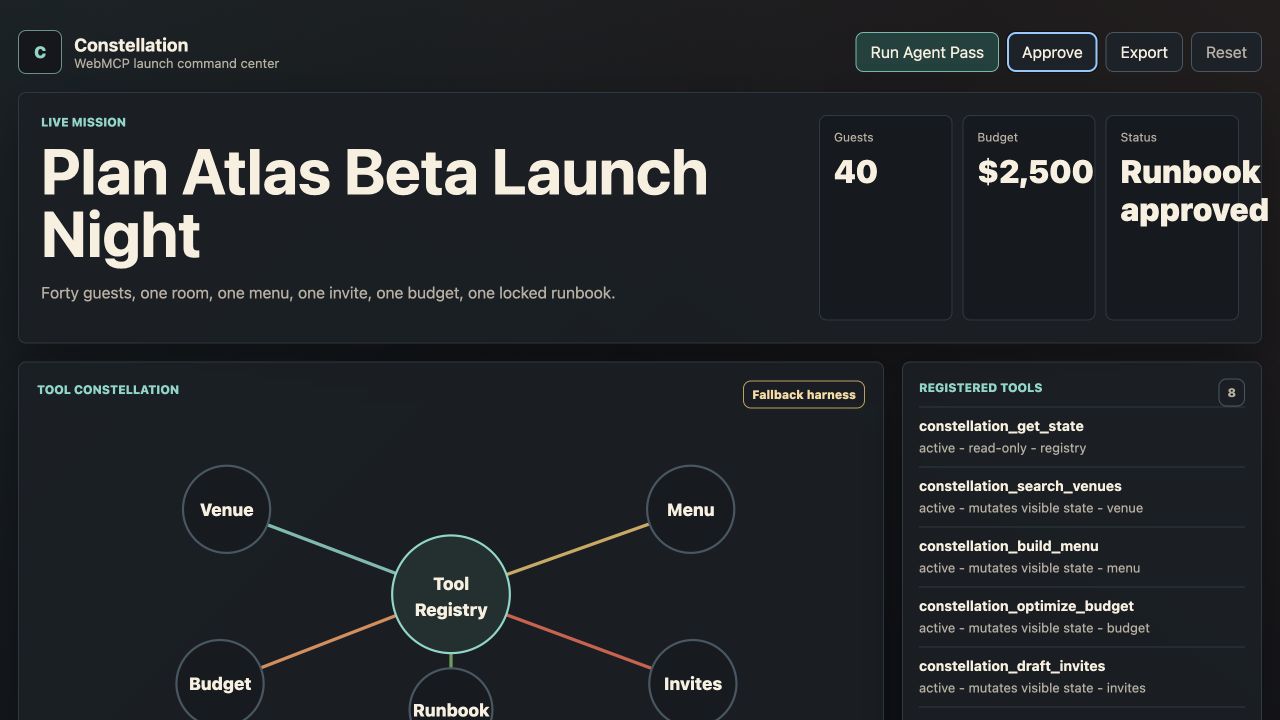
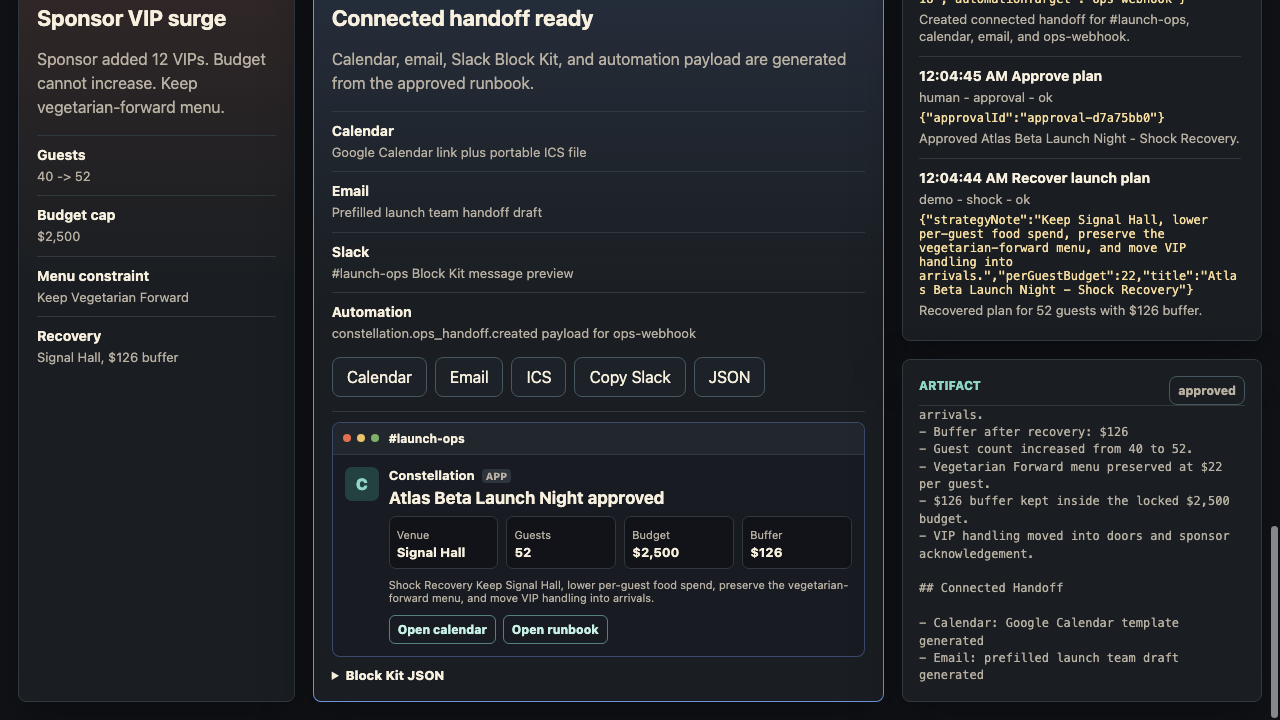
Then a surprise sponsor VIP surge is injected. The agent has to recover without increasing the budget, preserve the menu direction, get approval, export a markdown runbook, and generate a connected handoff with Calendar, ICS, email, Slack Block Kit, and automation JSON outputs.
How I built it
I built Constellation as a static HTML, CSS, and JavaScript app with no backend and no API keys. The page registers tools with document.modelContext.registerTool(), and those same handlers also support a fallback demo mode for browsers without WebMCP.
The tools are tied to workflow state. Recovery only appears after the shock drill. Approval only appears after a revised plan is staged. Export only unlocks after approval. The connected handoff only appears once the runbook is ready.
Challenges I ran into
The hardest part was making it feel like a real WebMCP experience instead of a regular web app with some agent-flavored buttons.
I had to think carefully about what each tool should be allowed to do, separate read-only inspection from mutations, keep approval meaningful, and make the trace readable enough that someone watching the demo can tell exactly what happened.
Accomplishments that I'm proud of
I shipped a complete agent journey in a fully static site: live planning, dynamic tool availability, shock recovery, approval gating, runbook export, a connected ops handoff, captions, and a playable submission video route.
The part I’m most proud of is that the agent moves quickly, but the human is never blind. Every important step changes visible page state and leaves a trace.
What I learned
WebMCP feels strongest when the page stays the source of truth. The interesting part is not exposing a huge list of tools. It is exposing the right tool at the right time, with clear consequences.
I also learned that good agent UX is mostly about boundaries: what the agent can read, what it can change, when it needs approval, and how the human can verify the result.
What's next for Constellation
Next I would connect the handoff layer to real services: calendars, Slack, email, venue systems, ticketing, and procurement tools.
I’d also like to turn Constellation into a set of reusable playbooks for launches, incidents, field operations, and customer onboarding, with team permissions, richer evals, and replayable agent traces.

Log in or sign up for Devpost to join the conversation.