-
-
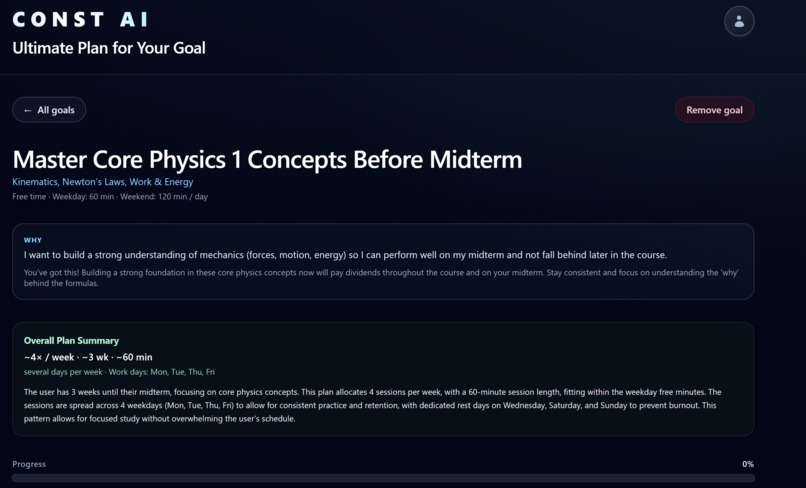
Goal Example 1
-
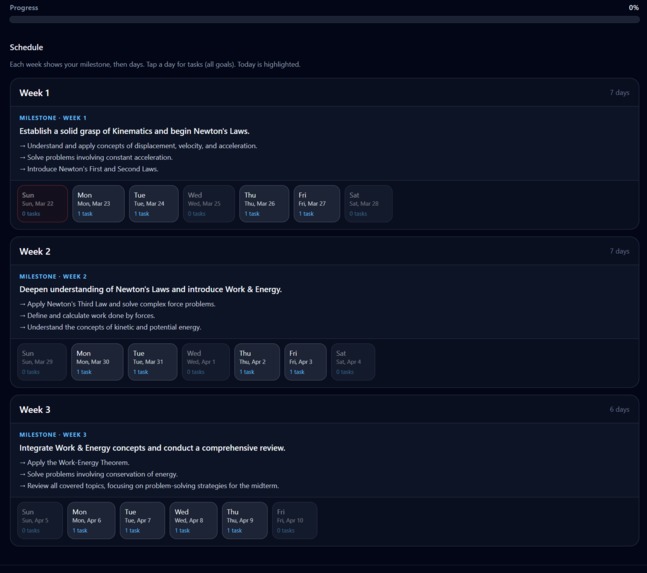
Goal Example 2
-
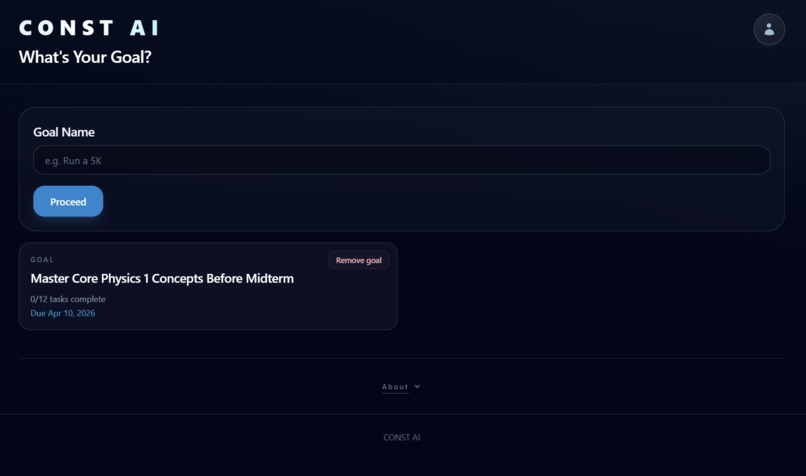
Landing Page with Goal Example
-
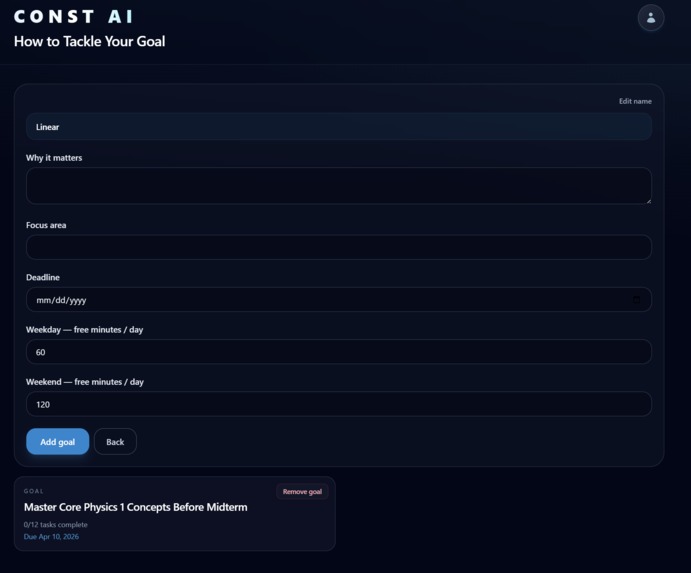
Goal Setting
Inspiration
Many college students (including us) found that setting long-term goals are easy to do, but harder to stick to them over long periods of time. AI can help to make smart personalization and help the student reach their goals in smaller chunks and complete the goals with visible progress on the page.
What it does
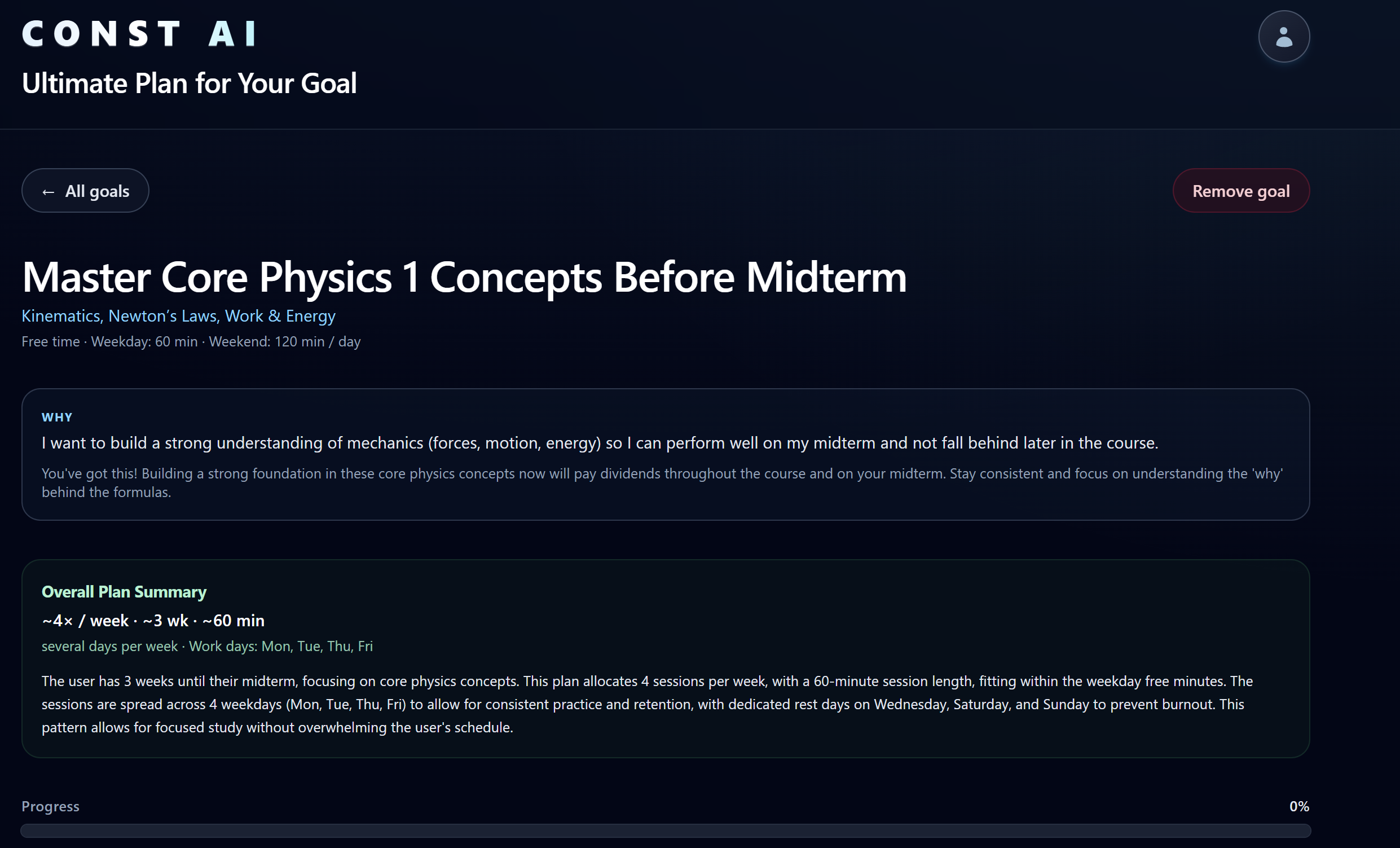
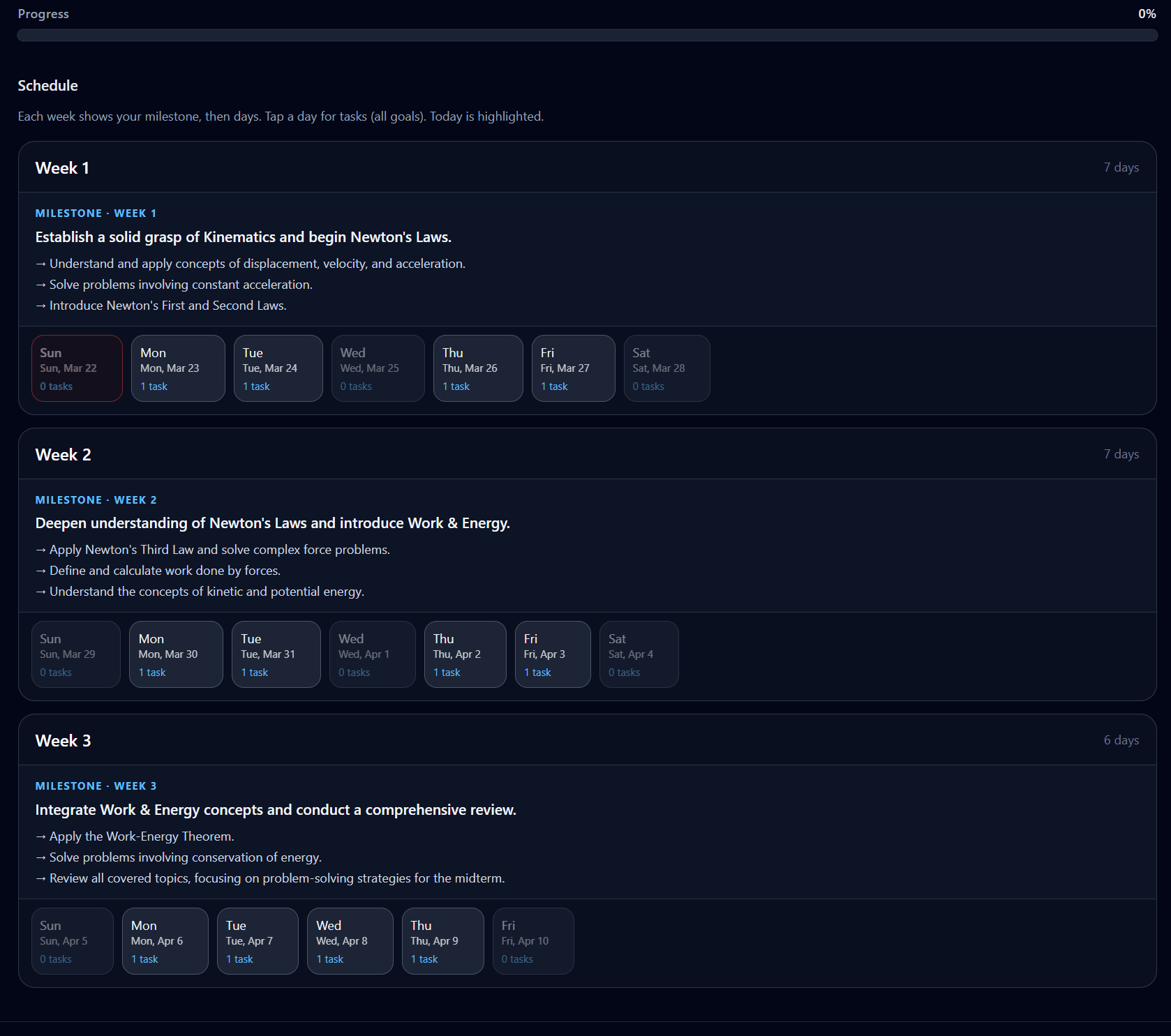
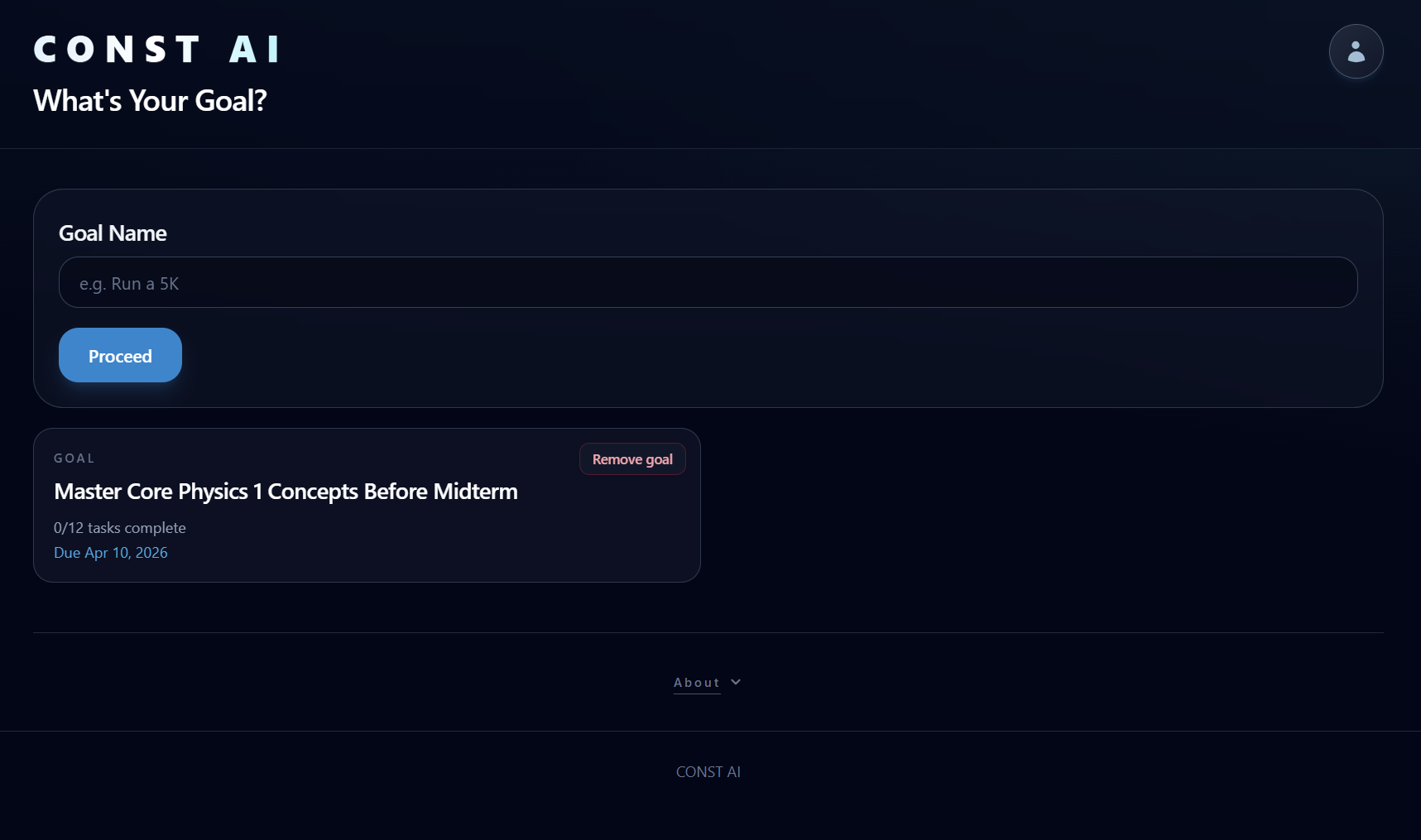
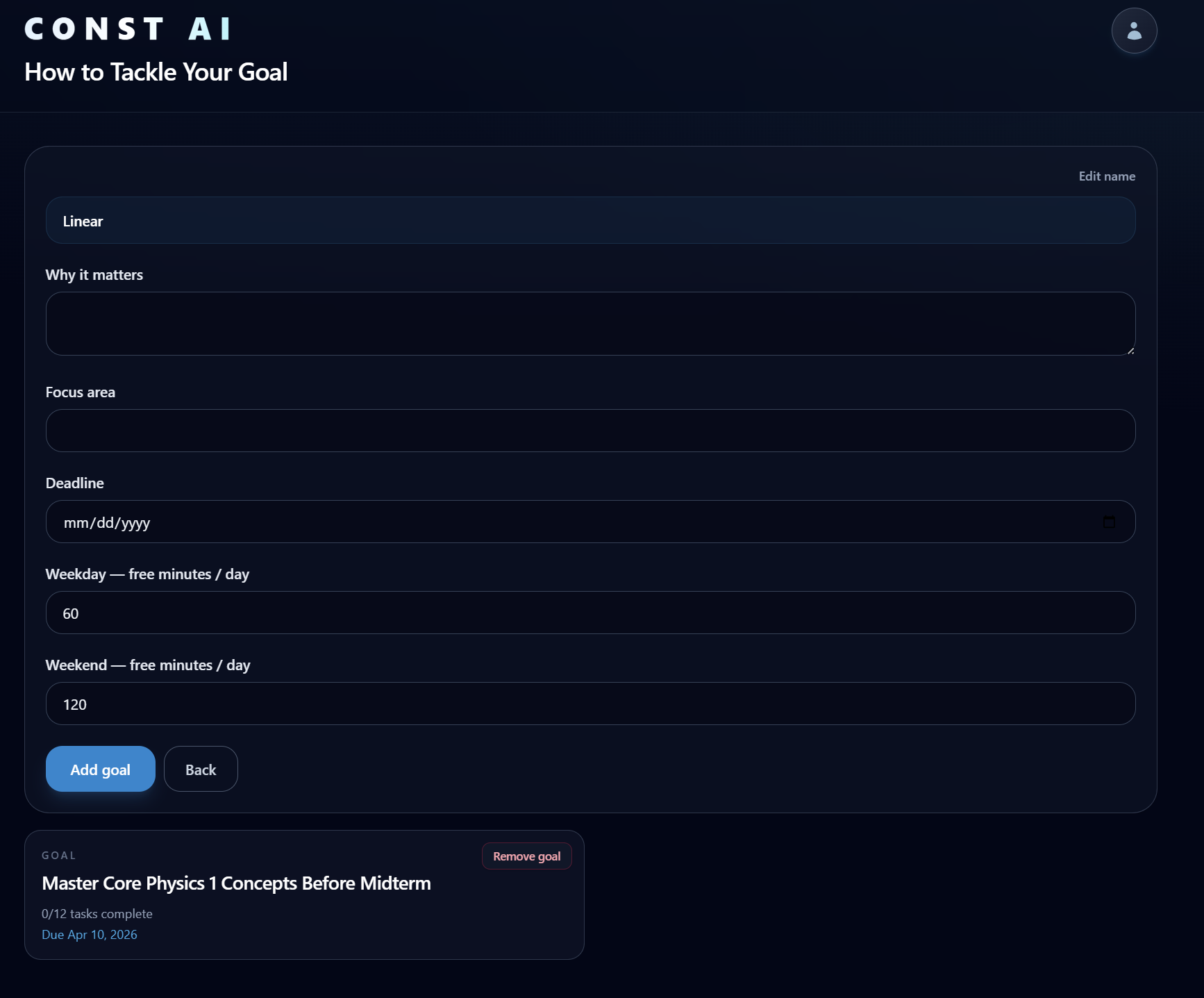
The user will input a vague goal as the goal as the first value, and then the webpage will ask them to enter specific information, such as why they want to pursue it, how much free time they have to complete it, weekday/weekend availability, focus area, and when the goal should be completed. Once the user hits "Add goal", AI will run and generate a smart plan for the user to follow. It can suggest how many days to do the goal per week and what goals to do each day to meet the long-term goal over time.
Once the user starts the goal, they check off by setting a time to complete the goal. Typically the user will need to fully complete the timer to have the task checked off as complete, but the user can also finish the goal if they finished it without tracking the timer, or they can exit the timer but not mark the task as complete. If the user would like to add another goal, they can simultaneously add another one and track multiple goals at once. Should a goal no longer be met, the user can terminate it but they must explain why. AI can then track the pattern and suggest stronger suggestions to avoid incomplete goal setting.
When the goal reaches 100% on the progress bar, the screen will show a congratulations message and the goal is marked as done.
How we built it
The website was built mainly on the Cursor IDE platform. The team pitched in ideas to structure what the site would look like, inputs, outputs, and AI model selection. Next, Cursor ran code to auto-generate code for frontend and backend parts. Additionally, Cursor managed everything from UI customization to implementing an AI API system. The team was still responsible for overseeing the code generation and providing an API key. For this project, we chose to use Google Gemini 2.5 Flash Lite to avoid token caps and ensure the webpage can send multiple requests at once. Cursor also managed output formatting and ensured there was error handling included should the page produce an error during runtime.
Challenges we ran into
Many times we had to be very specific as to what Cursor should generate, as vagueness could imply many results during code generation. We spent 3 hours talking about what the webpage would look like, how to handle inputs and outputs, and how to word prompts if something went wrong or changes to add.
We also had to ensure the the Google Gemini API was working and did not run into issues when the user hits "Add goal". Often times the webpage would produce a runtime error due to token cap or quota limitations. We also had to ensure the .env file was ignored by git when we pushed our files to the GitHub repository. Lastly, Cursor made unintended changes to our code, so we had to spend more time making sure there were no hidden errors or changes before telling the AI to write code.
We also sometimes struggled to use git as a team, as one user would have to work a part so that we prevented unintended changes to the code. Our solution was to allow one person handle the code at a time, but everyone else can look at it and provide suggestions.
Accomplishments that we're proud of
We accomplished using Cursor to provide hundreds of code and error handling. We also managed to clearly illustrate our prompts to the AI engine in Cursor to provide the results we wanted. Since we decided to use Cursor, we were able to save plenty of time to do testing, debugging, and finalize the project. We were also able to successfully implement the API into our code and have a working key, as we ran into many errors from Google.
What we learned
We learned that using AI is not a weakness. We used Cursor as a helping hand to write code, design the UI, and automate other things (e.g. documentation, README file, error handling, and small adjustments). We also collaborated first in-person to design the project rather than letting AI to do all the work. Because of this model, we had clarity earlier on and allow us to know what to ask Cursor/ChatGPT to generate.
What's next for ConstAI
We want to implement an actual database to store accounts and an identity verification platform, such as Auth0. We want users to save their goals and come back to them later. We also want to add more feature for inputs, such as voice-to-text and images to show progress towards the goal.


Log in or sign up for Devpost to join the conversation.