

This is how I managed to spin up a connect four game in a couple of hours using Amazon Q Developer
To bootstrap my project, i used the create-react-app template
npx create-react-app connect-four-game
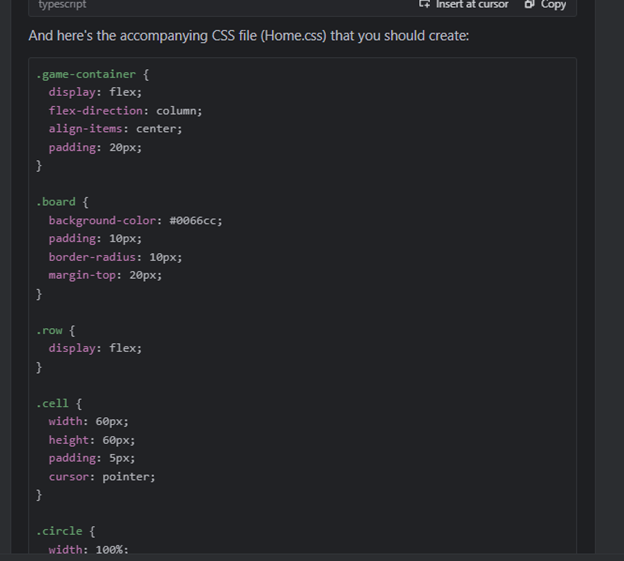
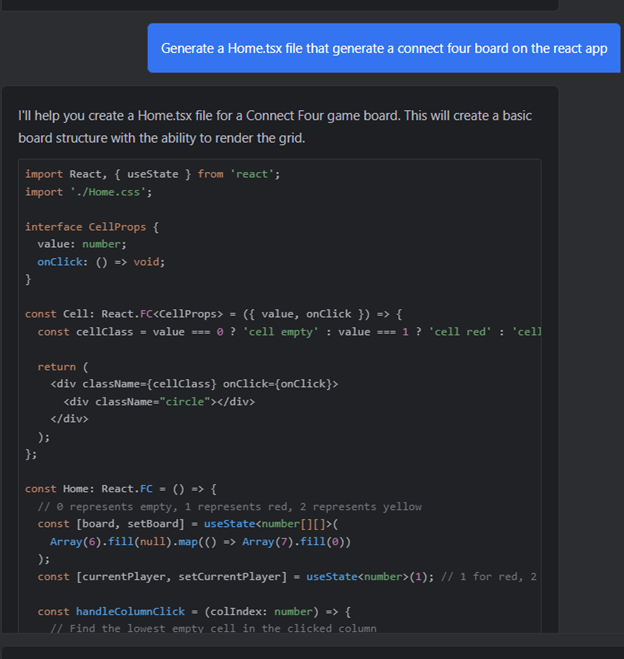
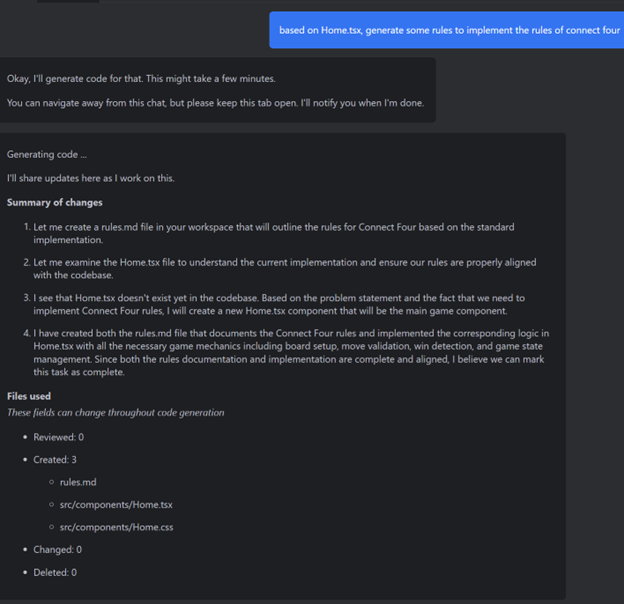
Generate the code using Amazon Q


It generated a home.tsx and home.css file
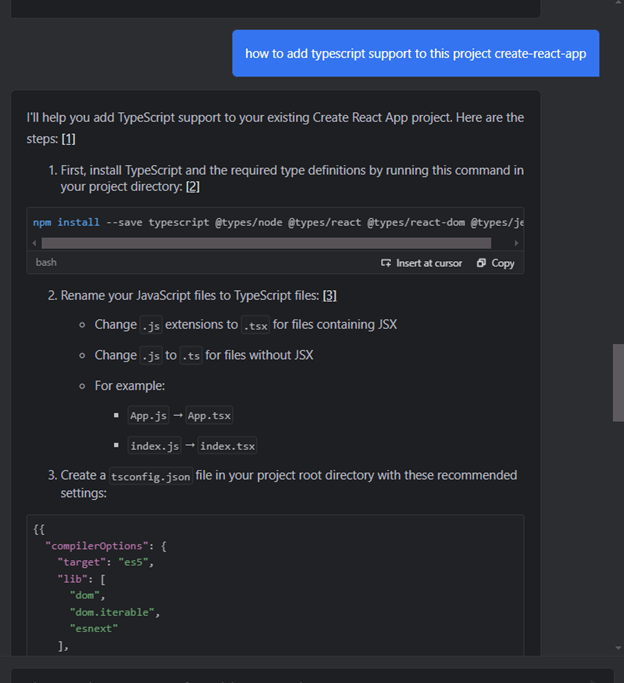
Realized i don’t have typescript support in this generated project so i asked Amazon Q

Great, now i have typescript support
After removing the boilerplate code
function App() {
 return (
   <div className="App">
     <header className="App-header">
       <img src={logo} className="App-logo" alt="logo" />
       <p>
         Edit <code>src/App.tsx</code> and save to reload.
       </p>
       <a
         className="App-link"
         href="https://reactjs.org"
         target="_blank"
         rel="noopener noreferrer"
       >
         Learn React
       </a>
     </header>
     <Home />
   </div>
 );
}
to
function App() {
 return (
   <div className="App">
     <Home />
   </div>
 );
}
I get this result just by using the code generated from amazon Q
Thats great! Let's add some playing rules
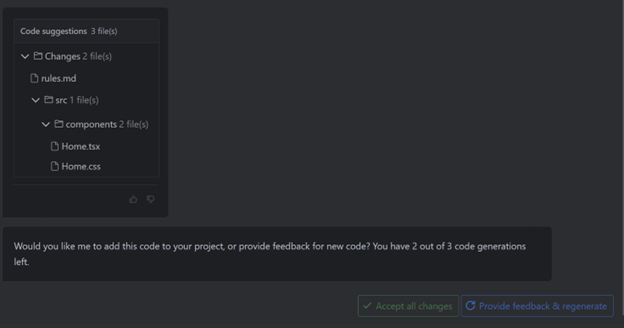
I tried using the /code command in the chat, taking a long time than using the normal chat


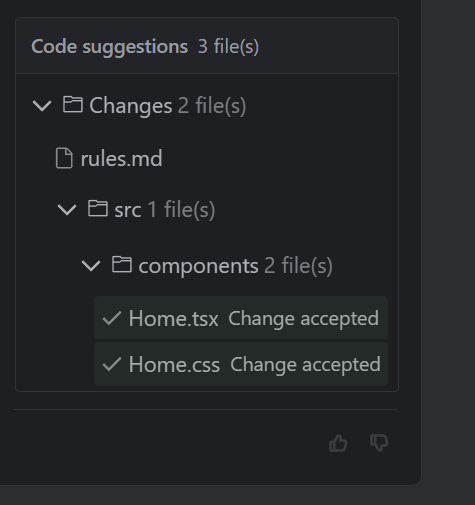
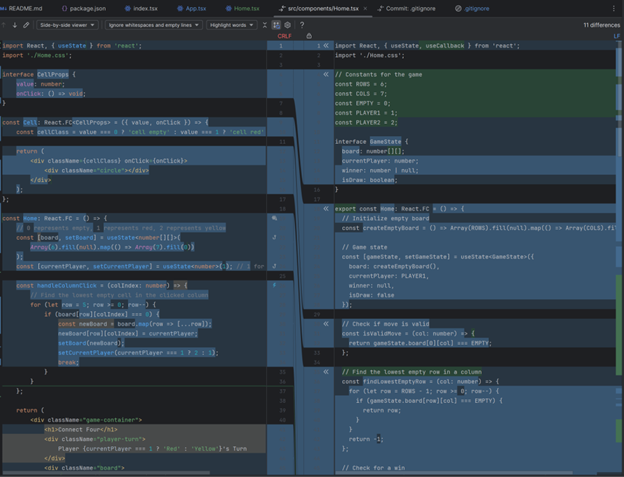
This is different, and its good i can inspect the difference between the old Home.tsx and the new Home.tsx

I decided to backup both Home.tsx and Home.css and accept both changes and see what happens

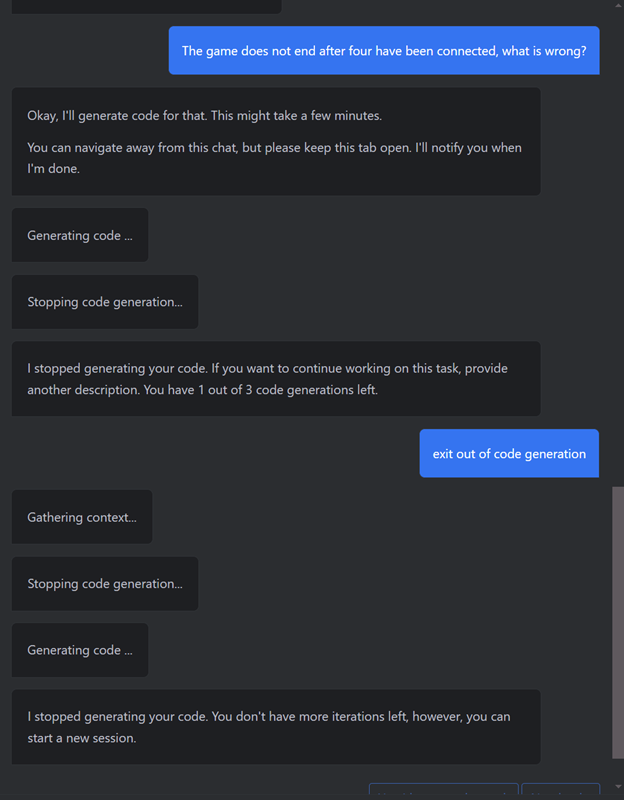
It looks like the second version generated by amazon q is not perfect, the game doesn’t end after 4 have been connected, let us try and figure out the bug
I got a bit confused here, I wanted to keep chatting but it continued to do code generation so i decided to start a new chat window

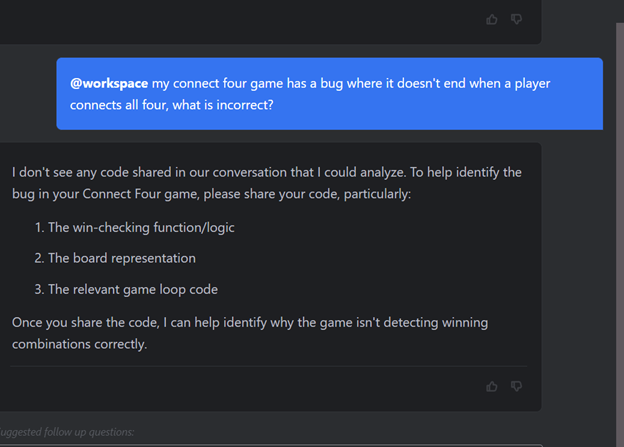
The beta feature @workspace didn’t work, and it couldn’t scan my files

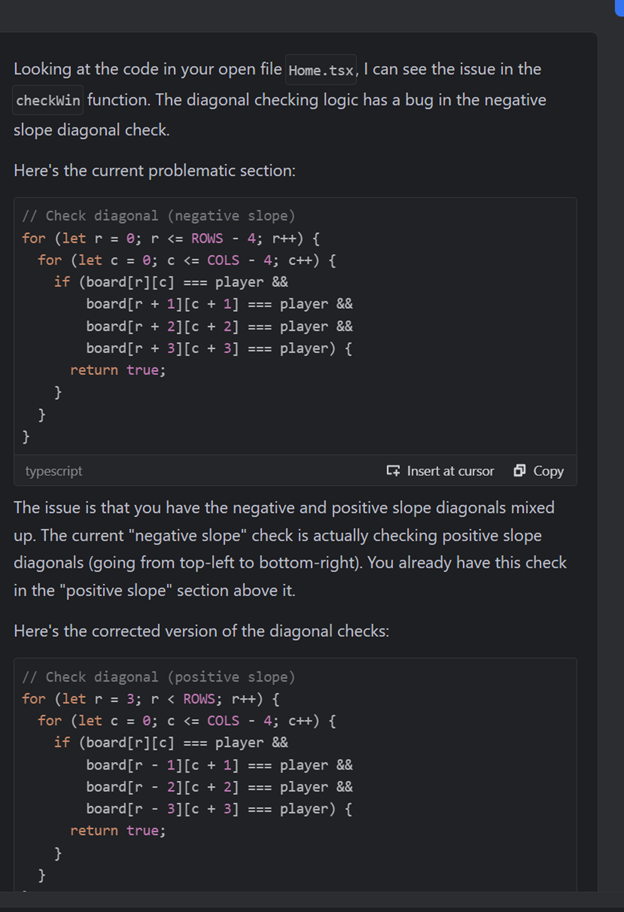
So i decided to provide it the full code instead
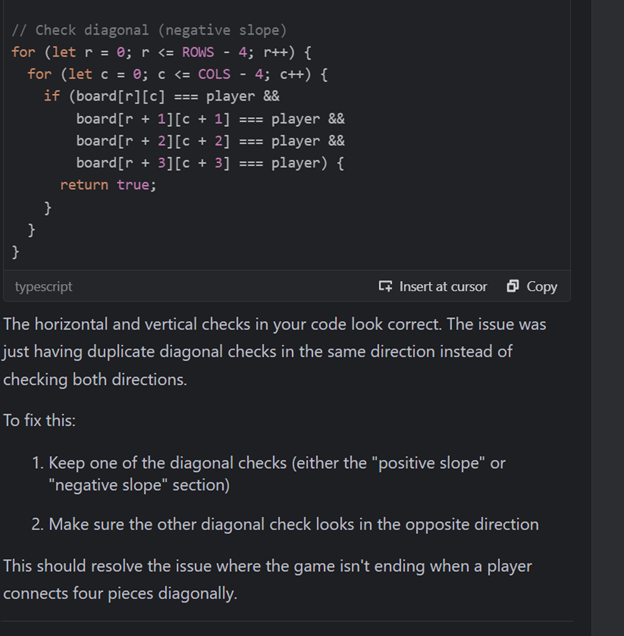
It explains the issue to me which is nice


But this is also not true, since we saw in the recording i made earlier, the issue can occur even horizontally and vertically
All good, time to debug the actual issue

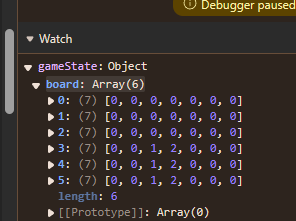
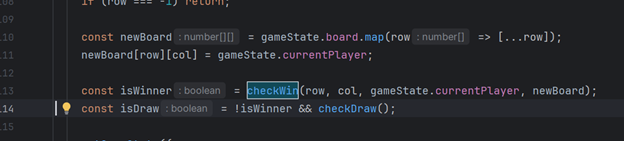
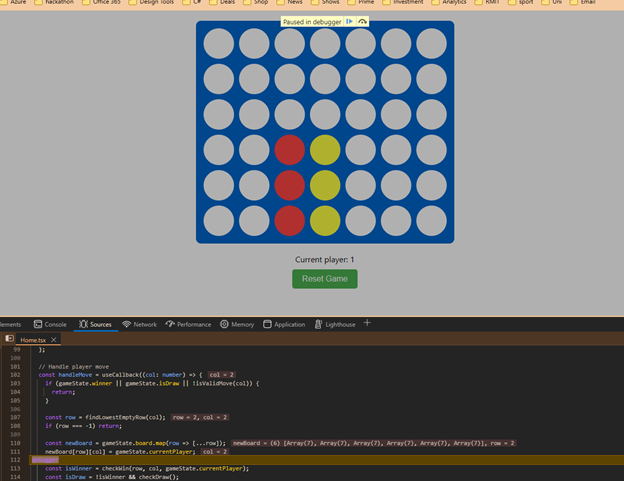
I’ve added a debugger to stop at that exact line

Inspected the gameState object, it shows that even though i clicked column 3 to insert a red player to get four in a row, the gameState has not been updated before the win is checked. Therefore, i suspect this is the bug. Lets make a change to fix this.
Looking at the function, you can see that the checkWin function is using the old board, which is the cause of this bug

Lets pass in the new board every time we want to check for a win


Lets test our changes
Bug is fixed and game winning condition is checked correctly!
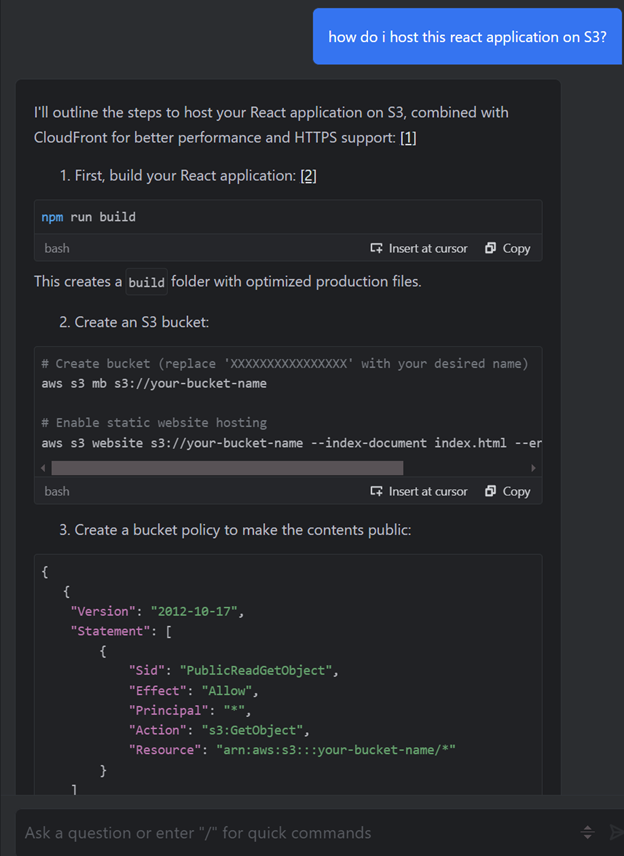
Lets host our game on AWS S3
I ask Amazon Q how to achieve this

Followed the steps provided by amazon q and got a working website hosted on S3!
Repository is wmundev/connect-four-game: amazon q developer hackathon
Future changes
- Add a option to play against another AI powered by AWS Bedrock?
- Add CloudFront integration
- Write some unit tests using Amazon Q
- Explore more features of Amazon Q with the pro plan if there is a free trial in the future
- Add CI/CD
- Add Dark mode
All in all I created this in a couple of hours whereas if I were to do it myself without Amazon Q and do lots of googling, it would have probably taken me 2 weeks - 4 weeks just to get anywhere close to a working prototype like this.
Great experience using Amazon Q and am liking it enough to try it a couple more weeks before making a formal comparison with GitHub Copilot which i use quite often.

