-
-
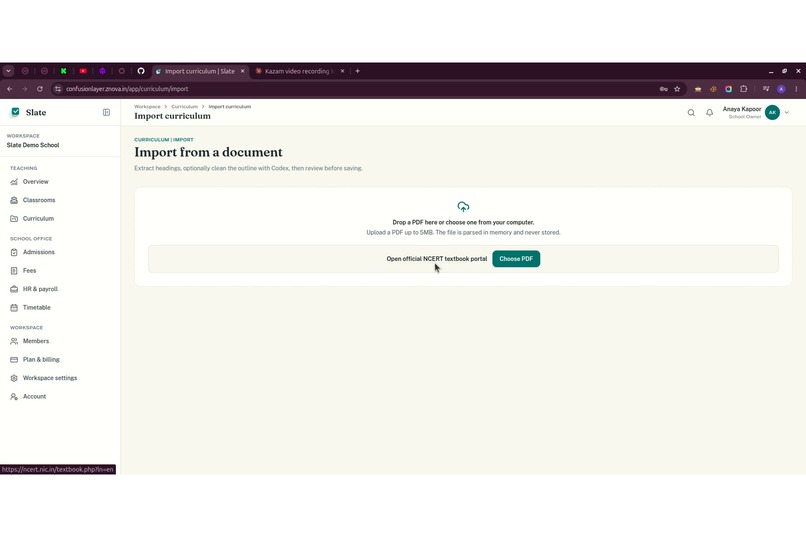
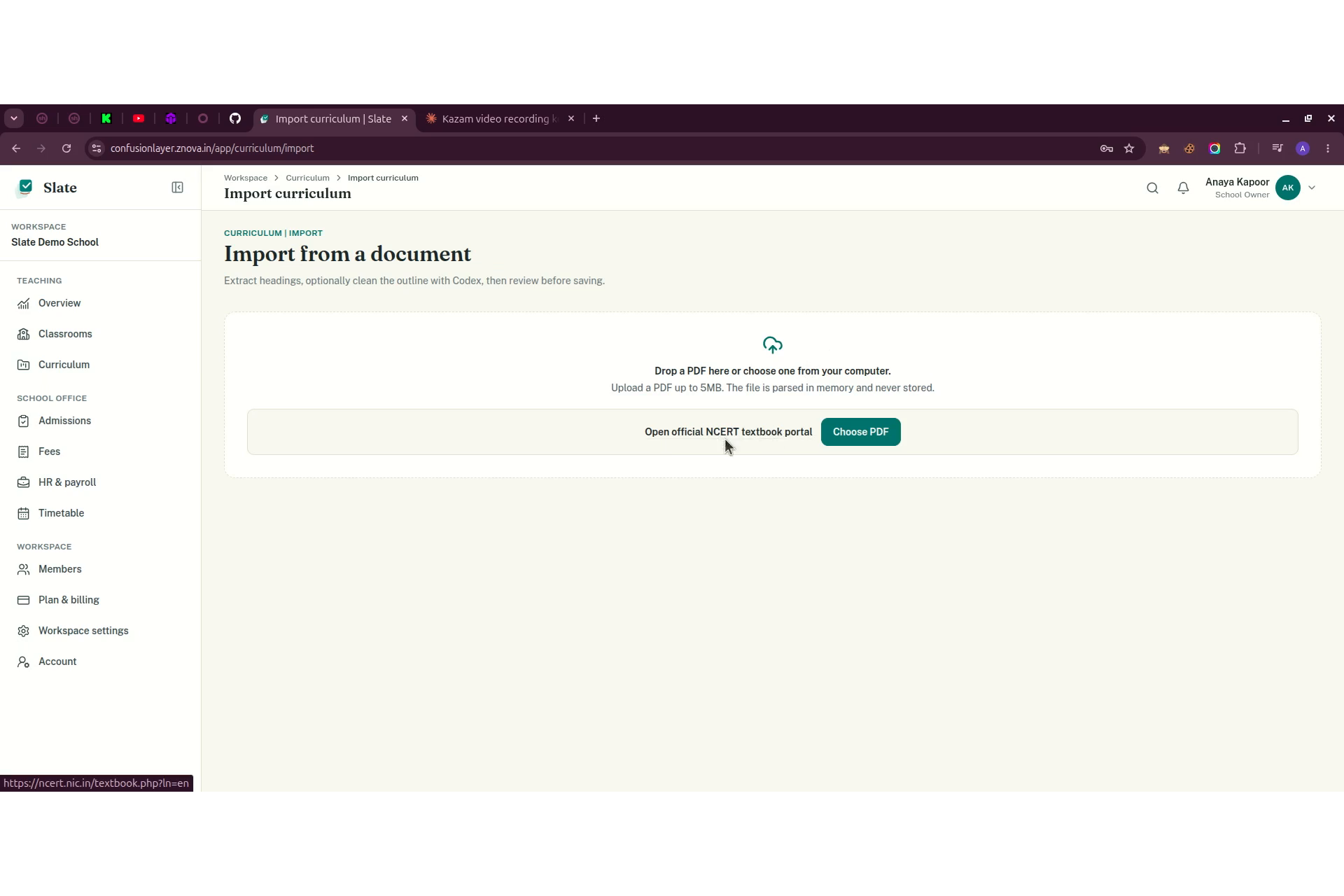
PDF/document import flow for building out subjects, chapters, and topics.
-
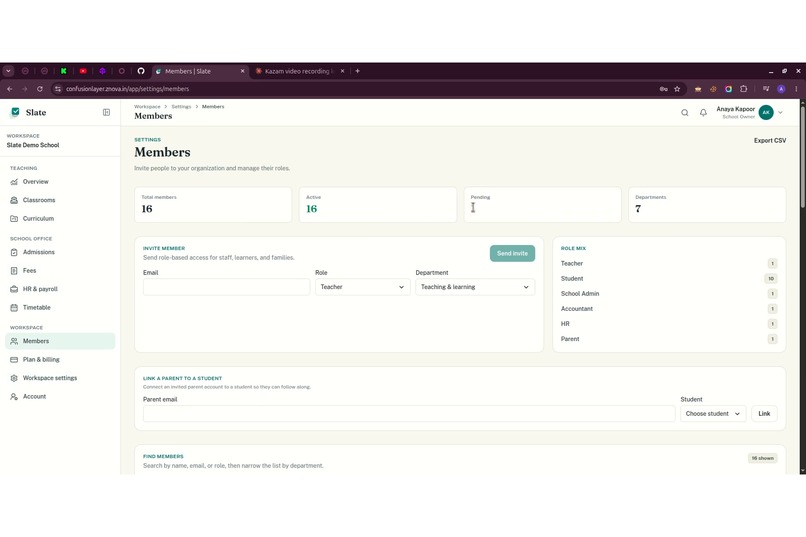
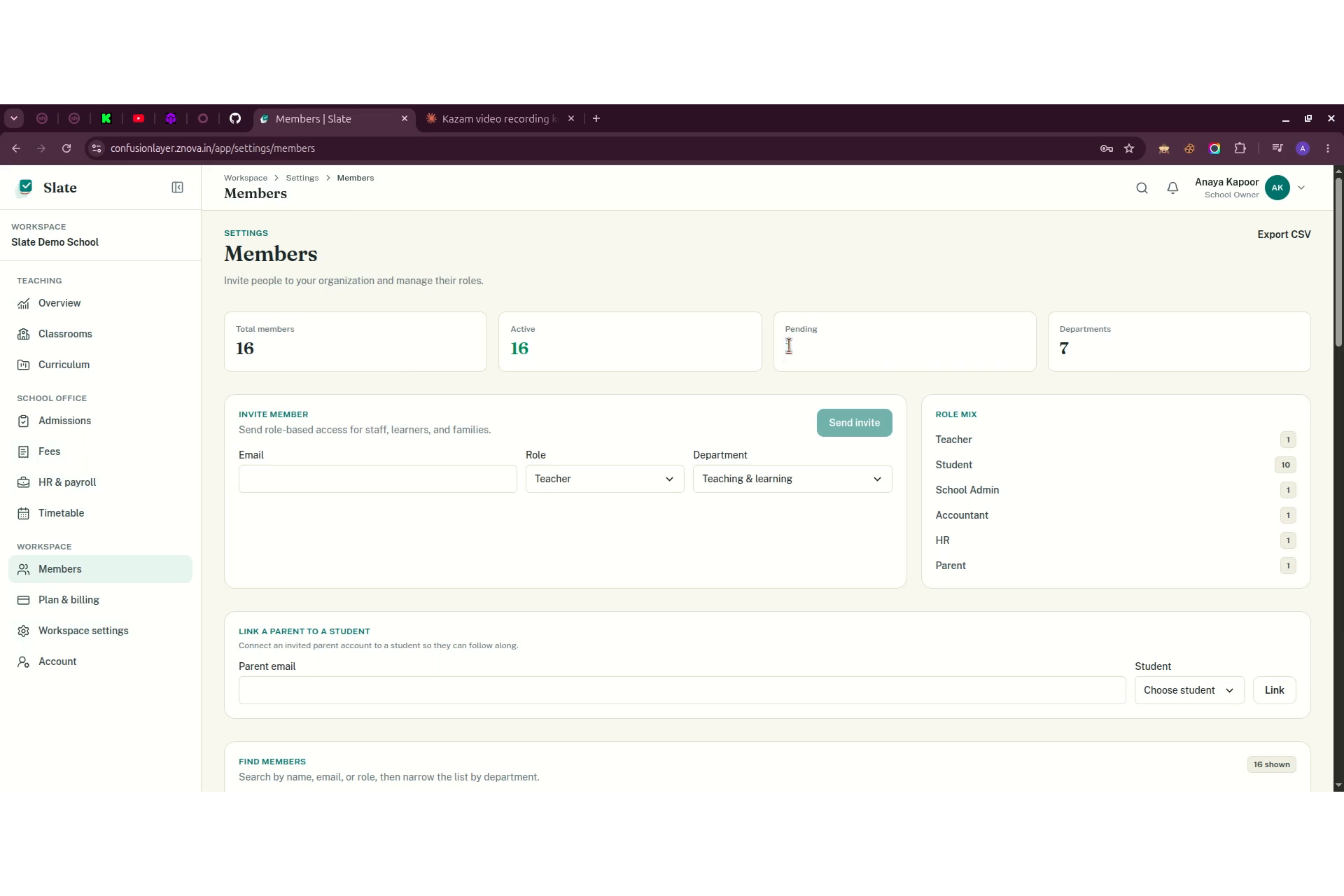
Admin screen managing classroom rosters, members, and roles.
-
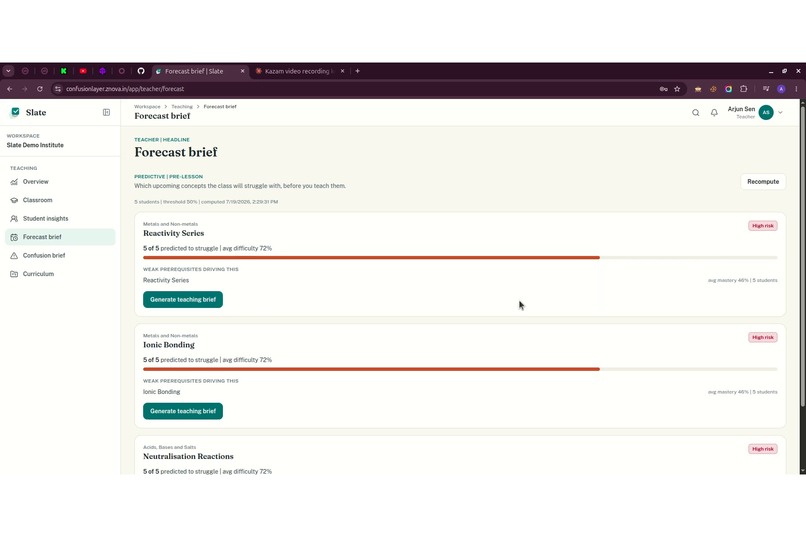
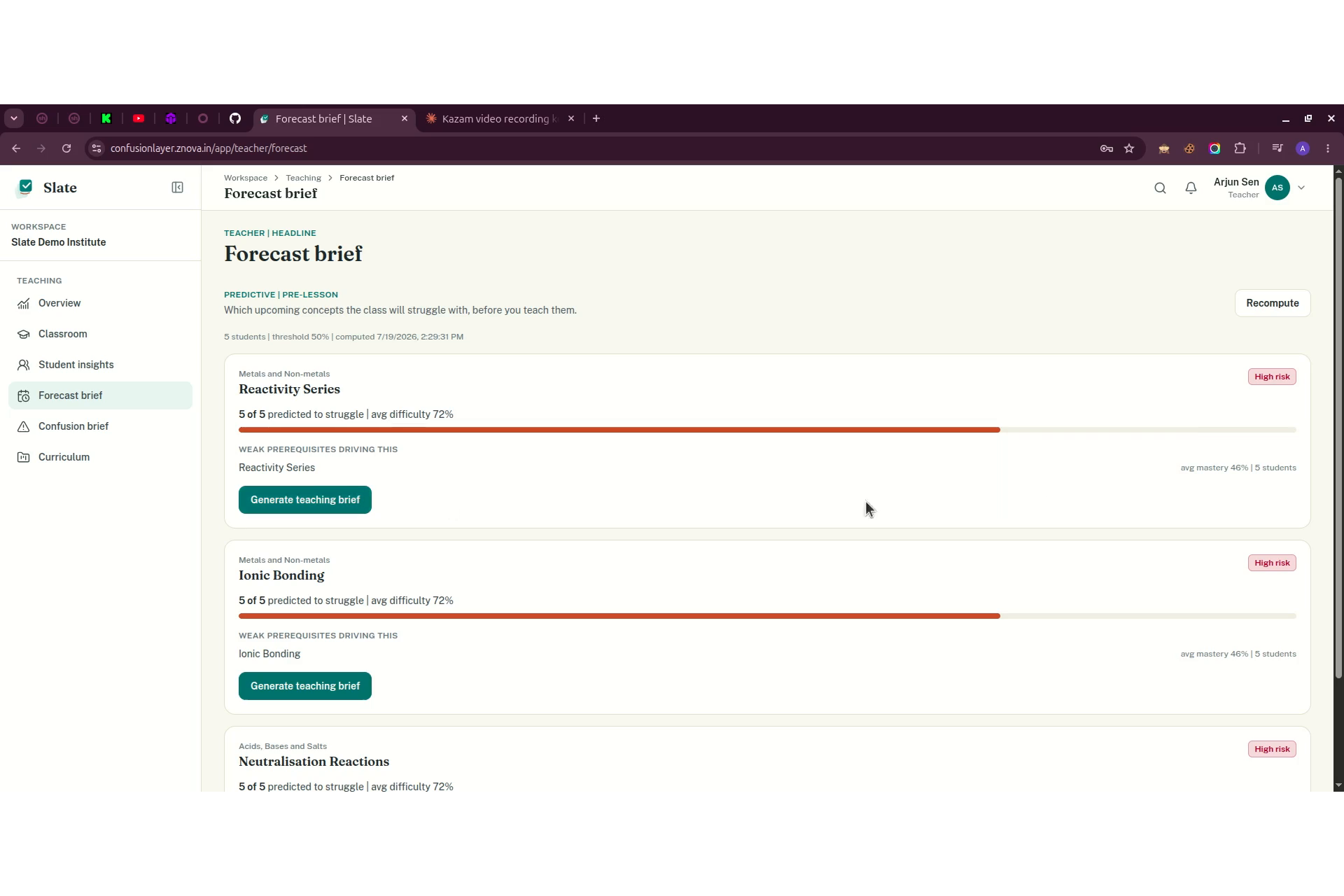
Teacher's night-before view listing upcoming concepts students are likely to struggle with, ranked by risk.
-
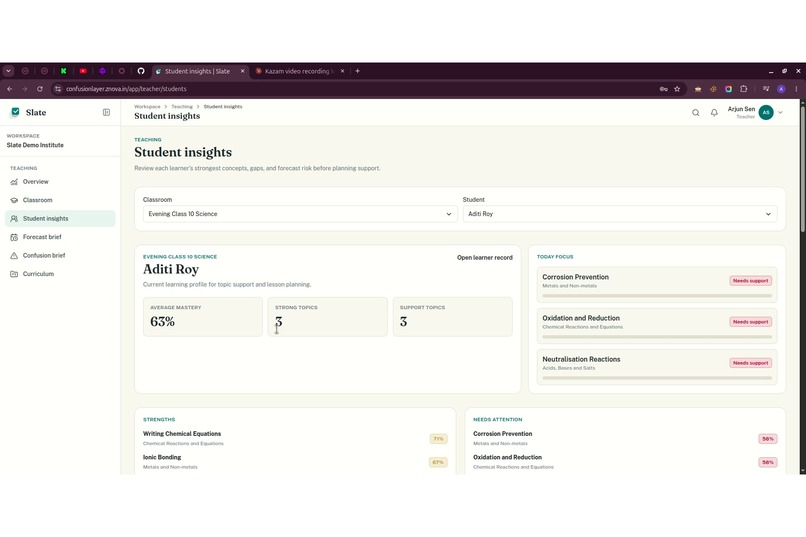
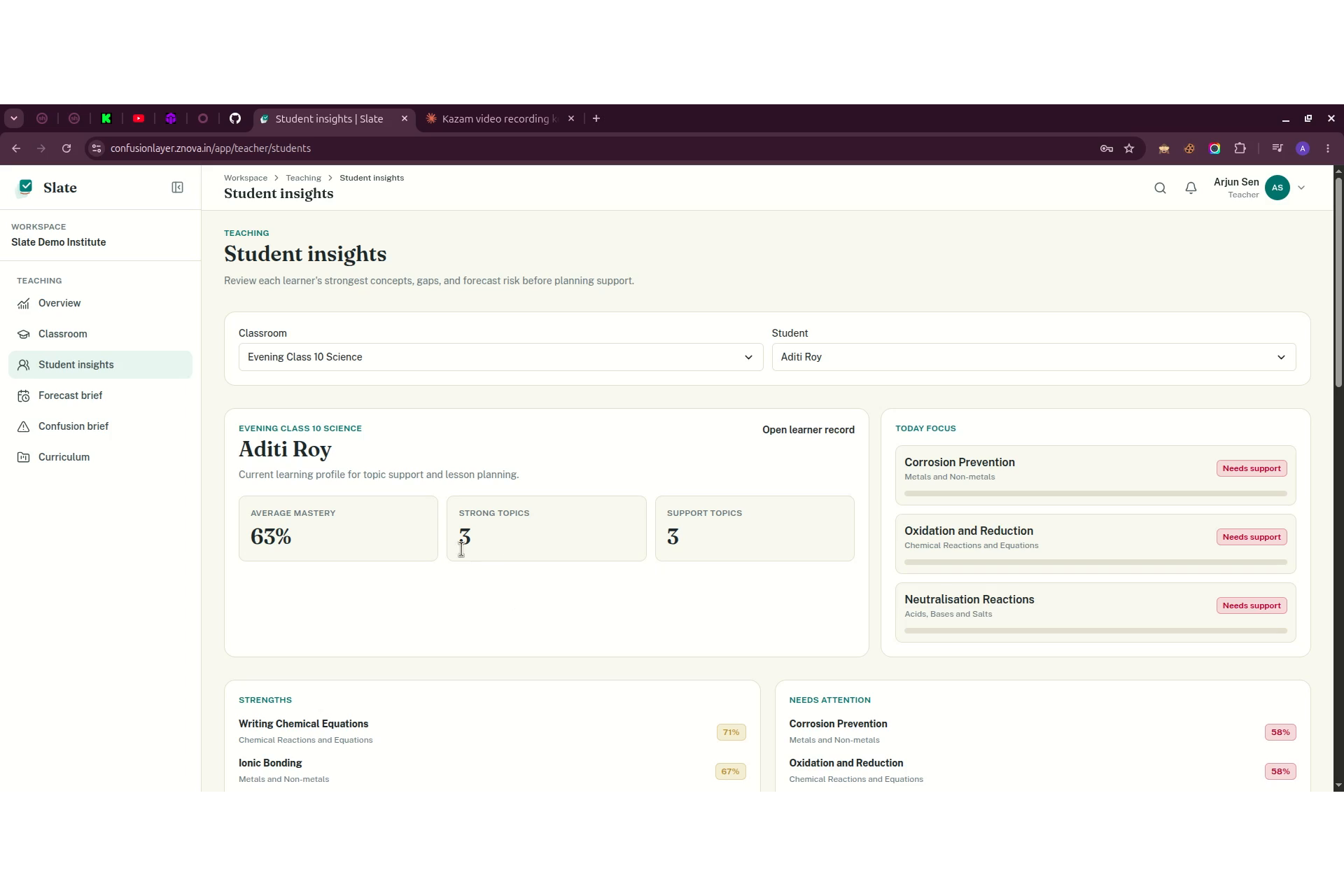
Individual student (Aditi Roy) profile showing mastery %, strengths, and weak-area tags.
-
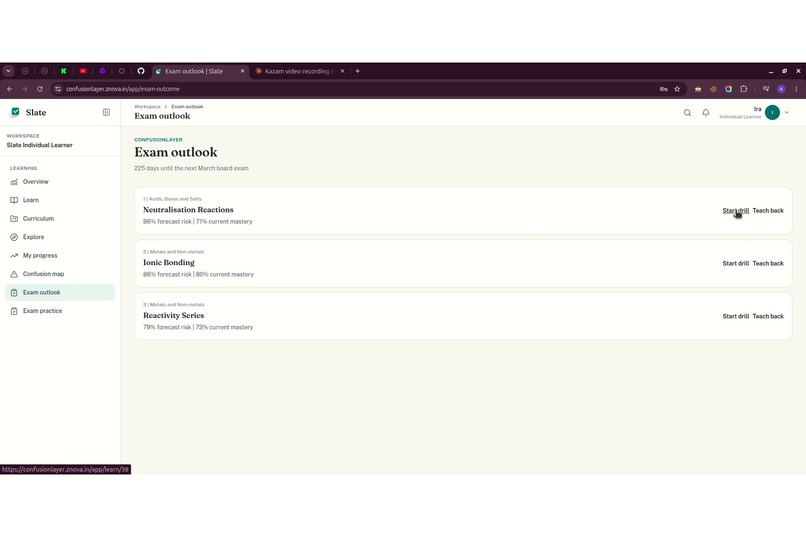
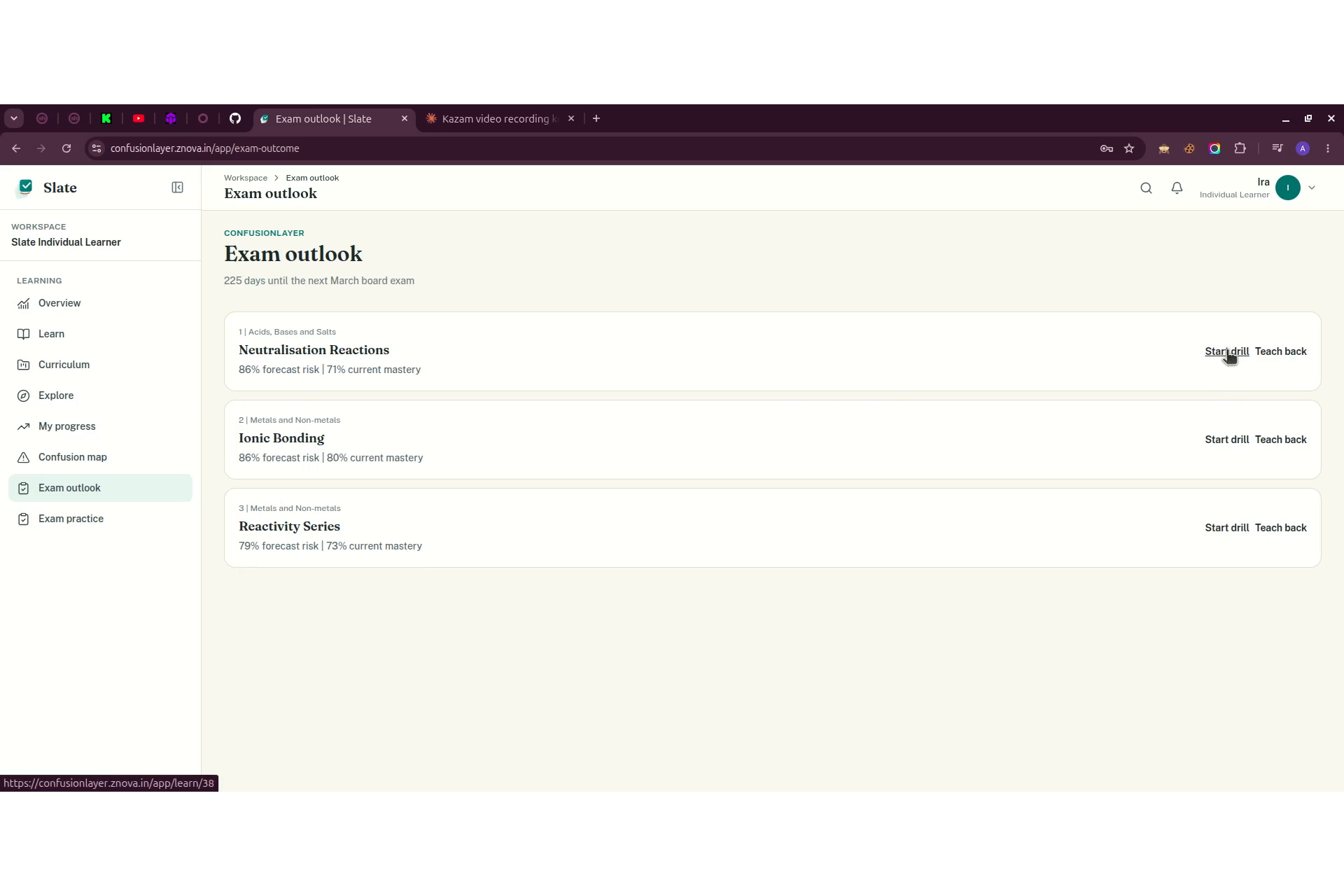
List of exam-relevant concepts with practice-question prompts.
-
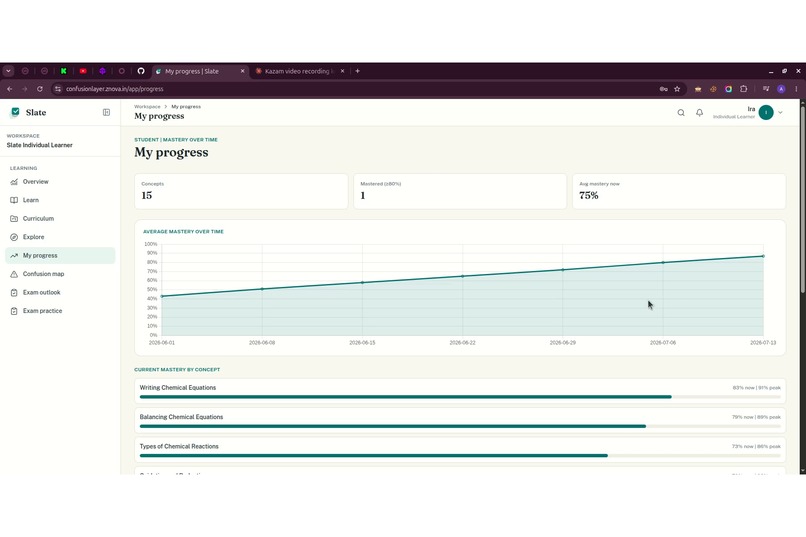
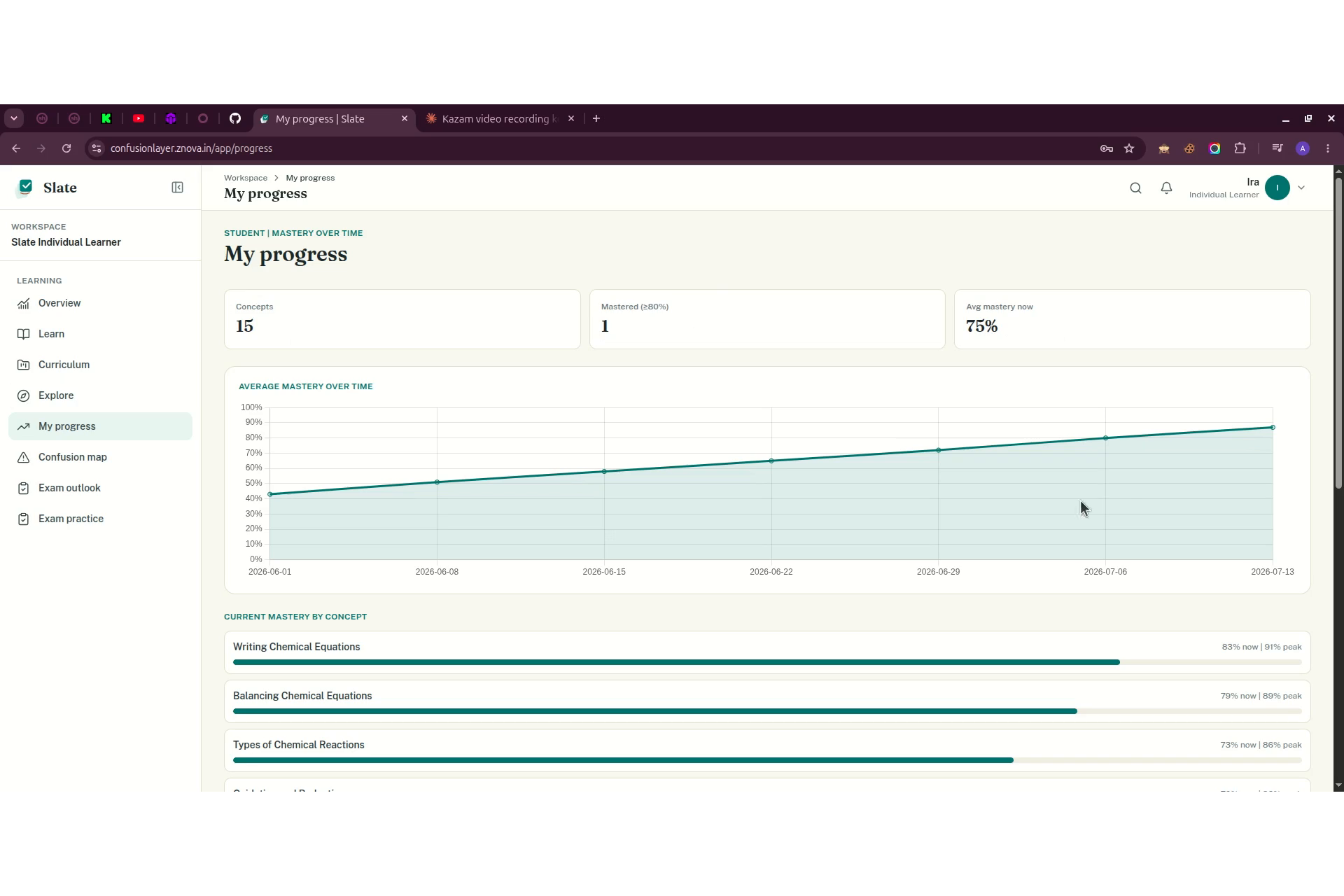
Mastery-over-time line chart plus per-topic mastery bars.
-
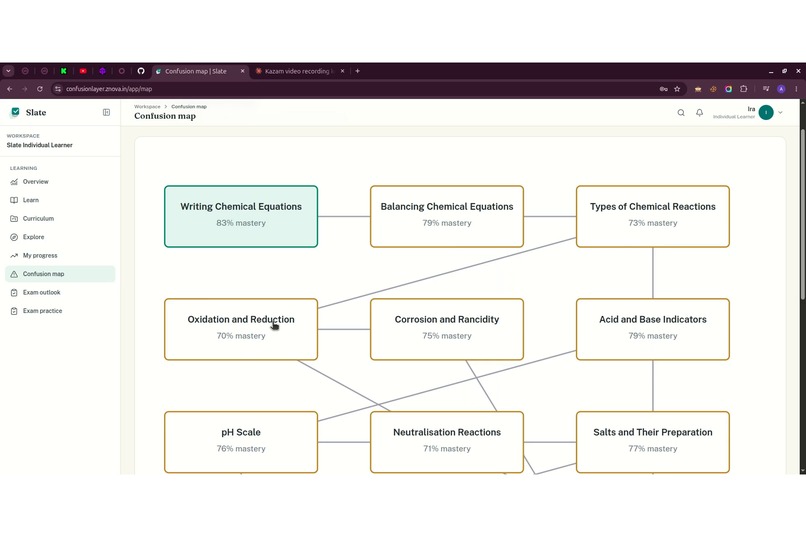
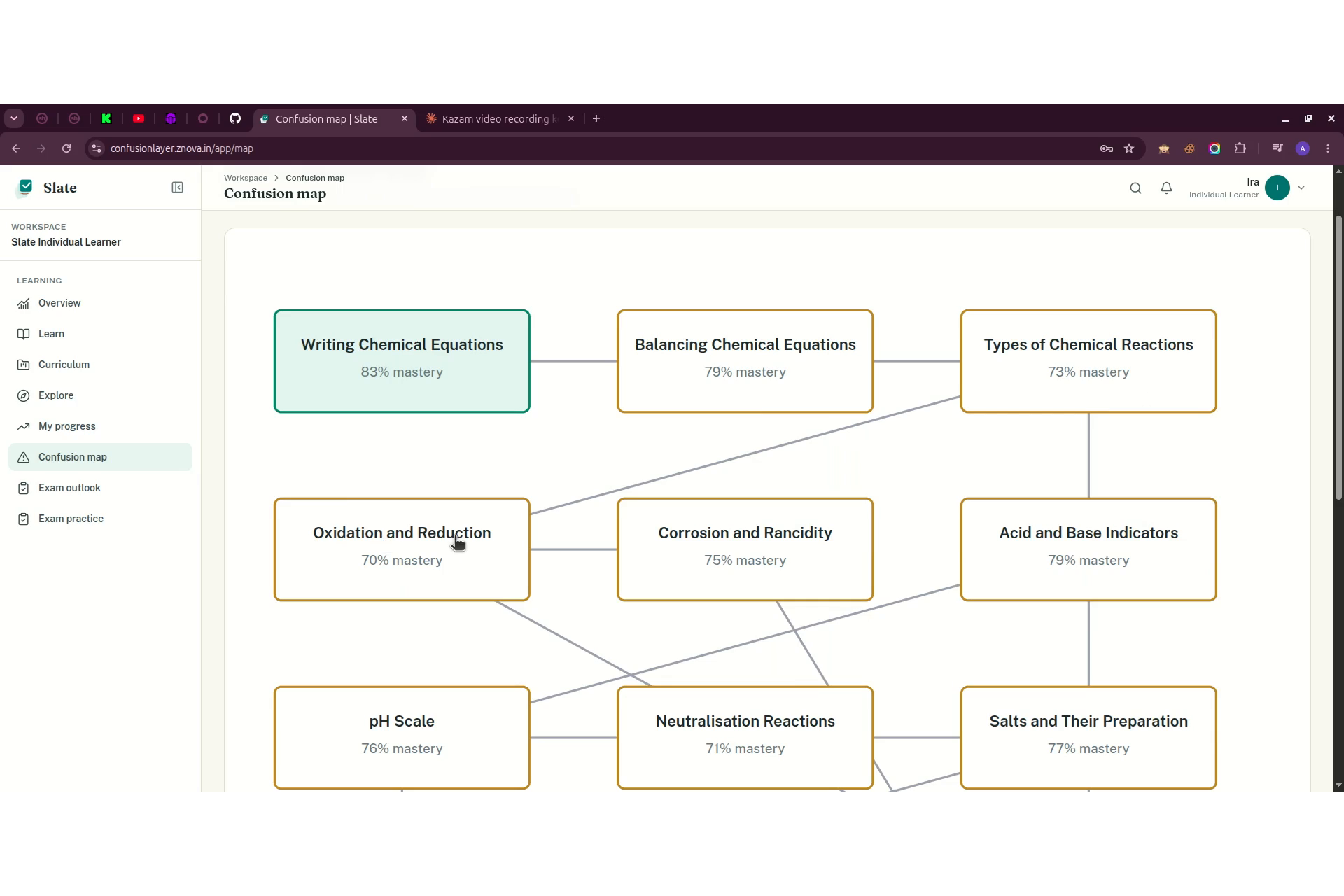
Node-diagram showing linked concepts and mastery risk between topics.
-
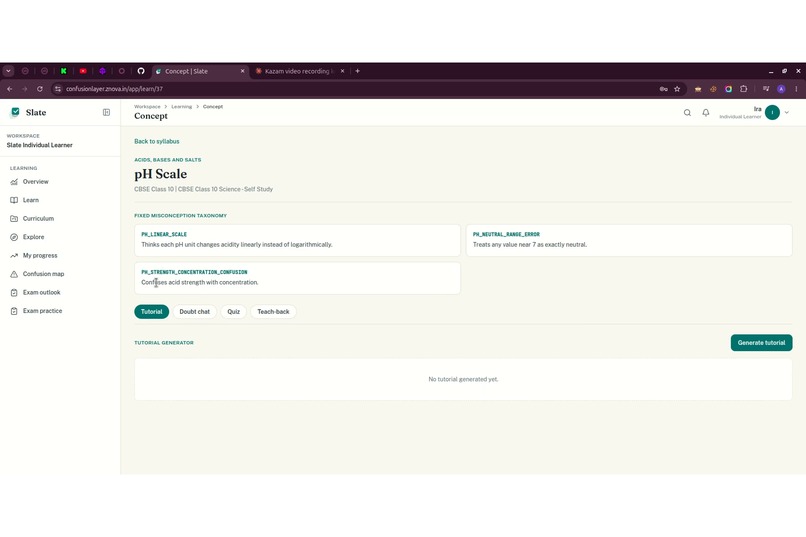
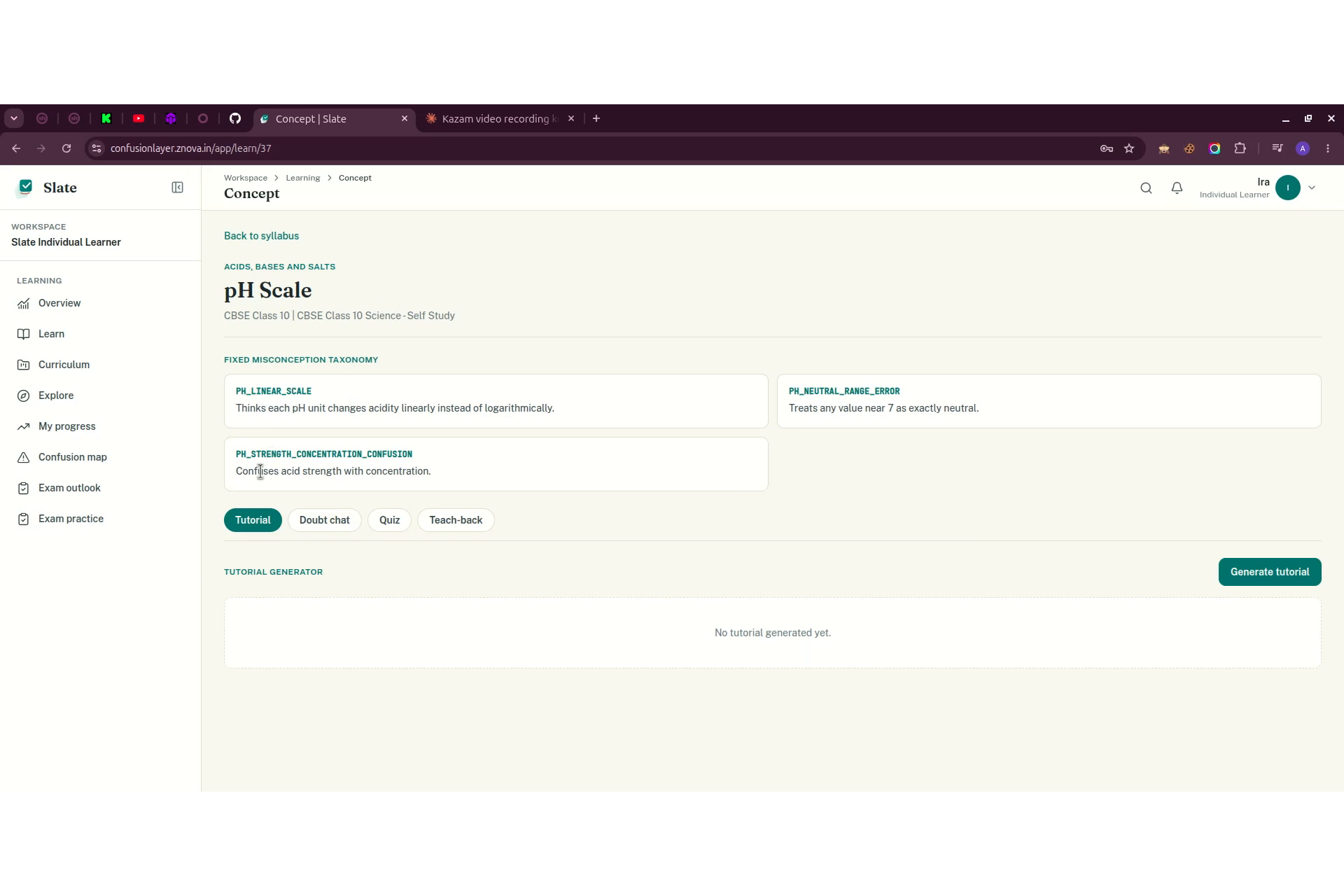
pH Scale concept view with explanation content and Tutorial/Doubt chat/Quiz/Teach-back tabs.
-
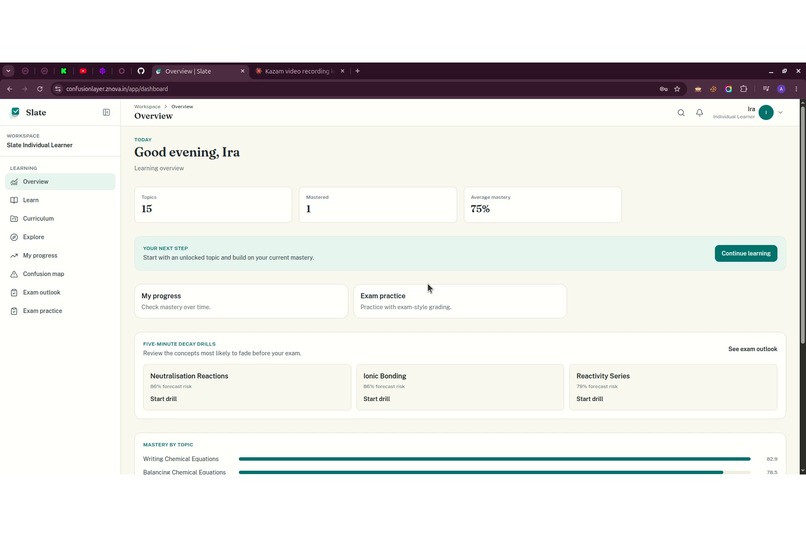
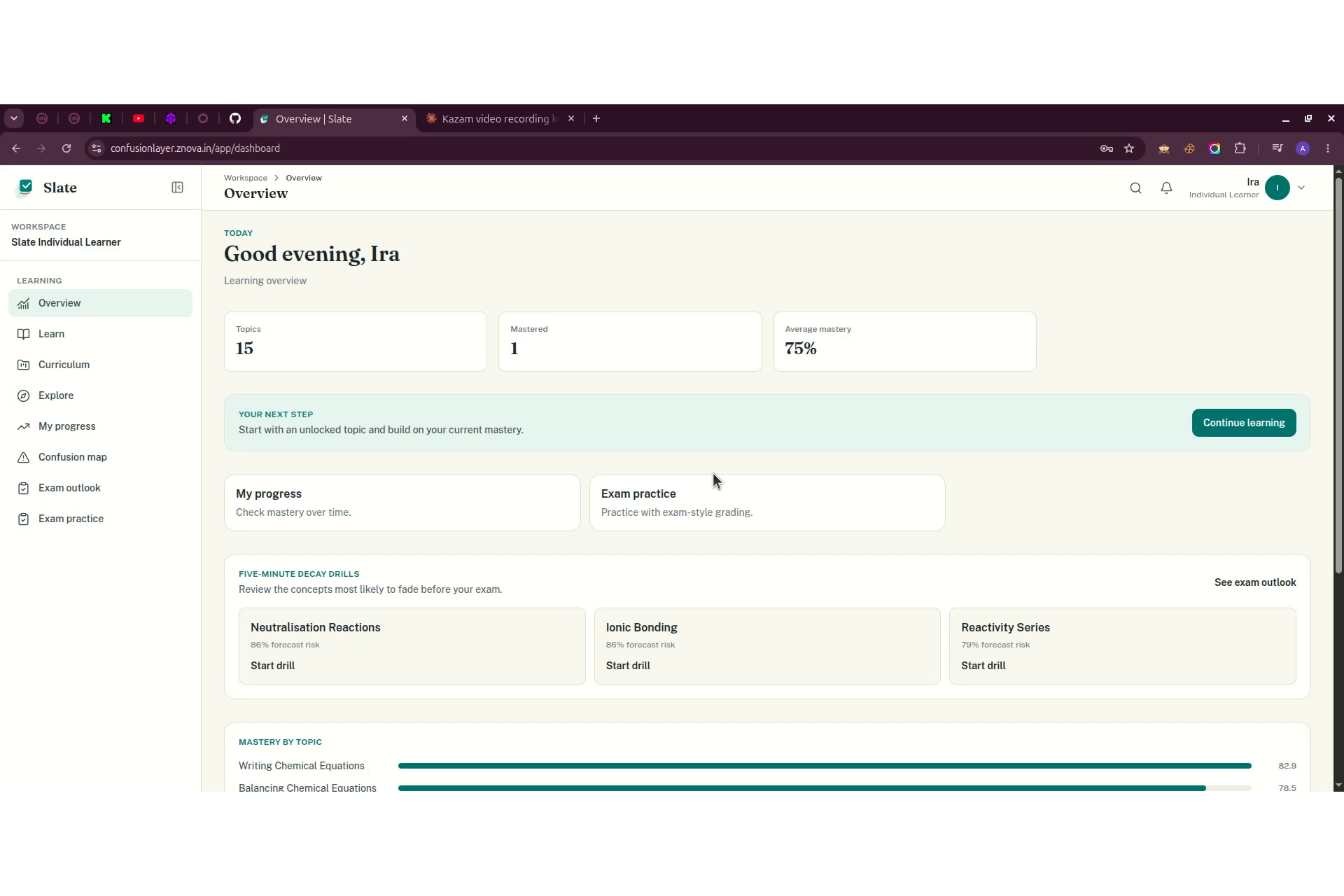
"Good evening, Ira" overview with mastery %, weak-topic breakdown, and quick action buttons.
-

Marketing homepage: headline "Clear the confusion before it starts," forecast brief preview card, feature ticker.

Inspiration
ConfusionLayer was inspired by a simple problem we kept seeing in classrooms: teachers usually discover confusion too late. A quiz, test, or exam tells them what already went wrong, but by then the class has often moved on.
We wanted to build something that helps teachers act earlier. Instead of only tracking marks, ConfusionLayer tracks concept mastery, prerequisite gaps, and confusion risk so a teacher can see what students may struggle with before the next lesson.
What it does
ConfusionLayer is an AI-powered school learning and operations platform.
For students, it provides:
- Unlocked lesson concepts based on the classroom pace
- AI-generated explanations, examples, visuals, doubt support, quizzes, and teach-back grading
- Mastery tracking by concept
- Confusion Map to show weak and risky areas
- Exam Outlook and Exam Practice for focused revision
- Timetable view based on the student’s classroom
For teachers, it provides:
- Student Insights with strengths, weaknesses, mastery, and forecast risk
- Forecast Brief to predict which upcoming concepts may cause trouble
- Confusion Brief to summarize classroom-level misconceptions
- Classroom and curriculum tools
For school owners, it adds workspace features like members, roles, classrooms, parent linking, attendance, fees, HR, admissions, and timetables.
The goal is not to replace teachers. The goal is to give teachers earlier signals and clearer priorities.
How we built it
We built ConfusionLayer as a full-stack web app.
The frontend is built with Vue and a custom interface designed for schools, teachers, and learners. The backend handles authentication, role-based access, curriculum, mastery tracking, school operations, and AI workflows.
We used a structured curriculum model with subjects, chapters, concepts, unlock states, and prerequisite relationships. AI is used on top of that structure for tutorials, doubt responses, quiz feedback, teach-back grading, forecast explanations, and curriculum cleanup from PDFs.
The production demo runs with Docker on an Oracle VM, with HTTPS served through nginx and the app split into frontend, backend, and database services.
Challenges we ran into
One major challenge was making the product feel like a real school system instead of just an AI chatbot. That meant handling roles carefully: student, teacher, parent, school owner, institute owner, and platform admin all needed different access.
Another challenge was keeping curriculum behavior realistic. Students should not see everything at once in a classroom setup. Teachers need to unlock chapters and topics step by step, while individual learners need more freedom for self-study.
We also had to improve the AI flow so it was not just generic answers. The app needed structured context, clear loading states, safer PDF import, better demo data, and useful visual outputs.
Accomplishments that we're proud of
We are proud that ConfusionLayer became more than a prototype screen. It has working authentication, role-based dashboards, classroom pacing, student progress, teacher insights, forecast briefs, confusion briefs, curriculum import, and school operations.
The strongest part is the prediction layer. ConfusionLayer can connect mastery, prerequisite decay, and concept risk into a practical teacher briefing. That makes the product feel useful before failure happens, not only after.
We are also proud of the demo experience. A judge can move from student learning to teacher analytics to school owner operations and see one connected product.
What we learned
We learned that AI in education is much more useful when it is grounded in structure. A chatbot can answer questions, but a school product needs curriculum, roles, progress, history, permissions, and teacher control.
We also learned that small product details matter a lot. Things like locked chapters, student timetables, parent linking, clean role names, loading states, and realistic demo data make the difference between a concept and a believable product.
Most importantly, we learned that the best use of AI here is not replacing the teacher. It is helping the teacher see earlier, decide faster, and support students better.
What's next for ConfusionLayer
Next, we want to expand ConfusionLayer with deeper curriculum coverage, richer teacher planning tools, stronger parent reports, and better analytics across classrooms.
We also want to improve the AI-generated visuals, add more interactive practice formats, and make the Forecast Brief even more useful for daily lesson planning.
Long term, ConfusionLayer can become a complete early-warning layer for schools: helping every teacher know who needs help, what concept is causing confusion, and what to do next.
Built With
- ai
- alembic
- cloud
- codex
- css
- docker
- edtech
- education
- fastapi
- jwt
- nginx
- openai
- oracle
- pinia
- postgresql
- pydantic
- python
- router
- saas
- sqlalchemy
- tailwind
- typescript
- vite
- vue
- vue.js


Log in or sign up for Devpost to join the conversation.