Inspiration
I joined Forge Quest to get hands-on experience with Atlassian Forge and finally explore what it takes to build apps inside Confluence. I’ve always wanted to personalize my workspace, and this was the perfect opportunity to start small, learn a lot, and have fun doing it.
What it does
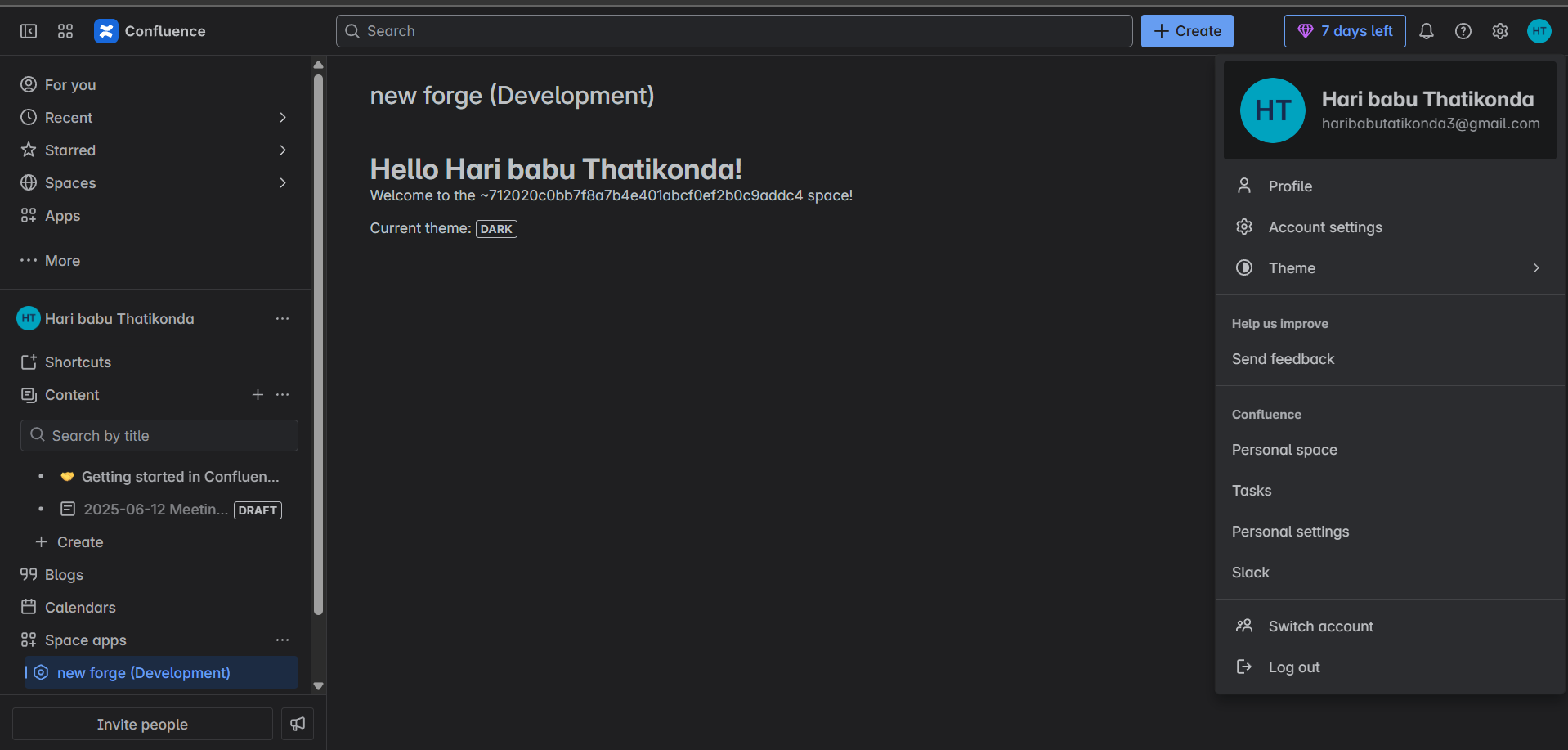
This app adds a simple but meaningful touch to Confluence space pages. It greets the user by name, displays the current space key (even if it’s a personal space), and shows whether the user is in light or dark mode. It's a “Hello World” with personality!
How we built it
The app is built using:
- Forge Custom UI with React for the frontend
- Forge resolver to handle backend logic
- @forge/bridge to access context (theme, accountId)
- requestConfluence API to fetch user details
Challenges we ran into
- Installing and configuring the Forge CLI (network issues 😅)
- Realizing the space key for personal spaces has a special format like
~7120... - Making sure everything ran inside Forge’s context with proper permissions
Accomplishments that we're proud of
- Built and deployed my first working Forge app!
- Understood how frontend and backend can interact using
invokeandresolver - Made something that actually runs inside a real Confluence instance
What we learned
- How to use Forge’s developer tools and platform from scratch
- How to retrieve and use contextual data like theme and user info
What's next for Confluence Welcome Space
Next, I’d love to make the welcome widget more dynamic, maybe show the recent activity, or a user-customizable greeting. Forge feels like a great platform for building helpful extensions, and I’m excited to dive deeper into the Apprentice level too!
Built With
- atlassian
- forge
- javascript
- react
- rest-api

Log in or sign up for Devpost to join the conversation.