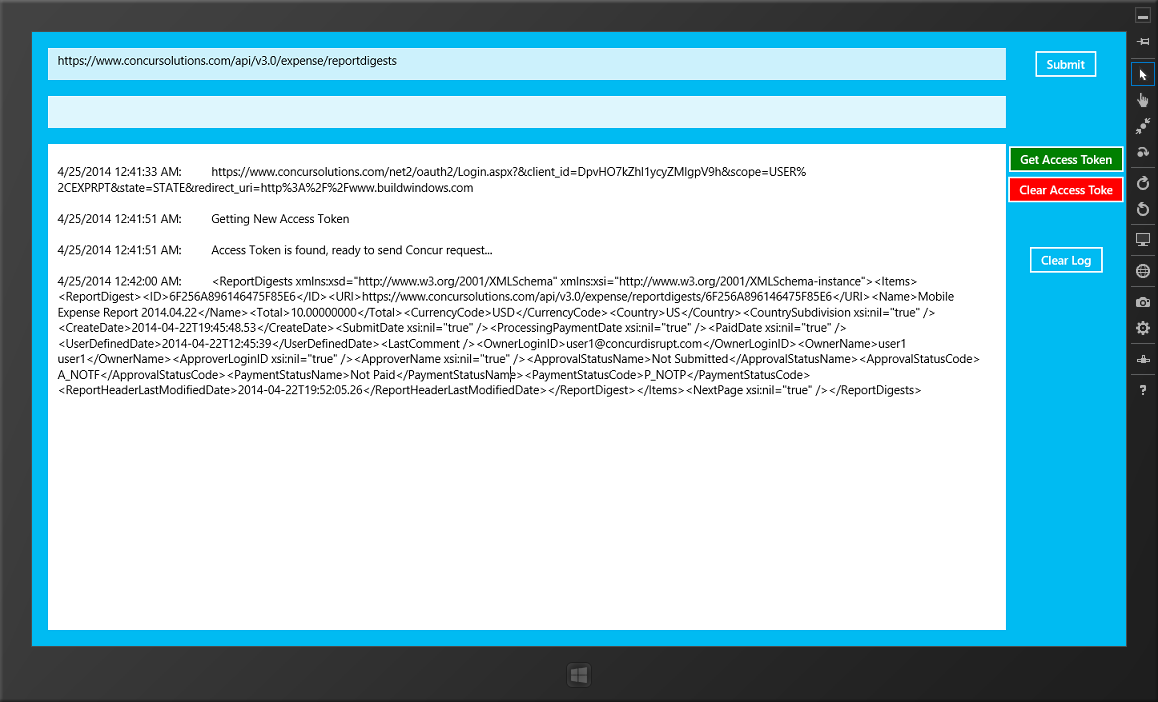
This Windows 8 (C#/XAML) code demonstrates:
- Getting an access token for Concur using OAuth 2.0
- Calling Concur APIs (Expense Report Digest)
You can view a video of the app in action here
What is Concur?
Over 25 million people in 190 countries and over 65 percent of the Fortune 500 trust Concur to process $50 billion in travel and expense data per year. We help these 25M business travelers manage their travel bookings and expense reports through the Concur Travel and Expense web/mobile app. This allows them and their companies to save time, money, gain visibility and enforce employee compliance on expenses. It's all about giving the business traveler a delightful and worry-free travel experience, which we like to call The Perfect Trip.
We also created APIs so that partners can add value and contribute to a business traveler's Perfect Trip. You can check it out here.
Using this code
This C#/XAML sample code is a modified version of LinkedIn OAuth. It's retargeted for Windows 8.1 using Microsoft Visual Studio Express 2013 for Windows.
To use this code, you need to get a free Concur developer account. Check out these instructions (originally written for a hackathon) on how to set up your account, and get your Consumer and Secret keys.
Once you have your keys, open MainPage.xaml.cs and insert the keys as below:
    //TODO: Get your Consumer key and Secret - http://ismaelc.github.io/ConcurDisrupt/#getstarted
    private string _consumerKey = "<insert your Consumer Key>";
    private string _consumerSecretKey = "<insert your Secret Key>";
That's it. Hit Run (F5). You can view a video of the app running in a simulator here.
Support
If you have questions about this code, or the Concur Platform in general (e.g. how can I get my app listed in the App Center), please contact me at [email protected]

Log in or sign up for Devpost to join the conversation.