-
-
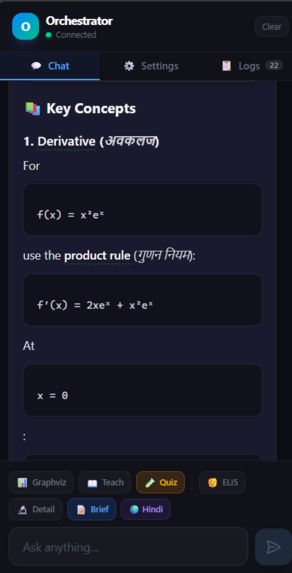
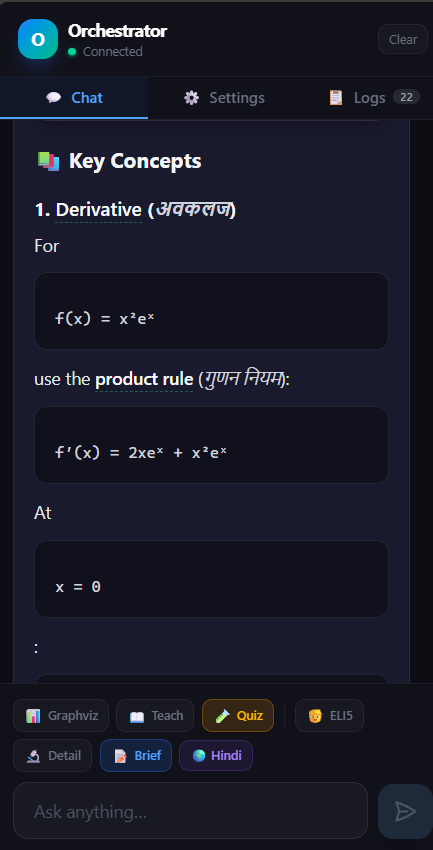
key concepts explanation and teaching
-
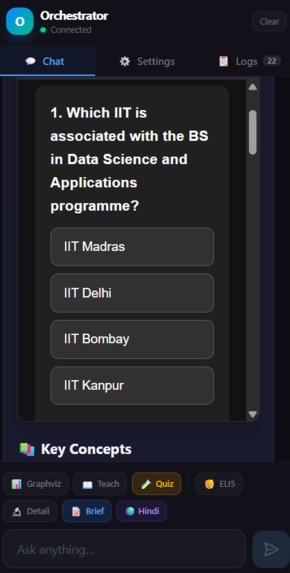
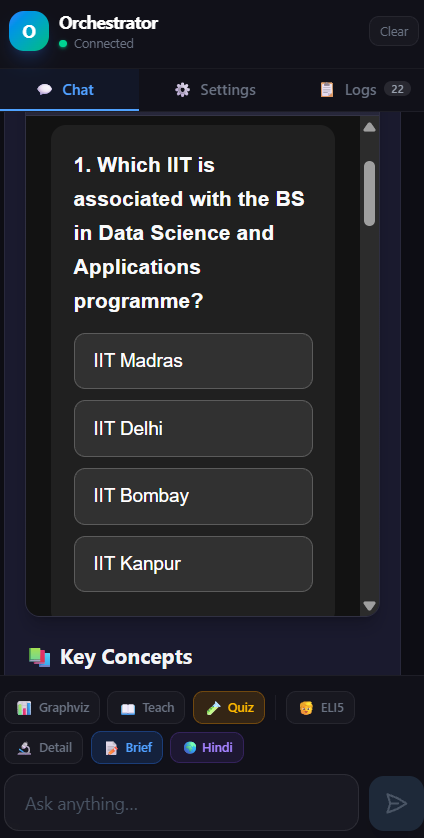
on level of your responses interactive quizzes
-
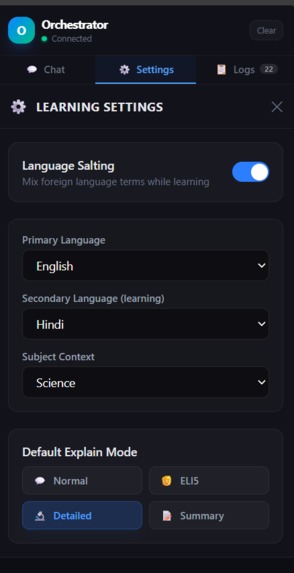
removing language barrier
-
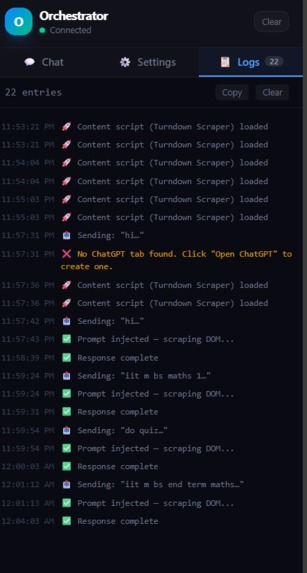
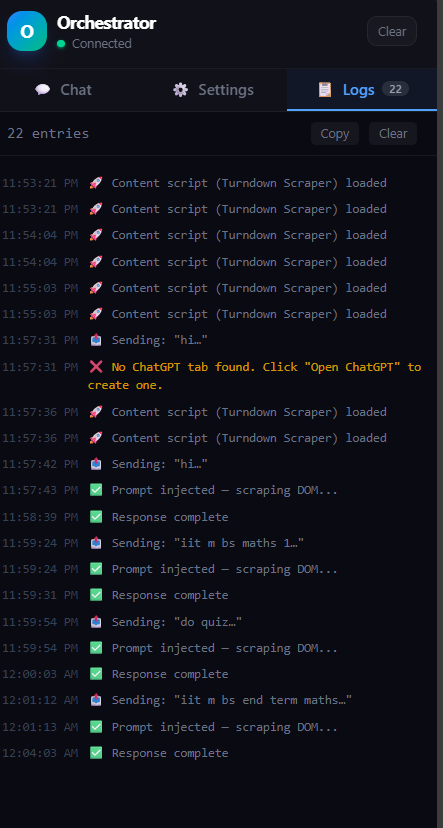
have all history
-
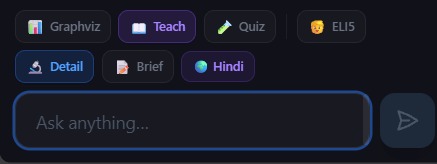
different options to choose
-
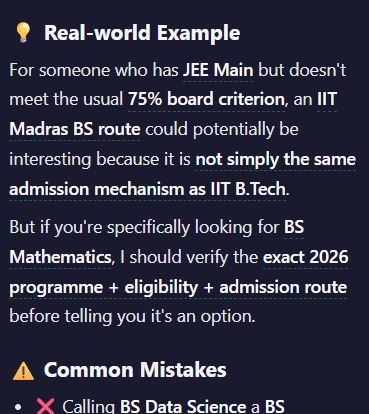
tells real world example and and mistakes
-
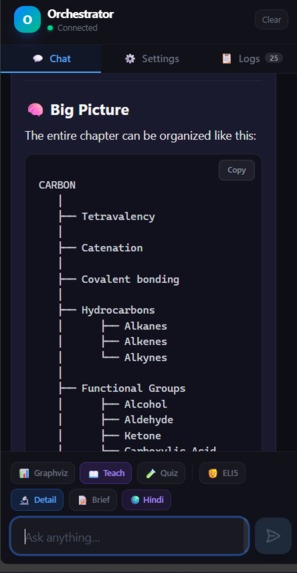
flowcharts for better understanding on very easy questions to difficult ones
-
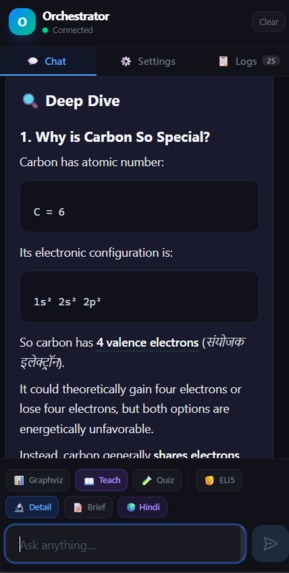
real life example + easy command + no need to exaturate thing our system will understand it without using api key
Orchestrator — Turning ChatGPT into a Learning Environment
What Inspired Us
The original inspiration came from a simple observation:
Having access to AI does not automatically mean having access to understanding.
Imagine a 13-year-old student who loves science but studies primarily in Hindi. They open an English science textbook and encounter a sentence such as:
“Photosynthesis is the process by which green plants synthesize organic compounds using light energy.”
The problem isn't necessarily that the student doesn't know the individual words. The problem is that the concept isn't being communicated in a way that works for them.
This led us to a broader question:
What if AI could adapt the way knowledge is presented instead of simply answering questions?
We didn't want to build another chatbot.
ChatGPT already exists.
We wanted to build the learning layer around it — a system that could take a student's question and orchestrate different ways of learning the same concept.
That became Orchestrator.
What Is Orchestrator?
Orchestrator is a Chrome/Chromium Manifest V3 extension and learning interface built around ChatGPT.
Instead of replacing ChatGPT or creating another AI model, Orchestrator acts as a layer between the learner and ChatGPT.
It gives the student controls over how they want to learn:
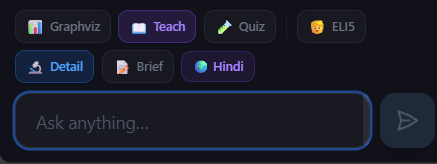
- 📖 Teach — turns a question into a structured lesson
- 🧒 ELI5 — explains concepts using very simple language and analogies
- 🔬 Detailed — provides a deeper, comprehensive explanation
- 📝 Brief — reduces a topic to a few essential points
- 🧪 Quiz — generates an interactive quiz
- 📊 Graphviz — converts concepts into educational diagrams
- 🌍 Language Learning — presents important terminology in two languages
- 💡 Explain More — expands an existing explanation
- 📚 Vocabulary — extracts and translates important terminology
- 🖱️ Clickable concepts — lets students ask about individual bolded terms
- 🌐 Interactive Web Apps — renders self-contained HTML generated by the AI directly inside the interface
The central idea is:
Don't just give the learner an answer. Give them multiple paths to understanding.
How We Built It
We built Orchestrator as a browser extension using React, Vite, Tailwind CSS and Chrome Manifest V3.
The architecture is divided into several important pieces.
1. Chrome Extension Layer
The project uses Manifest V3 with:
- A background service worker
- A content script
- A Chrome Side Panel
- Extension storage
- Tab and scripting permissions
The Side Panel becomes the main Orchestrator interface while the content script connects that interface to ChatGPT.
This allowed us to build a dedicated learning environment without asking users to leave the ChatGPT page.
2. Prompt Orchestration
One of the most important parts of the project is the prompt orchestration layer.
Instead of sending the user's raw question directly to ChatGPT, Orchestrator dynamically constructs instructions based on the selected learning mode.
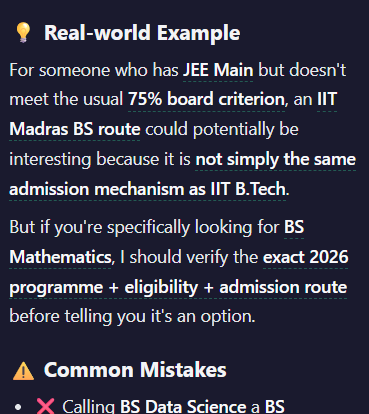
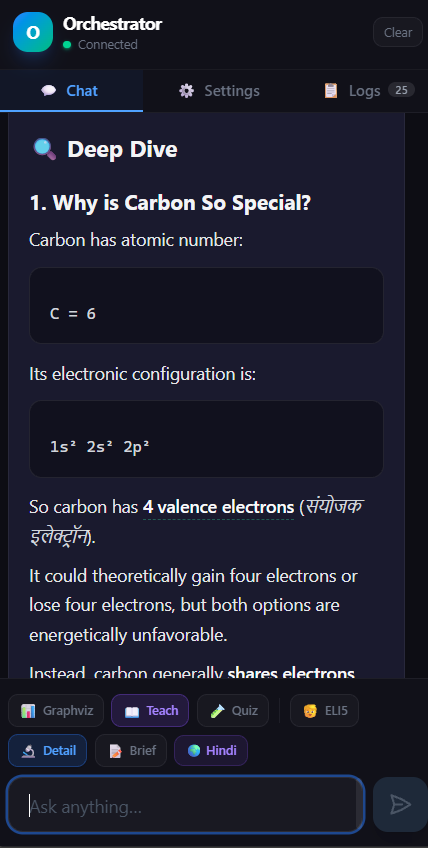
For example, if the student activates Teach Mode, the prompt asks ChatGPT to structure the response into:
- Overview
- Key Points
- Deep Dive
- Real-world Example
- Common Mistakes
If the student selects Quiz Mode, Orchestrator instructs ChatGPT to generate a complete, self-contained HTML quiz containing:
- 4–5 progressively harder questions
- Four options per question
- Correct/incorrect interaction
- A score counter
- Inline CSS
- Inline JavaScript
- No external dependencies
This means the AI isn't just being asked:
“Explain photosynthesis.”
It is being instructed:
“Teach this concept in a particular pedagogical format.”
That distinction is at the heart of Orchestrator.
3. Real-Time ChatGPT Integration
We wanted the interface to feel like a real application rather than a collection of manually copied ChatGPT responses.
To achieve this, Orchestrator integrates with the ChatGPT webpage through its content script.
The project can:
- Inject a generated prompt into ChatGPT.
- Detect the resulting response.
- Observe the response while it is being generated.
- Extract the response content.
- Stream that content back into the Orchestrator interface.
- Render it as structured Markdown or interactive content.
We implemented streaming support around ChatGPT's conversation response flow, including handling of Server-Sent Events (SSE).
This was one of the technically interesting parts of the project because the AI response isn't necessarily available as one complete block — it arrives progressively.
4. Markdown as the Learning Format
We deliberately chose Markdown as an internal presentation format.
The assistant's responses can contain:
- Headings
- Lists
- Tables
- Code
- Formulas
- Highlighted terminology
- Graphviz blocks
- HTML blocks
Orchestrator renders this content inside its own interface rather than simply displaying raw text.
We also use Markdown-related tooling such as:
react-markdownremark-gfmrehype-highlight
This makes AI-generated educational material much easier to read and interact with.
5. From Text to Visual Learning
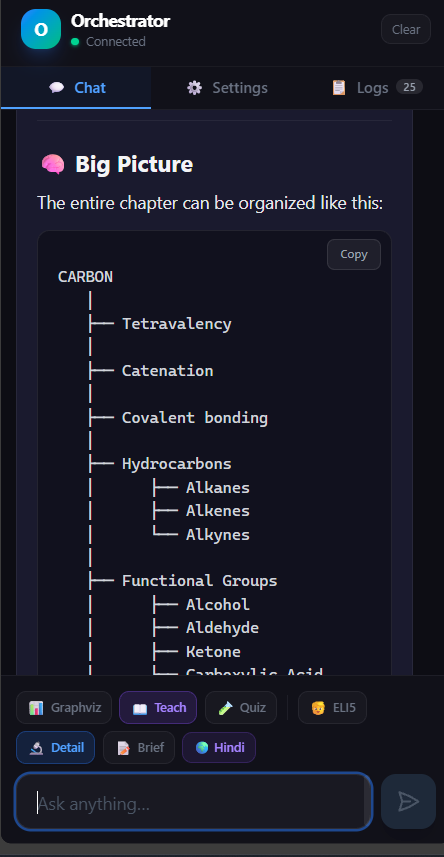
One of our favorite features is Graphviz visualization.
When the learner presses Visualize, Orchestrator asks ChatGPT to produce a Graphviz DOT representation of the concept.
For example:
Sunlight
   ↓
Chlorophyll
   ↓
Photosynthesis
   ↓
Glucose + Oxygen
The AI produces the corresponding graph structure, and Orchestrator uses @viz-js/viz to render it.
This changes the learning experience from:
Read → remember
to:
Read → visualize → understand
6. From Answers to Interactive Learning
We also wanted to experiment with something beyond text and diagrams.
Orchestrator can render self-contained HTML generated by ChatGPT as interactive web components.
For example, Quiz Mode can generate a complete HTML quiz containing its own:
- CSS
- JavaScript
- Question cards
- Answer buttons
- Correct/incorrect states
- Score tracking
The generated HTML is displayed inside a sandboxed iframe.
The interface even provides controls to:
- Restart the interactive component
- Expand/collapse it
- View its generated code
- Open it in a new tab
This was an important design experiment for us:
What if an AI explanation could become a small educational application rather than remaining a paragraph of text?
7. Language Learning / "Language Salting"
The original problem of language accessibility also became a technical feature.
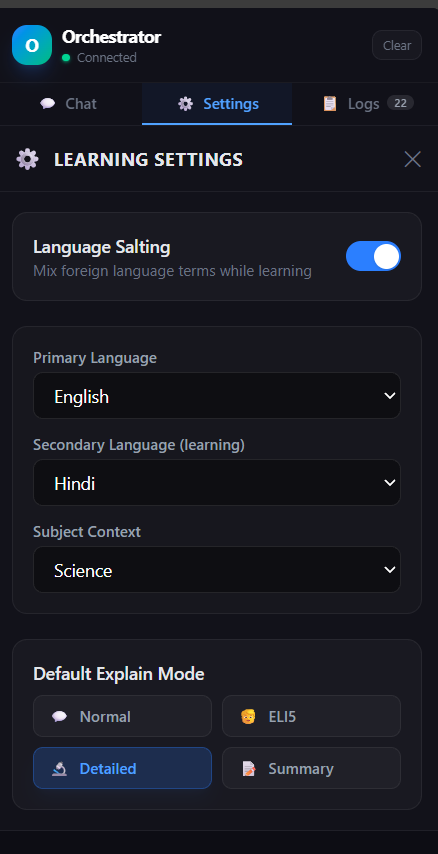
Orchestrator has a Language Learning / Language Salting mode.
The user can configure:
- Primary language
- Secondary language
- Subject context
For example:
English → Hindi
The system instructs ChatGPT to explain primarily in the learner's primary language while showing important scientific terminology in both languages.
For example:
gravity (गुरुत्वाकर्षण)
It also generates a vocabulary section containing the important terms and their translations.
The purpose isn't literal translation.
It is to help students gradually connect the language they already understand with the academic terminology they need to learn.
8. Clickable Concepts
Another small but important interaction is the ability to interact with bolded concepts.
Important concepts in responses are formatted in bold.
These become clickable inside Orchestrator.
When a student clicks a term, the extension can ask ChatGPT to provide:
- A one-line definition
- Example sentences
- Etymology/origin where useful
- Related scientific terms
- Translations when language mode is enabled
This creates a learning loop:
Main explanation
      ↓
Unknown concept
      ↓
Click the concept
      ↓
Micro-explanation
      ↓
Return to the main lesson
Instead of forcing the student to stop studying and search the web for every unfamiliar term.
The Technology Stack
The project combines several technologies:
| Layer | Technology |
|---|---|
| UI | React |
| Build | Vite |
| Browser | Chrome Manifest V3 |
| Styling | Tailwind CSS |
| Extension integration | CRXJS / Chrome APIs |
| ChatGPT integration | Content scripts + page interaction |
| Response streaming | Fetch/SSE interception |
| Markdown | React Markdown |
| GitHub-flavored Markdown | Remark GFM |
| Code highlighting | Rehype Highlight |
| Diagrams | Graphviz / @viz-js/viz |
| HTML → Markdown | Turndown |
| Icons | Lucide React |
| State/storage | Chrome Storage |
| Background processing | Service Worker |
The result is not a new AI model.
It is an orchestration and interaction layer built around an existing AI model.
What We Learned
The biggest lesson was that AI capability and product capability are different things.
ChatGPT is already capable of explaining a huge number of concepts.
Our challenge was figuring out:
How do we turn that capability into a better learning experience?
We learned how much difference structured prompting can make.
A single model can behave like:
- a teacher,
- a quiz generator,
- a visualizer,
- a vocabulary tutor,
- an explainer,
- or a lesson planner,
depending on how the interaction is designed.
We also learned a lot about browser-extension engineering:
- Manifest V3 architecture
- Content scripts
- Service workers
- Chrome Side Panels
- Cross-context messaging
- DOM interaction
- Streaming responses
- Markdown rendering
- Sandboxed HTML
- Client-side visualization
Perhaps most importantly, we learned that the interface surrounding AI can be just as important as the model itself.
The Challenges We Faced
1. Integrating With a Dynamic Web Application
ChatGPT is a complex, continuously changing web application.
We couldn't simply treat it like a normal static webpage.
We had to build around dynamically generated DOM content and the way responses are streamed.
This made reliable communication between the extension and ChatGPT one of our biggest engineering challenges.
2. Handling Streaming Responses
AI responses are generated progressively.
We needed Orchestrator to recognize response chunks, process them, and update the interface without waiting for the entire answer.
This required working with streaming data and handling cases where responses could be incomplete or arrive in unexpected formats.
3. Rendering AI-Generated HTML Safely
Interactive HTML was one of the most exciting features — but also one of the areas requiring the most care.
We wanted generated quizzes and interactive educational components to actually run, while preventing them from becoming an unrestricted part of the extension page.
We therefore render interactive content inside a sandboxed iframe with controlled capabilities.
4. Keeping the Interface Simple
There is a natural temptation to add more and more AI features.
But a learning application can easily become overwhelming.
We had to balance:
Power vs. simplicity.
That's why features such as Teach, Quiz, ELI5, Detail, Brief and Graphviz are exposed as small, understandable controls rather than forcing students to understand complicated AI terminology.
Why We Call It "Orchestrator"
The name represents the core philosophy of the project.
An orchestra doesn't create every instrument.
It coordinates different instruments to create a better experience.
Similarly, Orchestrator doesn't try to replace the underlying AI.
It coordinates:
student intent + prompts + ChatGPT + visualization + Markdown + interactive HTML + language support + quizzes
into a single learning workflow.
The AI is the engine.
Orchestrator is the conductor.
What's Next
This project is only the beginning.
We want Orchestrator to eventually become much more model-agnostic and capable of coordinating different AI systems rather than depending on a single conversational interface.
We also want to explore:
- More regional languages
- Better educational personalization
- Curriculum-aware explanations
- Progress tracking
- Adaptive quizzes
- Difficulty adjustment based on performance
- More visual learning tools
- Better accessibility
- Support for additional AI models
- Offline/low-bandwidth educational experiences
The long-term goal is not to make students dependent on AI.
It is to use AI to make understanding more accessible.
Our Vision
A student shouldn't need perfect English to understand physics.
They shouldn't need an expensive tutor to ask “why?”
And they shouldn't need to already know how to learn before technology can help them learn.
We believe AI can become more than an answer machine.
It can become a bridge between curiosity and understanding.
That is what we are trying to build with Orchestrator.
A language barrier should never become an intelligence barrier, and a lack of resources should never decide how far a learner can go.


Log in or sign up for Devpost to join the conversation.