Inspiration
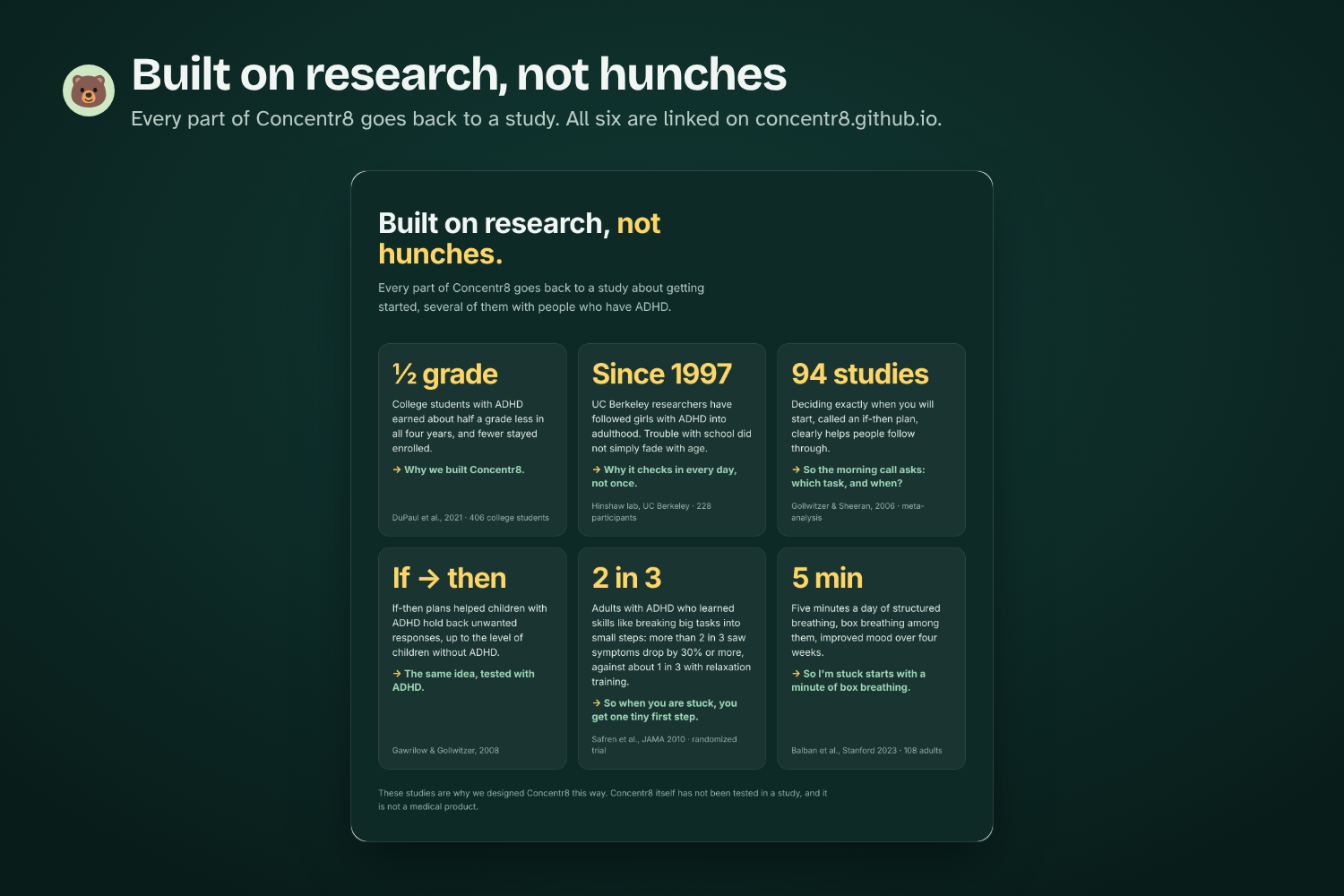
We kept running into the same problem: knowing what you need to do and actually starting it are two different things. For students with ADHD it shows up in their grades. In a four-year study of 406 college students, the ones with ADHD earned about half a grade less every year, and fewer of them stayed enrolled (DuPaul et al., 2021).
To-do lists tell you what to do, blockers take distractions away, and AI assistants give advice. None of them do much about the gap between "I'll start at 9:30" and what actually happens at 9:30. That gap is what we built Concentr8 for, by and for UC Berkeley students.
What it does
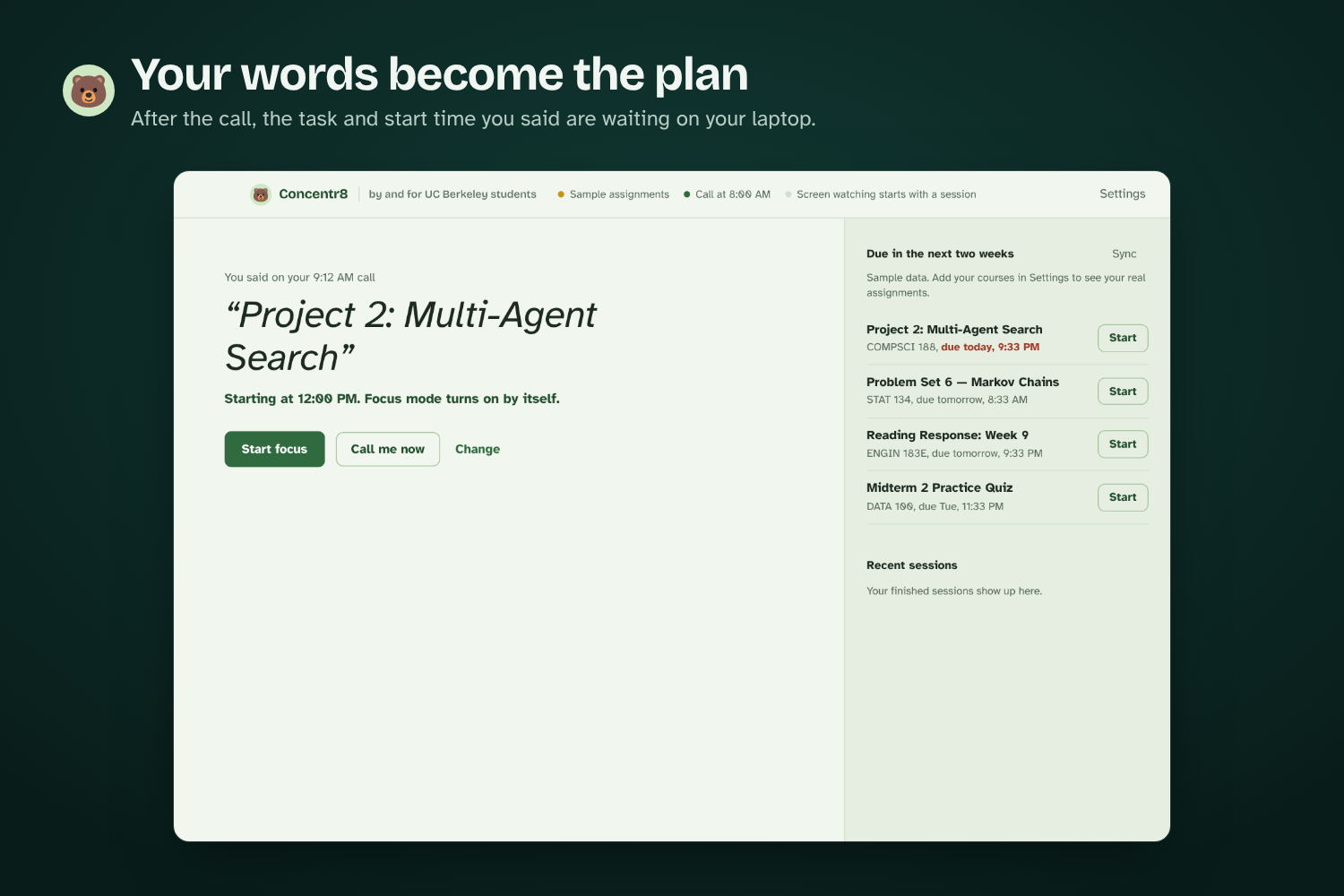
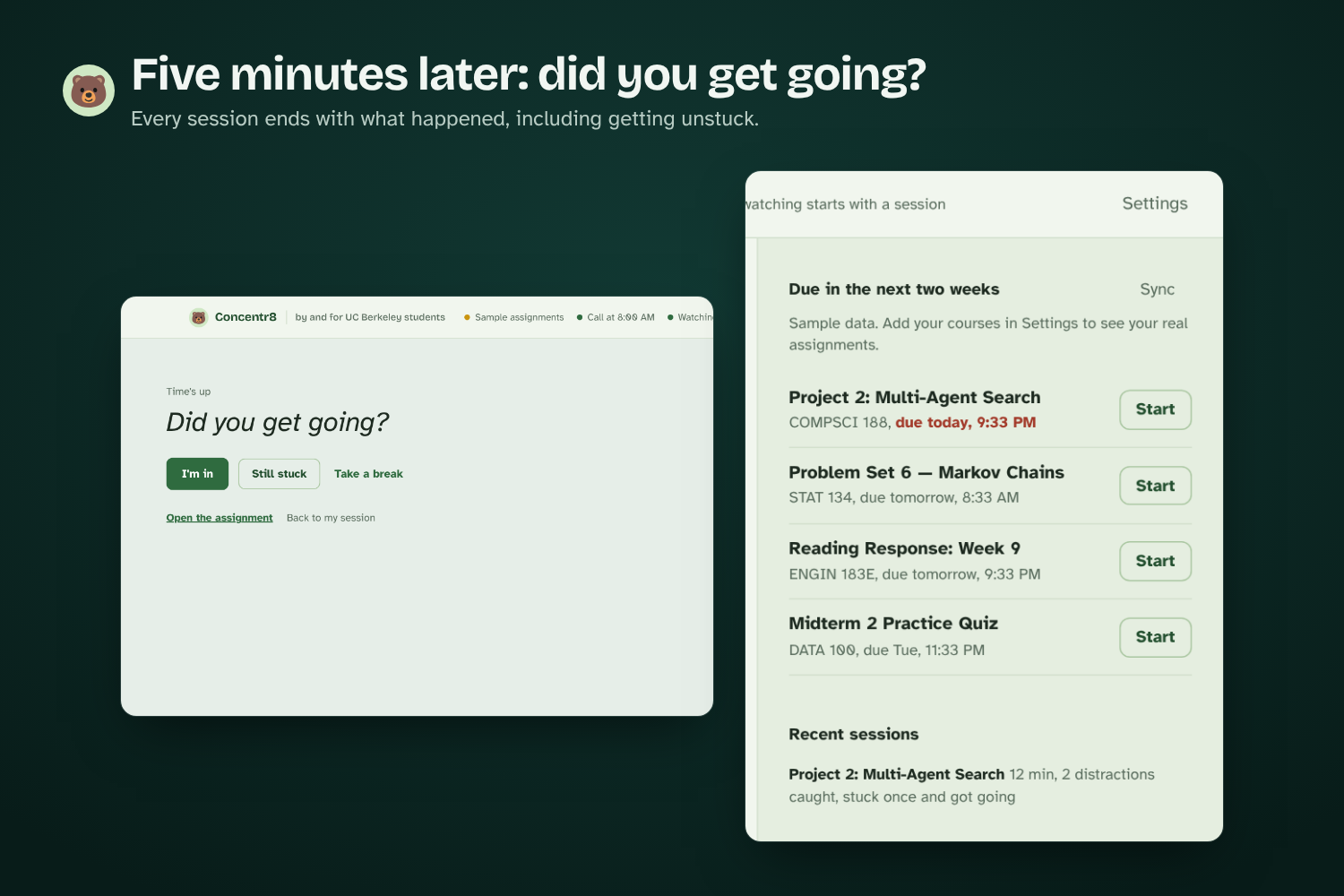
The call. At a time you pick, a Cartesia voice agent calls you, tells you what's due in bCourses and asks which task you'll start and when. You can also type the plan or pick an assignment in the app.
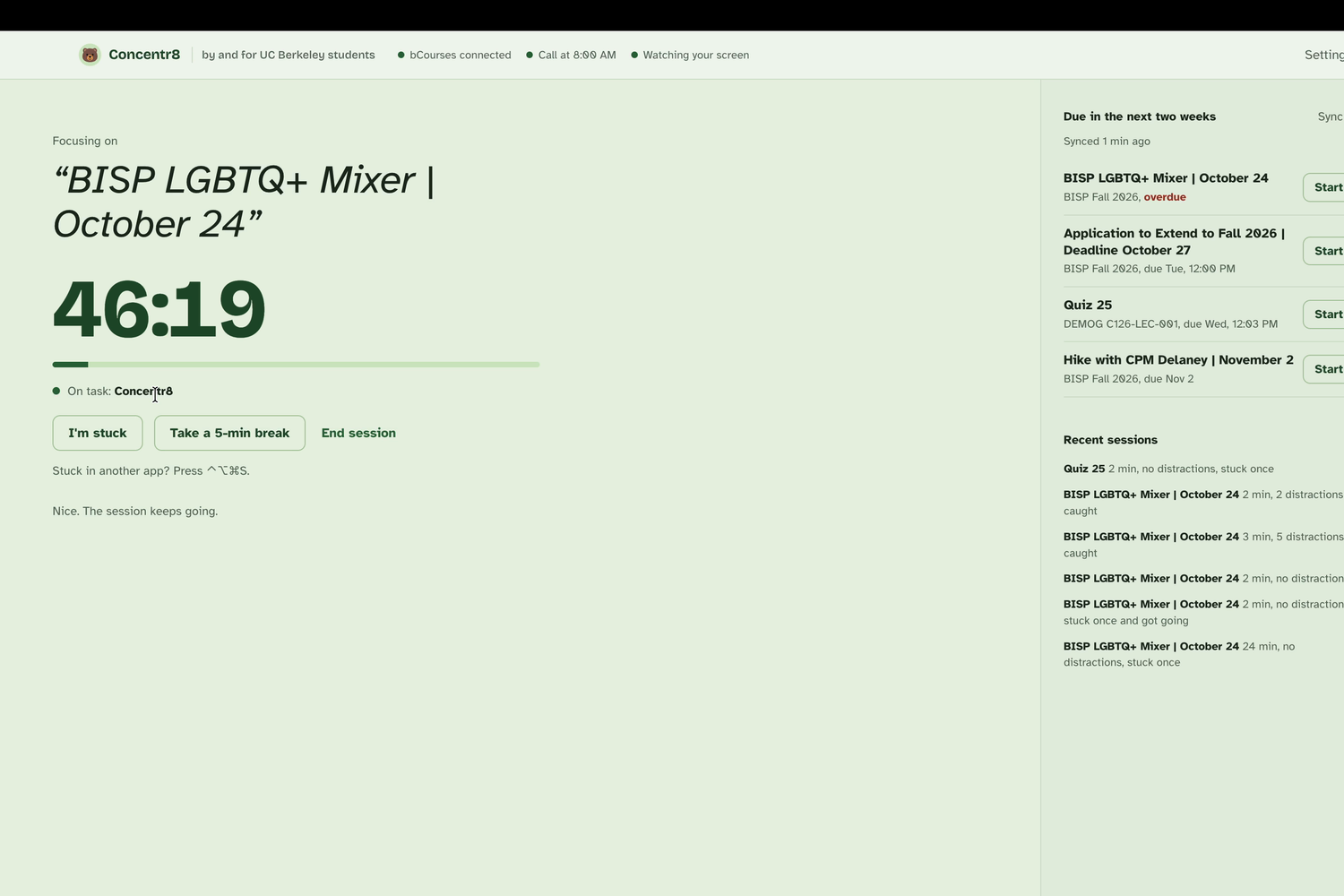
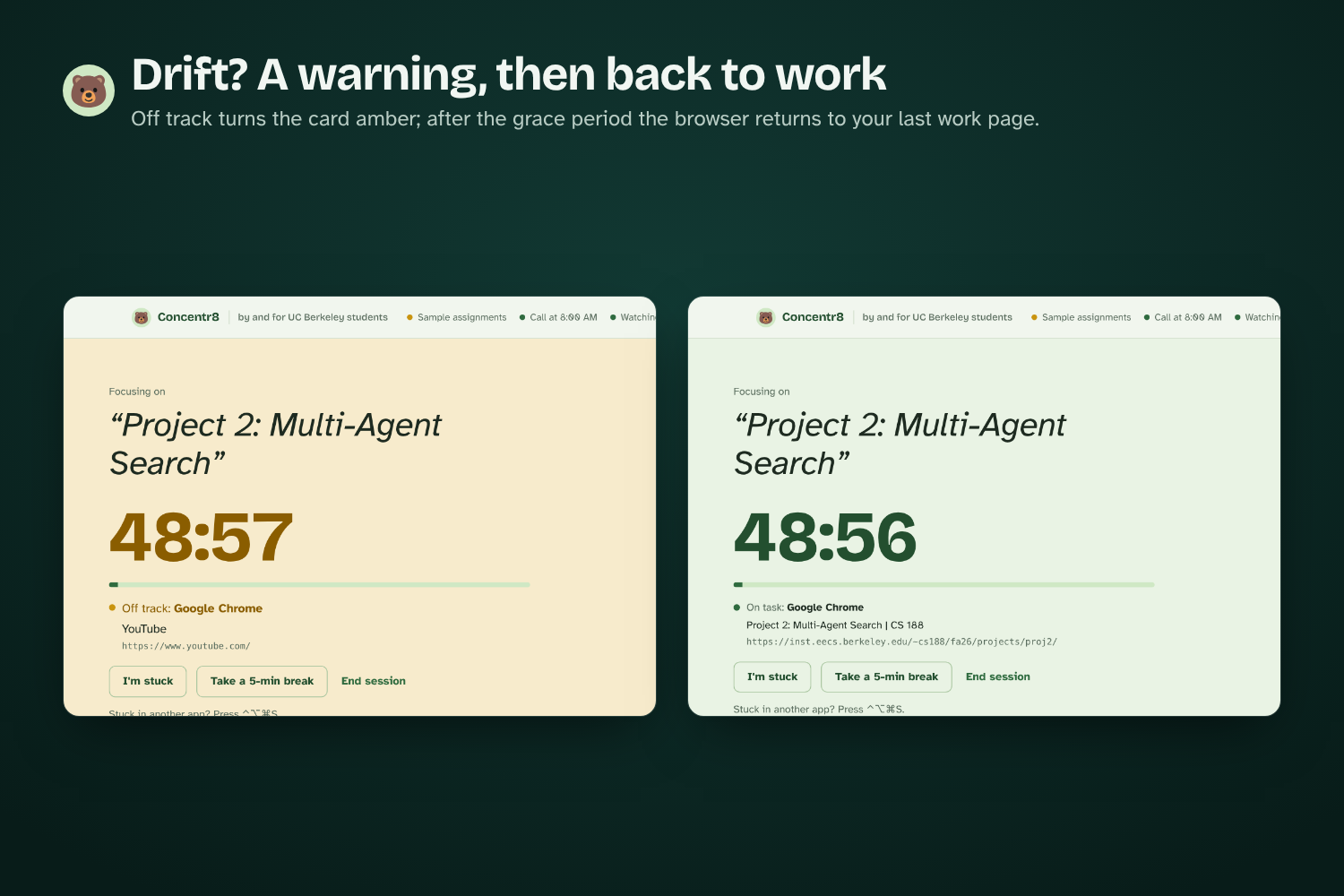
Back to work. While you work on a Mac, Concentr8 looks at the app and browser tab in front (it never takes screenshots). If you drift, you get a short warning, and then it takes you back to the page you were working on.
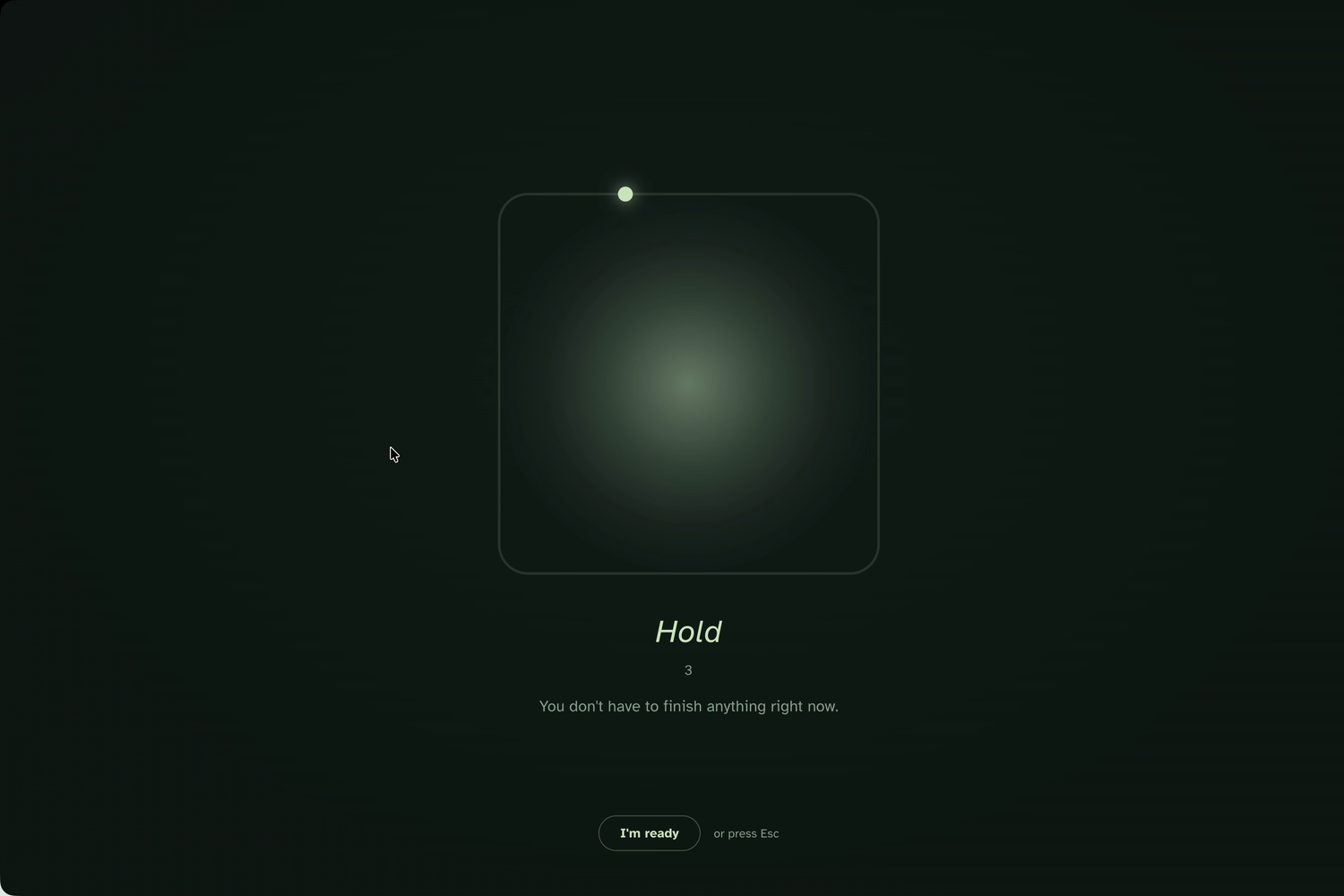
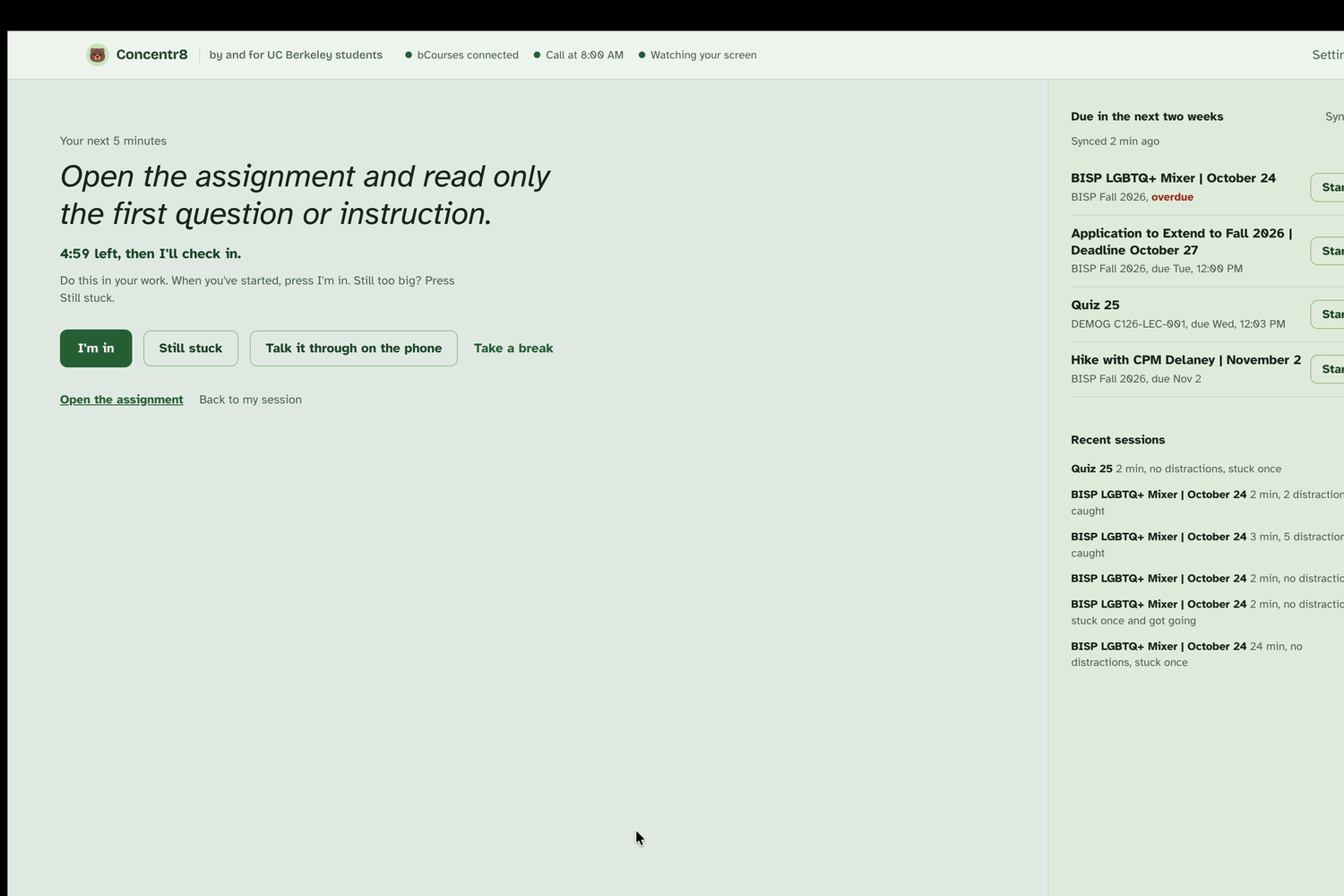
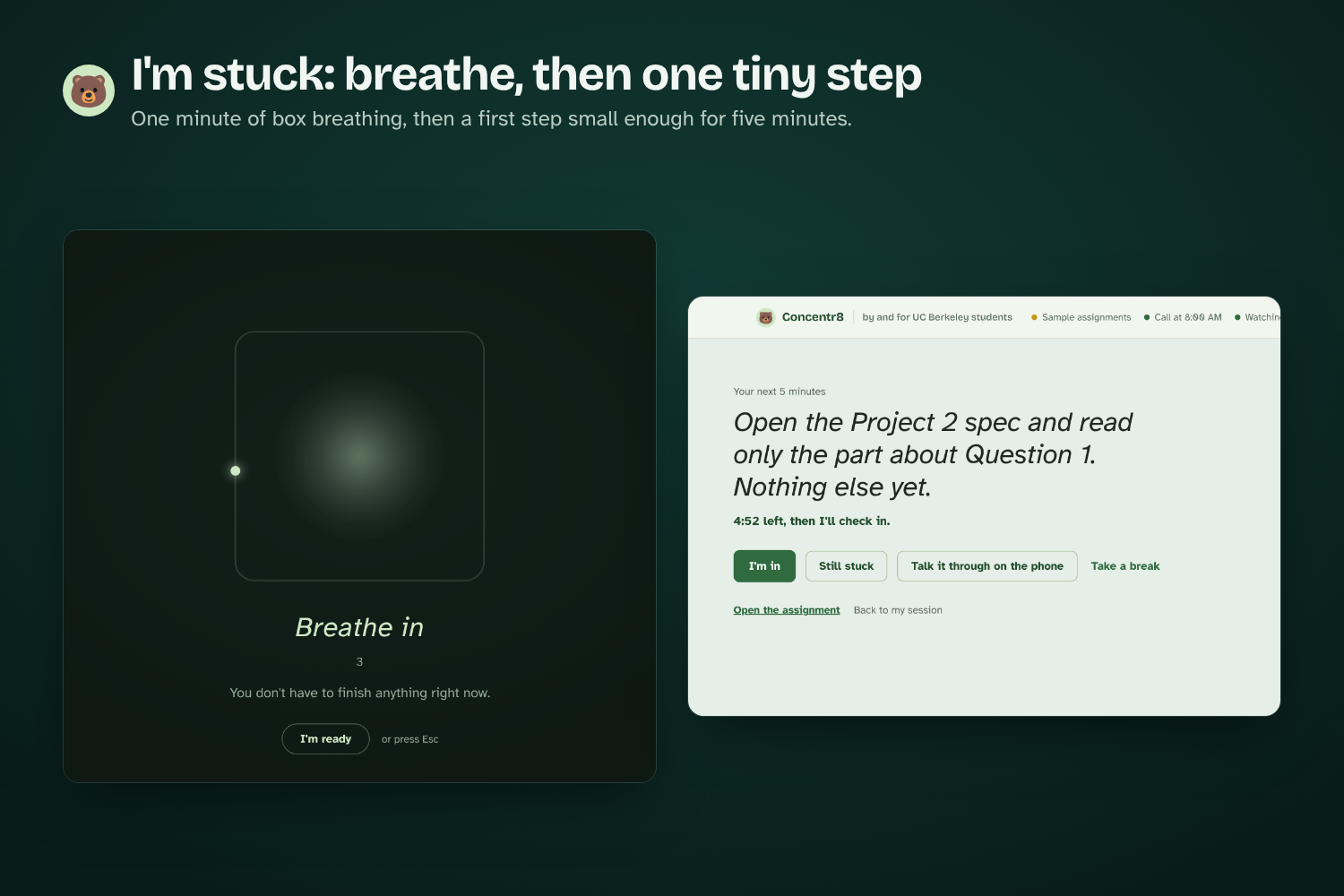
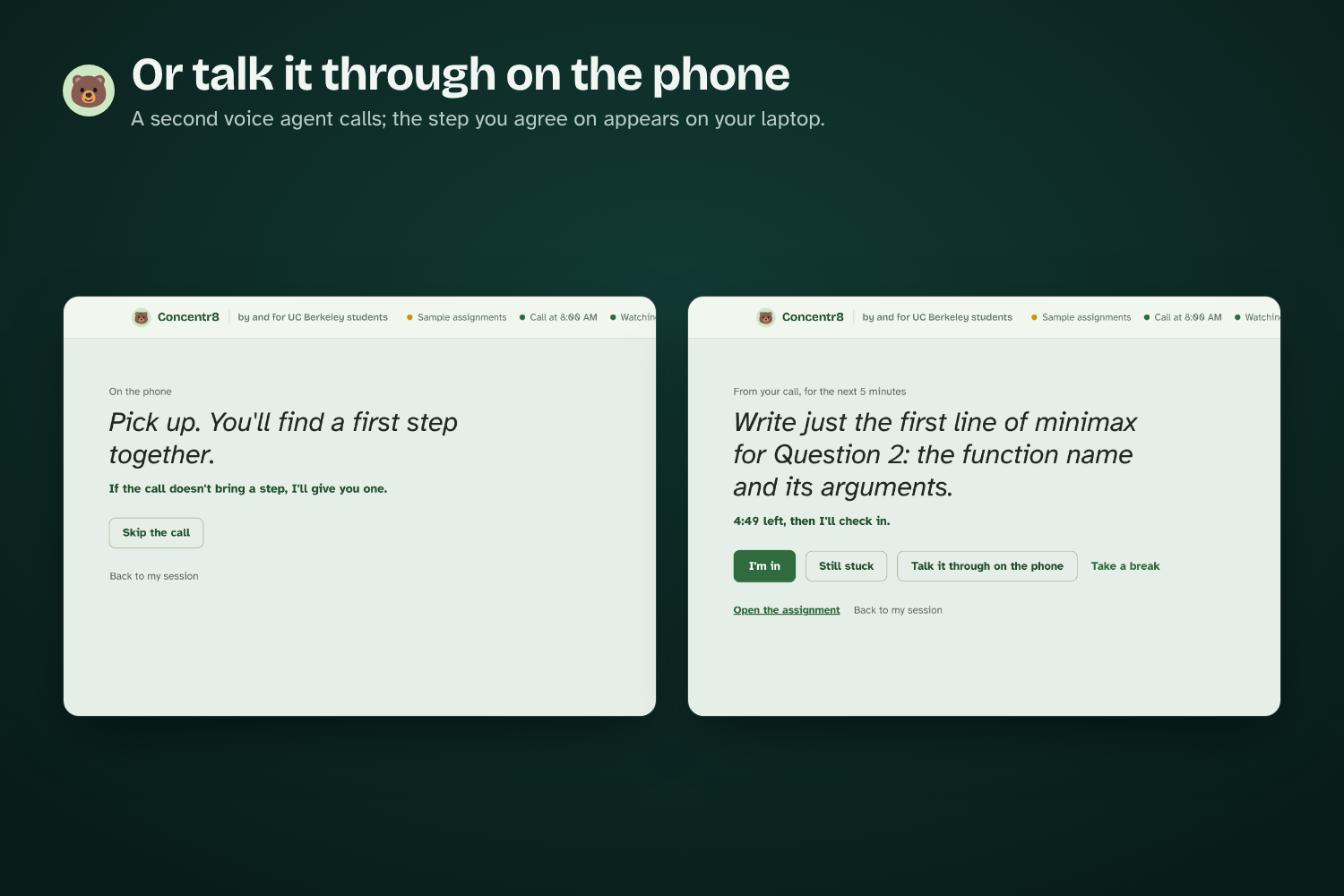
I'm stuck. If you're on the right page and still can't start, press "I'm stuck". You get one minute of box breathing, then Claude writes one tiny first step for the next five minutes. If that still doesn't work, a second voice agent calls you and you figure out the step together, and whatever you agree on shows up on your laptop. Five minutes later the app asks if you got going.
Built on research. Deciding exactly when you'll start helps people follow through (a meta-analysis of 94 studies, Gollwitzer & Sheeran 2006). Breaking big tasks into small steps is part of skills training for adults with ADHD (Safren et al., JAMA 2010). Five minutes of structured breathing a day improved mood in a Stanford study (Balban et al., 2023). Many people with ADHD run on a later body clock (Coogan & McGowan, 2017), so you choose when the call comes. All the studies are linked on concentr8.github.io. Concentr8 is a study tool, not a medical product.
How we built it
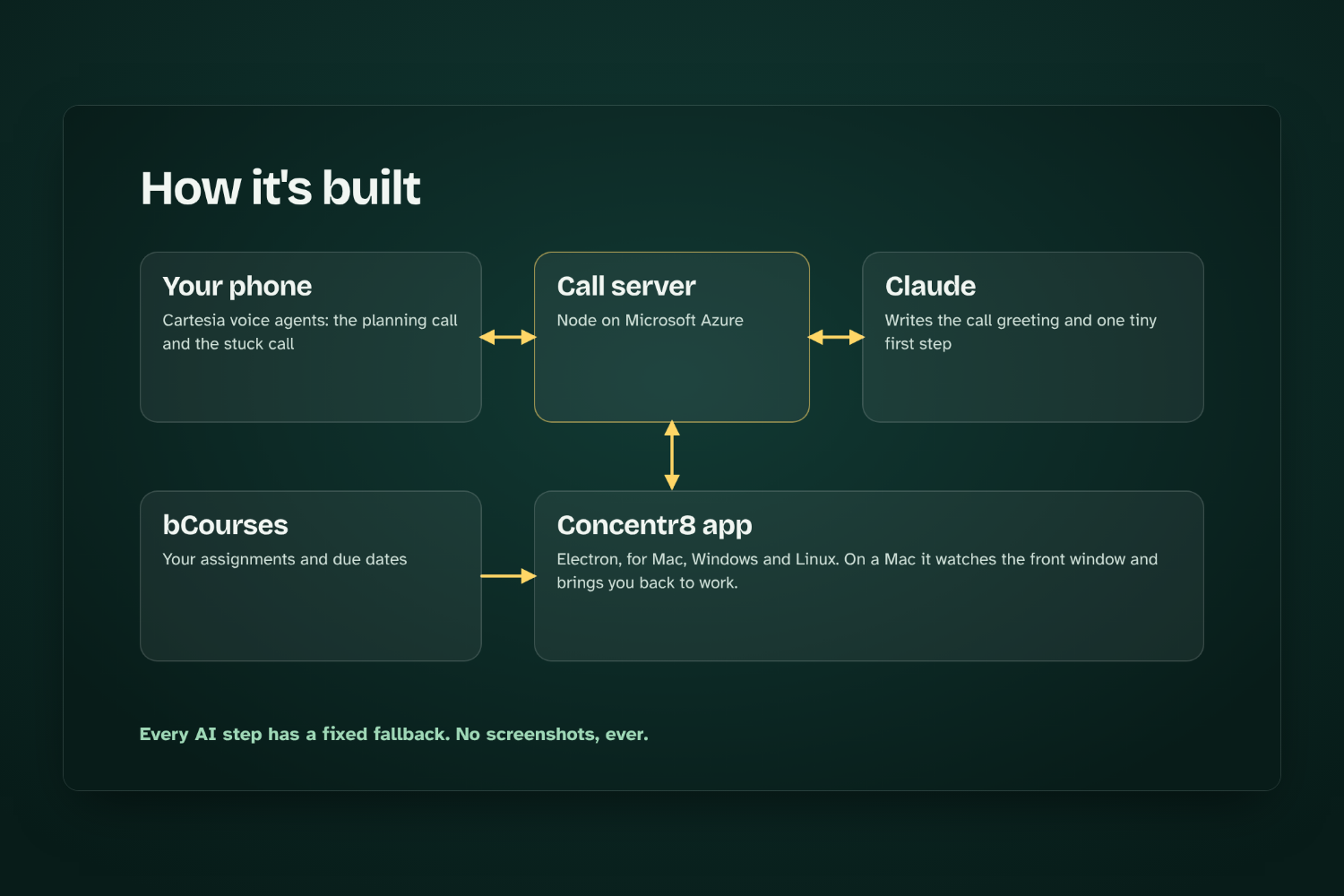
The app is built with Electron and TypeScript and runs on Mac, Windows and Linux. Simple rules handle the obvious cases first, and pages get matched against the task you picked. Developer builds can also ask Groq about unclear pages; the public app sticks to the rules.
Claude Haiku writes the greeting for the call and the first step when you're stuck. It only sees task titles, course names and due dates. If Claude is slow or down, the app uses a fixed step instead, so nothing breaks. The calls run on Cartesia through a Node.js server we deployed on Microsoft Azure, and assignments come from bCourses through the Canvas API. We also added intentional breaks, local session history and encrypted secrets, and every app change builds new desktop apps automatically.
Our rule was to use AI only where it actually helps and keep everything else predictable.
Challenges we ran into
The hardest part was getting the app to step in at the right moments without being annoying. What you're doing on a computer is ambiguous. YouTube can be a distraction or part of the assignment, and you can be on exactly the right page and still be stuck. Drifting, being unsure, taking a break on purpose and being stuck each need a different response, so we had to tell them apart.
We also had to get the desktop app, the AI models, the phone calls and the server to feel like one thing to the student.
Accomplishments that we're proud of
The whole loop works on real hardware. You can commit to a task on a real call, start working, drift, get sent back, get stuck, get a first step, talk it through with a voice agent and get back to work. It does all of that without recording your screen or sending everything you do to an LLM.
What we learned
Blocking distractions helps, but a lot of the time you're already on the right page and still can't start. Getting going again after you drift or freeze turned out to be the harder problem. So the app doesn't try to judge whether a website is productive. It checks whether what you're doing matches what you said you'd do, and if it doesn't, it tries to help you get back to it.
What's next for Concentr8
We want Concentr8 to sit between the tools where people make plans and the computer where they actually do the work. Next up: better support on Windows and Linux, more context from your schedule, and learning which kind of help actually gets each person moving.
Built With
- anthropic-claude
- applescript
- azure
- bcourses
- canvas-api
- cartesia
- claude
- css
- electron
- github
- github-actions
- groq
- html
- javascript
- node.js
- typescript


Log in or sign up for Devpost to join the conversation.