-

The iOS App in use!
-
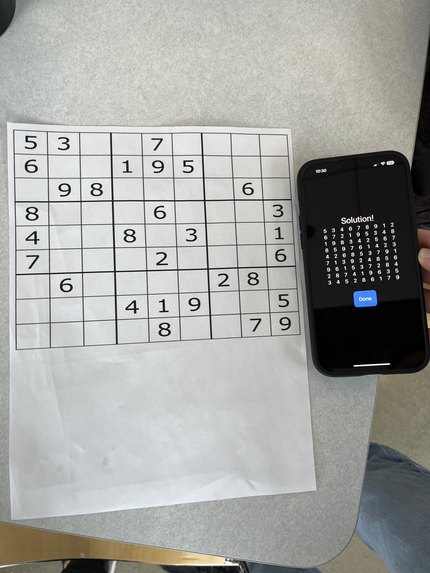
The iOS App works!!
-
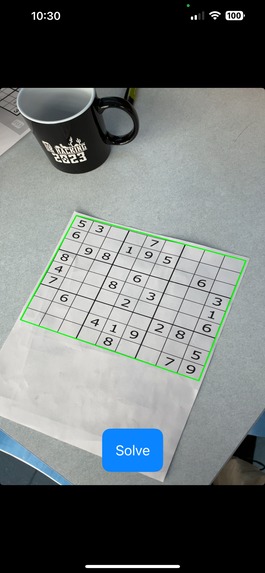
Screenshot from the iOS App. An outline is drawn in real-time around the board. The "Solve" button tells the app to solve the puzzle in view
-
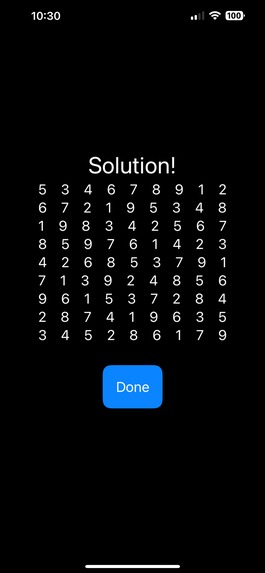
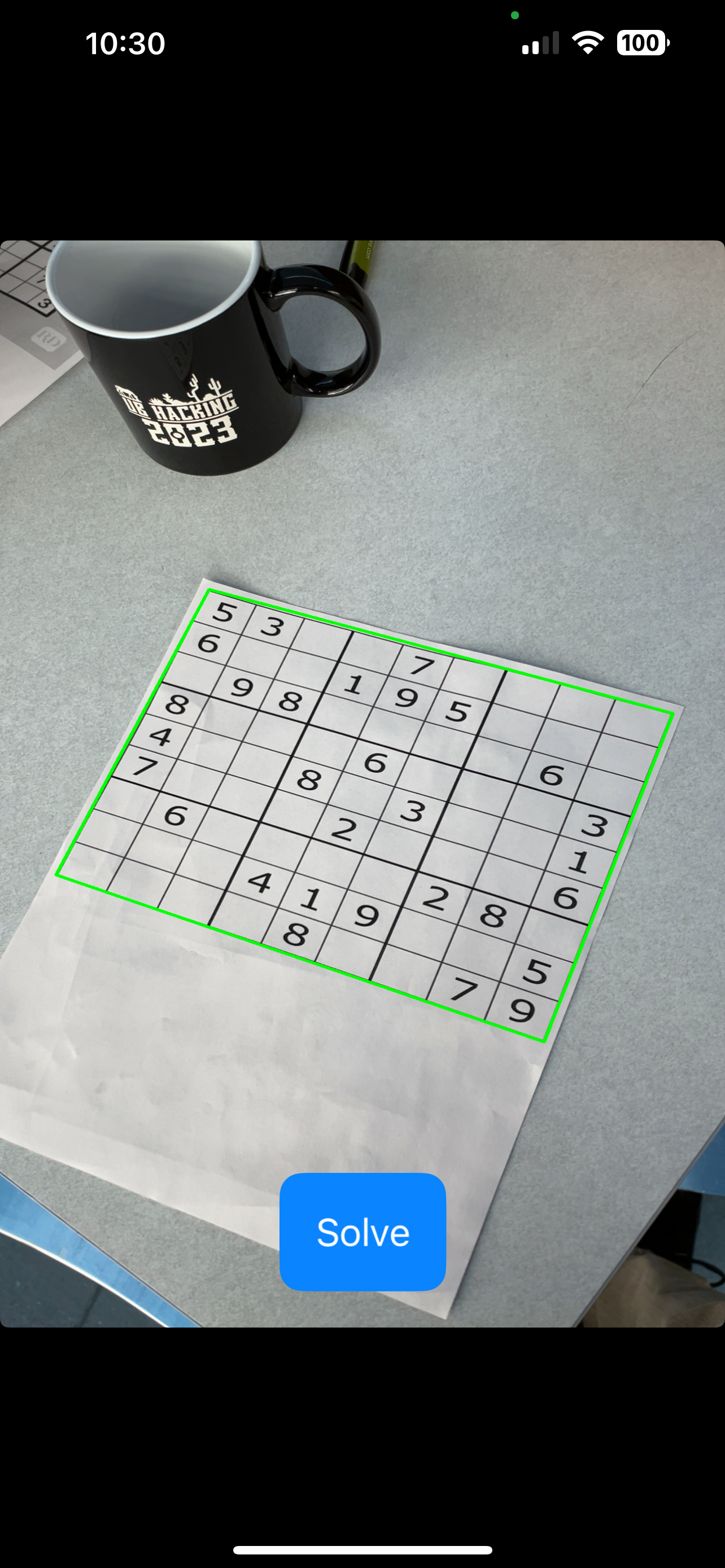
A Screenshot of the iOS App showing the solved puzzle!



Inspiration
Sudoku is fun!! However, it takes a long time and can sometimes be very difficult. Our project solves the puzzles for you so you can have fun without getting frustrated!
:D
What it does
Our project is comprised of a mobile iOS app and a Desktop app. The apps both function the same way: they both detect the grid, decipher the numbers using machine learning, and then run the puzzle through an algorithm to solve it.
How we built it
We wanted our app to be cross-platform from the start, so we decided to write the entire solver portion in C++ and compile it as a static library. Then, the UI was written in each platform's native language (C++ for desktop, Swift for iOS). To facilitate this crazy build system, we used CMake to configure project files for different platforms. The first step for our App is to detect where the Sudoku board is within an image. We achieve this using OpenCV by implementing the following steps:
- Convert image to grayscale & apply thresholds
- Invert it (it's easier to detect stuff this way)
- Binary large object detection (BLOB) and flood filling areas
- Find lines using the Hough Line Transform
- Find corners
- Warp and crop the image to square 256x256px using corner points
- Split the frame into a 9 by 9 grid of images for each cell
Now we use Tesseract, an optical character recognition library, to run a machine learning model to detect the number in each cell.
Once we have a 2D-array of all the numbers, we then run our solver algorithm to fill in the rest of the cells. The solving algorithm created a 2D-array of "cells" that contain a list of all possible legal numbers for that cell. The algorithm attempts each number in every cell recursively in order of the size of each cell's list. The smaller the cell's list, the earlier it gets called. By calling the cells in this order, it reduces the number of recursive calls. For example, if a cell only has one possible legal value, it should always be called first as there is no other option.
Challenges we ran into
This project was very difficult for a number of reasons. First, linking OpenCV and Tesseract to our program proved difficult. Numerous hours were spent debugging these issues.
Once we had the core functionality built with the Desktop App, we decided to target iOS and Android App development. Both proved extremely challenging. We eventually learned that Android would not support Tesseract, and its OpenCV installation was outdated. These factors led us to focus primarily on iOS development. There were also difficulties getting libraries to work with iOS, however we eventually got it to work successfully. The communication between Swift and C++ was also difficult, requiring us to add an Objective-C "bridging" class. It was also a challenge to load the machine learning model file onto the iPhone, since iPhones handle resources much differently than other operating systems.
Accomplishments that we're proud of
The Sudoku solver works very well, and the text recognition is very accurate. This was the first experience working on a machine learning project for both of us, and we're very proud that we got it to work so well. We're also both relatively new to C++ since we're both Freshmen. The app development was also a relatively new area, so it's amazing how nice it turned out. We're also proud that we stayed in Davis the entire time programming and debugging issues even when we thought there was no hope (happened quite often)!
What we learned
We did no preparation at all - we came in having no clue of any technologies we'd be using, so we were a bit frustrated having to deal with so many library linking issues during the time we could be programming things. However, it was an amazing learning experience, and many of those linking problems will never surprise us again.
What's next for Computer Vision Sudoku Solver App
Finish the Android app, polish up to the Desktop and iOS apps, and maybe train our own number recognition machine learning model.

Log in or sign up for Devpost to join the conversation.