Inspiration
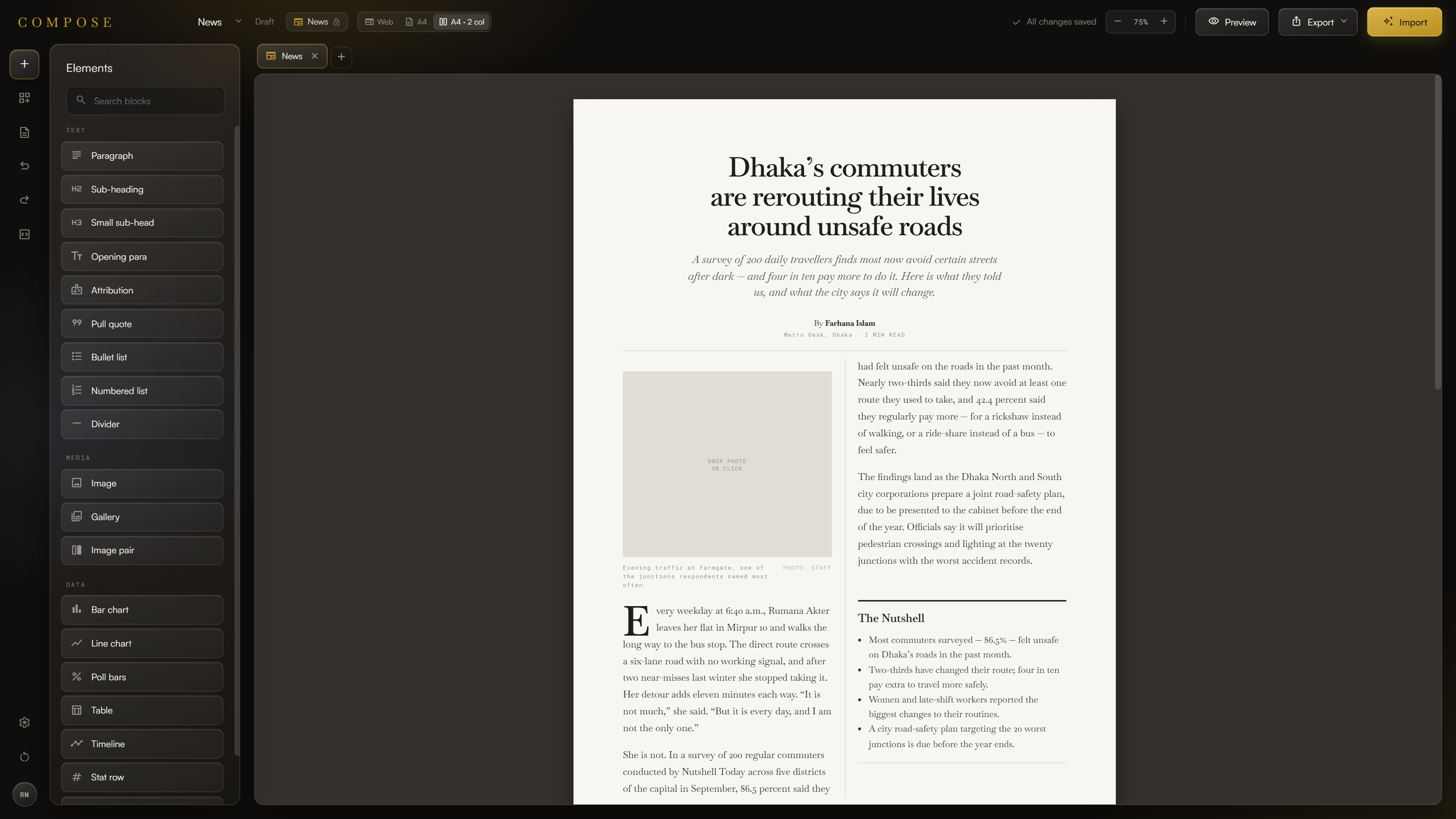
Making a good online article takes more than writing. Writers juggle text, images, charts and layouts across several tools, which slows them down and pulls their attention off the story.
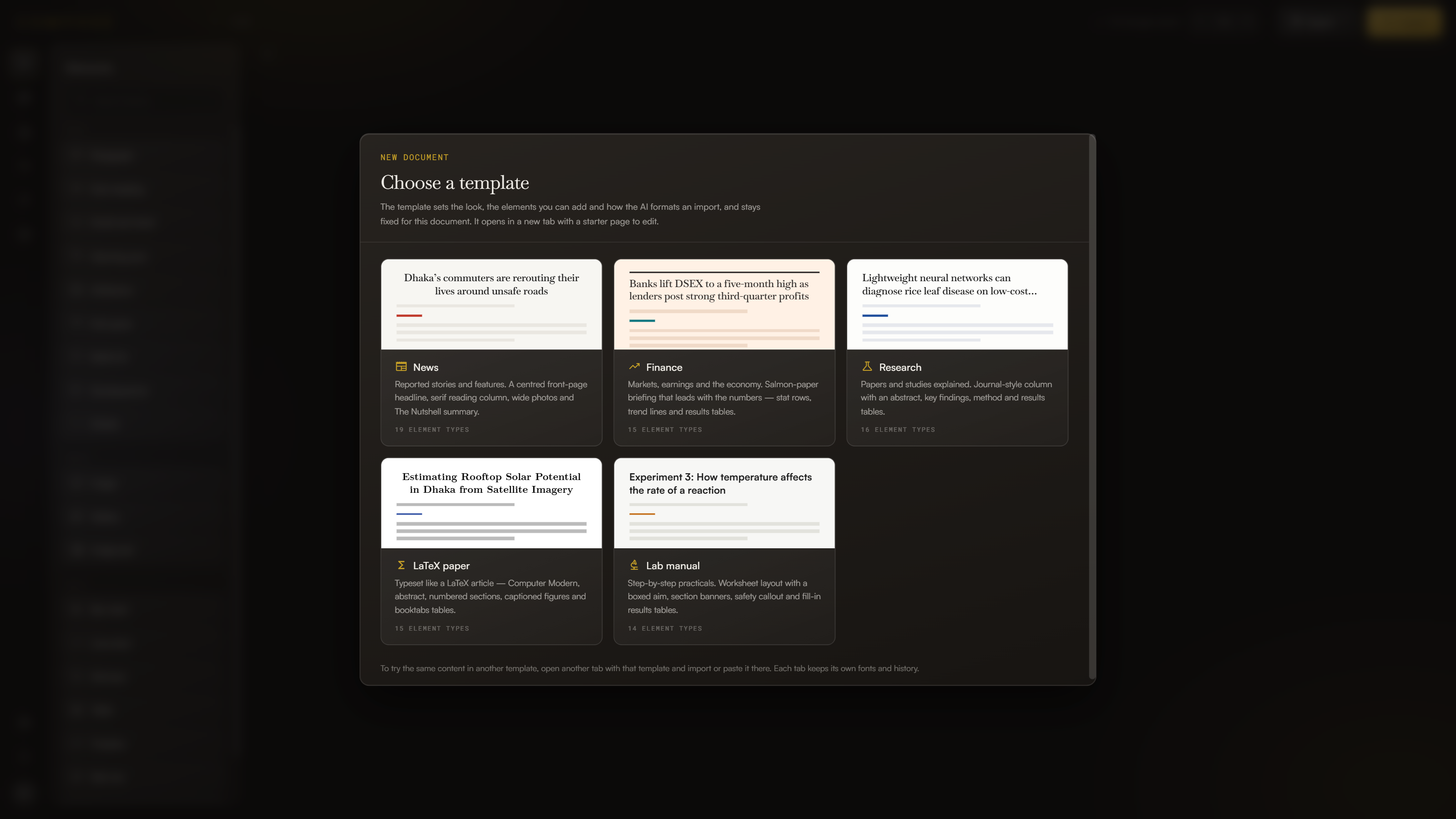
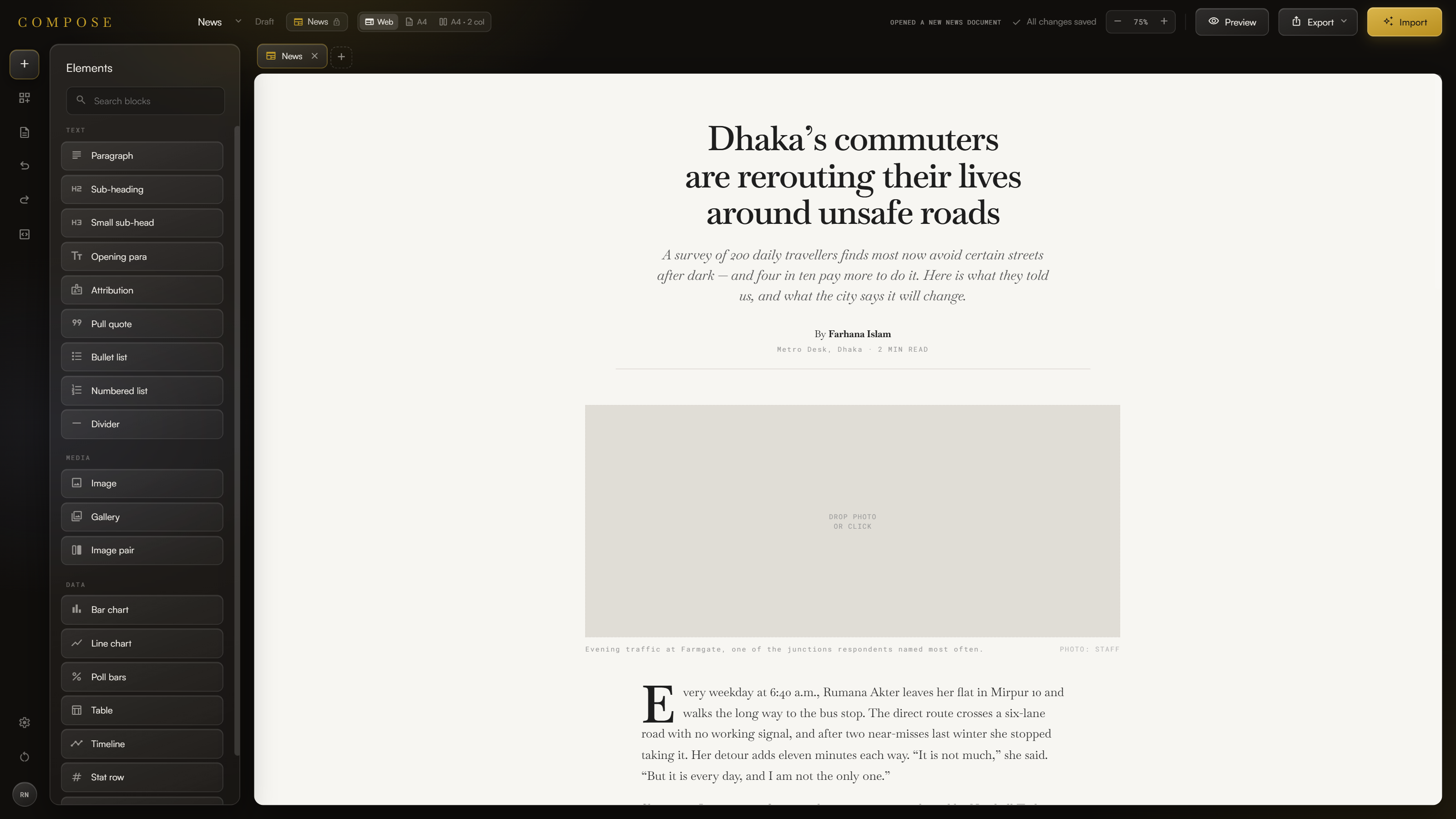
We wondered whether building a well-designed digital article could be as easy as writing one. That became Compose, a workspace for organising and presenting content while the writer stays in control. The AI sits in the background instead of at the centre of the interface.
What it does
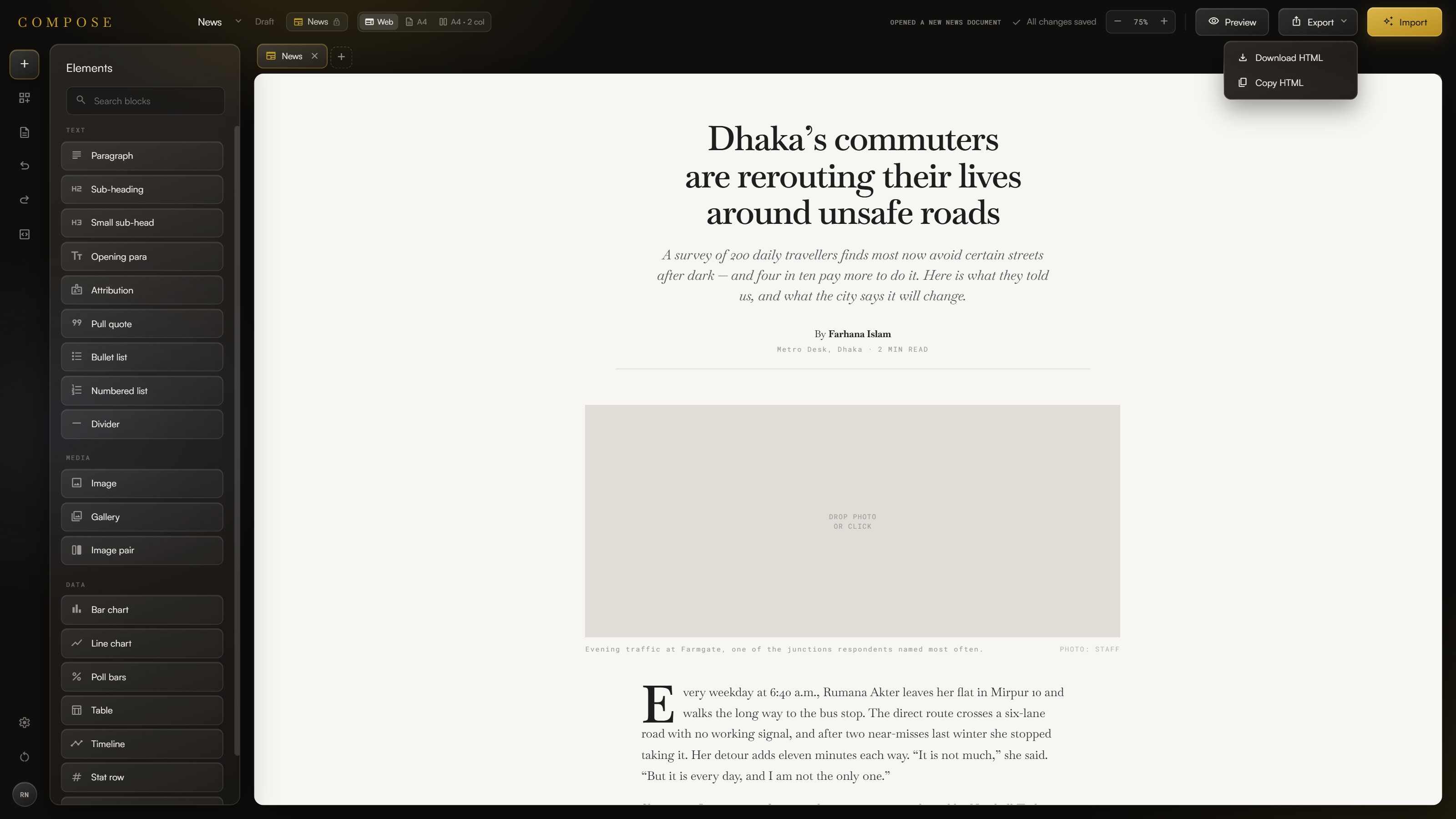
- Visual editing: You edit the article directly on the page and see how it will look as you work, so there's no switching between a text editor and a design tool.
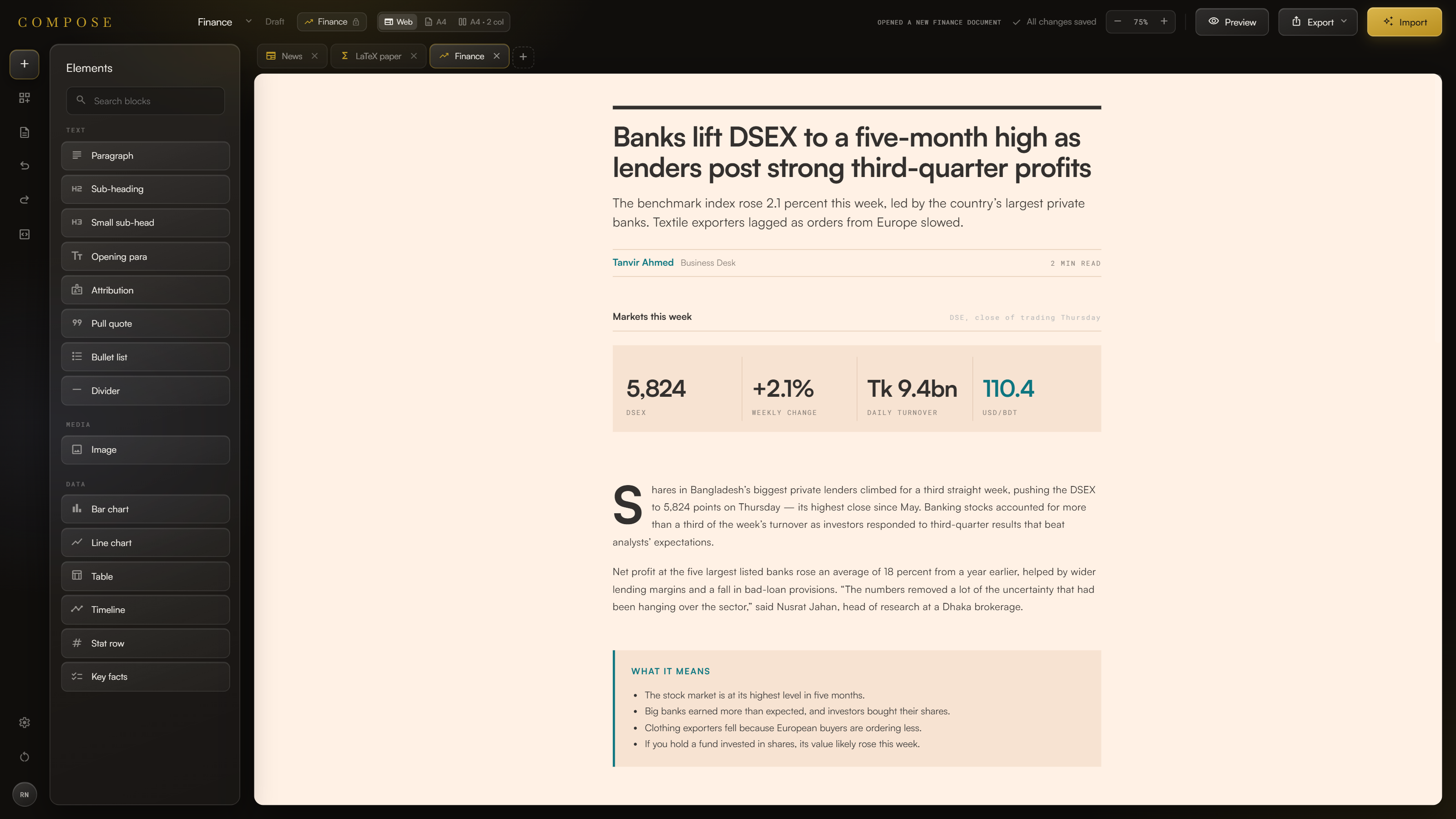
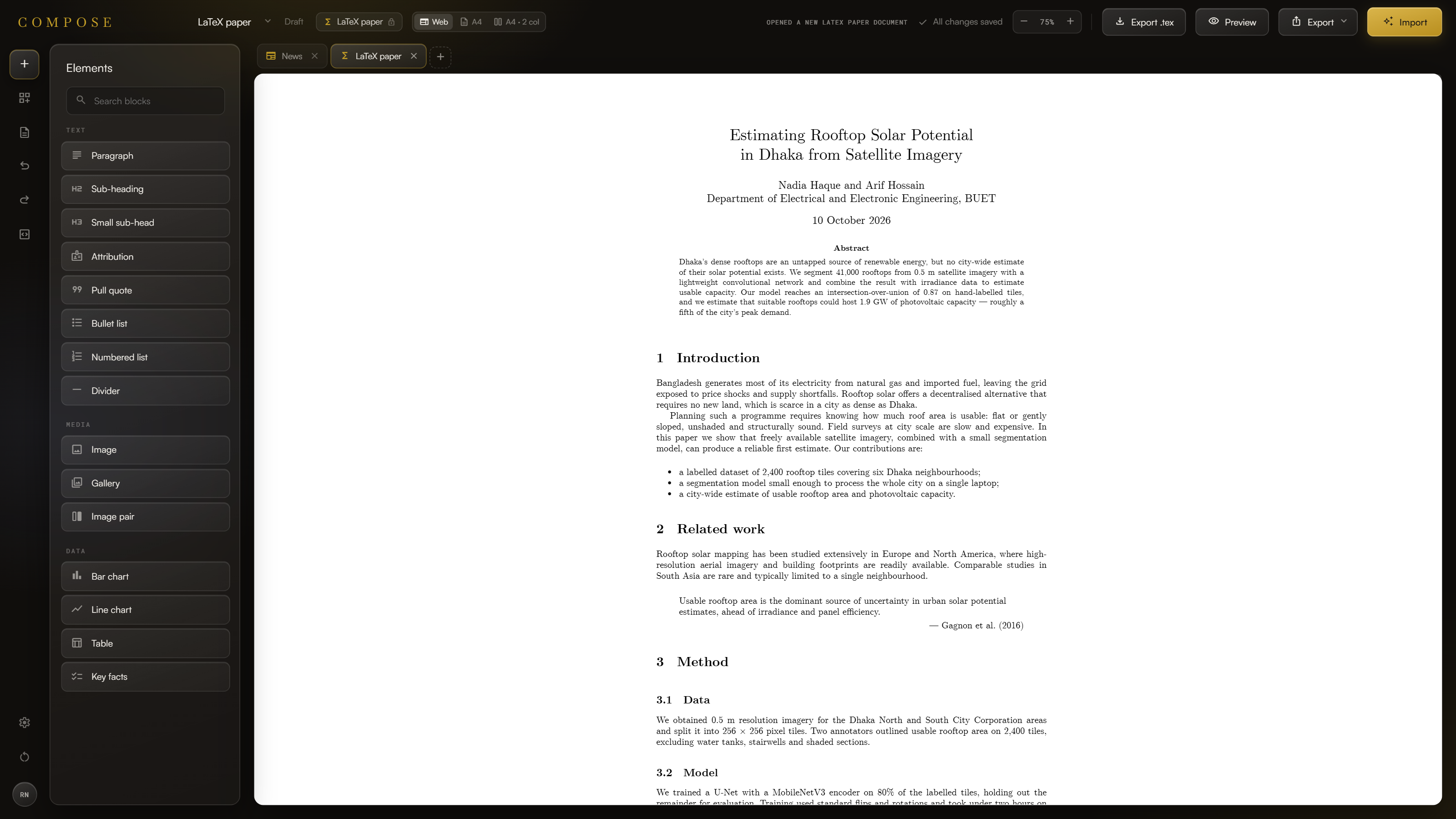
- Content blocks: Paragraphs, headings, quotes, lists, images, galleries and dividers can be combined and rearranged into different article layouts.
- Data visualisation: Bar charts, line charts, tables, timelines and statistics let writers show information instead of describing it in text.
- HTML import and export: Finished articles can be imported and exported as HTML, ready for web publishing.
- AI structuring: Paste in raw text and Compose splits it into headings, paragraphs, quotes and lists, so you start with an organised draft instead of a blank page.
- Context-aware formatting: Compose reads what each piece of content says and suggests a fitting component. A list of figures can become a chart, dated events a timeline, and a standout line a pull quote.
- Where the AI is heading: We are exploring AI that understands an article's meaning and structure well enough to suggest formatting and turn imported text into editable blocks.
How we built it
We treat an article as a set of independent components instead of one block of text. Paragraphs, images, quotes, charts and timelines are each managed on their own. That makes visual editing possible and gives the AI features a clear structure to work with.
The interface has two main areas: a component library in a sidebar, where writers pick the elements they need, and an editing canvas, where the article takes shape with immediate visual feedback.
We kept three things separate: the content and its arrangement, how each component looks, and the AI assistance on top. That let us add AI features without limiting what writers can do.
Challenges we ran into
- Importing and exporting PDFs.
- Fitting many content types into one editor. Most editors handle only text, so supporting charts, timelines and image layouts in a consistent experience took careful work on layout and usability.
Accomplishments that we're proud of
- The drag-and-drop sidebar. It's easy to use and one of our proudest moments.
- An editor that is simple and functional enough for anyone to pick up, especially solo users.
What we learned
Git: merging, branching, how to avoid conflicts, and teamwork in general.
What's next for Compose
- Content-block recommendations
- Better adaptation to different publishing platforms
- More data visualisation options
Built With
- anthropic-claude-api
- baskervville
- css
- css-custom-properties
- css-paged-media
- decompressionstream
- es-modules
- fontshare
- google-fonts
- google-gemini-api
- html
- javascript
- jsx
- localstorage
- ngrok
- node.js
- npm
- openai-api
- react
- react-dom
- react-router-dom
- roboto-mono
- satoshi
- vite

Log in or sign up for Devpost to join the conversation.