-
-

Logo
-
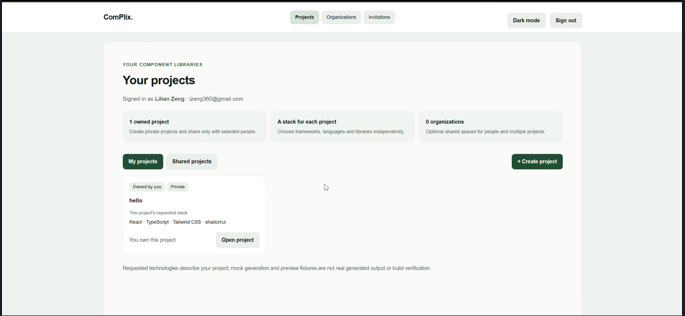
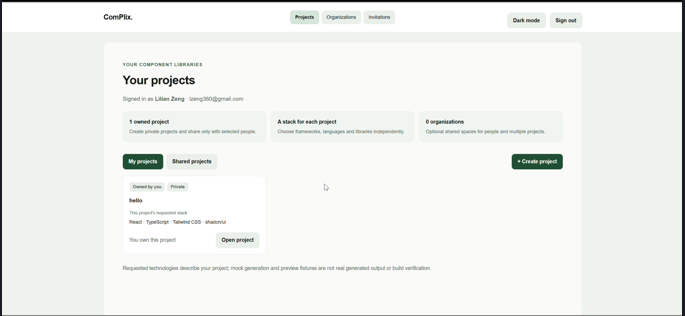
home page
-
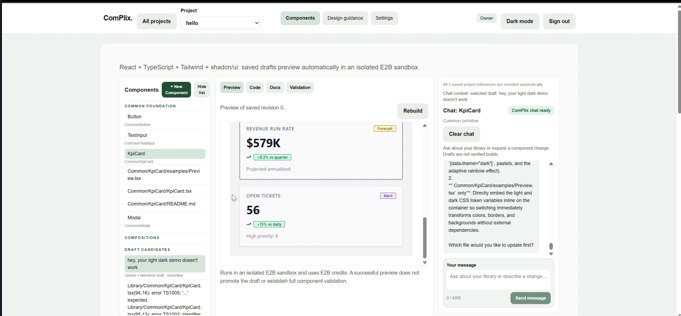
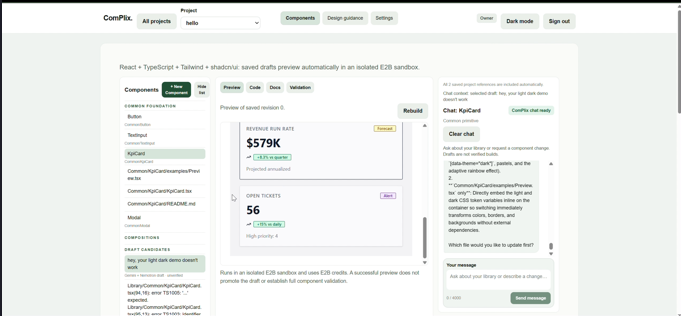
woah look components!
-
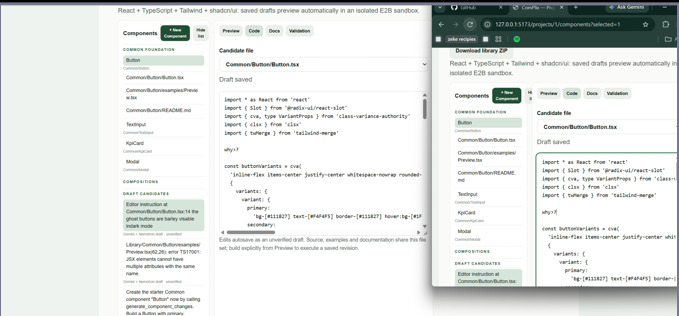
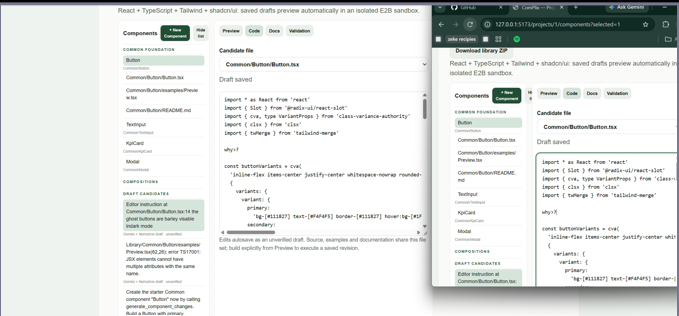
live edit with peers
-
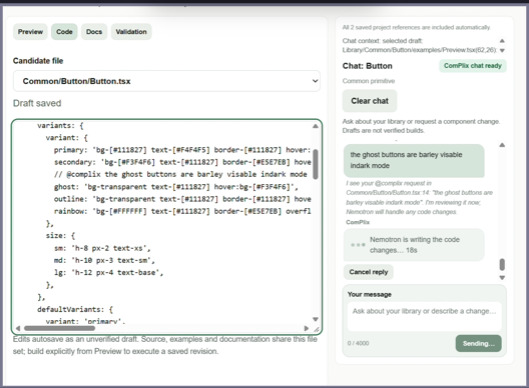
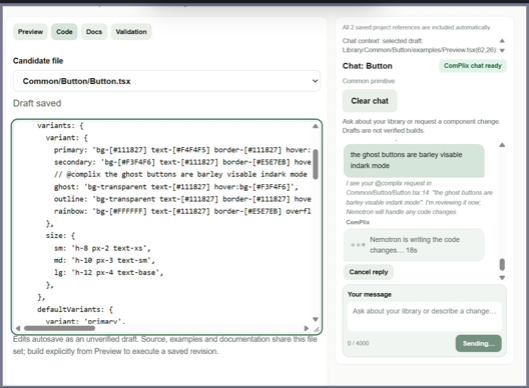
commanding the agent to debug from the editor 0-0

Inspiration
Hey! You there! Do you love frontend development and designing endless components? Or are you like me—you leave it to AI, then wonder why every project looks the same?
That inspired ComPlix: a tool for turning your style guides and design preferences into reusable UI components. AI helps build them, while you give them their identity.
What it does
ComPlix is an online tool powered by SpacetimeDB that helps you collaborate with peers and AI to develop reusable UI component libraries. Gemini handles the conversation and coordinates requests, while Nemotron generates component code.
Start by creating a project, defining your tech stack, and uploading supporting documents, such as a style guide. If you don’t have one, the intake questionnaire helps establish your design preferences.
From there, you can edit code directly, preview rendered components, and ask the chatbot to make changes or help resolve errors. Inline @complix comments also let you request changes right where you’re working.
When you’re ready, download your component library as a ZIP containing source code, documentation, guidance for humans and coding agents, and your uploaded references.
How we built it
We built ComPlix with React and TypeScript on the frontend and SpacetimeDB on the backend. Real-time subscriptions keep project data, component drafts, and conversations synchronized between collaborators.
For the AI workflow, Gemini handles discussion and plans focused changes, while NVIDIA Nemotron generates the component code. Requests include the project’s design guidance, supporting documents, and saved source so the models can work within its context.
Generated components build and run in isolated E2B sandboxes, with their previews embedded in the workspace. Getting both environments working reliably was one of the hardest parts.
We also added autosave, revision checks to protect manual edits, inline @complix instructions, and ZIP exports that package the component library with documentation and uploaded references.
Challenges we ran into
As a one-person team, there was a lot to implement, but the biggest struggle was building a preview system for generated components—from Blazor C# to React TypeScript. Getting E2B to build and render them reliably meant debugging dependencies, sandbox access, and preview setup. Every fix seemed to reveal another issue, so finally seeing components render and respond to interactions was a huge milestone.
Accomplishments that we're proud of
As a one-person team, I’m proud of bringing the pieces together: real-time collaboration, AI-assisted component editing, and working previews for all components. Getting E2B previews running was a huge win. Seeing an inline @complix comment turn into a visible code change made the project feel real.
What we learned
I learned that generating code is only the beginning—making it build, render, and work within a larger system is the real challenge. Working solo also taught me to break features into smaller steps, test early, and protect working code while experimenting.
What's next for ComPlix
Next, I want to polish visual inconsistencies and fix login-token issues that require frequent refreshes. I also plan to send preview errors back to ComPlix so the agent can help troubleshoot them, improve collaboration, and make Markdown easier to read. Longer term, I’d like to add a CLI and Figma integration to bring ComPlix into existing development workflows.
Built With
- css
- e2b
- gemini
- react
- spacetime
- typescript
- vite

