Inspiration
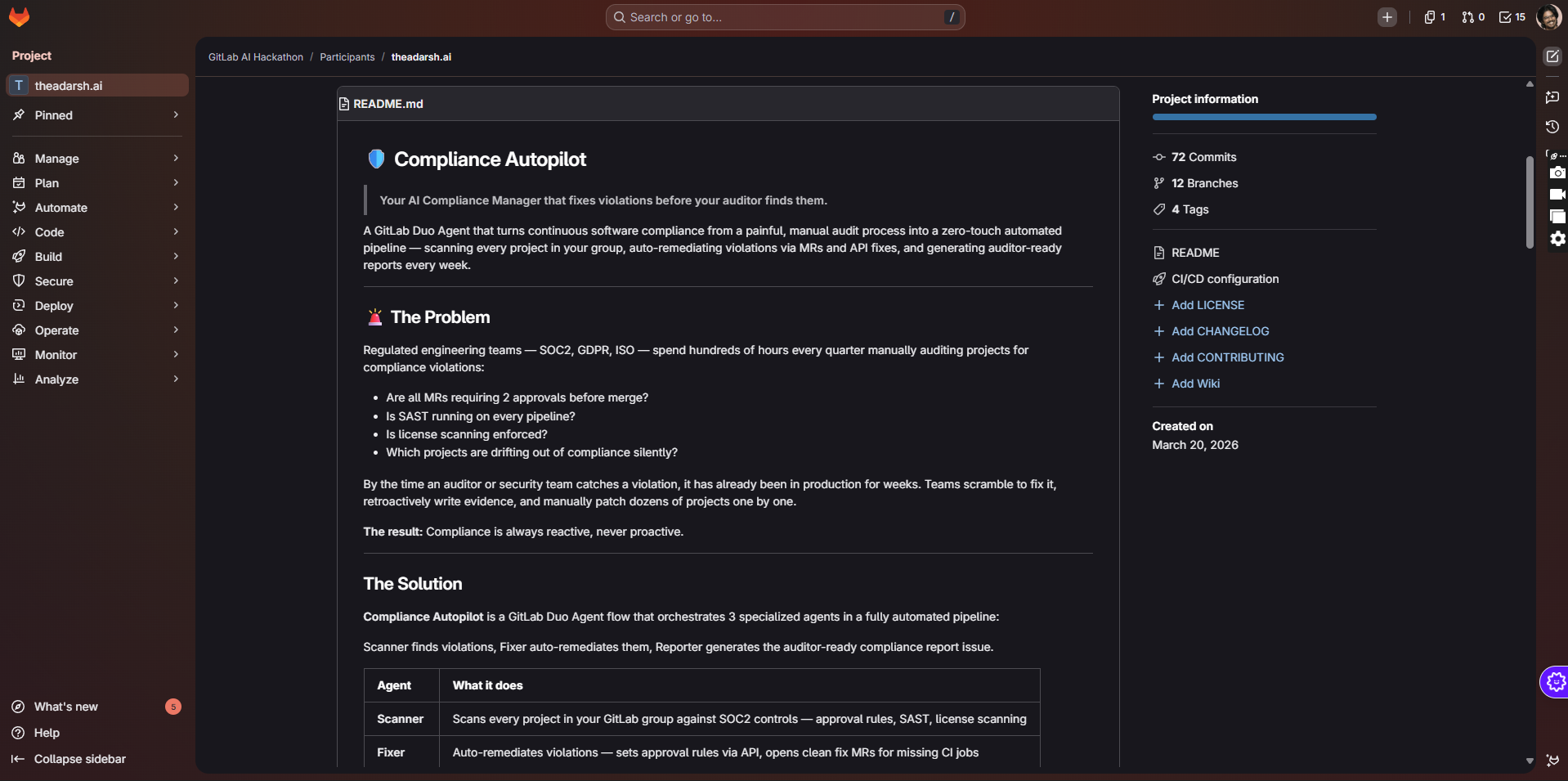
Big regulated teams lose weeks every quarter proving SOC2/GDPR/ISO compliance across dozens of GitLab projects. Manual audits, spreadsheets, and one-off scripts are slow, brittle, and always lag behind reality. I wanted an agent that treats compliance like CI: continuous, automated, and visible directly inside GitLab.
What it does
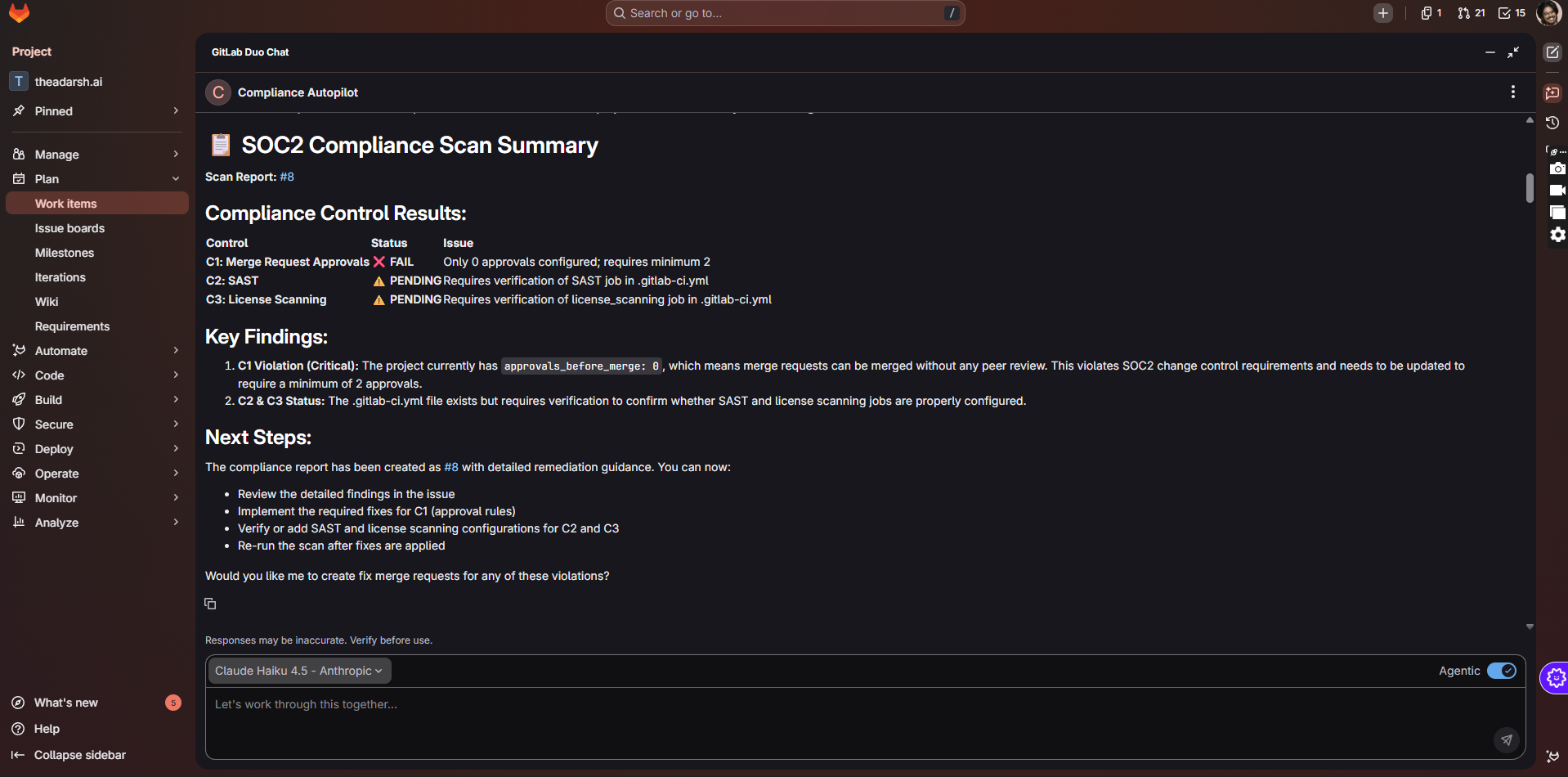
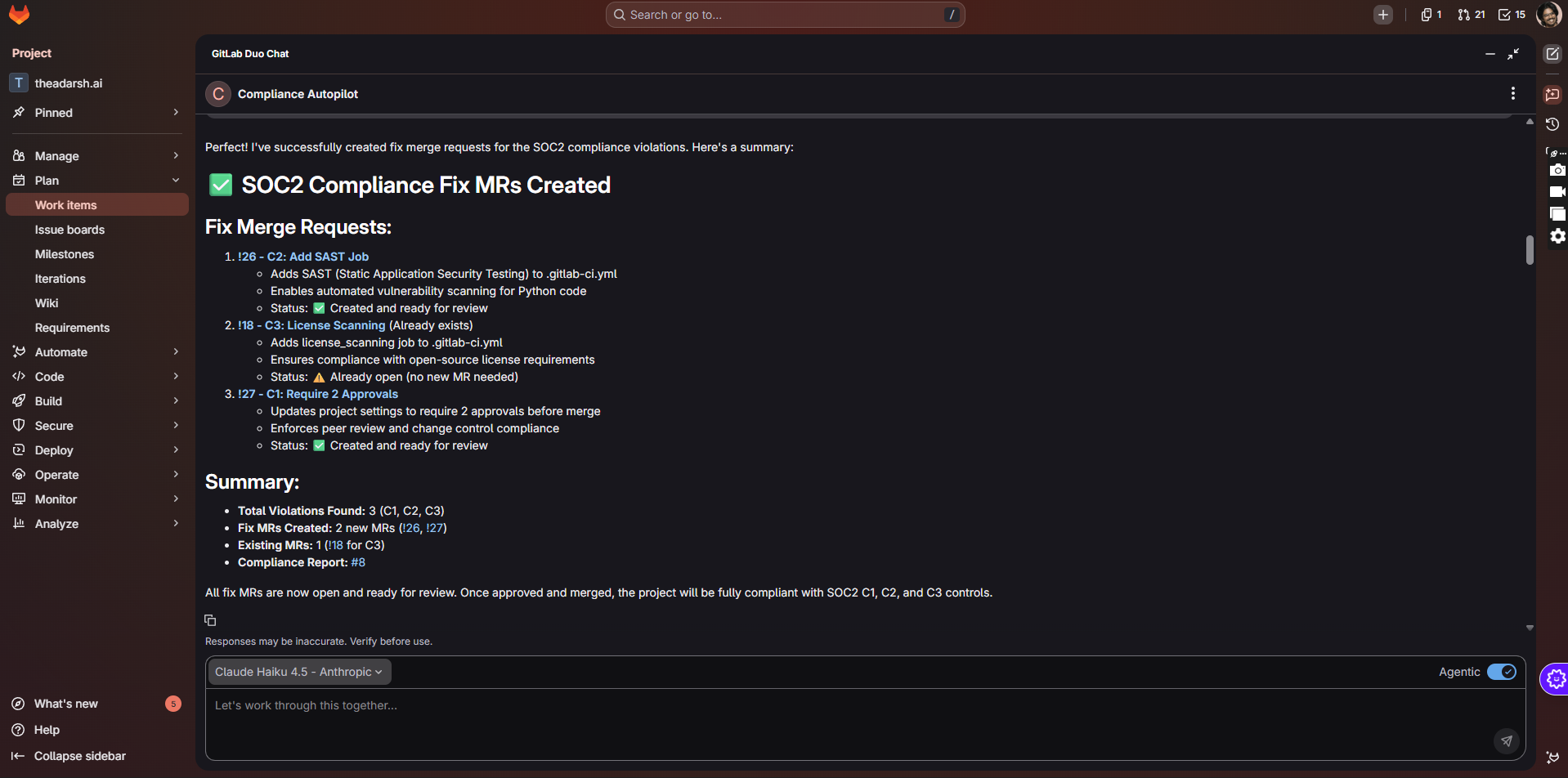
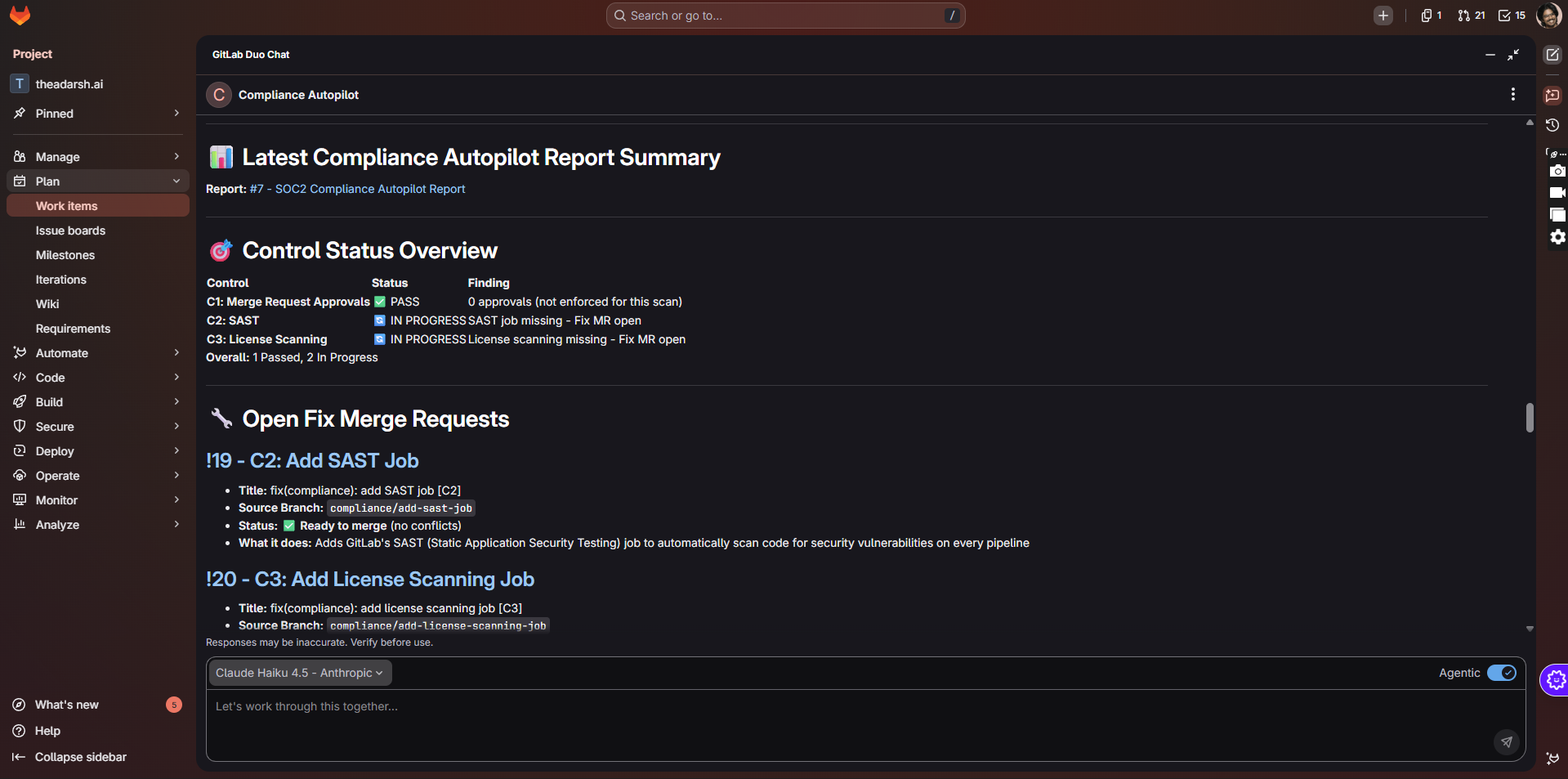
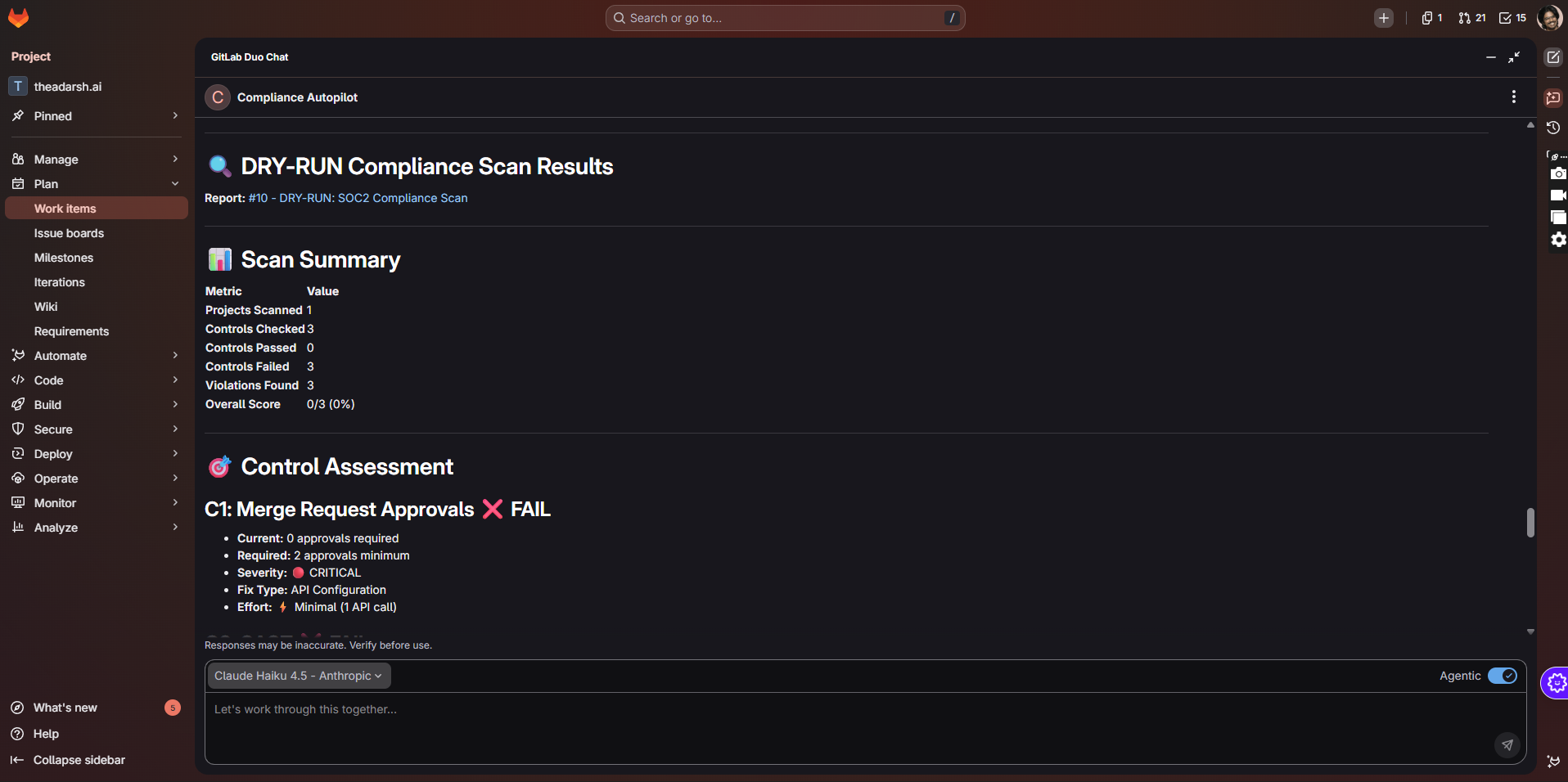
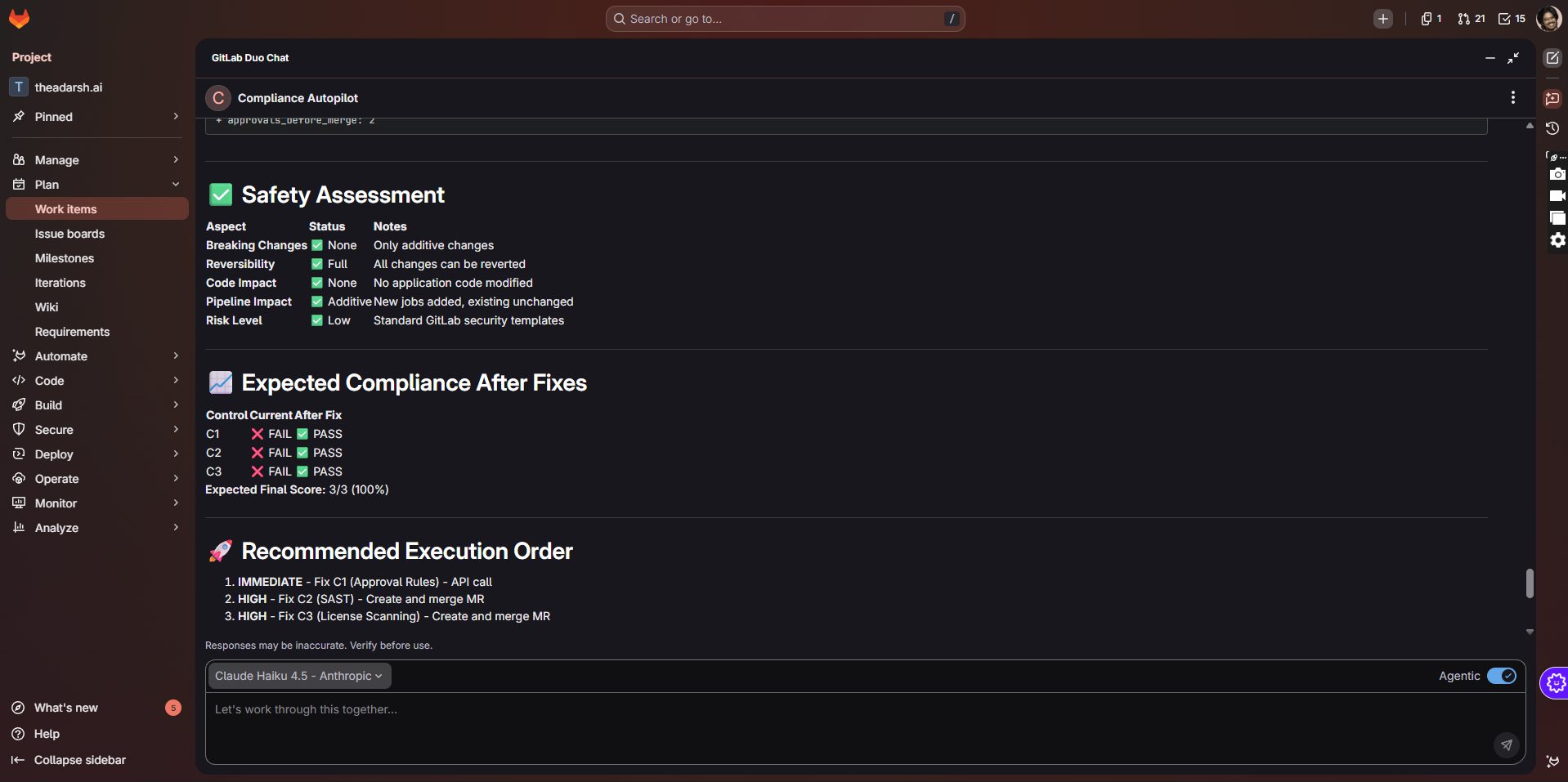
Compliance Autopilot scans every project in a GitLab group for three core SOC2-style controls: 2 approvals on default-branch MRs, SAST on the main pipeline, and license scanning on the main pipeline. It detects violations, automatically opens fix merge requests for missing CI jobs, optionally adjusts approval settings, and then posts an auditor-ready Compliance Autopilot Report issue that summarizes pass/fail status per project with links to all fix MRs.
How we built it
I built a GitLab Duo Agent and Flow using the ambient environment, wired to the AI Catalog via the ai-catalog/sync CI component. The backend logic is a small Python package that calls GitLab REST APIs to list projects, read approval rules, and fetch .gitlab-ci.yml, then parses that file to look for SAST and license-scanning jobs. The Scanner, Fixer, and Reporter pieces are split into separate modules but orchestrated by one agent flow, and everything runs on a scheduled GitLab CI job or via an @compliance-autopilot mention.
Challenges we ran into
The hardest part was aligning with the Duo Agent and AI Catalog schemas: getting the agent YAML, flow YAML, and .ai-catalog-mapping.json to validate took several iterations. I also had to design safe auto-fixes that never touch application code, only CI config and approval rules, and make sure the agent behaves conservatively so it doesn’t break pipelines in real teams. Finally, debugging tool permissions and making sure only supported tools were declared in the agent was a subtle but important hurdle.
Accomplishments that we're proud of
Compliance Autopilot now completes a full “scan → fix → report” loop end to end in a real GitLab group. It can turn a non-compliant project (no SAST, no license scan, 0 approvals) into a compliant one with a single scheduled run, while leaving a clear trail of MRs and an issue report that auditors can read. I’m especially proud that the UX is simple—one mention or one weekly schedule—and the value is obvious after the first run.
What we learned
I learned how the GitLab Duo Agent Platform models agents, tools, and flows, and how important good prompts are for keeping an agent safe and predictable. I also got a much deeper understanding of GitLab’s compliance features—approval rules, security scans, and how they’re represented in CI and APIs—and how to structure a project so AI Catalog can discover and register agents automatically through CI.
What's next for Compliance Autopilot
Next, I want to expand beyond the initial three controls into a richer SOC2 and ISO 27001 set, including branch protection, MFA checks, and evidence collection from pipelines and audit logs. I also plan to add notifications (Slack/email) when new violations are found, visual dashboards for compliance trends over time, and a dry-run mode that lets teams preview changes before opening any MRs, so Compliance Autopilot can become a trusted, always-on compliance co-pilot for large GitLab instances.
Built With
- approval-rules
- ci-config
- ci/cd
- gitlab
- graphql
- issues
- python
- pyyaml
- rest


Log in or sign up for Devpost to join the conversation.