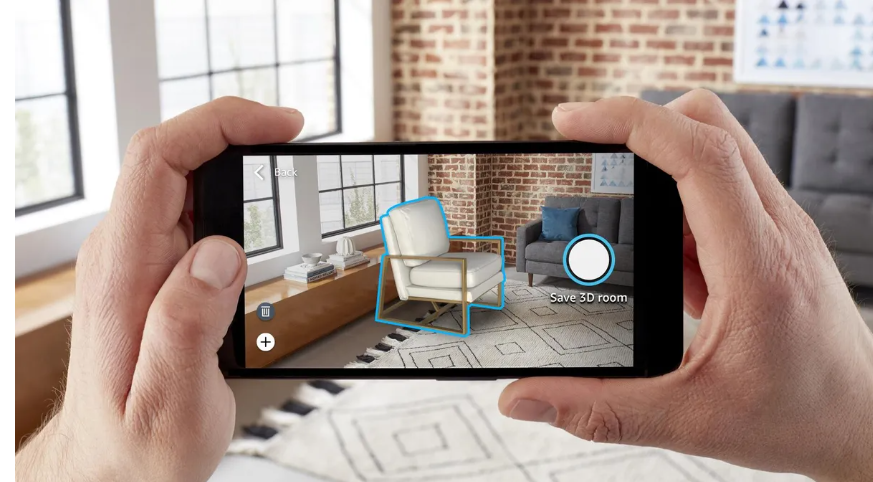
Creating a no-code augmented reality (AR) platform with easy drag-and-drop functionality involves several key components and features. Below is a comprehensive outline for such a platform:
Core Components
User Interface (UI) Design
Drag-and-Drop Builder: An intuitive interface where users can easily drag and drop AR elements (like 3D models, images, videos, and text) into the AR scene.
Templates: Pre-built AR templates for common use cases (marketing, education, entertainment, etc.) to help users get started quickly.
Real-Time Preview: A window that shows a real-time preview of the AR scene as users build it.
AR Elements and Assets
3D Model Library: A library of pre-made 3D models that users can incorporate into their AR scenes.
Image and Video Support: Options to upload images and videos to be used as AR elements.
Text Annotations: Tools to add and customize text within the Augmented Reality environment.
Interaction and Animation Tools
Behavior Editor: Allows users to define interactions (e.g., tap, swipe, pinch) and animations (e.g., move, rotate, scale) for AR elements.
Timeline: A visual timeline editor to sequence animations and interactions.
AR Deployment
*Marker-Based AR: * Support for creating AR experiences that are triggered by scanning specific images or markers.
Markerless AR: Support for spatial recognition and surface detection to place AR elements in the environment without markers.
Publishing and Sharing
*Web AR: * Generate a URL that users can open in their mobile browser to experience the AR scene.
*App Integration: * Export options to integrate the AR scene into existing mobile apps (iOS and Android).
Analytics and User Feedback
Usage Analytics: Track how users interact with the AR experience.
Feedback Tools: Collect user feedback directly within the AR experience.
Key Features
User-Friendly Design
No-Code Interface: Everything is accessible without writing a single line of code.
*Drag-and-Drop Functionality: * Simplified building process with drag-and-drop capabilities.
*Real-Time Editing and Preview: * Instant visual feedback during the design process.
Extensive Asset Library
Diverse 3D Models: Wide range of 3D models categorized by use case.
Custom Asset Uploads: Option to upload custom 3D models, images, and videos.
Customizable Interactions
Predefined Behaviors: Common interactions (e.g., tap to reveal, swipe to rotate) available as presets.
Custom Behavior Creation: Create unique interactions using an intuitive behavior editor.
Multi-Platform Support
**Cross-Device Compatibility: **AR experiences work seamlessly across different devices (smartphones, tablets, AR glasses).
Easy Sharing: Share AR experiences via URL or embed in websites.
Example Platforms
ZapWorks Studio:A comprehensive AR platform offering drag-and-drop functionality, a library of AR elements, and support for both marker-based and markerless AR.
PlugXR: A no-code AR platform focusing on Web AR experiences, with tools for creating and deploying AR content without the need for app downloads.
Wikitude Studio: Provides a no-code environment for creating AR experiences with a focus on image recognition and tracking.
Getting Started
1.Sign Up and Login
Register an account on the platform. Log in to access the AR builder interface.
2.Choose a Template or Start from Scratch Select a pre-built template or create a new AR project from scratch.
3.Drag and Drop AR Elements Use the drag-and-drop interface to add 3D models, images, videos, and text to the AR scene.
4.Define Interactions and Animations Use the behavior editor and timeline to set up interactions and animations for the AR elements.
5.Preview and Publish Preview the AR scene in real-time. Publish the AR experience and share it via a URL or integrate it into an app.
6.Analyze and Improve Use the analytics tools to track user interactions. Collect feedback and iterate on the AR experience to enhance it further.
By focusing on these components and features, a no-code AR platform can empower users of all technical skill levels to create engaging and interactive AR experiences easily.
In conclusion, a no-code augmented reality platform with drag-and-drop functionality democratizes the creation of AR experiences, making it accessible to users of all technical backgrounds. By incorporating intuitive user interfaces, extensive asset libraries, customizable interactions, multi-platform support, and comprehensive analytics, these platforms empower users to design, deploy, and refine interactive AR content with ease. Notable example such as PlugXR illustrate the potential of these tools to transform how AR experiences are created and shared. This innovation in AR technology fosters creativity, enhances user engagement, and broadens the application of AR across various fields, from marketing to education and beyond.
Built With
- augmented-reality
- nocodearplatform
- spatialcomputing
- webar

Log in or sign up for Devpost to join the conversation.