-
-
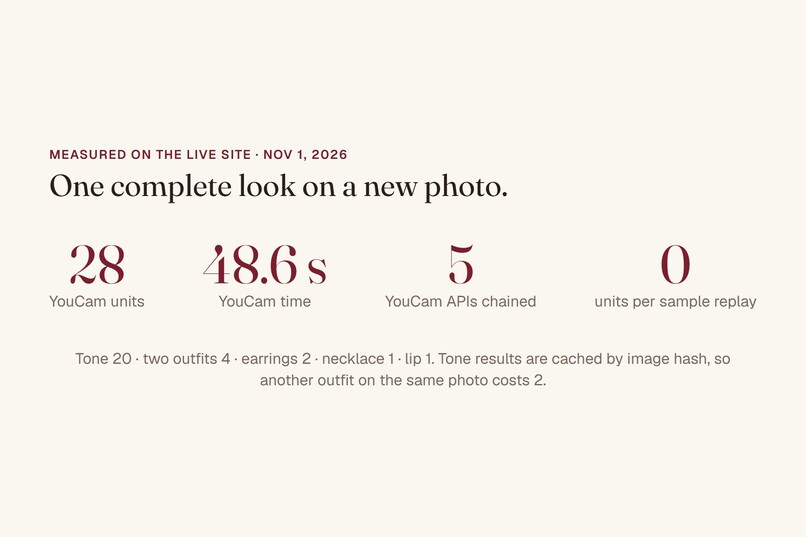
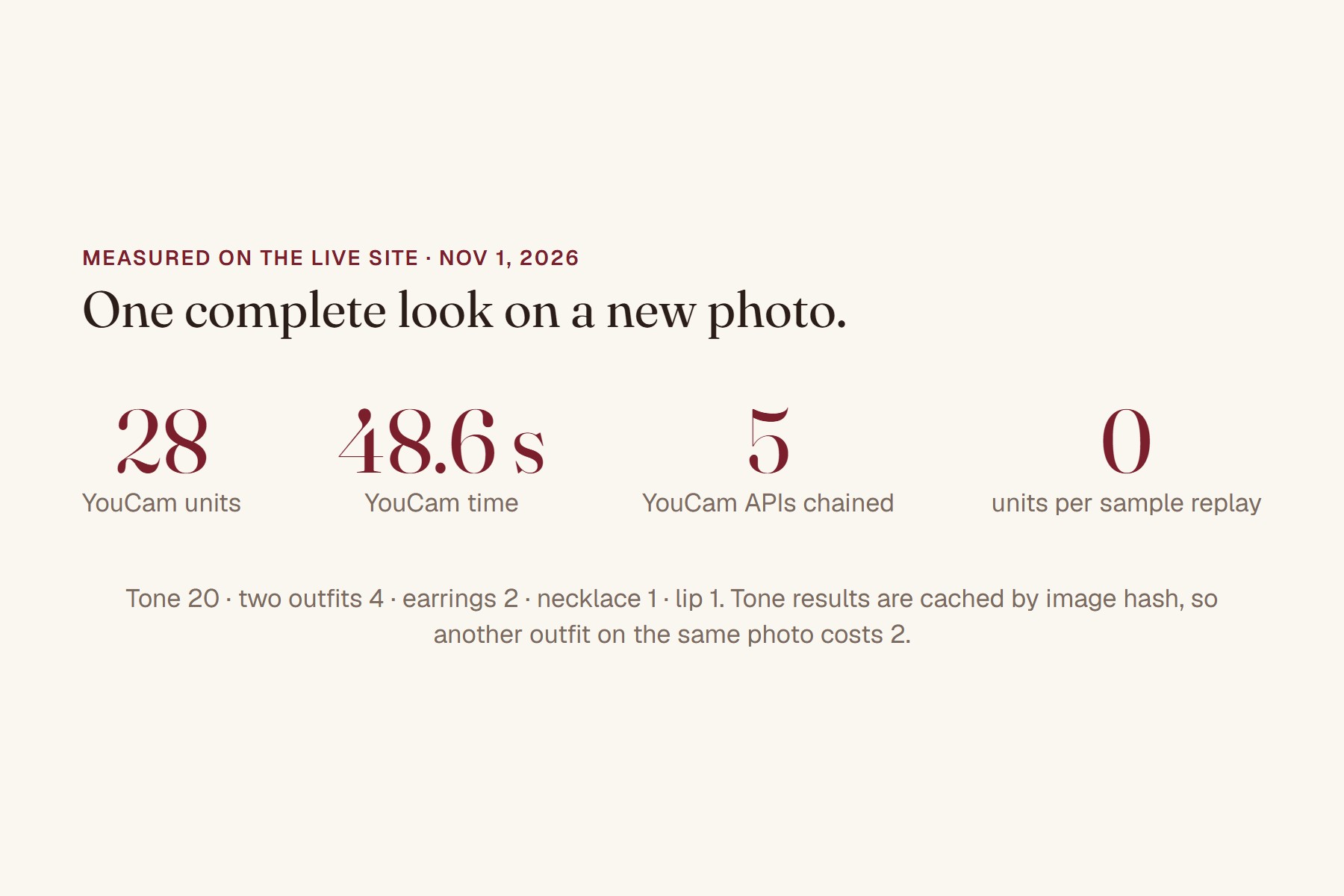
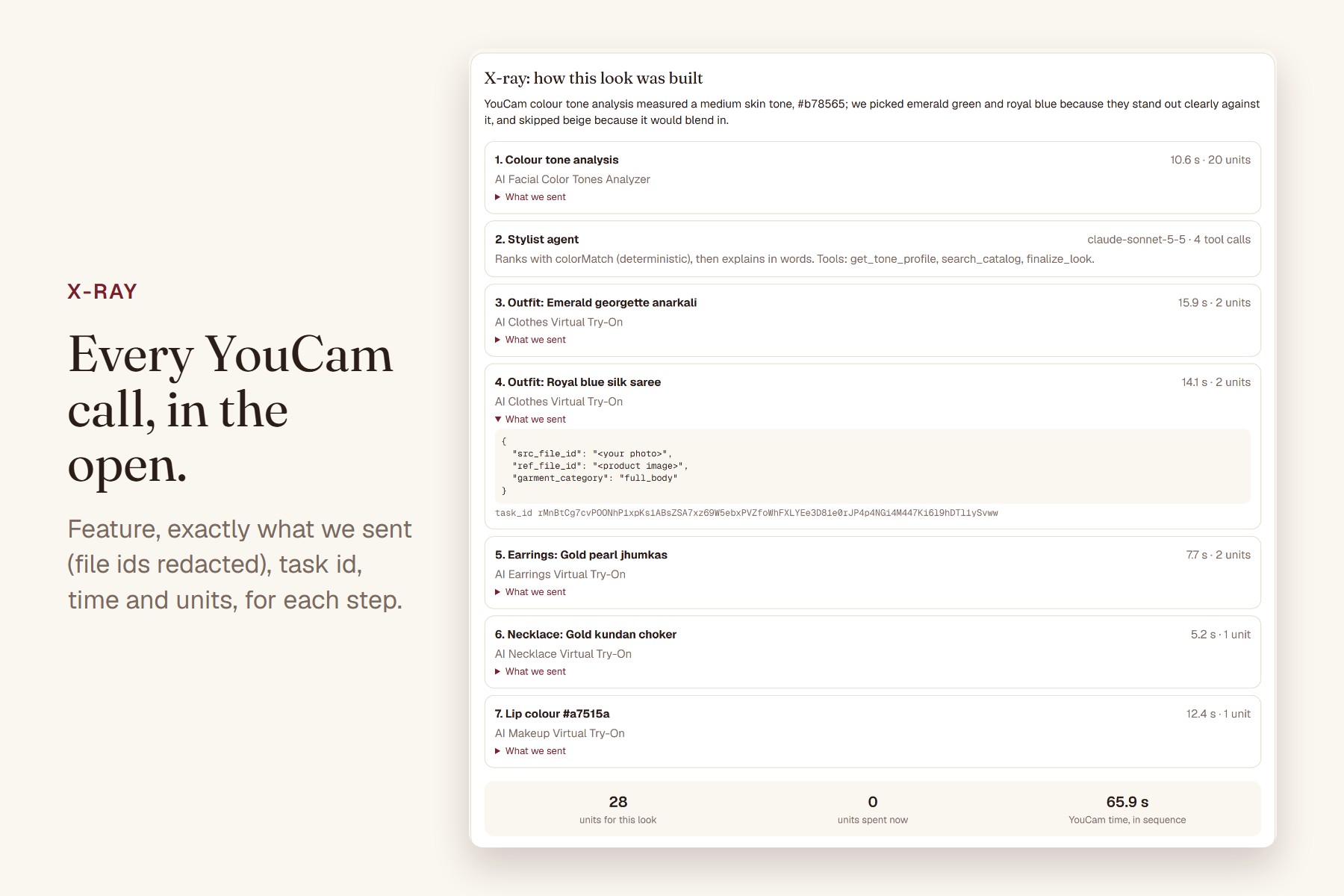
28 units and 48.6 s per look; 0 units per sample replay.
-
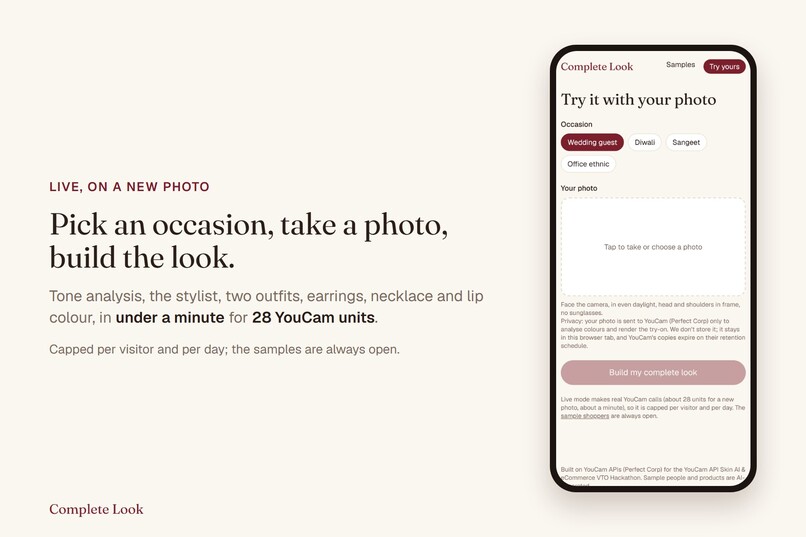
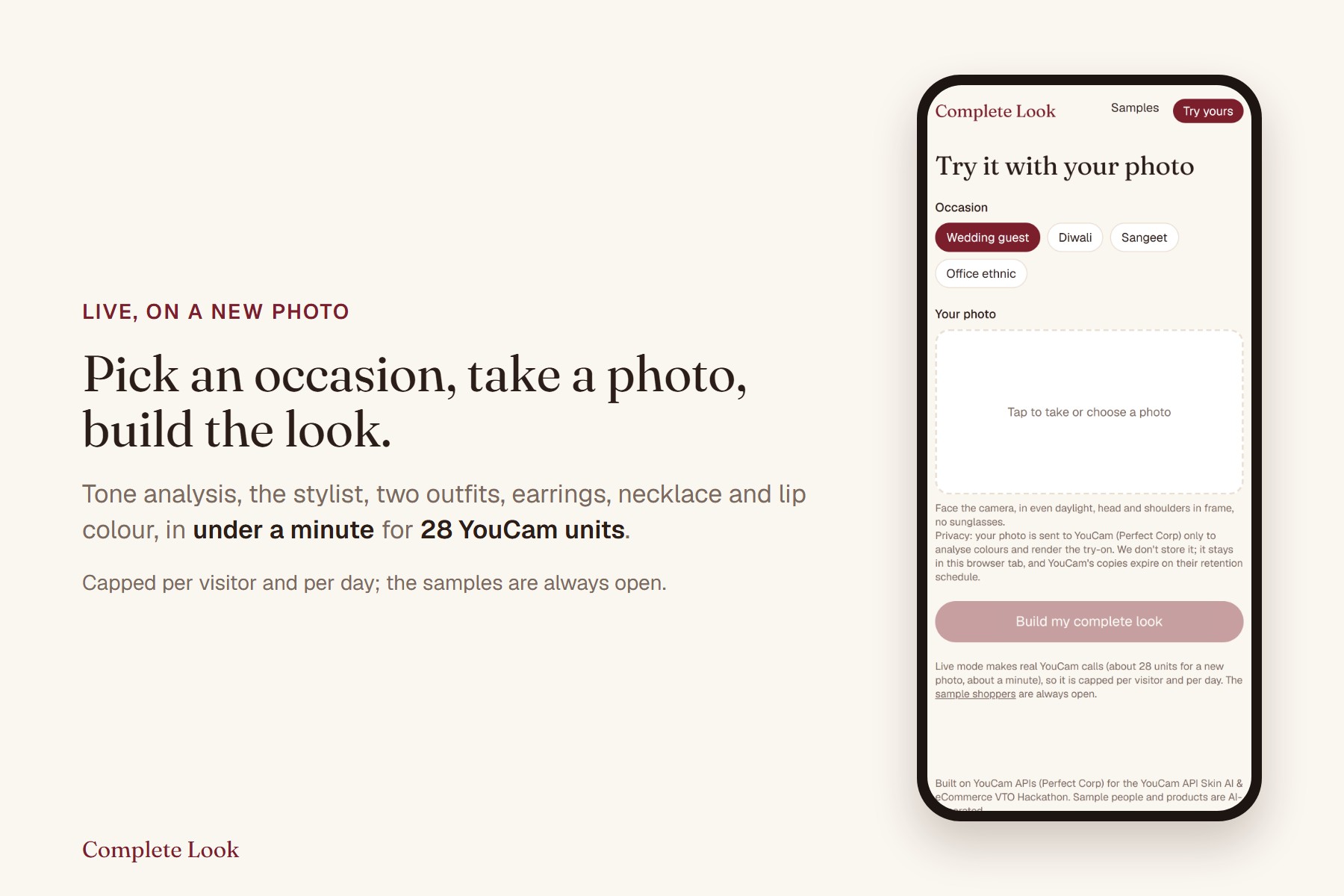
Live on a new photo: under a minute, 28 YouCam units.
-
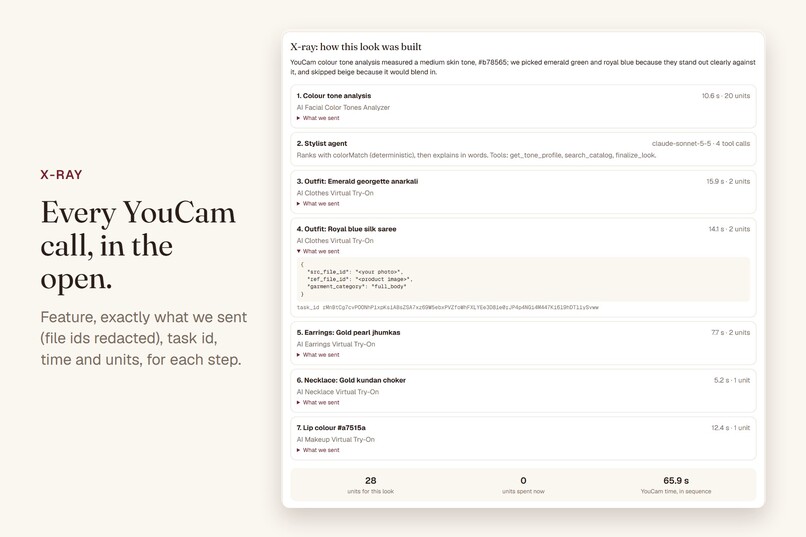
Every YouCam call: feature, what we sent, task id, time and units. (65.9 s is the recorded Ananya run; 48.6 s is the live production run.)
-
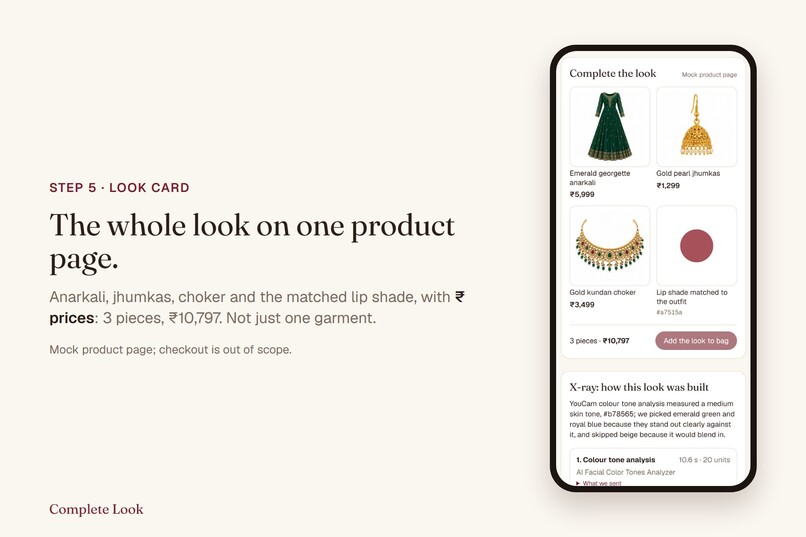
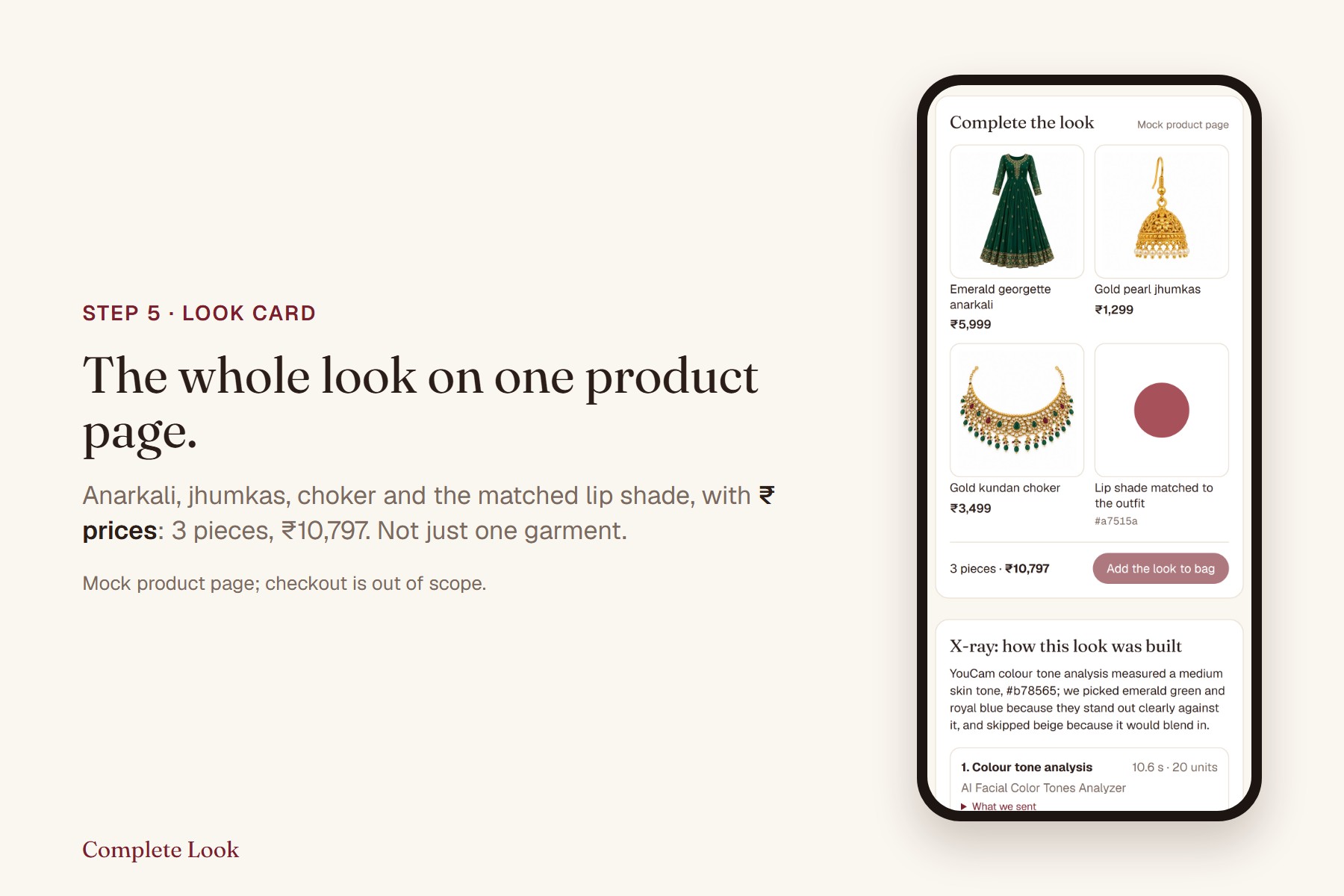
The whole look on one product page, with ₹ prices.
-
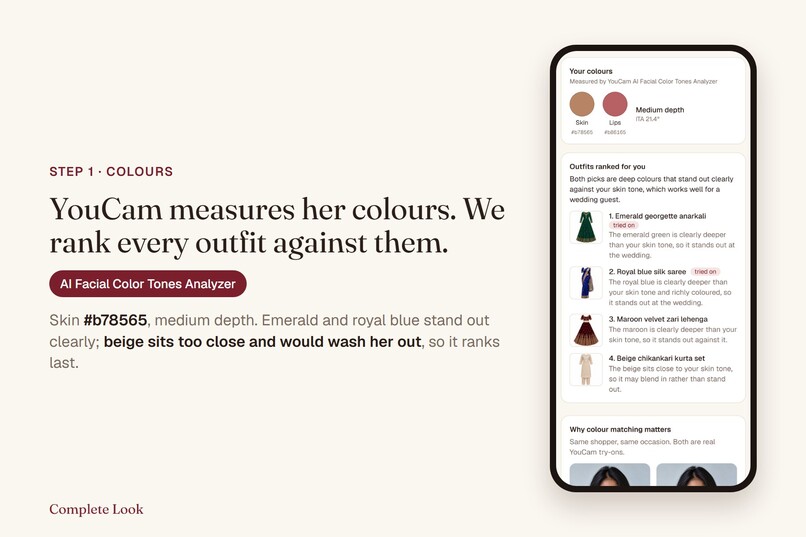
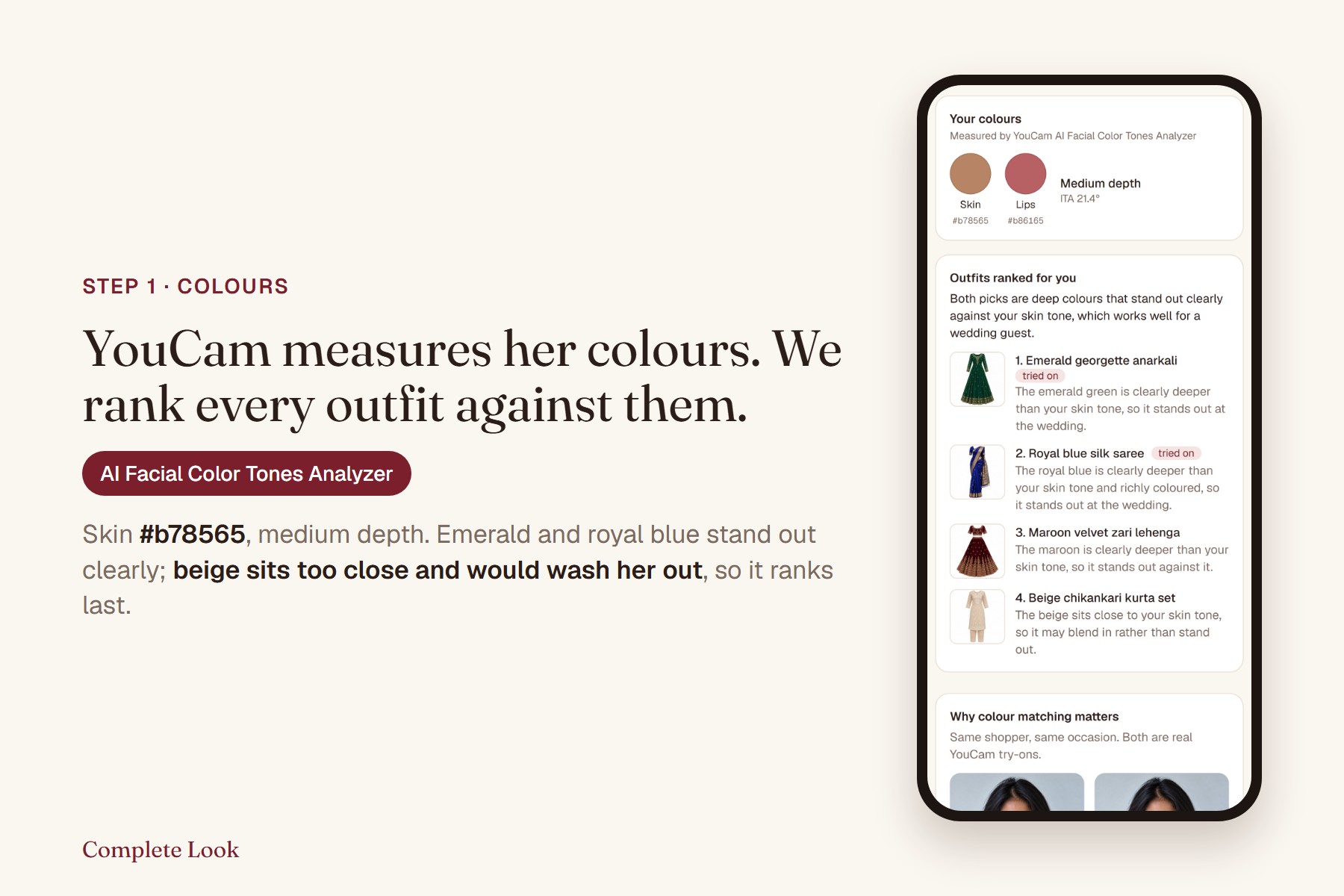
YouCam AI Facial Color Tones Analyzer measures skin and lip; outfits ranked by how clearly they stand out.
-
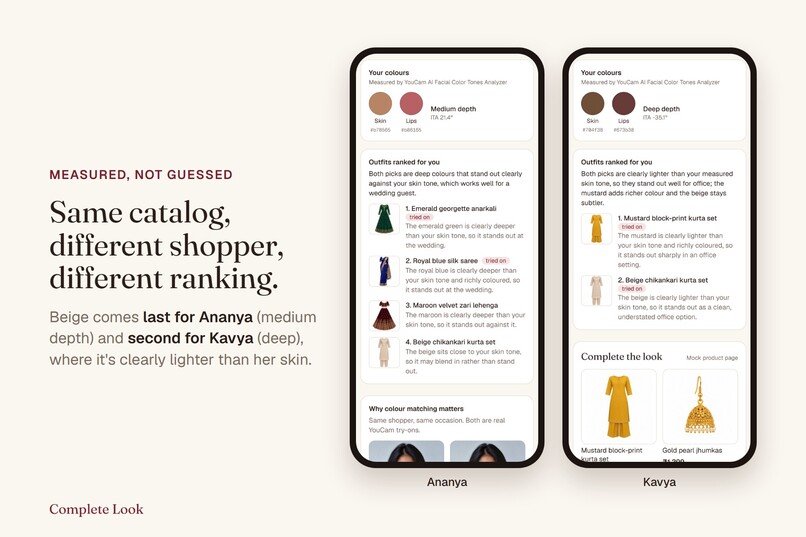
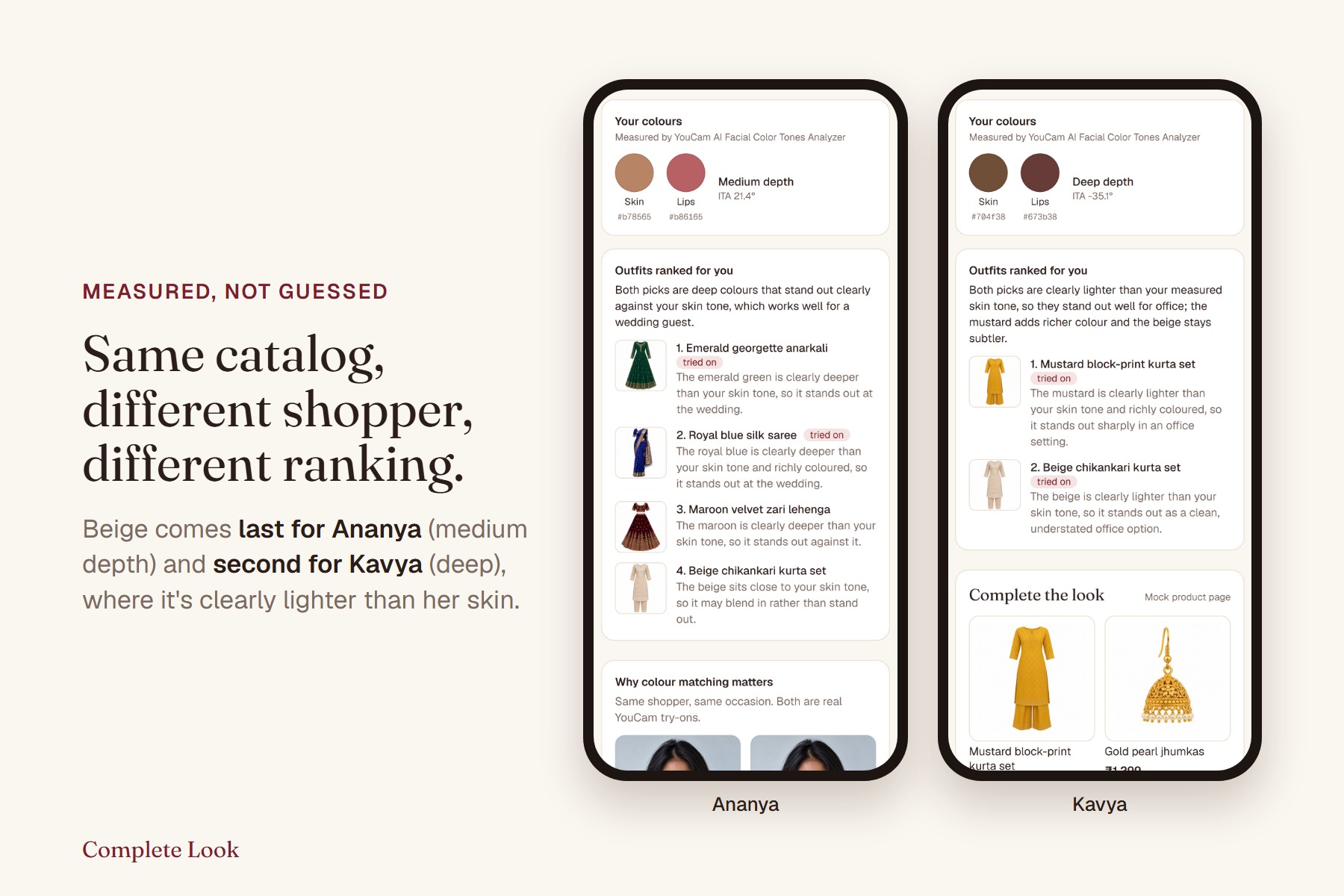
Beige ranks last for Ananya and second for Kavya.
-
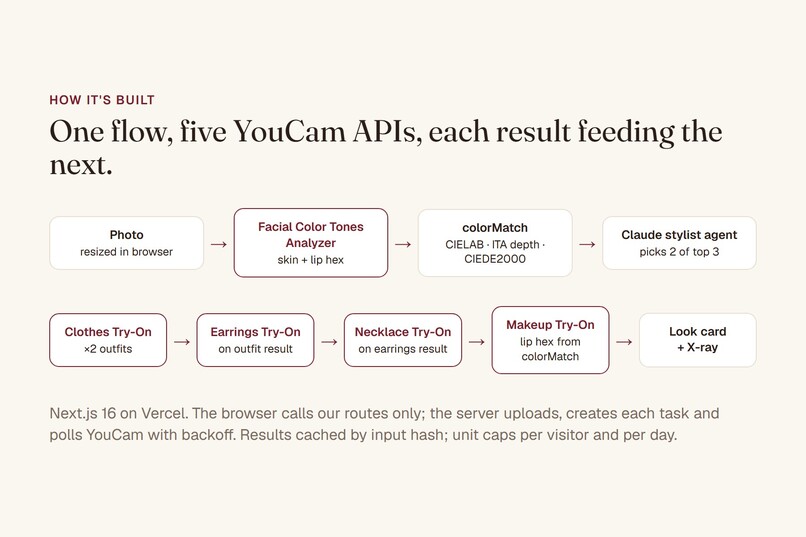
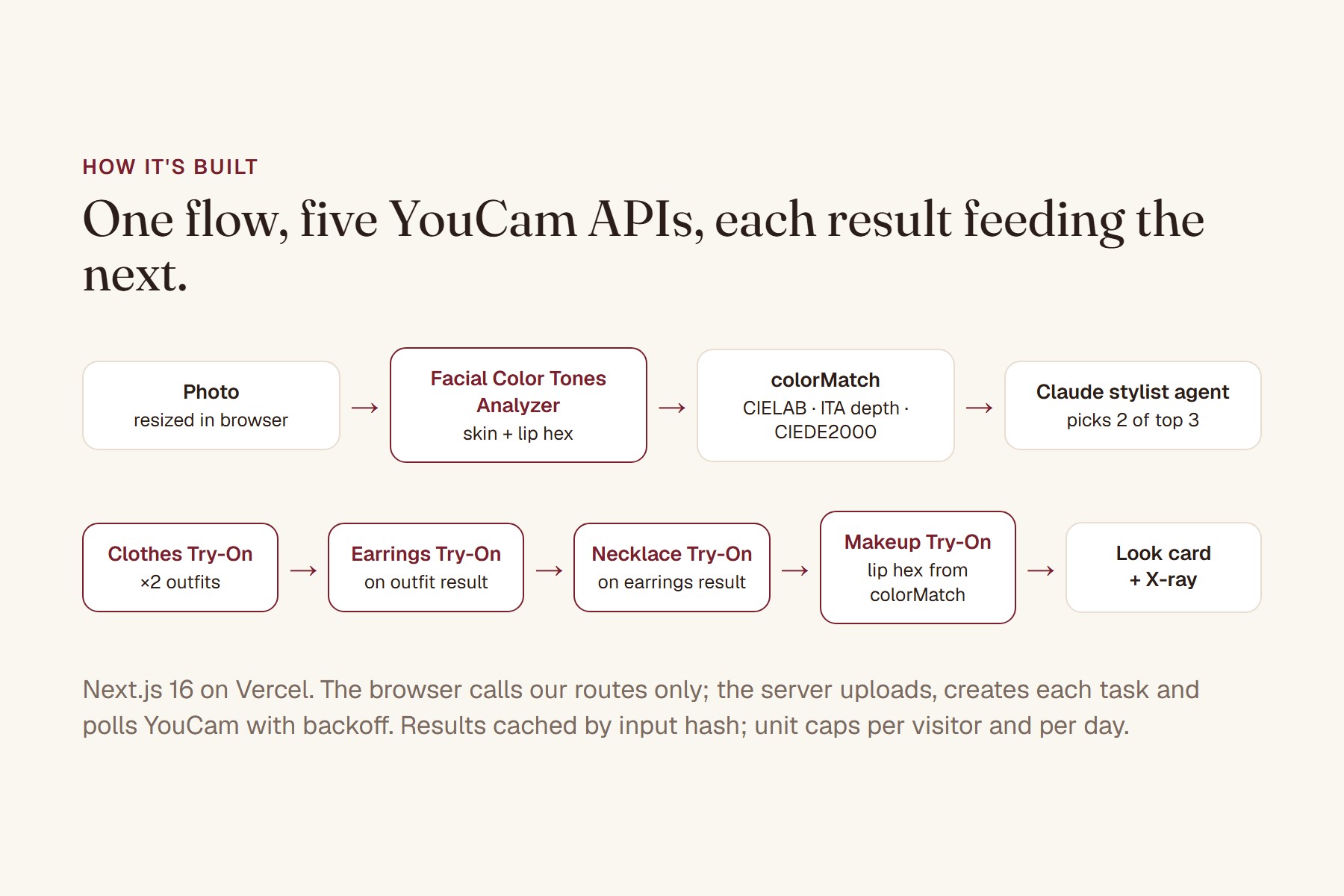
One flow, five YouCam APIs, each result feeding the next.
-
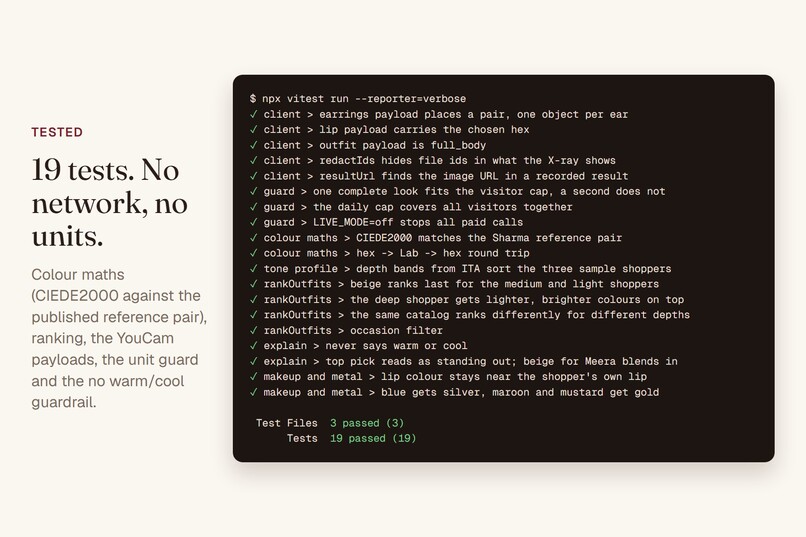
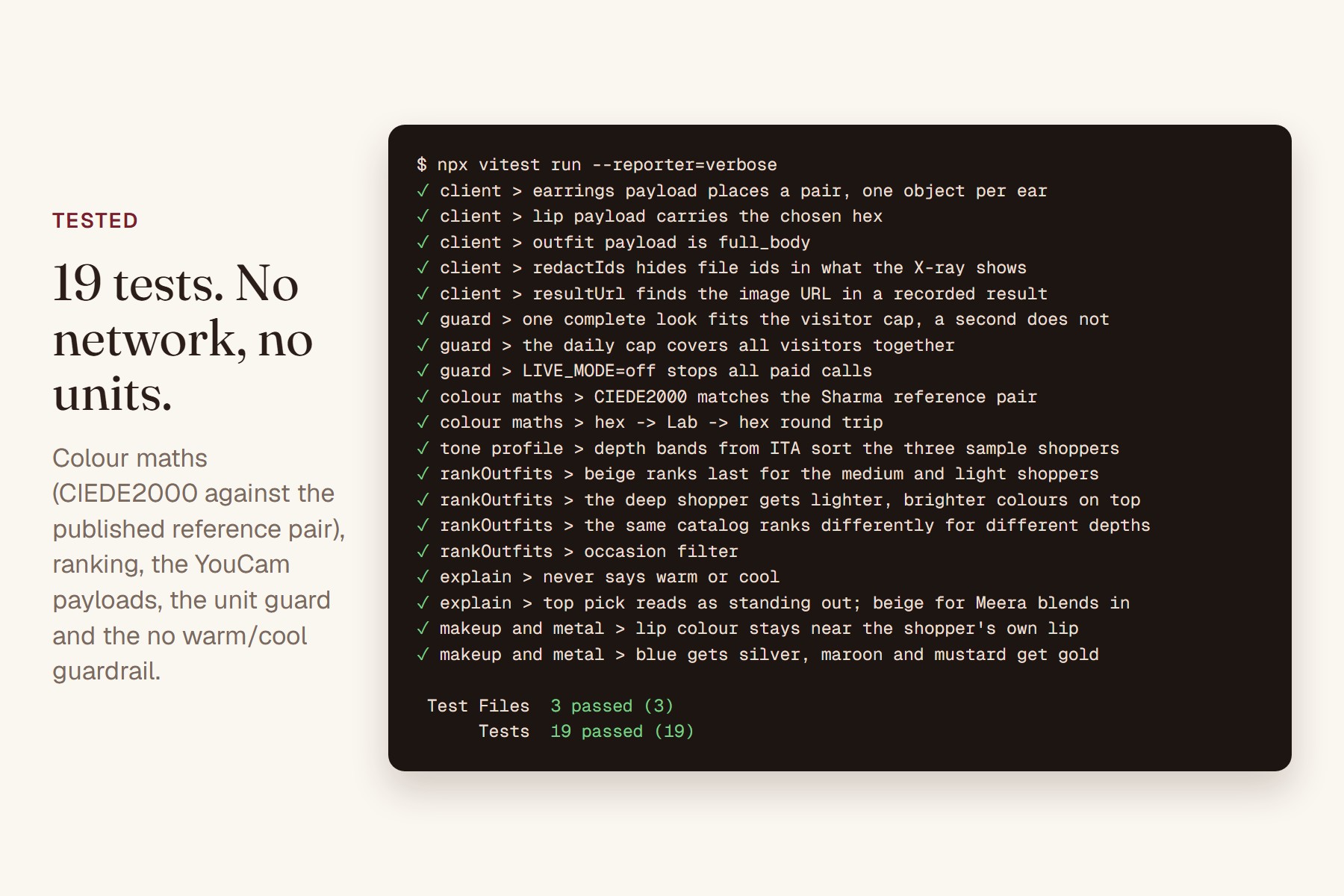
19 tests, no network, no units.
-
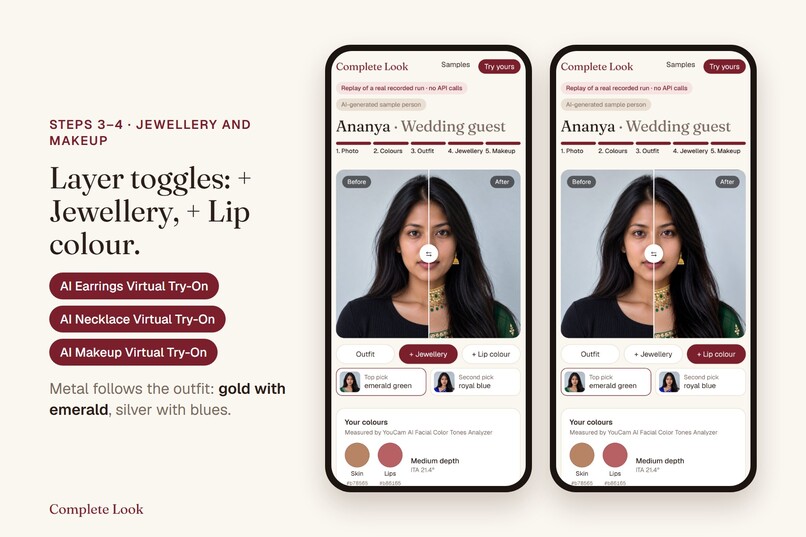
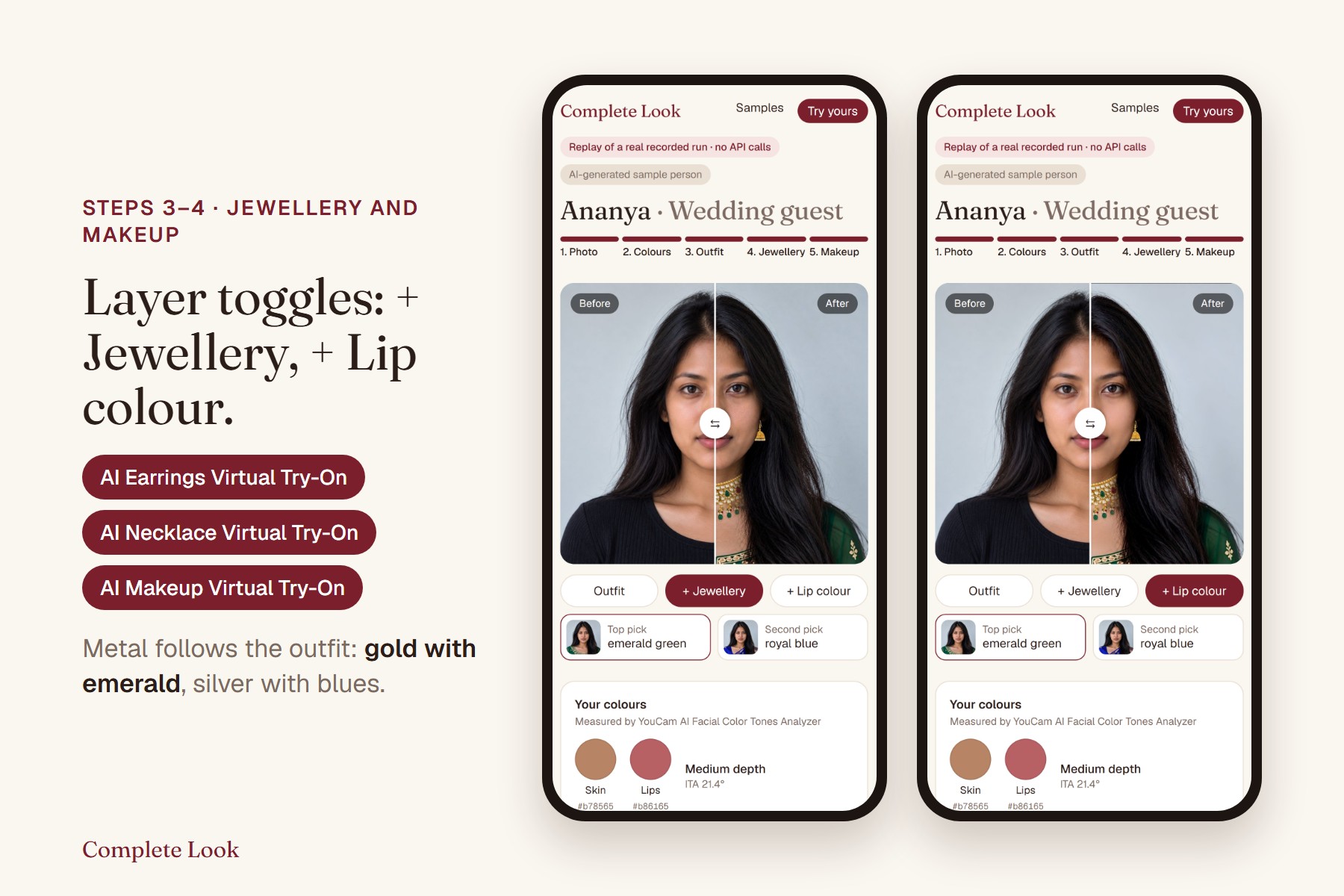
Earrings, Necklace and Makeup Virtual Try-On, as layer toggles.
-
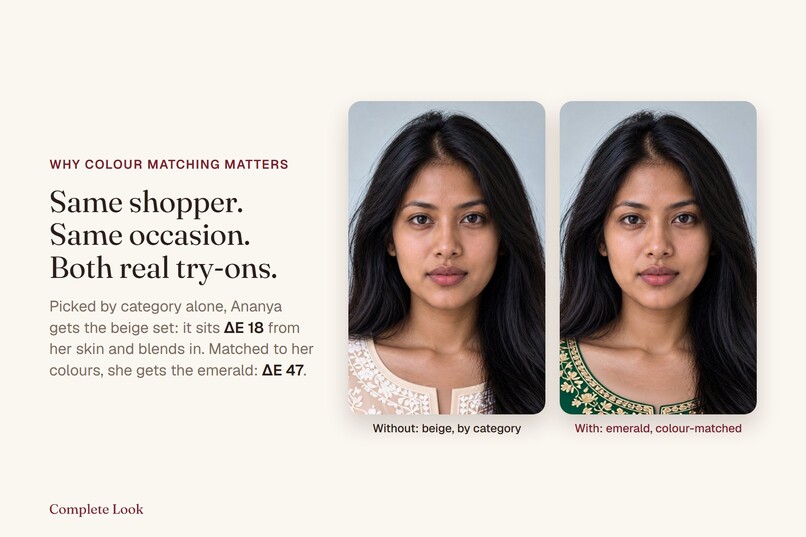
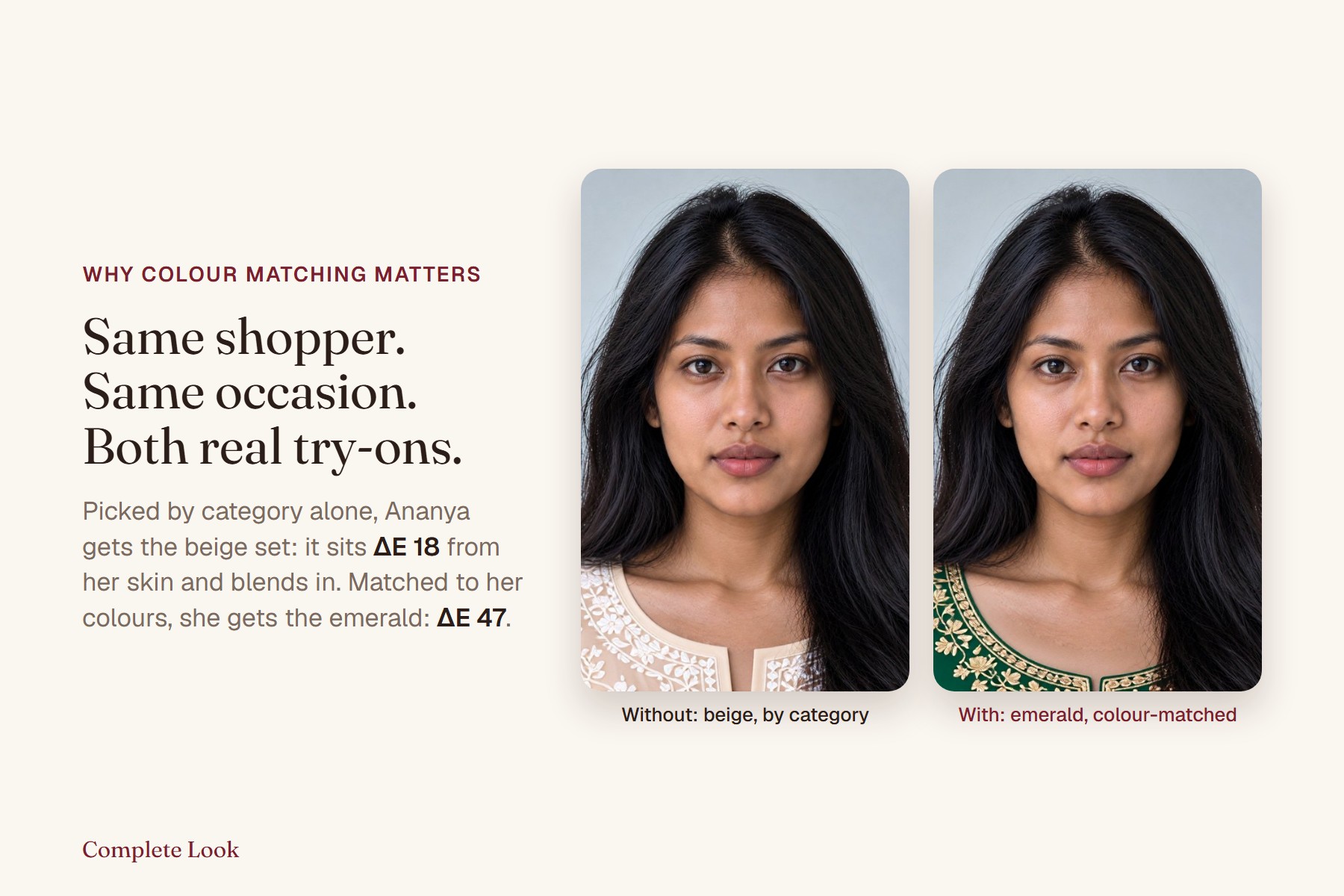
Same shopper, both real try-ons: beige blends in, emerald stands out.
-
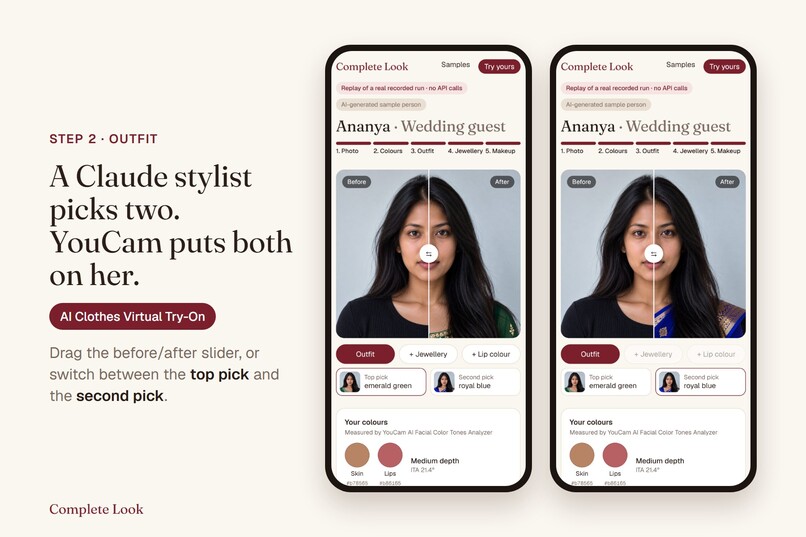
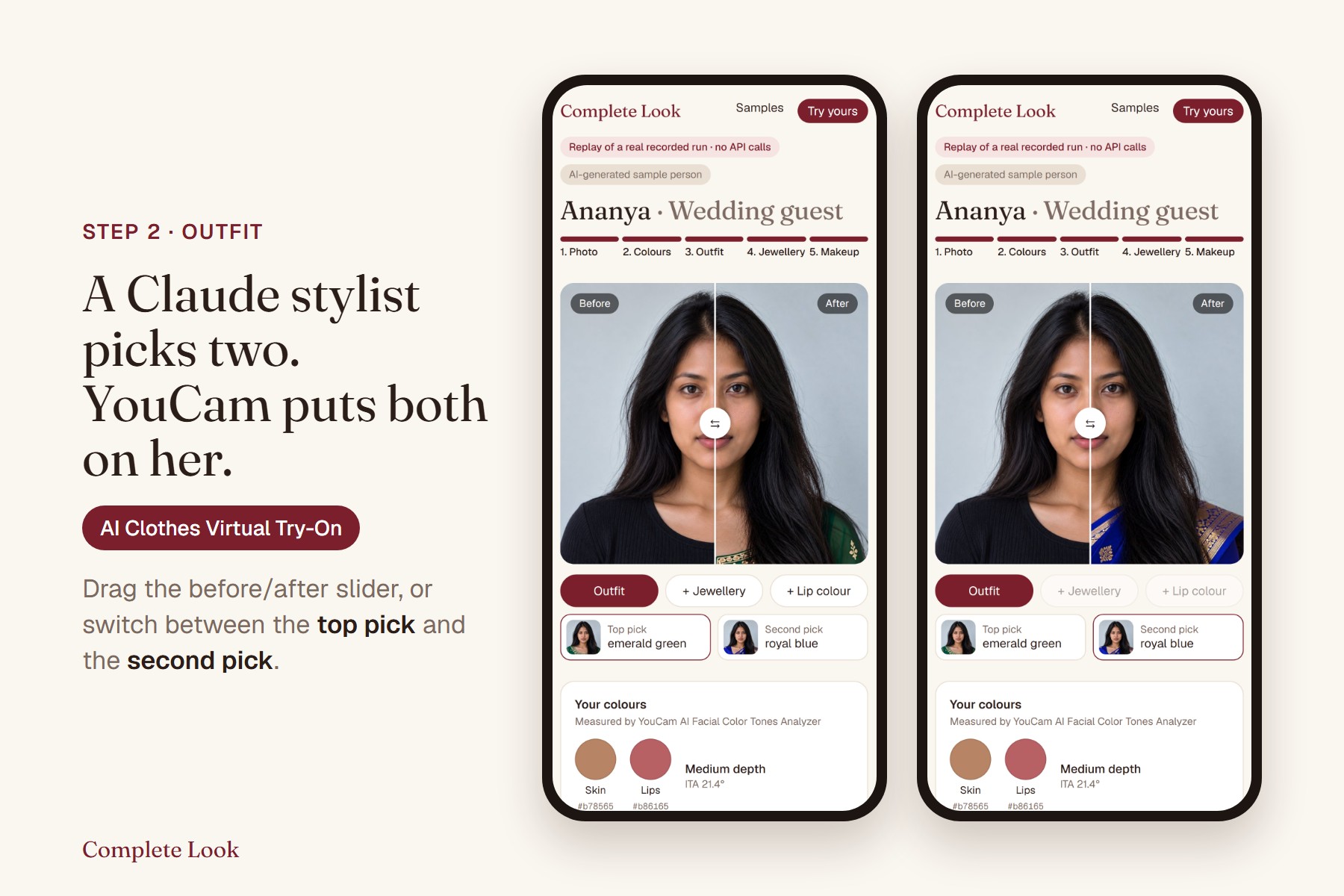
A Claude stylist picks two; YouCam AI Clothes Virtual Try-On puts both on her.
-
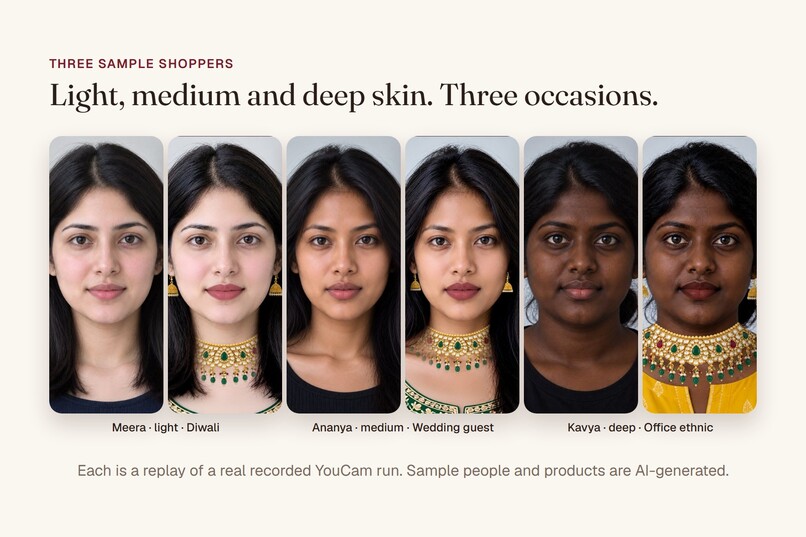
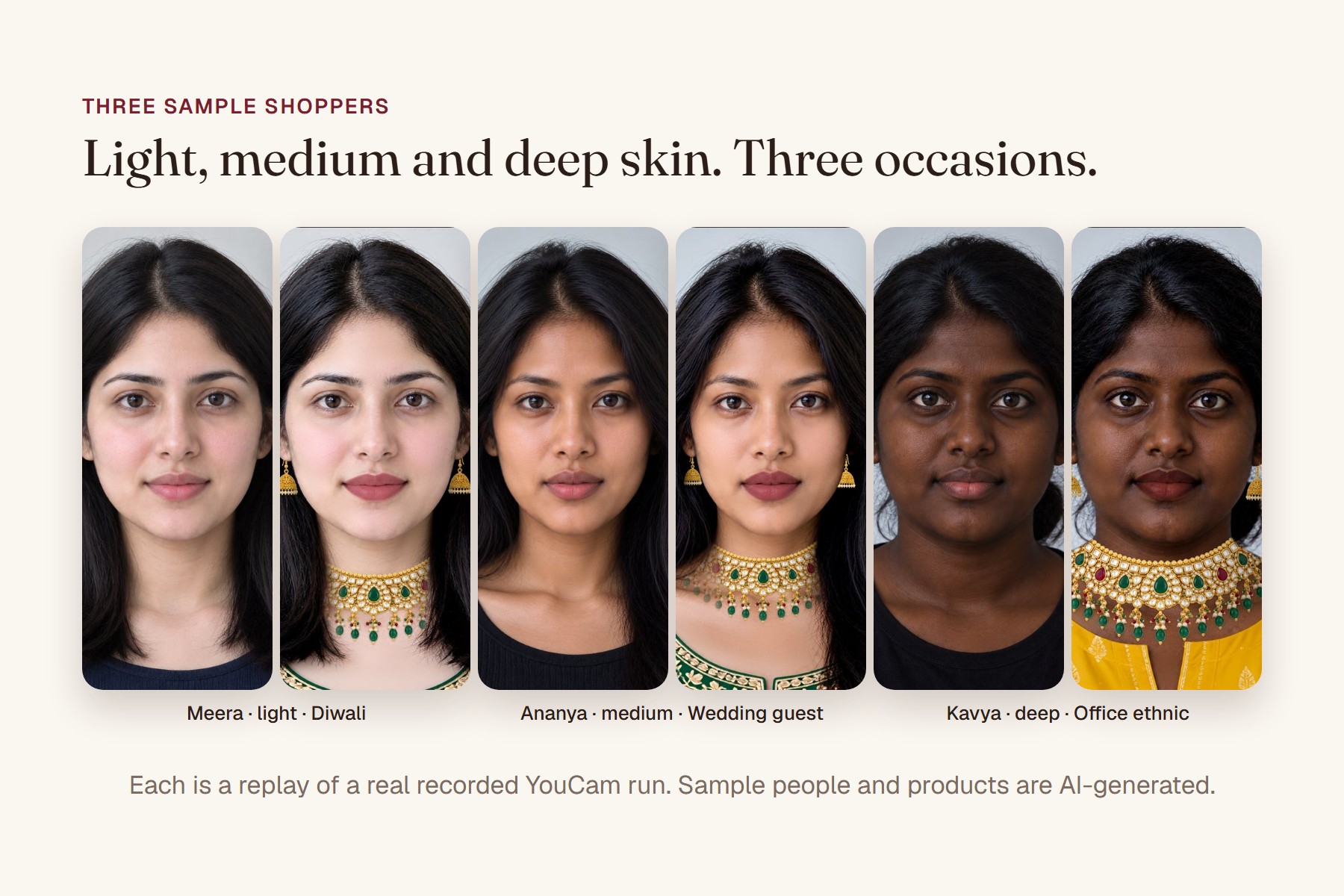
Light, medium and deep skin; three occasions; all replays of real runs.
-
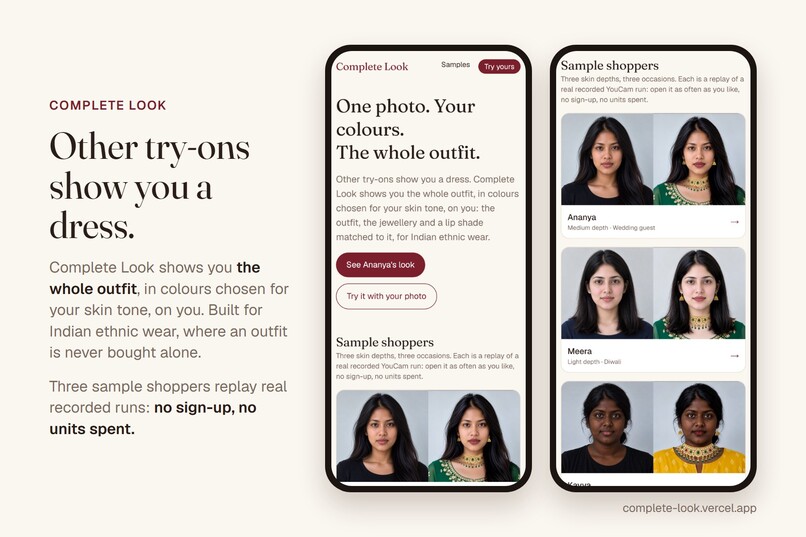
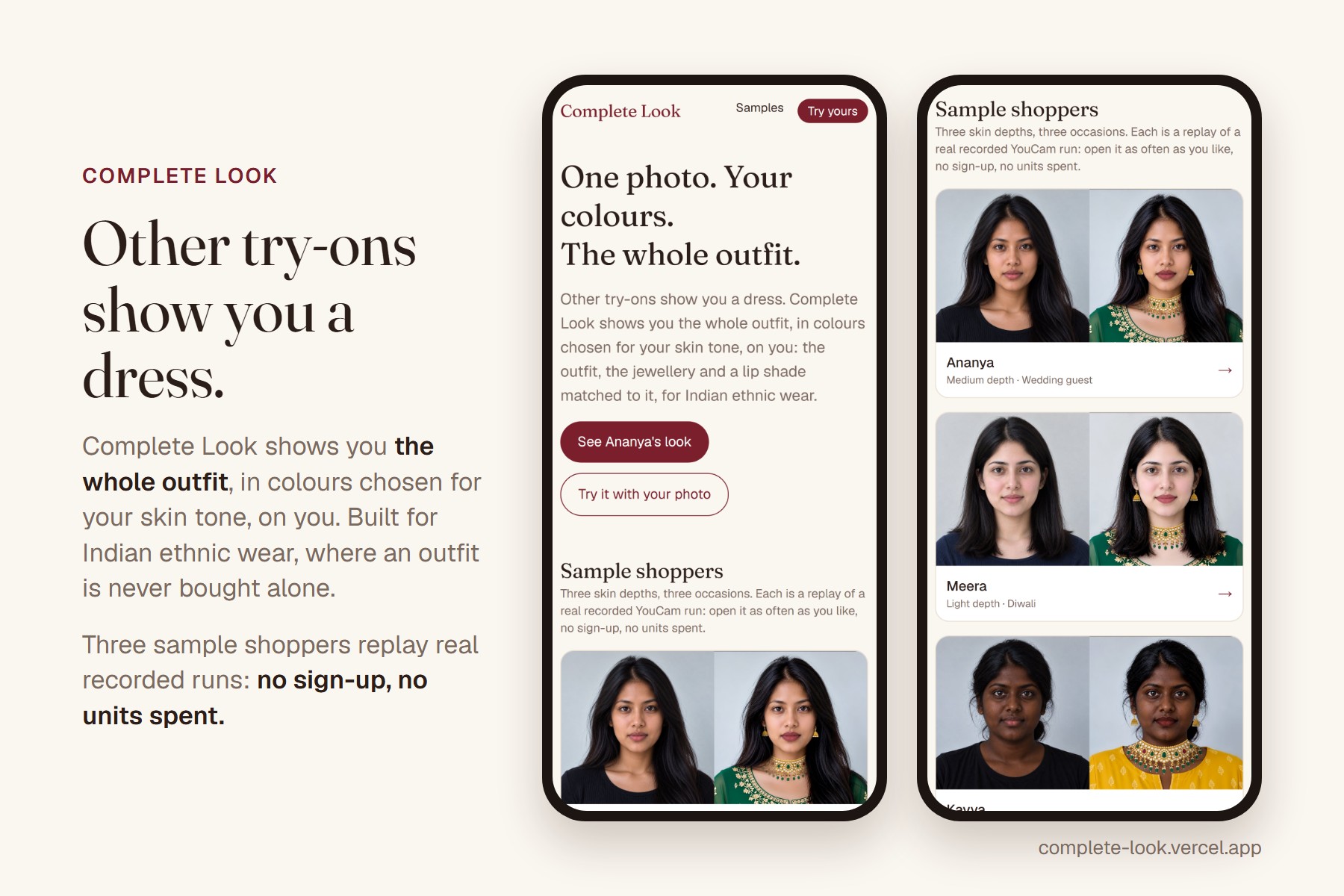
One photo. Your colors. The whole outfit
-
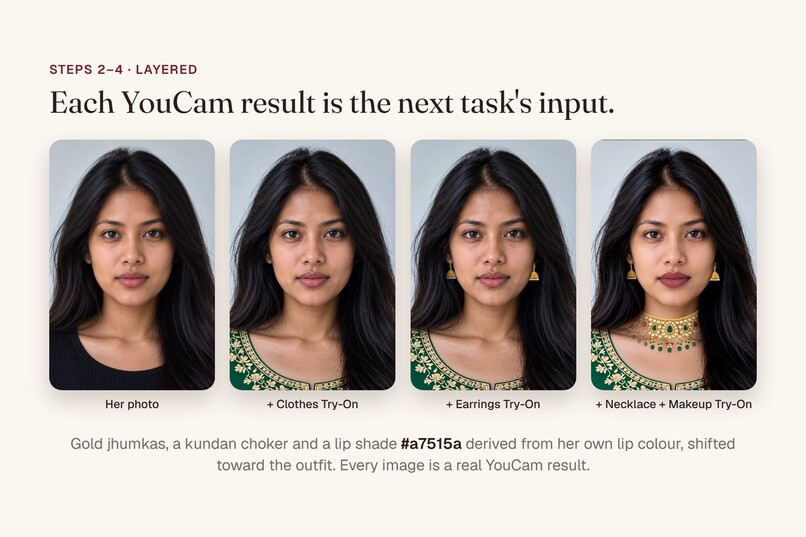
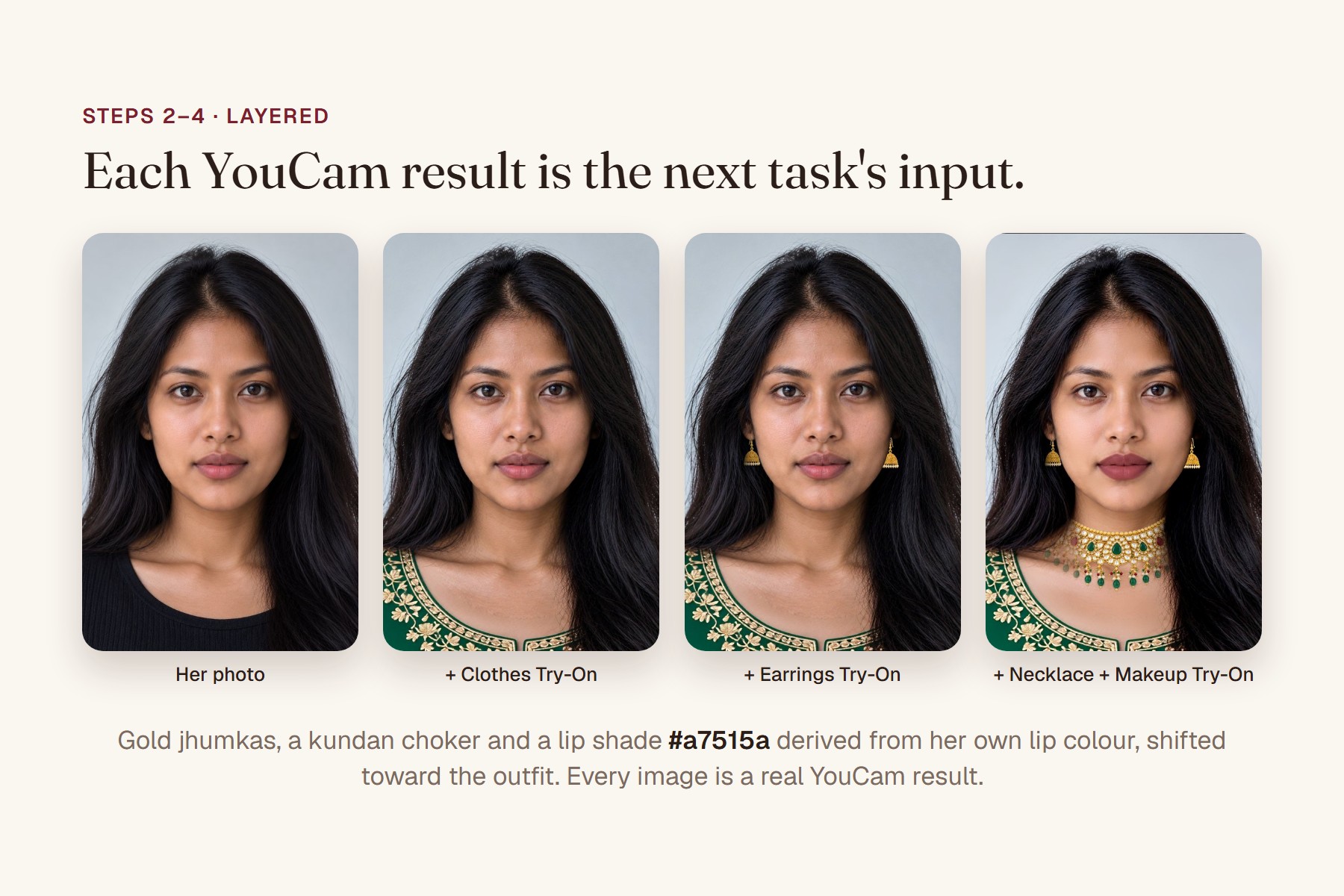
Each YouCam result is the next task's input: clothes → earrings → necklace → makeup.
Inspiration
An Indian ethnic outfit is never bought alone. A wedding guest needs the outfit, the earrings, a necklace, a lip colour that goes with it, and she's buying all of it from a photo of someone else. The emerald anarkali looks great on the model; will it on her? So she orders three, tries them at home and sends two back, or she just doesn't buy.
Most virtual try-ons answer one narrow question: how does this one garment look on me? We wanted to answer the questions she actually has: which colour should I pick, and what does the whole look come to?
What it does
| The shopper's situation | What Complete Look does |
|---|---|
| "Will this colour work on me?" | YouCam's AI Facial Color Tones Analyzer measures her skin and lip colour. Outfits are ranked by how clearly they stand out against her skin, so nothing washes her out. |
| "Which of these should I even try?" | A Claude stylist agent picks 2 of the top 3 and explains why in plain words, using only the measured reasons. |
| "How does it look on me?" | Both picks are tried on her photo with YouCam's AI Clothes Virtual Try-On, with a before/after slider. |
| "What jewellery goes with it?" | Earrings, then a necklace, are layered on the outfit result with AI Earrings and AI Necklace Virtual Try-On. The metal follows the outfit: gold with warm hues, silver with blues. |
| "And makeup?" | A lip shade derived from her own measured lip colour, shifted toward the outfit, applied with AI Makeup Virtual Try-On. |
| "What does the whole look cost?" | Every piece lands on one product page with ₹ prices. |
Three sample shoppers (light, medium and deep skin; wedding guest, Diwali, office ethnic) replay real recorded runs, so anyone can open them with no sign-up and no units spent. With your own photo, the whole flow runs live in under a minute.
The same catalog ranks differently for different people: the beige chikankari set comes last for Ananya (medium) because it blends into her skin, and second for Kavya (deep) because it's clearly lighter than hers.
How we built it
Each YouCam result is the next task's input: clothes → earrings → necklace → makeup. The choice of what to try comes from colours YouCam measured, not from a guess.
| Part | What it does |
|---|---|
| Next.js 16 on Vercel | Pages for the samples, the live flow, and three server routes: /api/analyze-tone, /api/stylist, /api/try-on. The browser never talks to YouCam; the key stays on the server. |
| Typed YouCam client | Upload → create task → poll with backoff and timeout, a payload builder per feature, retries, friendly error messages, and unit accounting. |
| colorMatch | Deterministic. Converts to CIELAB, gets skin depth from the ITA angle, then scores each garment's dominant colours: a wash-out penalty when CIEDE2000 to the skin is under 15, lightness contrast set by depth, and chroma. Garment colours are extracted from the product photos by k-means, never typed by hand. |
| Stylist agent | Claude (claude-sonnet-5-5) with tools: get_tone_profile, search_catalog, finalize_look. Limits are enforced in code: picks must come from the colorMatch top 3, at most 2 are tried on, and a guardrail rejects "warm/cool" or appearance language and makes Claude try again. If Claude is unavailable, template wording takes over. |
| X-ray panel | For every step: the YouCam feature, exactly what we sent (file ids redacted), the task id, time and units. |
| Cost guard | Result cache by input hash, a per-visitor cap, a global daily cap and a kill switch. Samples replay stored results: zero API calls on page load. |
YouCam APIs used, and why:
- AI Facial Color Tones Analyzer: the measurement everything else is grounded in.
- AI Clothes Virtual Try-On: the outfit (kurta set, anarkali, lehenga, saree).
- AI Earrings Virtual Try-On: a pair of jhumkas, one object per ear, on the outfit result.
- AI Necklace Virtual Try-On: a kundan choker on the earrings result.
- AI Makeup Virtual Try-On: a lip shade we compute, sent as an explicit hex.
What we built during the submission period
All of it. The project started on Oct 15, 2026; every commit is dated inside the submission period. That includes:
- the API spikes;
- the colour model and its tests;
- the YouCam client;
- the 3 recorded sample shoppers;
- the app (replays, live flow, stylist agent, X-ray, look card);
- the cost guard;
- the docs.
See CHANGELOG-hackathon.md in the repo.
Challenges we ran into
- The tone analyzer measures depth, not undertone. We planned warm/cool colour advice. Across 5 faces, the skin hue it returned spanned only 4°, while depth spanned 69°. A face we generated with "cool, pink undertones" came back as golden as the rest. So we rebuilt colour matching on depth and contrast, which YouCam does measure, and we never tell a shopper she is "warm" or "cool".
- Scarf try-on isn't a layer. We wanted a dupatta on top of the outfit. AI Scarf Virtual Try-On is generative: on our lehenga result it replaced the outfit with a white dress, added a hat and a lakeside background, and turned the dupatta into a neckerchief. We dropped the step instead of shipping a result that loses the outfit.
- Tone analysis costs 20 units, and one look costs 28. We cache tone by image hash, replay the samples, and cap live mode per visitor and per day, so the demo stays open through judging.
- Generated faces cluster. "South Asian woman" prompts all came back in one narrow tone band. To get three clearly different sample shoppers, we wrote a free local pre-check (CIELAB on cheek patches) that predicts the analyzer's reading before we spend 20 units.
Accomplishments that we're proud of
- Four YouCam try-on features chained on one photo, each result feeding the next, with no visible loss across the layers.
- One complete look on a new photo: 28 units and 48.6 s of YouCam time, measured on the live site. A replayed sample costs 0 units.
- Sarees work. We expected them to be the hard case; all 5 garments across 4 types (kurta set, anarkali, lehenga, saree) passed on the first try.
- A colour model with tests: 19 tests, including CIEDE2000 checked against the published reference pair, and none of them call a paid API.
What we learned
- Build on what the API actually measures. Reading the raw tone JSON from 5 faces changed the core design, for the better.
- Read schema hints literally: the scarf's
styleparameter "controls outfit and background style", and it does. - Makeup try-on also retouches skin (visible smoothing and brightening), so we say so.
hair_colorcomes back as a fixed "Blonde" fallback on dark hair, andeyebrow_colorsnaps to a few values. We ignore both.
What's next for Complete Look
- An optional full-length photo for try-on: today results show head and shoulders, because one photo serves both tone analysis and try-on.
- Dupattas, if YouCam ships a layering mode for scarves.
- A real catalog, with dominant colours extracted at import, and more accessory types (bangles with Bracelet Try-On, bags).
- A WhatsApp share card for "what do you think?" moments before buying.
Built With
- claude
- css
- next.js
- perfect-corp
- react
- tailwind
- typescript
- vercel
- vitest
- youcam
- youcam-api

Log in or sign up for Devpost to join the conversation.