-
-
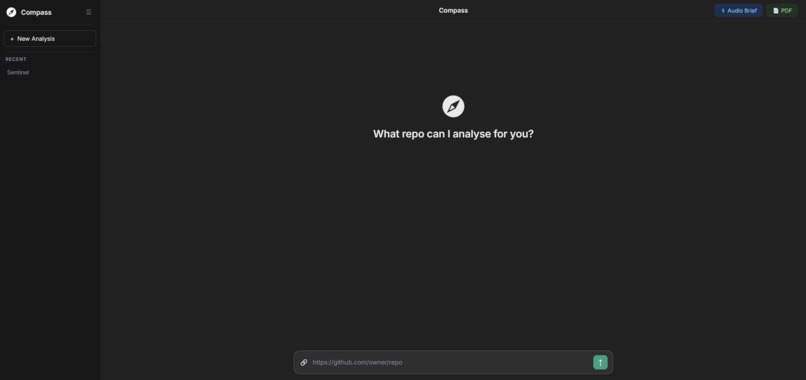
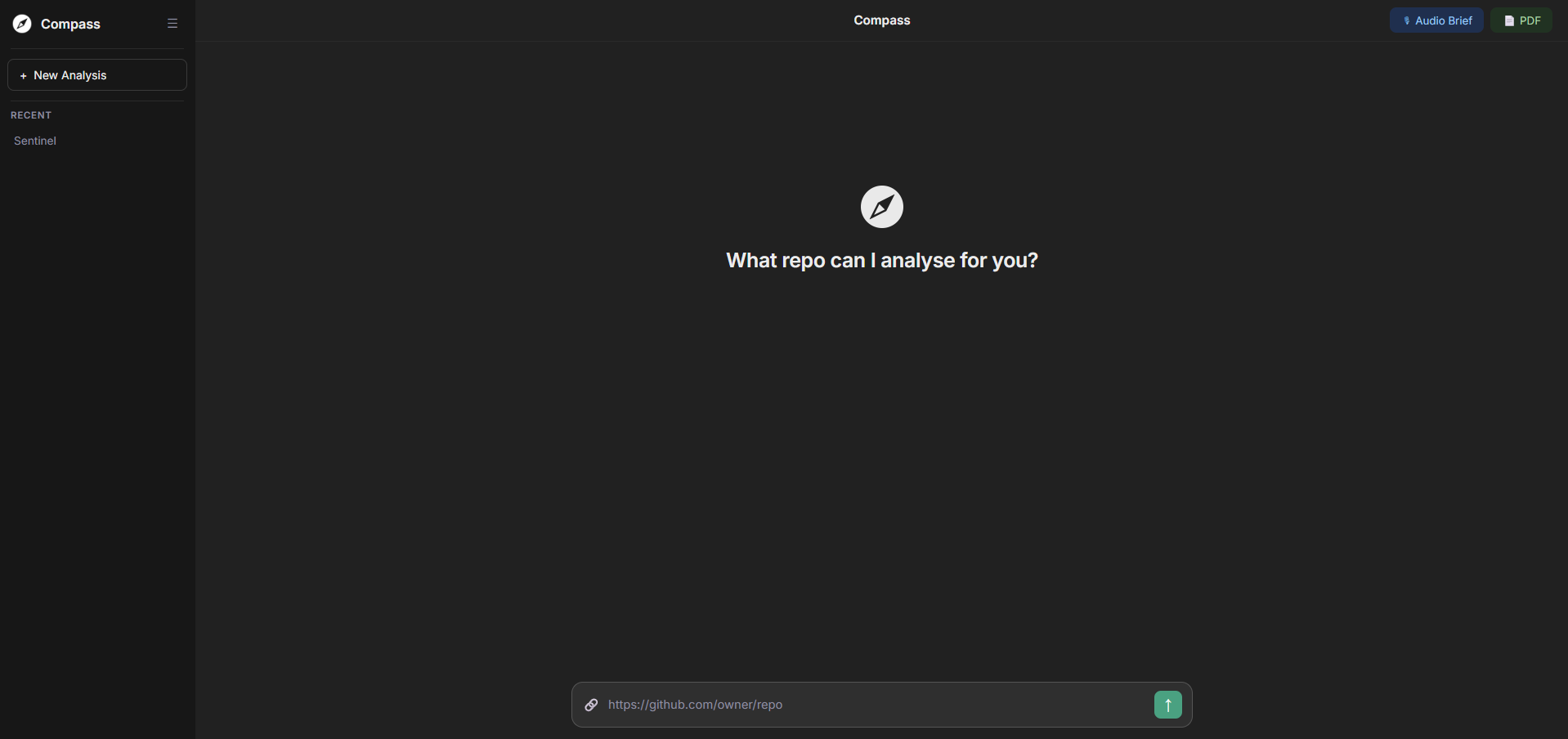
Home Page
-
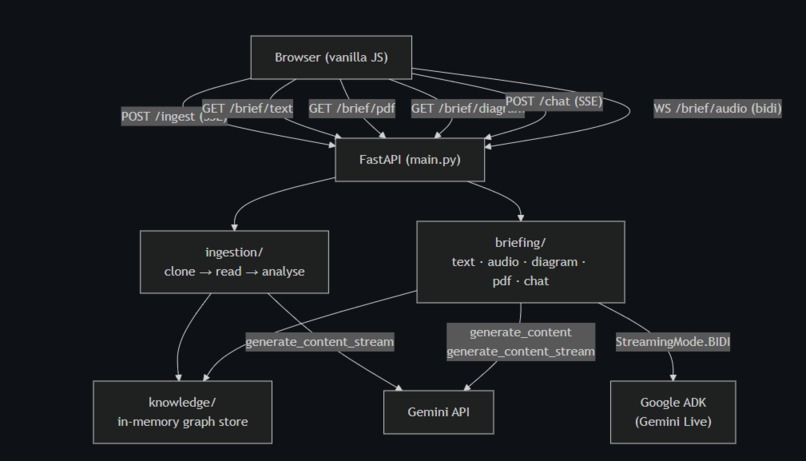
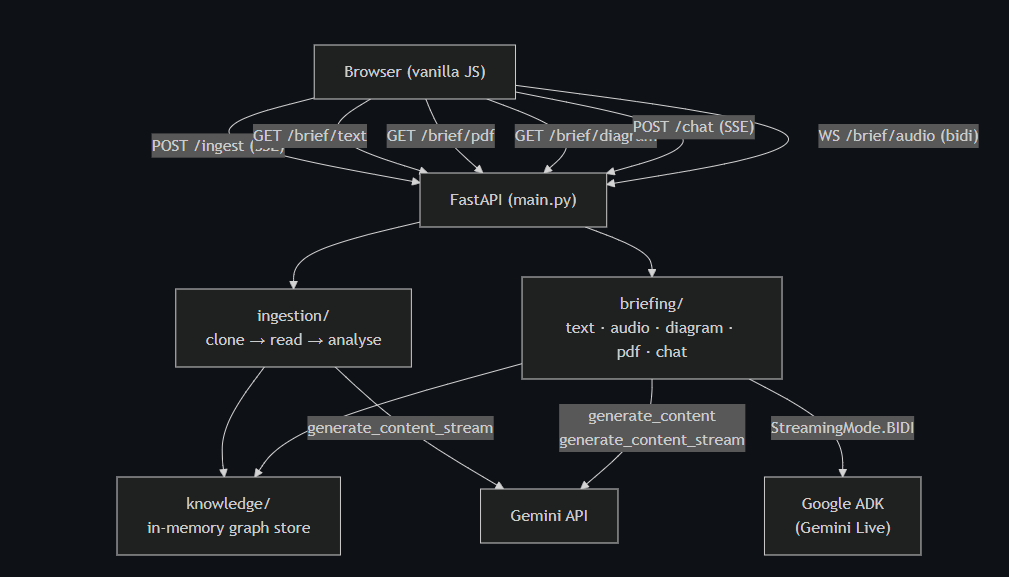
Architecture
Inspiration
Every developer knows the feeling. You join a new codebase, or someone leaves and drops their repo in your lap, and the first few days are just... lost. You're opening files at random, grepping for entry points, breaking things you didn't know were connected, and bothering people who don't have time to explain.
The code isn't the problem. The problem is you have no map.
Senior engineers fix this when they're around they pair with you, they tell you the things you didn't know to ask, they catch you before you touch the wrong file. That knowledge doesn't live anywhere. It's not in the README. It walks out the door when they do.
That's what Compass is trying to fix. The thing that made it actually possible: Gemini's 1M token context window is large enough to read an entire codebase in one shot. Pair that with the Live API's real-time voice and vision, and you can build something that's never really existed an AI that has genuinely read every line of your codebase and can sit next to you while you work.
What It Does
You paste a GitHub URL. That's it.
Compass runs the repo through a four-pass Gemini pipeline. Pass 1 reads every file and pulls out what it does, what it defines, and what it imports. Pass 2 maps how files connect to each other who calls who, how data moves. Pass 3 finds the user-facing features and traces them back through the code. Pass 4 steps back and synthesises the full picture the architecture pattern, the conventions, the rules, the things you need to know before you touch anything.
That becomes a knowledge graph. Everything else runs off it.
You get a text brief you can read in 90 seconds. You get an audio brief where Gemini walks you through the codebase out loud, like a senior engineer doing a handoff and you can interrupt mid-sentence and ask questions. You get an architecture diagram. You get a PDF report that covers every file in the repo: what it does, what calls it, what it calls, what functions live in it.
Then there's the Live Assistant, a persistent voice session where you can ask anything about the codebase and get answers grounded in what Compass actually found. Say "how do I add rate limiting?" and it comes back with a real plan: specific files, specific line numbers, the right order to touch things.
The Ambient Session is the part we're most proud of. You share your screen, Compass watches at 1 fps, and it just... keeps an eye on things. It knows your full codebase and your current implementation plan. When it sees you open the wrong file, it says something. When you're about to reinvent something that already exists, it says something. The rest of the time it's completely quiet.
How We Built It
Backend is FastAPI, frontend is vanilla JS with Web Audio API, AI runs through Google ADK and the google-genai SDK, PDFs through ReportLab, repo cloning through GitPython. Deployed on Cloud Run.
We used four different models. gemini-3-flash-preview does the heavy lifting all four ingestion passes, the text brief, general chat. gemini-3.1-pro-preview handles implementation plans, auto-routed when the chat message sounds like someone asking how to build something. gemini-2.5-flash-native-audio-preview-12-2025 via ADK runs the Live Assistant and Ambient Session with full-duplex streaming. gemini-3-pro-image-preview generates the architecture diagram.
Context caching was a big one we cache the repo content after Pass 1 and reuse it for Passes 2 through 4, which cuts costs by 60 to 70% on anything decent-sized. For really big repos we activate a fallback: prune test and docs directories, strip large files down to signatures and docstrings only, run Pass 1 in batches and merge the results, then feed the structured JSON into Passes 2 through 4 instead of raw source.
The audio pipeline was more involved than expected. Mic capture at 16 kHz, base64 PCM over WebSocket, 24 kHz playback with a 180ms jitter buffer, gapless pre-scheduled BufferSourceNodes. Every scheduled node gets tracked so we can kill them all immediately when the model gets interrupted.
The Ambient Session has a fun hack: we keep a silent looping AudioContext running in the background tab so Chrome doesn't throttle it and kill the screen capture stream. Took us embarrassingly long to figure that one out.
Challenges We Ran Into
Interruption handling. When you talk over Gemini mid-sentence, it sends an interrupted signal and you need to stop playback right now. If you don't track your BufferSourceNodes and stop them all immediately, you get two voices talking at once. Not great.
Chrome killing the background tab. The Ambient Session needs to keep capturing your screen while you're working in a different window. Chrome's tab throttling breaks this completely. The fix a silent looping AudioContext is one of those solutions that feels obvious in hindsight and completely non-obvious until you've been staring at the problem for an hour.
Large repos. The 1M context window sounds like it solves everything until you hit a serious monorepo. We had to build real infrastructure around it: token estimation, skeletonisation, batched passes, priority ordering. Getting all of that to fail gracefully rather than loudly took work.
Cloud Run's 5-minute default timeout. A large repo takes 8 to 10 minutes to ingest. We found out about this limit mid-demo. --timeout 3600 fixes it, and X-Accel-Buffering: no on SSE responses stops the Cloud Run proxy from holding your stream and delivering it all at once.
JSON reliability under streaming. When you're running four passes that each need to return clean JSON, one parse failure breaks everything. The fix is simple in hindsight: enforce response_mime_type: application/json at the API level. Don't try to strip markdown fences after the fact.
Accomplishments That We're Proud Of
The ambient session works. That sentence sounds simple but it wasn't. Getting a model to watch your screen, know your entire codebase, track your current plan, and speak up at the right moments not too much, not too little took a lot of tuning. When it finally clicked it felt like something genuinely new.
The large-repo path is solid. We tested it on real monorepos and it holds up. The degradation is graceful you might lose some function-body detail on skeletonised files, but the architecture understanding stays intact.
One knowledge graph, four outputs. The text brief, audio brief, diagram, and PDF all come from the same JSON. They don't drift from each other. What the voice says matches what the PDF shows.
The PDF itself is something we're proud of. Full cover page, architecture section, Mermaid diagram rendered to PNG, feature map, and a complete per-file table. Generating a document that knows a codebase cold and lays it all out in a proper report still feels a bit magic.
What We Learned
A 1M token context window isn't just a bigger limit it changes what you can build. Being able to treat an entire codebase as a single input and reason over it coherently is qualitatively different from anything we could do before.
ProactivityConfig is underexplored. Having a model decide when to speak rather than waiting to be prompted is a fundamentally different interaction model and it's barely documented. We learned most of what we know by reading the ADK source.
Ambient AI lives or dies on restraint. A model that talks too much is worse than no model. "Only speak when you see something specific and actionable" is the most important line in the entire system prompt, and it took a lot of failed versions to get there.
Browser audio has a lot of moving parts. PCM encoding, jitter buffers, gapless playback, interruption, background tab survival none of it is hard individually but they all interact. Plan more time than you think you need.
What's Next for Compass
Private repo support through GitHub OAuth — right now it's public repos only.
Redis for persistent storage, so sessions survive restarts and cold starts on Cloud Run.
Incremental updates watch commits and re-analyse only what changed, rather than running the full pipeline on every push.
A VS Code extension that surfaces the knowledge graph inline. Hover a function, see what depends on it. Open a file, get an instant brief for that module.
Team mode shared knowledge graphs where multiple developers can annotate the same repo, so institutional knowledge actually accumulates instead of living in one person's head.
Built With
- fast-api
- gemini
- google-adk
- google-cloud-run
- html
- javascript
- python


Log in or sign up for Devpost to join the conversation.