Problem Statement
Every developer has lived through this: you inherit a codebase, or join a new team, and the first week is just expensive confusion. You're opening files at random, grepping for entry points, and accidentally breaking things you didn't know were connected. The README doesn't help. The original engineers have moved on. The real problem isn't the code it's the absence of a map. Senior engineers solve this informally. They pair with you, point you to the right files first, warn you before you touch the wrong abstraction. That knowledge is never written down anywhere. It walks out the door with them. Compass is built to capture and surface exactly that: the structural, architectural understanding of a codebase that separates a senior engineer's first day from everyone else's.
Solution Provided
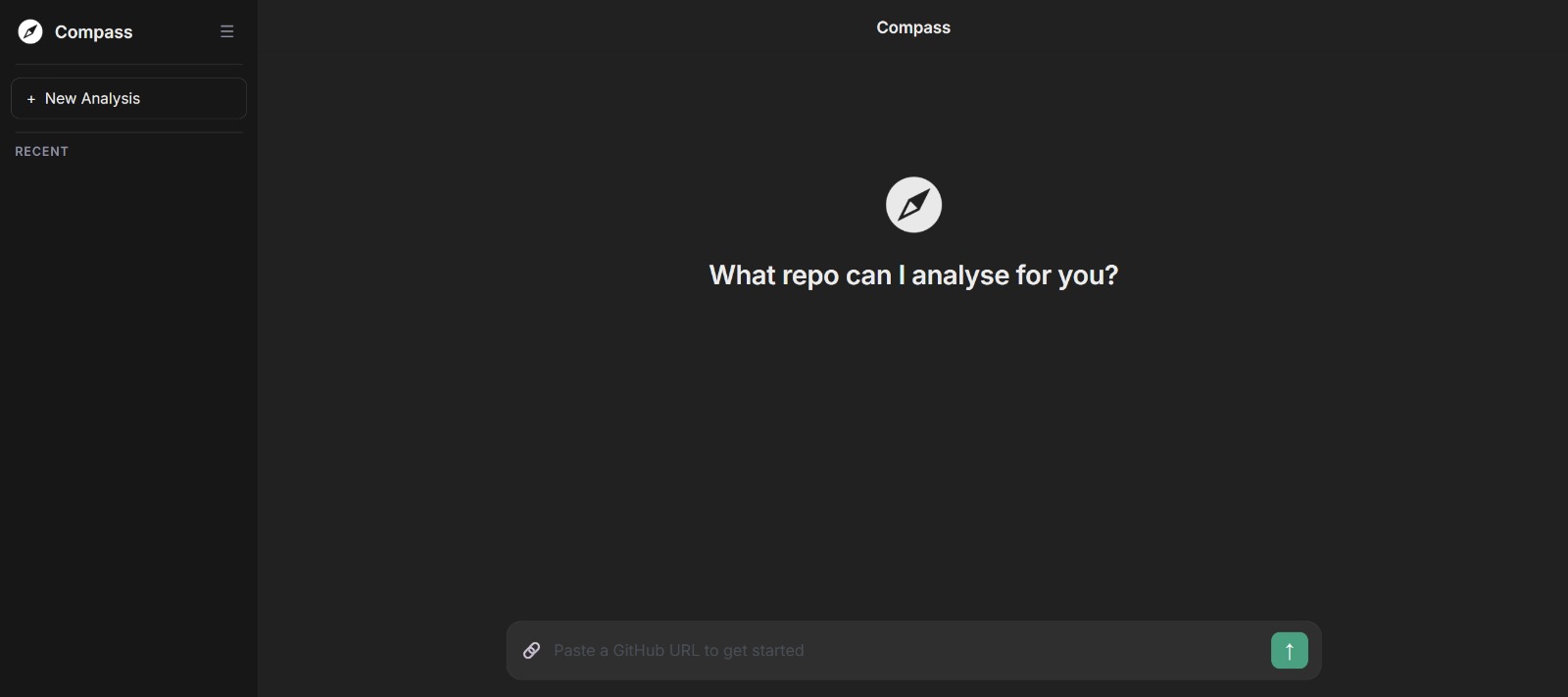
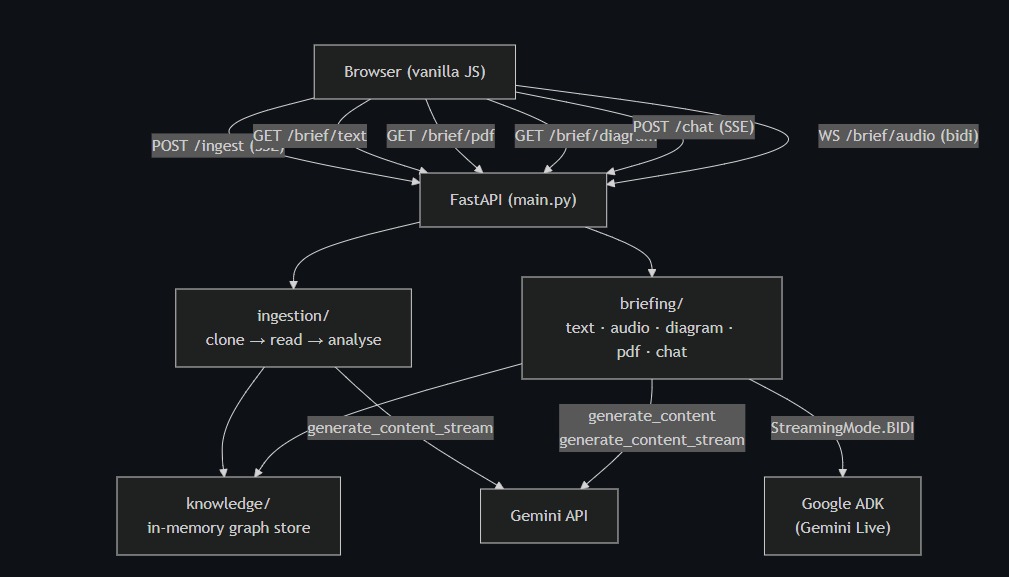
Paste a GitHub URL. That's it. Compass clones the repository and runs it through a four-pass Gemini analysis pipeline that builds a structured knowledge graph of the entire codebase from individual file purposes to cross-file call graphs, user-facing features, and the high-level architecture patterns at play. That single knowledge graph then powers five distinct output modes:
- A text brief readable in 90 seconds
- An audio brief delivered by a voice assistant that walks you through the codebase like a senior engineer doing a handoff with full interruption support
- An architecture diagram generated from the knowledge graph
- A PDF report covering every file: what it does, what calls it, what it calls, and what functions live in it
- A Live Chat grounded in the knowledge graph, with automatic routing to a more powerful model when you ask how to build something
The most distinctive feature is the Ambient Session: share your screen, and Compass watches at 1 fps, knows your full codebase and your current implementation plan, and speaks up only when it sees something specific and actionable when you open the wrong file, or are about to recreate something that already exists elsewhere. The rest of the time, it's completely silently.
Key Features
Four-Pass Knowledge Graph Each ingestion runs four sequential Gemini passes: file-level metadata, cross-file call graph, user-facing feature mapping, and a full architecture synthesis. All four outputs merge into a single JSON knowledge graph that grounds every other feature.
Text Brief A concise markdown summary of the codebase architecture pattern, key conventions, entry points, and things you need to know before touching anything readable in under two minutes.
Live Voice Assistant A full-duplex bidirectional voice session via Google ADK and Gemini Live. The assistant delivers a spoken codebase briefing on start, answers questions mid-session, and can generate implementation plans and architecture diagrams on voice command. Interruption is supported at any time.
Ambient Session A proactive screen-watching AI that runs alongside you while you code. It captures your screen at 1 fps, holds your full knowledge graph and implementation plan in context, and speaks only when it detects a deviation or a missed connection. Completely silent otherwise.
Architecture Diagram Generated directly from the knowledge graph using Gemini's image model. Expandable to fullscreen. Can be triggered via voice command during a live session.
PDF Export A professional report built with ReportLab: cover page, architecture overview, Mermaid diagram rendered to PNG, feature map table, and a complete per-file breakdown.
Smart Chat Routing General questions go to the faster flash model. Messages that match implementation-plan intent are automatically routed to the more capable pro model for step-by-step, file-specific guidance.
Large Repo Support Repos exceeding 700K tokens trigger a graceful fallback: directory pruning, language-aware file skeletonisation (signatures and docstrings only), batched Pass 1 with greedy bin packing, and structured JSON fed into Passes 2–4. Architectural understanding is preserved even when function body detail is reduced.
Context Caching After Pass 1, the repo content is cached for Passes 2–4, cutting analysis costs by 60–70% on any meaningfully sized repository.
Technologies we used
- Backend : FastAPI + Uvicorn
- Analysis & chat : gemini-3-flash-preview via google-genai SDK
- Implementation plans : gemini-3.1-pro-preview via google-genai SDK
- Live voice assistant : gemini-2.5-flash-native-audio-preview via Google ADK
- Architecture diagram : gemini -3-pro-image-preview via google-genai SDK
- PDF generation : ReportLab
- FrontendVanilla JS + Web Audio API
- Repo cloning : GitPython
- Deployment : Google Cloud Run
Target Users
New engineers joining an existing team Cut the orientation period from weeks to hours. Compass gives you the map that normally only exists in a senior engineer's head. Engineering teams during offboarding When a key engineer leaves, their architectural knowledge doesn't have to leave with them. Compass captures and surfaces it before they go. Open-source contributors Drop into an unfamiliar repo and understand its structure, conventions, and feature map before writing a single line. Tech leads and reviewers Get an instant architectural view of any repo you're auditing, reviewing, or inheriting, without spending a day reading through it manually. Solo developers revisiting old projects Return to a codebase you haven't touched in months and get reoriented in 90 seconds instead of 90 minutes.

Log in or sign up for Devpost to join the conversation.