-
-
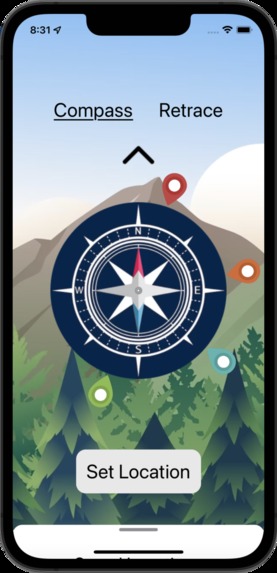
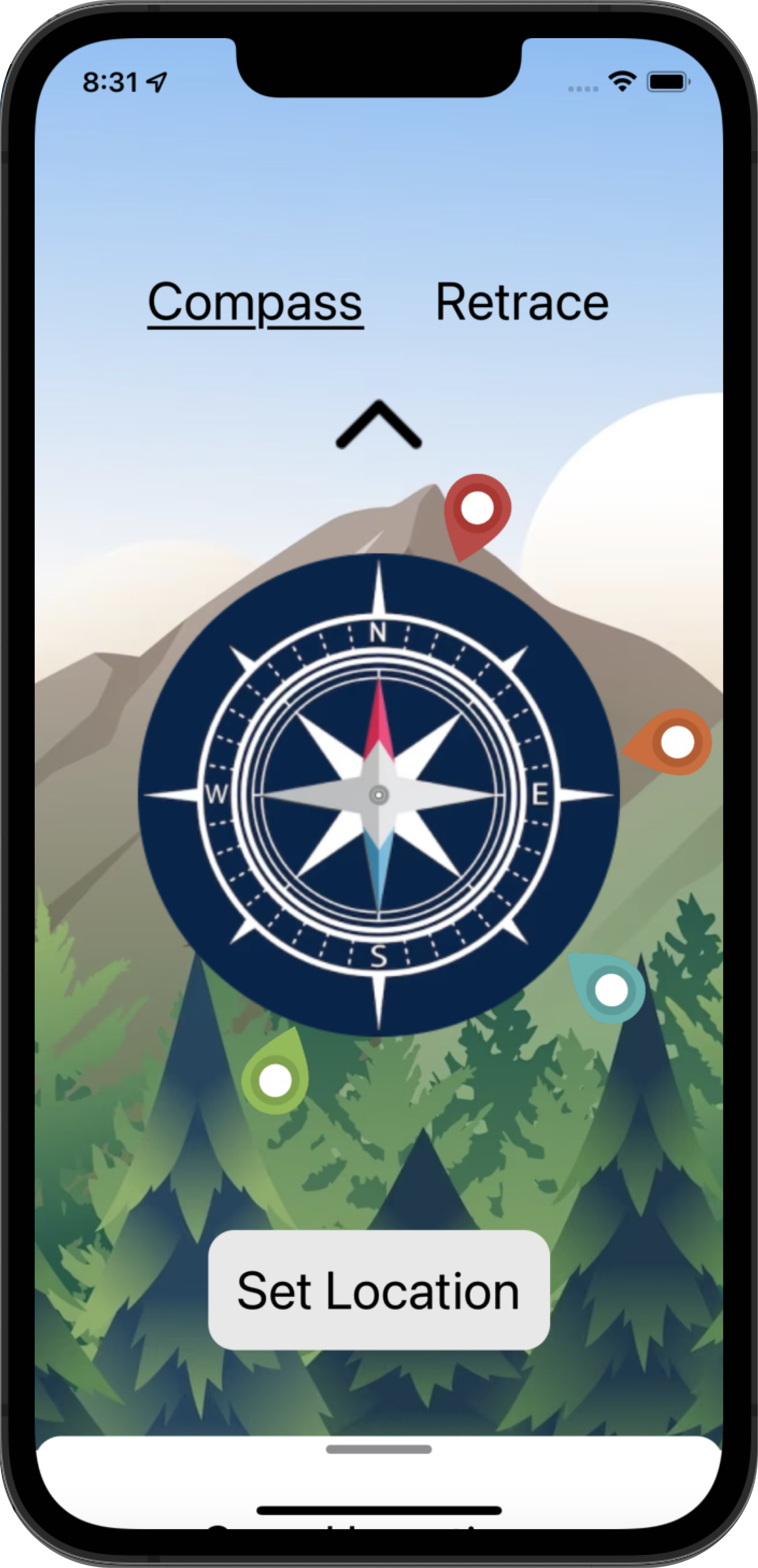
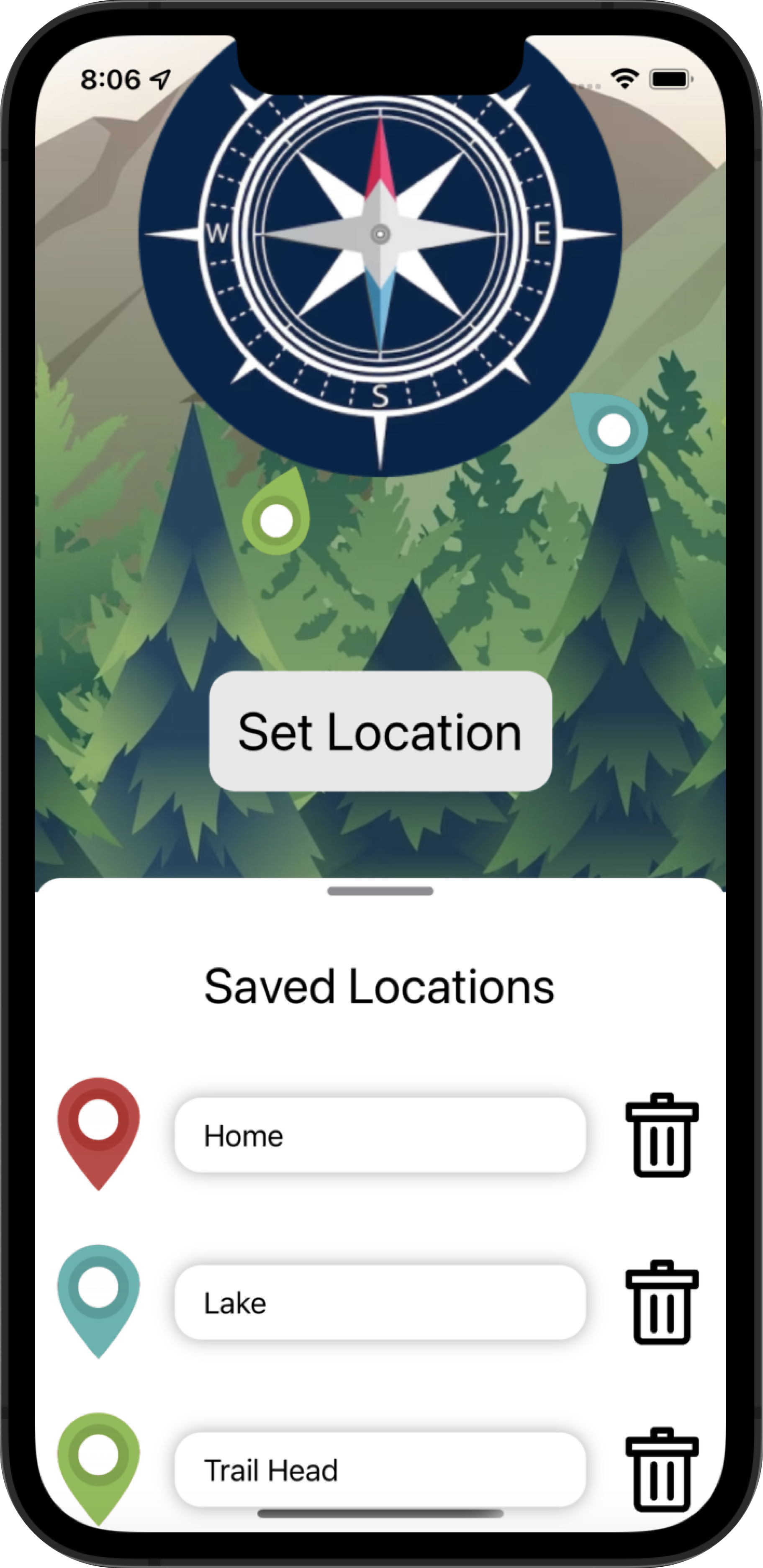
Compass guiding users home with markers
-
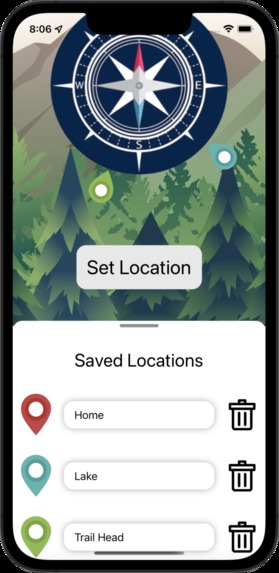
Pull-up view to edit and name markers
-
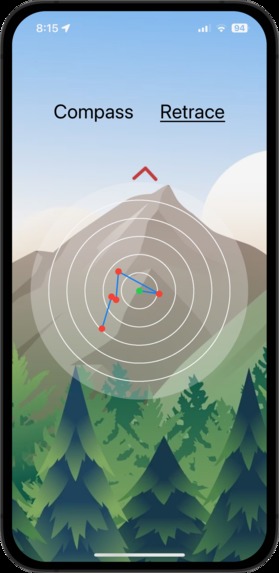
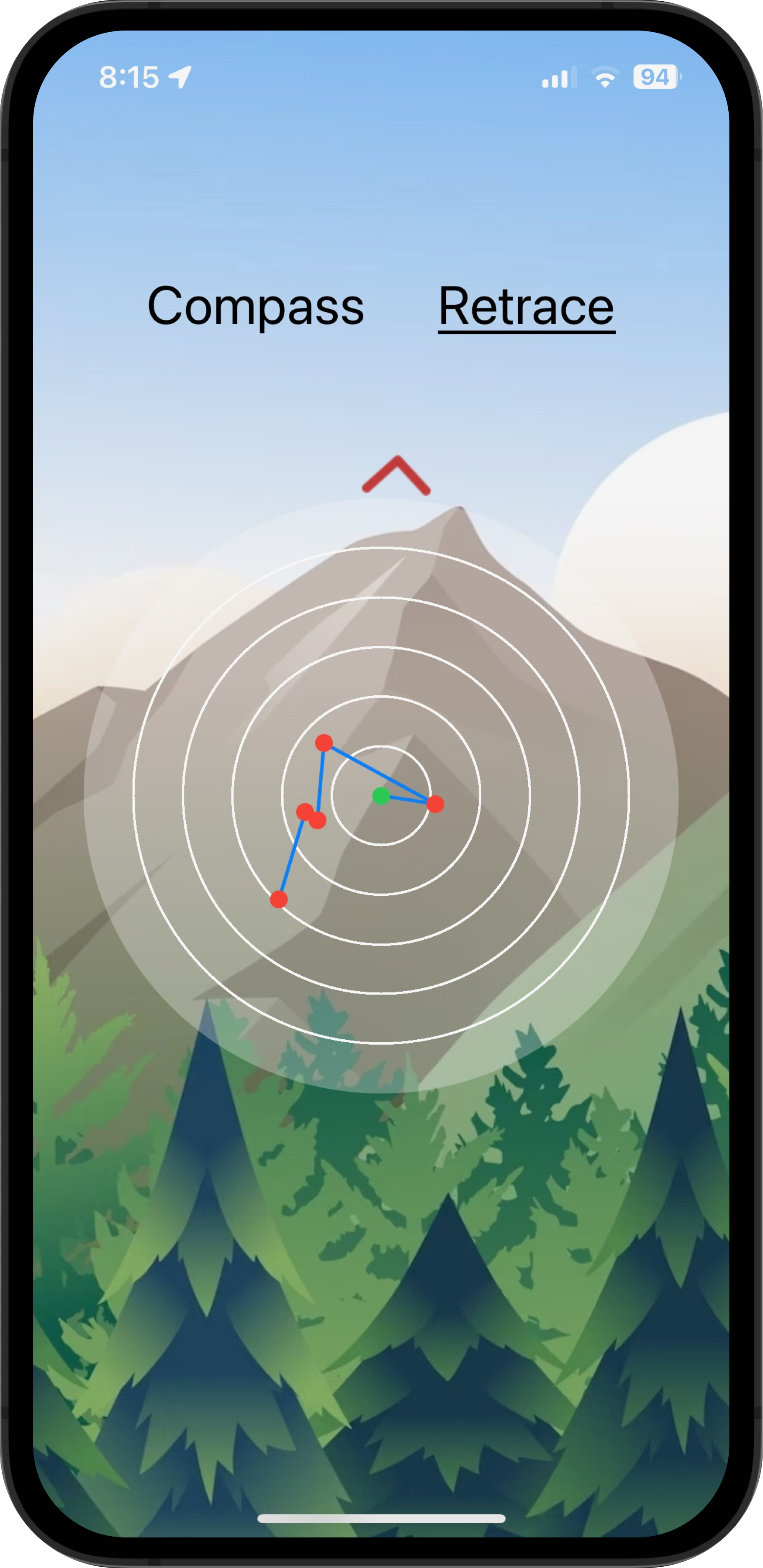
Map view to help users retrace their steps
Inspiration
Imagine you're out camping at night and need to venture into the wilderness to search for firewood. How do you get back to your tent? All you really have is your unreliable sense of direction. On average, around 2,000 hikers get lost each year while hiking, and we believe that LandMark can help mitigate this issue.
What it does
We built an app with two main tools to help hikers, campers, or even lost children find their way home. The first part of the app is a compass that allows you to set virtual markers. Before you leave your tent, favorite fishing spot, or viewpoint, click "Set Location" on the app. By following the moving location marker pins around the compass, you will be guided right back home. The second part of the app periodically logs your location on a map as you travel. Simply follow the dots on the map to help retrace your steps.
How we built it
We built this app using the CoreLocation library in Swift, which allows us to access the latitude, longitude, and orientation/heading of the user's iPhone, even if the user is offline. There was a lot of math involved! In order to navigate to a set coordinate from your current location, we took into account the heading of the user's device relative to true North. We then use trigonometry to find the bearing between the target destination and true north. With these values, we're able to determine the angle between the user's phone and the destination marker, allowing us to point users in the right direction. Finally, by designing first on Figma, we created a visually appealing user interface using SwiftUI.
Challenges we ran into
The hardest part about this was figuring out the math (trigonometry) to calculate the position and orientation of the user's iPhone in relation to true north and their set location, and which direction they should go to get closer to their set location. We also ran into issues with displaying a custom-built map that looks like a graph in terms of getting it to automatically scale to the appropriate size based on the number of data points.
What we learned
Apart from the fact that we all forgot high school-level math, we spent the first few hours learning SwiftUI and getting comfortable with using hardware features. The feeling of the clock ticking down from 36 hours definitely taught us how to work under pressure.
What's next for Landmark
We're planning to implement even more tools to help hikers, campers, and adventurers alike find their way back home without worry. Features like offline-ready maps for popular hiking trails and camping sites, periodic location sharing with loved ones (if internet permits), offline-ready first aid instructions, and more are on the roadmap.
Built With
- core-location
- figma
- ios
- swift
- swiftui


Log in or sign up for Devpost to join the conversation.