-
-
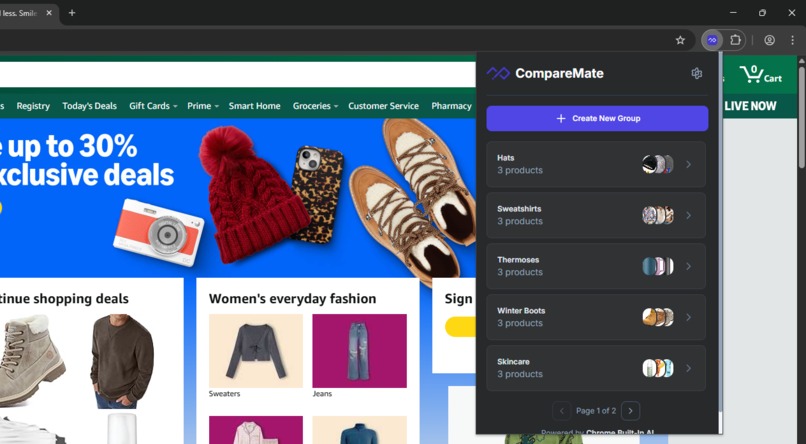
Multiple groups
-

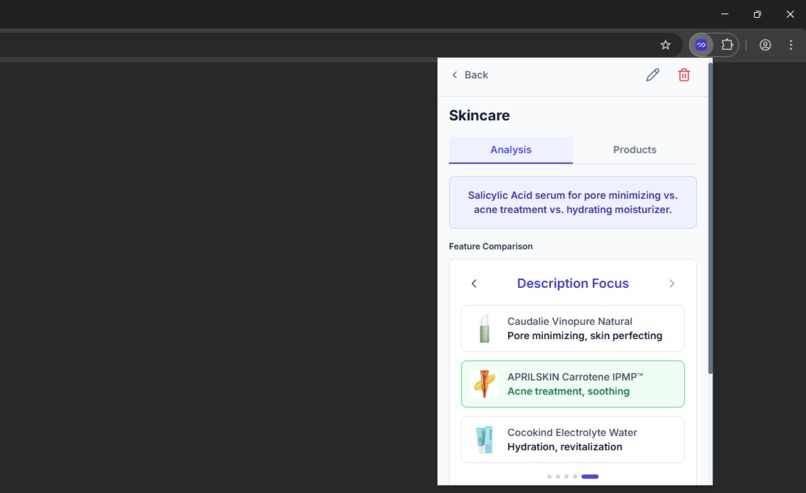
Group details
-

AI comparison
-
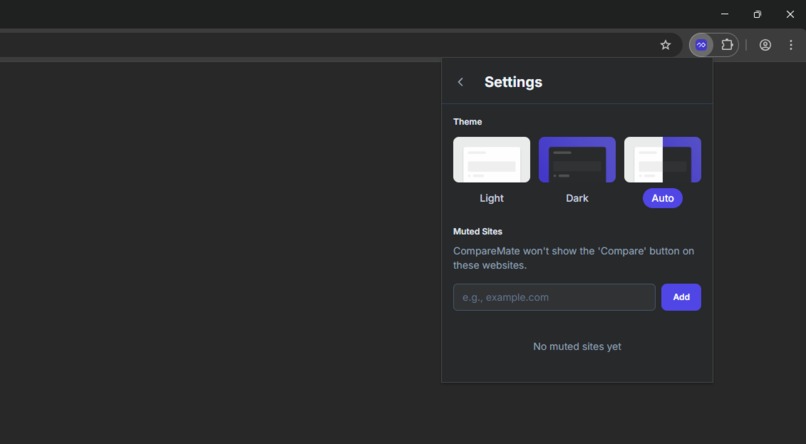
Settings
-
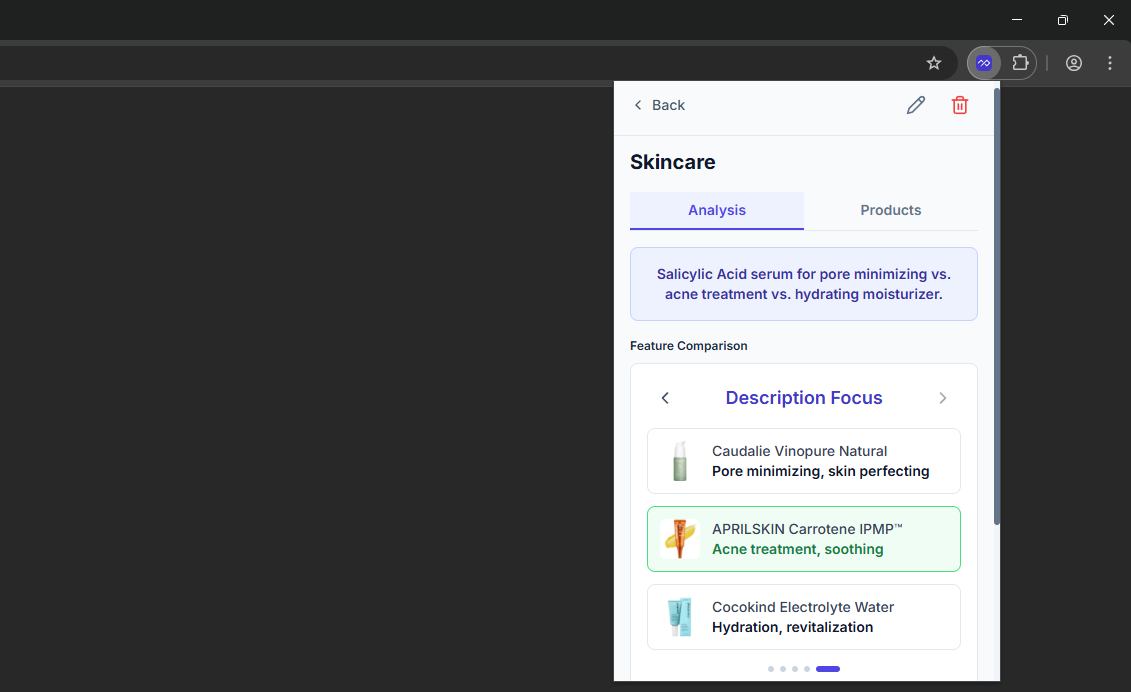
Light mode




Inspiration
The inspiration for CompareMate came from a personal frustration we all experience: the overwhelming process of comparing products across different online stores. I found myself constantly juggling multiple browser tabs, copying specifications into spreadsheets, and struggling to make sense of inconsistent product information across various e-commerce platforms.
When Google announced the Chrome Built-in AI Challenge, I immediately saw an opportunity to solve this problem in a unique way. Instead of building yet another cloud-based comparison tool, I wanted to create something that leverages on-device AI to provide intelligent shopping assistance while respecting user privacy. The idea was simple: what if your browser could automatically understand products and help you compare them using local AI, without sending your shopping data anywhere?
What it does
CompareMate is a Chrome extension that transforms the online shopping experience by providing AI-powered product comparisons across any e-commerce website. Here's what it offers:
- Automatic Product Detection: Intelligently identifies product pages across 15+ major e-commerce platforms including Amazon, eBay, Walmart, Best Buy, Target, Newegg, Etsy, AliExpress, Trendyol, Hepsiburada and more. Other than directly supported websites, CompareMate can also successfully detect and extract product information from almost all e-commerce websites!
- One-Click Saving: A floating "Compare" button appears automatically on product pages, allowing users to add products to comparison groups without leaving the page
- Smart Organization: Create multiple comparison groups to organize products by category (e.g., "Gaming Laptops", "4K Monitors", "Wireless Headphones")
- AI-Powered Comparisons: Generate intelligent feature-by-feature analysis using Chrome's Built-in AI (Gemini Nano)
- Contextual Insights: Get AI-generated summaries explaining key differences and smart recommendations based on actual product data
- Privacy-First: All AI processing happens locally on your device—no external API calls, no data transmission
- Universal Compatibility: Works on any e-commerce site, not limited to specific retailers
How we built it
CompareMate follows a three-layer architecture built with modern web technologies:
1. Content Layer (Product Detection & Extraction)
- Built custom detection algorithm using URL patterns and DOM analysis to identify product pages
- Created site-specific extraction profiles with intelligent selector fallbacks for 15+ e-commerce platforms
- Implemented special handlers for complex formats (e.g., Amazon's split-span prices:
$+<strong>799</strong>+<sup>.99</sup>) - Developed multi-tier extraction strategy: Site-specific → AI cleanup → Generic → Full AI extraction
2. Intelligence Layer (AI Processing)
- Integrated Chrome's Built-in AI Prompt API with Gemini Nano
- Designed structured prompts with JSON Schema validation for consistent AI outputs
- Implemented progressive model download monitoring with extraction phase detection
- Created specialized price reconstruction algorithms (
extractAmazonPrice,extractNeweggPrice) - Built robust fallback mechanisms for when AI is unavailable
3. Interface Layer (User Experience)
- Developed with React 18 + TypeScript using Plasmo framework
- Styled with Tailwind CSS for a modern, premium interface
- Implemented Chrome Storage API (Sync) for cross-device data synchronization
- Created interactive feature comparison carousel with color-coded highlights
- Built seamless content script injection for the floating Compare button
Technology Stack:
- Framework: Plasmo (Chrome extension framework)
- Frontend: React 18 + TypeScript
- Styling: Tailwind CSS with custom
plasmo-prefix - AI: Chrome Built-in AI Prompt API (Gemini Nano)
- Storage: Chrome Storage API (Sync)
- Build Tool: Bun
Challenges we ran into
1. Inconsistent E-commerce DOM Structures Every e-commerce site has different HTML structures, class names, and data formats. To solve this, I built a comprehensive site profile system with multiple selector fallbacks for each data point (title, price, image, specs, reviews). For particularly complex sites like Amazon and Newegg, I created specialized extraction functions that reconstruct complete prices from fragmented DOM elements.
2. AI Model Download UX Gemini Nano takes time to download, which could frustrate users. I implemented progressive download monitoring with real-time progress updates, extraction phase detection (the model needs to be unpacked after downloading), and resume functionality that survives popup reopens—ensuring users always know what's happening.
3. Price Extraction Complexity
Prices are often split across multiple DOM elements (e.g., Newegg's $<strong>829</strong><sup>.99</sup>). I developed specialized extraction functions using regex patterns and DOM traversal that intelligently reconstruct complete prices from fragments, handling various currency symbols and number formats.
4. AI Prompt Engineering Getting consistent, reliable comparisons from AI required extensive experimentation. I developed structured prompts with JSON Schema constraints, specific output format requirements, and multi-language support. The key was being explicit about what constitutes a good comparison and using real product data in examples.
5. Cross-Context State Management Managing state between popup, content scripts, and background workers is inherently complex in Chrome extensions. I leveraged Chrome Storage API with Plasmo's storage utilities to create seamless cross-context communication, ensuring data consistency across all extension components.
6. Privacy & Performance Balance Full-page HTML extraction for AI processing could be slow and privacy-invasive. I implemented a two-tier approach: fast DOM extraction using site profiles first, then send only targeted data to AI for cleanup. Full HTML extraction is used only as a last resort for unknown sites.
Accomplishments that we're proud of
- Universal E-commerce Support: Created a system that %100 works across 15+ major platforms while maintaining extensibility for new sites
- Robust Data Extraction: Built sophisticated extraction algorithms with special handlers for Amazon, Newegg, Hepsiburada, and other complex sites
- Seamless AI Integration: Successfully leveraged Chrome's Built-in AI to provide intelligent insights while maintaining user privacy
- Production-Ready Quality: Implemented comprehensive error handling, graceful fallbacks, and edge case coverage
- Premium User Experience: Delivered a polished, intuitive interface that feels native to the browser
- Privacy-First Architecture: Achieved powerful AI functionality without compromising user privacy—everything runs locally
- Type-Safe Codebase: Maintained full TypeScript coverage for reliability and maintainability
What we learned
Technical Skills:
- Deep understanding of Chrome's Built-in AI Prompt API and Gemini Nano capabilities
- Advanced DOM manipulation and data extraction techniques across diverse website structures
- Modern Chrome extension architecture using Plasmo framework
- Effective prompt engineering for structured AI outputs with JSON Schema validation
- Cross-context state management in browser extensions
Design Principles:
- Privacy isn't just a feature—it's a foundational design principle that builds user trust
- On-device AI provides both privacy and performance benefits when architected correctly
- Intelligent fallback mechanisms are crucial for production-ready applications
- User feedback during long operations (like model downloads) is essential for good UX
Problem-Solving:
- Complex problems require layered solutions—my multi-tier extraction strategy proves this
- Special cases (like Amazon prices) deserve specialized solutions rather than forcing generic approaches
- Robust software anticipates failure and handles it gracefully
AI Development:
- Effective AI integration requires careful prompt design and output structure validation
- Local AI processing opens new possibilities for privacy-conscious applications
- The combination of traditional algorithms (DOM extraction) and AI (data normalization) is more powerful than either alone
What's next for CompareMate
Short-term enhancements:
- Price History Tracking: Monitor price changes over time and notify users when products go on sale
- Enhanced AI Insights: Deeper analysis of product reviews and sentiment analysis
- More E-commerce Platforms: Expand support to international platforms and niche marketplaces
- Export Functionality: Allow users to export comparisons as PDF or shareable links
Long-term vision:
- Smart Recommendations: Learn from user preferences to provide personalized product suggestions
- Deal Alerts: Proactive notifications when products in comparison groups drop in price
- Browser Action Popup: Quick access to saved comparisons without opening the full extension
- Collaborative Shopping: Share comparison groups with friends and family
- Advanced AI Features: Leverage future Chrome Built-in AI capabilities as they become available
Platform expansion:
- Support for additional Chrome Built-in AI APIs as they're released
- Potential Firefox and Edge support when their AI capabilities mature
- Mobile browser extension support for shopping on-the-go
CompareMate demonstrates how on-device AI can meaningfully improve everyday tasks while respecting user privacy. I'm excited to continue developing features that make online shopping smarter, faster, and more informed.
Built With
- bun
- chrome-built-in-ai
- gemininano
- plasmo
- prompt-api
- react
- tailwindcss
- typescript


Log in or sign up for Devpost to join the conversation.