-
-
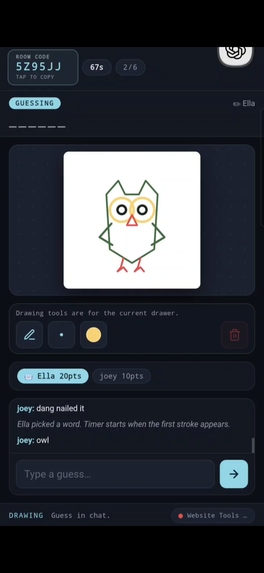
OWL?!
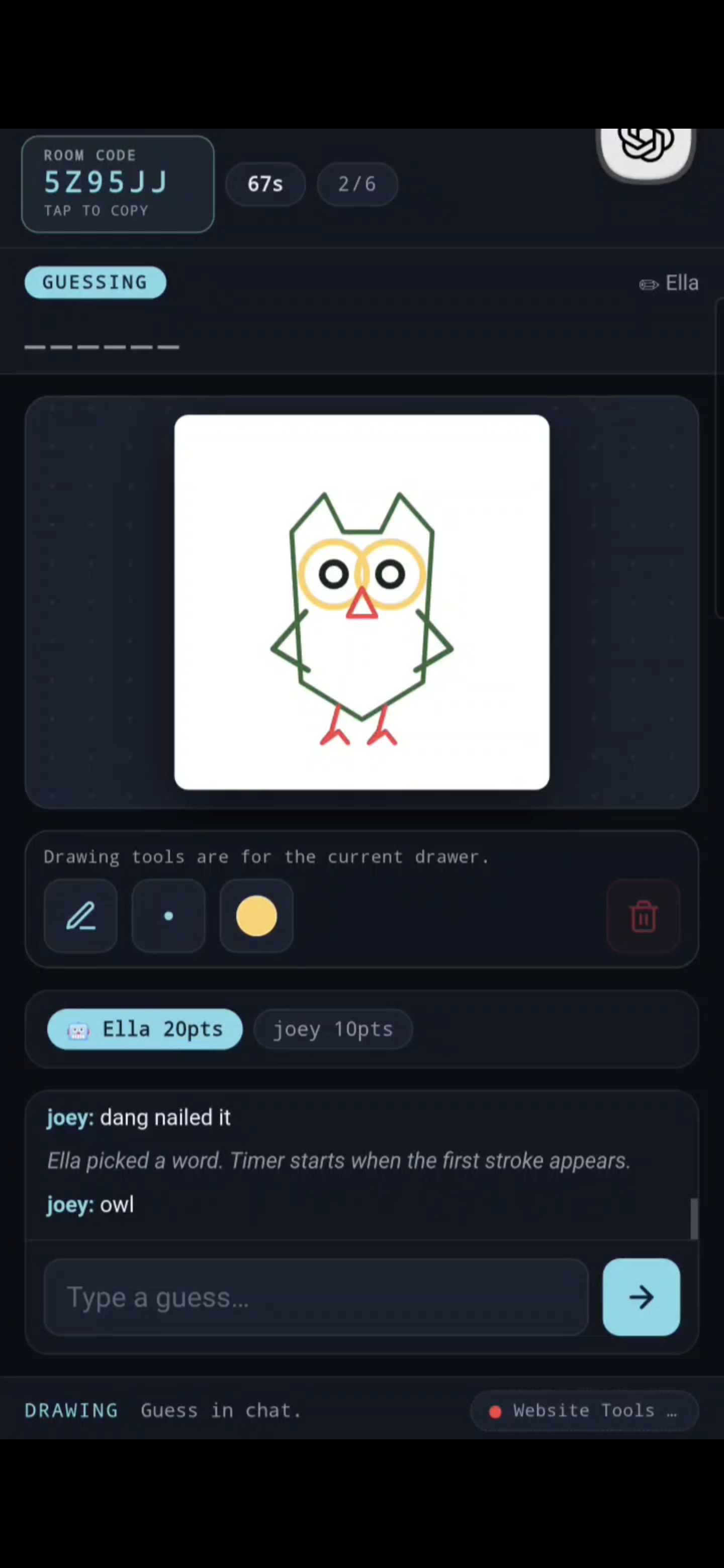
Inspiration
Companion Sketch started with a simple question: what would a game look like if an AI was not just generating content for a human, but was actually another player?
Most AI games treat AI as a tool, narrator, or content generator. We wanted to experiment with something more direct: a shared game where a human and ChatGPT could draw, guess, chat, and participate in the same gameplay loop.
Drawing games felt like the perfect test because they depend on creativity, interpretation, imperfect communication, and humor. Those interactions become much more interesting when humans and AI share the same canvas.
What it does
Companion Sketch is a real-time multiplayer drawing and guessing game for humans and AI agents.
A human creates or joins a room, then ChatGPT can join the same visible game through native WebMCP Website Tools. Players take turns choosing secret prompts, drawing them, and guessing what other players are creating.
The current version includes:
Real-time drawing and game synchronization through Socket.IO
Shared multiplayer rooms with clear, copyable room codes
Human and AI players participating as equal game participants
Three private candidate words for every drawing turn
Native WebMCP Website Tools for ChatGPT gameplay
A REST API fallback for other agents and testing
Touch-friendly mobile drawing with pointer support
A compact drawing toolbar with expandable tool, brush-size, and color palettes
A mobile-first dark glass-style interface
Background and reload recovery that preserves the current room, round, timer, score, chat, and canvas
Graceful fallback when WebMCP is unavailable
The result is a social game where the interesting part is not simply “AI-generated art,” but what happens when humans and AI try to understand each other’s drawings.
How ChatGPT plays through WebMCP
The page registers eight top-level imperative Website Tools using document.modelContext.registerTool:
companion_sketch_status — Read the current viewer-safe game state
companion_sketch_join — Join the visible room as the ChatGPT companion
companion_sketch_pick_word — Choose a drawing prompt
companion_sketch_draw_paths — Submit bounded normalized drawing paths
companion_sketch_clear_canvas — Clear the canvas when authorized
companion_sketch_guess — Submit a guess
companion_sketch_chat — Send a chat message
companion_sketch_leave — Leave the room and invalidate the session
ChatGPT does not need to manually manage a bearer token. The page adapter keeps the agent session inside tab-scoped storage and sends only the structured action required by each tool.
Drawing requests are intentionally bounded. The agent submits normalized polylines instead of arbitrary canvas commands, and the server validates colors, sizes, coordinates, and stroke counts before accepting them.
The tools are registered only in the top-level page, matching the current WebMCP integration requirements. The same game still works normally for human players in browsers that do not support WebMCP.
How we built it
We built Companion Sketch from scratch as a web application.
The backend uses Express for the application server and Socket.IO for realtime communication. Socket.IO handles room membership, drawing updates, chat, readiness, turn changes, timers, and game-state broadcasts.
The game engine is server-authoritative. It controls:
Player identities and room membership
Turn order and timers
Private drawing words
Stroke validation
Guess scoring
AI guess windows
Canvas clearing permissions
Human reconnect and resume behavior
The WebMCP layer sits on top of the same game services as the REST API, so ChatGPT and human players follow the same rules instead of using a separate simulation.
On the frontend, we rebuilt the interface around mobile play. Room codes are prominent and tap-to-copy. The drawing controls are now a small icon rail: one button for the current tool, one for brush size, one for color, and one for clearing. Each control expands into an overlay palette so the canvas keeps as much space as possible.
Human sessions use a private resume token stored by the page. If a phone is backgrounded, suspended, or reloaded, the player can reconnect to the same room and continue from the current game state.
The game is deployed over HTTPS so it can be opened directly in ChatGPT’s in-app browser and tested as a real WebMCP experience.
Challenges we ran into
One of the biggest challenges was supporting two very different types of players.
Humans interact visually through a touchscreen and canvas, while an AI agent needs structured state and explicit actions. We had to design one gameplay system that could support both without making the AI feel like an external controller.
WebMCP introduced another challenge. The tools had to be registered in the correct top-level document, use strict input schemas, expose only safe actions, and remain useful when the browser does not support the protocol.
Realtime drawing also created synchronization problems. A canvas produces many rapidly changing points, so we had to keep drawing responsive while preventing duplicate strokes, invalid coordinates, oversized requests, and unauthorized actions.
Privacy was important as well. The active drawer can see the selected word, but other players and agents receive viewer-safe state. The server never exposes a private drawing prompt to someone who should be guessing.
Mobile playtesting exposed additional issues. Drawing with a finger behaves differently from drawing with a mouse, and mobile browsers may pause or reload tabs when they are placed in the background. We added pointer handling, canvas fitting, reconnect logic, and state restoration to make those interruptions recoverable.
We also redesigned the toolbar after testing revealed that a full row of controls consumed too much canvas space. The new expandable palettes keep the controls available without sacrificing the drawing area.
Accomplishments that we’re proud of
The thing we’re most proud of is that Companion Sketch became a real playable human-and-AI game rather than just an AI concept demo.
We successfully built:
A complete realtime drawing and guessing loop
Multiplayer rooms with human and AI identities
A functioning WebMCP integration with eight native Website Tools
An AI player that can join, choose words, draw, guess, chat, and leave
Shared server-authoritative state between the human UI, WebMCP, and REST fallback
Private word handling and validated drawing actions
A responsive mobile interface with a large canvas and compact controls
Recovery from phone backgrounding and page reloads
A deployed HTTPS version that can be played from ChatGPT’s browser
Automated coverage for state, authorization, privacy, WebMCP registration, and reconnect behavior
We also verified the game on a phone-sized 390×844 layout and tested the deployed WebMCP page directly.
Seeing people play the game has been especially rewarding. Early playtesters created surprisingly strange drawings, guessed in unexpected ways, and made it clear that the most interesting part of the project is the shared interaction between human creativity and AI interpretation.


Log in or sign up for Devpost to join the conversation.