-
-
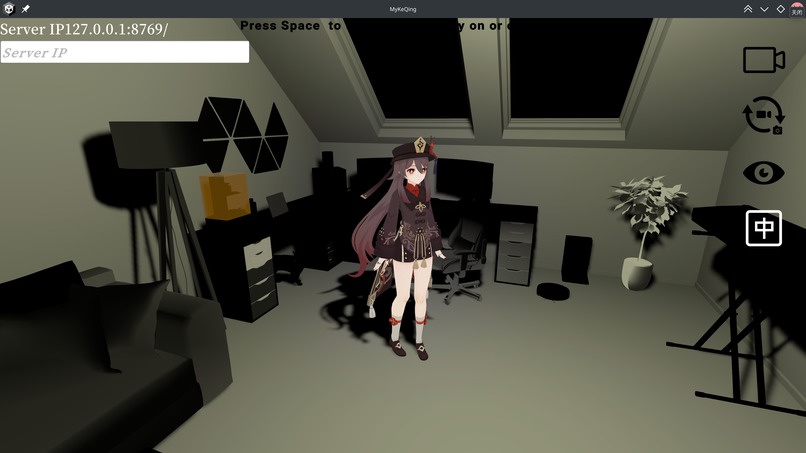
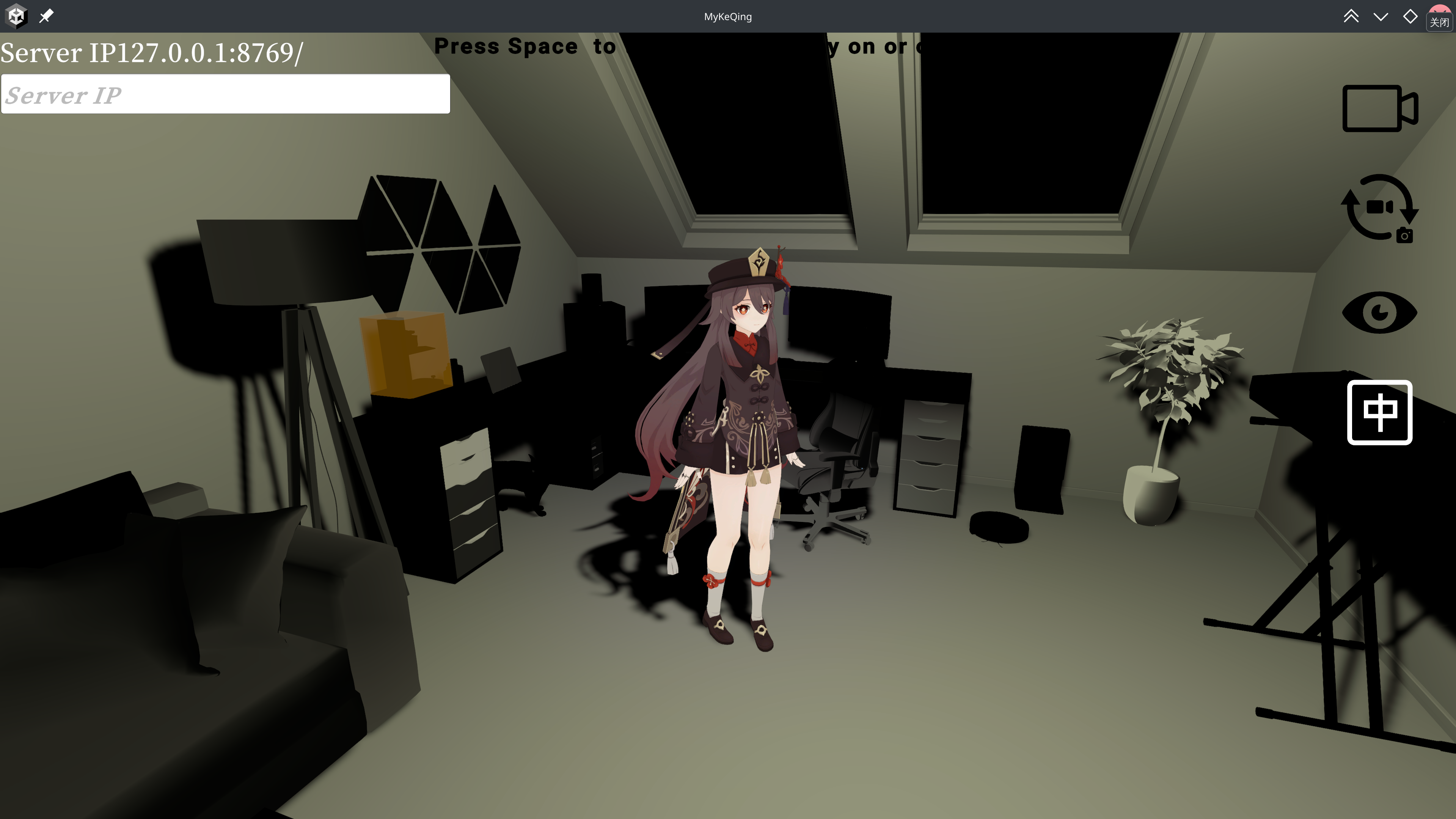
Hutao (Genshin game character) in Unity
Inspiration
It's nothing new nowadays that many people, especially the introverted ones, are indulged in their own imaginary world, whether it's game or anime or fantasy works. The common problem is that they often can't get and enjoy the emotional satisfaction that people can get from interaction and socializing with real humans due to the limited freedom in the interaction they have with the imaginary characters. Thus, we want create an active, customizable AI chatbot to bring immersive intimate interaction with people.
What it does
Our goal is to create AI chatbots with lively 3D models, actively responsive speech with trained synthesized voice, brilliant minds with long-term memory, and audio-motivated actions that can satisfies people's desire for communication.
How we built it
The whole workflow is composed of several modules: ASR module transcribing raw streaming audio data to text, LLM module using claude to generate text response to the transcribed audio text while creating a list control file to manage the chat history, TTS module that receives the generated text and passes to GPTSovits which synthesizes the audio data using trained models and give back to the TTS Module and finally passed to our frontend, which is a Unity project where there is a 3D model with action (there's the Action module controlled by user's audio input) and sound to interact with the user. All the transfer of data in and out the modules are connected through the server.pyusing websockets. We also have a system state management bool variable: say that shows whether the speaker is speaing so as to coordinate the wrkflow in modules. The following is more specifically how each module works and their key parts:
1. ASR Module (port 8765)
- Input: 16 kHz PCM audio frames from the user’s microphone
- Processing:
- VAD (Voice Activity Detection) to find speech segments
- Acoustic fingerprints for optional speaker recognition
- Transcription via two streaming ASR models (e.g., Faster Whisper & FunASR)
- VAD (Voice Activity Detection) to find speech segments
- Output: streaming processed transcribed 'text' to the server
2. LLM Module (port 8766)
- Input: text messages from the server passed by the ASR Module
- Processing:
- Append the user’s transcript to the list control file
- Use the listctl.py (list control) to keep the chat history and send the updated history + latest transcript to Claude for response generation
- Use cv2 and gemini to capture the user’s image description, which is then passed to Claude as context.
- Update the list control file with Claude’s reply
- Output: streaming response text sentence back to the server from Claude
3. TTS Module (port 8768) & GPTSovits (port 9880)
- Input:
- ```json
payload = {
"text": text,
"text_lang": "zh",
"ref_audio_path": REF_AUDIO_PATH,
"aux_ref_audio_paths": [],
"prompt_text": REF_PROMPT_TEXT,
"prompt_lang": "zh",
"top_k": 5,
"top_p": 1,
"temperature": 1,
"text_split_method": "cut0",
"batch_size": 1,
"batch_threshold": 0.75,
"split_bucket": True,
"speed_factor": 1.0, "streaming_mode": True,
"seed": -1, "parallel_infer": True,
"repetition_penalty": 1.35 } - Processing:
- Extract the
"text"field from the LLM response - Forward the text payload to GPTSovits for neural-vocoder synthesis based on our own trained model
- Receive streamed PCM audio chunks back from GPTSovits
- Extract the
- Output: streaming audio chunks to the server in real-time
4. Action Module (port 8771)
- Input: Action Module receives transcribed text messages from the ASR Module through server
- Processing:
- Parse any embedded
<action>tags in the original LLM payload (e.g.<nod>,<wave>)
- Parse any embedded
- Output: Send these actions to the Unity Module via WebSocket
5. Unity Module (port 8767)
- Input: Unity Module receives JSON commands from Action Module and “audio_chunk” messages from the TTS Module through server
- Processing:
- Parse the JSON commands to trigger specific actions (e.g.,
<nod>,<wave>) - Play the audio chunks in real time using Unity's audio engine
- Parse the JSON commands to trigger specific actions (e.g.,
Challenges we ran into
- In a very noisy environment, if we don't tune the voice activity detection's threshold, the ASR module will first transcribe the noise as speech, and second the state of SAY indicating if the user is speaking is always on, which will mess up the later process.
- The target user may not be the only one speaking in the environment, so we need to filter out other people's voices and only transcribe the target user's voice. We designed a noise-canceling algorithm with RMS to filter noise and used clipper embedding of the acoustic fingerprints of a target user to compare with that of the current audio input, and after calculating the similarity of these two vector sets using
torch.nn.costo filter peoples' voices other than the target user. ## Accomplishments that we're proud of - What make the whole project more creative and adds more fun is that, in the llm module, we used
cv2library to capture the visual data, a picture of the user, and usedgeminito have a visual understanding that will help theclaudeto interpret the description of the using environment and generate better response. We did not use traditional multimodal model to deal with visual data because that will take streaming frames into analysis, which will slow the project down. We take one picture the instant the LLM received the text so that there can be a balance between efficiency and accuracy. - In the 'ASR module', we used self-designed
noise-canceling algorithm with rmsto filter noise and used clipper embedding of the acoustic fingerprints of a target user to compare with that of the current audio input, and after calculating the similarity of these two vector sets usingtorch.nn.costo filter peoples' voices other than the target user. - Also in the
ASR module, we usedfunasrto transcribe Chinese while usingfaster-whisperto transcribe English. - In the
LLM module, we had another option to process the streaming text using the frameworks ofletta, which is more convenient to manage the history of chat sessions and emphasizes the persona of the character though its models are always reasoning, causing a bit latency in instantaneous interaction.
What we learned
- How to use
websocketsto transfer data between modules, and combined withasyncioto handle the real-time streaming data and coordiante modules properly. - How to use
funasrandfaster-whisperto transcribe audio data in different languages. - How to use
GPTSovitsto synthesize audio data from text responses. - How to use
Unityto create a 3D model and animate it based on the audio data and actions. - How to use
Action Moduleto parse and trigger actions based on the transcribed text messages. - How to use
torch.nn.costo calculate the similarity of acoustic fingerprints for speaker recognition. - How to use
lettato manage the history of chat sessions and emphasize the persona of the character. - How to use
asyncioto handle real-time streaming data and coordinate modules properly.
What's next for Untitled
We add a new module called Interaction Module where we apply VAPI to allow the character to interact with the user by calling them.
Another feature in the Interaction Module is to take the user's facial expression as visual input and allows the character to look at the user to create a more immersive interaction environment.


Log in or sign up for Devpost to join the conversation.