Inspiration
Every developer knows the feeling. You get assigned a ticket, it says something like "Fix login bug", and you spend the next hour just figuring out what that even means — reading old comments, hunting for related issues, deciding what labels to use, and mentally breaking down the work before writing a single line of code.
On a busy team this happens 20-30 times a month per developer. That is hundreds of hours lost to orientation, not actual work. I wanted to build something that eliminates that entirely — not something that suggests what to do, but something that actually does it for you the moment you are assigned.
What it does
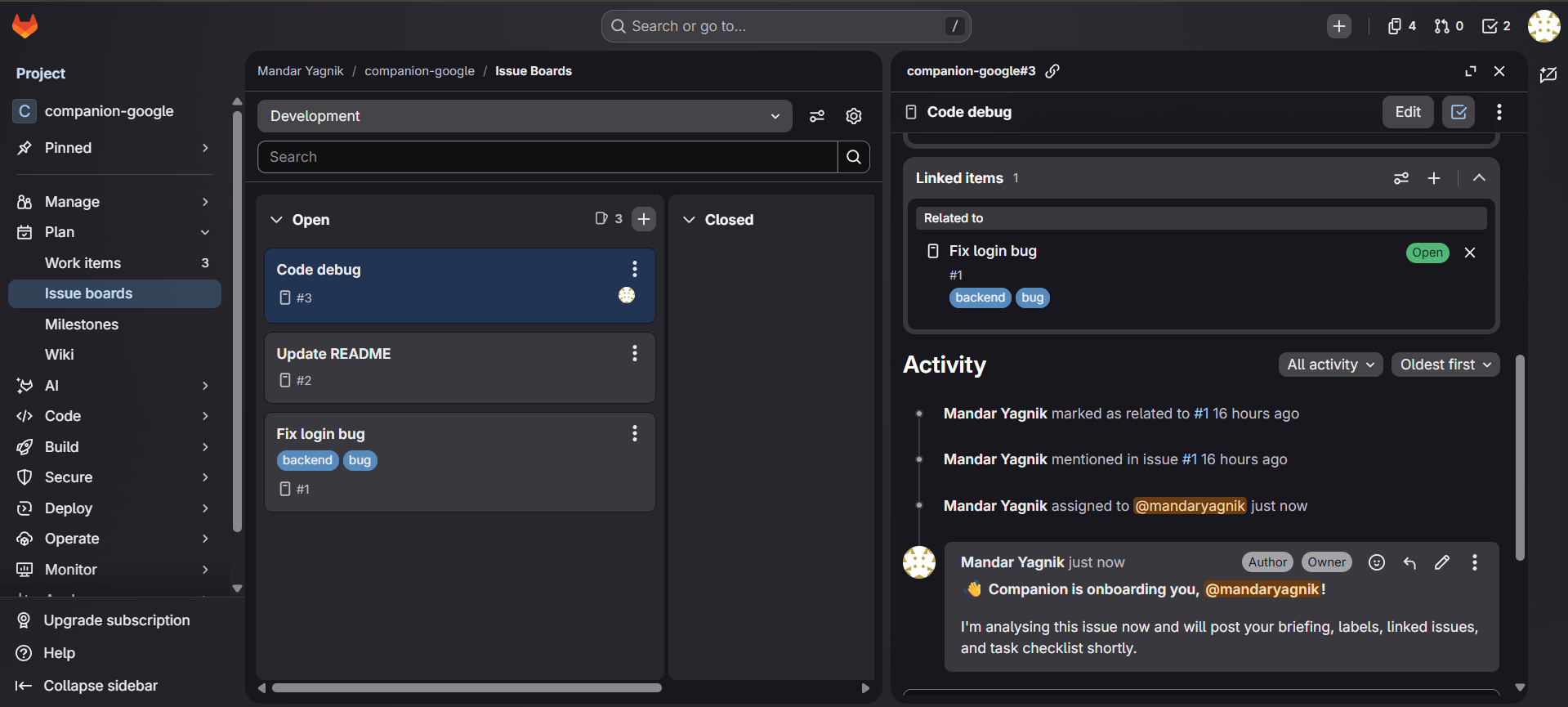
Companion is an autonomous onboarding agent for GitLab. The moment a developer is assigned to an issue, a GitLab webhook fires and Companion wakes up automatically — no message, no prompt, no manual trigger needed.
It performs four real, permanent actions on the issue:
- Writes a developer briefing — explains the issue, why it matters, and exactly where to start
- Applies smart labels — categorises the issue automatically based on its content
- Links related issues — finds and connects relevant work from across the project
- Posts a task checklist — a structured step-by-step breakdown as a comment the whole team can see
The developer opens their issue and everything is already done. They can start coding immediately.
How we built it
The stack is Gemini 3.5 Flash as the reasoning brain, Google Cloud Agent Builder as the orchestration layer, and a custom MCP server built with FastMCP in Python deployed on Google Cloud Run.
The MCP server exposes seven tools that map directly to GitLab REST API calls — get issue, list issues, create label, add label to issue, add comment, link issues, and update description. Agent Builder manages the tool-calling loop and sequences the four actions intelligently based on context.
A webhook endpoint on Cloud Run listens for GitLab work item events. When an issue is assigned, Companion posts an immediate acknowledgement comment and triggers the full onboarding flow automatically.
Challenges we ran into
The biggest challenge was that Google Cloud Agent Studio's native MCP authentication was marked "Coming Soon" at build time. This meant the standard connection approach would not work. The solution was deploying a FastMCP Python server using Streamable HTTP transport — the exact protocol Agent Studio requires — with the GitLab token stored securely as a Cloud Run environment variable.
A second challenge was that GitLab recently renamed "Issue events" to "Work item events" in their webhook UI, which required updating the event handler to catch both naming conventions.
A third issue was a corrupted gcloud properties file in Cloud Shell that had duplicate config sections, which broke all gcloud commands mid-build and required a manual fix to the system properties file.
Accomplishments that we're proud of
The webhook trigger working end to end with zero manual input is the accomplishment we are most proud of. Assign an issue on GitLab and within seconds Companion's acknowledgement appears on the issue automatically — no message sent, no button clicked, nothing. That moment where the agent just wakes up and acts on its own is exactly what agentic AI should feel like.
We are also proud of building a production-grade MCP bridge that works reliably with Agent Studio's Streamable HTTP requirement, solving a real infrastructure gap that was not documented anywhere.
What we learned
Building a real agentic system is fundamentally different from building a chatbot. The hard problems are not in the AI — they are in the plumbing: authentication, protocol compatibility, transport layers, and making sure every action is actually persistent and not just simulated output.
MCP as a standard genuinely solves the tool integration problem elegantly. Once you understand the Streamable HTTP transport model, connecting any AI model to any external service becomes a repeatable pattern.
We also learned that Gemini reasons well about multi-step tool sequences without needing explicit orchestration code — given the right system prompt and the right tools, it figures out the correct order on its own.
What's next for Companion
The natural next step is deeper autonomy and broader coverage:
- Morning digest — a scheduled job that runs at 9am and posts a prioritised summary of all assigned issues and open merge requests to each developer, so they start every day knowing exactly what needs attention
- Merge request support — when a developer opens an MR, Companion automatically generates a review checklist for the reviewer and links it back to the original issue
- Codebase awareness — connect Companion to the repository itself so briefings reference specific files, functions, and code paths relevant to the issue
- Multi-project support — let teams configure Companion once at the organisation level so it works across all their GitLab projects automatically
- Slack and email notifications — deliver the briefing directly to the developer's preferred channel instead of just as a GitLab comment

Log in or sign up for Devpost to join the conversation.