Inspiration## Inspiration
I created CommunityShield because cybersecurity threats are becoming increasingly common, and not everyone knows how to recognize them. Suspicious links, phishing emails, and online scams can put personal information at risk. I wanted to create something that makes learning about cybersecurity easier, more interactive, and accessible to everyday internet users.
What It Does
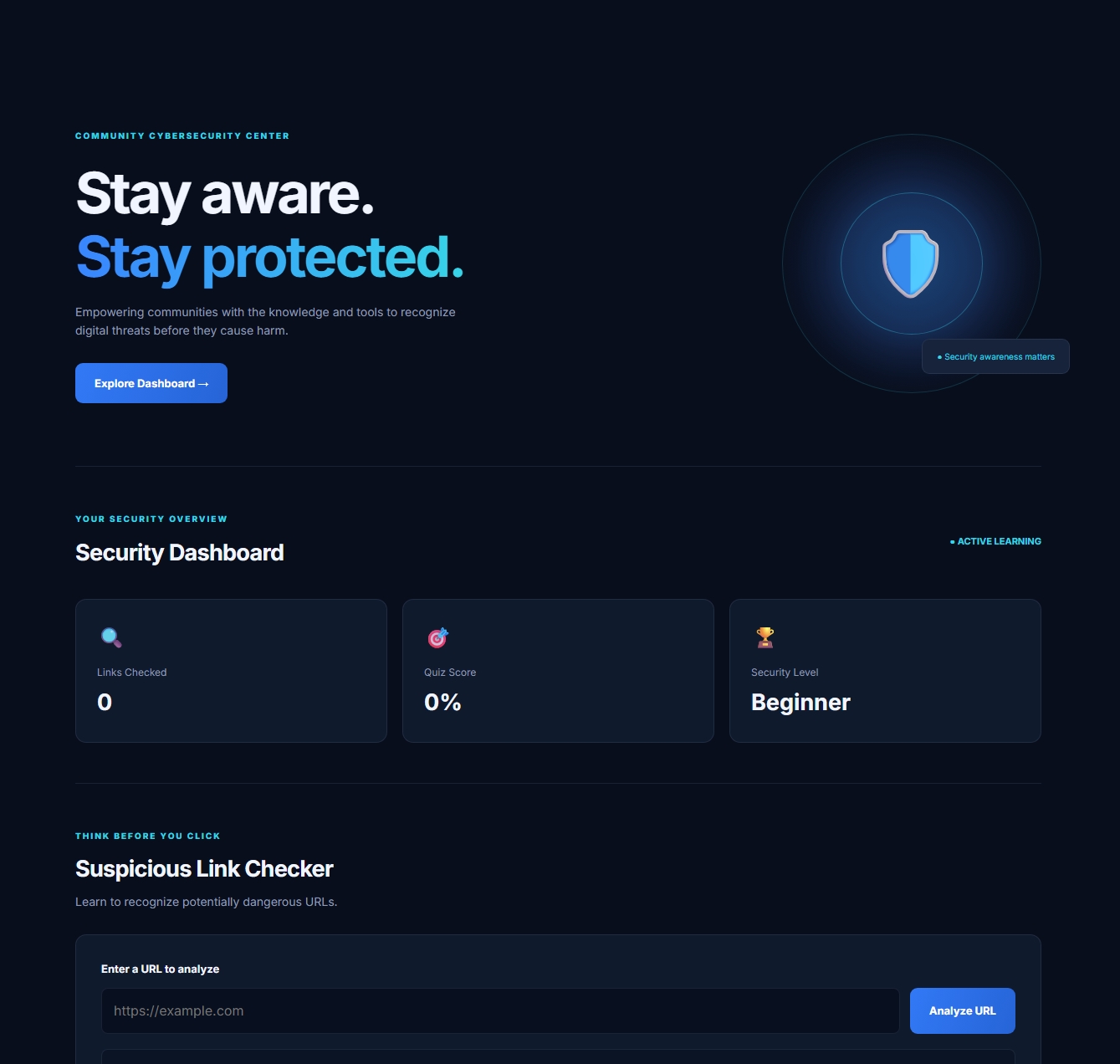
CommunityShield is an interactive cybersecurity awareness platform that helps users recognize potential online threats and improve their digital safety habits.
The platform includes four main features:
- Suspicious Link Checker: Analyzes URLs for potential warning signs, including suspicious keywords, unusual formatting, URL shorteners, and possible brand impersonation.
- Awareness Quiz: Allows users to test their cybersecurity knowledge through interactive questions and feedback.
- Phishing Lab: Provides simulated email scenarios where users decide whether a message is legitimate or a phishing attempt.
- Security Progress Report: Tracks user activity and learning progress, including links checked, quiz scores, and phishing simulation results. Users can also download their reports.
How I Built It
I built CommunityShield using HTML, CSS, and JavaScript in StackBlitz.
HTML provides the structure of the platform, CSS controls the design and responsive layout, and JavaScript powers the interactive features. I also implemented browser localStorage to save user progress, allowing scores and activity information to remain available after refreshing the page.
I focused on creating a simple interface that users could navigate without needing an advanced understanding of cybersecurity.
Challenges I Faced
One of my biggest challenges was making sure all the features worked together correctly. I encountered issues with buttons, quiz progression, phishing scenarios, saving user scores, and updating the security report.
Rather than leaving those issues unresolved, I tested each feature, identified problems, and made corrections until the platform worked as expected. I also tested the website in a separate browser tab and checked its mobile layout.
What I Learned
Throughout this project, I strengthened my understanding of JavaScript, HTML, CSS, DOM manipulation, event handling, and localStorage. I gained experience connecting multiple features into one working application, troubleshooting errors, and testing a project across different screen sizes.
I also learned that cybersecurity education can be more engaging when people have the opportunity to practice identifying threats instead of only reading about them.
What's Next
I would like to continue improving CommunityShield by expanding the phishing simulation library, strengthening URL analysis, adding more educational resources, and introducing additional ways for users to track their cybersecurity knowledge and progress.
My goal is to make cybersecurity awareness more approachable and help people become more confident and informed when navigating the digital world.
What it does
How we built it
Challenges we ran into
Accomplishments that we're proud of
What we learned
What's next for CommunityShield
Built With
- css
- cybersecurity
- detection
- html
- information
- javascript
- phishing
- security
