Inspiration
Inspired by the need for effective task management, I developed the Todo App to simplify the process of organizing and prioritizing tasks in daily life.
What it does
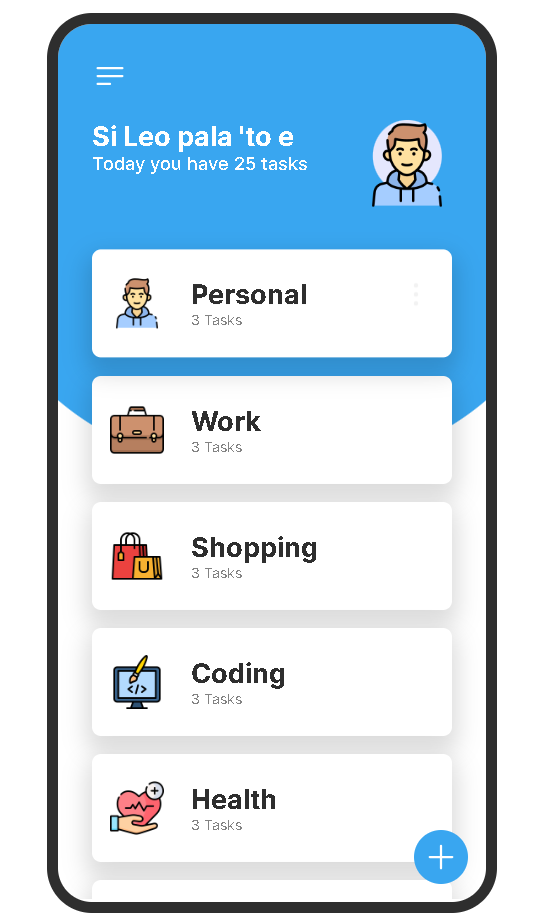
The Todo App provides users with a streamlined platform to create, track, and manage their tasks efficiently. Users can easily add, edit, and delete tasks, as well as mark them as complete for seamless productivity.
How I built it
Using HTML, CSS, and JavaScript, I built the Todo App with a focus on user experience and functionality. Leveraging these technologies, I created an intuitive interface and implemented features like task filtering and sorting to enhance usability.
Challenges I ran into
During development, I faced challenges in implementing complex features such as task prioritization and data synchronization across devices. Overcoming these hurdles required careful planning, problem-solving, and iteration.
Accomplishments that I'm proud of
I'm proud to have created a Todo App that simplifies task management and enhances productivity. Its user-friendly design and robust functionality reflect my commitment to delivering practical solutions for everyday challenges
What I learned
Through this project, I gained valuable insights into front-end development techniques, including responsive design and DOM manipulation. I also learned about the importance of user feedback in refining features and improving usability.
What's next for Todo App
In the future, I plan to enhance the Todo App with additional features such as task reminders, collaborative sharing, and integration with calendar apps. I aim to continuously evolve the app to meet the evolving needs of users and provide an even more comprehensive task management solution.
Built With
- canva
- css
- figma
- html
- javascript

Log in or sign up for Devpost to join the conversation.