-
-
Community Lens
-
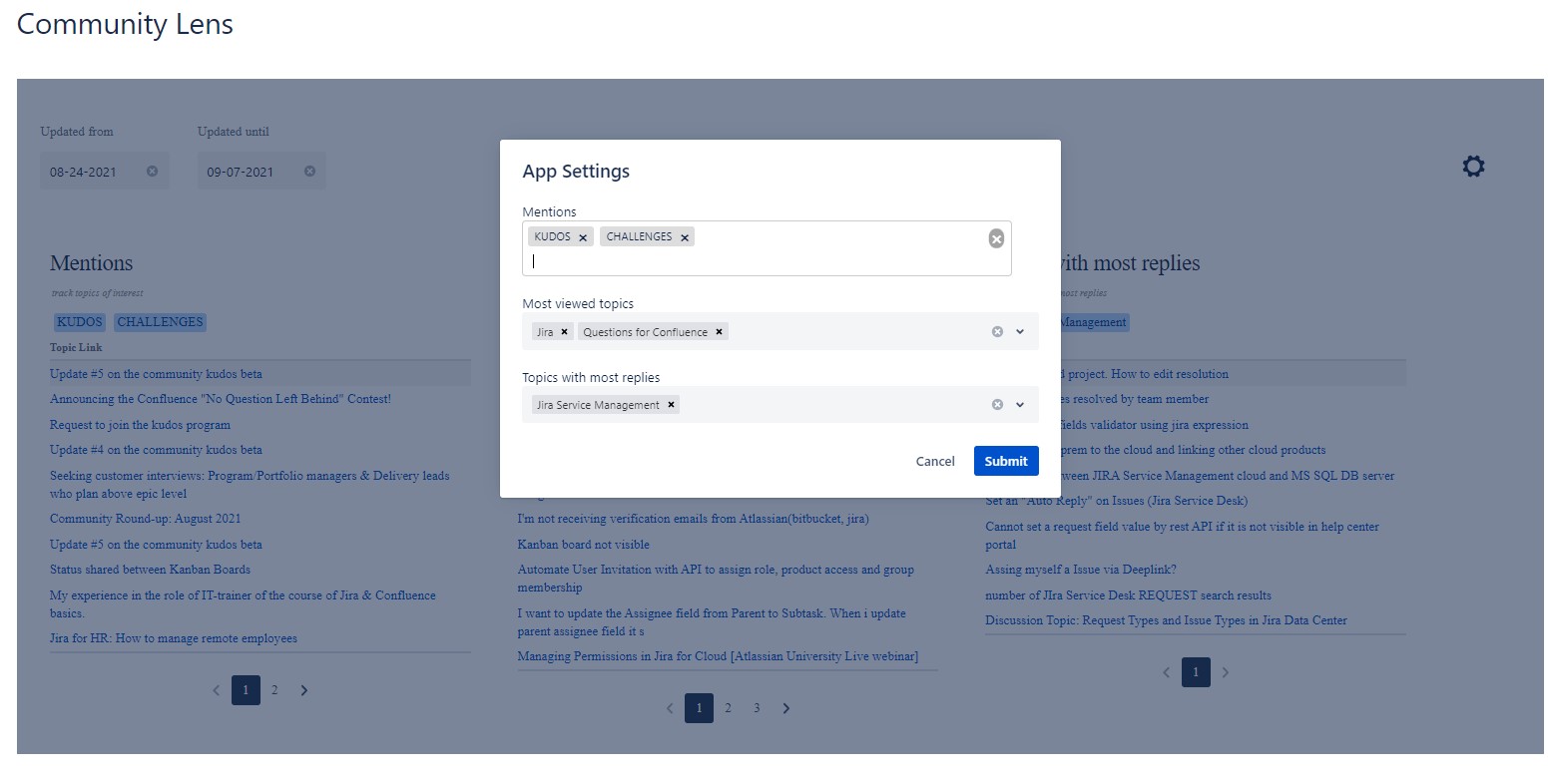
App view in Confluence Space
-
App Settings

Inspiration
The Atlassian community has always been a go-to place for most Atlassian users for the latest news, discussion topics, resolving queries, etc. It has achieved rapid growth in the past few years.
As for marketplace partners, including us, the community has been a place for tracking queries related to our apps and resolving them or even for getting inspiration or ideas for various topics. This process is often tedious, with vendors having to come to the community and find/track queries each time.
Since the community is a diverse platform with so much content pouring out every single day, you tend to miss out on unanswered questions, or keep track of popular content based on your niche, or even have mailboxes full of posts from watched community spaces, out of which its hard to find what's relevant.
With these Pain points, we at VIEW26 GmbH decided to come up with a solution for viewing all the queries just for your use case in a single dashboard via confluence.
What it does
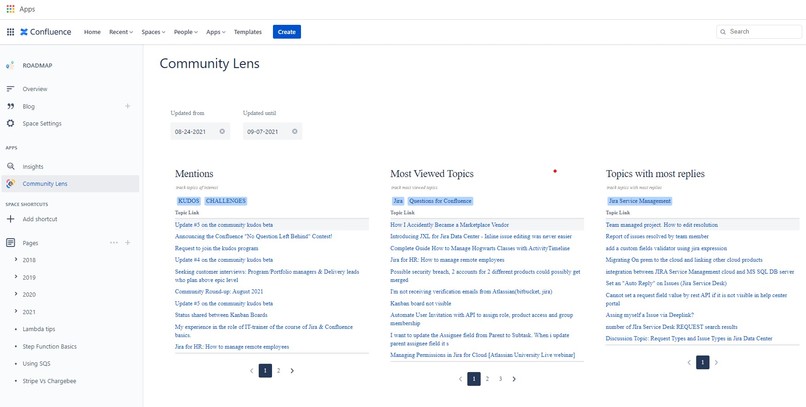
“Community Lens” helps you organize your search tags & tracks Atlassian popular posts and tags right in Confluence . It provides a dashboard experience that enables you to easily find the queries meant for you based on the tags you preset for each category. The queries are set in 3 categories:
Mentions Table - to track all posts of interest-based on configurable keywords.
Most viewed Topics - to track all popular contents in a given category.
Most Replied Topics -to track all threads which have a lot of engagement within the community
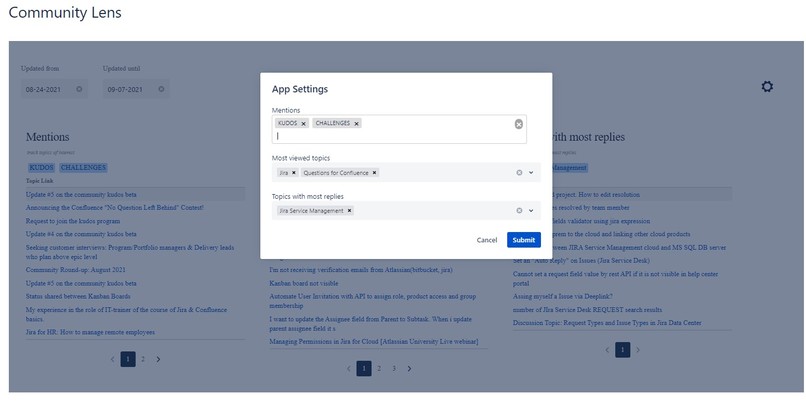
Categories help you filter out the content based on the tags you specify for each well ahead. The Dashboard view helps in faster navigation, (almost saving your time) of your most wanted topics and posts and helps you to keep a track of relevant content whenever you open your confluence page. Add your desired tags to filter out contents that have no reply and give instant responses or action items.
Another important feature is that you can filter out queries along a specified date range which helps you to narrow down your search, providing you with a much clearer result.
How we built it
This was going to be our very first Forge app, so it was important to familiarize the forge-specific topics like the working of the resolvers & custom UI for our use case.
Our team dove into the process of exploring and learning Forge. The Forge App tutorials were a great starting point. We found that it let us prototype and create proof-of-concepts really quickly. Next was looking into the LiqL APIs to understand the capabilities for pulling data from the Atlassian community.
In a short amount of time, we went from requirements to an alpha build which our team could test internally.
Challenges we ran into
Forge, being a new platform was indeed a challenge for us to work on during a short period of time. We ran into an initial problem that our app was not opening link from a Custom UI, but the Atlassian team was quick to point out the fix in a newer version of forge/bridge
Accomplishments that we're proud of
With a team that is new to the Forge platform, we are proud of our very first Forge App.
What we learned
We became very familiar with Forge platform its features and its current limitations.
Posting on the Forge Community is a good way to get issues resolved. Atlassian team & others are quick to share their experience & resolve the issues faced
We also intend to use a 'Forge first' development approach for our Cloud apps going forward as we build expertise on the Forge platform.
What's next for Community Lens
Since this is an initial start we are hoping to develop it even more with a lot more table widgets
We’re planning to open-source the app to the community. We’re proud of getting out a solution not just for us but also for other Marketplace vendors out there whom we hope to find it helpful.


Log in or sign up for Devpost to join the conversation.