-
-
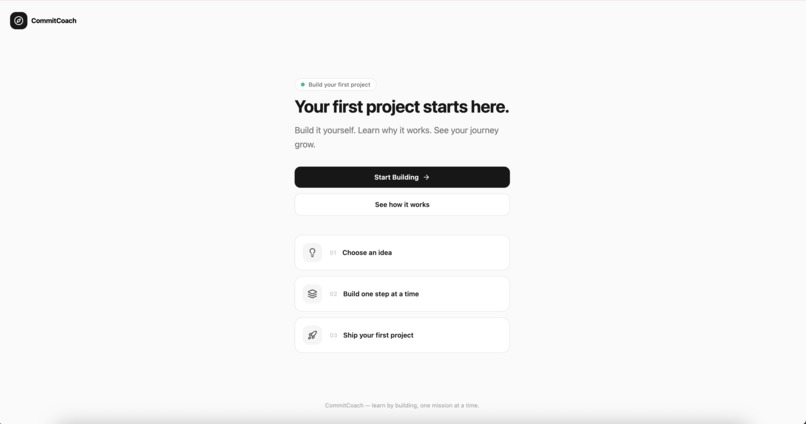
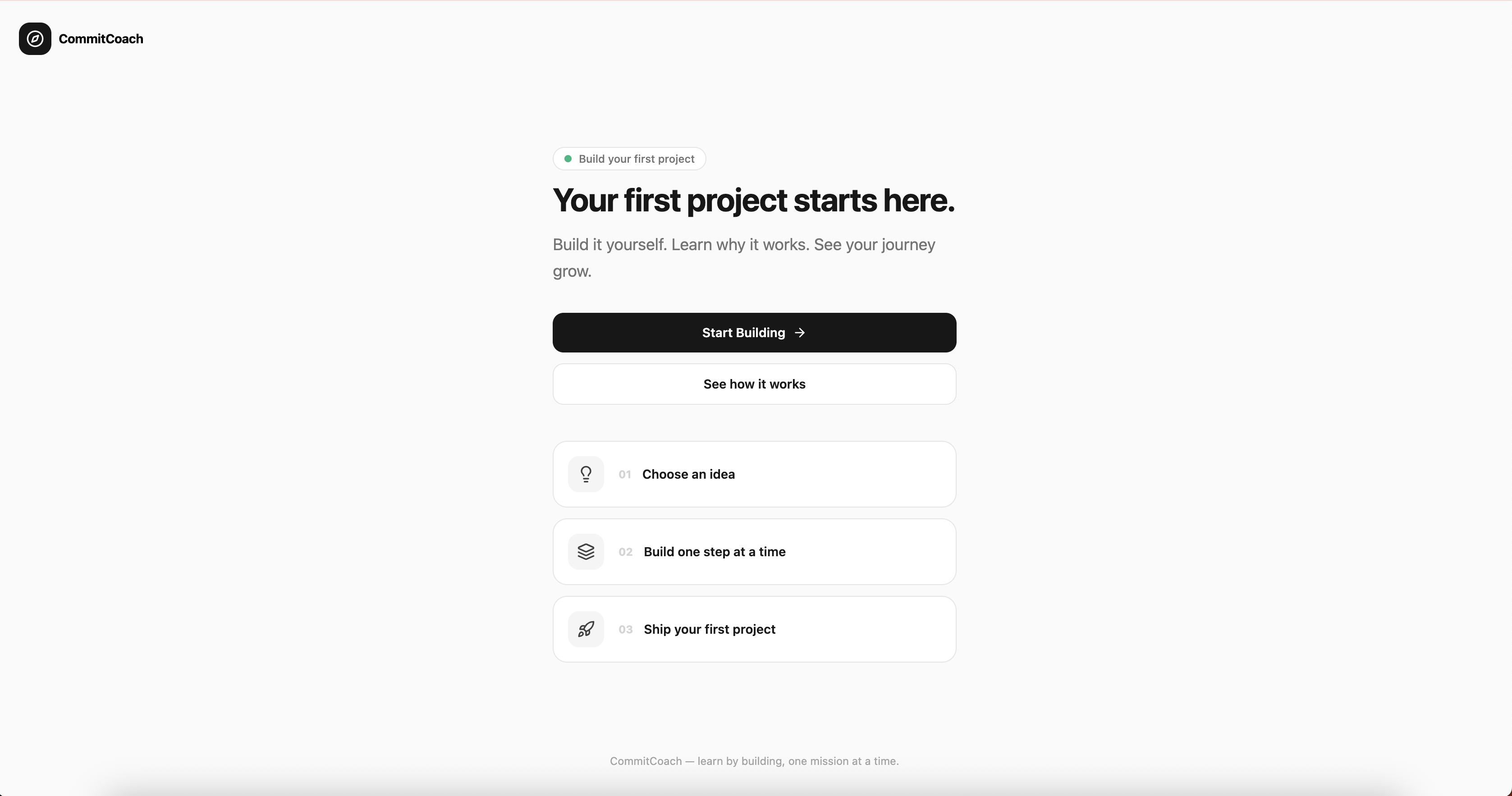
Landing page
-
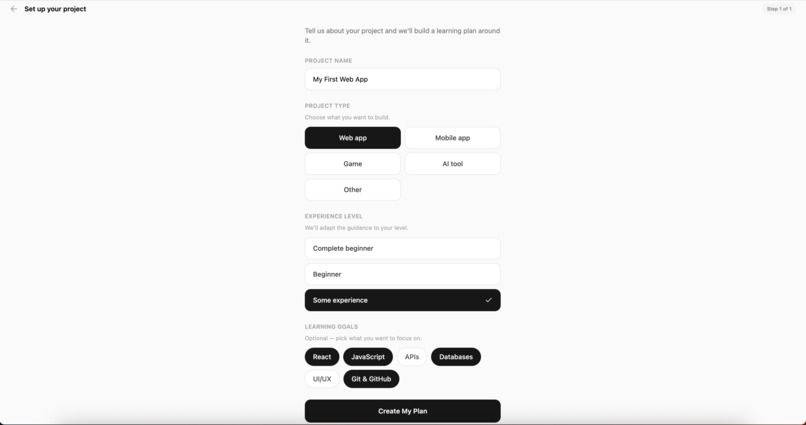
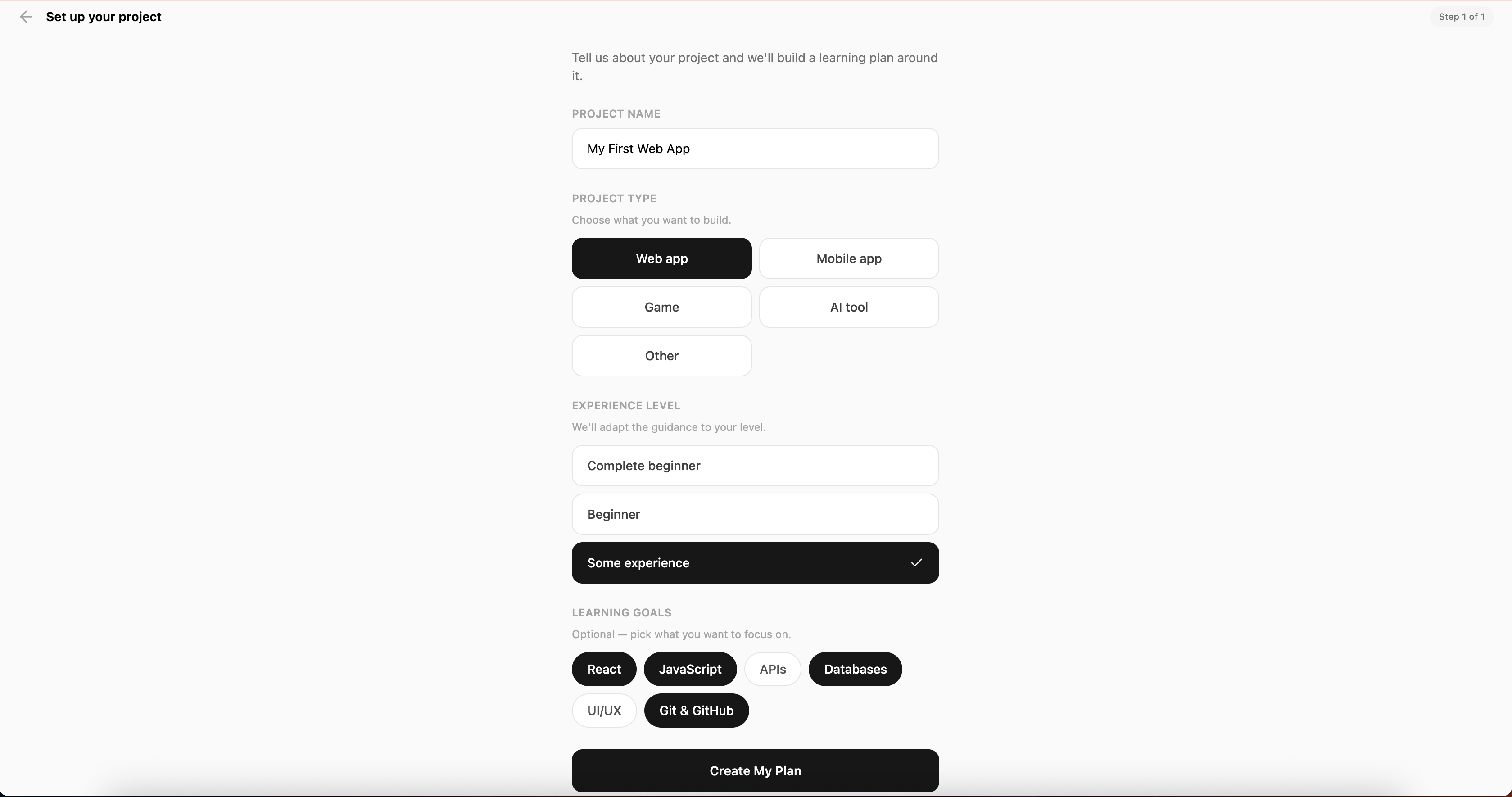
Dashboard
-
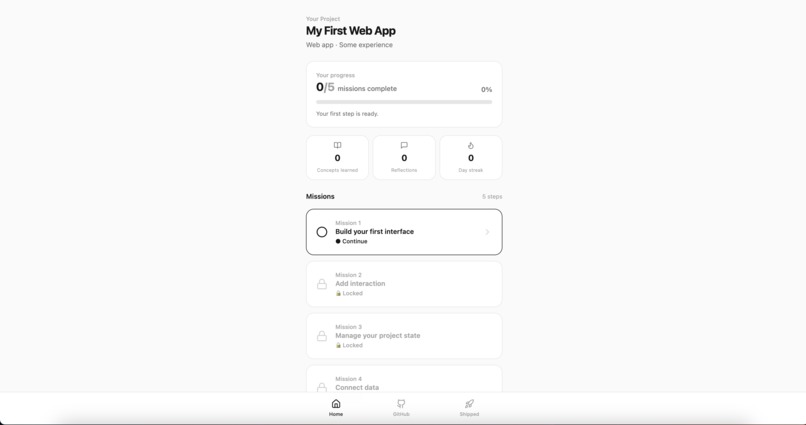
Mission
-
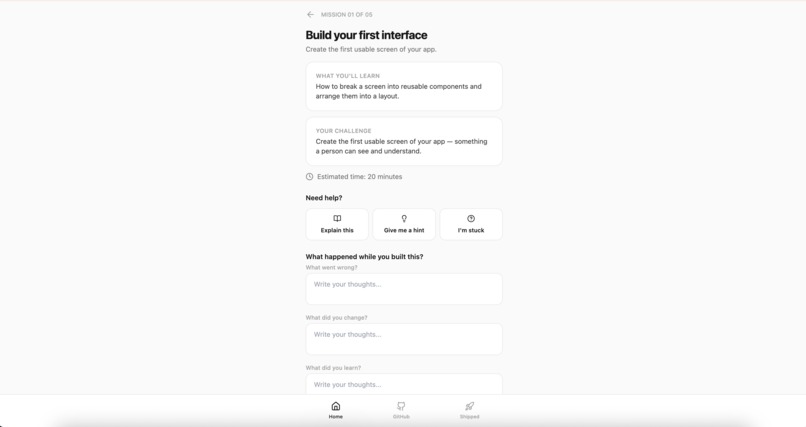
Mentor
-
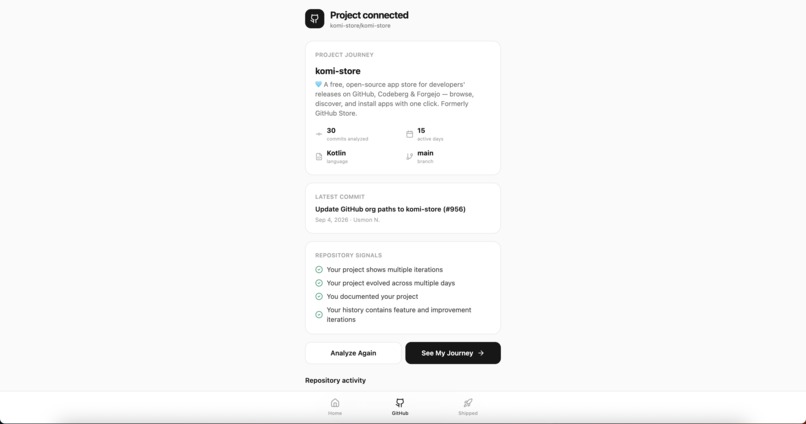
GitHub Analysis
-
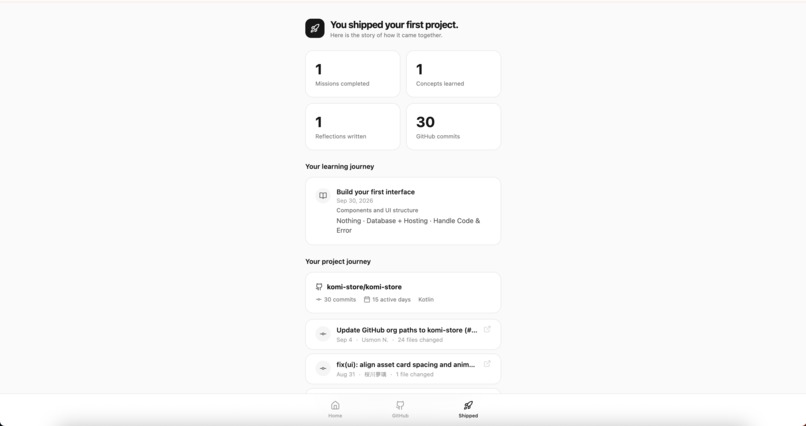
Shipped
CommitCoach
Build your first project. Understand every step.
Starting a software project is easy to imagine and much harder to actually finish.
CommitCoach is a beginner-focused project mentor that turns the building process into a structured learning journey:
Idea → Missions → Build → Get Stuck → Learn → Fix → Commit → Reflect → Ship
Instead of acting like a generic AI code generator, CommitCoach helps beginners understand what they are building, get guidance when they are stuck, reflect on what they learned, and connect that learning journey to the real history of their GitHub project.
What it does
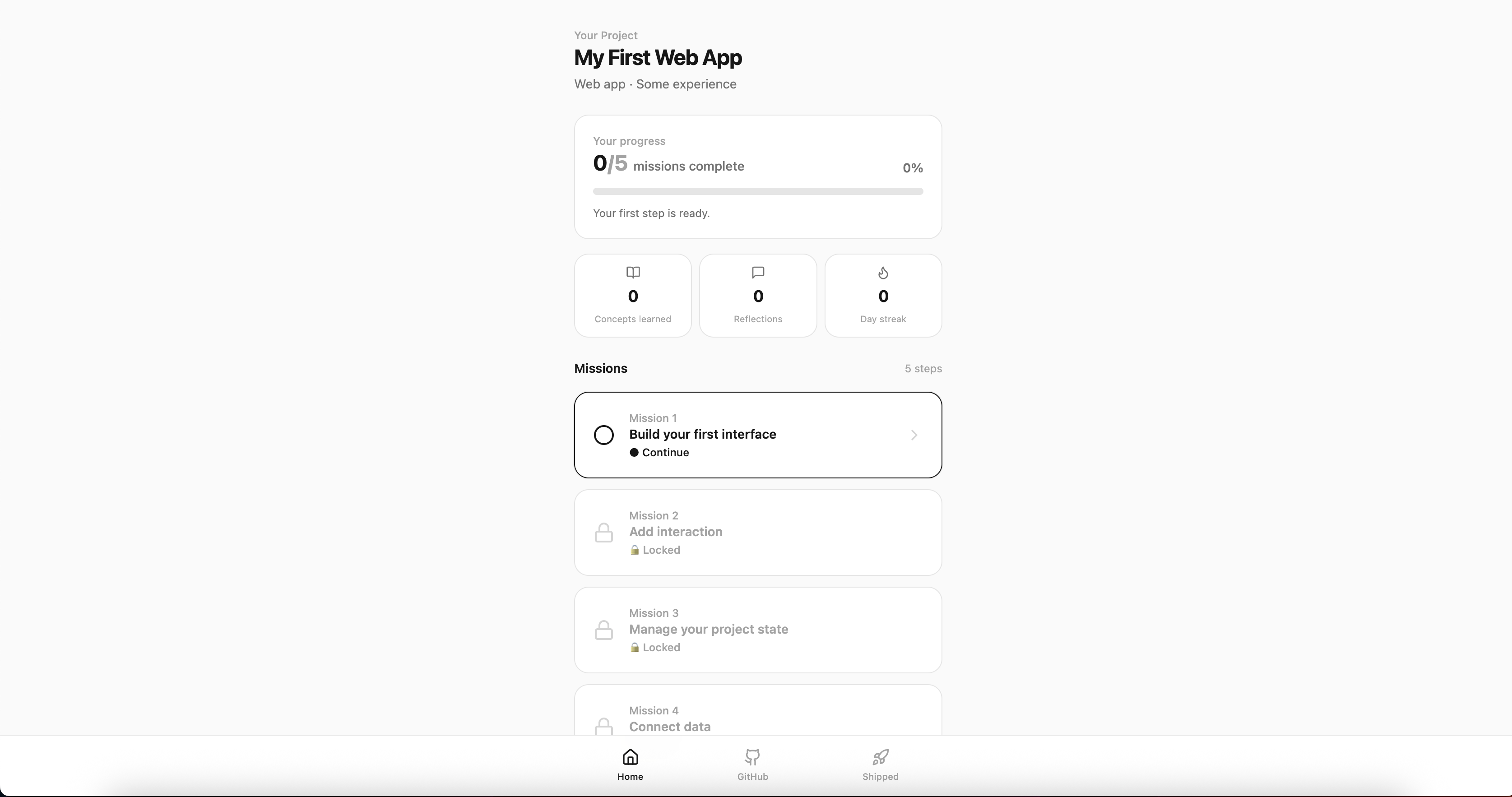
Mission-based learning
A new project is turned into a five-mission journey based on the selected project type.
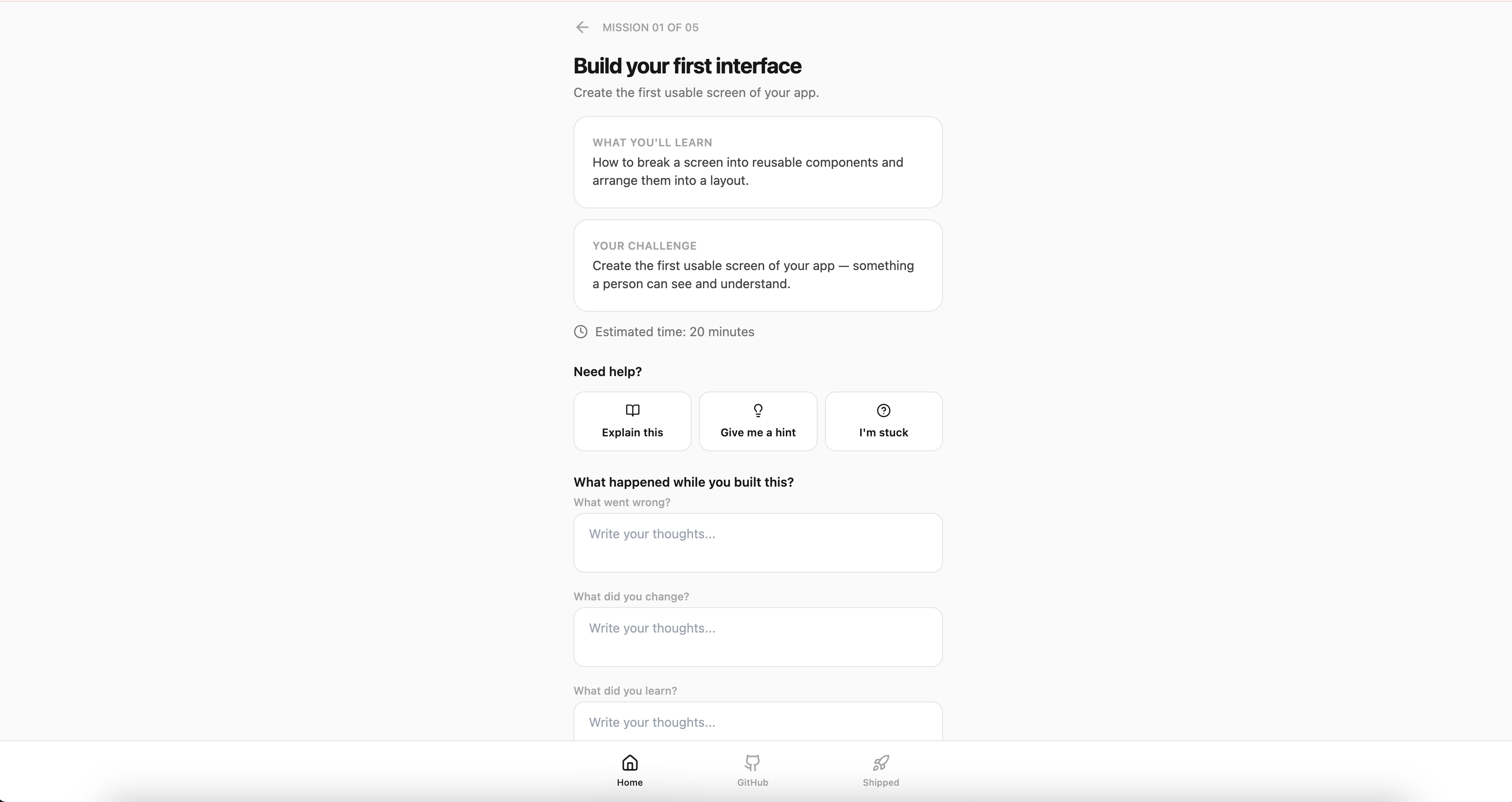
Each mission provides:
- a clear challenge
- the concept being learned
- estimated time
- explanations
- progressive hints
- stuck/debugging guidance
- reflection prompts
Missions unlock progressively so beginners can focus on one meaningful step at a time.
AI Mentor
CommitCoach includes an AI mentor with three modes:
- Explain this
- Give me a hint
- I'm stuck
Hints are progressive, so the mentor helps the builder reason through a problem rather than immediately providing a complete solution.
When configured, the mentor uses OpenAI gpt-4o-mini through a server-side Edge Function.
A built-in deterministic fallback keeps the core mentor experience usable when the live AI service is unavailable.
Reflection
Before completing a mission, the builder records what happened during the build.
They can describe:
- what went wrong
- what they changed
- what they learned
This turns progress into something the builder can actually explain.
GitHub project journey
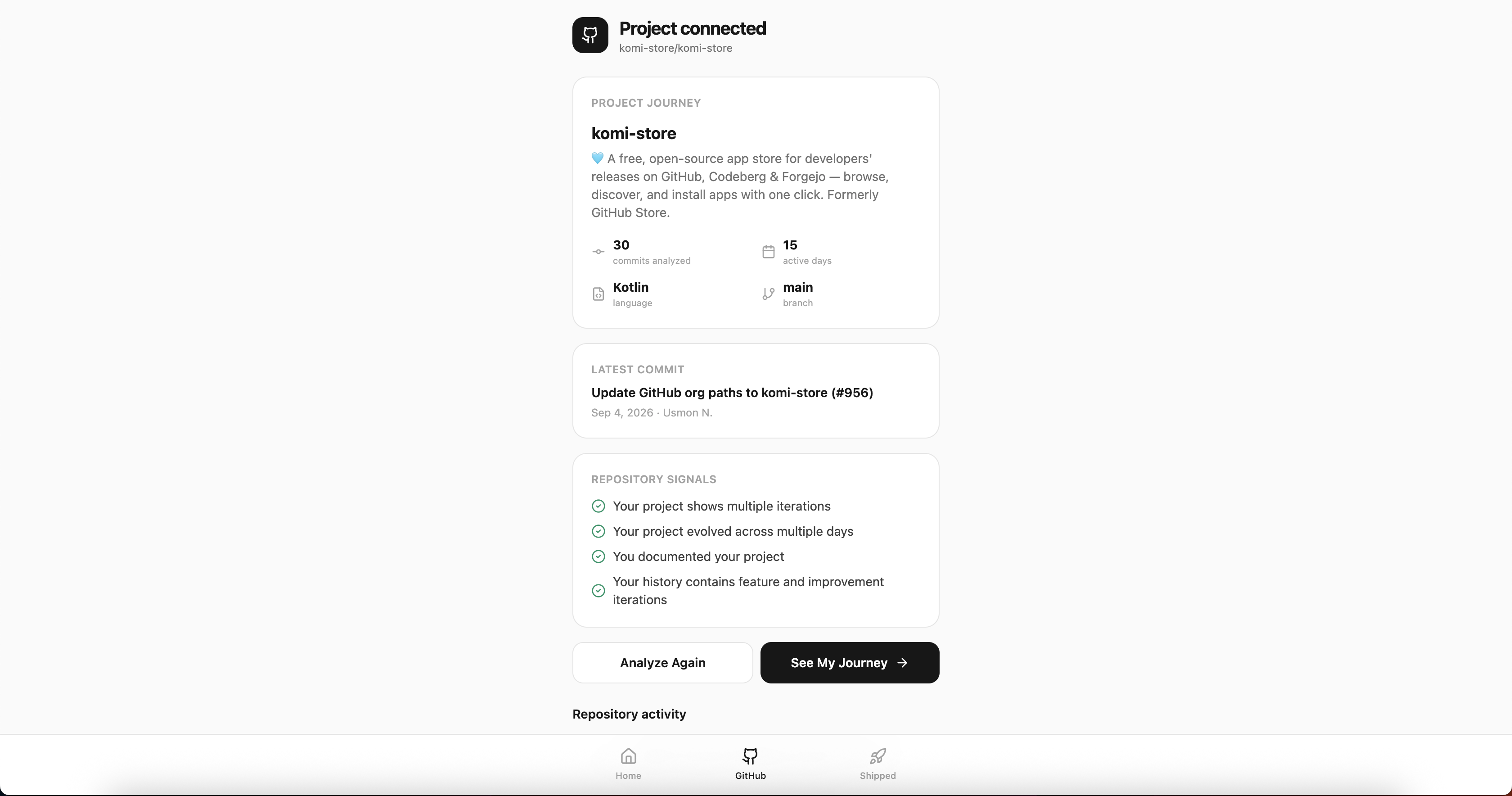
CommitCoach can analyze a public GitHub repository using GitHub's public REST API.
It can show:
- repository information
- language
- commits analyzed
- active development days
- README presence
- iteration signals
- feature/fix signals
- chronological commit activity
The application does not invent project history. The project journey is based on the repository's public GitHub activity.
Shipped view
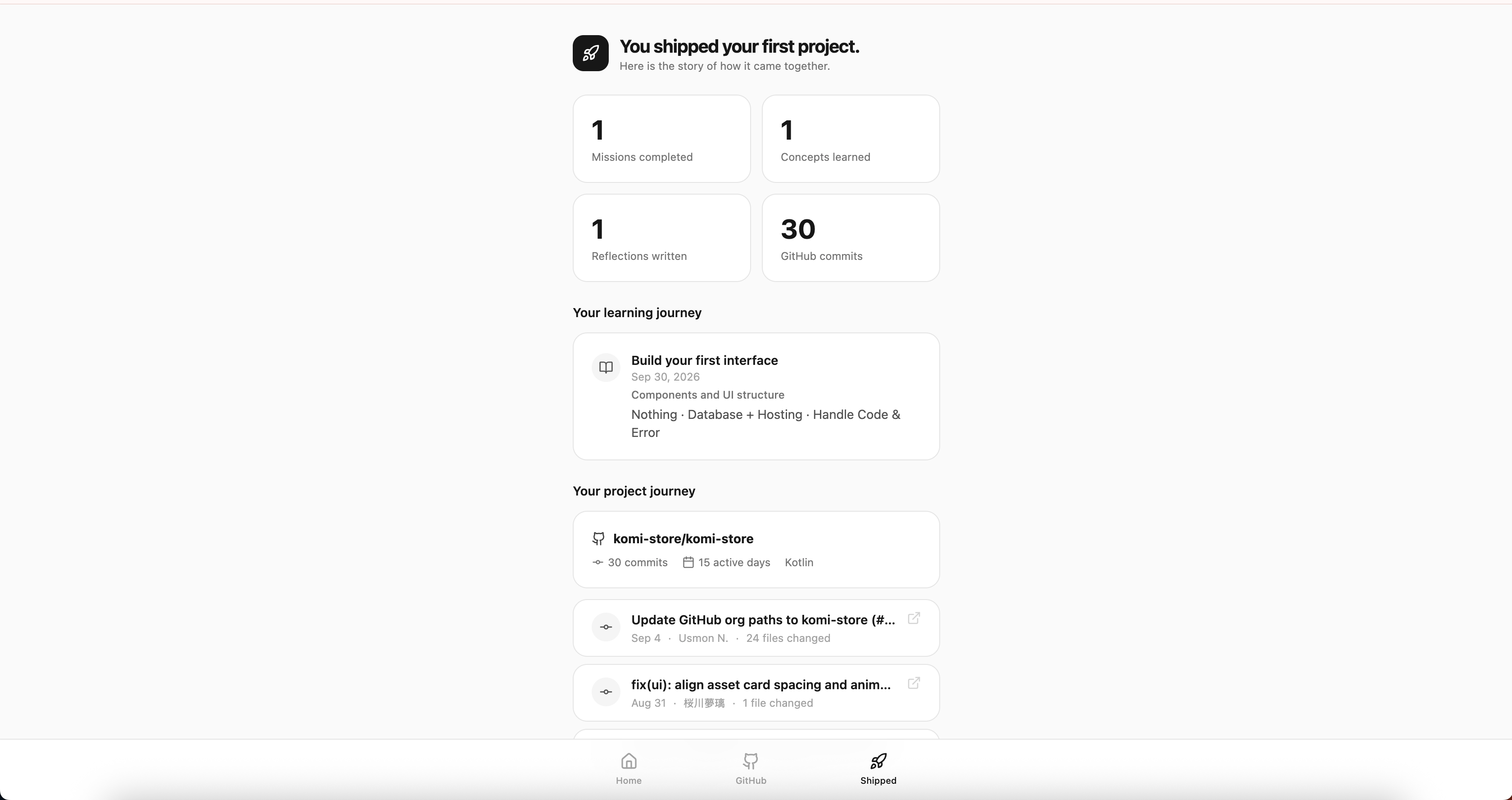
The final Shipped page combines learning progress with real GitHub activity to tell the story of the project.
It shows the journey from:
Idea → Build → Learn → Iterate → Commit → Ship
Why I built it
Beginners are often told to "just build something," but the difficult part is figuring out what to learn while building, what to do when something breaks, and how to recognize progress.
I wanted to build a tool where the learning process itself is part of the product.
CommitCoach treats mistakes, debugging, reflection, and iteration as meaningful milestones rather than failures.
Technologies
React, TypeScript, Vite, Tailwind CSS, Supabase/Bolt Database Edge Functions, OpenAI gpt-4o-mini, GitHub REST API, and localStorage.
Development journey
I built CommitCoach in stages:
- Created the application foundation and navigation.
- Built the data-driven mission engine and progression system.
- Added the AI mentor with progressive hints and fallback behavior.
- Added public GitHub repository analysis and project-history visualization.
- Refined the experience for accessibility, mobile usability, and presentation.
- Documented the architecture, setup, external resources, and AI usage.
One of the biggest challenges was making AI useful without allowing it to replace the learning experience. That led to the progressive-hint system and the separation between explanation, hints, and debugging guidance.
Another challenge was connecting the learning experience to real project evidence. GitHub's public API provided a way to show actual repository activity without requiring GitHub OAuth.
What I learned
The biggest lesson from building CommitCoach was that finishing software is only one part of a developer's growth.
The mistakes, experiments, debugging sessions, reflections, and commits are part of the journey too.
That idea became the foundation of the product: help beginners build something real while making their learning visible.
Live Demo
https://commitcoach-web-app-g0rq.bolt.host
Source Code
https://github.com/nomailboggymen-lgtm/CommitCoach
AI Disclosure
AI tools were used during development for implementation assistance, debugging, brainstorming, code generation, and refinement.
The application itself also includes an AI-powered mentor using OpenAI gpt-4o-mini.
AI assistance was reviewed and integrated as part of the development process, and the final implementation, architecture, behavior, and design were reviewed by the developer.
External Resources
The project uses React, Vite, Tailwind CSS, Supabase/Bolt Database Edge Functions, OpenAI, and GitHub's public REST API.
All external technologies and resources are documented in the repository README.
Built With
- api
- css
- edge
- functions
- github
- gpt-4o-mini
- html
- javascript
- localstorage
- openai
- react
- rest
- supabase
- tailwind
- typescript
- vite


Log in or sign up for Devpost to join the conversation.