BUILD COMMANDIQ — THE INTELLIGENT ENTERPRISE OPERATIONS PLATFORM
Act as an expert full-stack software engineer, AI agent architect, product designer and SaaS developer.
Your task is to design and build a complete, functional, modern AI-powered enterprise operations web application called CommandIQ.
Product name: CommandIQ
Tagline: From business information to intelligent action.
Category: Enterprise AI
Product description: CommandIQ is an AI-powered enterprise operations platform that transforms organisational documents and information into actionable insights, tasks, reports and recommendations, helping teams streamline workflows, monitor projects and make smarter decisions.
IMPORTANT: Do not build just a landing page, static dashboard or ordinary chatbot. Build an actual interactive web application with functional features, real AI capabilities and persistent data.
1. THE MAIN IDEA
Organisations generate large amounts of information every day through reports, documents, meeting notes, project updates and internal instructions.
However, employees often spend too much time:
- Reading lengthy documents.
- Searching for important information.
- Extracting tasks from meeting notes.
- Tracking project progress.
- Preparing management reports.
- Following up on pending responsibilities.
- Making decisions using scattered information.
CommandIQ solves these problems by providing an intelligent AI operations assistant that brings these activities into one central workspace.
The platform should allow users to upload organisational information, interact with an AI agent, extract useful insights, organise tasks, monitor projects and generate reports.
The AI should do more than answer questions. It should help users complete meaningful organisational tasks.
2. OPENING PAGE — WELCOME SCREEN WITHOUT LOGIN
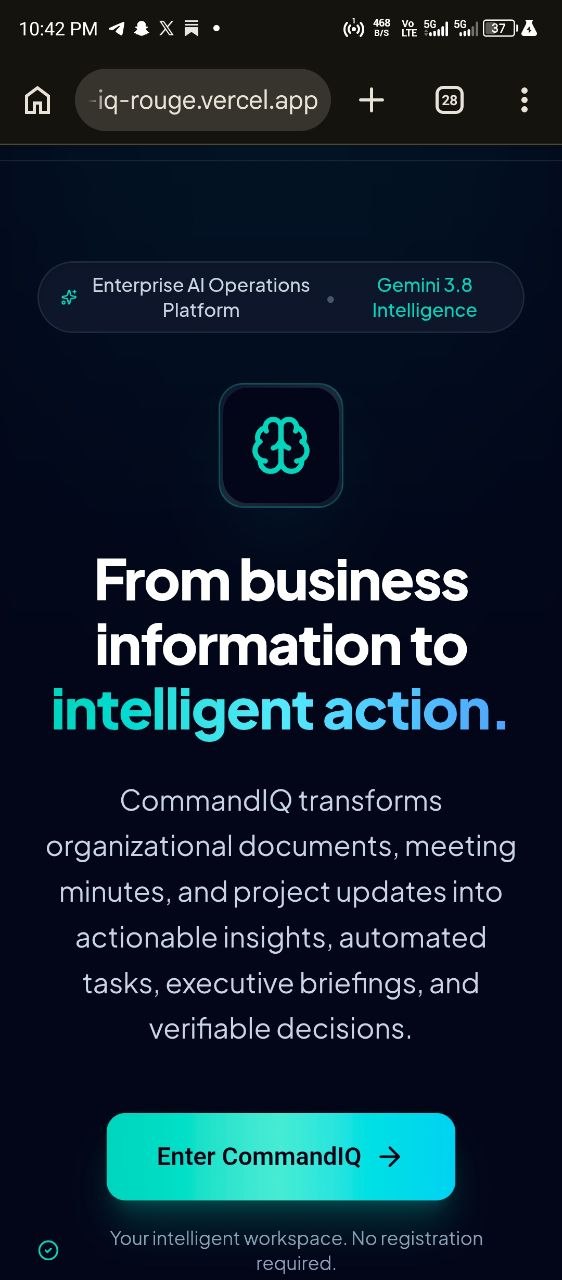
When anyone visits CommandIQ, display a beautiful, premium welcome screen that resembles a modern enterprise software login page.
However, DO NOT implement compulsory authentication.
The platform must be accessible to everyone without registration.
Opening screen requirements:
- CommandIQ logo and product name.
- Tagline: "From business information to intelligent action."
- Short introduction explaining the platform.
- A prominent button labelled "Enter CommandIQ".
- Clicking the button opens the main dashboard immediately.
- No email, password, account creation or phone verification.
- Include a small note: "Your intelligent workspace. No registration required."
Make the welcome screen elegant, modern and trustworthy, similar to professional enterprise SaaS products.
3. MAIN DASHBOARD
After entering the application, display a professional enterprise dashboard.
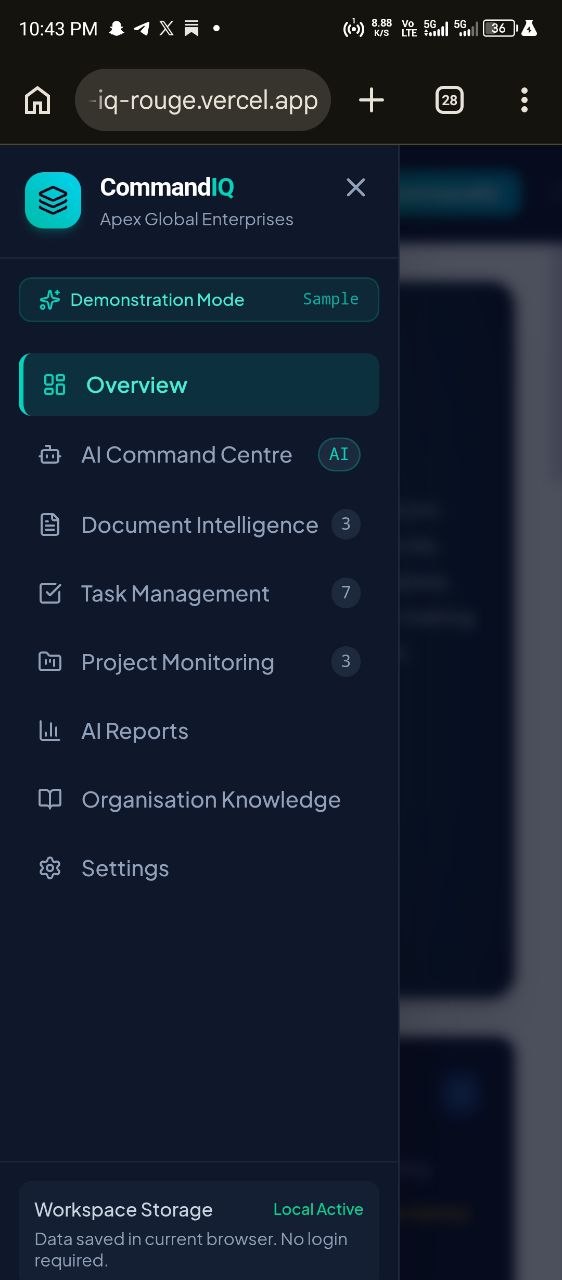
Create a sidebar navigation containing:
- Overview
- AI Command Centre
- Document Intelligence
- Task Management
- Project Monitoring
- AI Reports
- Organisation Knowledge
- Settings
The main dashboard should contain:
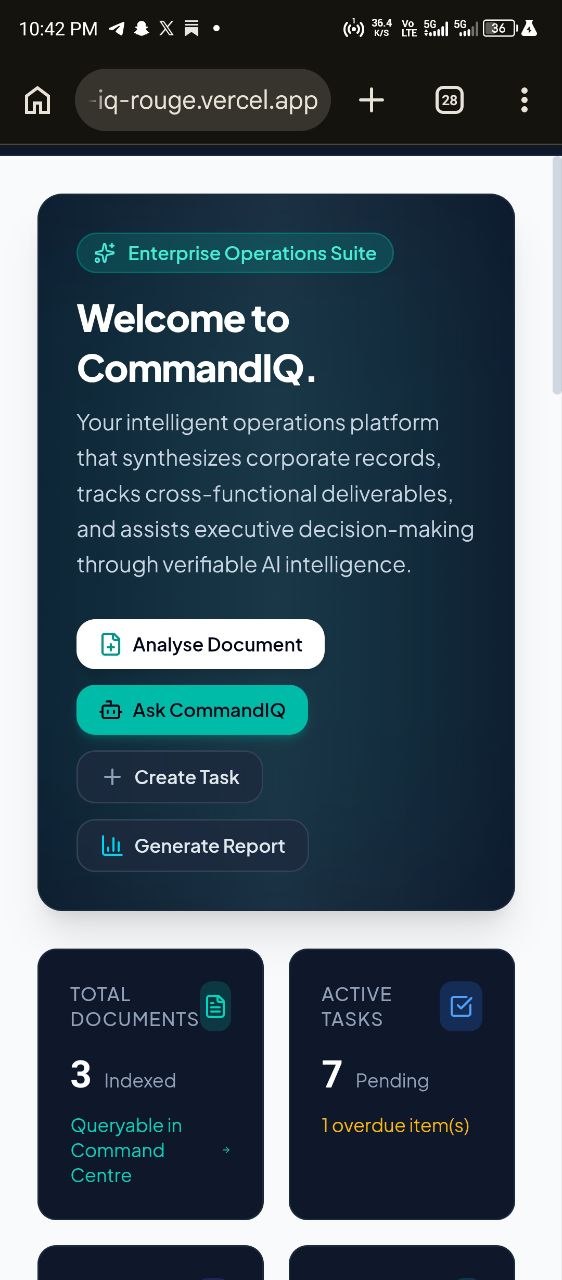
- Welcome message: "Welcome to CommandIQ."
- A brief overview of the platform.
- Total Documents.
- Active Tasks.
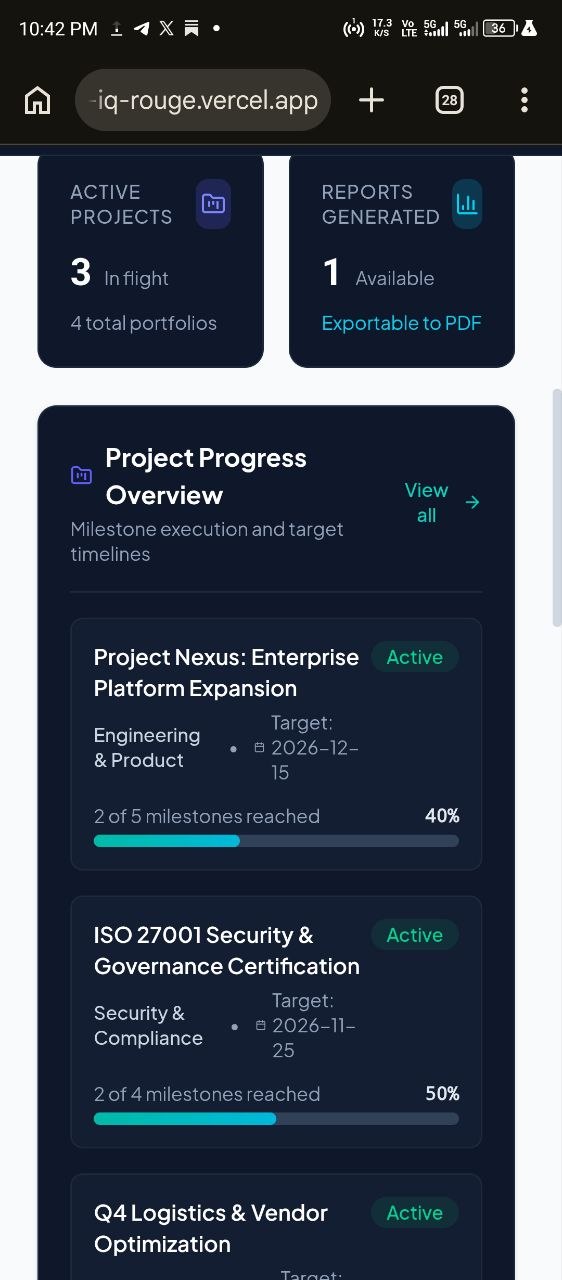
- Active Projects.
- Reports Generated.
- Recent Activities.
- Project Progress Overview.
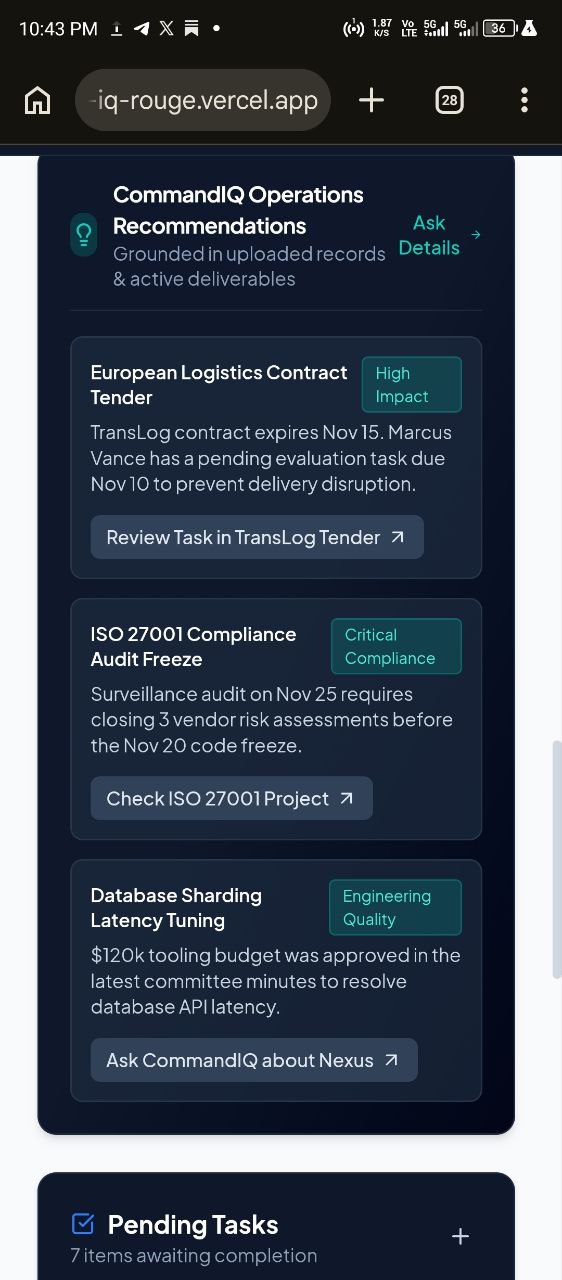
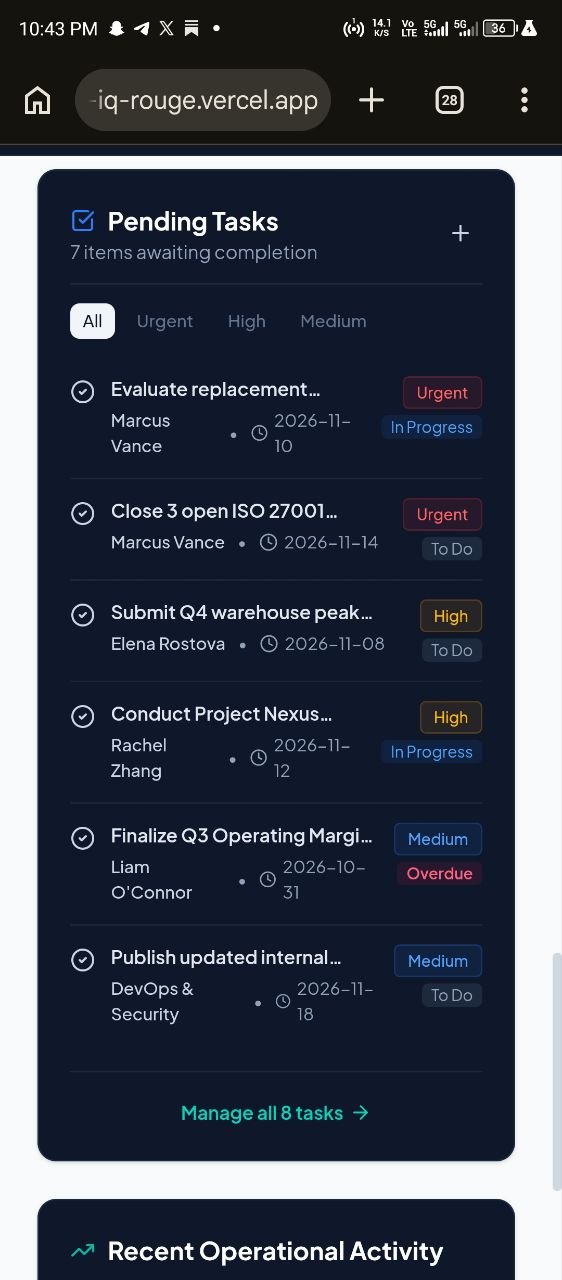
- Pending Tasks.
- AI Recommendations.
Include useful action buttons such as:
- Analyse a Document.
- Ask CommandIQ.
- Create a Task.
- Generate a Report.
- Create a Project.
Use realistic demonstration data so the dashboard does not appear empty on first launch. Clearly identify demonstration data and allow users to replace it with their own information.
4. THE AI COMMAND CENTRE — THE BRAIN OF COMMANDIQ
This is the most important feature of the application.
Build an intelligent AI agent called CommandIQ Assistant.
It should act as an enterprise operations assistant capable of understanding user instructions, analysing available organisational information and helping users complete tasks.
Use the Gemini API to power its intelligence.
The AI agent should be able to:
- Answer questions about uploaded documents.
- Summarise lengthy reports.
- Extract important information.
- Identify deadlines and responsibilities.
- Convert instructions into tasks.
- Help organise projects.
- Generate professional reports.
- Provide recommendations based on available information.
- Identify missing information.
- Explain project status.
- Help users understand organisational activities.
Create a professional chat interface with:
- Conversation history.
- Message input.
- Send button.
- AI response loading indicator.
- Clear conversation option.
- Suggested prompts.
- AI assistant identity.
- Ability to reference uploaded organisational documents.
Suggested prompts:
- "Summarise my latest report."
- "What tasks are currently overdue?"
- "Extract action points from this meeting note."
- "Generate a weekly management report."
- "What are the major risks in this project?"
- "Give me an overview of our current operations."
IMPORTANT AI BEHAVIOUR:
The AI must not invent organisational information, figures, deadlines or project progress.
When information is unavailable, it should clearly say so.
It should distinguish between information extracted from documents, user-provided information and its own recommendations.
Before making changes to important organisational records, ask for confirmation.
5. DOCUMENT INTELLIGENCE
Build a functional document management and AI analysis section.
Users should be able to upload documents such as:
- PDF files.
- DOCX files.
- TXT files.
- Meeting notes.
- Business reports.
- Project documents.
- Organisational policies.
Features:
- Upload documents using a simple upload interface.
- Display document names, types and upload dates.
- Allow users to open, view and delete uploaded documents.
- Extract readable text from supported documents.
- Allow users to ask questions about individual documents.
- Generate document summaries.
- Extract key findings.
- Identify important dates, deadlines and responsibilities.
- Extract actionable tasks.
- Identify risks, recommendations and important decisions.
For every document, provide action buttons:
- Summarise.
- Ask Questions.
- Extract Tasks.
- Identify Key Points.
The AI must base document answers on the actual extracted document content.
If the document cannot be read, explain the problem instead of pretending it has been analysed.
6. SMART TASK MANAGEMENT
Build a task management system that works alongside the AI assistant.
Users should be able to:
- Create tasks manually.
- Generate tasks from documents using AI.
- Assign task titles and descriptions.
- Set priority levels.
- Set due dates.
- Track task status.
- Edit tasks.
- Delete tasks.
- Search and filter tasks.
Task statuses:
- To Do.
- In Progress.
- Completed.
- Overdue.
Priority levels:
- Low.
- Medium.
- High.
- Urgent.
Every task should display its title, description, priority, due date and status.
Allow the AI assistant to identify action points in meeting notes and suggest tasks.
The user must confirm before suggested tasks are added to the task list.
7. PROJECT MONITORING
Create a project management section.
Users should be able to:
- Create new projects.
- Add project descriptions.
- Set project start and end dates.
- Add milestones.
- Track project progress.
- Connect tasks to projects.
- Update project status.
- View completed and pending milestones.
Project statuses:
- Planning.
- Active.
- On Hold.
- Completed.
Provide a clean project overview with progress bars, deadlines and status indicators.
The AI assistant should be able to analyse project information and answer questions such as:
- Which projects are active?
- Which projects are behind schedule?
- What tasks remain incomplete?
- What should the team prioritise next?
Only generate conclusions supported by actual project data.
8. AI REPORT GENERATOR
Create an intelligent report generation feature.
Users should be able to generate professional reports using their available organisational information.
Report types should include:
- Weekly Activity Report.
- Project Progress Report.
- Management Summary.
- Task Performance Report.
- Document Analysis Report.
- Organisational Overview.
Allow users to:
- Select a report type.
- Select relevant projects, tasks or documents.
- Generate a report using Gemini.
- Preview the report.
- Edit the report.
- Save the report.
- Download the report as PDF where practical.
Reports should have:
- Professional titles.
- Executive summaries.
- Important findings.
- Relevant statistics.
- Challenges and risks.
- Recommendations.
- Next steps.
Do not invent statistics. Use available records and clearly indicate when information is missing.
9. ORGANISATION KNOWLEDGE
Build a central knowledge section.
This should serve as the information base for the CommandIQ Assistant.
Allow users to save:
- Organisation name.
- Organisation description.
- Department information.
- Business objectives.
- Operational policies.
- Important instructions.
- Frequently asked questions.
- Internal notes.
Allow users to add, edit and delete information.
The AI assistant should use this knowledge when answering organisational questions.
Clearly distinguish between saved organisational knowledge and uploaded documents.
10. SETTINGS
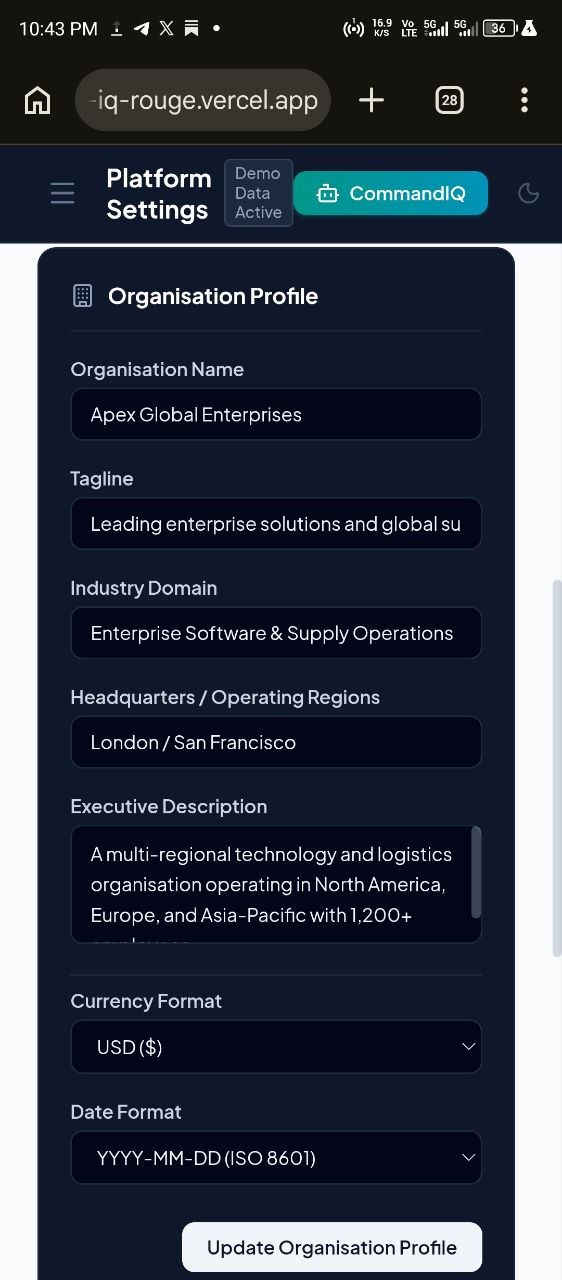
Create a simple settings page with:
- Organisation profile.
- Currency preference.
- Date format.
- Theme preference.
- Data management.
- Application information.
Allow users to choose between light and dark themes.
Provide an option to clear demonstration data.
Since this first version does not require login, explain that data is stored locally in the current browser and is not automatically shared between different users or devices.
11. DESIGN AND VISUAL IDENTITY
CommandIQ should look like a premium enterprise SaaS platform.
Design direction:
- Primary colour: Deep navy.
- Secondary colour: Teal.
- Accent: Soft blue.
- Background: White or very light grey.
- Professional typography.
- Clean dashboard layout.
- Modern icons.
- Rounded cards.
- Subtle shadows.
- Well-organised tables.
- Clear charts and progress indicators.
- Smooth transitions.
- Consistent spacing.
The interface should be professional, elegant, minimal and easy to understand.
Avoid excessive animations, unnecessary decorations and clutter.
Create a distinctive CommandIQ logo using a modern abstract command or intelligence-inspired symbol.
The application must work beautifully on:
- Desktop computers.
- Tablets.
- Mobile phones.
12. TECHNICAL REQUIREMENTS
Build a real full-stack web application.
Preferred technologies:
- React.
- TypeScript.
- Node.js backend where required.
- Google Gemini API.
- Modern CSS or Tailwind CSS.
- Suitable document processing libraries.
- Local browser persistence for the initial MVP.
IMPORTANT:
The Gemini API key must never be exposed in frontend source code.
Use secure server-side API calls and environment variables.
Create a .env.example file containing placeholder variable names, not actual secrets.
For example:
GEMINI_API_KEY=your_api_key_here
Implement proper error handling for:
- API failures.
- Empty uploads.
- Unsupported file types.
- Network problems.
- Missing information.
- Invalid user input.
Use local persistence for the initial version so documents, tasks, projects, reports and organisation knowledge remain available after refreshing the page, where practical.
Clearly explain that local browser storage is not a shared multi-user database.
Keep the architecture organised so that cloud database and multi-user authentication can be added later.
13. IMPORTANT WORKFLOWS TO MAKE FUNCTIONAL
Prioritise these complete workflows.
WORKFLOW A — DOCUMENT TO TASK:
- User uploads a meeting note or business document.
- CommandIQ extracts its text.
- User clicks "Extract Tasks".
- Gemini identifies action points, responsibilities and deadlines where available.
- CommandIQ displays suggested tasks.
- User reviews and confirms.
- Confirmed tasks appear in Task Management.
WORKFLOW B — DOCUMENT QUESTION ANSWERING:
- User uploads a report.
- User opens the document.
- User asks CommandIQ a question.
- The AI analyses the extracted document content.
- The AI responds using relevant information from the document.
- The response identifies the source document where possible.
WORKFLOW C — PROJECT MONITORING:
- User creates a project.
- User adds tasks and deadlines.
- User updates task progress.
- The dashboard updates project progress.
- The AI assistant analyses the current project records.
- The user receives recommendations based on actual project information.
WORKFLOW D — REPORT GENERATION:
- User selects a report type.
- CommandIQ gathers relevant saved information.
- Gemini generates a structured report.
- User reviews and edits it.
- User saves or downloads the report.
These workflows are more important than adding numerous decorative features.
14. GITHUB AND DEPLOYMENT READINESS
Prepare the project for easy export to GitHub and public deployment.
Requirements:
- Clean and organised source code.
- Reusable components.
- Clear folder structure.
- Working production build.
- No unnecessary dependencies.
- No broken routes.
- No missing imports.
- No TypeScript errors.
- No exposed API keys.
- Proper
.gitignore. .env.example.- Complete
README.md.
The README must explain:
- What CommandIQ does.
- Main application features.
- Technologies used.
- How to install dependencies.
- How to run locally.
- How to configure the Gemini API key.
- How to build for production.
- How to deploy the application.
Make the project compatible with GitHub and a suitable hosting platform.
Do not include credentials, private keys or sensitive organisational information in the public repository.
15. DEVELOPMENT APPROACH
Build CommandIQ in stages.
Stage 1: Project setup, design system and welcome page.
Stage 2: Dashboard and navigation.
Stage 3: AI Command Centre and Gemini integration.
Stage 4: Document Intelligence and document processing.
Stage 5: Task Management.
Stage 6: Project Monitoring.
Stage 7: AI Report Generator.
Stage 8: Organisation Knowledge and Settings.
Stage 9: Persistence, responsive design and complete workflow testing.
Stage 10: Final debugging, production build and GitHub preparation.
Do not generate all features as empty placeholders.
Build the core features properly, test them and then continue to the next stage.
16. FINAL INSTRUCTION
I want a working enterprise AI product, not just a prototype that looks attractive.
The most important feature is the CommandIQ Assistant, which should connect to the other application features and help users turn organisational information into meaningful actions.
Prioritise functionality, accuracy, simplicity and a professional user experience.
Start building the application now.
After generating the first version, review it for errors, improve the interface and continue implementing the remaining features.
At the end, give me a summary of:
- What has been built.
- Which features are fully functional.
- Which features still need configuration.
- How to add my Gemini API key.
- How to test the application.
- How to export the project to GitHub.
- How to deploy it publicly.
Do not claim that any feature works unless it has actually been implemented and tested.
Built With
- ai-agents
- artificial-intelligence
- automation
- business-intelligence
- document-intelligence
- enterprise-ai
- gemini-api
- generative-ai
- github
- google-ai-studio
- google-gemini
- javascript
- node.js
- project-management
- react
- saas
- task-management
- typescript
- web-application
- workflow-automation

