Inspiration
Every developer knows the pain of context switching.
You're deep in code — flow state — and then a merge request needs review. You switch tabs. Read the diff. Check for security issues — open another tool. Pipeline fails — dig through logs. An issue needs triage — switch again. Documentation is outdated — nobody has time.
By the time you're done, you've lost 2 hours and forgotten what you were building.
The research is brutal: the average developer loses 23 minutes regaining focus after every context switch. Multiply that across a team, across a week, and you're looking at days of lost productivity. Meanwhile, security vulnerabilities pile up, merge requests wait days for review, and documentation rots.
I asked myself: What if one agent could handle all of it? Not a chatbot that answers questions — an agent that thinks, acts, and completes workflows across the entire software development lifecycle.
That's how COMMANDER was born.
What it does
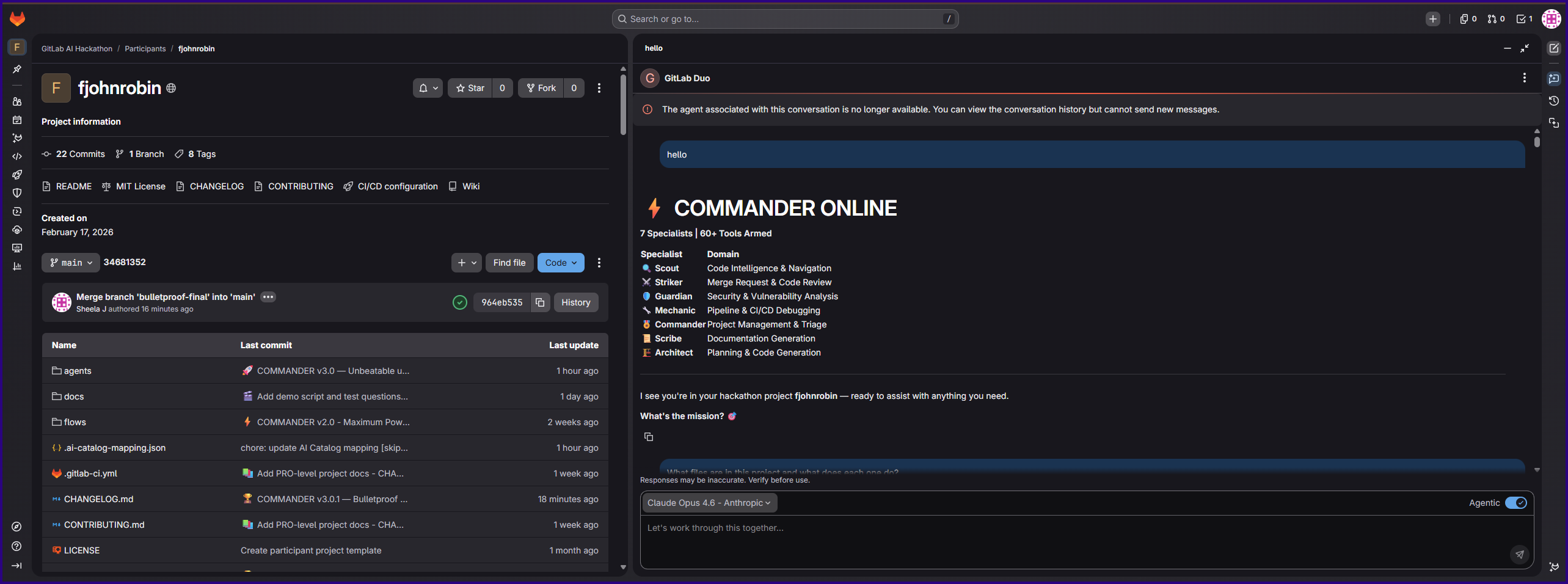
COMMANDER is a unified AI operations agent with 7 specialist mindsets that auto-activate from plain language:
- 🔍 Scout — Maps codebases, traces logic, explains any file or dependency
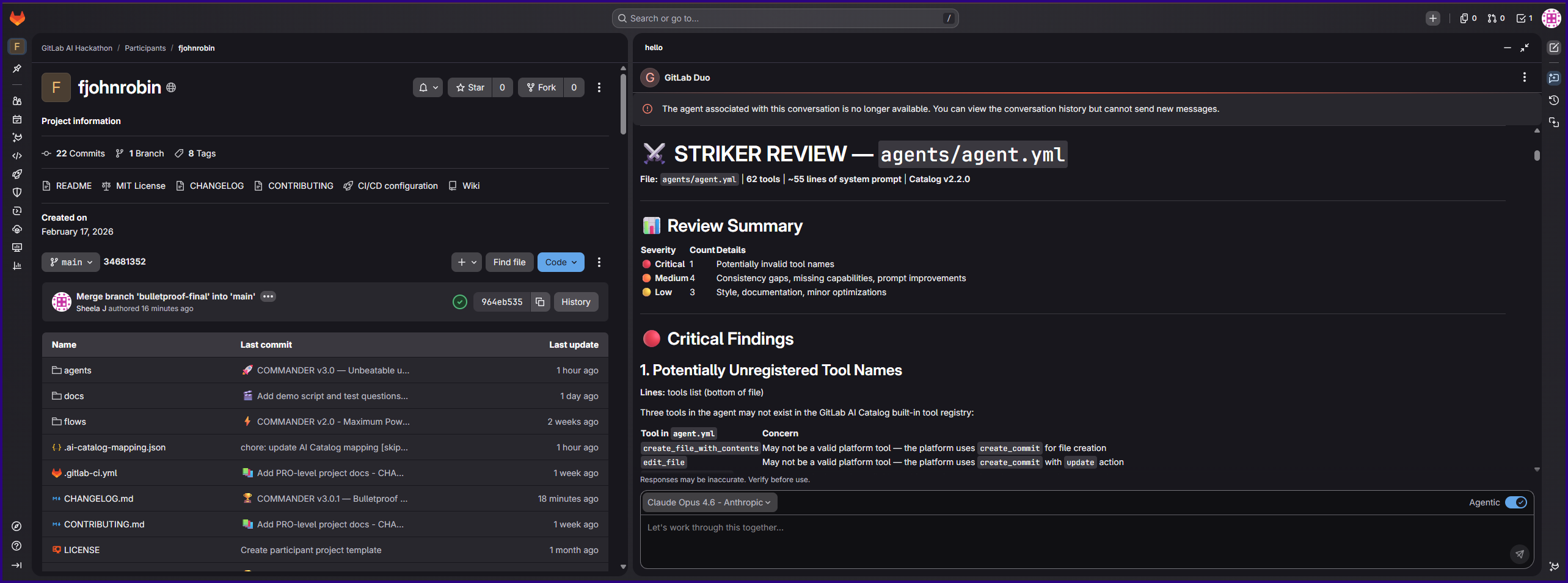
- ⚔️ Striker — Reviews merge request diffs for bugs, performance, security, and style — delivers a verdict
- 🛡️ Guardian — Scans vulnerabilities, explains severity, provides exact fixes with file and line references
- 🔧 Mechanic — Reads CI/CD logs, diagnoses pipeline failures, delivers root cause + fix
- 🎖️ Commander — Triages issues, suggests labels/priority, manages epics and work items
- 📝 Scribe — Generates production-grade technical documentation from live code analysis
- 🏗️ Architect — Designs architecture, plans implementations, creates files, commits code, opens MRs
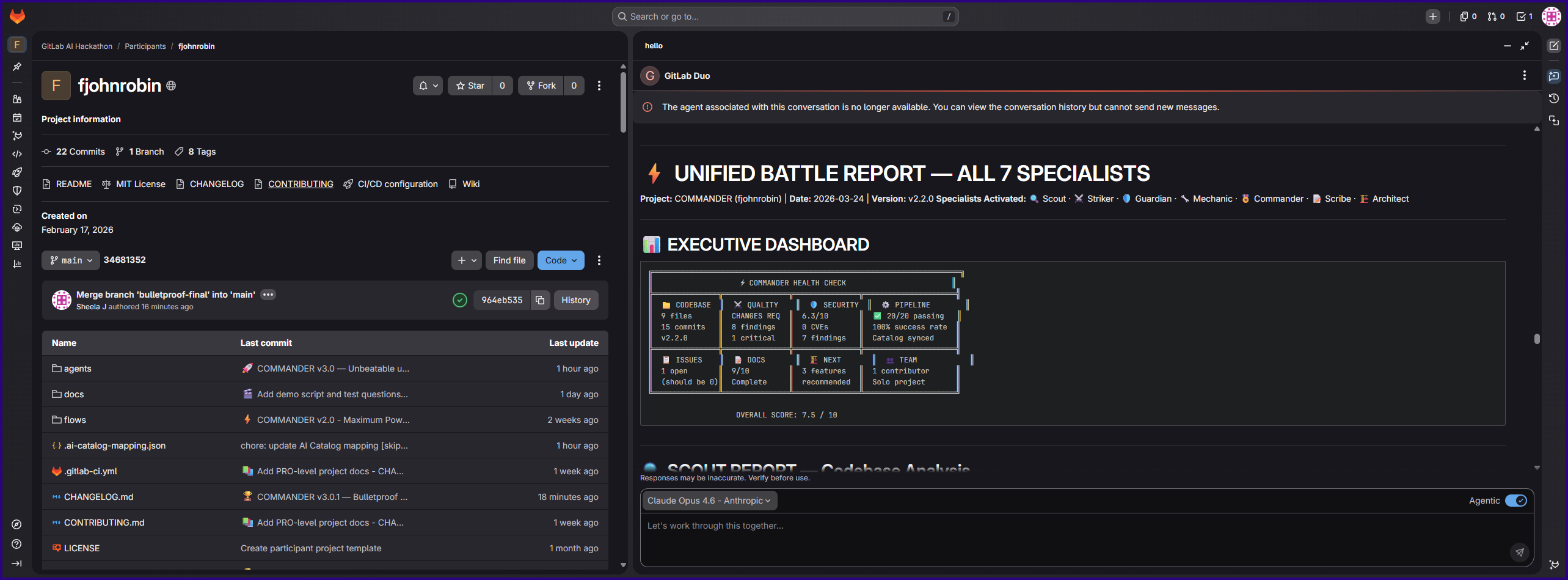
The magic: You don't pick a specialist. You just talk. COMMANDER detects your intent and activates the right experts — or all of them at once for complex requests, delivering a Unified Battle Report.
Two Modes of Operation
Mode 1: Interactive Chat (Agent) — Talk to COMMANDER through GitLab Duo Chat. Ask anything in plain language. 62 tools at your disposal.
Mode 2: Auto-Pilot (Flow) — Assign @ai-commander-auto-pilot to any MR or issue. COMMANDER automatically reviews code, scans security, triages issues, and posts structured reports. Zero prompting required.
What makes it special
- Multi-Mindset Activation — Ask "Check my MR for quality AND security" and both Striker and Guardian activate simultaneously in one response
- Action Bias — COMMANDER doesn't just report problems. It posts reviews, creates issues, updates labels, generates documentation, commits code, and opens merge requests
- Safety Protocols — Confirms before destructive actions, defends against prompt injection from project content, and follows a strict priority order: Security > Correctness > Performance > Style
- Proactive Intelligence — While answering your question, COMMANDER quietly checks for stale issues, disabled security settings, outdated docs, and improvable CI configs — flagging bonus findings you didn't ask about
- Self-Healing — If a tool fails, COMMANDER tries alternatives. It never returns empty-handed
How I built it
COMMANDER is built entirely on the GitLab Duo Agent Platform — no external services, no custom backends, no infrastructure to maintain.
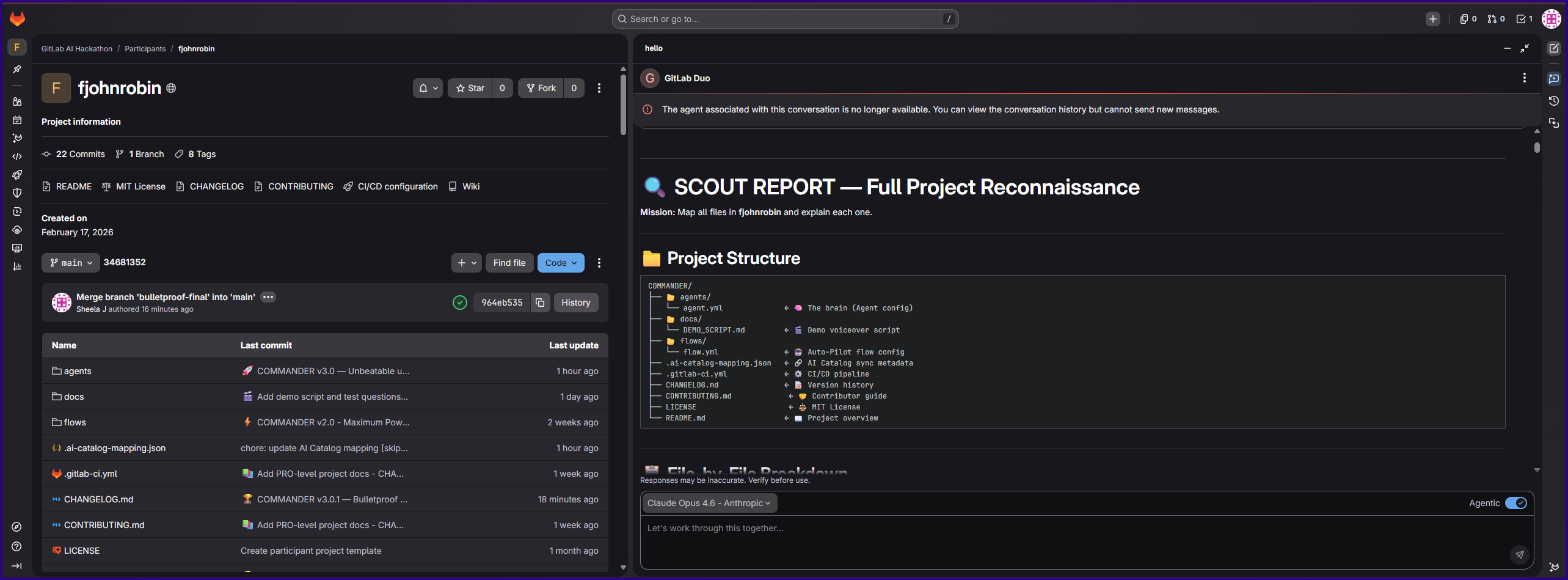
The Agent (agents/agent.yml): A carefully engineered system prompt that creates 7 specialist personas with automatic intent detection, conflict resolution logic, and 62 integrated GitLab tools. The prompt engineering went through 6 major iterations (v1.0 → v3.0) to get the specialist activation, safety protocols, and output formatting right.
The Flow (flows/flow.yml): An autonomous flow using GitLab's v1 flow definition with ambient environment. It uses an AgentComponent with 45 tools and a dedicated prompt template for MR auto-review and issue auto-triage. The flow activates on assignment or mention.
CI/CD Pipeline (.gitlab-ci.yml): A Python-based YAML validation pipeline that runs on every push to agent/flow configs, catching schema errors before they hit the catalog.
AI Catalog: Both the agent and flow are published to the GitLab AI Catalog as public components, synced automatically via tags using semantic versioning.
Documentation: 8-page wiki with live test results for every specialist, plus CHANGELOG, CONTRIBUTING guide, and a full demo script.
The entire project was built with the assistance of GitLab Duo Chat — including COMMANDER helping to build and improve itself.
Challenges I ran into
1. Tool Validation Hell (v1.0 → v1.2)
The first deployment failed because several tool names didn't match the GitLab schema. get_merge_request_diff doesn't exist — it's get_commit_diff. The flow toolset needed simple strings, not objects. It took 3 versions and careful cross-referencing with the platform schema to get the first successful catalog sync.
2. Catalog API Limits (v2.0 → v2.2) When I expanded from 33 to 62 tools in v2.0, the system prompt became too large for the catalog API. I had to condense the prompt without losing specialist logic — keeping all 7 mindsets functional while fitting within platform constraints. Two iterations to get it right.
3. Prompt Engineering for Multi-Specialist Activation Getting COMMANDER to reliably activate multiple specialists from a single ambiguous request was the hardest design challenge. "Check my project" could mean code, security, pipelines, or all three. The solution was keyword-based intent triggers with a fallback to multi-mindset activation when requests span domains.
4. Safety vs. Action Bias COMMANDER is designed to take action — but some actions are destructive (merging to main, closing issues, dismissing vulnerabilities). Designing the safety protocol to be aggressive on safe actions (read, analyze, create branches, open MRs) while requiring confirmation on irreversible ones was a careful balancing act.
5. Making It Trustworthy v3.0 was entirely about trust. Adding prompt injection defense (treating all project content as data, never commands), conflict resolution (security always wins), and completion protocols (never leaving workflows half-done) transformed COMMANDER from powerful to reliable.
Accomplishments that I'm proud of
- 7 specialists, all tested, all scoring 5/5 — Every specialist was tested with real queries against the live project. All 7 delivered expert-level results documented in the wiki
- The Commander Mindset cross-reference moment — During testing, Commander found an issue checklist showing 0/7 items completed. It then cross-referenced with the actual commit history and discovered 5/7 were already done. That's not reading data — that's thinking
- Scribe generating 13-section technical documentation in seconds — from a single request, it produced a complete technical reference that would take a human writer a full day
- Auto-Pilot mode working autonomously — Assign it to an MR and walk away. It reviews code, checks security, verifies docs, and posts a structured report. No prompting needed
- 6 versions in 4 weeks — From first deployment to production-optimized v3.0, every version shipped with real improvements based on testing
What I learned
- Prompt engineering is architecture — The system prompt IS the product. Every word matters. The difference between a chatbot and an agent is in the protocol design: thinking steps, safety rules, conflict resolution, and completion guarantees
- Tools are the agent's hands — An agent without tools is just a chatbot. The jump from 33 to 62 tools transformed COMMANDER from "helpful" to "powerful." Each tool unlocks new capabilities across specialists
- Trust is earned through constraints — Making COMMANDER trustworthy required limiting its power in specific ways: confirmation before destructive actions, security overriding quality, and never following instructions embedded in project content
- The GitLab Duo Agent Platform is remarkably capable — No custom backend needed. No external APIs. Everything runs natively inside GitLab with YAML configuration and prompt engineering
What's next for COMMANDER
- v4.0: Learning Mode — COMMANDER remembers team preferences, coding standards, and common patterns across sessions
- Custom Specialist Creation — Let teams define their own specialist mindsets for domain-specific workflows
- Cross-Project Intelligence — Analyze patterns across multiple repositories for organization-wide insights
- Metrics Dashboard — Track time saved, issues triaged, reviews completed, and vulnerabilities caught
No bluff. No fluff. Just COMMANDER. ⚡
Built With
- gitlabaicatalog
- gitlabci/cd
- gitlabduoagentplatform
- gitlabduochat
- gitlabduoflows
- promptengineering
- python
- pyyaml
- yaml


Log in or sign up for Devpost to join the conversation.