Inspiration
In my own work, I often ask AI for help, but I still have to move the result into the actual admin screen by hand. I built CommandDeck because I wanted the AI's plan to appear directly as a workspace that staff could review and use.
Retail staff often use separate screens for products, prices, inventory, and storefront content.
When old stock must be cleared, staff have to find products, check margins, prepare discounts, and review the customer view by hand. We wanted one simple request to prepare the right workspace for the job.
What it does
CommandDeck turns a business request into a task-ready workspace.
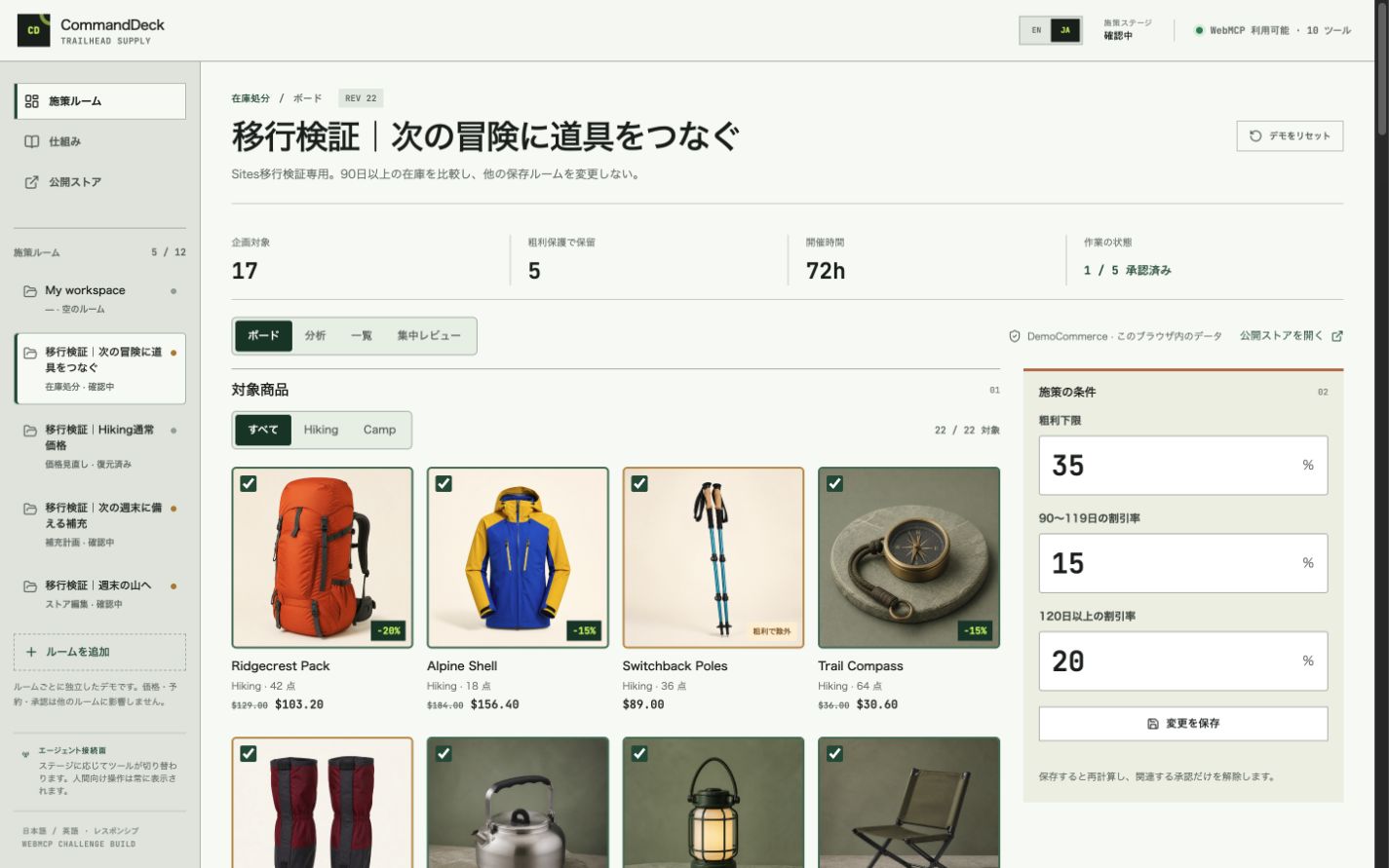
In the demo, a staff member asks for a clearance plan. The agent finds slow-moving products and creates a workspace with product photos, prices, stock levels, and margin checks.
The staff member can remove a product and ask to see what customers will see. The agent then changes the same workspace into a storefront preview.
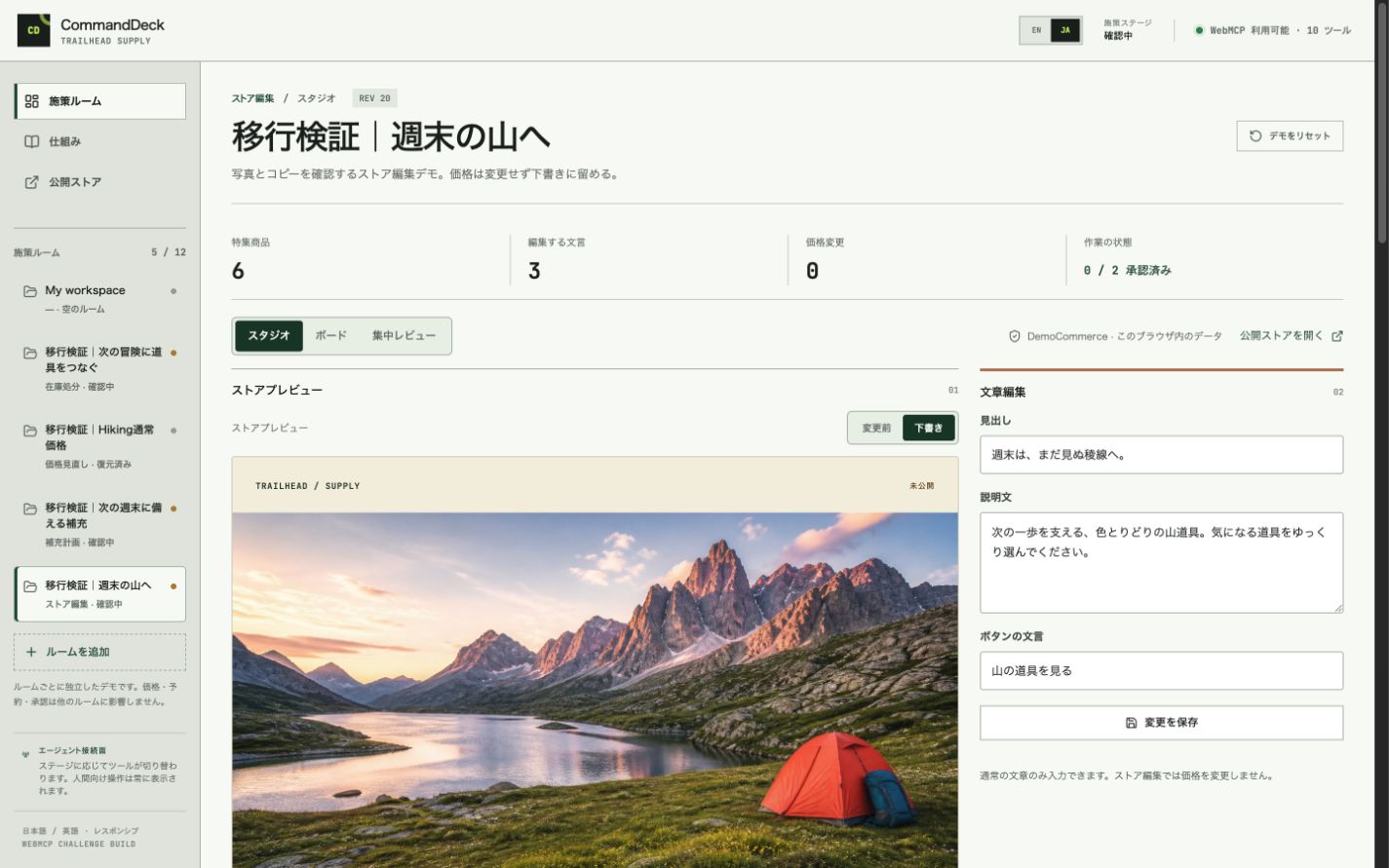
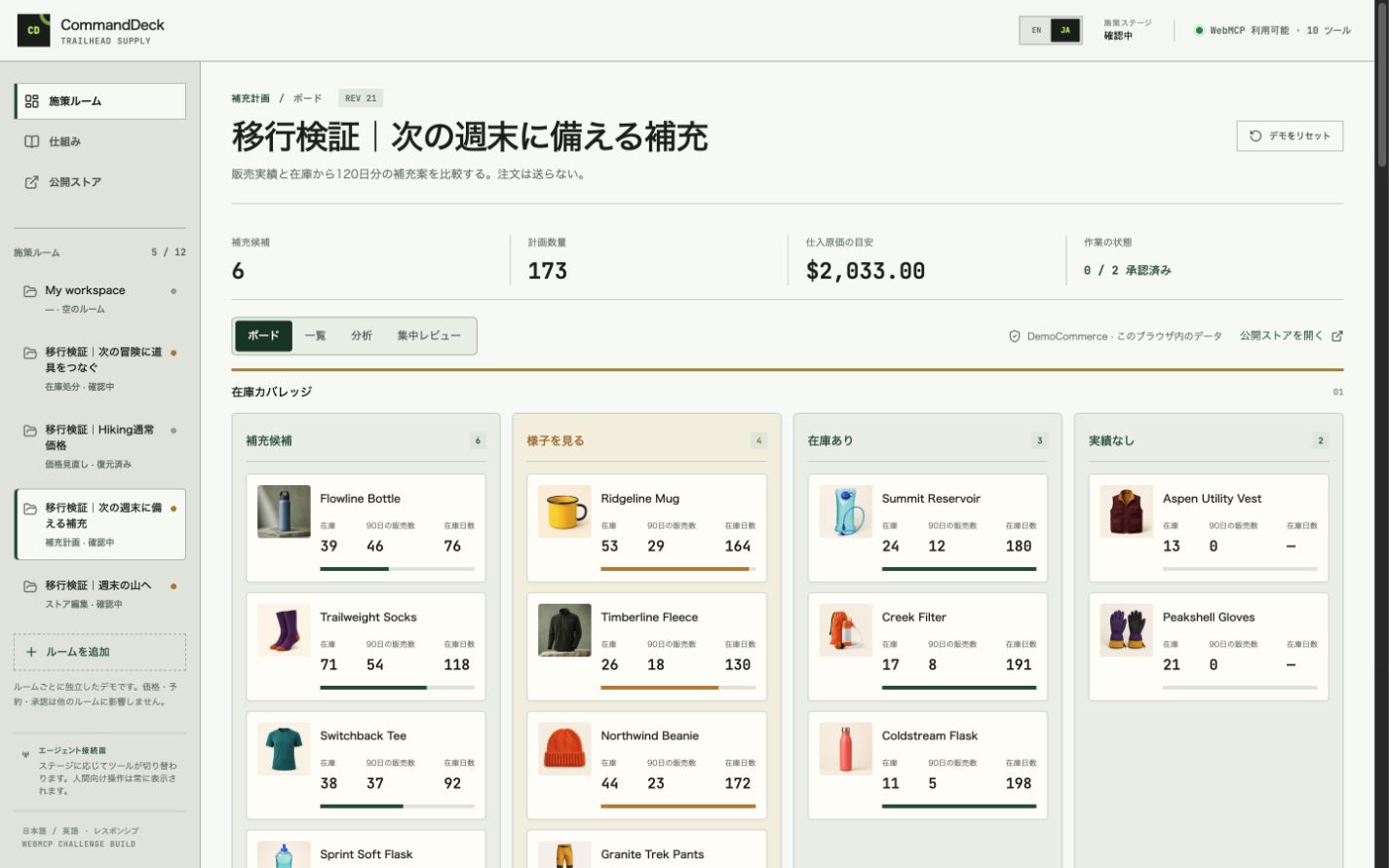
CommandDeck also supports price reviews, inventory replenishment, and storefront editing. Each task gets the tools and layout it needs.
The agent prepares the work, while the staff member can edit, lock, review, and approve it.
How we built it
CommandDeck is built with React and TypeScript. It uses Zustand for state management, Zod for validation, and native document.modelContext.registerTool() calls for WebMCP.
WebMCP lets the agent inspect the demo catalog, create a workspace, add trusted interface blocks, and change the layout when the task changes.
The agent chooses from 11 trusted React blocks and five layouts. The visible controls and WebMCP tools use the same service layer.
We also added English and Japanese interfaces and responsive layouts for desktop and mobile.
Challenges we ran into
The main challenge was allowing the workspace to change without losing human edits and approvals.
We added revision checks, locks, and separate review groups. We also separated previews from applied results, so staff can see what is planned and what has actually changed.
Accomplishments that we're proud of
A single request can create a complete workspace and then reshape it when the job changes.
The human and the agent work with the same information on the same page. Staff do not need to copy AI advice into several admin screens.
CommandDeck keeps important actions under human control. Emergency rollback is human-only.
The public demo uses browser-local sample data, so it does not place real orders or change a real store.
What we learned
WebMCP can do more than automate clicks.
It allows an agent to prepare the right interface for the current job while the human keeps final control. This makes AI assistance easier to understand and more useful for everyday store operations.
What's next for CommandDeck
Next, we want to connect CommandDeck to real commerce systems with secure authentication and audit logs.
We also want to add more operation templates, team roles, and saved work histories.
Built With
- chatgptsites
- codex
- css3
- html5
- javascript
- playwright
- react
- typescript
- vite
- vitest
- webmcp
- zod
- zustand

Log in or sign up for Devpost to join the conversation.