-
-
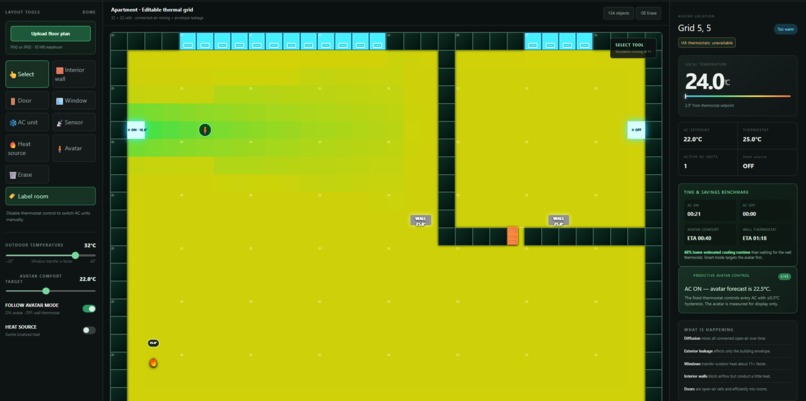
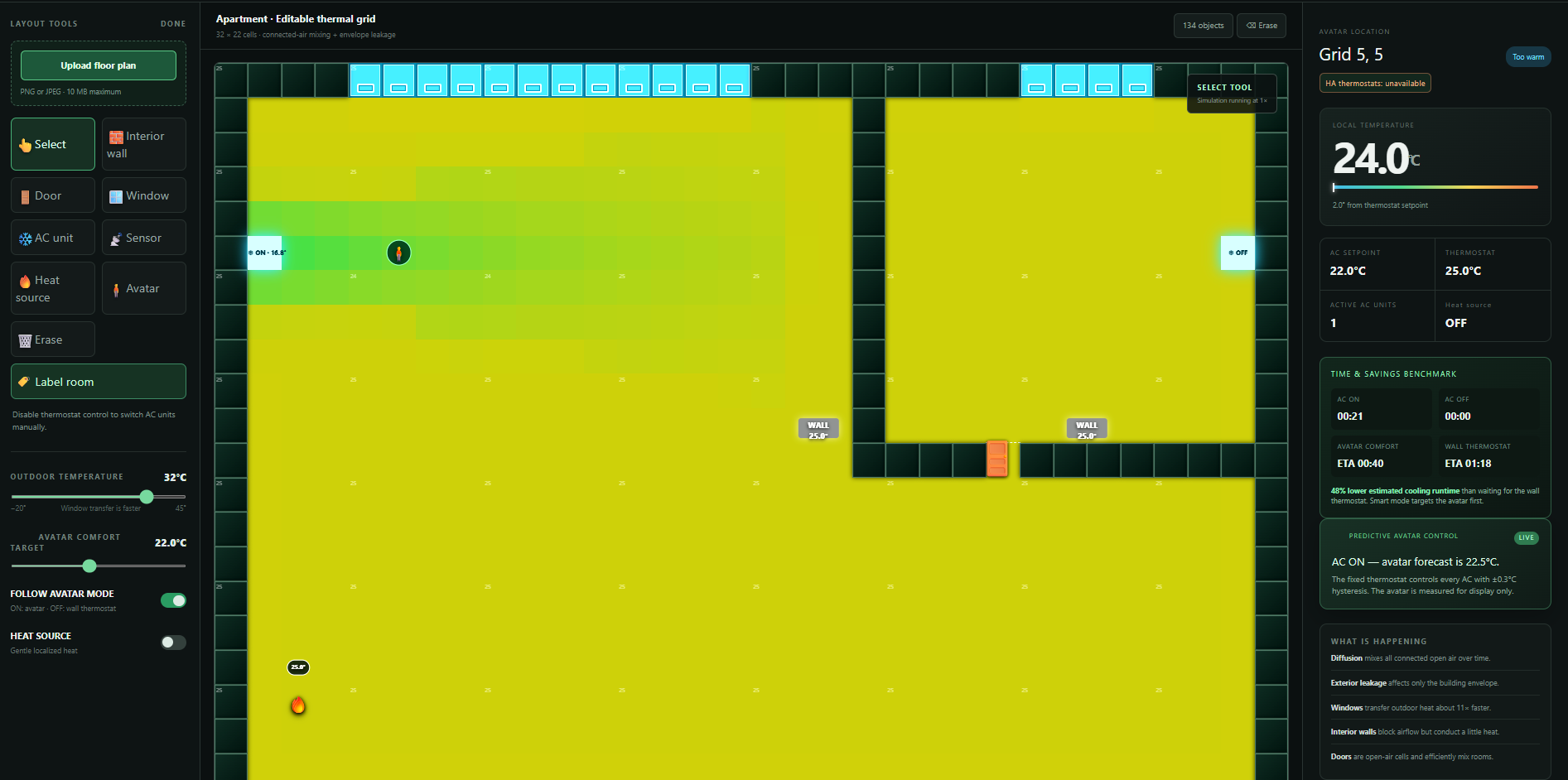
Main interface
-
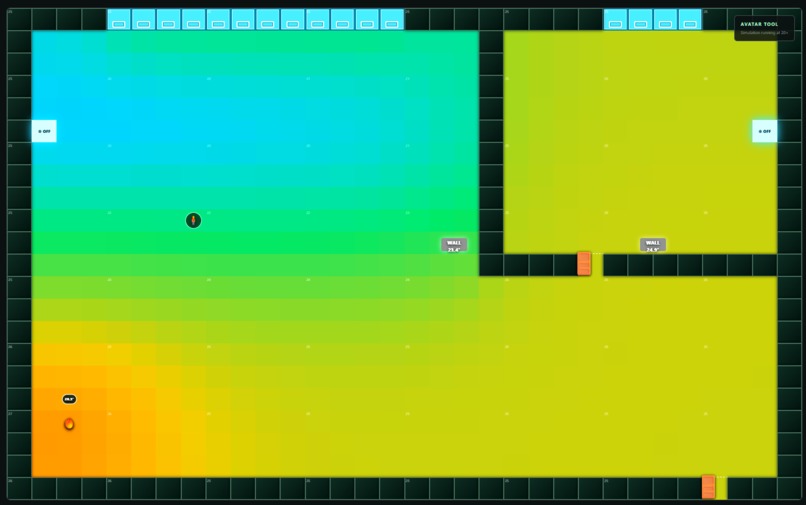
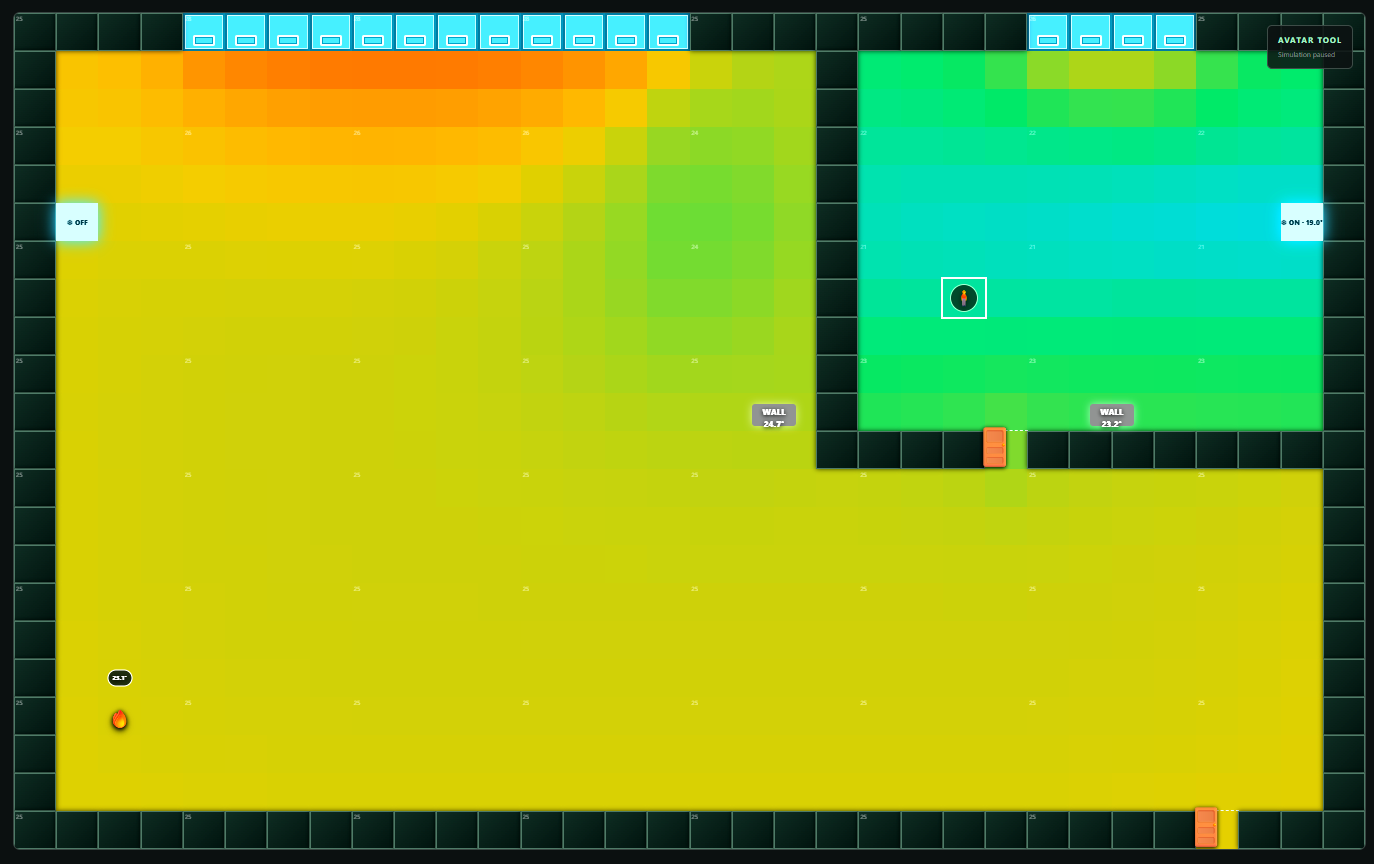
AC turns off once the user reaches a comfortable temperature in the user location, even though the thermostat shows higher temperature
-
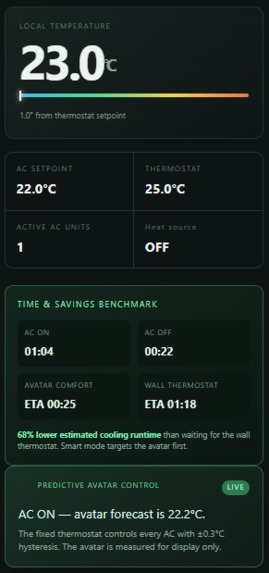
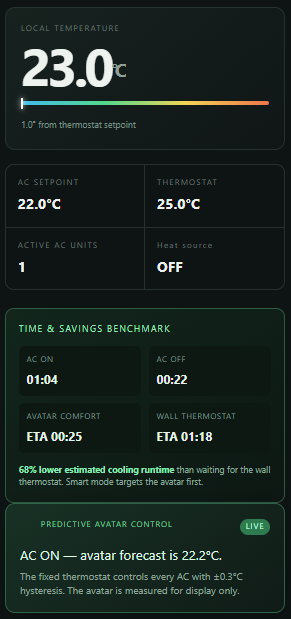
Benchmarking Traditional aproach vs. Ours
-
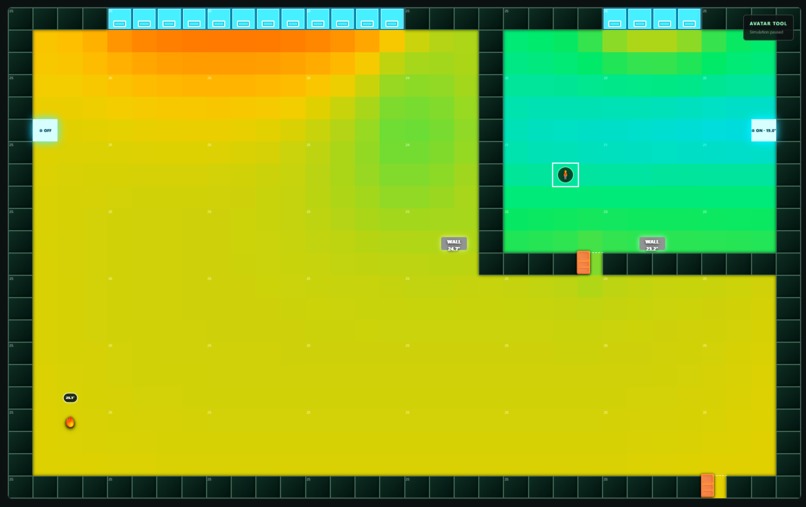
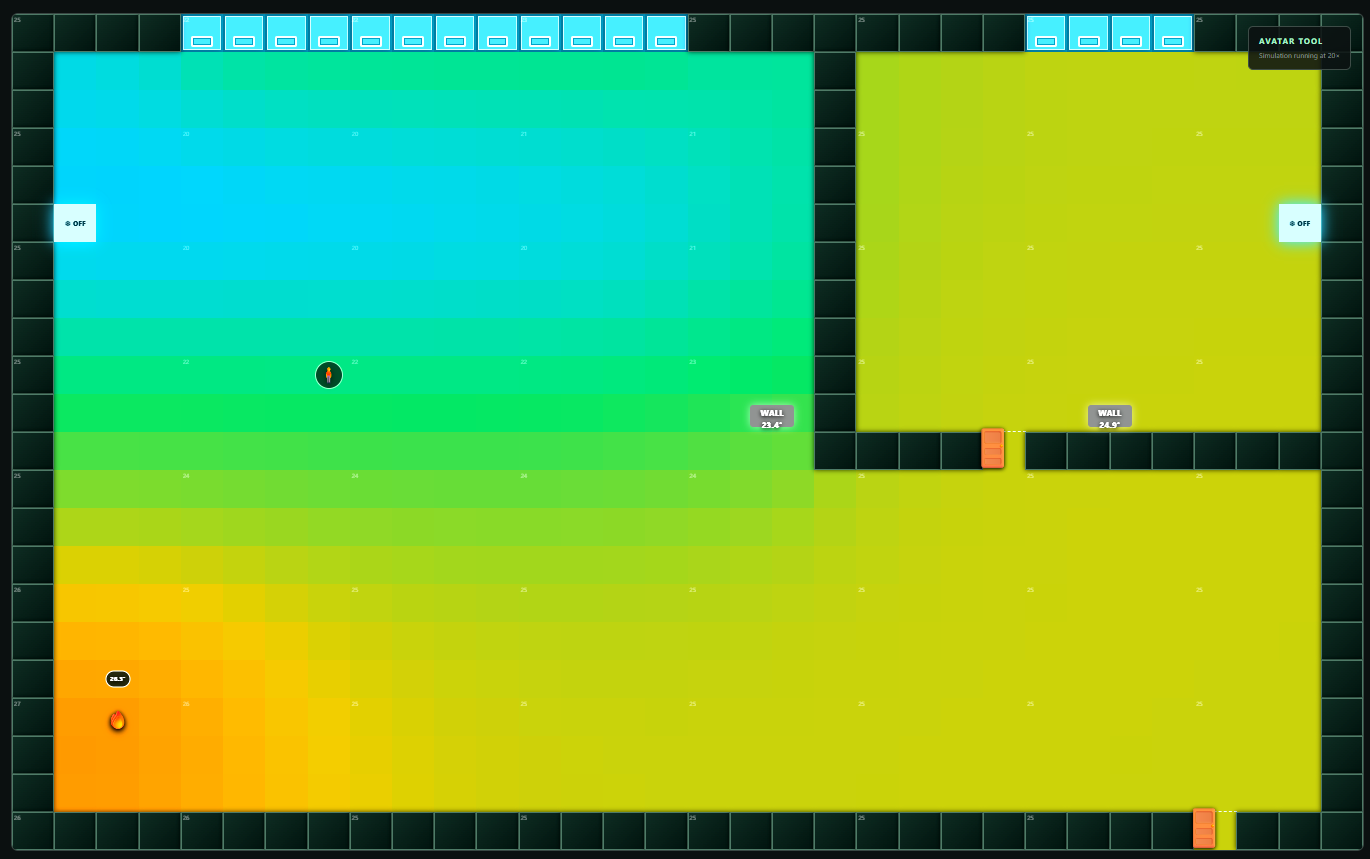
Automatic AC switch ON in bedroom and OFF in living room
-
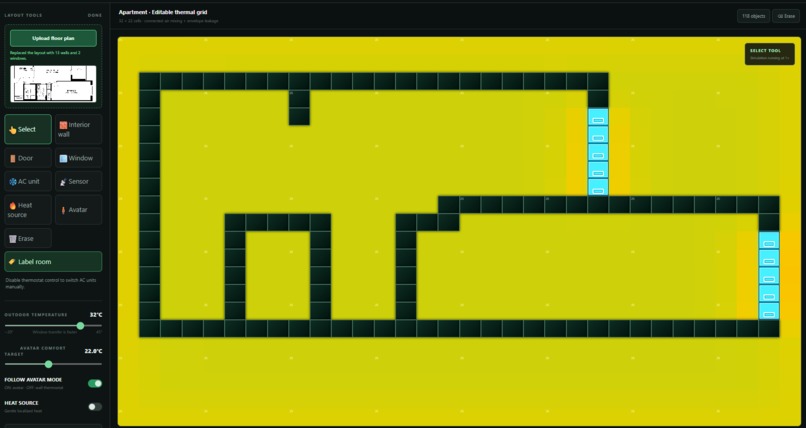
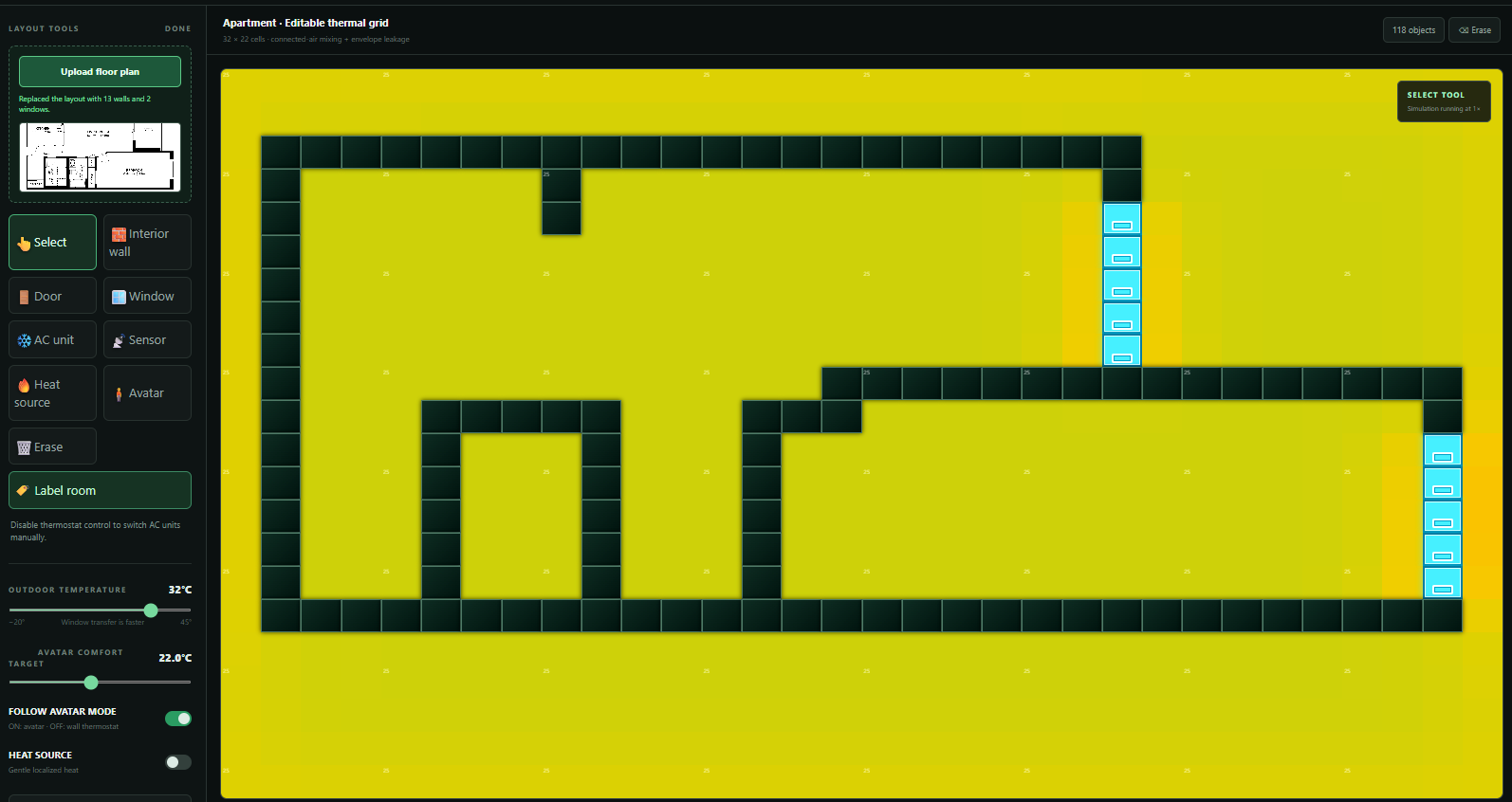
Uploading a floor plan image, Gemini returns wall and window geometry
Inspiration
“I'm really sensitive to temperature. Too cold, and I start sneezing🤧; too hot, and I'm melting🫠…” (c) Kateryna
Why does this happen? Because the thermostat has no idea where you are.
Only the thermostat decides whether the whole room is cool enough based on the temperature around itself. If you’re sitting far away from the thermostat, you might not feel the comfortable temperature.
The air coming straight from the AC can be much colder than the rest of the room, sometimes around 10-17°C, and it cools the area near the AC first.
Sit close to the AC, and you’ll probably be freezing. Sit on the other side of the room, and you may still be too hot because the cold air reaches the thermostat before it reaches you.
So, what do you do then? You lower the temperature even more, right? Now the whole space gets overcooled, some people are uncomfortable, more energy is used, and the electricity bill goes up.
You see the problem, right?
Most cooling systems treat an entire apartment or office as one big space, even when only one room, desk, or zone is occupied. That means they can waste energy cooling empty areas while the people who are actually there still don’t feel comfortable.
What it does
ComfortBubble takes a smarter approach: it understands where the person is, checks the conditions around them, and creates a comfortable temperature zone without unnecessarily cooling the entire place. Doesn't matter whether it is an apartment, a shared office, or a zone producing extra heat, ComfortBubble focuses cooling where it is actually needed.
ComfortBubble is an interactive thermal digital twin for any space with HVAC.
- You (the user) can recreate your apartment or office manually, or simply upload an image of the floor plan on the website. You have tools to place walls, windows, doors, ACs, thermostats and heat sources - everything and more that you need to build a digital version of your space.
- Place an avatar inside a room - this will be your current location, and watch temperature change spread across the space in real time. The simulation considers obstacles such as walls and features such as windows as exterior heat transfer, AC airflow, and interior heat sources.
ComfortBubble detects the AC in the room which contains the avatar and automatically prioritizes cooling there. AC units in unoccupied rooms/zones are switched off, helping reduce unnecessary cooling, save energy, and lower electricity costs.
The app also:
- Displays the estimated cooling time and potential savings.
- Improves its cooling estimate using observed temperature changes.
- Connects to Home Assistant to read thermostat data and send real temperature or HVAC mode commands.
How we built it
We built the complete project with the help of Codex and GPT-5.6 (Sol and Terra). GPT-5.6 helped us turn our initial idea into a clear and detailed prompt that we could use with Codex. Codex then helped us create the core frontend, backend, and thermal model. We also used it to fix bugs, improve the UI, and polish the overall experience.
The frontend part is an interactive web app built with TypeScript and React. The main interface is built as a grid. Each grid cell can be either open or closed (like a wall or door).
The thermal model uses a finite-difference grid. Each grid cell represents a small part of the space, and its temperature changes based on nearby cells and surrounding objects. The model includes open-air heat diffusion, exterior leakage, window heat transfer, wall conduction, directional AC airflow, and predictive AC control.
For floor-plan uploads, we created a FastAPI backend that sends images to Gemini through the Google AI Studio API. Gemini returns normalized wall and window geometry, which is validated by the backend before being converted into editable grid cells.
We also integrated Home Assistant with our app. The frontend communicates with our FastAPI backend, and the backend communicates with the Home Assistant REST API.
Challenges we ran into
- Connecting our thermostat to Home Assistant. Read this forum, if you are trying to connect a thermostat too.
- Estimating how long a space would take to cool was difficult because each floor plan and AC placement is different. We addressed this by creating a self-correcting estimate that learns from the cooling rate observed during the simulation.
What's next for ComfortBubble
We want to add the support of other smart-home platforms, like Alexa and Google Home. While Home Assistant is a free, open-source home automation platform, setting it up can require some technical knowledge. More widely used platforms could make ComfortBubble easier to access for everyday users.
Add support of real-world thermal sensors to correct the simulation with the ground truth observations. We would also like to use location data to automatically retrieve the outdoor temperature.
Add support of multiple occupants. Connect smartphones to the app to automatically update each person’s exact location.
We would also like to turn ComfortBubble into a recommendation tool that suggests better AC placement, temperature settings, and automation rules for each places.
Built With
- codex
- fastapi
- gpt-5.6
- homeassistant
- python
- react
- typescript
- vinext


Log in or sign up for Devpost to join the conversation.