-
-
THE HOME
-
INSIGHT GENERATOR
-
KNOWLEDGE HUB
-
STUDY PARTNER
-
KNOWLEDGE VAULT
-
CO-BROWSING SPACE
Inspiration
Students today jump between dozens of tabs, apps, and messages while studying together. Sharing research links, screenshots, and summaries becomes chaotic — and everyone ends up reading different things at different times.
I kept asking myself:
“Why isn’t there a way for students to browse together the same way they edit Google Docs together?”
This thought inspired Comet Nexus — an AI-powered real-time study co-browsing system built on top of the Comet Browser experience.
I wanted to build the future of collaborative learning: Where browsing the web becomes a shared, synchronized, intelligent activity.
What it does
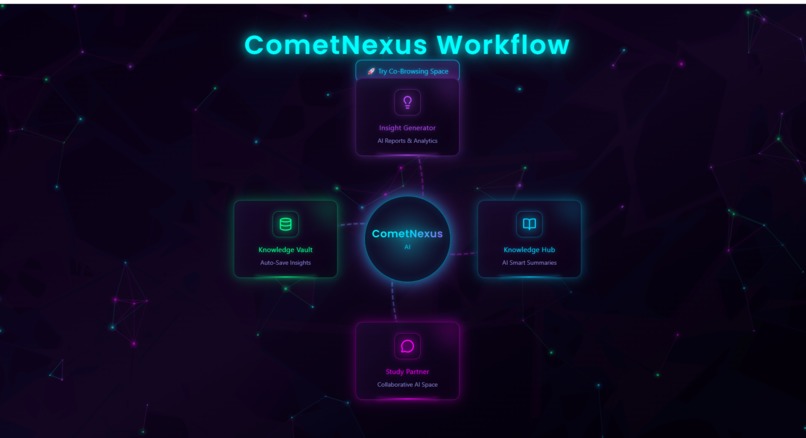
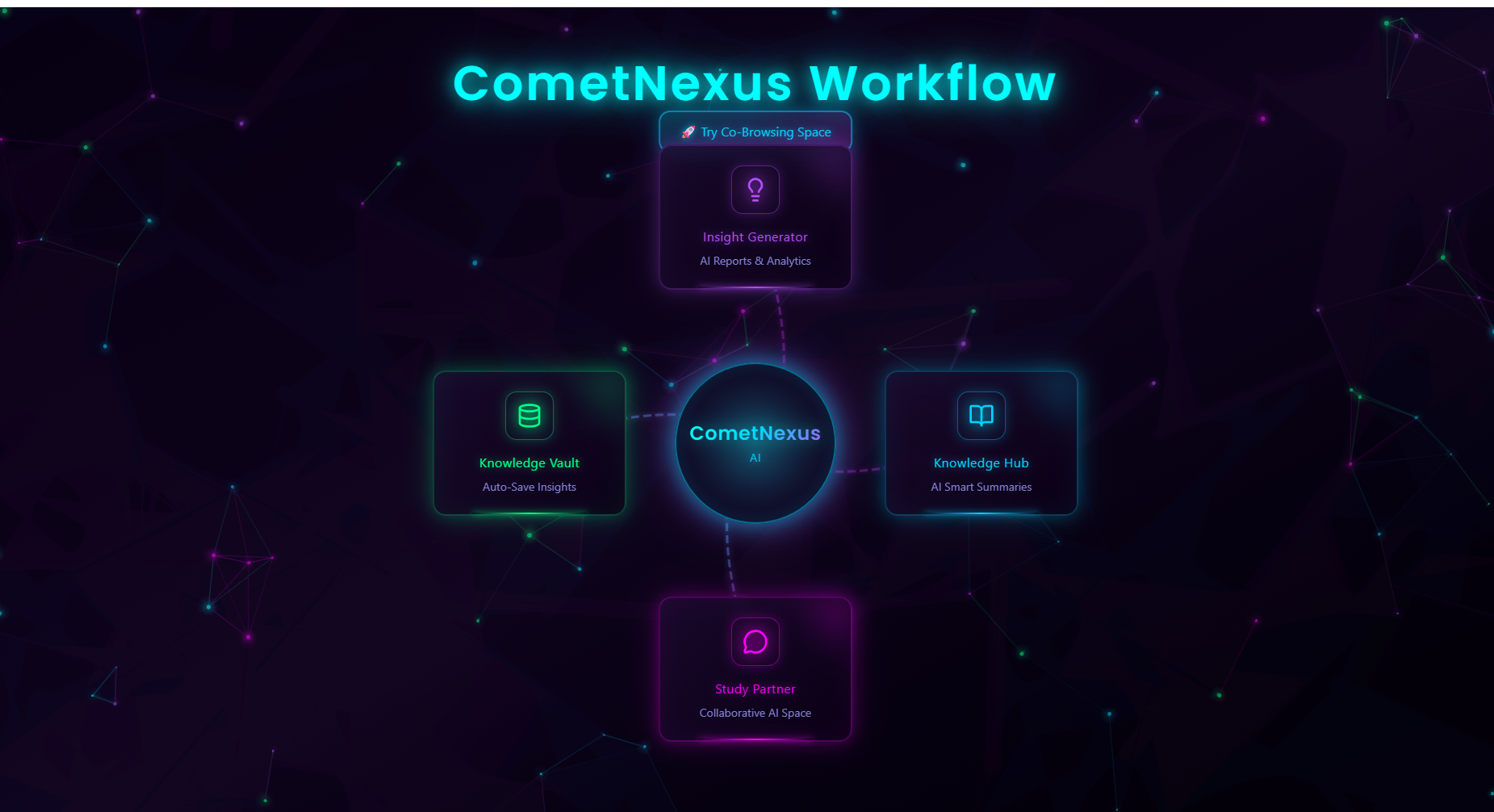
Comet Nexus transforms the Comet Browser into a shared, intelligent, AI-powered learning environment. It combines co-browsing, collaboration, AI summarization, and shared memory into one unified platform.
Here’s how each module works:
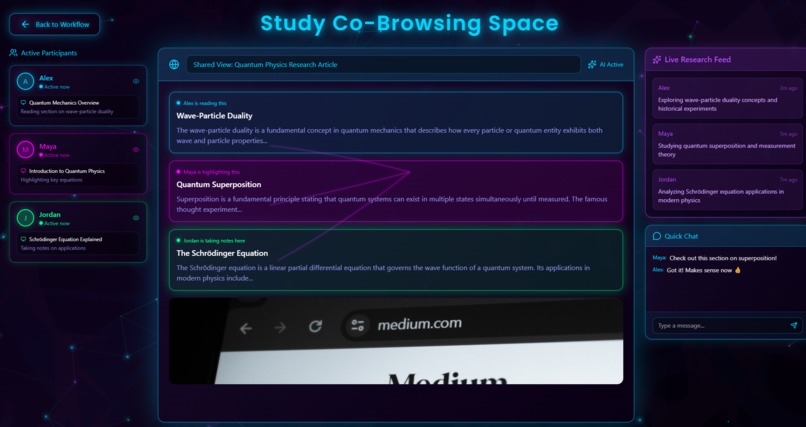
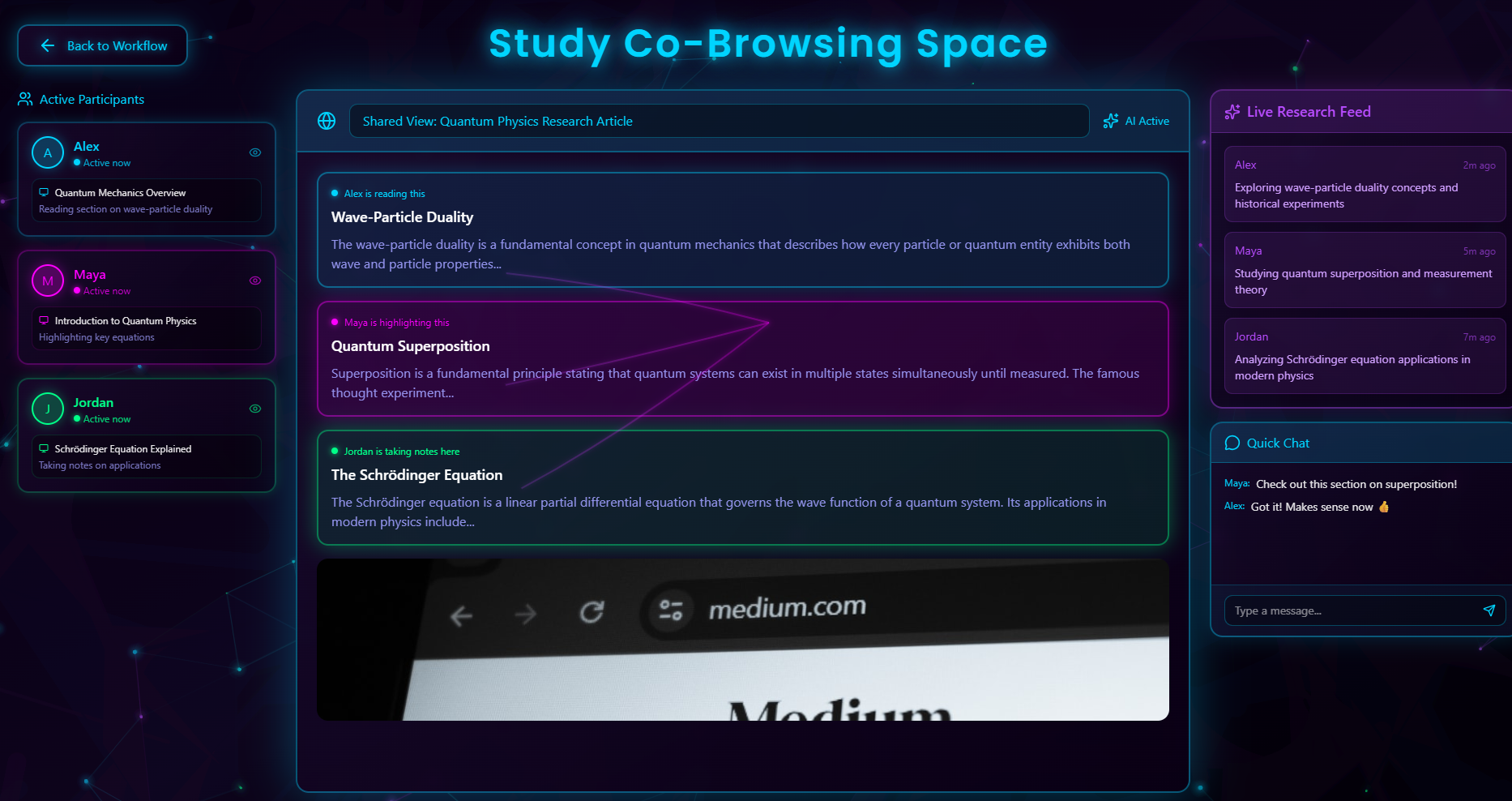
1. Co-Browsing Space — Real-Time Shared Browsing
This is the heart of Comet Nexus.
Multiple students can browse the web together.
Everyone sees the same page, scrolling, highlights, clicks, and actions — fully synchronized.
Each user has a live presence bubble showing what they’re reading.
Comet AI creates a Live Research Feed summarizing what each person is exploring in real time.
It feels like Google Docs, but for browsing the entire internet.
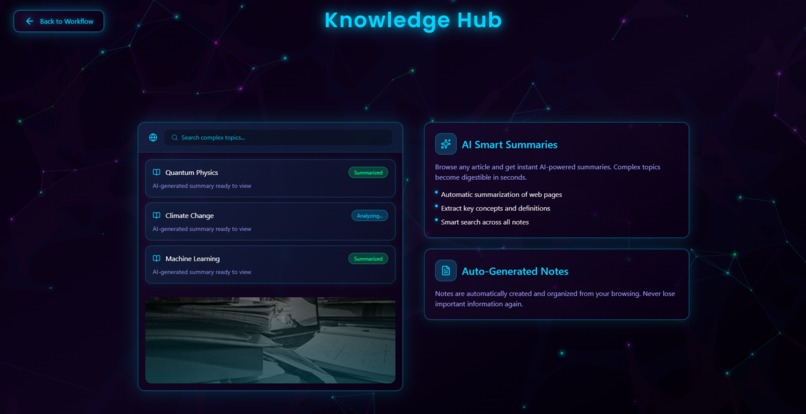
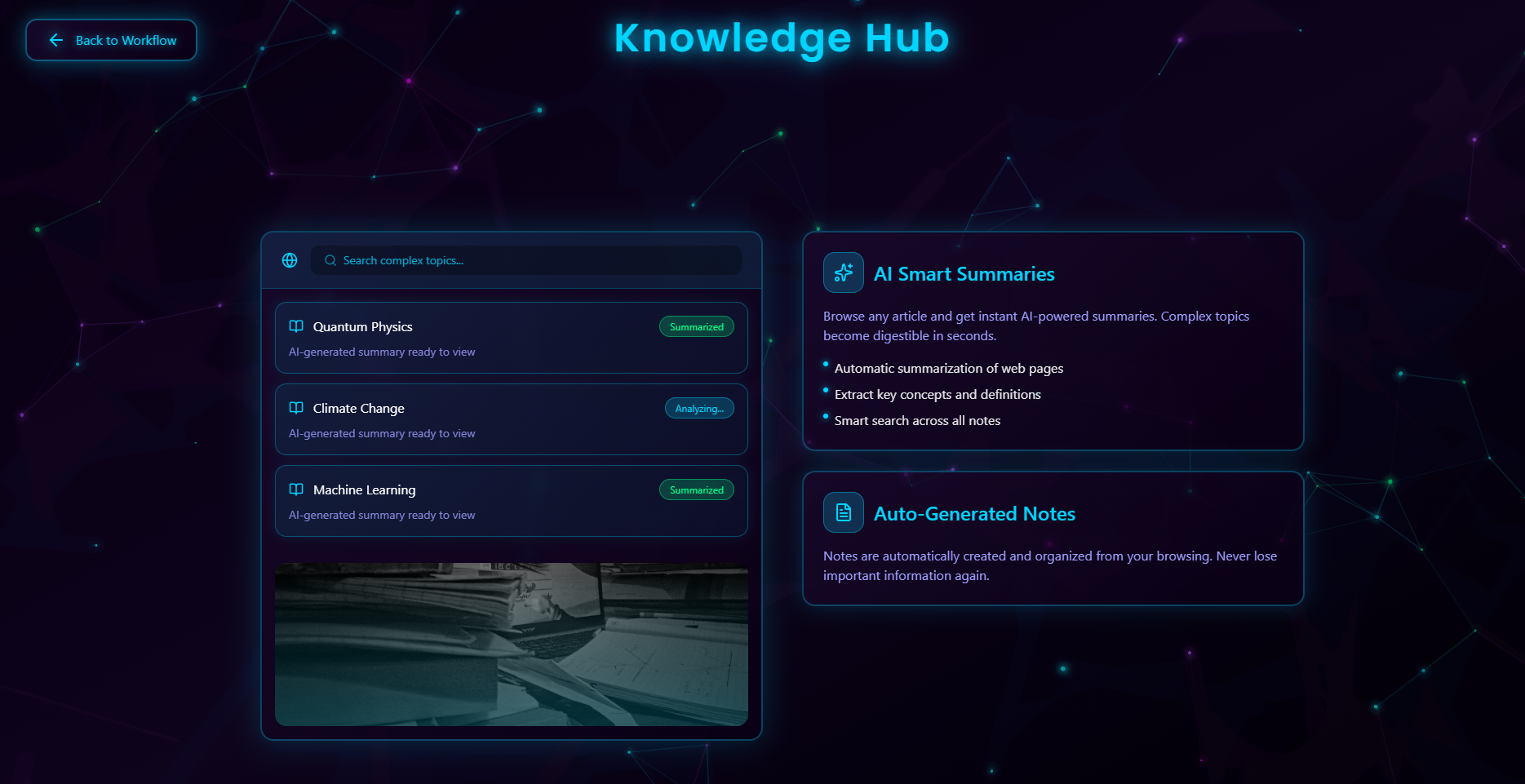
2. Knowledge Hub — AI-Smart Research Center
The Knowledge Hub is where all research begins.
Paste any link or topic → Comet AI auto-summarizes it.
Breaks long articles into clean, digestible notes.
Highlights important facts, equations, diagrams, and key points.
Suggests related sources so students don’t waste hours jumping between tabs.
It becomes your AI-powered research assistant, ready at all times.
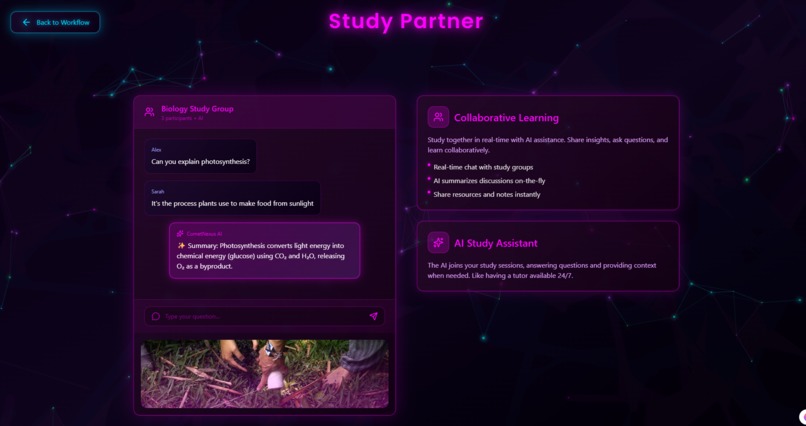
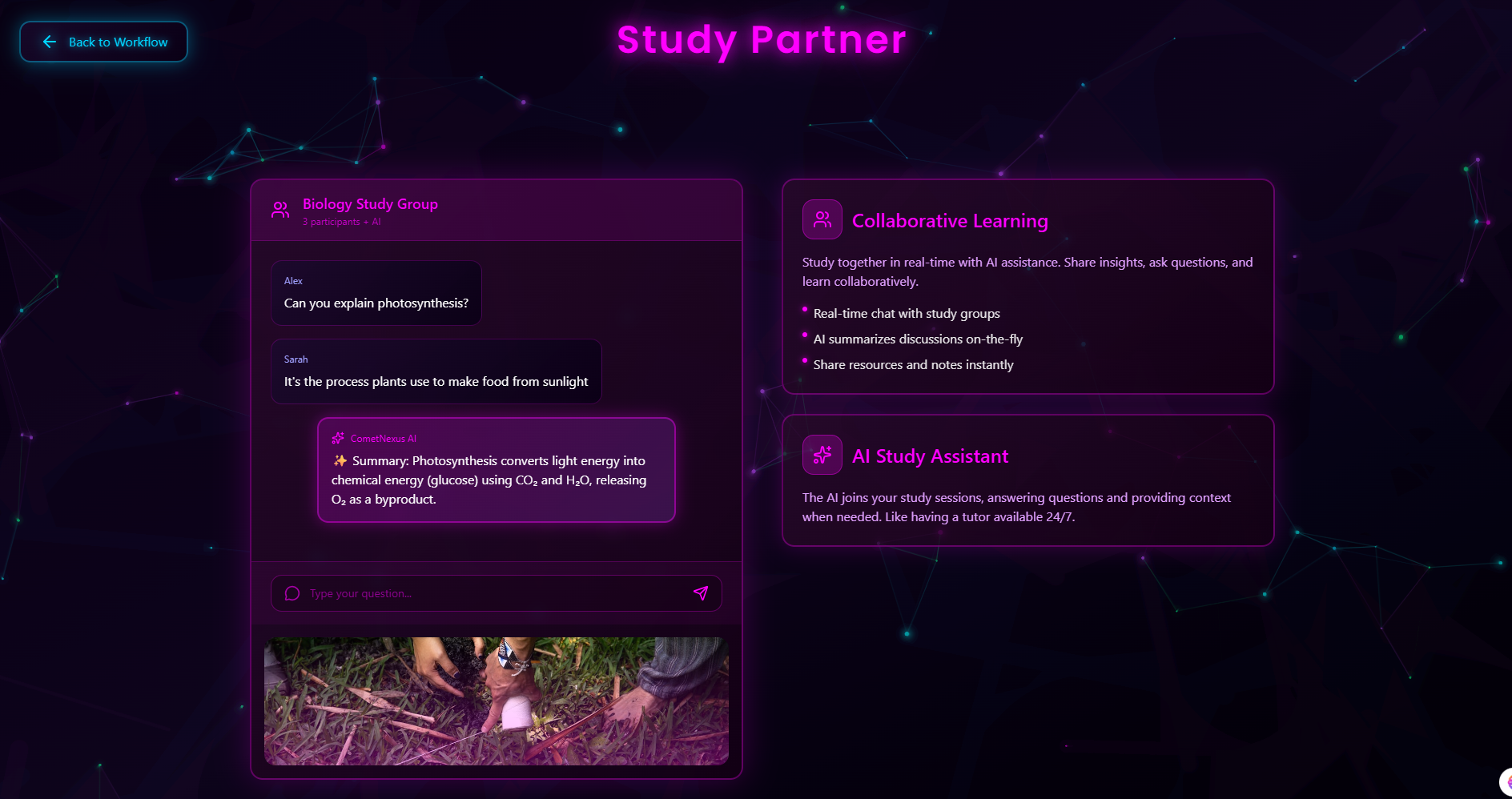
3. Study Partner — Collaborative AI + Team Space
Study Partner is where collaboration happens.
Students can message, brainstorm, and discuss topics.
Comet AI listens to the conversation and generates:
shared notes
resolved explanations
conflict clarifications
agreement summaries
It also identifies when students are confused and auto-generates explanations.
This turns the study group into a superproductive AI-assisted discussion room.
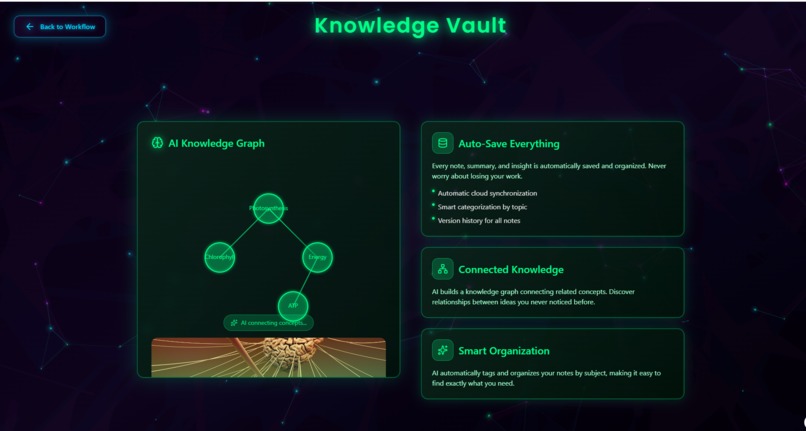
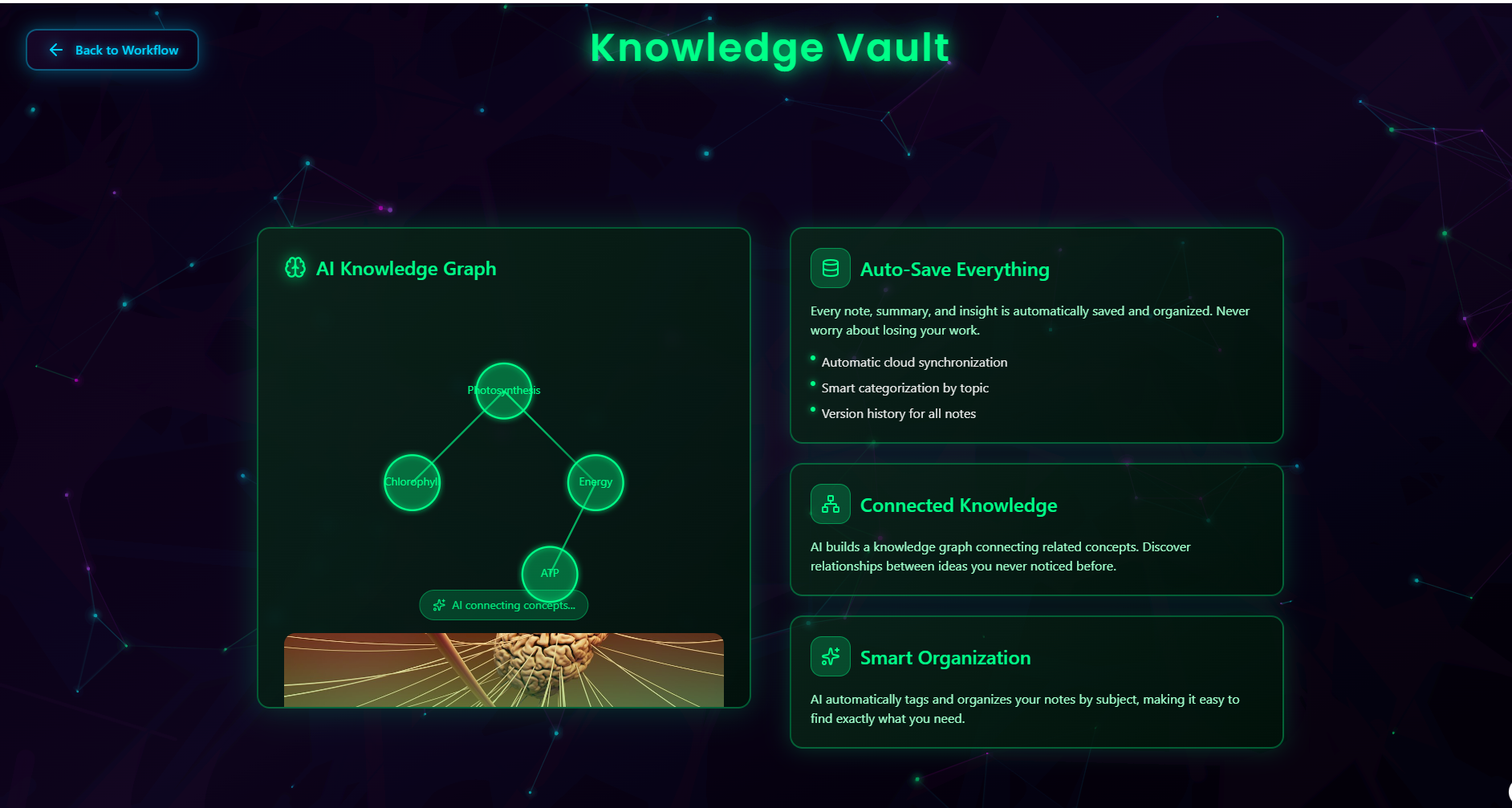
** 4. Knowledge Vault — Team Memory That Never Forgets**
Everything the team reads or discusses can be saved into a centralized knowledge vault.
Auto-saves important points from articles
Stores AI summaries
Creates concept tags
Links related topics together
Builds a growing knowledge graph from your entire study session
Instead of losing information across chats and tabs, the vault becomes a collective memory for the whole team.
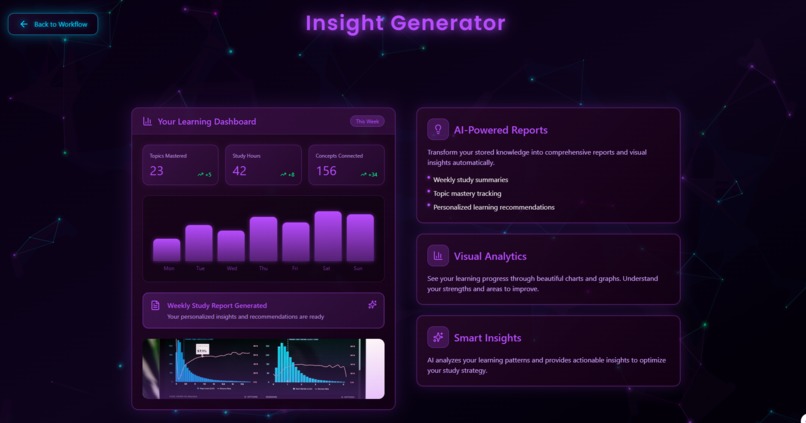
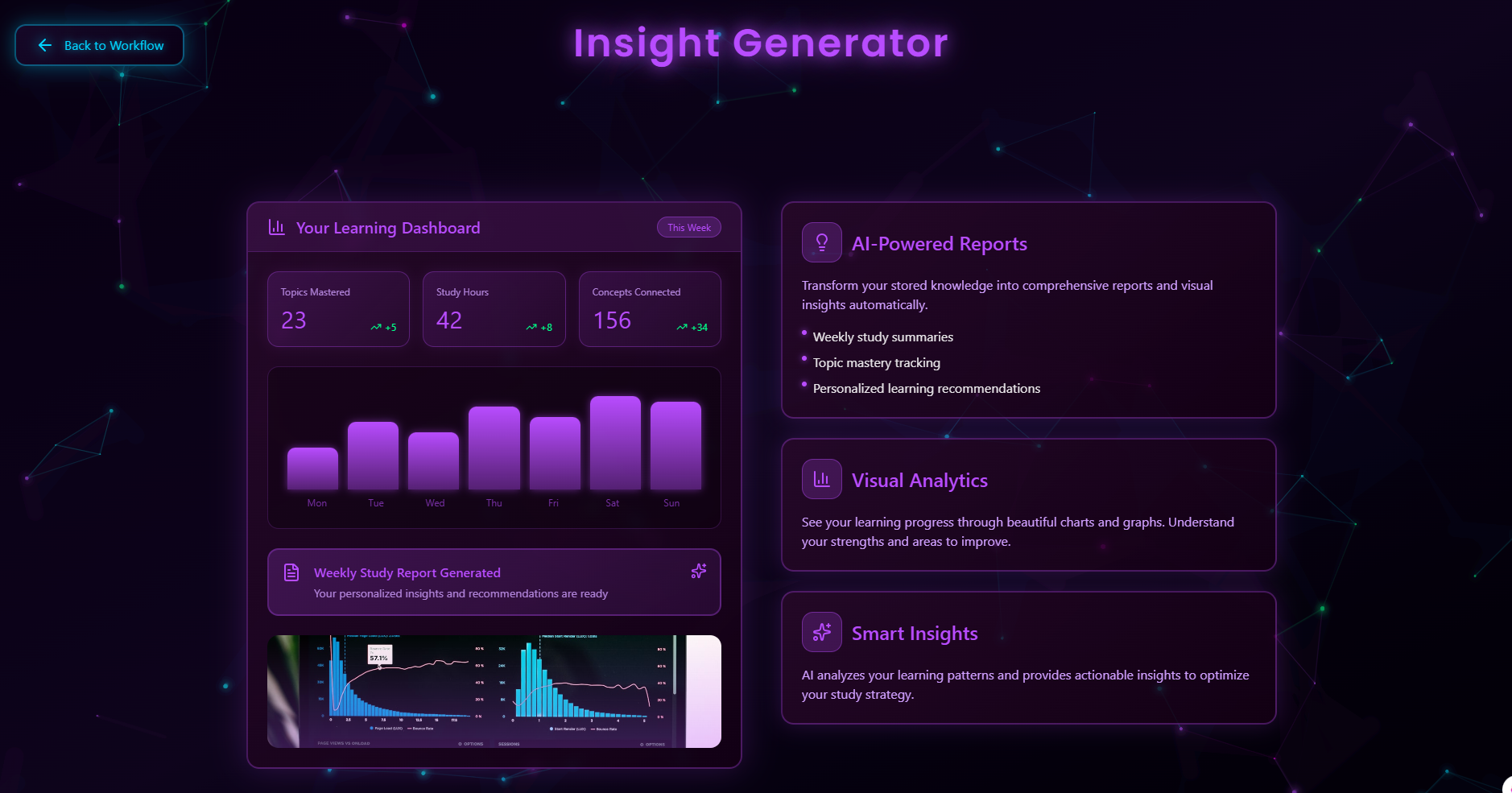
5. Insight Generator — AI That Turns Learning Into Output
At the end of a study session, Comet Nexus automatically generates:
structured notes
topic overviews
comparison tables
argument breakdowns
reading summaries
even mini-research reports
It analyzes everything stored in the Knowledge Vault and transforms it into clean, ready-to-use insights.
This is perfect for:
assignments
presentations
revisions
project reports
exam preparation
How we built it
Comet Nexus is presented as an interactive Figma prototype, backed by a conceptual technical architecture.
Design Layer (Figma):
Circular AI workflow
Glowing neon UI (Cosmic Comet theme)
Animated co-browsing space
Shared tab viewer
Team presence indicators
AI summarization overlays
Intelligence Layer (Concept):
Real-time user state tracking
Multi-user AI summarization
Shared semantic memory
Retrieval-augmented research
Knowledge graph construction
Challenges we ran into
Designing realistic co-browsing in a prototype without an actual backend.
Getting Figma AI to generate multi-user UI with correct interactions.
Visualizing “shared browsing” in a way that judges can understand immediately.
Maintaining a clean, futuristic look while adding multiple elements (tabs, users, AI, highlights).
Creating smooth smart-animate transitions that mimic real-time collaboration.
Accomplishments that we're proud of:
Built a beautiful, professional-looking prototype with cosmic neon visuals.
Designed a co-browsing space that clearly communicates the core idea.
Created a full workflow that feels like a real product.
Successfully integrated Comet Browser’s identity into the UI/UX.
Developed an idea with high real-world impact for students and researchers.
What we learned:
How to design multi-user systems visually.
How to model shared browsing states mathematically and conceptually.
How to use Figma’s AI tools effectively for interactive prototypes.
How valuable agentic AI can be for collaborative learning.
The importance of simplifying complex ideas into visual storytelling.
What's next for COMET NEXUS:
Here’s the future vision:
1. Full working real-time co-browsing engine
Using WebRTC or Firebase for real sync.
2. Browser extension for Comet
To capture:
tab changes
highlights
scroll events
shared reading context
3. AI Research Agent
A dedicated agent that follows the group and generates:
summaries
mind maps
citations
4. Multi-user “Learning Session” mode
Where teams can start a co-browsing session with timers and goals.
5. Deploy as a real product
For students, research labs, content creators, and remote teams.
Built With
- figma
- knowledgegraph
- natural-language-processing
- semanticsearch
- tailwind


Log in or sign up for Devpost to join the conversation.