-
-
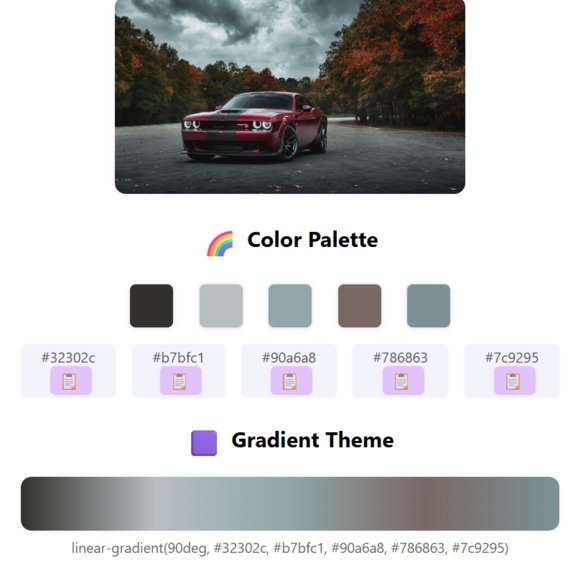
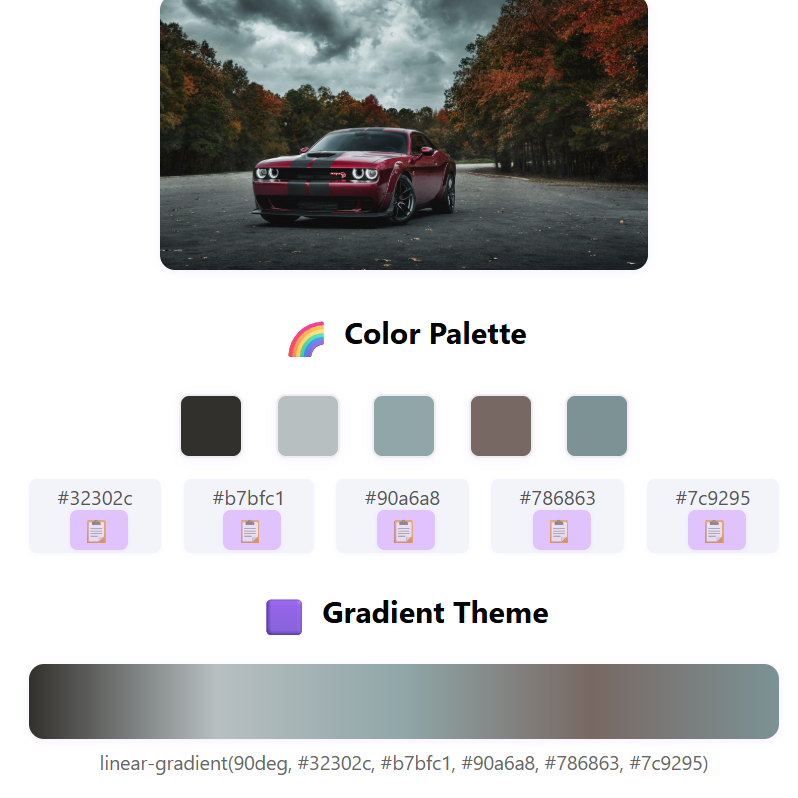
here we can download the css and copy the colour palette
Inspiration
I do a lot of editing work, and many times I found it really hard to identify the exact colours used in my images. Sometimes the shade looks different on screen, sometimes I couldn’t match the same colour again in my design. This small problem kept disturbing my workflow, and I wanted a smooth, simple way to get accurate colour codes instantly.
That’s when I thought — instead of searching tools or guessing colours manually, why not create my own solution? This idea pushed me to build a Colour Code Extractor that helps editors like me work faster and with perfect colour accuracy.
What it does
The Colour Code Extractor takes any image and instantly shows the exact colour codes used in it. You just upload a picture, click on the area you want, and the tool gives you the HEX, RGB, and other colour values without any guesswork.
It helps editors, designers, and developers quickly pick accurate colours, match shades, and use them directly in their projects. The whole process becomes simple, fast, and perfectly precise.
How we built it
We started by creating a simple workflow that takes an image input and processes it pixel by pixel. Using Python and libraries like OpenCV and PIL, we built a system that can read the image, capture the selected pixel, and extract the exact colour information from it.
After that, we added code to convert the pixel values into multiple colour formats like HEX and RGB. Then we designed a clean interface so users can upload an image, click anywhere on it, and instantly get the colour code.
Finally, we tested the tool with different images and lighting conditions to make sure the output stays accurate and consistent.
Challenges we ran into
One of the biggest challenges was limiting the tool to extract only five major colours from an image. Images often contain hundreds of tiny colour variations, and selecting the most meaningful five wasn’t easy. We had to test different methods to group similar shades and choose only the dominant ones.
Another challenge was maintaining accuracy while keeping the process simple for the user. Balancing speed, clarity, and colour precision took some trial and error, but we finally reached a stable approach that gives clean results.
Accomplishments that we're proud of
We’re proud that we were able to turn a small personal problem into a working tool that actually helps in real editing workflows. Even with the limitation of extracting only five main colours, the tool still gives clean, accurate results that are easy to use.
We’re also happy that we managed to build a smooth process where users can upload an image and instantly get the dominant colours without any confusion. Creating a reliable colour extractor from scratch, testing it on different images, and seeing it work consistently felt like a big achievement.
What we learned
Throughout this project, we learned how challenging it can be to work with real image data and extract meaningful colours from it. We understood the importance of clustering techniques, colour accuracy, and how small changes in lighting or pixels can affect the final output.
We also learned how to simplify a complex technical process into something easy for users to interact with. Building a clean interface, testing different images, and refining the output taught us a lot about problem-solving and user-focused design.
What's next for colour_code_extractor
Next, we want to improve the tool so it can extract more than just five colours and give users full control over how many shades they want. We also plan to add features like generating complete colour palettes, copying colour codes with one click, and showing similar colour suggestions.


Log in or sign up for Devpost to join the conversation.