-
-
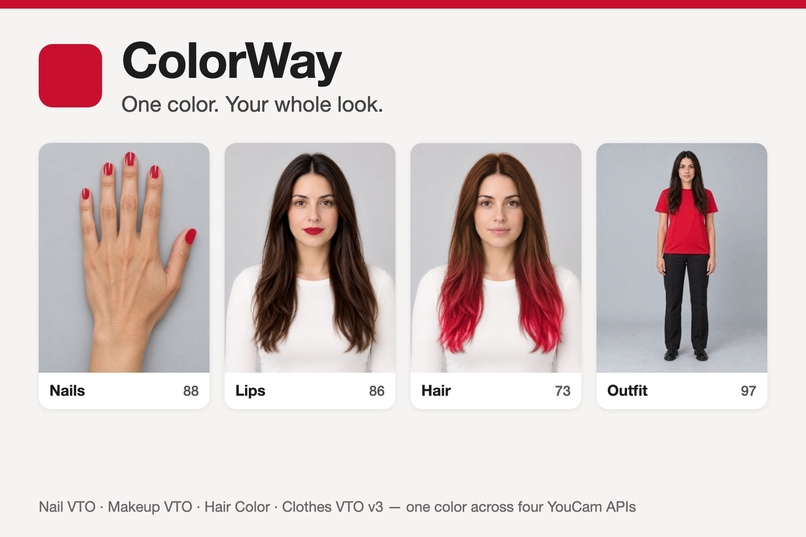
ColorWay: one color on nails, lips, hair and outfit (photos show an AI-generated fictional person)
-
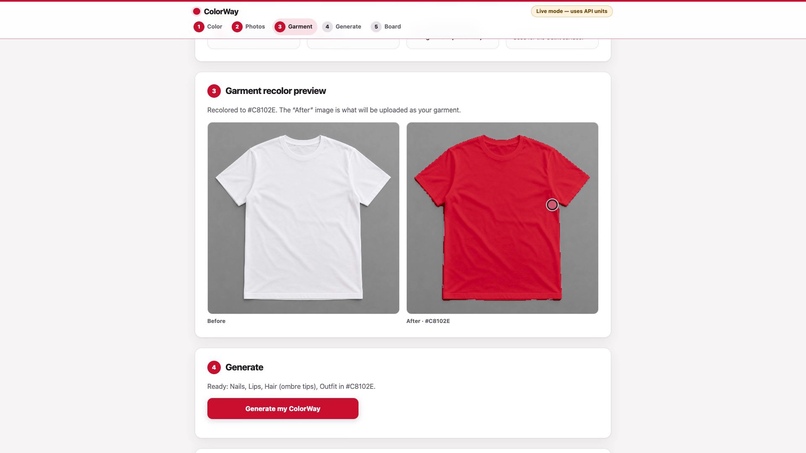
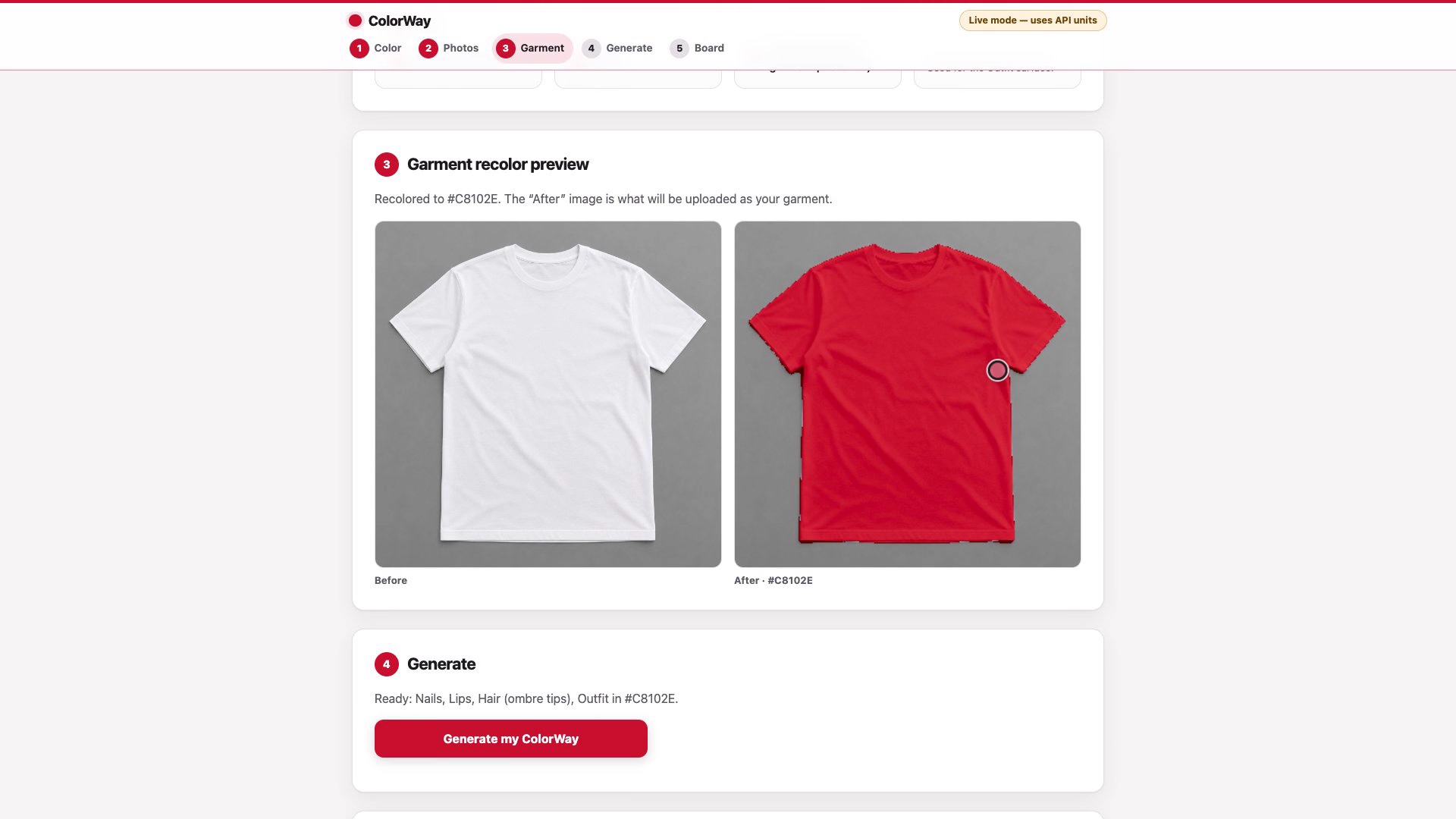
Garment step: the plain garment photo is recolored to the target in the browser before Clothes VTO v3
-
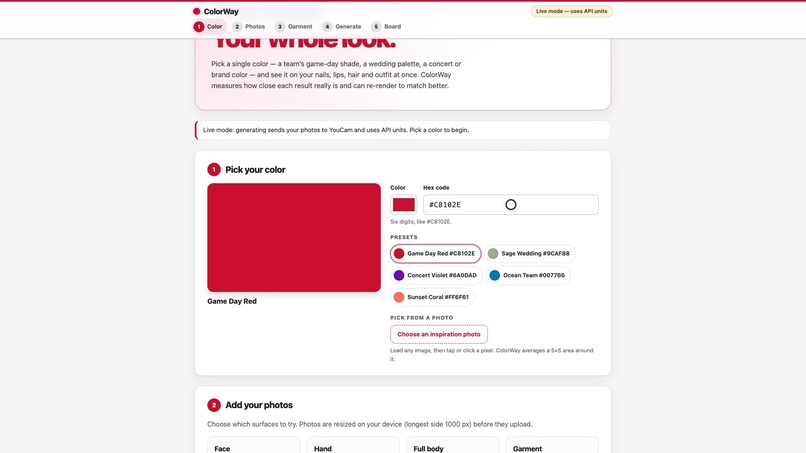
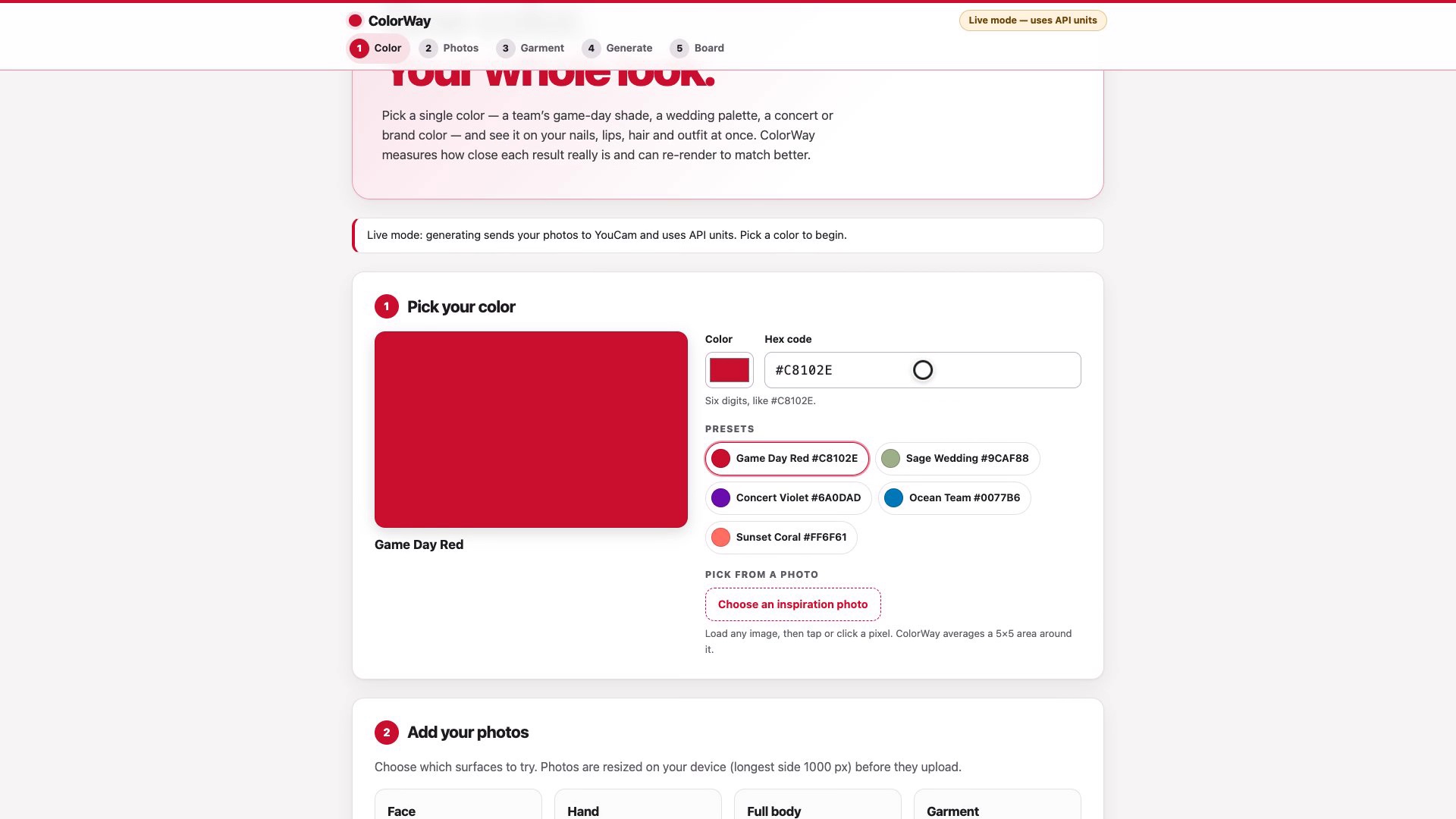
Step 1: pick one color
-
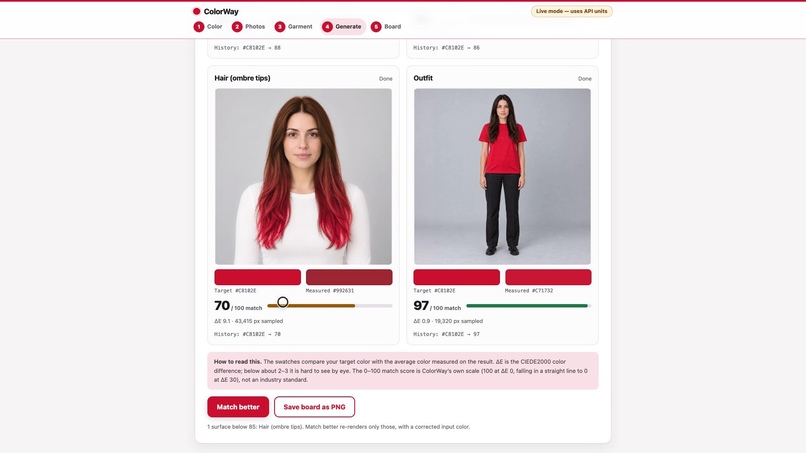
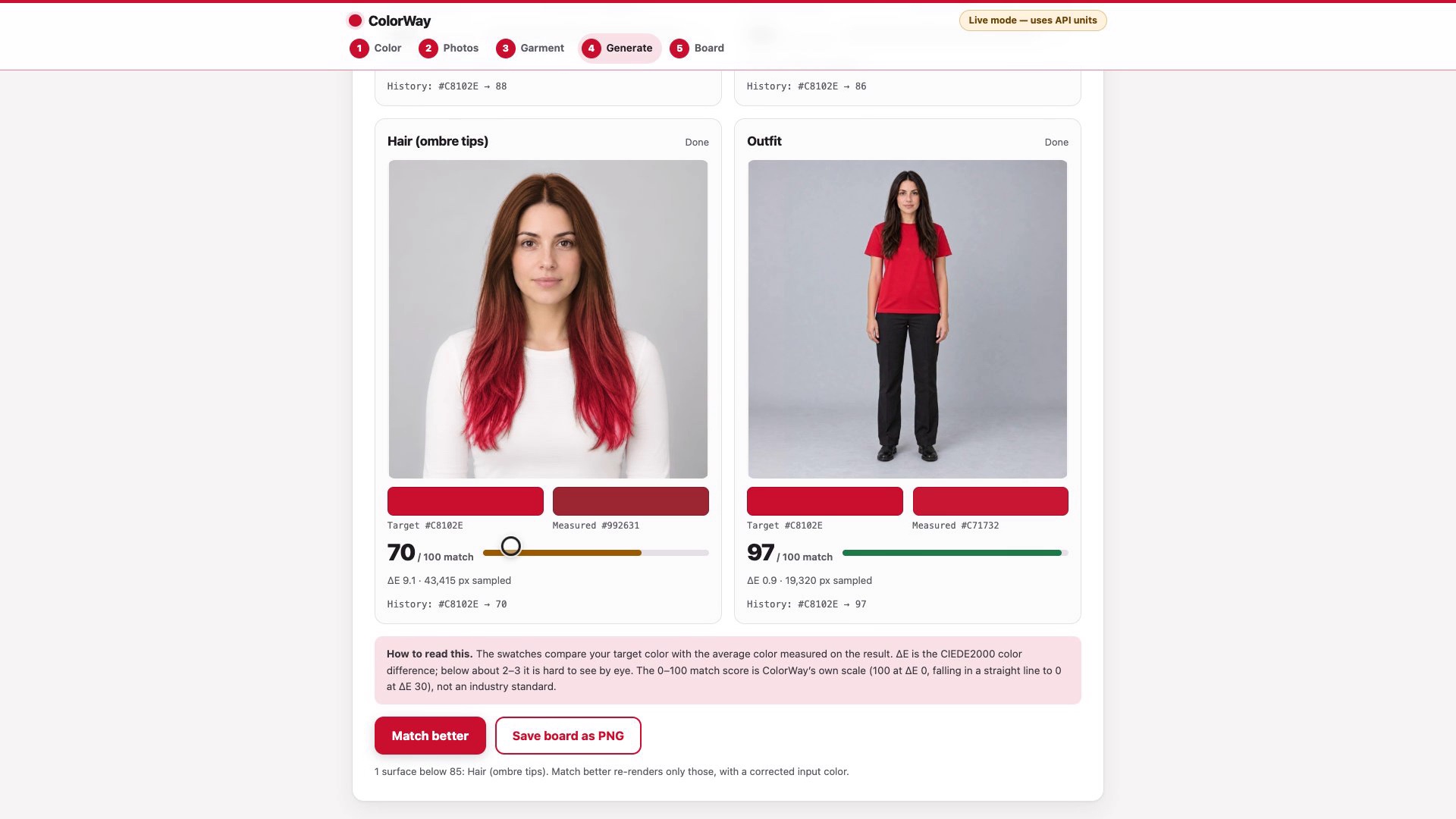
Match scores: hair at 70 is below 85, outfit at 97
-
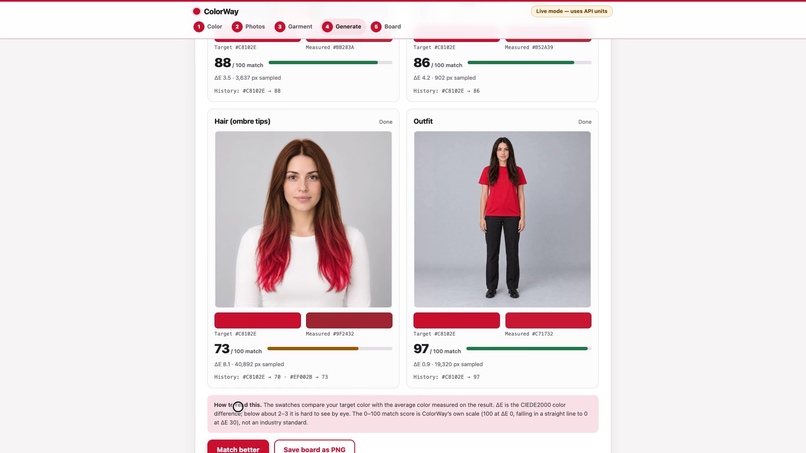
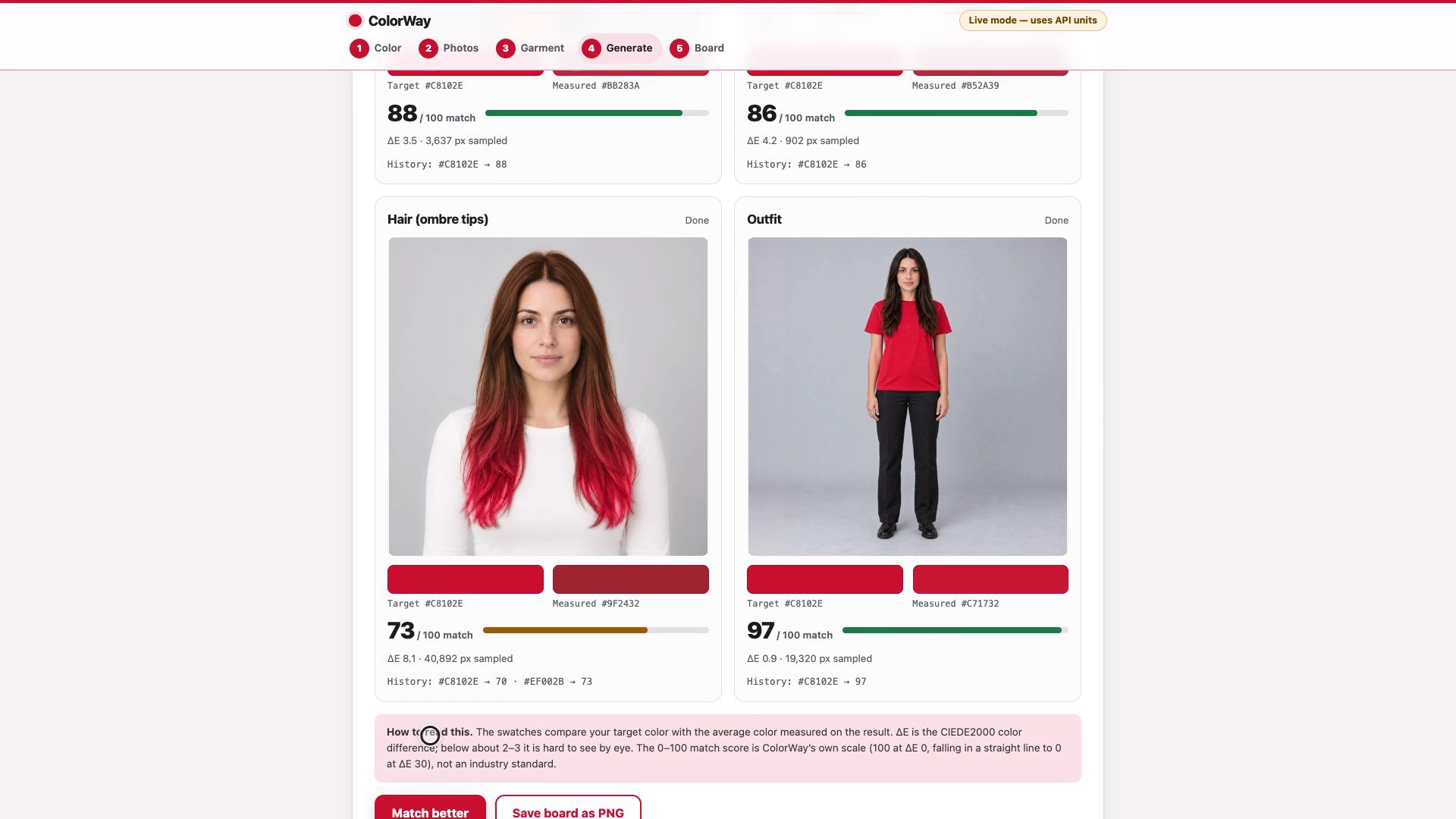
After Match better: only the hair is re-rendered, with a corrected input color
-
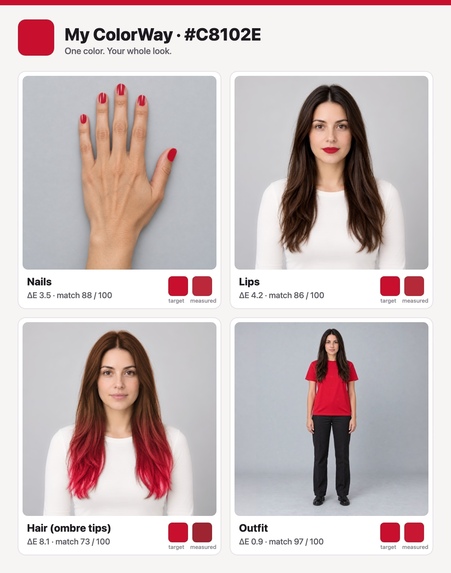
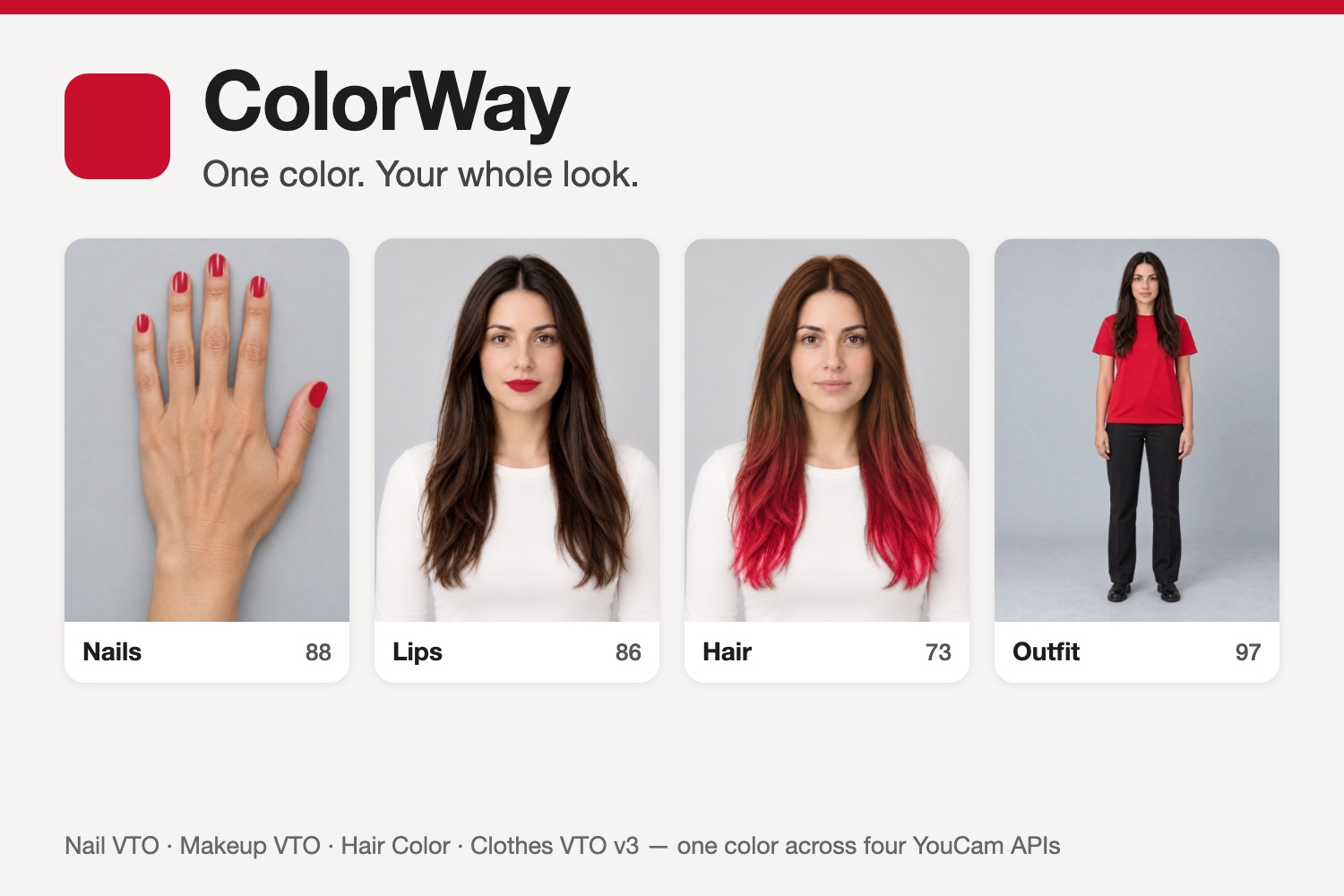
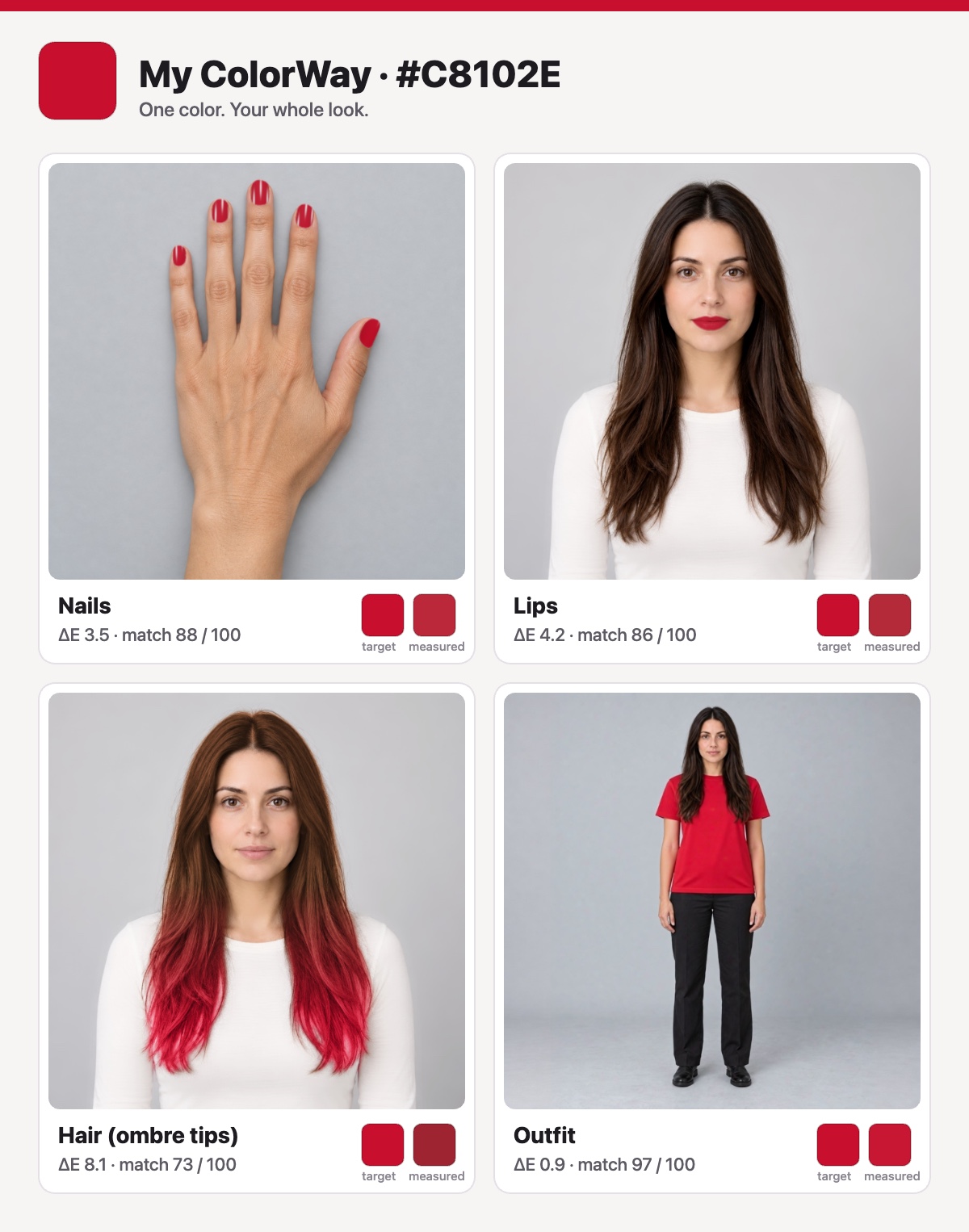
Saved board: all four surfaces with their match scores, saved as one image
Inspiration
Looks built around one color are usually put together one product at a time: a polish from one shop, a lipstick from another, a hair color at the salon, a shirt online. Each try-on tool shows only its own product, so the combined look stays invisible until everything has been bought. ColorWay starts from the color instead of the product, so the whole look can be checked before the first purchase.
ColorWay is for moments built around one color: a team's game-day color, a color from a wedding palette, a concert or brand color. In those moments the color has to work on four very different surfaces at once: nails, lips, hair and clothes. Seeing them one at a time does not answer the question that matters: does this color work on me, as a whole look?
The eCommerce VTO category asks for a project that "brings Virtual Try-On together into one seamless, intuitive experience." ColorWay takes that literally. One color goes in, four try-ons come out, and they land on one board.
What it does
ColorWay is a web app for the eCommerce VTO category. You pick one color and add four photos: a face (used for lips and hair), the back of a hand, a full-body photo and a plain garment laid flat. ColorWay turns that one color into four try-ons with four YouCam APIs: a color option for Nail VTO, Makeup VTO (lip color) and Hair Color, plus a recolored garment image for Clothes VTO v3. The four previews land on one board, each with an estimate of how close it came to your color.
- Pick one color. For example, a team's game-day color, a wedding palette color, or a concert or brand color.
- See it on your whole look at once.
- Nails: YouCam Nail VTO.
- Lips: Makeup VTO, lip color.
- Hair: Hair Color with the ombre pattern: dark brown at the top blending into the chosen color at the tips (the top color is fixed for now).
- Outfit: Clothes VTO v3, upper-body garments. ColorWay first recolors your photo of a plain garment to the target color in the browser, then tries that garment on your full-body photo.
- Check the match. For each result, the browser estimates the rendered color and its CIEDE2000 distance to the target (lower is closer), shown as a 0–100 match score on my own scale (100 at a distance of 0, 0 at 30; not a YouCam metric). It is a color-distance estimate, not a judgment of whether the look suits you.
- Match better. One button re-renders the surfaces that score below 85, each with a corrected input color calculated in CIELAB. Surfaces at 85 or above are left as they are. Improvement is not guaranteed: a surface stops after three renders or as soon as its score stops improving, and when nothing is left to try, the page names the surfaces that stopped and why.
- Save the board as one image.
Why it matters. The question "does this color work on me?" covers several purchases at once: a polish, a lipstick, a hair color, a garment. ColorWay lets you preview the whole look before you commit to any single item. Because every result carries an approximate color-distance score, "close enough" becomes a number on screen rather than a guess. It is a digital preview; it does not promise that a real product will look the same.
How I built it
- Browser side. Measurement and garment recoloring run in the browser. For each result, the app takes the average rendered color of that surface (it keeps only the pixels whose CIELAB hue is within 20 degrees of the target and whose chroma is at least half of the target's, and at least 20; this is a color filter, not a surface mask, so similar colors elsewhere in the image can enter the average, and when no pixel passes the app shows no score), converts it to CIELAB, computes the CIEDE2000 distance to the target, and shows a 0–100 match score on my own scale.
- Closed-loop calibration. Match better compares what came back with the target in CIELAB and re-renders each surface that is off with a corrected input color. A surface counts as off below a match score of 85; the next input color moves by 0.8 times the measured gap in CIELAB, capped at 25 per channel, and each surface gets at most three renders and stops as soon as its score stops improving, so a surface can end below 85.
- Outfit path. Clothes VTO v3 tries a garment image on a full-body photo. To make the garment match the chosen color, the app recolors the user's plain garment photo in the browser first and sends that image.
- Server. Node 20 with zero npm dependencies. The server:
- keeps the YouCam API key on the server only, so the browser never receives it;
- sits behind a shared passcode for judges;
- stores each result as soon as it arrives, because the provider's result URLs expire;
- logs estimated unit usage;
- has a mock mode that runs the flow with no API calls.
- First live run (2026-10-21, a test script on the sample images in YouCam's API documentation, tasks one after another). 4 of 4 tasks succeeded, about 9 seconds each, with an estimated 5 units for the full look. In the app, the four tasks run in parallel; a full look took about half a minute in my test runs.
- ColorWay was planned and built during the Submission Period, which began on Sep 29, 2026: the first code was written on Oct 19, 2026.
Challenges I ran into
1. The same color does not render the same on every surface. In the first live run, on the sample images from YouCam's API documentation (they are not included in the repository or the video), I sent the target #C8102E (RGB 200, 16, 46) to each surface. The average rendered colors were:
| Surface | Rendered average (RGB) | Compared with the target |
|---|---|---|
| Target | 200, 16, 46 | — |
| Nails | 190, 46, 64 | close |
| Lips | 186, 52, 67 | close |
| Hair | 155, 33, 46 | noticeably darker |
Nails and lips matched closely. Hair came back noticeably darker. One input color is not enough for one look, so ColorWay measures every surface and calibrates each one separately. These numbers come from sample images, not from my photos or a judge's. They show the gap that motivated calibration; they are not a benchmark.
2. The outfit API takes a garment, not a color. Clothes VTO v3 tries on a garment image, so the color has to be in the garment before the call. The app recolors a plain garment photo in the browser first.
3. Result URLs expire. The provider's result URLs do not last, so the server saves every result the moment it arrives.
4. Open testing for judges without exposing the key. Judges need easy access, and every call spends API units. The key lives only on the server, a shared passcode gates the app, the server logs estimated units, and mock mode lets anyone walk through the flow without any API call.
Accomplishments that I'm proud of
- One color drives four YouCam APIs (nails, lips, hair and outfit) in one flow and on one board.
- The app does more than render. It measures every result and tries to correct the ones below 85 in a closed loop, re-rendering only those.
- First live run: 4 of 4 tasks succeeded, about 9 seconds each, an estimated 5 units for the full look (2026-10-21, test script, sample images).
- Zero npm dependencies, an API key that never leaves the server, and a mock mode that walks through the flow without any API call.
- Calibration result on the sample images (target #C8102E, one Match better pass, an estimated 4 more units): lips ΔE 5.0 → 2.4 (score 83 → 92), hair ΔE 10.7 → 8.8 (64 → 71), outfit ΔE 11.7 → 9.3 (61 → 69). Nails were already at ΔE 3.2 (89) and were left alone. In the run shown in the demo video, on photos of an AI-generated fictional person, nails scored 88, lips 86 and outfit 97, and one pass moved hair from 70 to 73 (ΔE 9.1 → 8.1) for about 1 more unit. Each is a single run, not a benchmark. ΔE is CIEDE2000; the score is ColorWay's own scale (100 at ΔE 0, 0 at ΔE 30).
What I learned
- From the live run: one input color renders differently on different surfaces. On the sample images, hair came back darker than nails and lips. So the app has to measure the output instead of trusting the input.
- Provider result URLs expire, so saving results on arrival has to be part of the core design.
What's next
- Run Match better on more photos and publish the per-surface before-and-after numbers.
- Support a second color, for looks built on a main color plus an accent.
- Link each surface to products available in the chosen color.
Built With
- ciede2000
- cielab
- css
- html
- javascript
- node.js
- youcam-api
- youcam-clothes-vto
- youcam-hair-color
- youcam-makeup-vto
- youcam-nail-vto

Log in or sign up for Devpost to join the conversation.