Inspiration
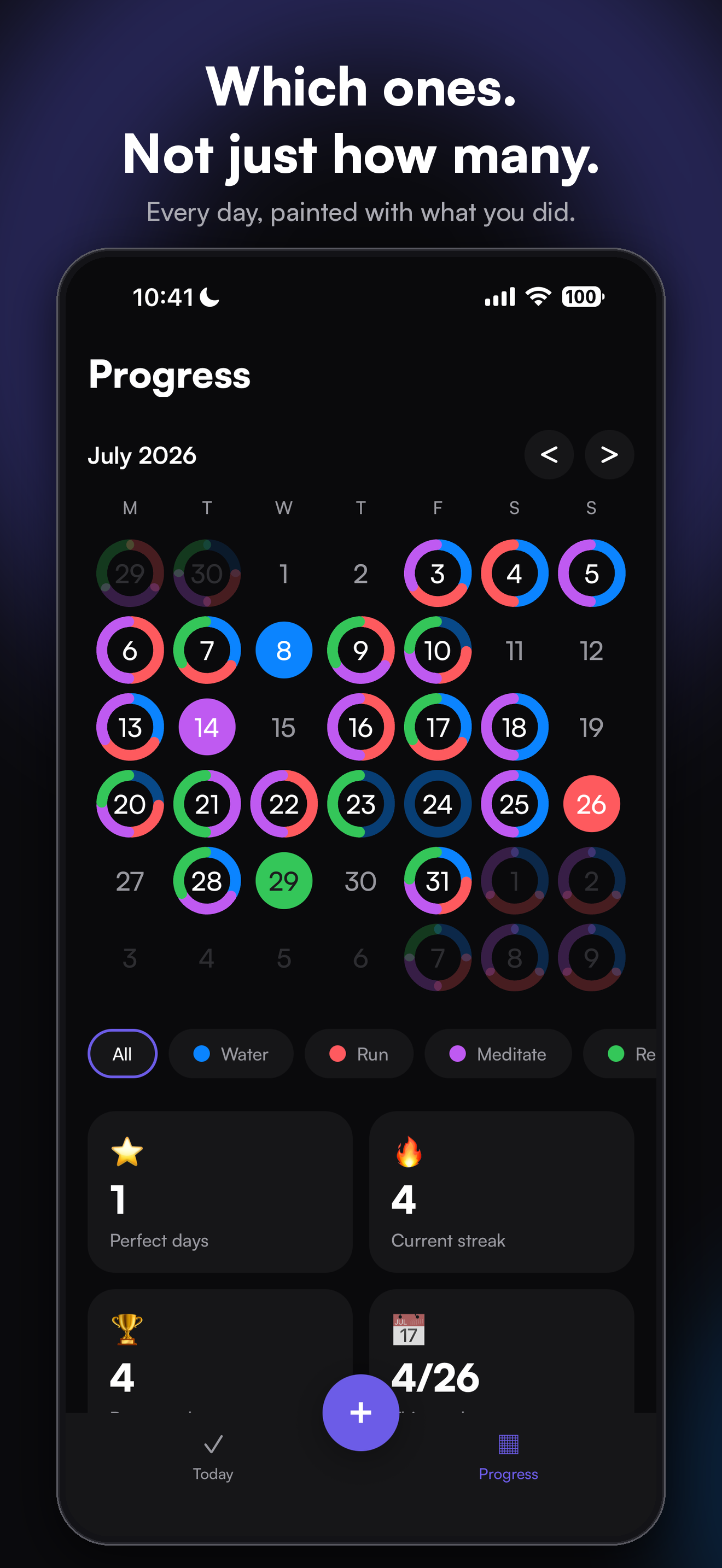
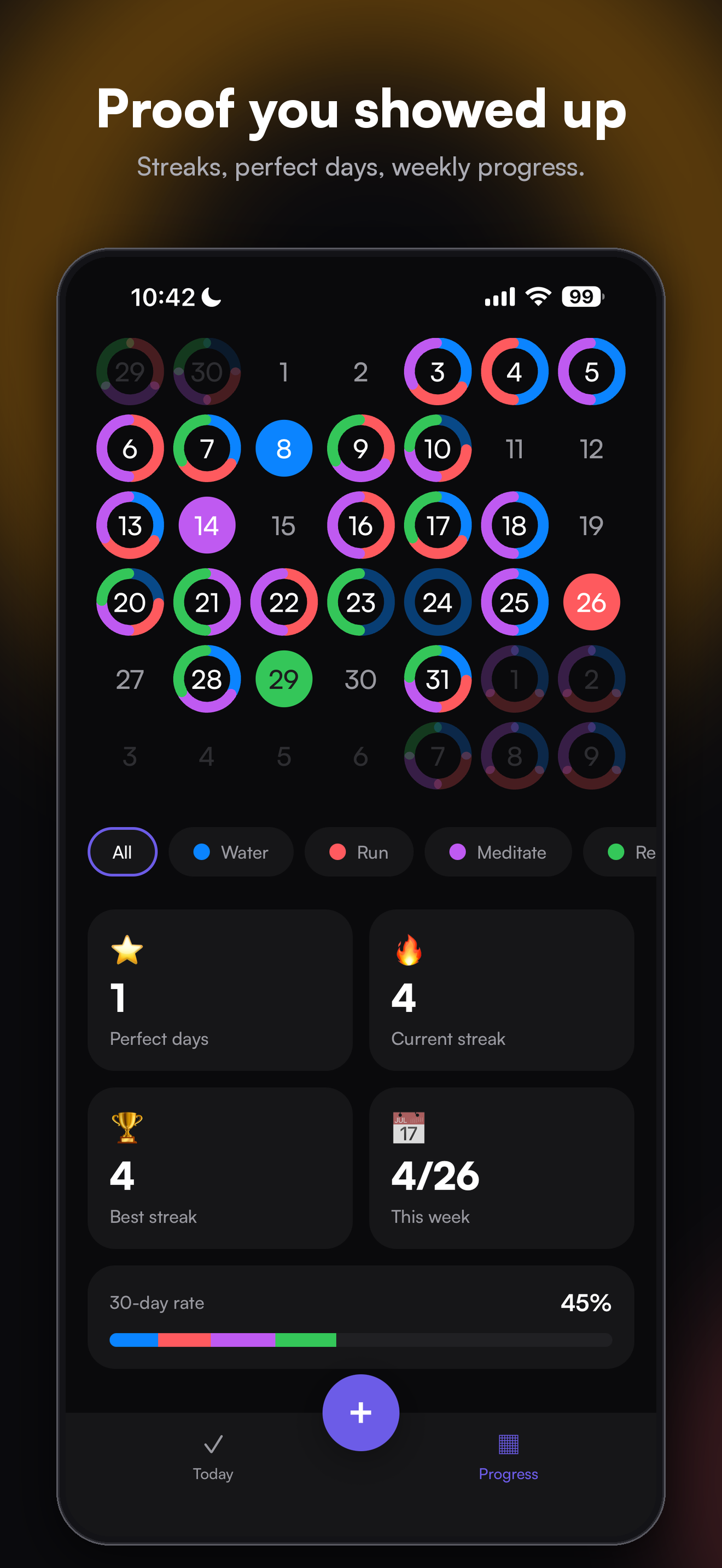
Most habit trackers answer one question at the end of the day: did you do something? Their calendars fill with identical checkmarks, orange for "some" and green for "all", and after a month you cannot tell which habit you actually kept and which one quietly died. I wanted a tracker where the record itself is the picture: every habit has a color, and the month shows the colors.
What it does
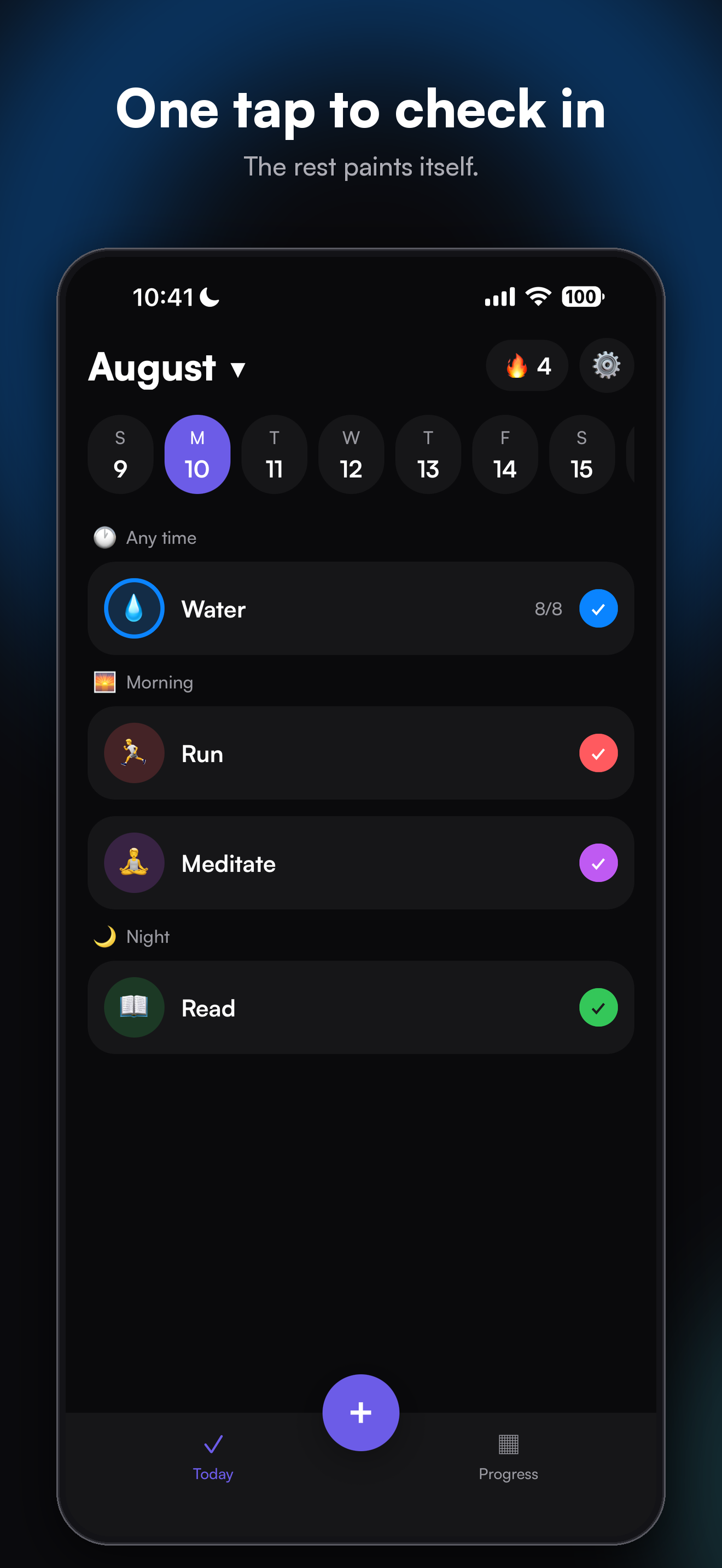
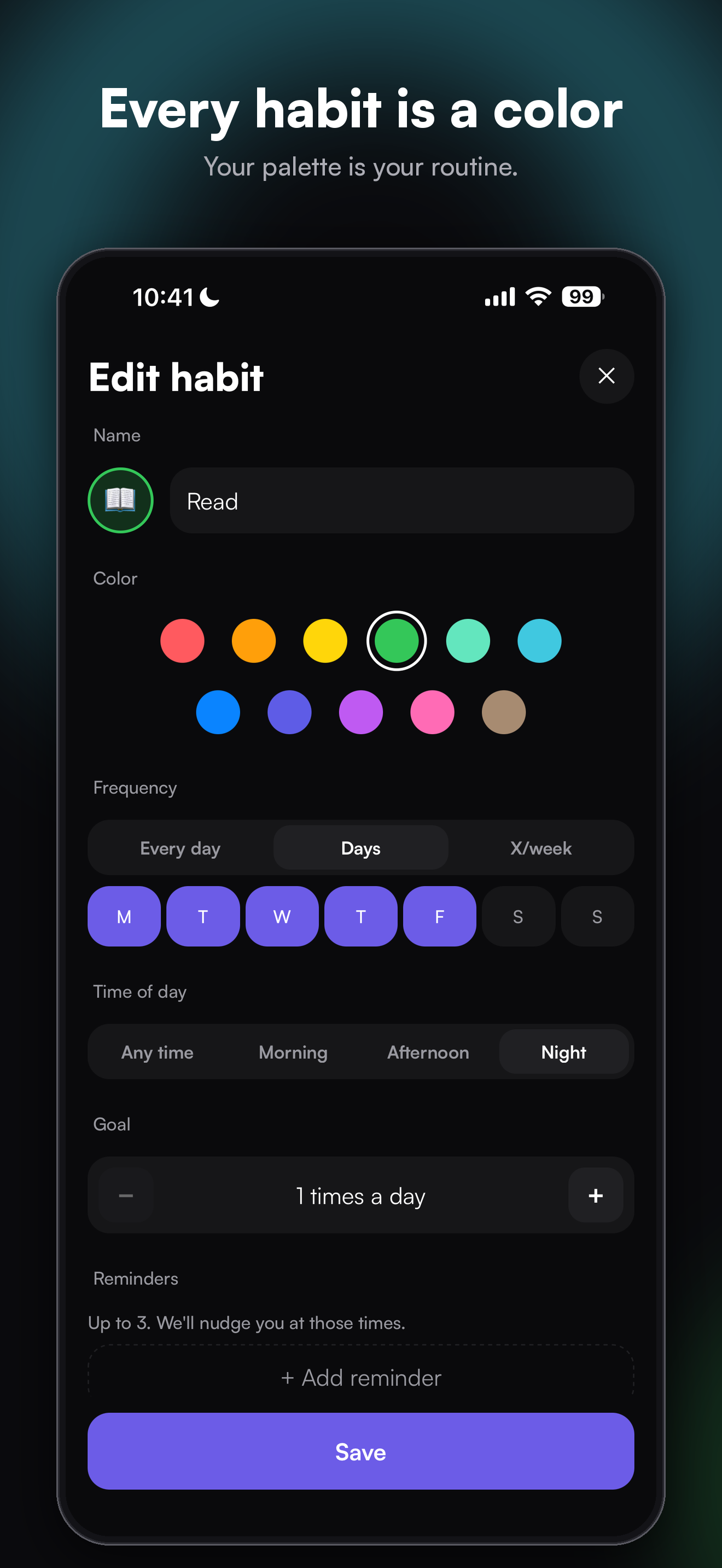
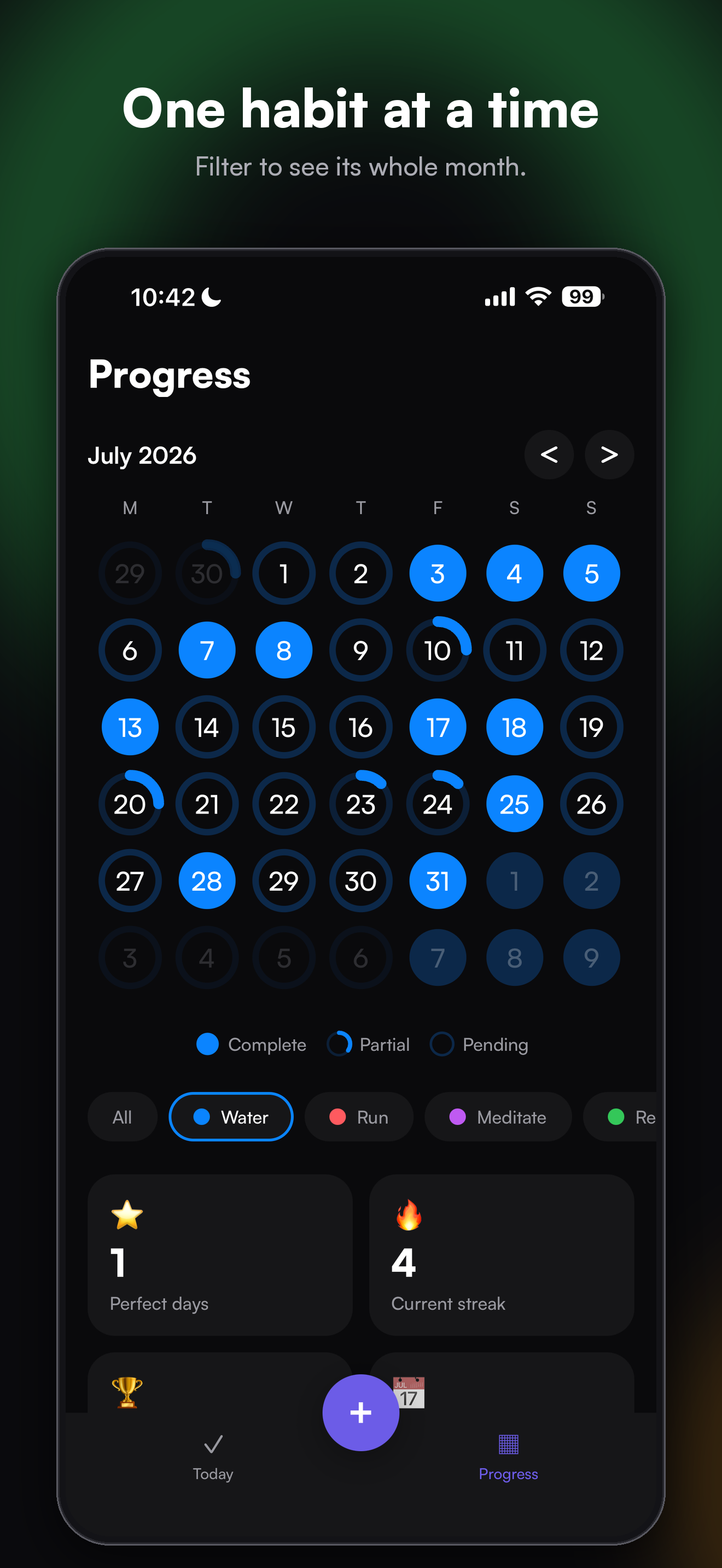
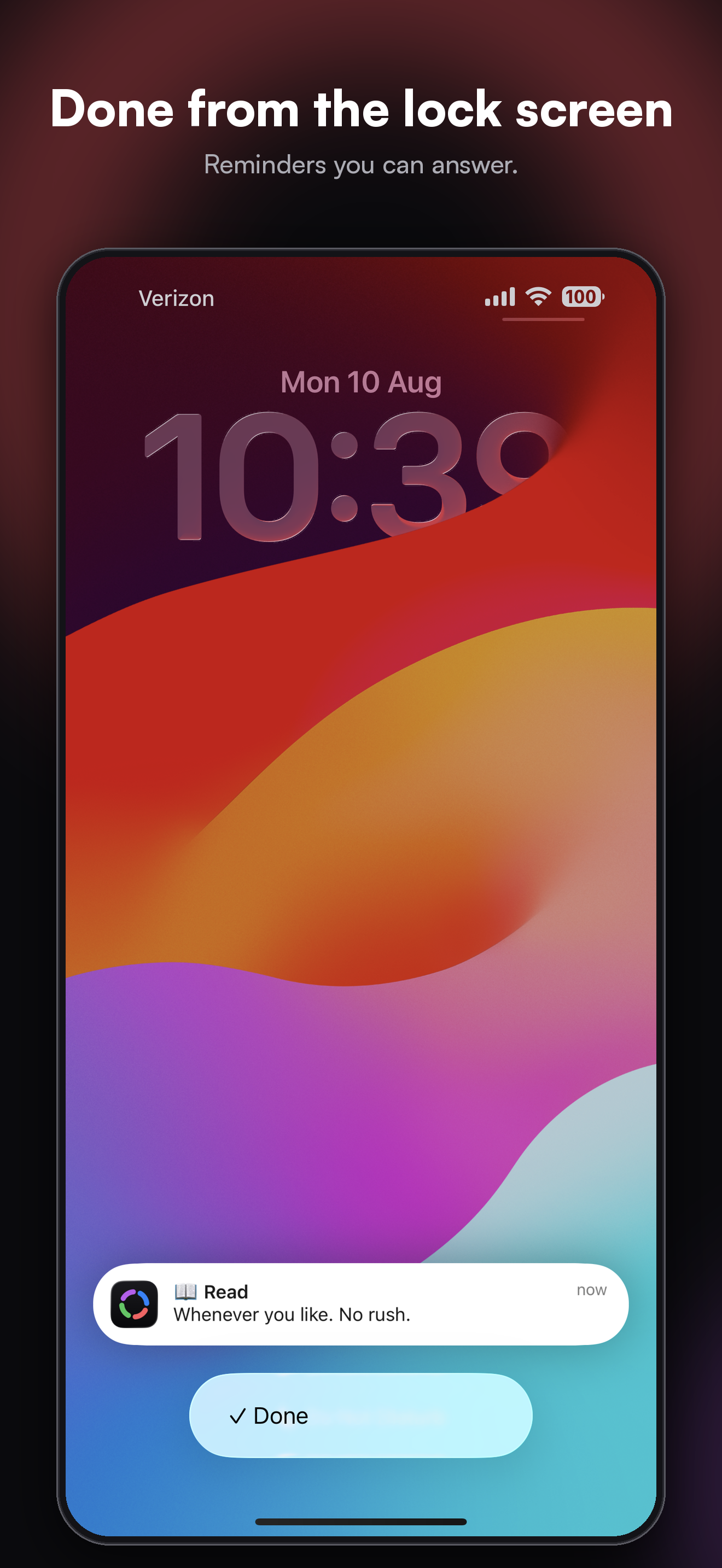
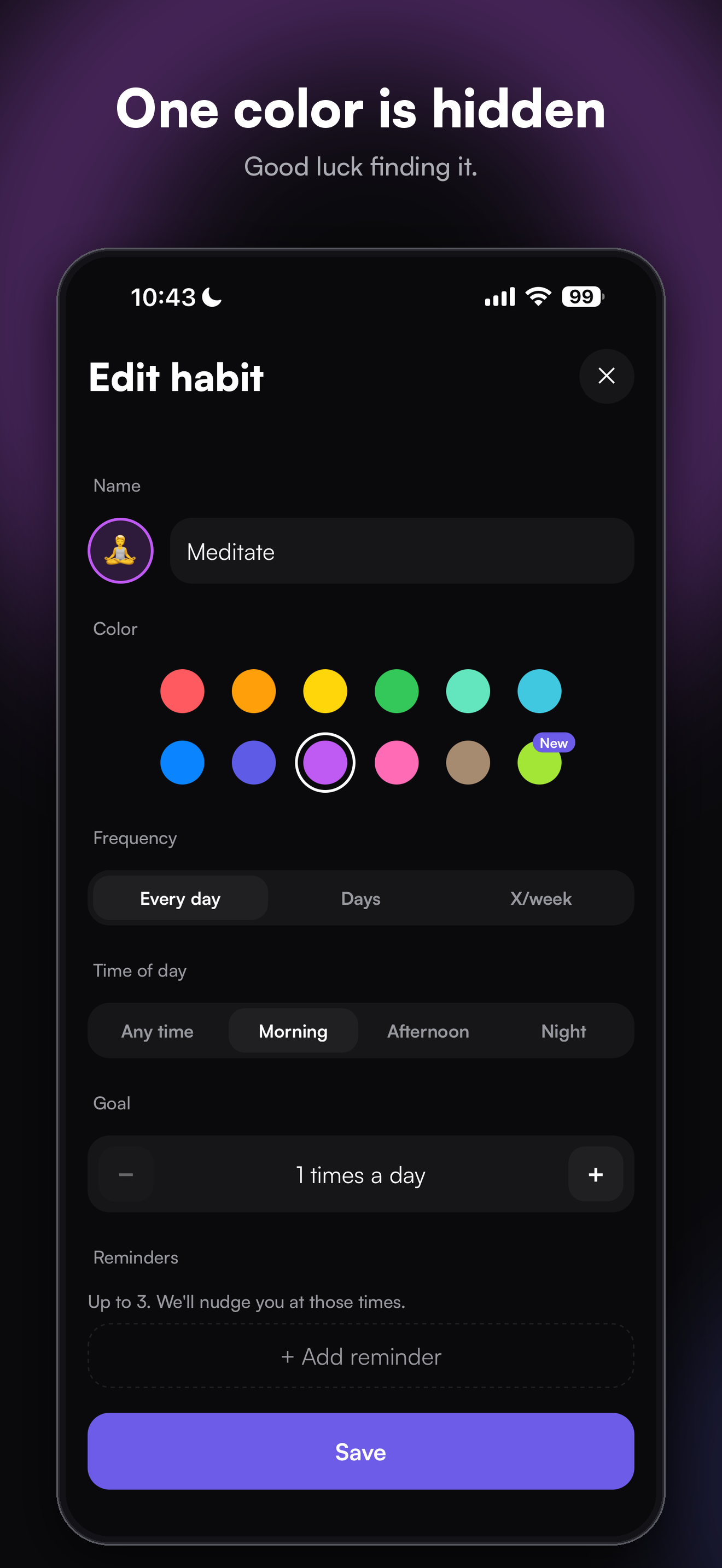
Colors is a habit tracker for iPhone. Each habit gets a color and an emoji. Tap once to complete it. Every day on the month calendar is drawn as a ring split into one segment per habit you finished, so a day with reading and running is blue and coral, a perfect day is a full ring, and a month reads as a painting of how you lived it. There are streaks per habit and per perfect day, notes, skip days, a filter that shows one habit's month as a heatmap, local reminders with a "Done" action right in the notification, and five home screen widgets that paint the same rings. Everything lives on the phone: no account, no server.
Free: three habits, this month and last, one reminder per habit, two widgets. Premium unlocks unlimited habits, the full history, several reminders per habit, all widgets and data export. Monthly, yearly with a seven day trial, or lifetime, all through RevenueCat.
How we built it
Expo (React Native, TypeScript) built on Windows and compiled in the cloud with EAS, with no Mac in the loop until the widgets. The calendar rings are drawn with react-native-skia; animations are Reanimated; storage is SQLite through Drizzle. The streak and statistics engine is pure TypeScript with 279 unit tests, and the widgets are a small SwiftUI extension that paints a JSON snapshot the app writes, so the widgets never compute anything and can never disagree with the app. RevenueCat handles the three products, the entitlement, restore, and offer code redemption from Settings.
Challenges we ran into
Consistency between six surfaces that all draw the same day: the day cell, the month grid, the mini calendars in onboarding and the paywall, and the widgets. The answer was one engine and one geometry, ported once to Swift with the numbers written down. The second challenge was iOS itself: screens frozen off-screen that never repaint, a Skia canvas that keeps its last frame, and, found by a friend's iPhone 11 after launch, an entering animation that leaves a button invisible and untappable when Reduce Motion is on. Every one of those became a rule in the project's own guide so it cannot come back.
Accomplishments that we're proud of
Shipping to the App Store in eight weeks from a blank folder, without a Mac, with the differentiator intact: you can look at a month and name the habits. Two updates since launch, both driven by real use. And a paywall where every price comes from the store, nothing is faked, and the way out is always visible.
What we learned
That "it works on my phone" is not a test: two phones with the same build differ in iOS, accessibility settings, screen scale and Apple ID, and three of our post-launch bugs lived in those differences. That data should decide what to build next: the second country by installs turned out to be Germany, with an English-only listing. And that a small paid experiment beats a long debate.
What's next for Colors
Lock Screen widgets, a German listing, and Android with the same code.
Built With
- astro
- drizzle-orm
- eas
- expo-sqlite
- expo.io
- react-native
- react-native-reanimated
- react-native-skia
- revenuecat
- swiftui
- typescript
- vitest
- widgetkit

Log in or sign up for Devpost to join the conversation.