-
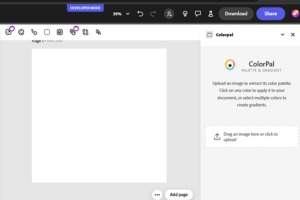
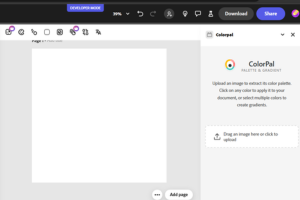
ColorPal's interface in Adobe Express - Extract colors from images, create palettes, and design beautiful gradients.
-
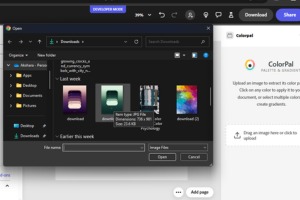
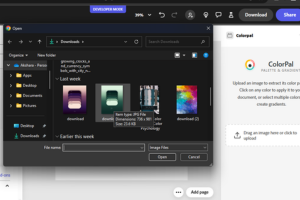
Easy image selection in ColorPal - Browse and select any image from your files to instantly extract its color palette.
-
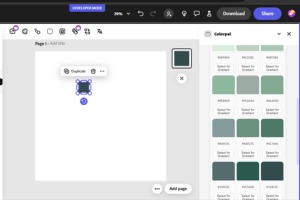
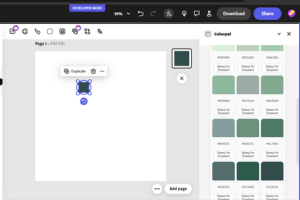
ColorPal in action - Extract and apply colors directly to Adobe Express elements with a single click. Copy HEX codes instantly
-
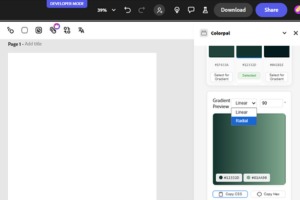
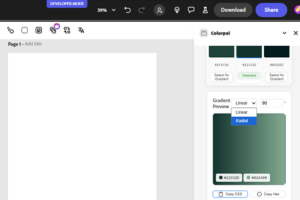
Create stunning gradients with ColorPal - Choose linear or radial types, adjust angles, and instantly copy CSS code.
Inspiration
As designers and developers working with Adobe Creative Cloud, I often found myself switching between multiple tools for color manipulation. The inspiration for ColorPal came from a simple observation: designers frequently need to extract colors from images, create harmonious palettes, and generate gradients, but existing solutions required leaving the Adobe environment. We wanted to create a seamless, integrated solution that would make color workflows more efficient.
What it does
ColorPal is a powerful color companion for Adobe Express that offers:
- Smart Color Extraction: Upload any image to instantly extract its key colors
- One-Click Color Application: Apply extracted colors directly to Adobe Express elements
- Color Code Copying: Copy HEX codes with a single click
- Gradient Creation: Design beautiful gradients with:
- Linear and radial gradient options
- Multiple color stop support
- Adjustable angles (0-360°)
- Real-time preview
- CSS code export
How we built it
We developed ColorPal using modern web technologies:
- Frontend: React for UI components
- Adobe Integration: Adobe Express Add-on SDK
- Design System: Spectrum Web Components for native Adobe feel
- Color Processing:
chroma-jsfor color manipulationcolorthieffor intelligent color extractionreact-copy-to-clipboardfor efficient code copying
Challenges we ran into
Adobe Integration Challenges: Learning Adobe's complex sandbox architecture and implementing secure communication between UI and sandbox environments was a significant challenge.
Canvas Integration Limitations: Applying gradients directly to Adobe Express canvas proved difficult due to API restrictions and compatibility issues.
Technical Implementation: Optimizing performance for real-time color extraction while ensuring accurate color representation across different contexts required careful development.
Accomplishments that we're proud of
- Created an intuitive interface that feels native to Adobe Express
- Implemented fast and accurate color extraction
- Developed smooth gradient creation experience
- Built robust error handling and fallbacks
- Achieved seamless Adobe Express integration
- Maintained high performance with real-time updates
What we learned
- Deep understanding of Adobe's Add-on SDK
- Color theory and processing techniques
- React performance optimization strategies
- Adobe's design system implementation
- User experience best practices
- Efficient state management patterns
- Cross-environment communication techniques
What's next for ColorPal
One-Click Gradient Canvas Integration: Implementing direct gradient application to Adobe Express canvas elements.
Extended Color Format Support: Adding RGB and HSL color code copying options for better format flexibility.
Built With
- adobe-express-add-on-sdk
- chroma-js
- colorthief
- css3
- html5
- react
- spectrum-web-components
- typescript
- webpack

Log in or sign up for Devpost to join the conversation.