-
-

App icon
-
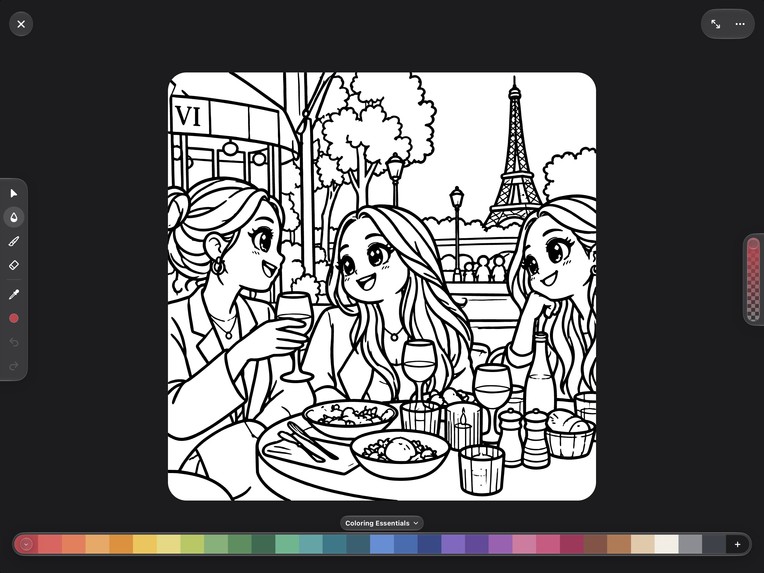
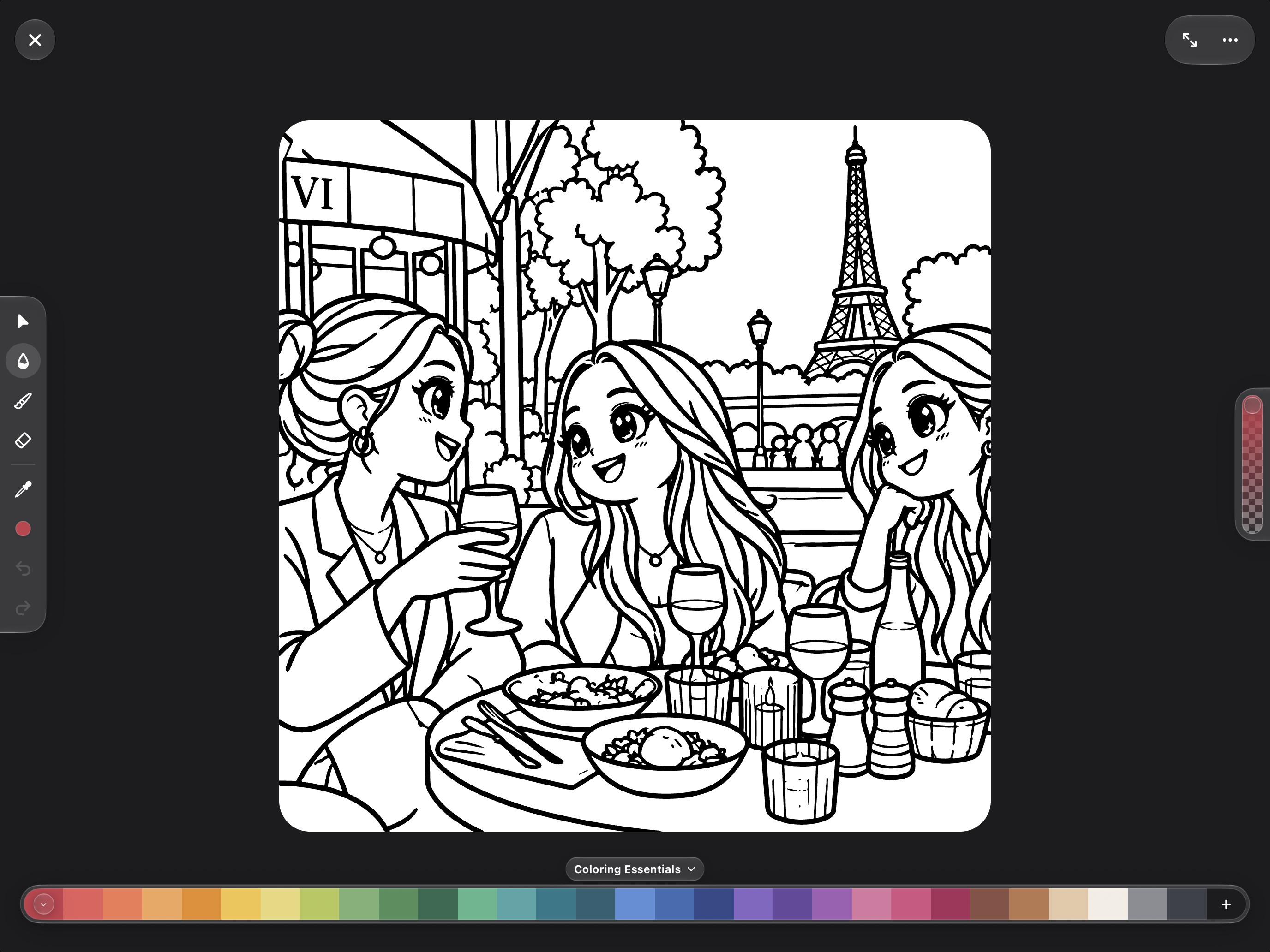
Color your photos: Fill, brush, eraser and color picker, with palettes made for coloring
-
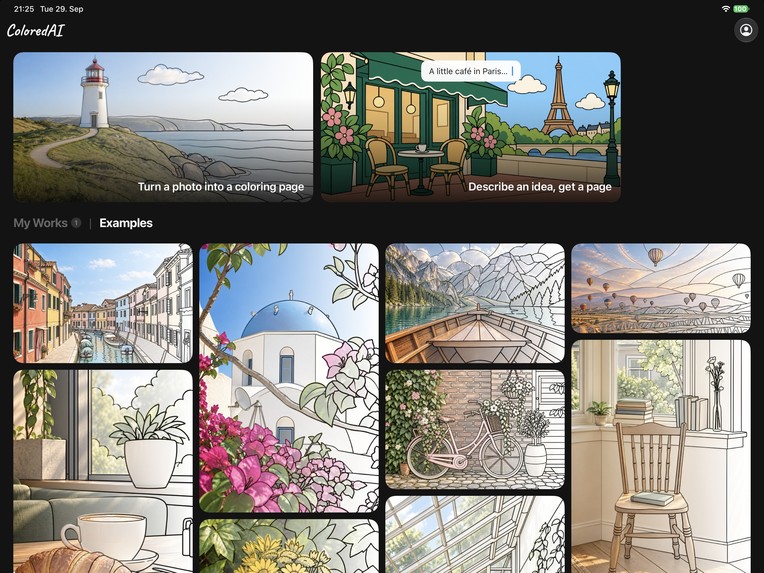
iCloud synced coloring pages.
-
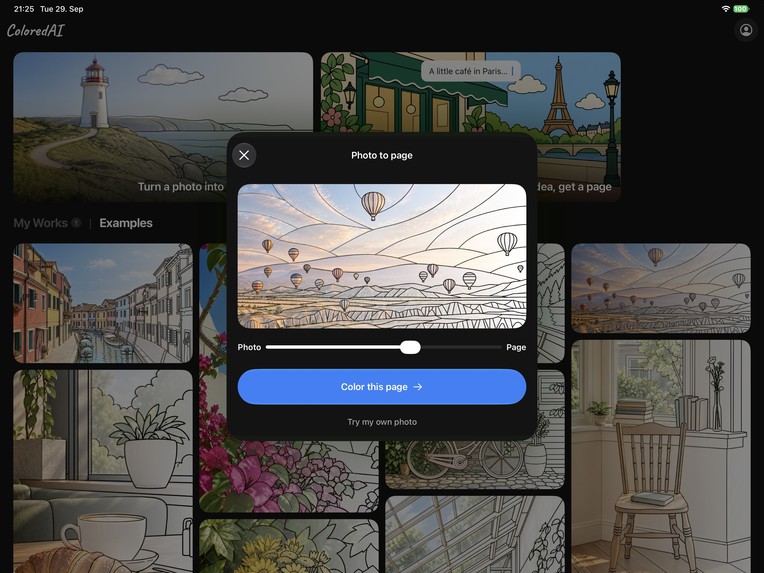
AI Converter: Turn any photo into a coloring page.
-
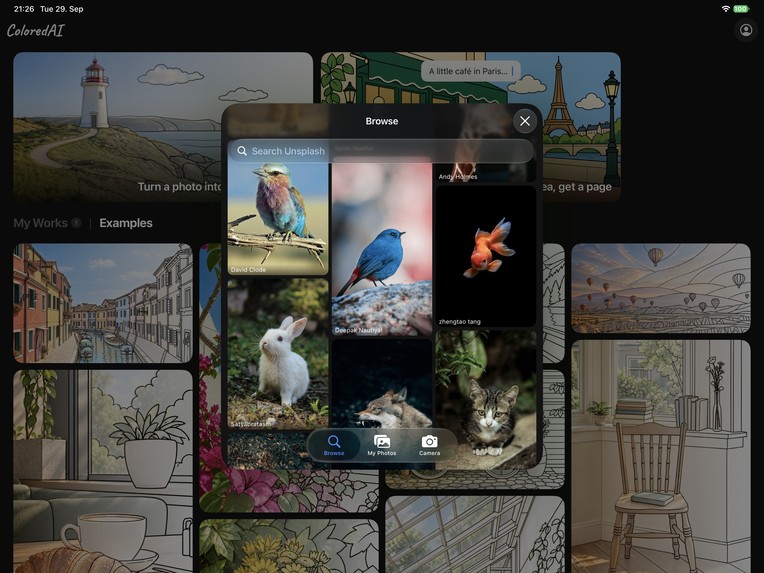
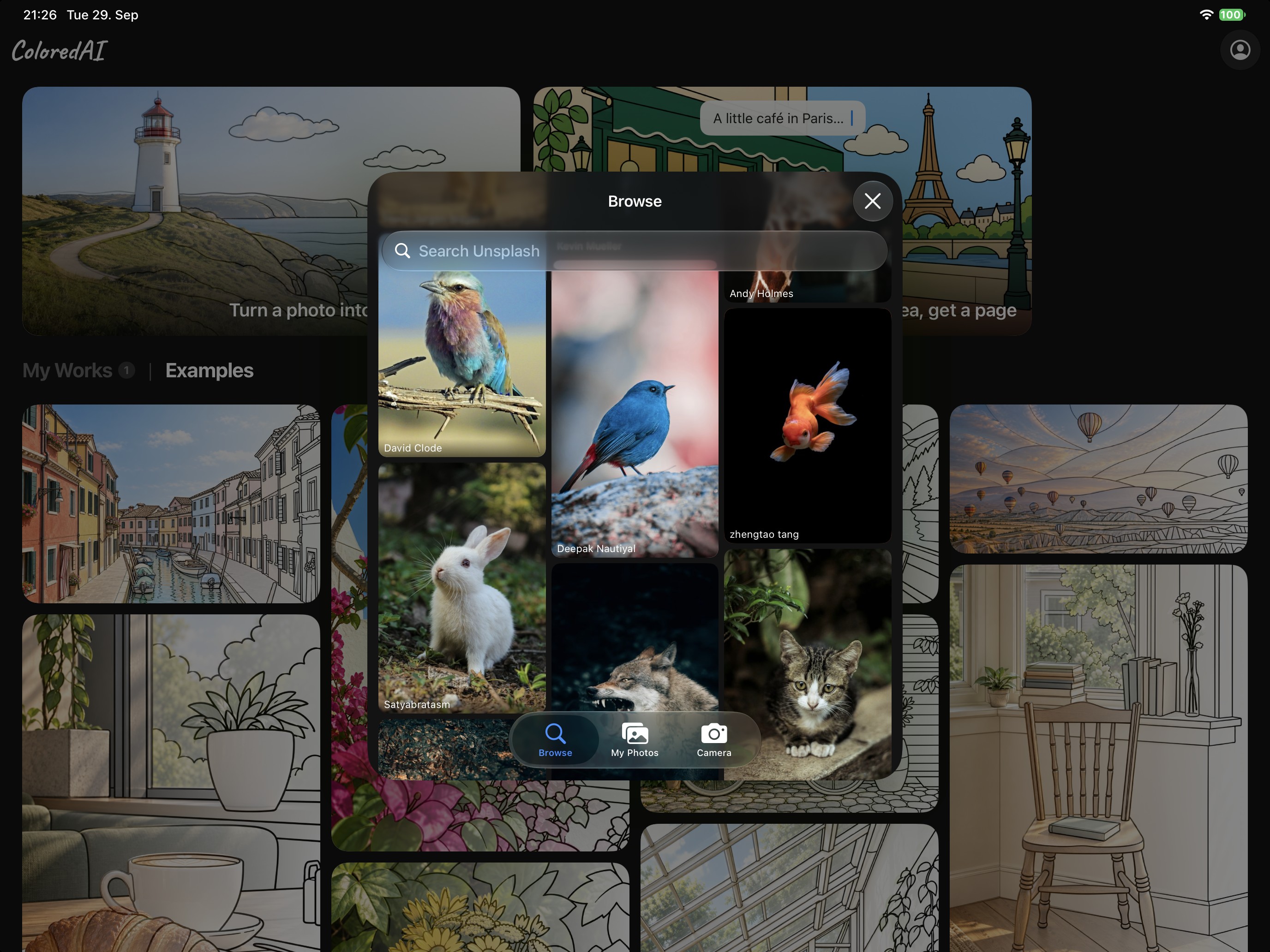
Pick a photo from Unsplash, your library or the camera

Inspiration
The pictures we care about most aren't in coloring books. They're on our phones: the dog asleep on the sofa, a street from last summer's trip, grandma's garden in bloom. We wanted to color those. But a good coloring page needs clean, closed outlines, and photo-to-sketch filters only give you broken, noisy lines you can't really fill. So we built ColoredAI: pick a photo, get a real coloring page of it, and start coloring right away on your iPhone or iPad.
What it does
ColoredAI turns the photos you love into coloring pages, and gives you a beautiful place to color them.
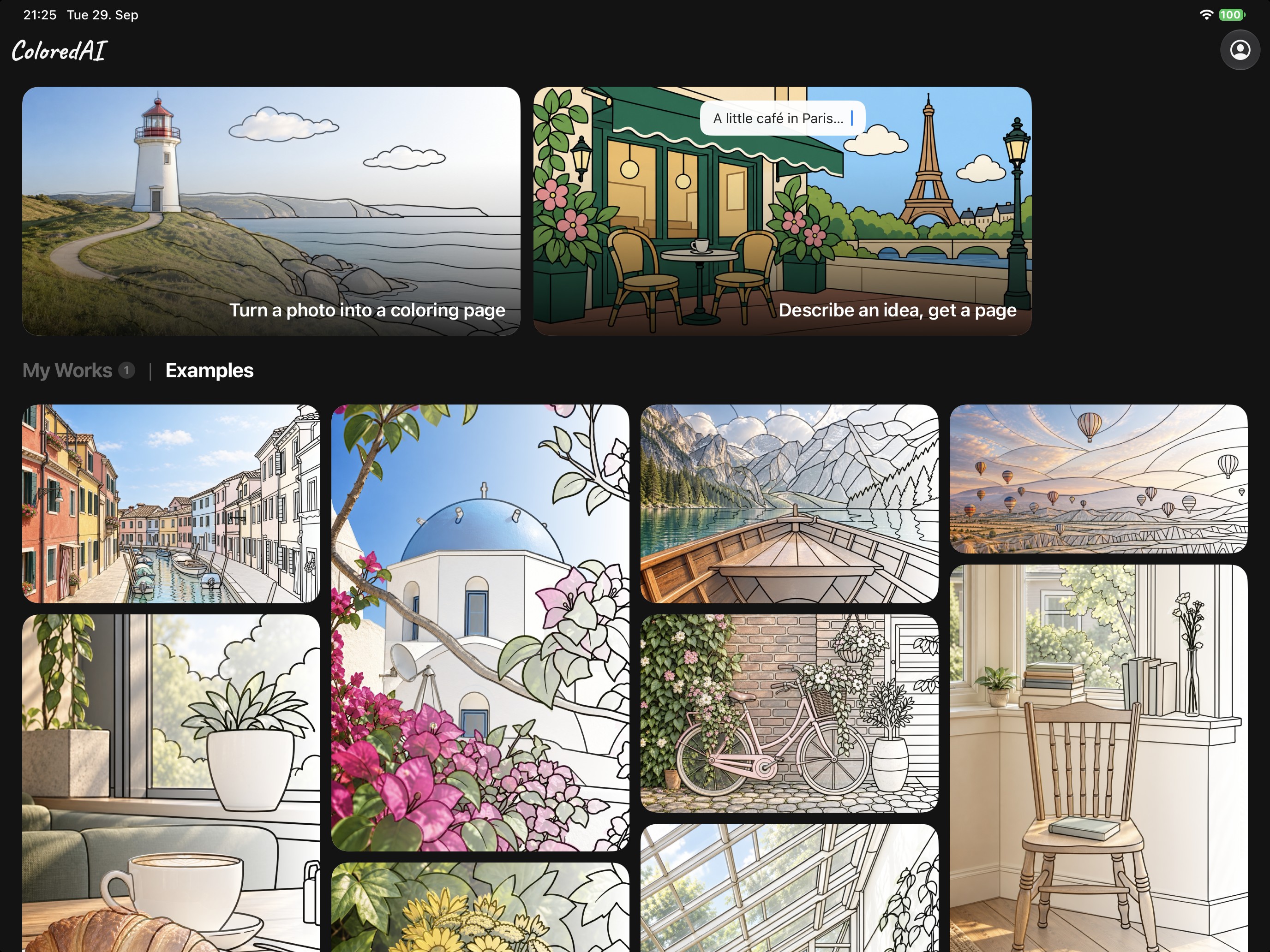
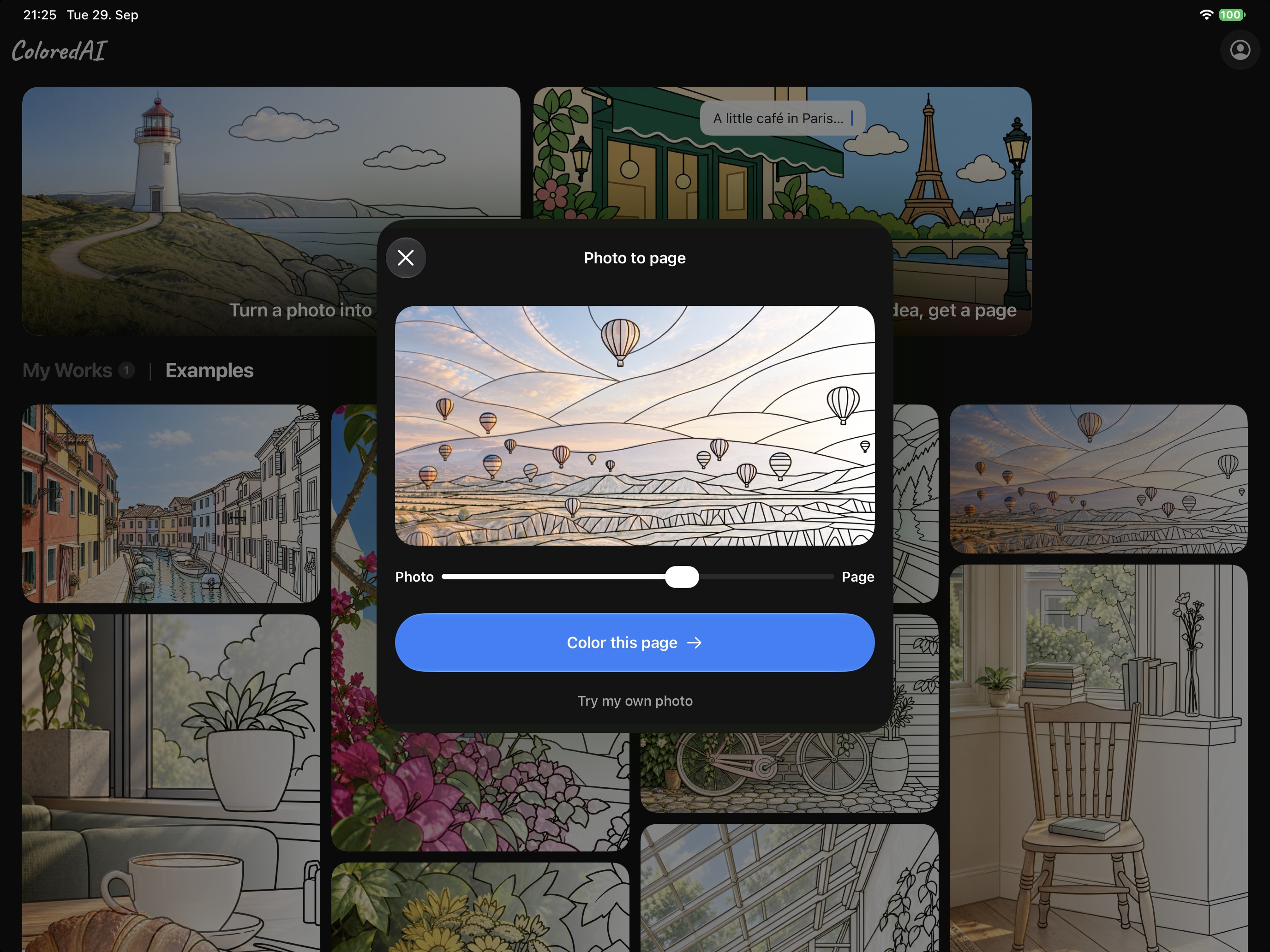
- Photo to page: pick a photo from your library, the camera or Unsplash, choose a style (Cute Cartoon, Realistic or Pixel Art), and about 20 seconds later your page appears right on top of your photo, keeping its composition.
- Or describe it: no photo? Type an idea, like "a cozy Paris café on a rainy evening", and ColoredAI draws the page.
- Color it in the app: tap an area and the color pours in from your fingertip, with a soft sound and a gentle haptic tap, and it never spills over a line. Zoom deep into the details while the lines stay sharp, add your own touches with the pen, and choose from 8 palettes with moods like Soft Pastels, Ocean and Golden Hour, or mix your own colors.
- Keep everything: My Works saves every page, colored or not, and syncs it with iCloud between your iPhone and iPad. Ready-made example pages are there when you just want to start coloring.
- ColoredAI Pro: one subscription for every style, every palette and plenty of new pages every day, with no ads.
How we built it
- iOS app: SwiftUI for iPhone and iPad, designed around Apple's Liquid Glass, with SwiftData and CloudKit keeping the library in sync.
- Coloring canvas: a custom Metal renderer. Every page is a vector template, with the line art as strokes and every fillable area as a polygon, so fills are instant and exact and stay crisp at any zoom.
- From photo to line art: OpenAI's image model redraws the photo as a coloring page, using a prompt we tuned for each style: bold closed outlines, no shading, and the same framing and subject size as the photo.
- From line art to regions: our own Swift package, PNGToColorable, turns the image into fillable regions. It closes shapes, extends the paint under the lines so no white seams show, and attaches tiny cells (fur, texture) to the object they belong to, so one tap fills the whole thing.
- Subscriptions with RevenueCat: RevenueCat runs ColoredAI Pro end to end. The paywall reads its plans from RevenueCat Offerings, so we can change plans and run experiments without an app update, and our backend checks the Pro entitlement with RevenueCat before it makes a page.
- Backend: a Cloudflare Worker. A Durable Object per customer holds jobs and usage and runs each generation on an alarm, so the app can reconnect to the same job after a dropped connection and a page is never counted twice. Images are stored privately in R2 and expire after a day. App Attest and DeviceCheck protect it all without anyone having to create an account.
Challenges we ran into
- Colorable, not just pretty. Image models love shading, hatching and hairline strokes, and none of those can be filled. It took many rounds of prompt work, plus a converter that closes gaps and merges tiny cells, before pages reliably came out with bold, closed shapes.
- Keeping it your photo. Models like to zoom in, recenter or reinvent the subject. The prompt now asks for the exact framing, so your dog stays your dog, in the same spot.
- Busy backgrounds. Grass, gravel and blurry backgrounds turned into fields of tiny blobs. Asking for a few large, simple shapes and attaching leftover specks to their neighbors fixed it.
- The wait. A page takes about 20 seconds, so we made the wait part of the show: the finished page is revealed right over your photo, in the same frame.
- Free, but not farmable. We wanted to give new users free pages without making them create an account, and without those pages being farmed. App Attest, DeviceCheck and per-device limits in Durable Objects made that work.
Accomplishments that we're proud of
- Pages that look hand-drawn from your own photo, and that are genuinely fun to color: one tap, one area, never over the lines.
- A coloring experience that feels physical: color that pours from your fingertip, soft sounds and haptics, and Liquid Glass tools that float over the page.
- A complete product, not a demo: live on the App Store for iPhone and iPad, with subscriptions, iCloud sync and a backend built to hold up against abuse and cost, all without asking anyone to create an account.
What we learned
- A few words in a prompt ("outlines only", "every shape closed", "never move the subject") make the difference between a picture and a page you can actually color.
- The page is only half the product. The other half is how coloring it feels: tap targets, tiny cells, zoom, sound and haptics.
- Filling in is the fun part. We tried letting AI color the whole page and dropped it. The auto color pen we're building next only picks the colors, and every tap stays yours.
- Ask fewer, better questions. While designing our new onboarding, we cut every question that didn't visibly change what the user gets next.
What's next for ColoredAI: Color your Photos
- A hard paywall with a free first page: to maximize conversions, our next update puts a free page right into the onboarding. New users turn one of their own photos into a coloring page, get the wow moment of seeing it appear, pick their colors, and color it in the real editor with a short tutorial. When they're done, the paywall appears right in the onboarding, with their own page on it.
- Improving the algorithm: cleaner pages from every kind of photo, with tidier outlines and fewer tiny areas to fill.
- Auto color pen: AI gives every region a matching color in advance. People who simply love the feeling of filling in a page don't have to think about colors: tap an area and the right color goes in.


Log in or sign up for Devpost to join the conversation.