Inspiration It all started with one of our teammates. He had a habit of losing focus during video meetings, slouching, looking away, and fidgeting without even realizing it. It wasn't that he didn't care; he just couldn't see himself the way others saw him. Over time, it cost him real opportunities: job interviews that didn't land, client calls that fell flat, and team meetings where he came across as disengaged.
We thought: what if there was something that could watch your body language in real-time and quietly nudge you before anyone else noticed? That's how CollarAI was born, first to help our friend, then to solve this problem for everyone.
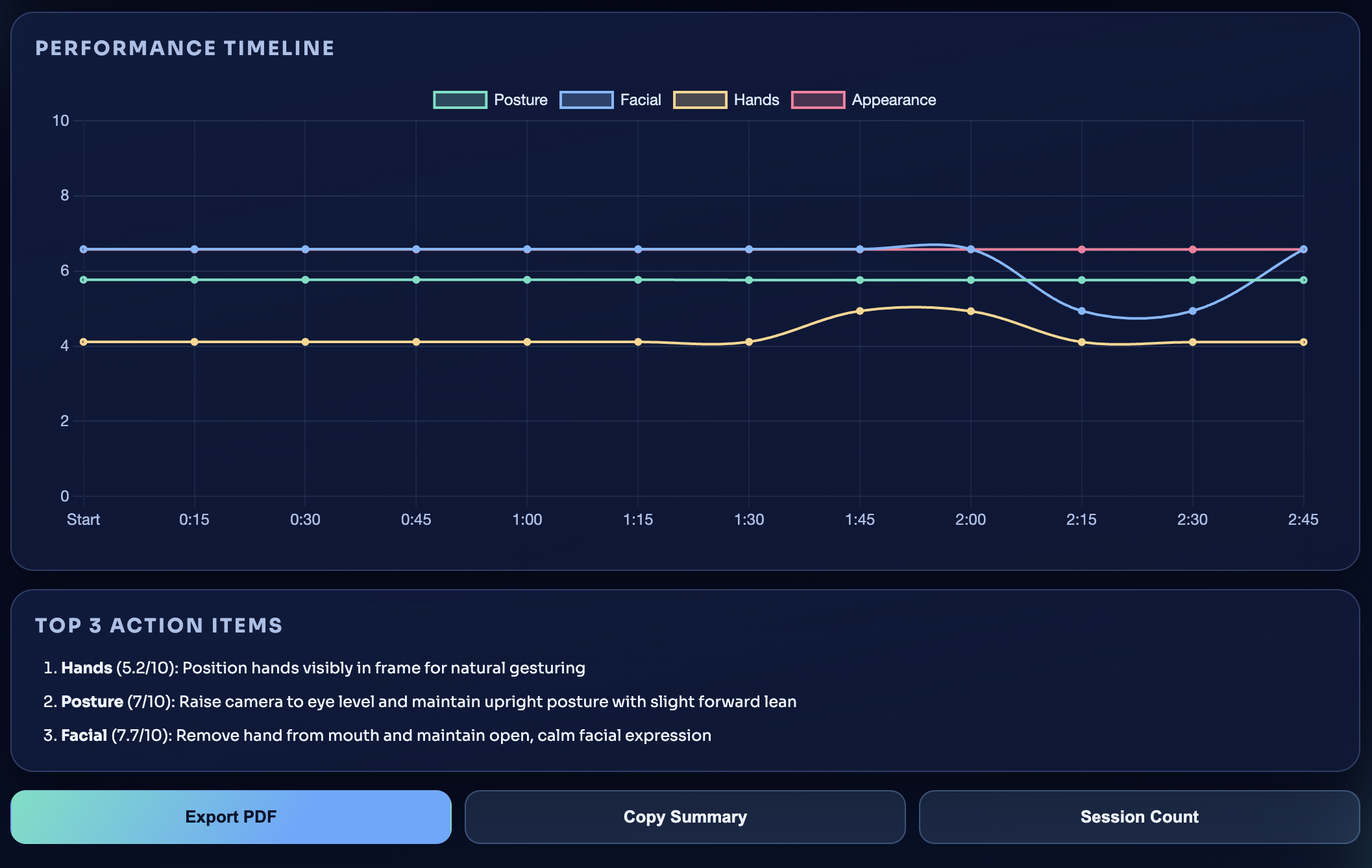
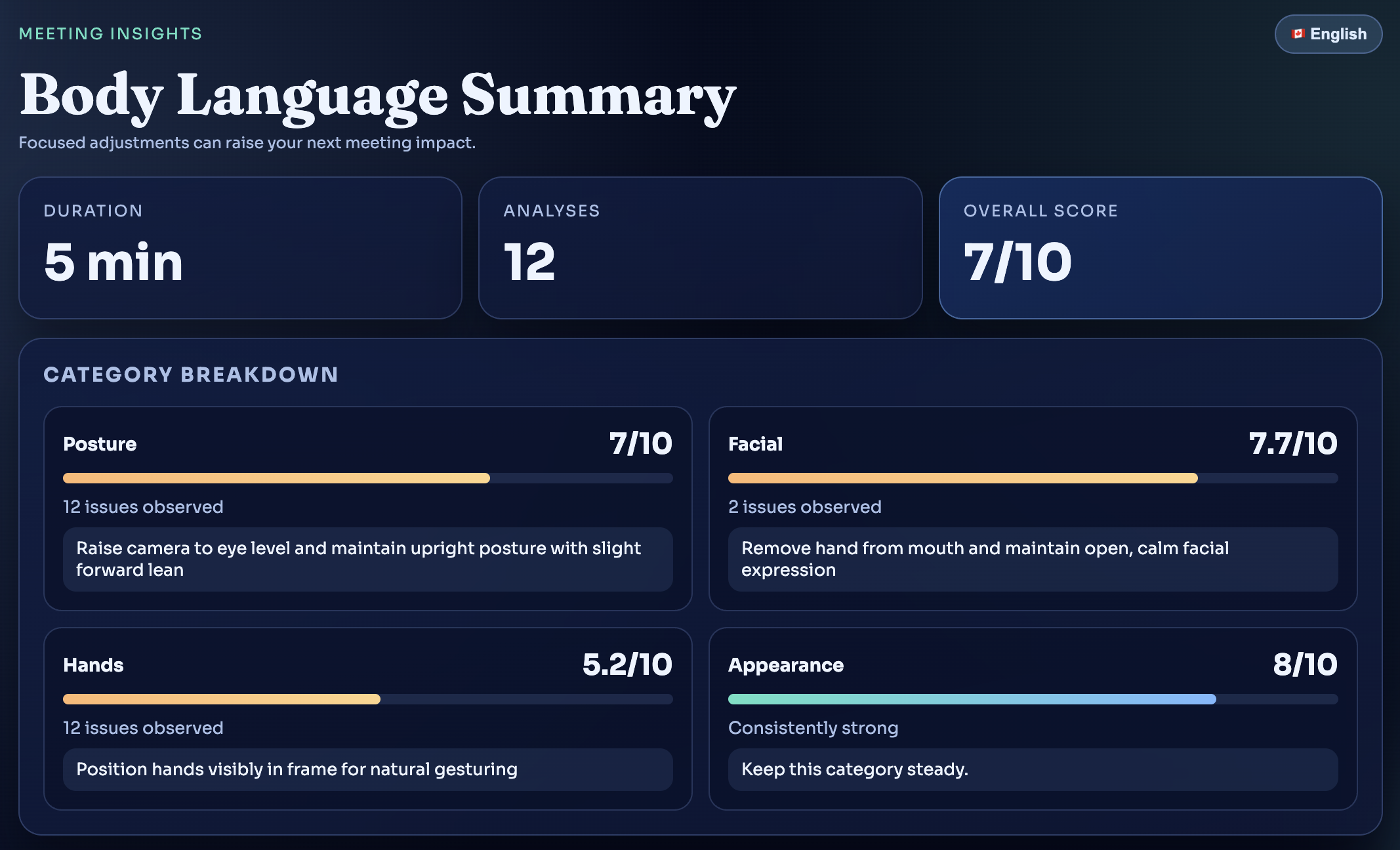
What it does CollarAI is a Chrome extension that acts as your personal body language coach during video calls. It uses AI vision APIs (Claude and OpenAI) to analyze your posture, eye contact, facial expressions, and gestures in real time, then delivers gentle coaching feedback so you can adjust on the fly. After the meeting, it generates a detailed summary with a timeline, category scores, and actionable improvement tips.
It works across Google Meet, Zoom, Microsoft Teams, Slack, Discord, and Webex, wherever the meeting happens, CollarAI has your back.
How we built it We built CollarAI as a Manifest V3 Chrome Extension using vanilla JavaScript and ES6 modules, no frameworks, keeping it lean and fast. The architecture has five entry points:
A content script injected into video call pages that detects your self-video feed and captures frames at regular intervals A background service worker that orchestrates API calls, stores analysis results, and manages session lifecycle A pop-up UI for settings and monitoring status A live coaching window for real-time feedback during calls A summary page with a chart. js-powered visualizations for post-meeting review Frame captures are sent to AI vision models (Claude's claude-3-5-sonnet or OpenAI's gpt-4o-mini) that return structured body language assessments with severity scores and coaching suggestions.
Challenges we faced Platform diversity: Each video call platform structures its DOM differently. We had to build a platform registry with custom selectors and a scoring algorithm to reliably find the user's self-video element across six different platforms. Performance vs. accuracy: Capturing and analyzing video frames in real time without degrading the call experience required careful tuning of capture intervals and API call management. Privacy by design: Users are sharing video of themselves, so we had to ensure frames are processed transiently and never stored beyond the active session, with clear privacy controls in the settings. Notification fatigue: Too much coaching feedback becomes noise. We implemented cooldown timers and severity thresholds so users only get nudged when it truly matters. What we learned We learned that the hardest part of building a coaching tool isn't the AI, it's the empathy in the design. Getting the tone right so feedback feels helpful rather than judgmental, timing notifications so they don't disrupt the very meeting they're trying to improve, and making the whole experience invisible enough that it just works in the background. Sometimes the best technology is the kind you forget is there.
Built With
- chart.js
- claude
- css
- eslint
- html
- javascript
- manifest
- node.js
- openai
- prettier
- webpack


Log in or sign up for Devpost to join the conversation.