-
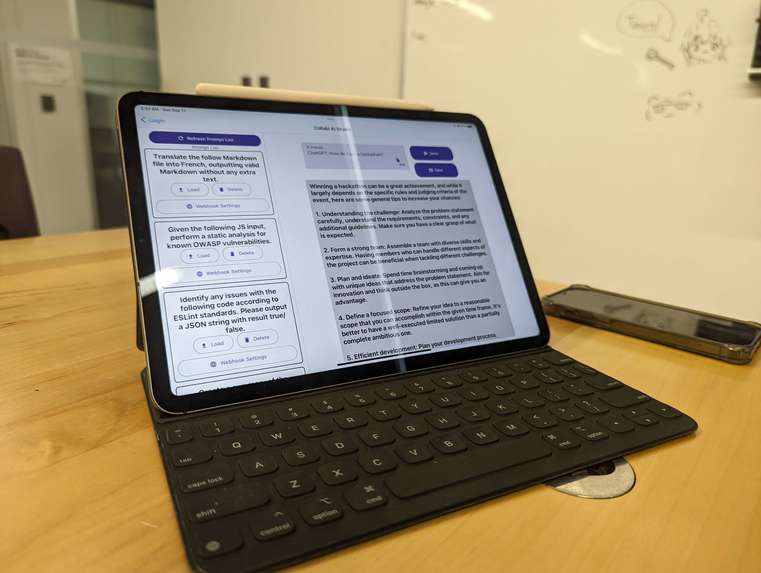
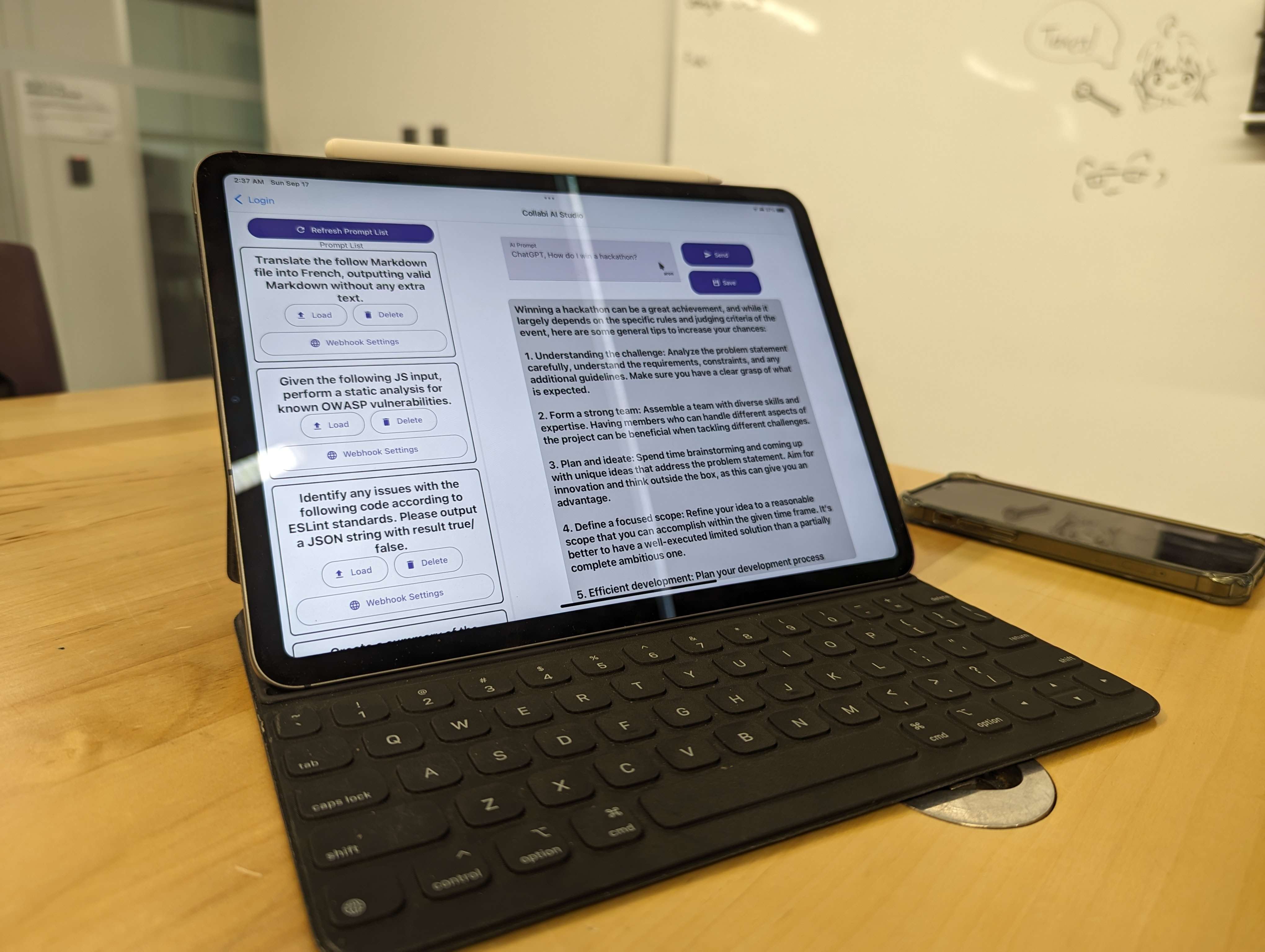
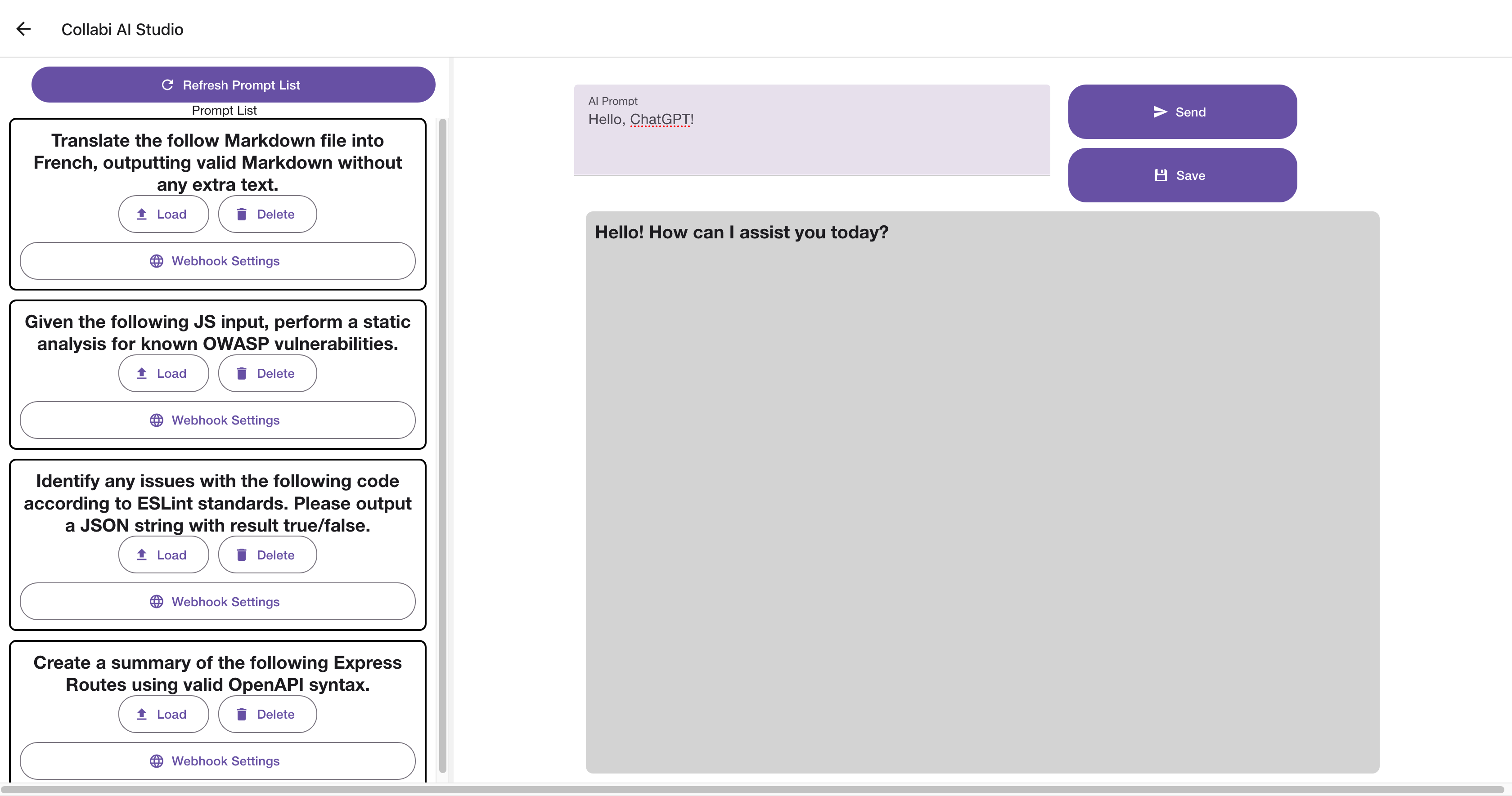
Collabi AI Studio on an iPad
-
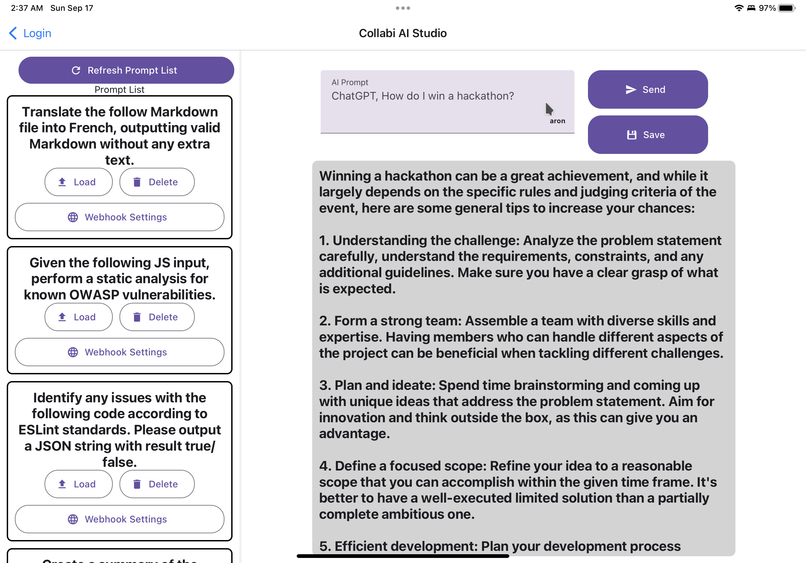
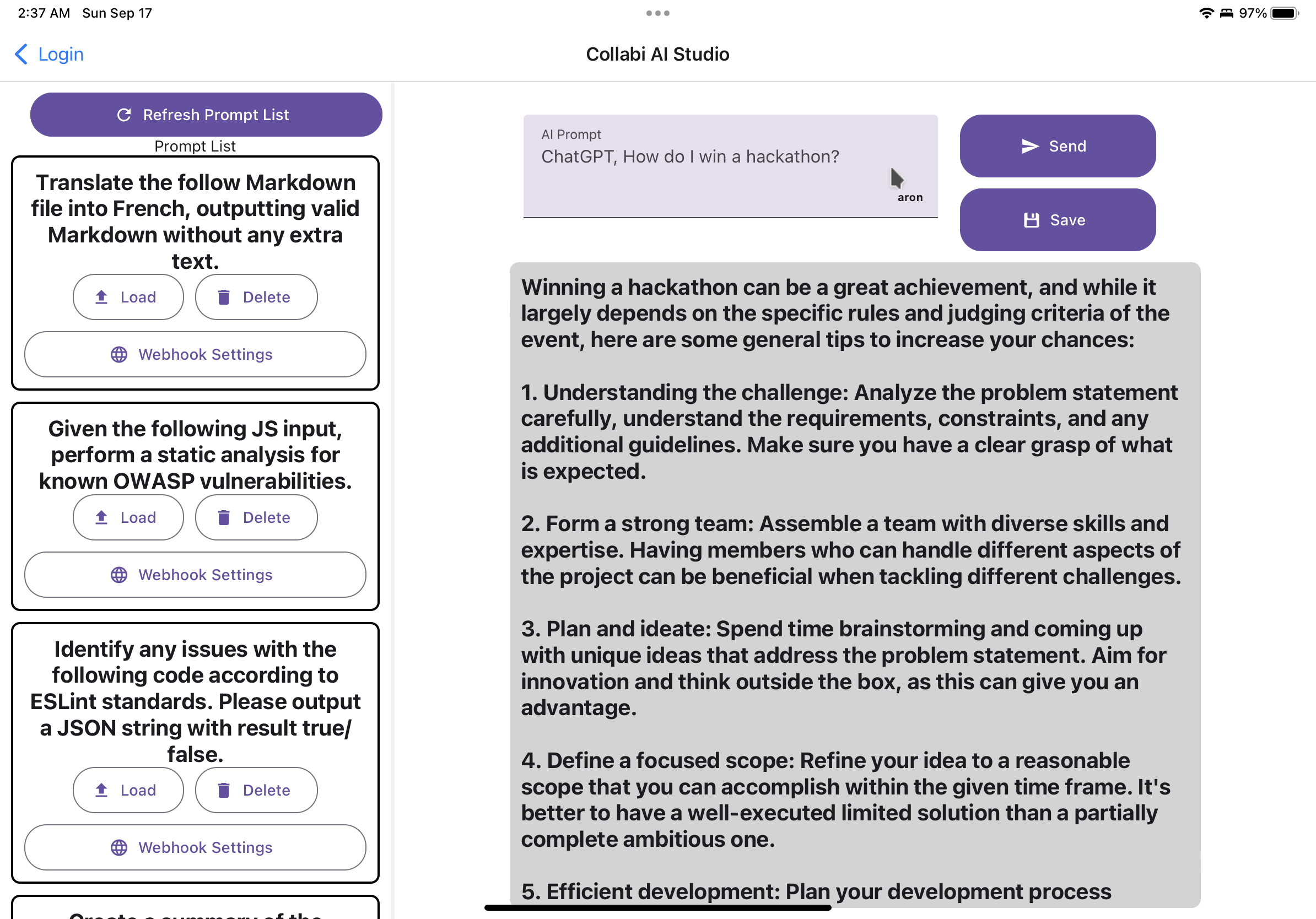
Collabi AI Studio: iPadOS build, featuring a cursor from a web client
-
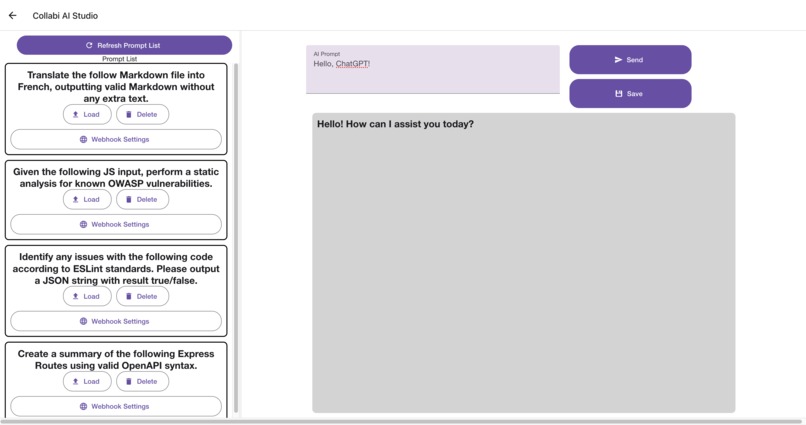
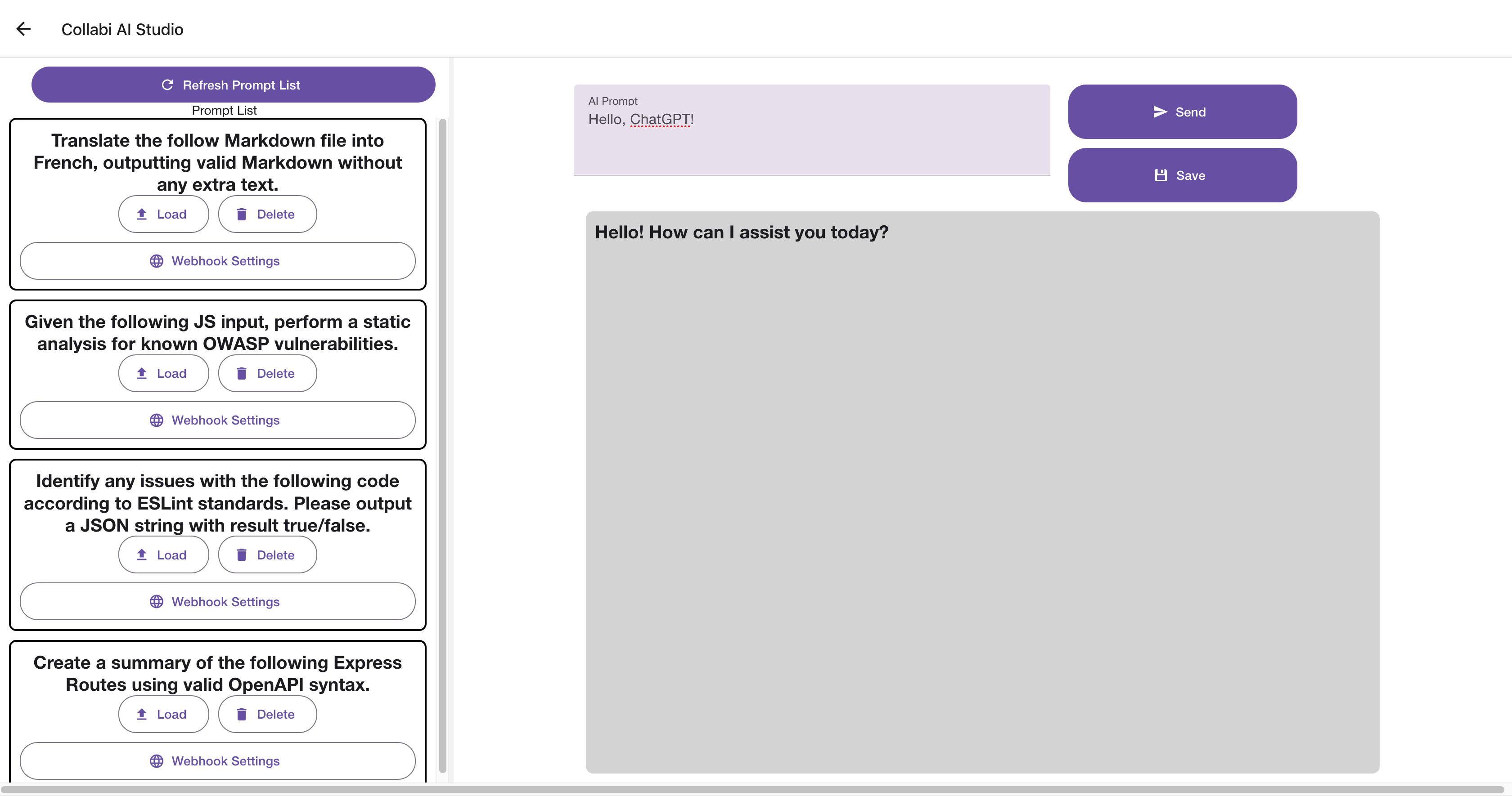
Collabi AI Studio running in Firefox
-
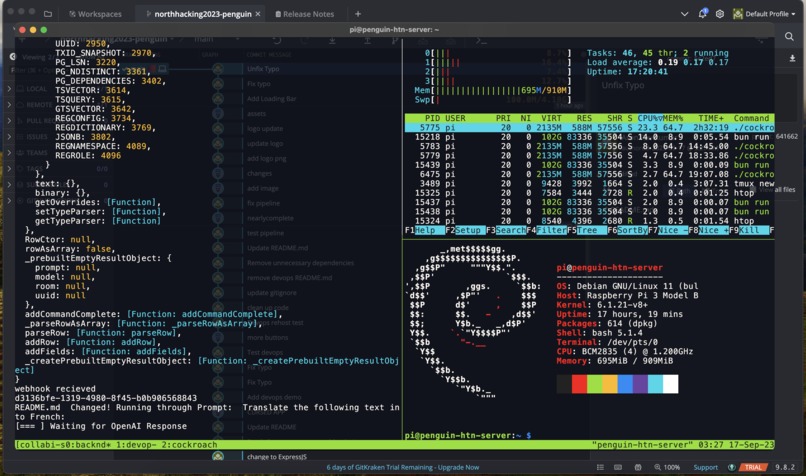
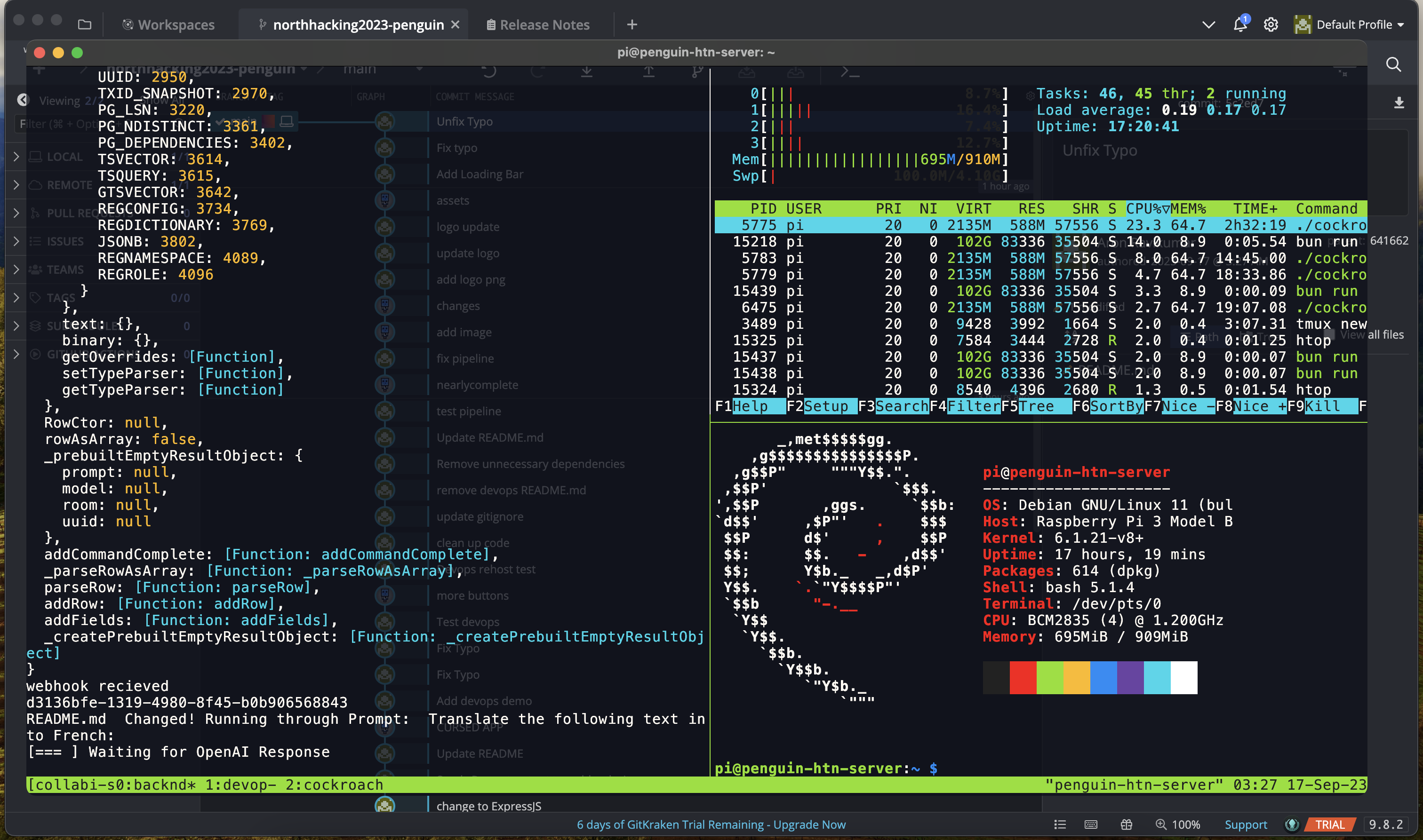
Backend server running on the Raspberry Pi
-

our very good logo, it's very good.

Inspiration
As LLMs and other AI technology continue to develop and thrive in developer ecosystems, the need for cohesive tooling to integrate AI into workflows becomes ever pervasive. How do you harness AI not just as a novelty, but as a full fledged development product? We decided to tackle two intrinsically related problems. One is solving the gap in developer productivity in prompt engineering. How can we help developers iterate on model prompts faster? And once you have a library of custom built prompts, how do we harness them in our DevOps pipelines?
What it does
Collabi AI Studio is a platform that allows users to collaborate on AI prompts, enabling them to brainstorming and perfect their prompts as a team. Then, the saved prompts can be activated using Webhooks, integrating them into your DevOps pipelines. Created automation using AI for automatic language translation, security vulnerability scanning, documentation scanning and so much more.
Collabi is powered by OpenAI's GPT AI Model, arguably the most advanced large language model generally available to the public. OpenAI's API is at the heart of Collabi AI Studio and is what allows it to do nearly infinite things.
How we built it
Collabi is split into the backend server, written in TypeScript using the Bun Runtime, and the frontend, a universal iOS + Android + Web app written using React Native on the Expo framework. The two communicate using a custom JSON-based protocol on top of WebSockets.
Backend
The backend service is using Bun, a new and highly optimized JavaScript+TypeScript runtime alternative to NodeJS written in Zig (a low level language with manual memory management). Using Bun means our service is already a magnitude faster compared to running on Node. Because Bun is Node compatible, we make use of standard Node libraries, such as Express and the OpenAI API library.
The backend exposes two interfaces:
- A Bun WebSocket server for client-server interaction
- An Express HTTP server for receiving webhooks from DevOps pipelines (such as GitHub Actions)
When a user logs in, they are sent to their preferred room, where users broadcast data (cursor position, prompt text, etc) to the server, and the server sends that data to the other users in the room. Once users have perfected their specific prompt, they can save it to the servers CockroachDB database (Postgres compatible), where it can be accessed whenever they need it in the future. The user can then associate that prompt (in the case of our demo, a prompt to translate text into french) with their GitHub repository. Then, whenever they push new content to that repository, our server automatically receives a Webhook to apply that prompt to the new content, then send it down the pipeline (in our example, directly to our website) to be published, or further edited.
 During development and for the demos, we ran the backend service on a Raspberry Pi 3 (an ARM64 SBC). Our backend microservice is scalable, and is able to maintain high performance even on a low-power edge compute node like a Pi.
Frontend
The frontend is a universal app, making use of React Native through Expo. This allows the Collabi AI Studio to be usable on nearly every platform: on computers using the web target, and on mobile devices running iOS (such as an iPad) and Android.

React is a perfect match for a real-time collaborative platform. The client connects using a WebSocket connection for two-way communications between the backend, and the have the ability to send state update broadcast messages to other users in the room. This means that every client in the room sees the same screen, and is able to interact with others.
Challenges we ran into
We ran into a number of challenges, many of which caused us to question our sanity... One challenge that stands out in particular was the time spent wrestling the synced textboxes in the app. Textboxes? How can that be problematic? Well, we started getting a very odd behaviour where textboxes would get desyncronized between clients, and get stuck in infinite loops of letters appearing and disappearing. We initially ignored the issues, but the problem seemingly became worse as the app got larger. After tons of debugging, we ended up narrowing down the issue to an expo bug*! It turns out, there is a bug (that I never fully figured out) on specific iOS version where the textbox would randomly throw backspace keypress events when it was being externally updated, **but only with multiline textboxes. We ended up just disabling multiline support in the AI prompt field, which would be good enough for the demo.
Another roadblock we faced was installing the CockroachDB node. CockroachDB expects you to have multiple nodes across many servers, however for the demo (and due to limited hardware) we decided to only have a single node on the Raspberry Pi. Also, the architecture of the Pi (Arm64/AArch64) only recently got proper support from CockroachDB, meaning there was little documentation our Pi. These two issues led us to blindly curl the CockroachDB binary page until we found the arm64 single-node binary for CockroachDB.
Accomplishments that we're proud of
We're quite proud that Collabi managed to accomplish all the features that we envisioned at the beginning of the hackathon. Real time collaboration features, such as displaying cursors of other users in the room, building out a simple pipeline using Git to push and provision a translated copy of a website, etc. Another accomplishment that stands out to us is the cross-platform nature of our app. It is very satisfying having our app run on multiple platforms right out of the gate.
What we learned
This project was definitely a learning experience for us. Anything involving real-time data communication, especially for frontend presentation in the context of collaboration will have unforeseen issues. But it's those issues, such as state synchronization conflicts, that allowed us to deep dive into solving the problems and learning so much along the way.
What's next for Collabi
Overall, the code is already in a pretty good place looking to the future. While writing it we designed it in such a way we can come back after the fact to patch in missing checks and features, and to be able to easily refactor parts of the code so it can be production ready (for example, using TypeScript out of the gate lead to cleaner code along the way). There are still lots we have on our minds for Collabi, such as adding support for other LLMs, and even support for other types of ML technology, such as Stable Diffusion for image generation. You could easily build an API to generate any kind of multimedia imagery based on instructions you write!
Built With
- bun
- cockroachdb
- expo.io
- express.js
- github
- nginx
- openai
- react-native
- sakura
- typescript
- webhooks
- websockets


Log in or sign up for Devpost to join the conversation.