-
-
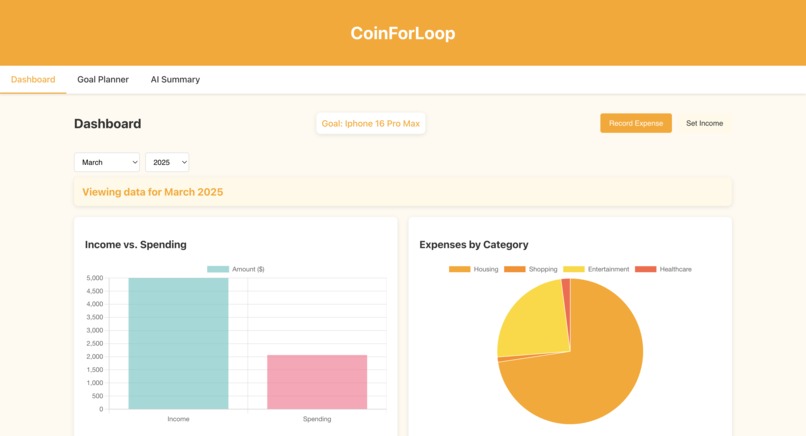
Homepage
-
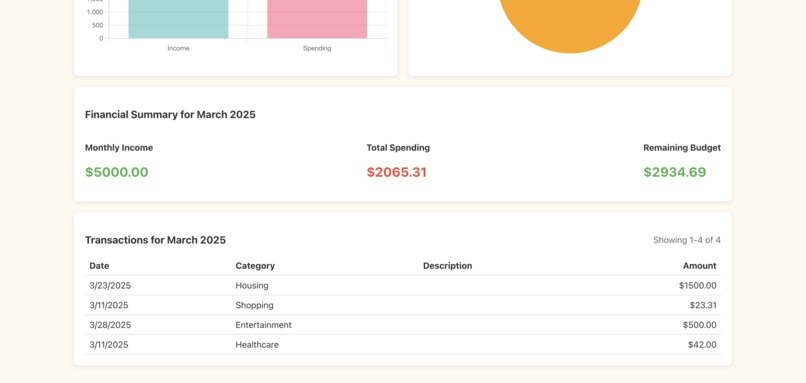
Homepage
-
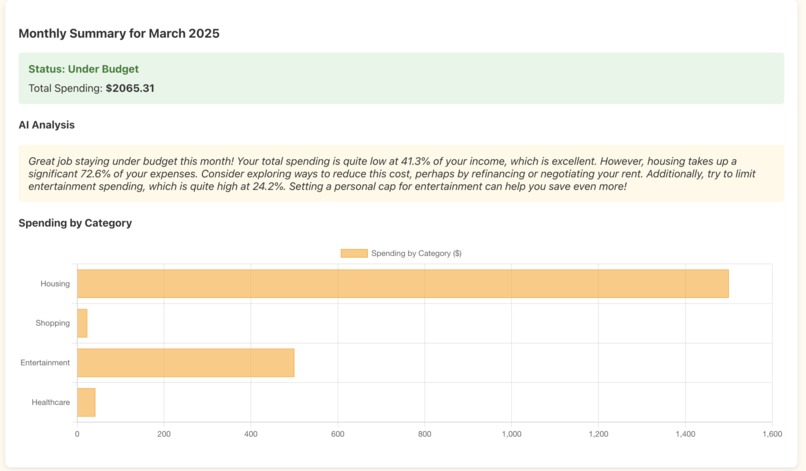
Monthly summary
-
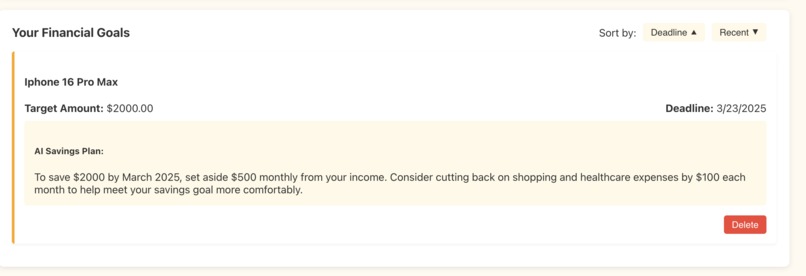
Goal Planning
Inspiration
Due to the recent cooling job market and economic downturn, an increasing number of people—including ourselves—have begun prioritizing their personal finances. To address this need, we aim to develop an app that tracks expenses, visualizes spending patterns, and leverages AI for advanced analysis. Since we lack formal expertise in economics or finance, we believe large language models (LLMs), trained on vast datasets, can provide more accurate and unbiased financial insights than manual efforts.
What it does
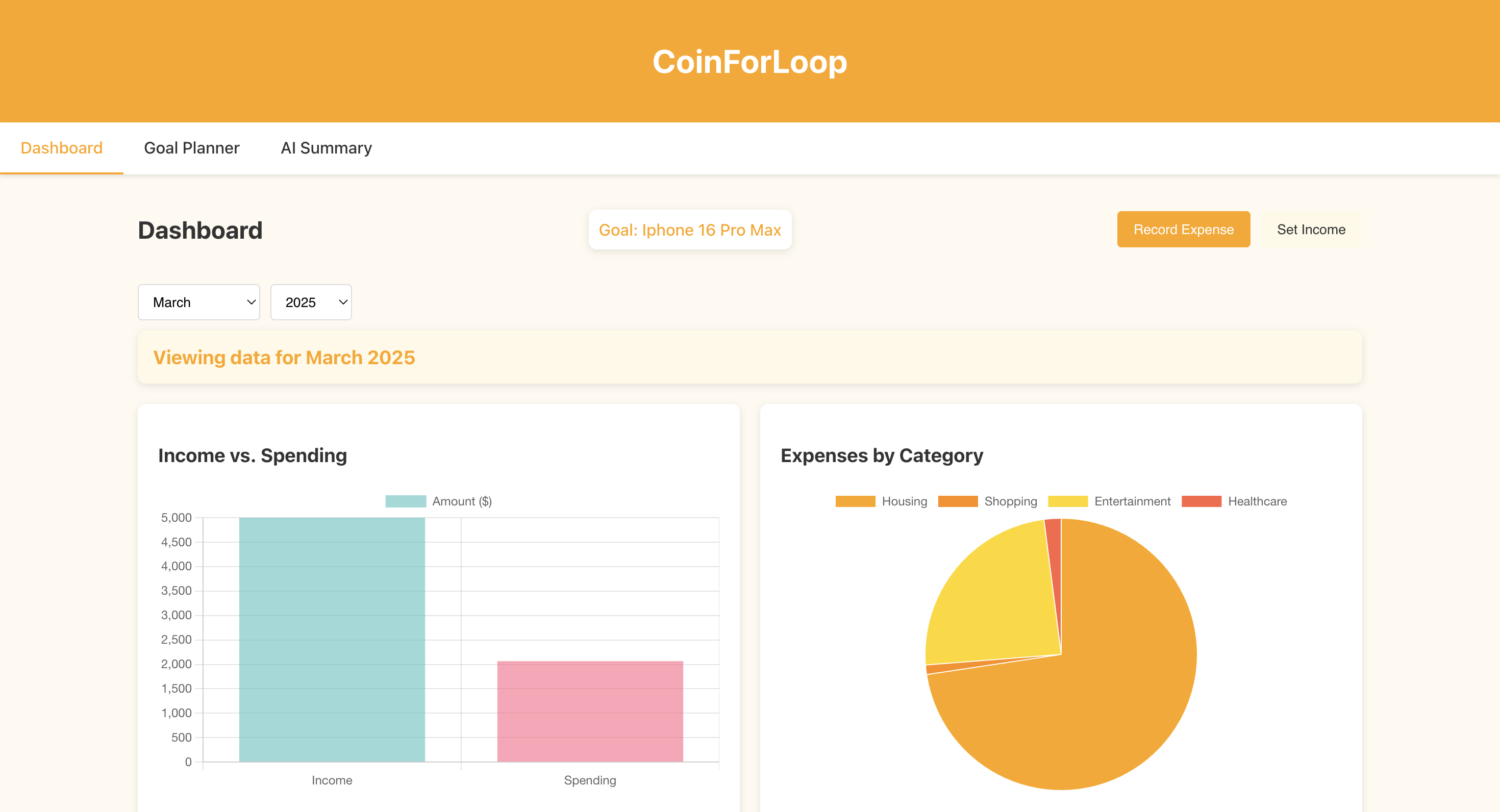
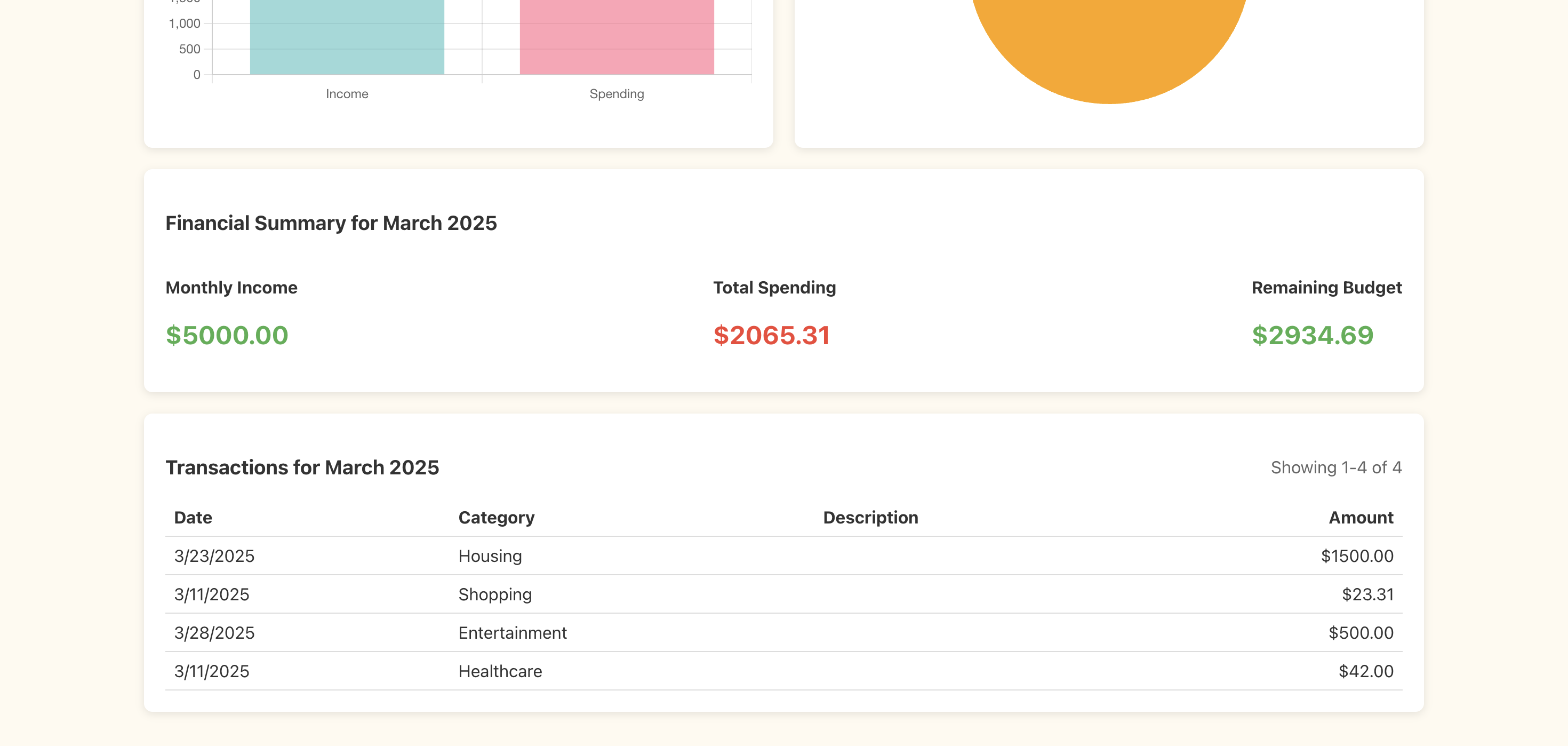
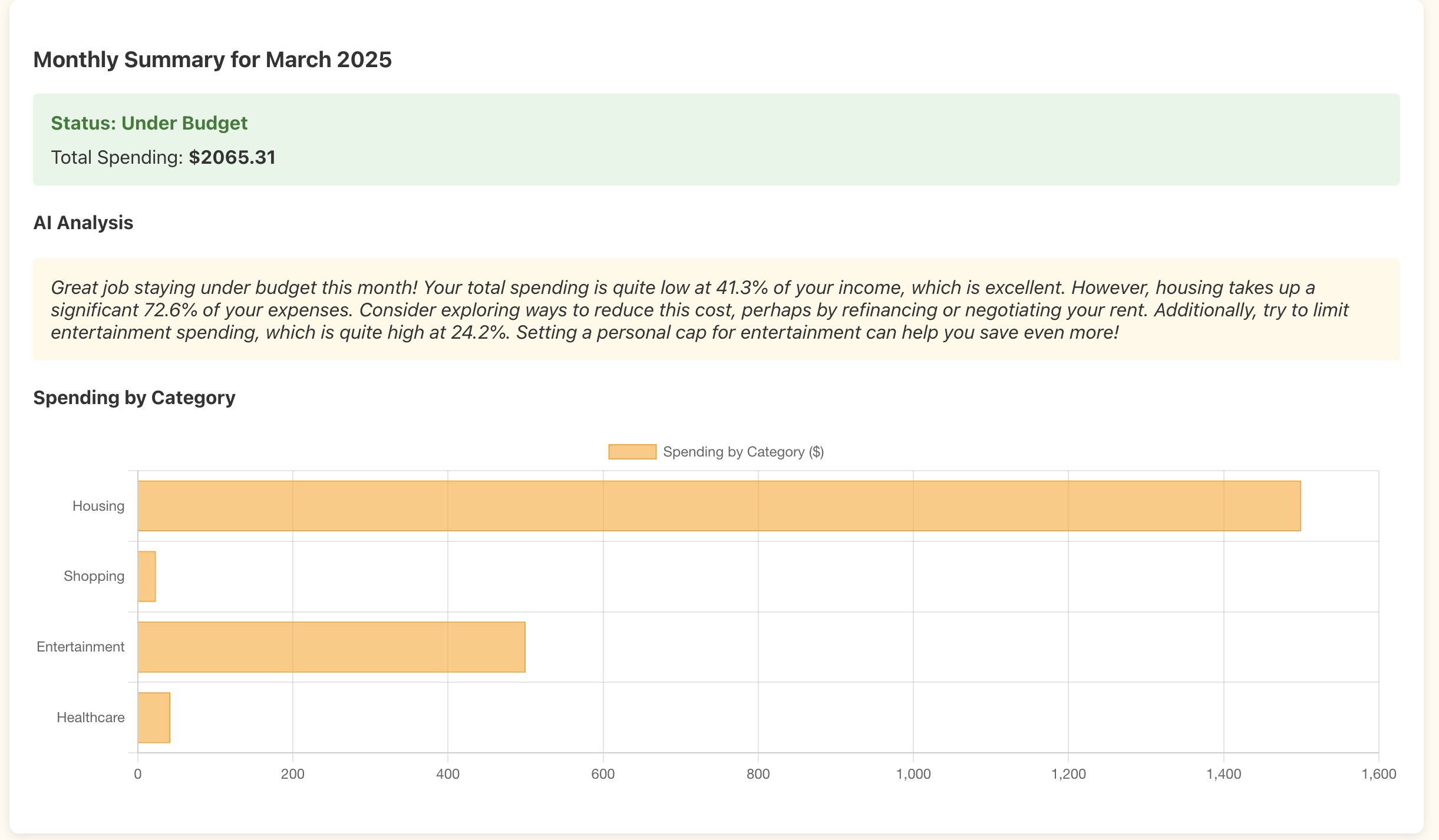
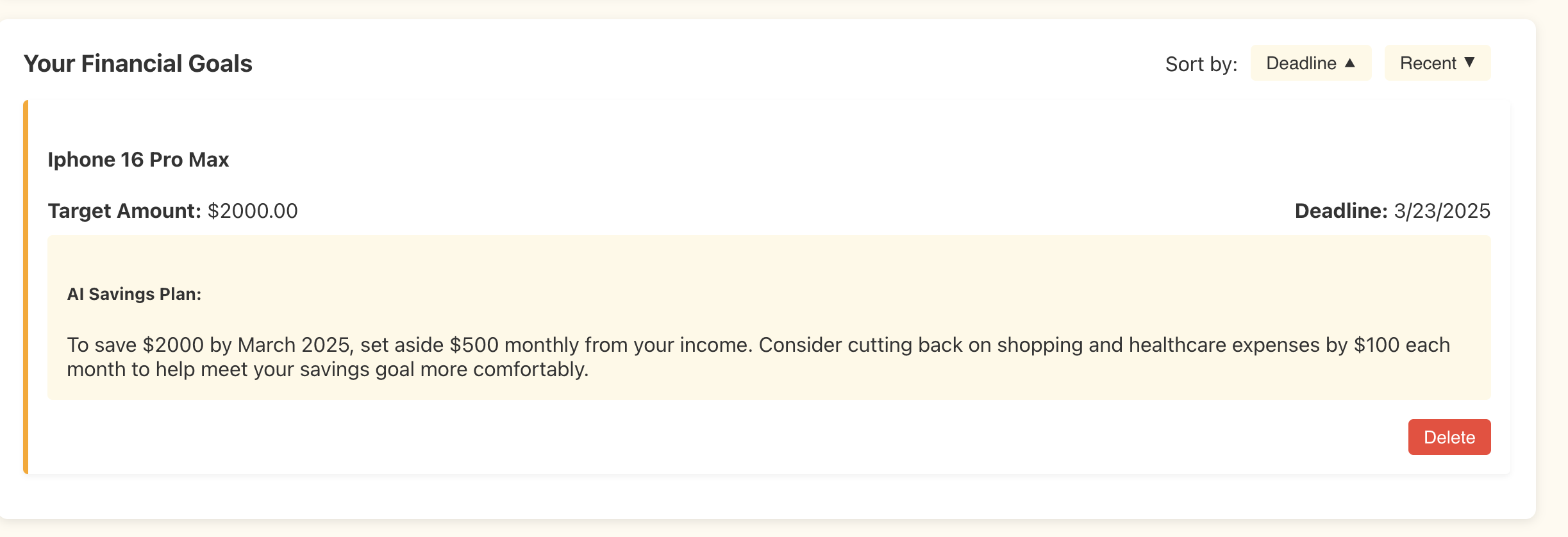
Users can easily view their transaction details by selecting a specific year and month. The app provides a detailed breakdown of transactions for the selected month. Additionally, users can set desired purchases as financial "goals," and the AI will analyze their feasibility based on transaction history and recorded income. The AI will also provide personalized financial advice tailored to the user's data. Furthermore, users can generate AI-powered monthly spending summaries to gain deeper insights into their financial habits.
How we built it
We separate the project in to 3 main components
- frontend : Sen Huang
- backend : Zhi Pi
- inference : Yinying Huo
The frontend is built with React using modern JavaScript practices and a component-based architecture. I organized the code with reusable components like ExpenseModal and IncomeModal, along with chart visualizations using Chart.js. The application uses React Router for navigation and Axios for API communication with the backend. I implemented a warm-colored design system with CSS variables that creates a friendly, finance-focused user experience. The responsive layout works well on different devices, and I added convenient features like transaction pagination and date picking.
For our project, the backend is base on python using FastAPI and SQLAlchemy. The system manages financial data through different modules like goals, income, and transactions. I organized the code with routers for API endpoints and models for database schema. The SQLite database stores all financial information, and environment variables are managed with python-dotenv. The modular design makes it easy to add new features as needed.
The inference bridge uses a controller-processor structure. Each controller can manage multiple processors. When a backend request is received, the controller triggers a processor to prepare data, build prompts (using a prompt builder), and send requests via OpenAI's API. The processor then relays the LLM response back to the controller.
Why OpenAI? Its output_format ensures responses are structured as specified which save us a lot of time.
Challenges we ran into
With a small three-person team and limited project experience, time constraints were a major challenge. We spent a significant amount of time struggling with Git commands on GitHub, and resolving merge conflicts proved to be particularly difficult. Due to the limited time available, we also had to hard-code certain components instead of implementing more flexible solutions.
Accomplishments that we're proud of
- Successfully developed a functional project within just 36 hours.
- Gained valuable experience in team-based project development.
What we learned
Yinying Huo: Familiar with the structure output of OpenAI's API, and learn the meaning and see the effect of each parameters e.g. "temperature".
Zhi Pi: I learn from this project that how to build a project from sketch, I am the one decided everything on the backend, and learning new tech that inspired me.
Sen Huang: I learned from this project how to effectively integrate third-party libraries for visualization, manage state across components, and design an accessible financial application. The most valuable lesson was seeing how clean component separation improves maintainability.
What's next for CoinForLooP
We plan to utilize OpenAI's "function calling" feature, allowing the LLM to leverage a calculator for all math-related operations. This will help improve accuracy, as currently the AI sometimes generates incorrect numbers.
We have already implemented a function in the utils folder to automatically retry API calls when OpenAI's API encounters errors. However, due to time constraints, we haven't enabled or validated it yet. Our next step is to fully integrate and test this functionality.
Currently, our app uses a local database. Moving to a cloud-based solution will improve scalability, accessibility, and data security.
Built With
- css
- fastapi
- html
- javascript
- openai-api
- python
- sqlite


Log in or sign up for Devpost to join the conversation.