-
-
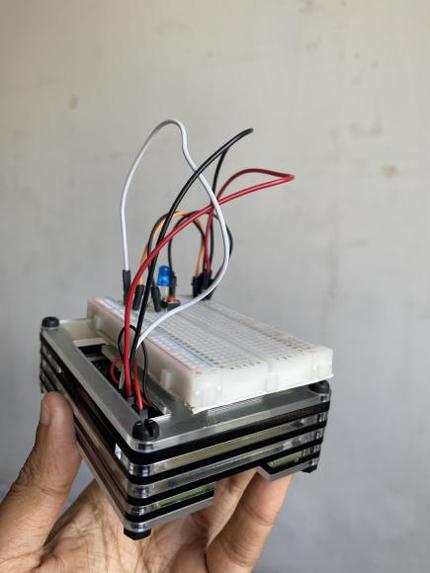
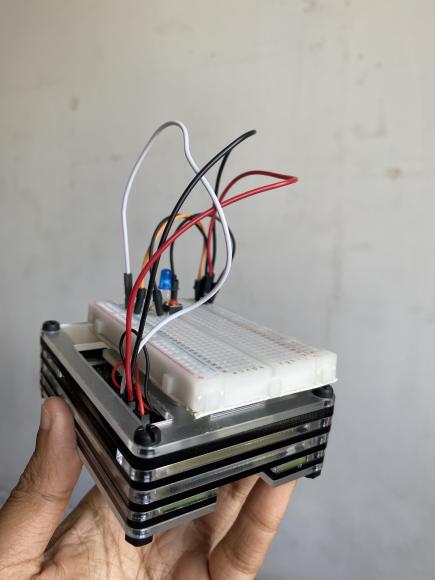
Hardware Apparatus
-
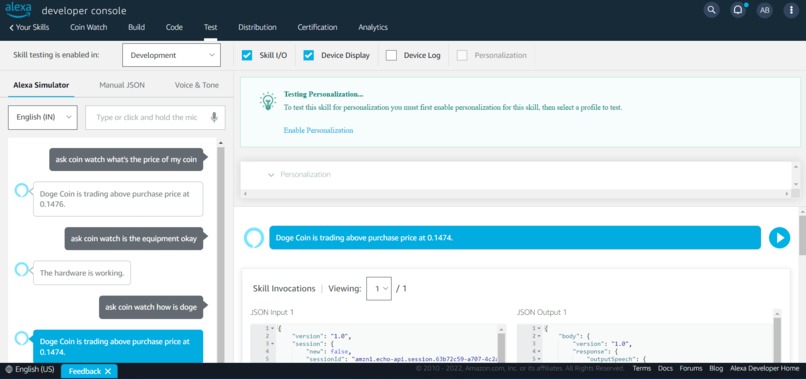
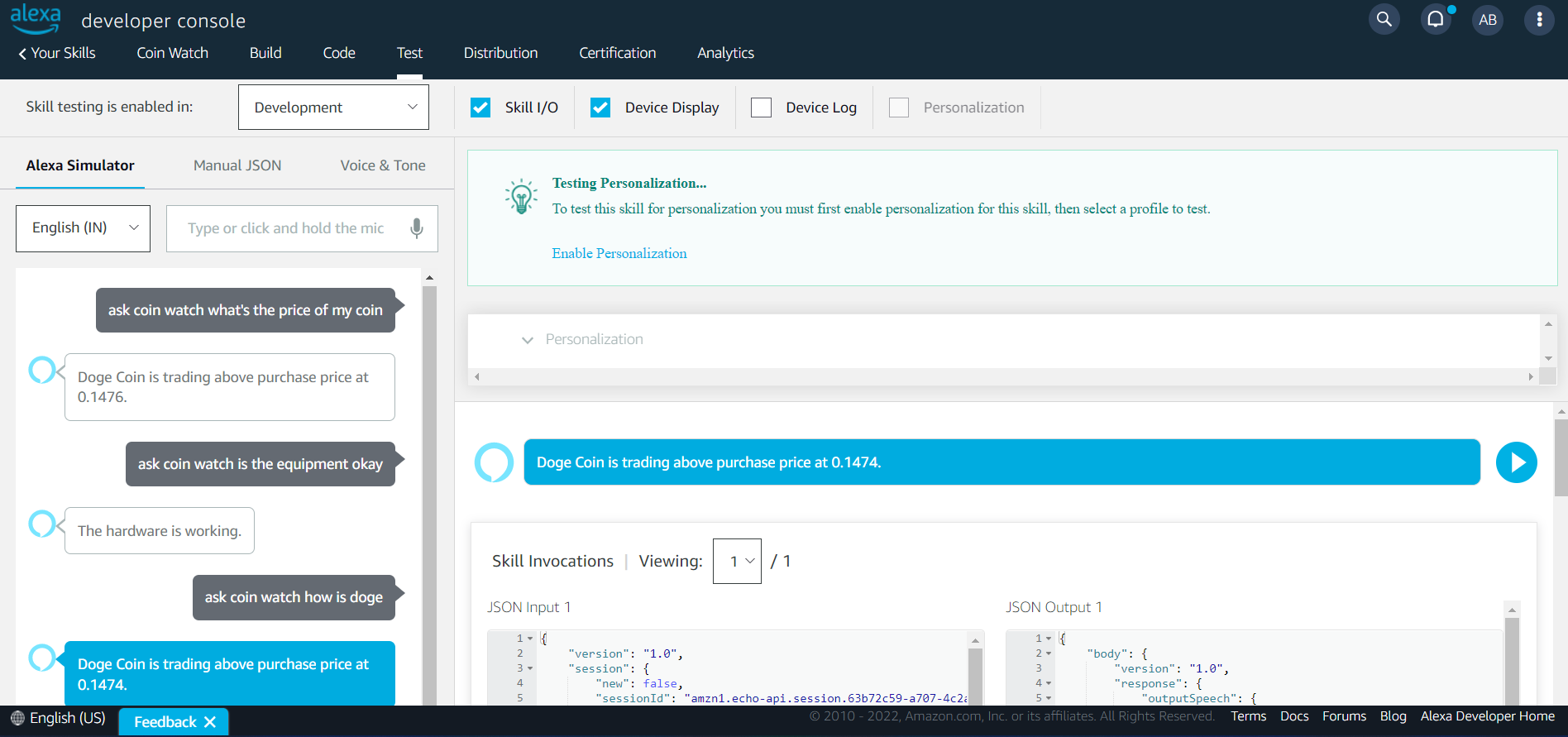
Alexa Developer Console
-
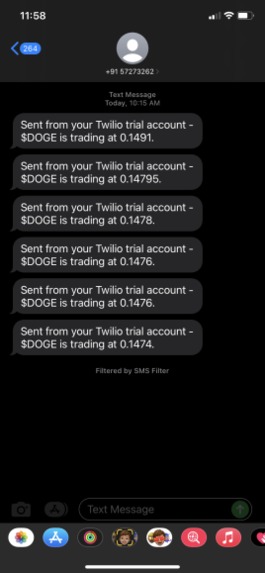
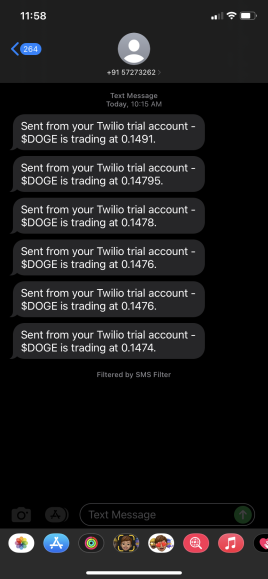
Twilio Screenshot
-
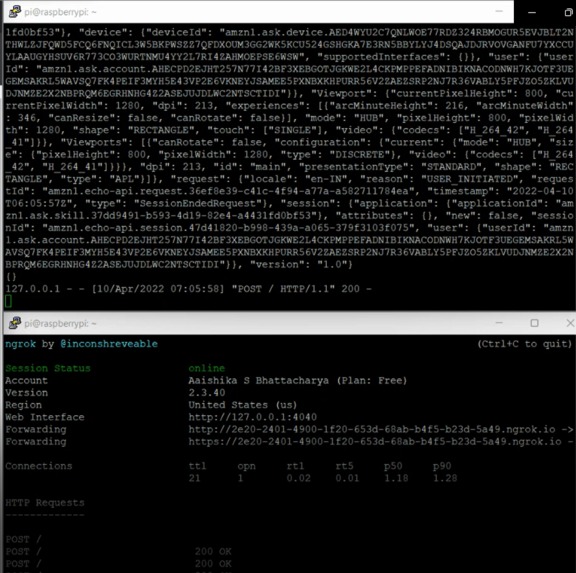
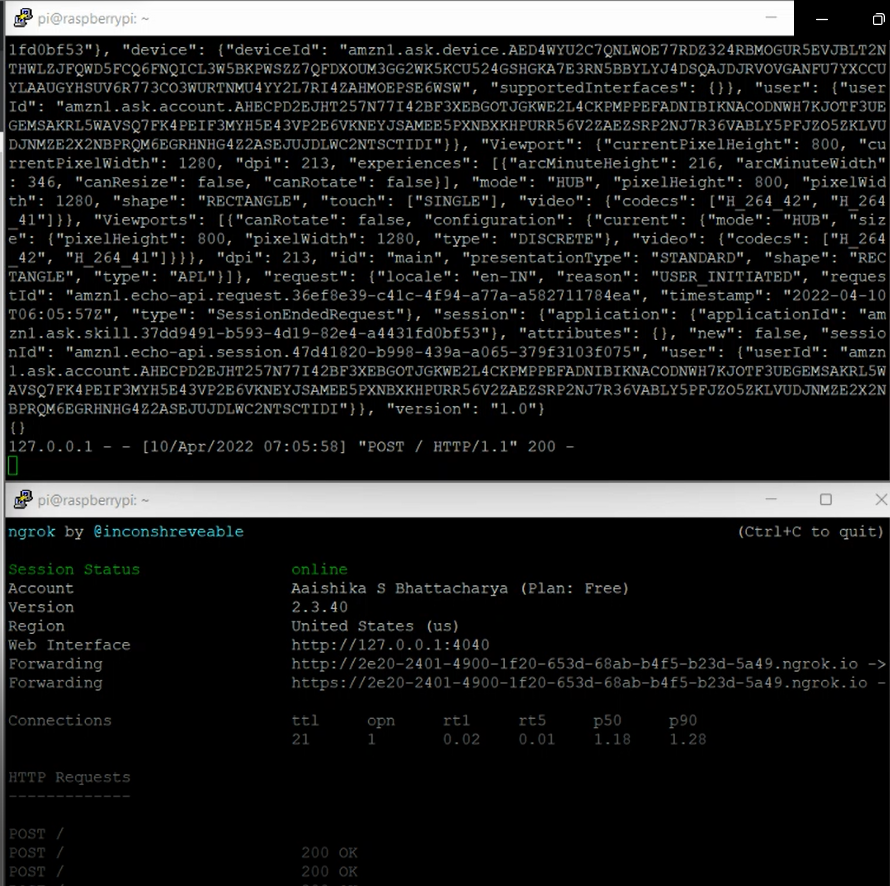
Raspberry Pi SSH: Screen 1 is Python Script and Screen 2 is Ngrok Console
Inspiration 💡
I invested a good sum in $DOGE last year and now my portfolio's half of what it was earlier * cries in crypto *. I had been planning on building something that would help me monitor (and maybe recover in time) the trading value of Doge coins and as I was going through the tracks of PickHacks, the idea of building a coin watcher struck me. I love tinkering with micro controllers and micro processors so here's my take at the Financial Health Track, with Coin Watch.
What it does 🧭
Coin Watch is an open-source, easy to recreate Raspberry Pi-based powerhouse that watches the Crypto Market on my behalf in realtime. It fetches the price of $DOGE from an API and connects seamlessly with Twilio and Alexa Skills Kit to send updates. There are two different interfaces offered by Coin Watch at the moment.
- Hardware Interface: With the push of a button, the apparatus sends a message, harnessing the capabilities of Twilio, mentioning the current market value of $DOGE. The delay is almost negligible and either ways it's better than unlocking your phone and refreshing again and again to check the value.
- Voice User Interface: Powered by the Alexa Skills Kit, you can summon Alexa on your Echo or Alexa-enabled devices to check the market value, have Alexa compare it with your purchase value and tell you if it's currently trading above or below your purchase price. Additionally, you can also confirm if the hardware apparatus is working or not, all through the same skill.
How I built it 🔧
I built Coin Watch using a Raspberry Pi 4 which runs a Python Flask script file on boot, meaning that even if it's disconnected from power, it will start the application on it's own as soon as power's back. The public endpoint is exposed using Ngrok for the Alexa Developer Console to access the various intents included in the script file.
The Twilio credentials are hardcoded onto the Raspberry Pi and using the pushdown button onboard, the user can send a message with the market value of the coin to their registered mobile number.
All the necessary details required to recreate Coin Watch are included in the SETUP.md file on the GitHub Repository.
Challenges I ran into 🏃♂️
- Making the Raspberry Pi sync with Alexa Developer Console (achieved eventually using Ngrok)
- Fetching and printing the data from the SoChain API (done with the help of Vernon Adamson from Panera Bread)
- Pushdown button sends messages twice (yet to be solved)
Accomplishments that I am proud of 🏅
- Having everything work simultaneously was a big challenge, glad I was able to bring everything together!
- The apparatus works wirelessly, can be connected to a power bank and will still work efficiently.
- The initial setup was time consuming, regardless successfully ran all dependencies and fixed errors while at it.
What I learned 🧠
- Learned about fetching data from an API in Raspberry Pi.
- Dealing with dependencies.
- Using Alexa Developer Console with Pi.
What's next for Coin Watch ⏭
I'd love to add a web interface for Coin Watch but that's for future iterations of the same. Apart from that, I really want to add support for more coins but due to time constraints, the same might not be feasible now.
If anyone wants to recreate the idea and add more coins, it can be done by adding Slots and making changes to the Intents on the Alexa Developer Console or the Alexa Skills Kit. Accordingly, changes can be made to the script to fetch data from the SoChain API.
Built With
- alexa
- alexa-skills-kit
- api
- flask
- flask-ask
- ngrok
- python
- raspberry-pi
- twilio



Log in or sign up for Devpost to join the conversation.