-
-
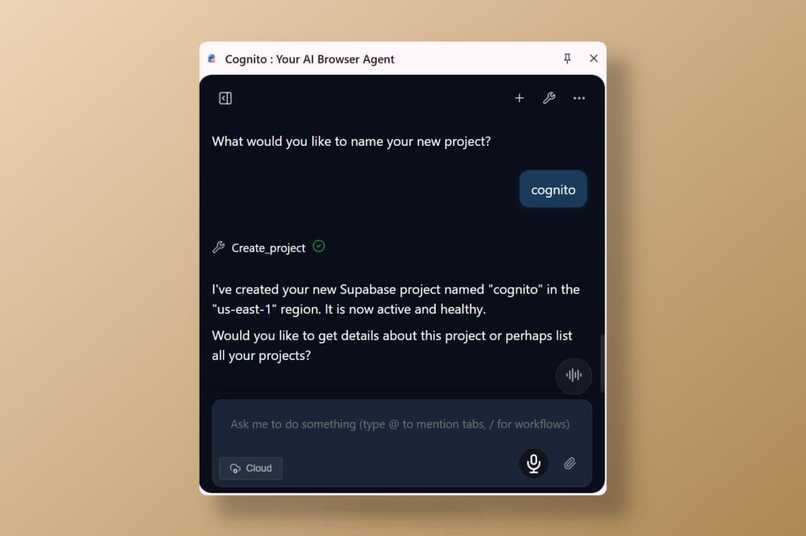
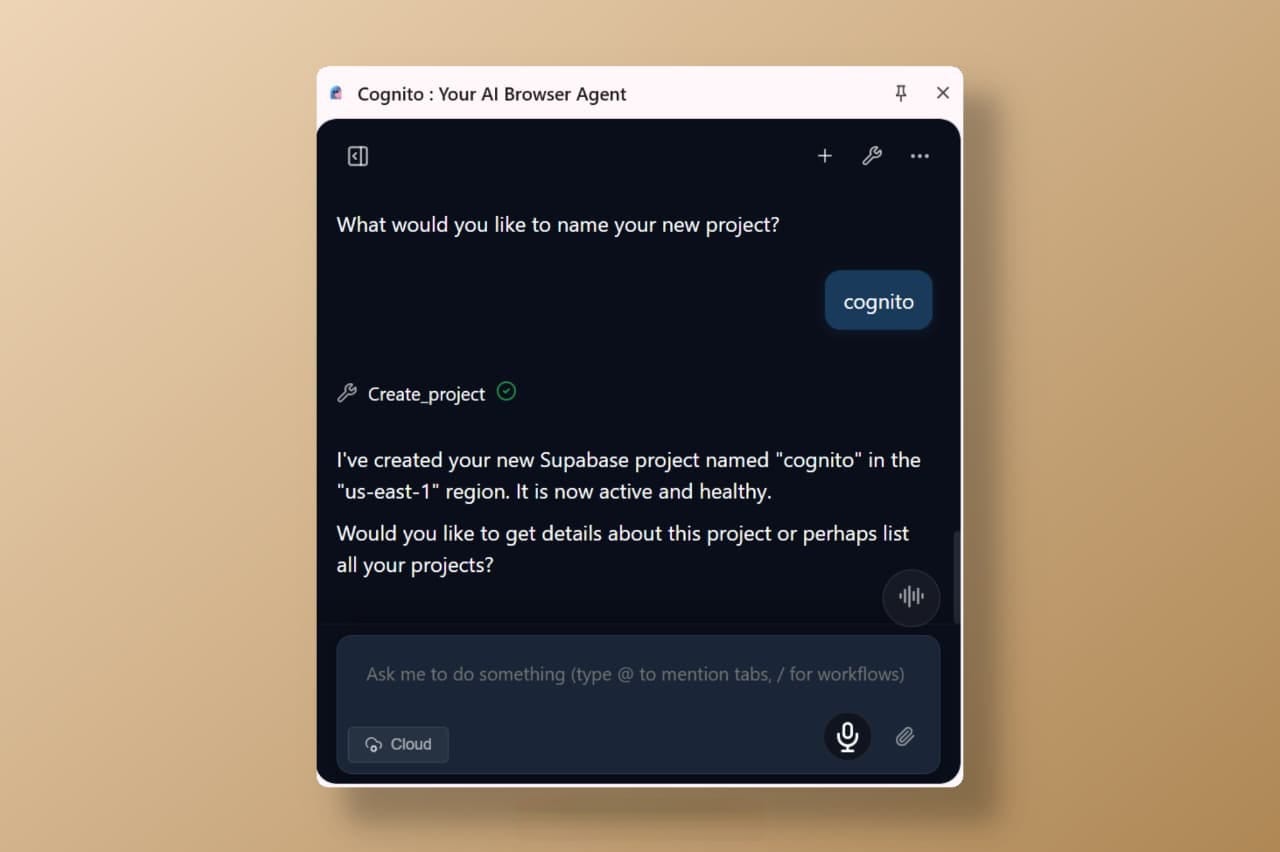
MCP usage
-
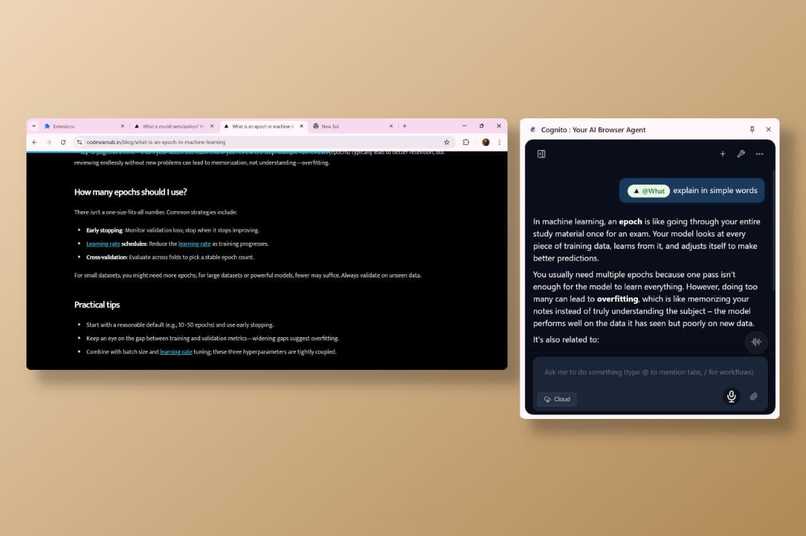
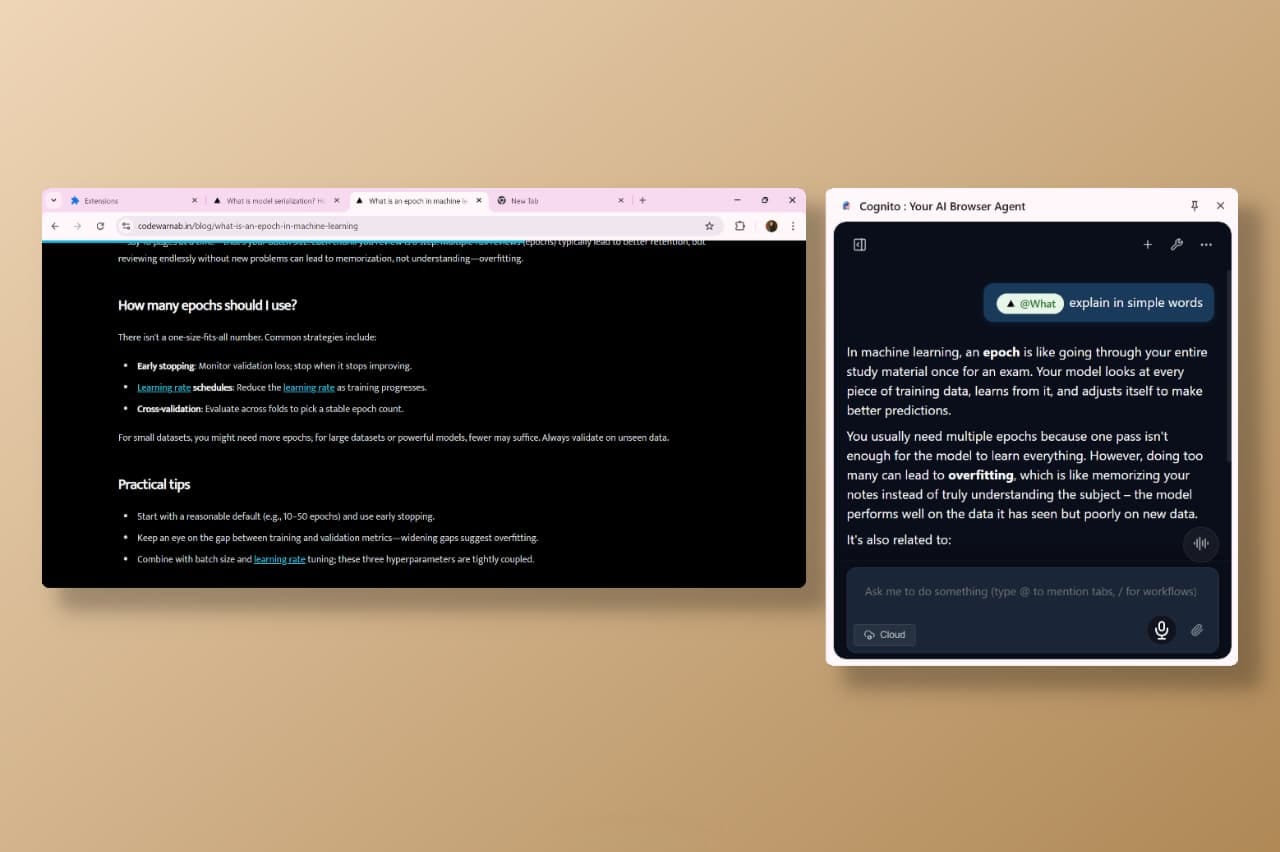
Tabs mention
-
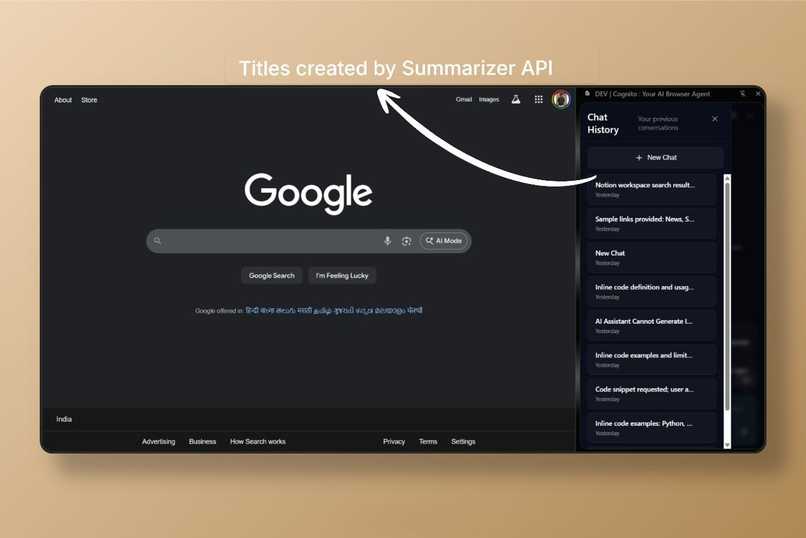
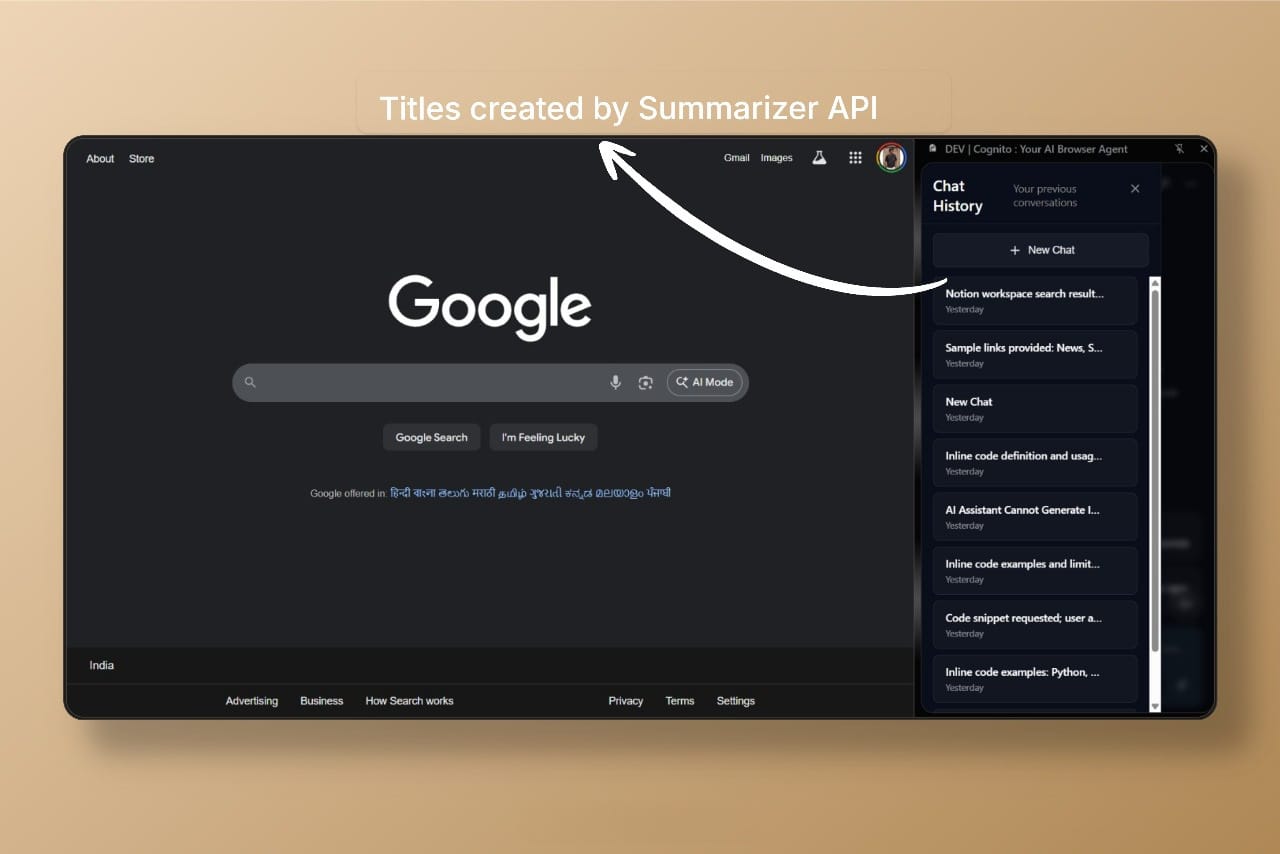
Chats titled by Summerizer API
What Inspired This Project
The inspiration for Cognito came from a fundamental frustration with existing AI assistants: they require constant babysitting. While Chrome's built-in AI and other browser assistants can perform individual tasks, they struggle with complex, multi-step workflows that require autonomous planning and execution.
The core problem I identified was that current AI feels like a smart assistant that needs constant steering rather than a true autonomous agent. Users want to say "help me prepare for this client meeting" and have the AI independently research the client, analyze their website, prepare talking points, create relevant documents, and even schedule follow-ups—all while keeping them informed of progress.
This vision drove me to build Cognito: a truly autonomous AI browser agent that can handle complex, multi-step tasks without constant human intervention.
What It Does
Cognito transforms your Chrome browser into an autonomous AI agent that handles complex, multi-step tasks through natural conversation. Unlike traditional AI assistants that need constant guidance, Cognito independently plans and executes workflows while keeping you informed.
Core Capabilities
Voice & Text Interaction
Natural voice conversation with Google's Gemini Live API and 3D audio visualization
Text-based interaction with local AI processing for privacy-sensitive tasks
Complete hands-free browser control without keyboard or mouse
UPDATE: A Gemini API key was hardcoded in src/ai/agents/browserActionAgent.ts on line 29 to allow the voice agent and browser executor to run in parallel. This key has been blocked by Google as leaked. To use voice mode, please replace the placeholder on line 29 of that file with your own Gemini API key.
Autonomous Task Execution Cognito handles complex workflows independently. For example, "Help me prepare for this client meeting" will:
Research the client by analyzing their website and recent news
Extract key information and create structured talking points
Generate meeting agendas, proposals, or presentations
Set reminders and schedule follow-up events
Dedicated Research Mode: To initiate a focused research workflow, simply use the /research command
Smart Browser Automation
Click any element by text ("Click the login button", "Open the menu")
Type in any field ("Type my email in the signup form")
Navigate intelligently ("Go to LinkedIn", "Find the pricing page")
Extract and analyze page content ("What does this page say?")
Works with modern web apps (React, Vue, Angular) and handles shadow DOM/iframes
Mention tabs using @tabName (e.g. @tab1, @tab2, etc.)
Content Intelligence
Analyze YouTube videos currently playing in your browser
Summarize content, extract key points, and answer specific questions
Handle videos of any length with automatic content chunking
Provide timestamps and detailed topic breakdowns
Memory & Integration
Saves important information and learns your patterns over time
Maintains context across browser sessions with AI-powered tab organization
Connects to external services (Ahrefs, Linear, Notion, Supabase, Vercel, Hugging Face, CoinGecko) via Model Context Protocol
Real-World Applications
Professionals: "Research this competitor and create a comparison report"
Students: "Summarize this 2-hour lecture and extract key concepts"
Content Creators: "Research trending topics and create content ideas"
Cognito is a true AI agent that independently plans, executes, and completes complex browser-based tasks while keeping you informed and allowing intervention when needed.
How we built it
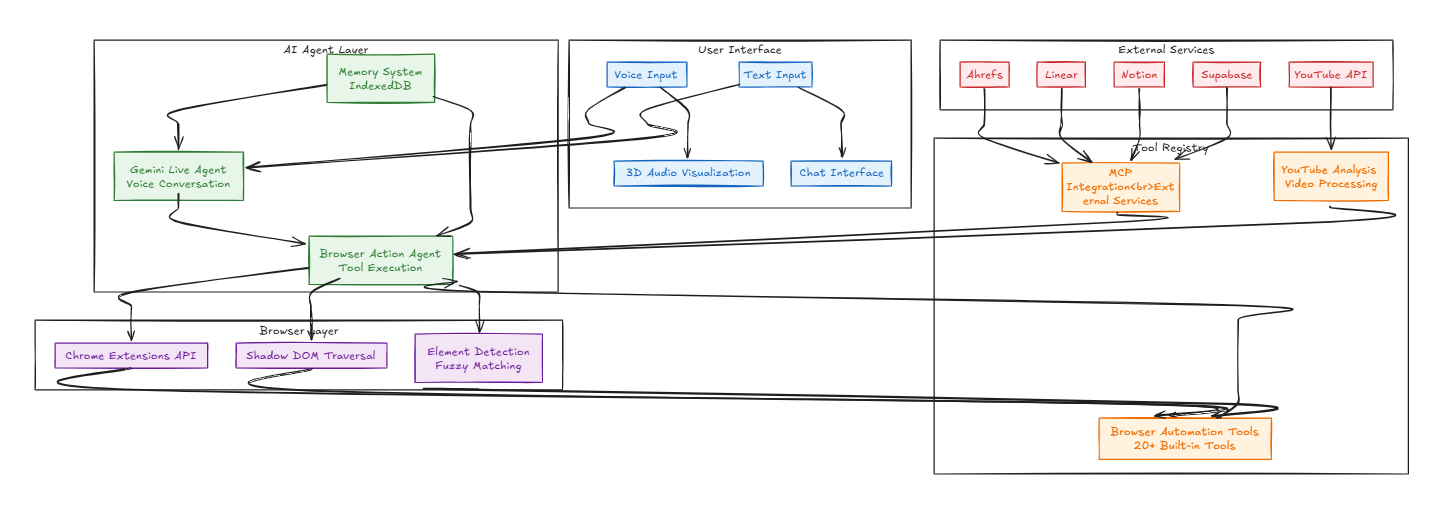
Cognito is built on a sophisticated dual-agent architecture that separates conversation from execution, enabling natural voice interaction while maintaining reliable browser automation. The system primarily uses Google's Gemini Developer API (including Gemini Live for voice) and a specialized Browser Action Agent for tool calling and task execution.
Chrome Built-in AI Integration:
Chat Title Generation: Always uses Chrome's Summarization API to automatically generate chat titles
Local Mode: When users switch to local mode, Chrome's built-in Prompt API becomes the main agent for tasks and chat
Context-Aware Suggestions: Leverages Chrome Prompt API with structured output for intelligent suggestion generation
We implemented a comprehensive tool registry system with 20+ built-in browser automation tools, dynamic Model Context Protocol (MCP) integration for external services, and a persistent memory system using IndexedDB for user preferences and learned behaviors. The architecture includes a workflow engine for complex task automation, 3D audio visualization using WebGL, and robust error handling with retry mechanisms.
Challenges we ran into
- MCP OAuth Integration Was Harder Than Expected
MCP was supposed to be standardized, but it wasn't. Many services need invitations to support new MCP clients, and each service had different OAuth patterns. We had to build custom fallback mechanisms for each service.
- Local AI Model Tool Calling
Steering local AI models to call tools is really hard. They don't have the same tool calling capabilities as cloud models, so we had to do a lot of prompt engineering and validation to make it work reliably.
- Gemini Malformed Function Calls
Gemini sometimes generates broken function calls, especially with complex tasks. We built a validation system that tries to fix malformed calls and falls back to re-prompting when it can't.
Accomplishments that we're proud of Built a Truly Autonomous AI Agent
We created the first Chrome extension that can handle complex, multi-step workflows completely autonomously. Unlike other AI assistants that need constant guidance, Cognito can take a high-level instruction like "help me prepare for this client meeting" and independently research, analyze, create documents, and schedule follow-ups without human intervention.
Solved the Voice + Tool Calling Problem
We cracked the hardest technical challenge: making voice AI work reliably with browser automation. By building a dual-agent architecture, we separated conversation (Gemini Live) from execution (Browser Action Agent), creating a natural voice interface that actually works with complex browser tasks.
Made Browser Automation Work Everywhere
We built the most robust browser automation system that works across all modern web frameworks. Our fuzzy text matching, shadow DOM traversal, and intelligent element detection works on React, Vue, Angular, and even complex single-page applications that break traditional automation tools.
Created the First 3D Voice Interface
We built a beautiful 3D audio visualization that responds to your voice in real-time. The animated orb changes based on what you're saying and what the AI is responding, making voice interaction feel natural and engaging.
Integrated 15+ External Services
We successfully connected Cognito to major services like Ahrefs, Linear, Notion, Supabase, and Vercel through Model Context Protocol, even though MCP is still in early stages and many services don't have proper support yet.
Built a Memory System That Actually Learns
Cognito remembers everything and gets smarter over time. It learns your patterns, suggests saving important information, and maintains context across browser sessions - making it feel like a real personal assistant.
Hybrid Cloud + Local AI Architecture
We built a flexible AI system that primarily uses Google's Gemini Developer API for powerful cloud-based processing, while strategically leveraging Chrome's built-in APIs where they excel. Chrome's Summarization API handles all chat title generation, and when users switch to local mode, Chrome's Prompt API becomes the main agent. This hybrid approach gives users the choice between cloud AI (more powerful) and local AI (more private) without sacrificing functionality.
What we learned Early Standards Adoption is Hard But Worth It
MCP was supposed to be standardized, but we discovered it's still in early stages. Many services need special invitations and have inconsistent implementations. However, being early adopters gave us a competitive advantage and helped us contribute to the ecosystem's development.
Hybrid Cloud + Local AI Strategy Works Best
We learned that the optimal approach is using Google's Gemini Developer API as the primary engine for complex tasks, while strategically leveraging Chrome's built-in APIs for specific use cases. Chrome's Summarization API is perfect for chat titles, and the Prompt API provides a solid local mode option when users need privacy. This hybrid architecture offers the best of both worlds.
Voice + Automation is the Future
Combining voice interaction with browser automation creates a completely new user experience. People want to talk to their browser like they're talking to a human assistant, not click through menus and forms.
Robust Error Handling is Critical
AI systems will fail in unexpected ways. Building comprehensive error handling, validation, and recovery mechanisms is essential for any production AI application. Users need the system to gracefully handle failures and keep working.
Memory Makes AI Feel Intelligent
Adding persistent memory that learns user patterns and preferences makes AI feel like a real personal assistant rather than just a chatbot. Context across sessions is crucial for complex workflows.
What's next for Cognito : Your AI Browser Agent Screen Sharing Capabilities
We're planning to add screen sharing functionality so Cognito can see what you're working on and provide contextual help. This will enable the AI to understand visual context and assist with tasks that require seeing your screen.
Workflow Sharing & Marketplace
Users will be able to create custom workflows and share them with the community. We're building a marketplace where users can discover, download, and customize workflows for common tasks like "research competitor analysis" or "content creation pipeline."
Action Approval Mechanism
For sensitive tasks, we're adding an approval system where Cognito will ask for permission before taking certain actions. Users can set up rules like "always ask before sending emails" or "approve before making purchases" to maintain control over important actions.
Enhanced Security & Prompt Injection Prevention
As Cognito gains more autonomy, security becomes paramount. We are developing a multi-layered defense system to prevent prompt injection attacks. This will ensure that user commands and data from web pages cannot be manipulated to cause unintended or malicious actions, safeguarding user data and maintaining the integrity of the agent's operations.
Team Collaboration Features
We're working on team features that allow multiple users to share memories, workflows, and AI assistants. Teams can have shared knowledge bases and collaborative AI agents that learn from everyone's interactions.
Advanced Analytics Dashboard
Users will get detailed insights into their AI interactions, including time saved, tasks completed, and productivity metrics. The dashboard will show how Cognito is helping optimize their workflow.
Integration with More Services
Expanding our MCP integrations to include more business tools like Slack, Microsoft Teams, Salesforce, and other popular productivity platforms.
Built With
- ai-sdk
- built-in-ai
- gemini
- plasmo
- typescript


Log in or sign up for Devpost to join the conversation.