-
-

demo
Inspiration
We were inspired by the overwhelming nature of today's web browsing experience. Every day, users face information overload from complex articles, dense documentation, and endless comment sections. As students and developers, we often found ourselves spending hours trying to digest technical papers or sifting through hundreds of comments to understand discussions. We wanted to create something that would leverage AI not just as a novelty, but as a practical tool to reduce cognitive load and help people focus on understanding rather than decoding content.
What it does
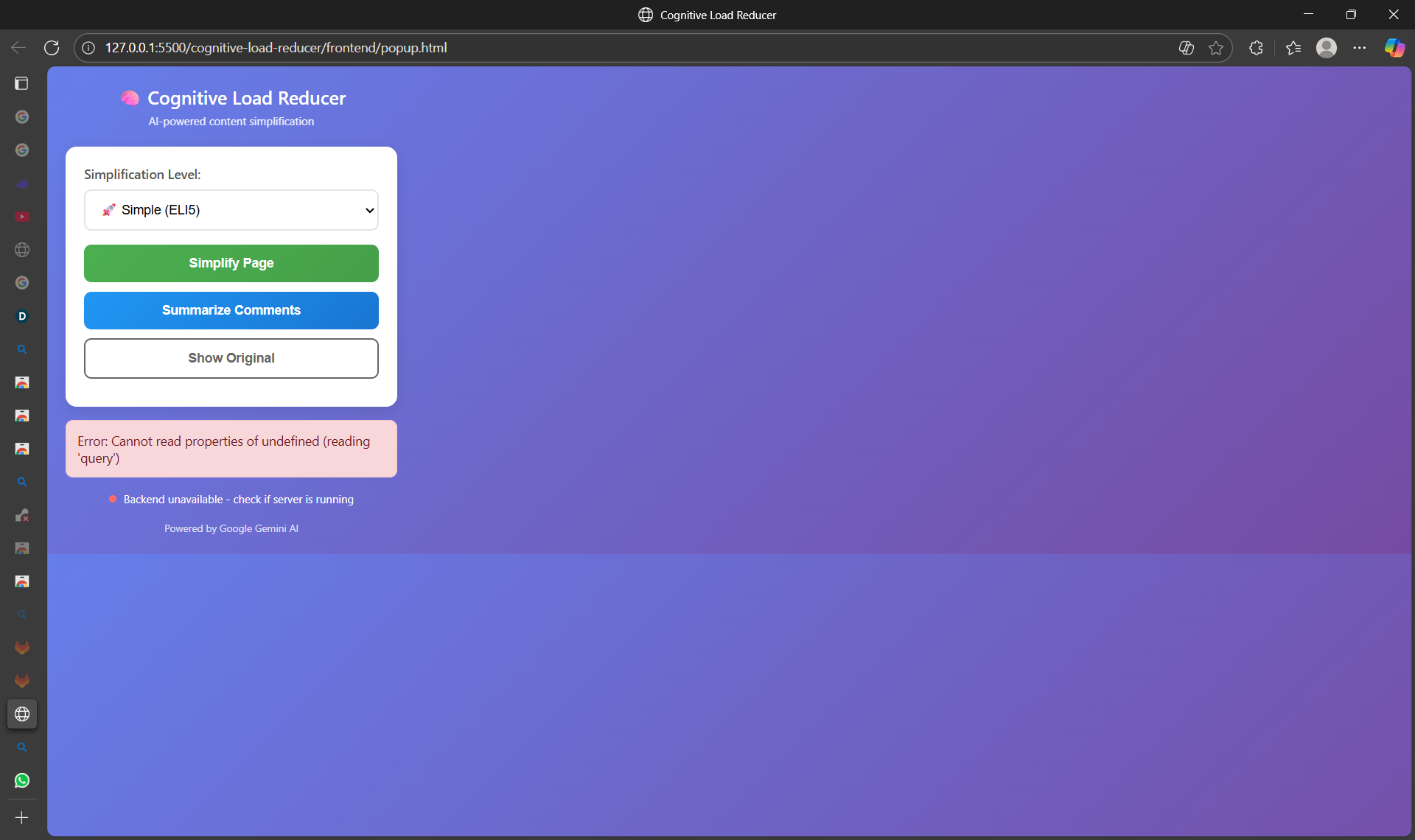
Cognitive Load Reducer is a Chrome extension that uses Google's AI to instantly simplify complex web content. With one click, users can:
- Transform dense articles into clear, digestible summaries at three complexity levels (Simple/ELI5, Medium/Key Points, Detailed/Comprehensive)
- Summarize comment sections by analyzing thousands of comments to extract main discussion points, consensus, and key disagreements
- Reduce visual clutter by presenting content in a clean, focused interface
- Toggle between original and simplified views seamlessly without losing context
It's like having a personal research assistant that works across the entire web.
How we built it
Frontend: Chrome Extension (Manifest V3) with vanilla JavaScript, HTML5, and CSS3 for a lightweight, performant interface Backend: Python Flask server with RESTful API architecture AI Integration: Google Gemini API for natural language processing and content summarization Content Processing: Beautiful Soup for HTML parsing and content extraction Architecture: Clean separation between extension frontend and AI processing backend, with real-time communication via Chrome's messaging API
The extension captures webpage content, sends it to our Flask server where Google AI processes it based on user-selected complexity levels, and returns intelligently simplified content that's displayed in a distraction-free view.
Challenges we ran into
- Content Extraction: Different websites have vastly different HTML structures, making reliable main content extraction challenging
- API Rate Limiting: Balancing AI processing quality with response times while staying within API limits
- Real-time Communication: Ensuring seamless data flow between content scripts, popup, and background service workers
- Privacy Concerns: Designing the system to minimize data exposure while maintaining functionality
- UI/UX Complexity: Creating an interface that's simple enough for one-click use but powerful enough to handle multiple content types
Accomplishments that we're proud of
- Seamless AI Integration: Successfully implementing Google's Gemini API in a practical, user-friendly way
- Performance: Achieving near-instant content transformation despite complex AI processing
- User Experience: Creating an intuitive interface that requires zero training to use effectively
- Technical Architecture: Building a robust system that handles diverse content types reliably
- Educational Impact: Developing something that genuinely helps people understand complex information better
What we learned
- Advanced Chrome Extension Development: Deep understanding of Manifest V3, service workers, and cross-component communication
- AI Practical Applications: How to effectively leverage large language models for specific use cases beyond simple chat interfaces
- Content Processing: Techniques for reliably extracting meaningful content from diverse website structures
- User-Centric Design: The importance of building technology that solves real human problems rather than just demonstrating technical capability
- API Optimization: Strategies for efficient API usage, caching, and error handling in AI applications
What's next for Cognitive Load Reducer
- Multi-language Support: Expand beyond English to help non-native speakers worldwide
- Advanced Personalization: Learn user preferences over time to provide increasingly relevant simplifications
- Browser Native Integration: Explore potential for direct integration into Chrome as a built-in feature
- Educational Features: Add note-taking, highlighting, and export capabilities for students and researchers
- Accessibility Enhancements: Voice narration, dyslexia-friendly fonts, and screen reader optimization
- Enterprise Version: Develop team features for organizations needing consistent information digestion
- Mobile Expansion: Bring the same AI-powered simplification to mobile browsing experiences
We believe Cognitive Load Reducer represents the future of human-AI collaboration - where technology actively works to reduce mental burden and enhance understanding rather than adding to digital overwhelm.

Log in or sign up for Devpost to join the conversation.