-
-
LOGO
-
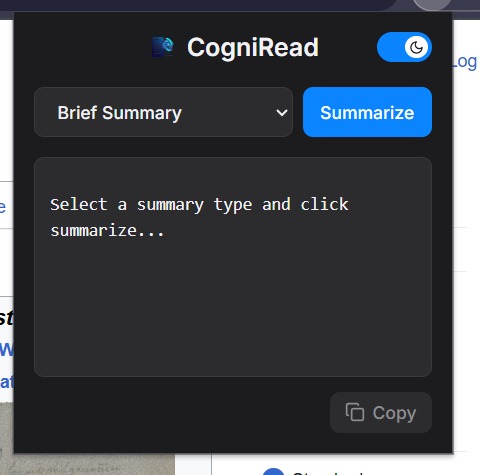
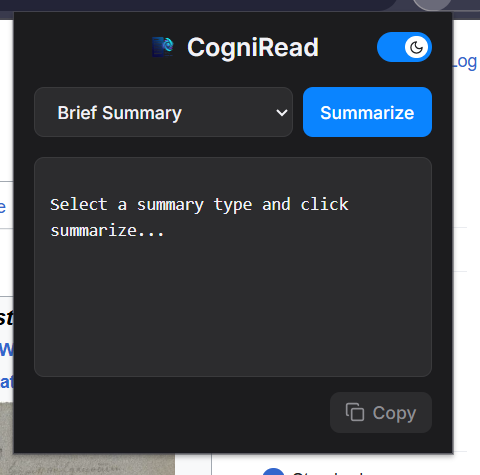
Dark mode
-
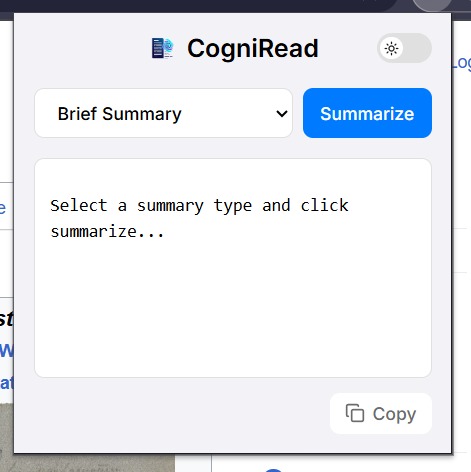
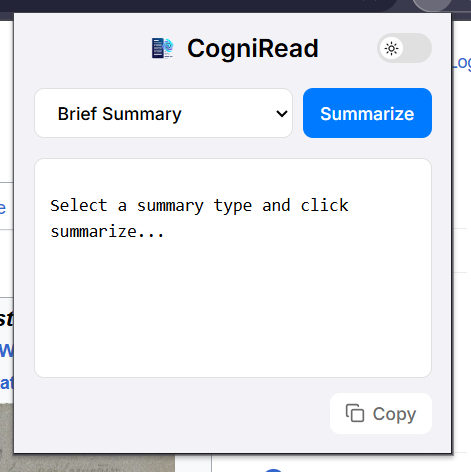
Light mode
-
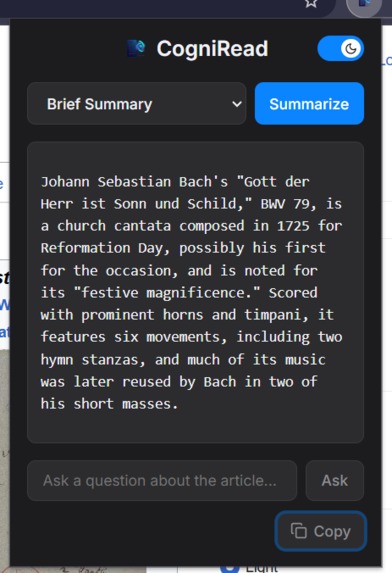
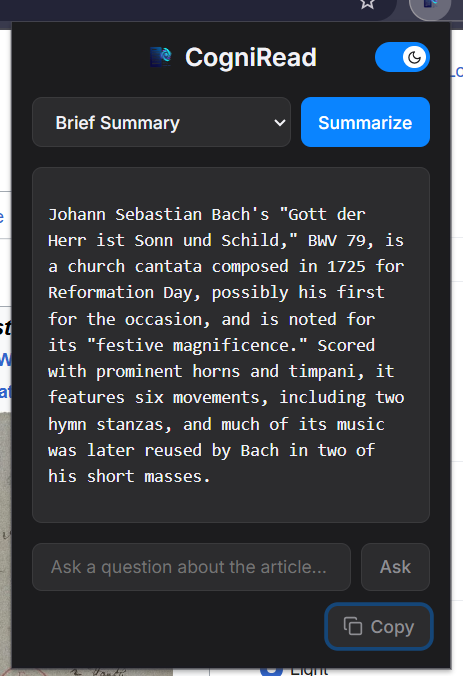
After summary image with Ask a question feature.
-
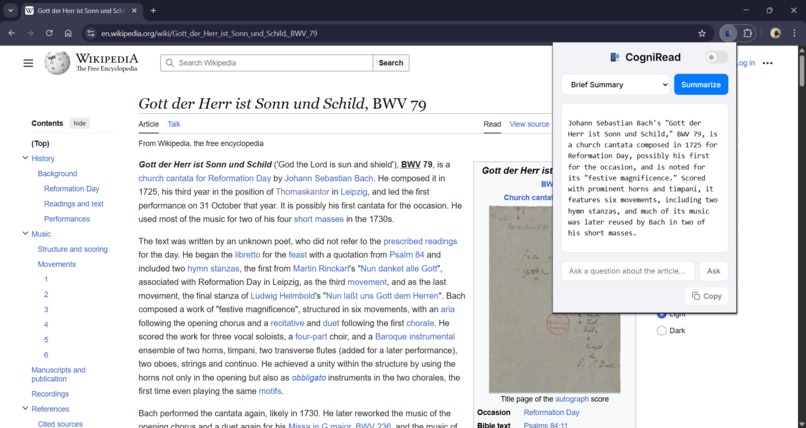
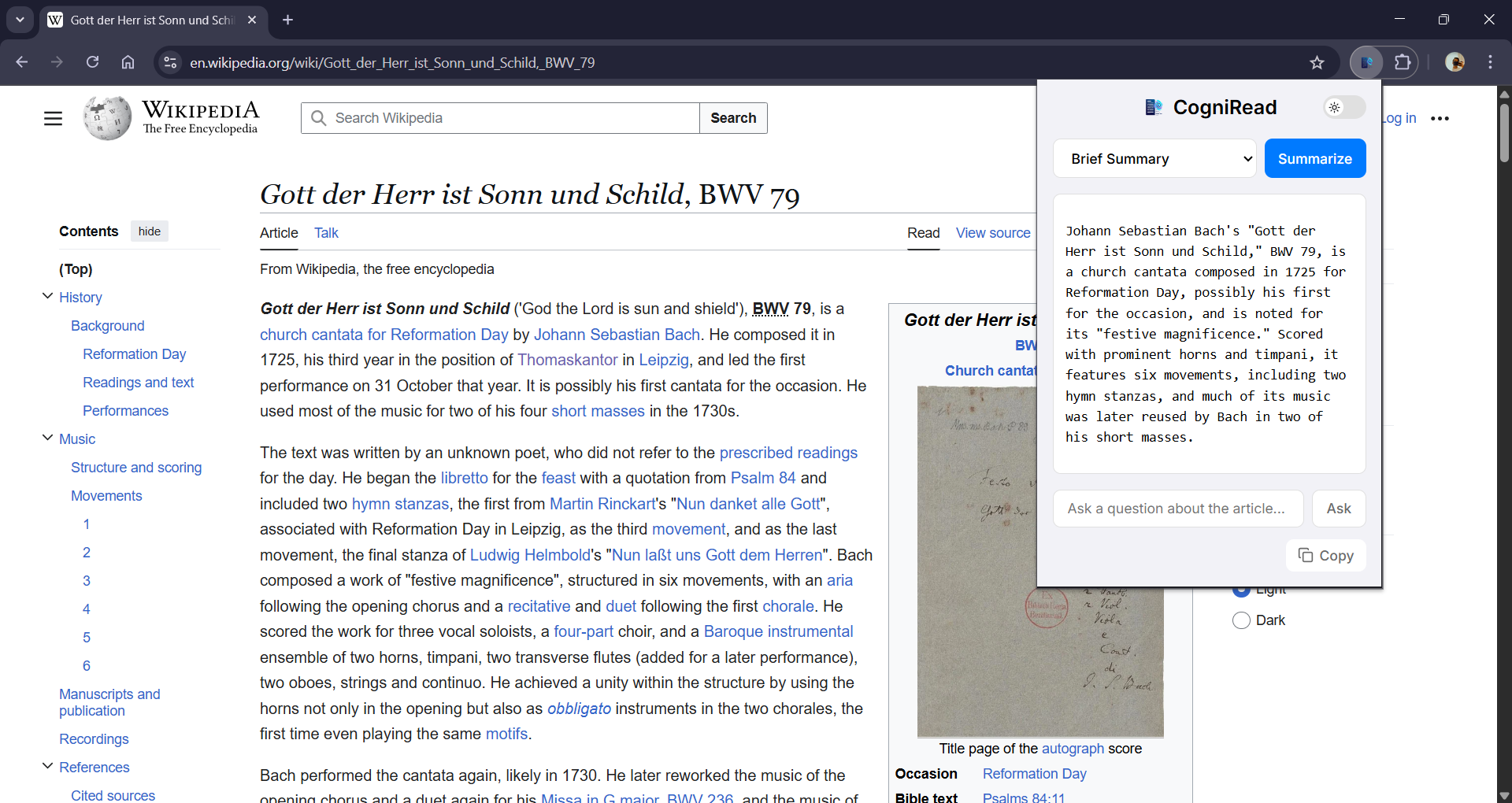
Full window look with wikipedia website
Inspiration
We live in an age of information overload. We're all familiar with the experience of opening an article, seeing a wall of text, and feeling our time and attention drain away. While AI summarizers are a great first step, they still feel passive. We were inspired to ask: "What if you could not just read a summary, but talk to the article?"
Our project, CogniRead, was born from this question. Our team wanted to transform passive reading into an active, conversational experience. We envisioned a tool that not only gives you the "TL;DR" but acts as a personal research assistant, allowing you to query, question, and interact with web content.
What it does
CogniRead is an AI-powered reading assistant that integrates directly into your Chrome browser, giving you a suite of tools to understand web content faster.
Key Features:
Multi-Mode AI Summarization: Instead of a single, generic summary, CogniRead offers three distinct modes:
- Brief Summary: Generates a concise 2-3 sentence summary for a quick overview.
- Detailed Summary: Provides a more in-depth paragraph that covers the main arguments and points.
- Bullet Points: Extracts the key takeaways into a clean, easy-to-scan list.
⭐️ "Ask the Article" (Our Standout Feature): This is what makes CogniRead a true "AI assistant." After generating a summary, you can ask specific questions about the text.
- Interactive Chat: An input box appears, allowing you to ask questions like, "What was the final verdict?" or "How much did the project cost?"
- Context-Aware Answers: We use advanced prompt engineering to instruct the Gemini API to answer based only on the content of the article. This prevents AI "hallucinations" and effectively turns any webpage into a searchable database.
Sleek, Professional UI: Our team built a beautiful, modern interface from scratch to compete with top-tier extensions.
- Animated Theme Switch: A smooth, animated slider to toggle between a polished Dark Mode and a clean Light Mode.
- Persistent Choice: Your theme preference is saved using
chrome.storage.sync, so it's always just how you like it.
Smart Onboarding & Utilities:
- Automatic Setup: A
background.jsscript runs on installation to check for a Gemini API key. If one isn't found, it automatically opens theoptions.htmlpage to guide the user through setup. - Visual Feedback: The UI provides clear loading animations and a "Copy" button that gives a "Copied!" success message, creating a seamless user experience.
- Automatic Setup: A
How we built it
CogniRead is a Manifest V3 Chrome Extension built entirely by our team from the ground up using HTML, CSS, and JavaScript, without the use of AI coding assistants.
Tech Stack:
- AI Core: The intelligent features are powered by Google's Gemini API (
gemini-2.5-propreview model). - Frontend:
popup.htmlandpopup.style.cssfor a lightweight, fast, and fully custom interface. - Storage:
chrome.storage.syncto securely store the user's API key and theme preference across their devices.
- AI Core: The intelligent features are powered by Google's Gemini API (
Core Architecture:
-
popup.js(The Brain): This script orchestrates everything. It listens for user actions, builds the correct prompts for the AI, handles UI state changes, and makes the asynchronousfetchcalls to the Gemini API. -
content.js(The Extractor): This content script is injected into the active tab. It intelligently extracts the article text and sends it back to the popup. -
background.js(The Helper): This service worker manages the extension's lifecycle, primarily handling the onboarding process. -
options.html/options.js: A simple, clean page for users to input and save their API key.
-
Challenges we faced
This project was a true debugging journey for our team.
The Great API Battle: Our biggest challenge was API connectivity. We repeatedly hit
404: Model not founderrors. Our team methodically debugged this by:- Testing different model names (
gemini-2.5-pro,gemini-flashand at last 'gemini 2.5 pro preview'). - Switching from the experimental
v1betaendpoint to the preview*v1API endpoint*. - Ultimately realizing the issue was with the Google Cloud Project's provisioning. We solved it by creating a brand new, clean project and manually enabling the Generative Language API.
- Testing different model names (
The Asynchronous Ghost: We constantly hit the classic extension error:
Unchecked runtime.lastError: The message port closed before a response was received.This was stopping ourcontent.jsscript from sending the article text to the popup. Our team solved this by implementingreturn true;in ourchrome.runtime.onMessagelistener, which correctly signals an asynchronous response.
What we learned
Our team learned far more than just how to call an API.
- Prompt Engineering is an Art: Crafting the prompt for "Ask the Article" was a key challenge. We had to specifically instruct the AI to only use the provided article as its context and to state when an answer wasn't available. For this our codes changed many times.
- API Debugging is Deep: Our team learned that when an API fails, the problem isn't always in our code. It can be in the API version (
v1vsv1beta), the model name, or even in the cloud project's permissions and enabled services. - A Good UI Matters: Implementing the theme switch and animated feedback wasn't just "extra"—it transformed the project from a simple script into a product that feels polished and professional.
Built With
- chrome-extensions-manifest-v3
- chrome.runtime-api
- chrome.storage-api
- css3
- fetchapi
- google-gemini-api-(v1)
- html5
- javascript


Log in or sign up for Devpost to join the conversation.