-
-
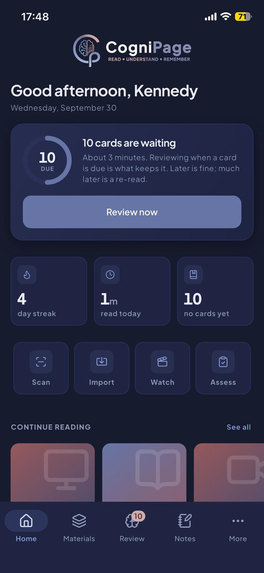
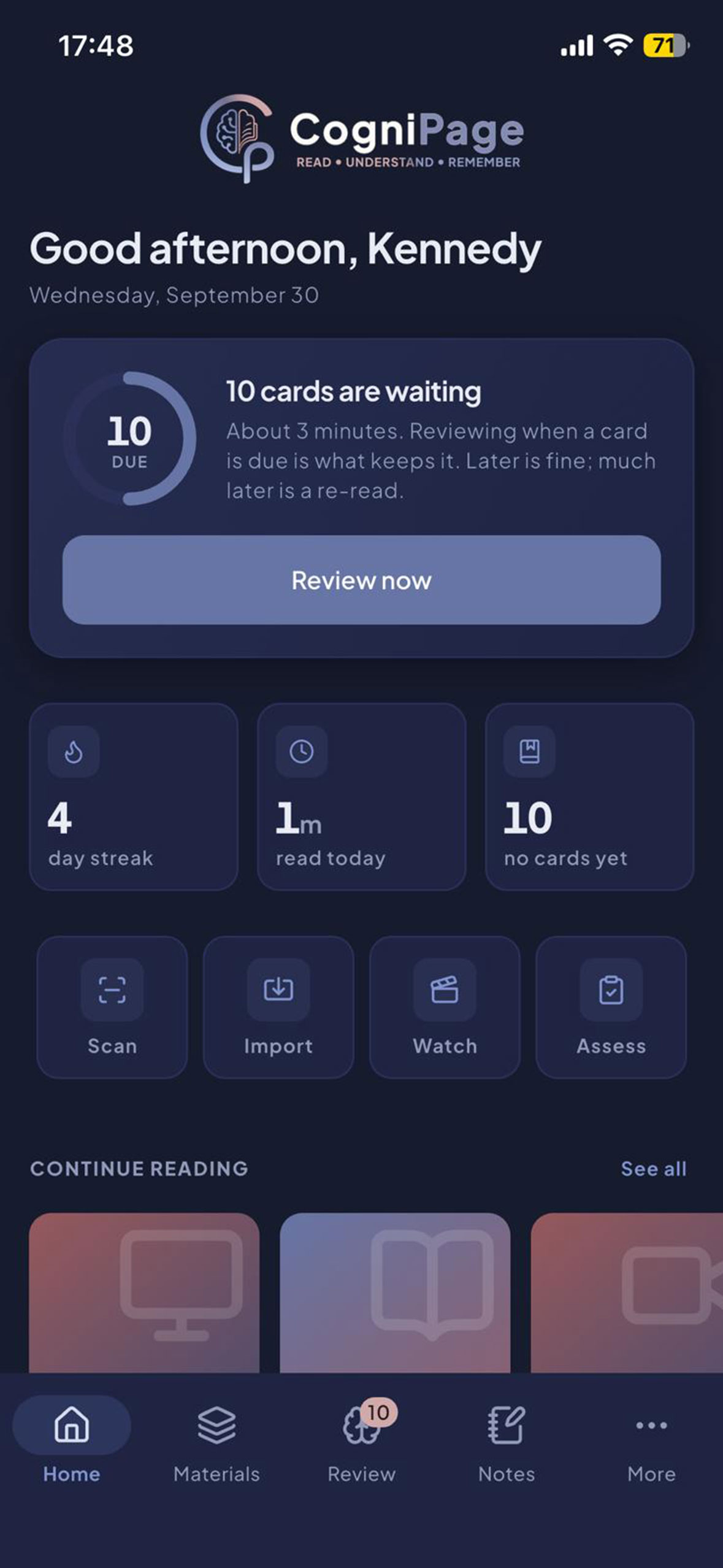
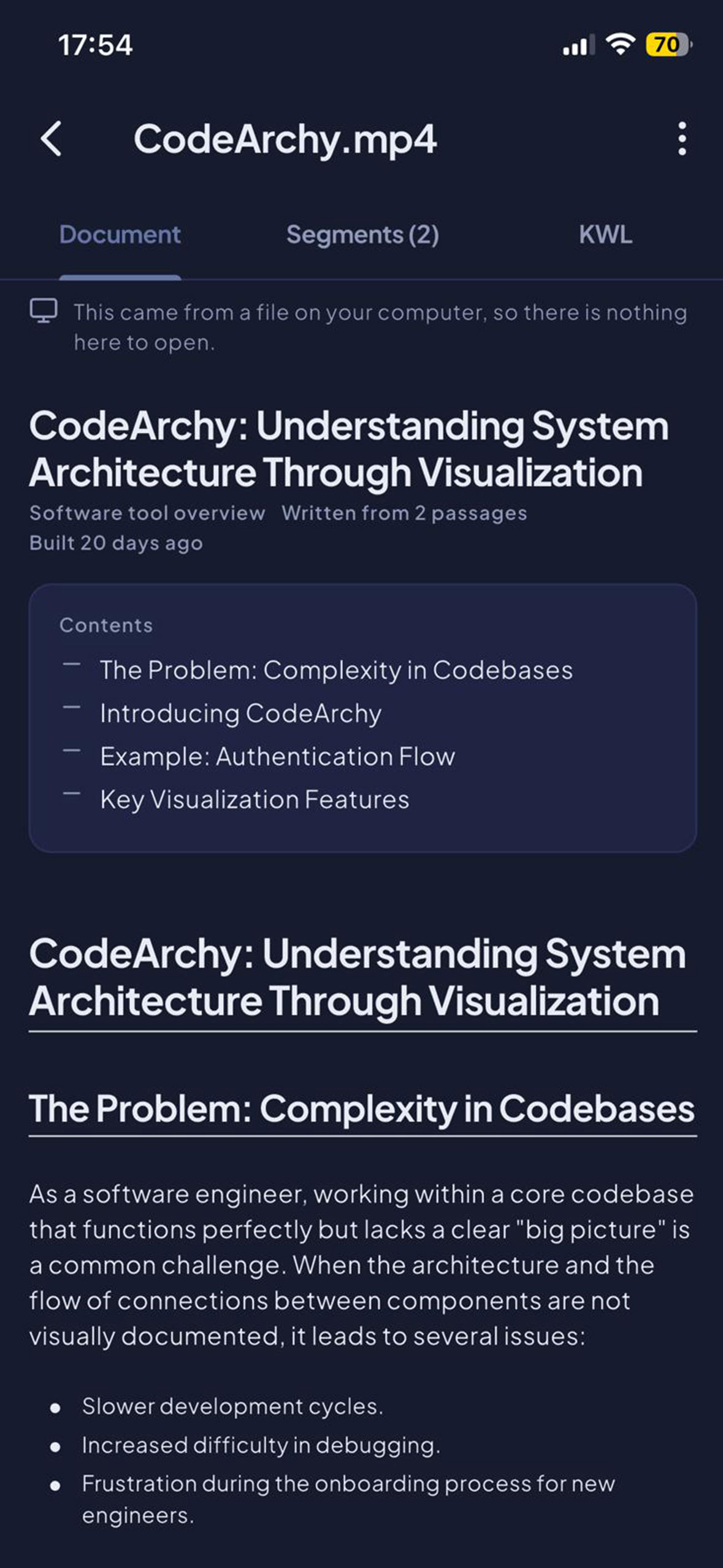
Home: Easy aceess to retention
-
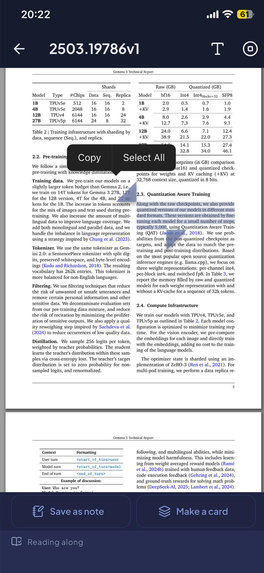
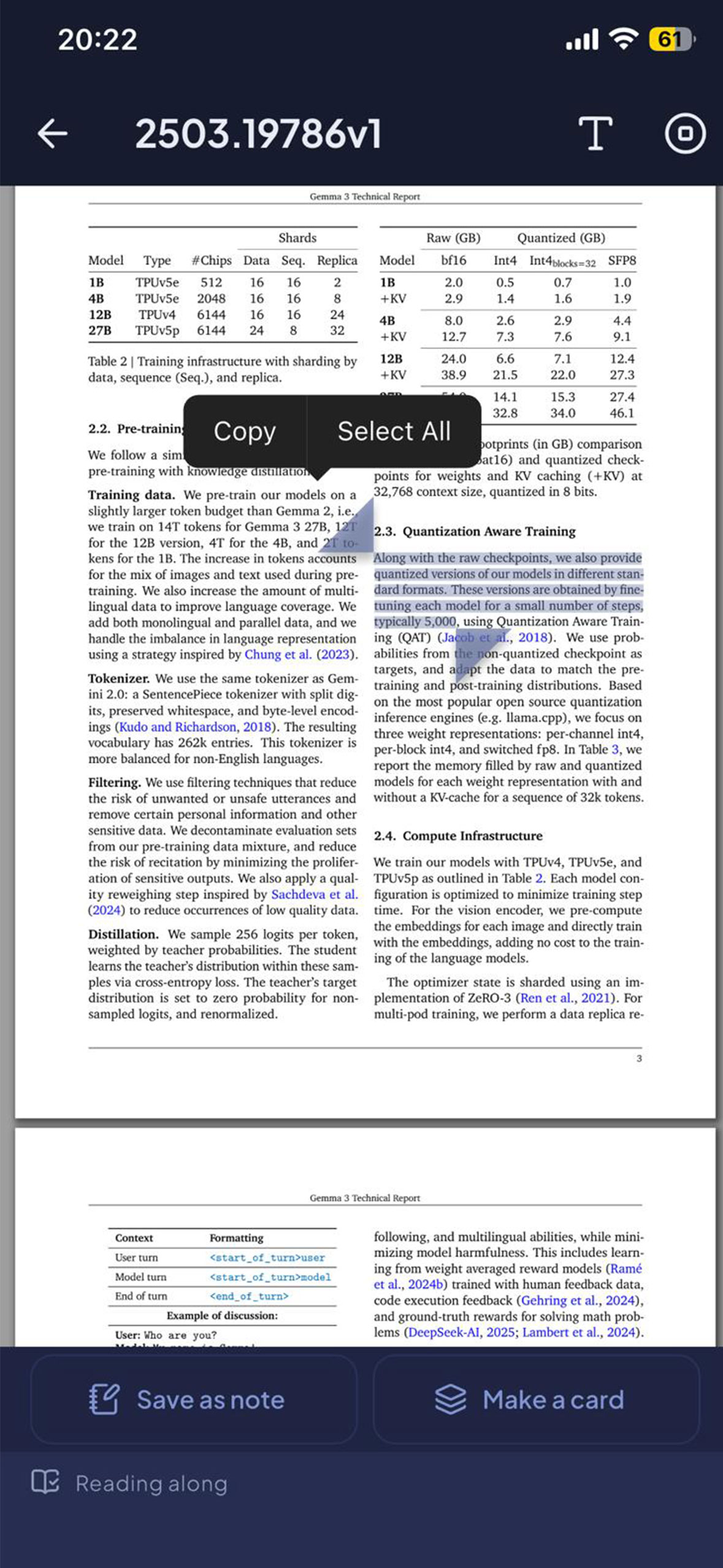
Read Along: Captures what you dwell on, highlight for auto Note Taking.
-
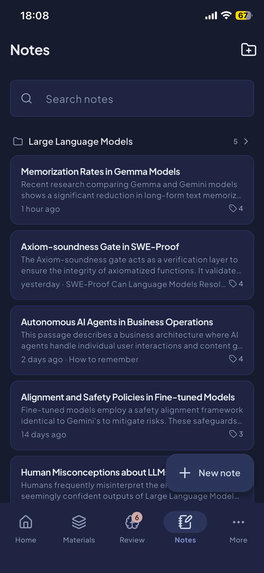
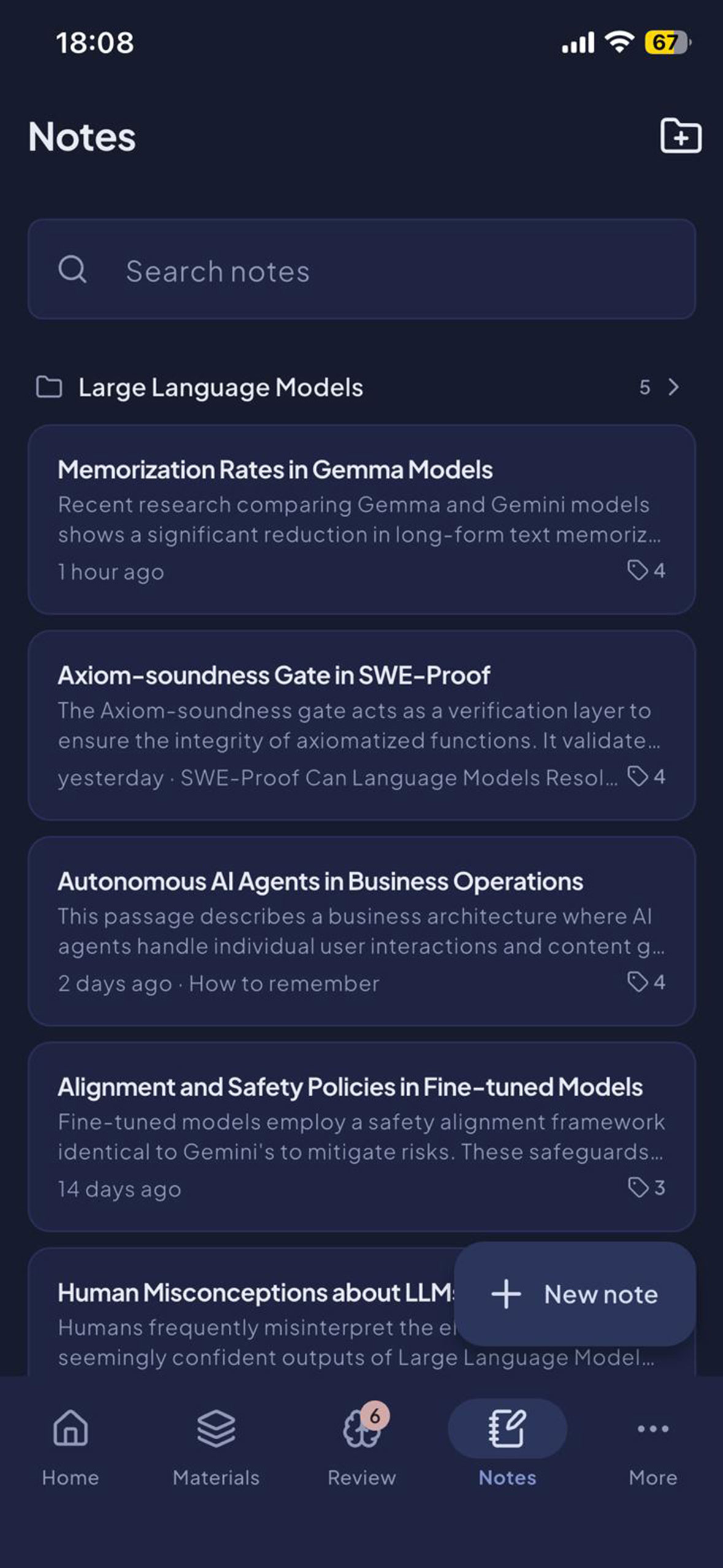
Notes: Self-organised notes based on your highlights
-
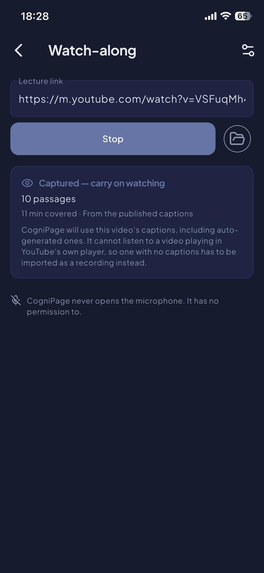
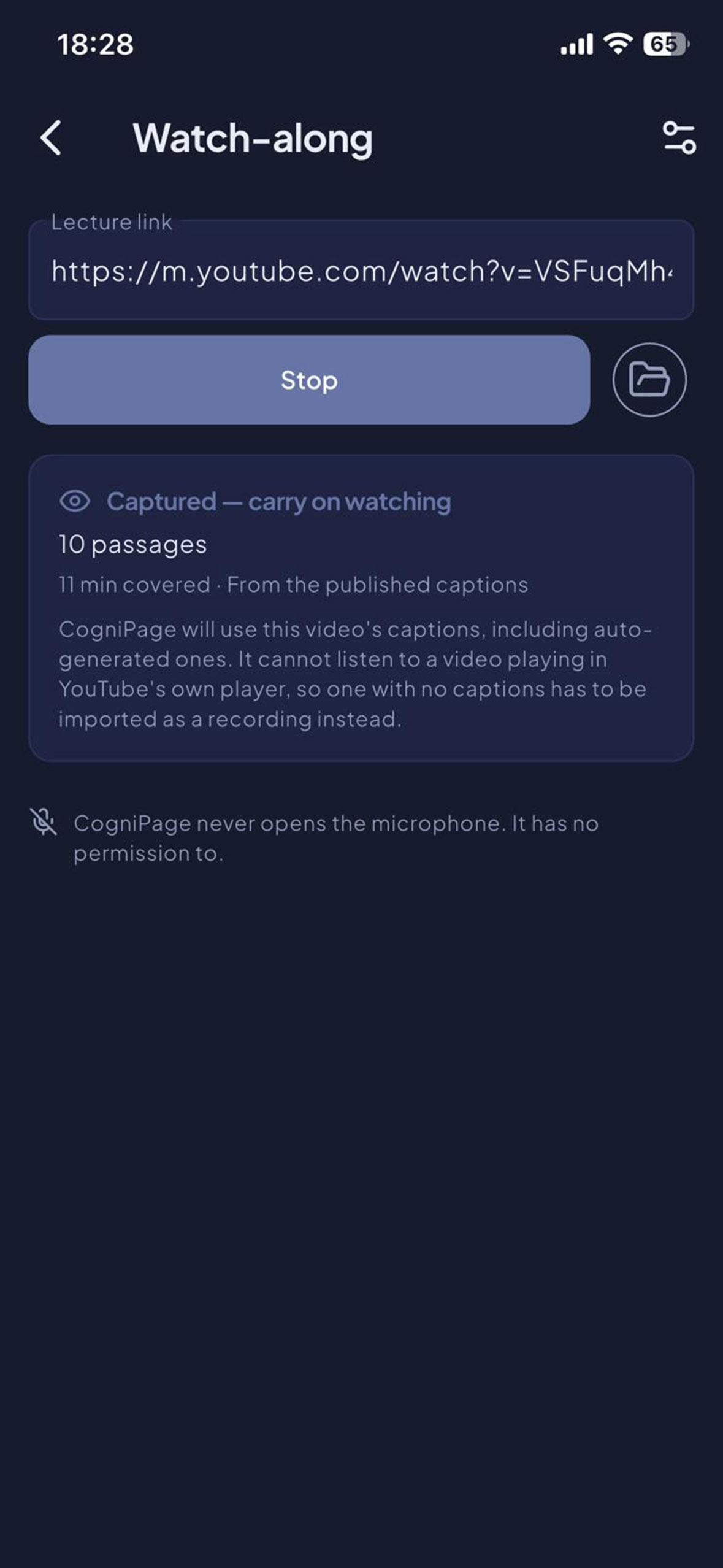
Watch Along: Share the video to CogniPage, and capture the content for retention
-
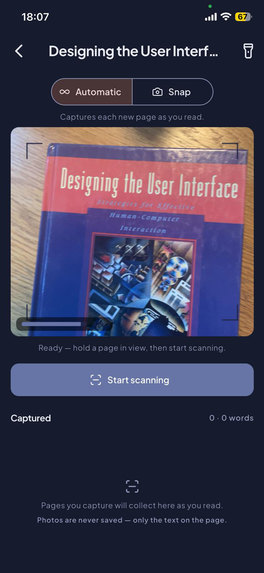
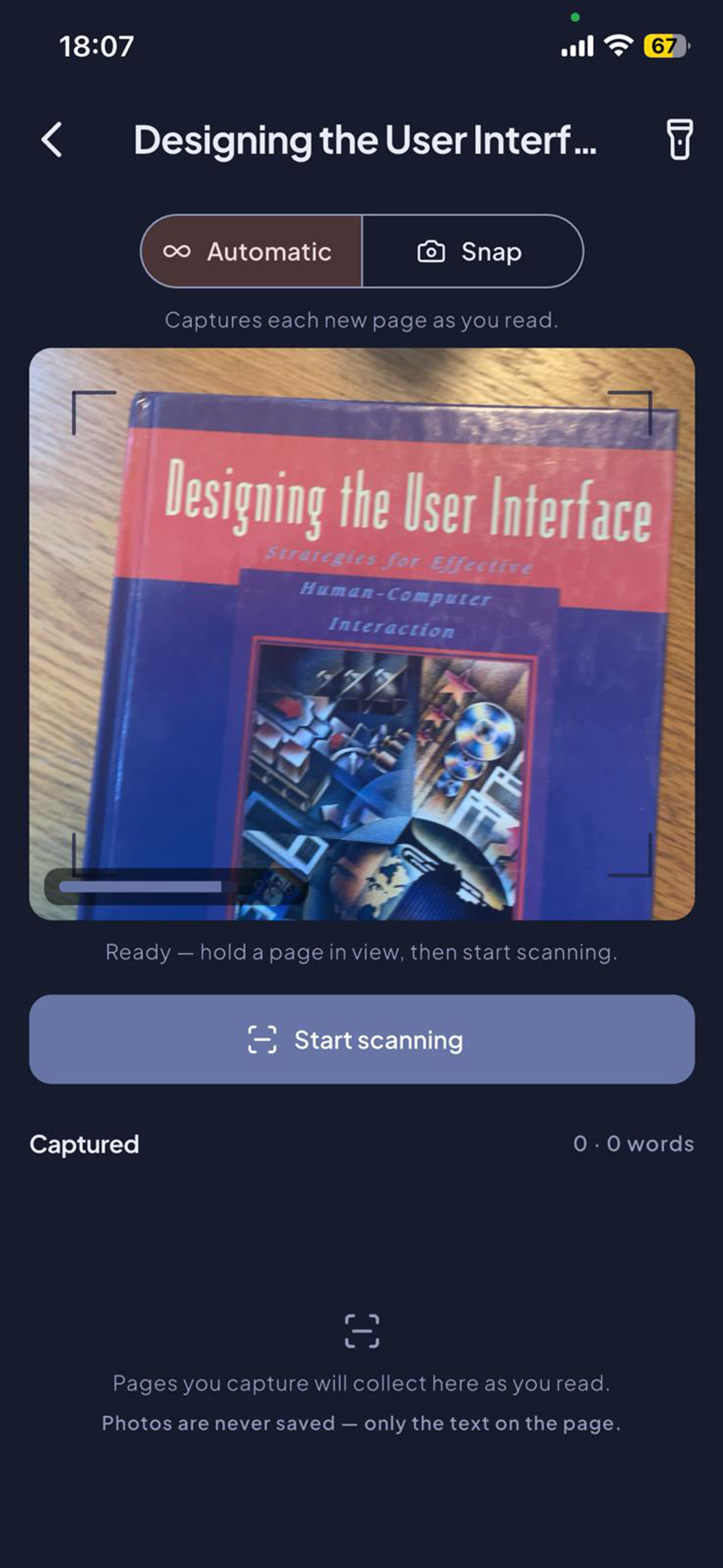
Prints Capture: Read your print books normal as usual and capture for retention
-
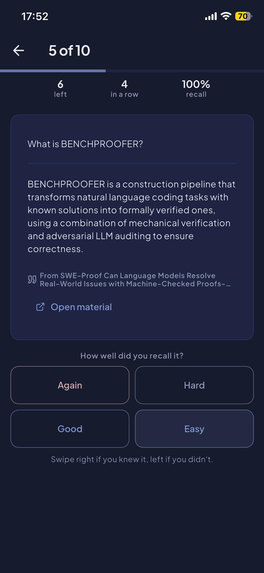
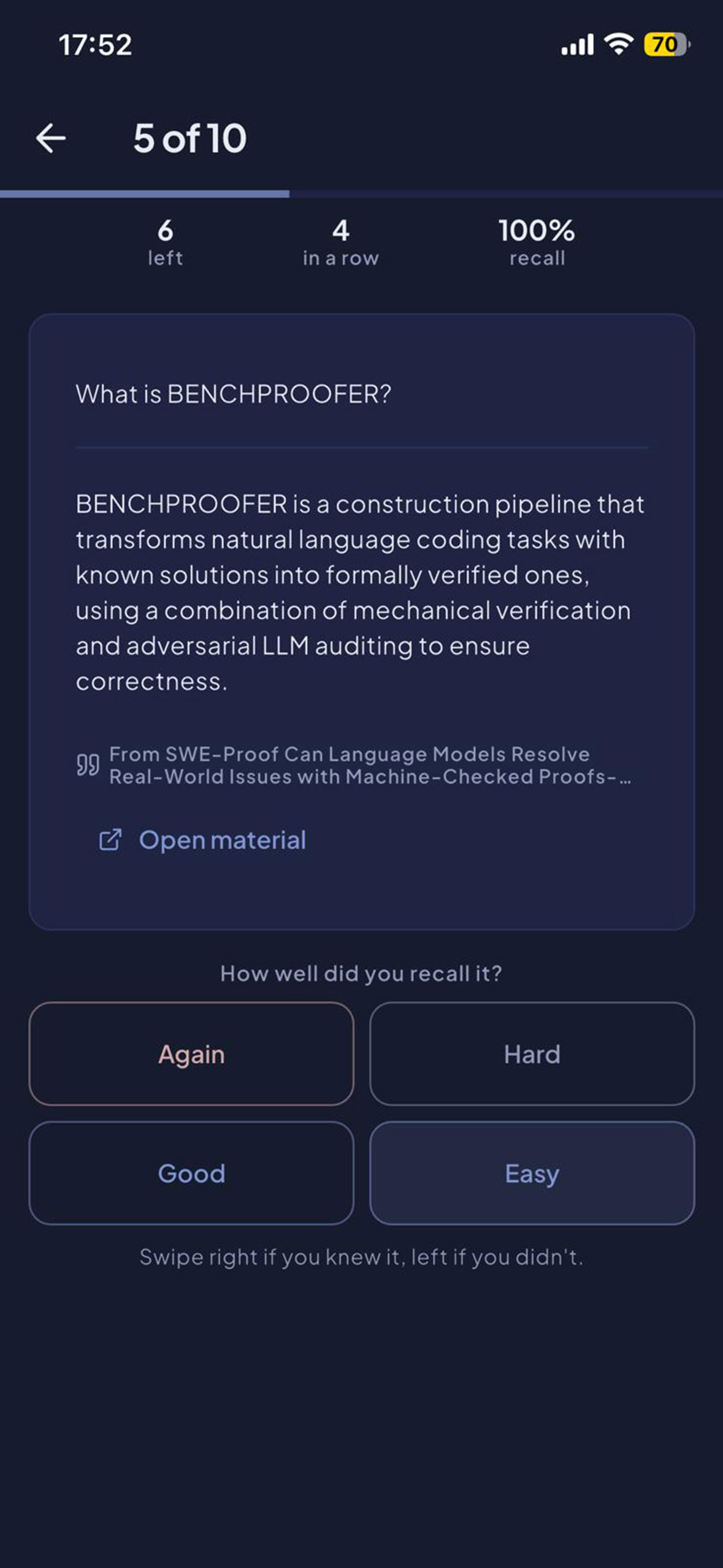
Flashcard: Check to see how much you can recall
-
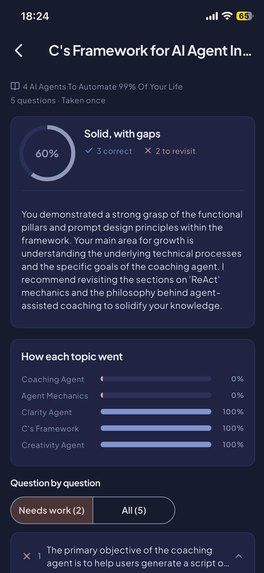
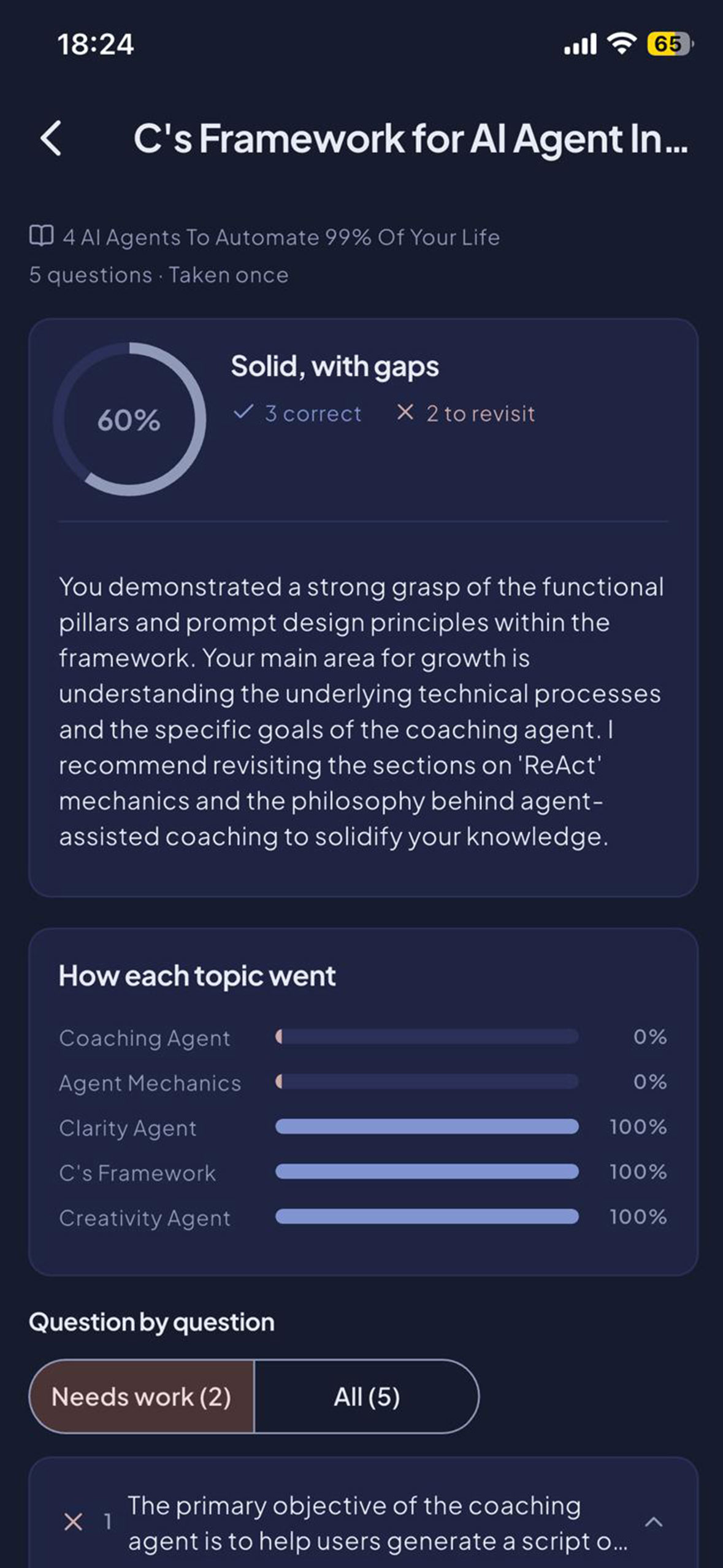
Assessments: A credit-grading with detailed feedback and next action
-
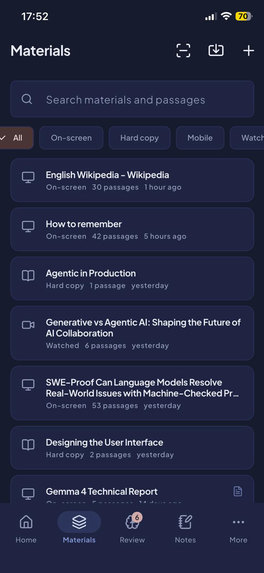
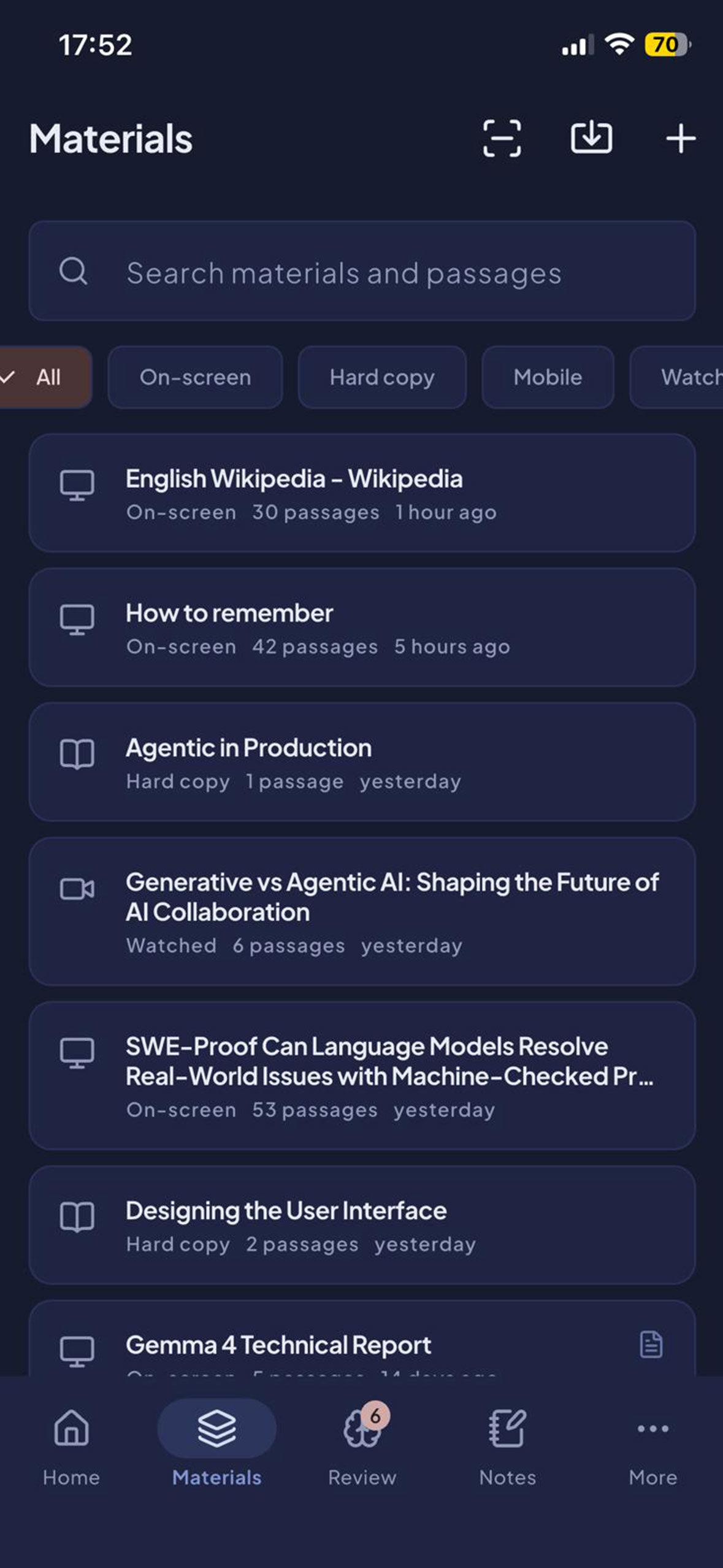
Material: Access to all your captured material corpus
-
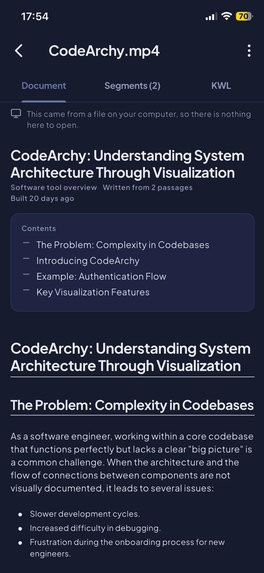
Material Synthensis Writeup
-
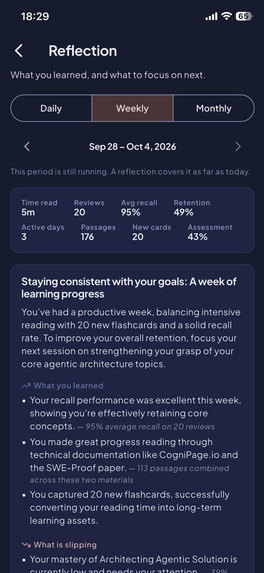
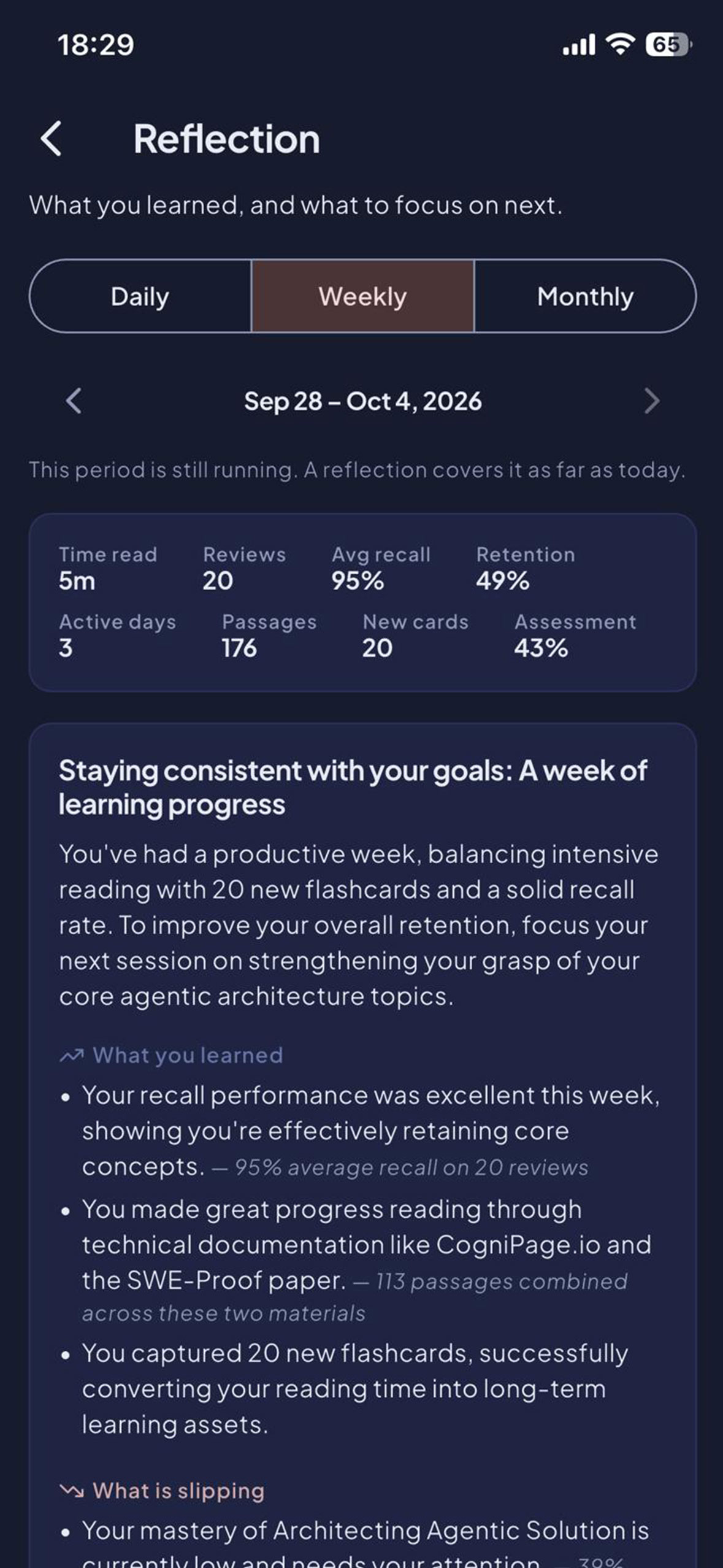
Reflections: Grounded on your retention data using DKT and RL
-
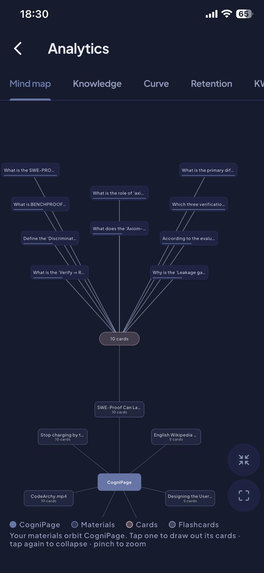
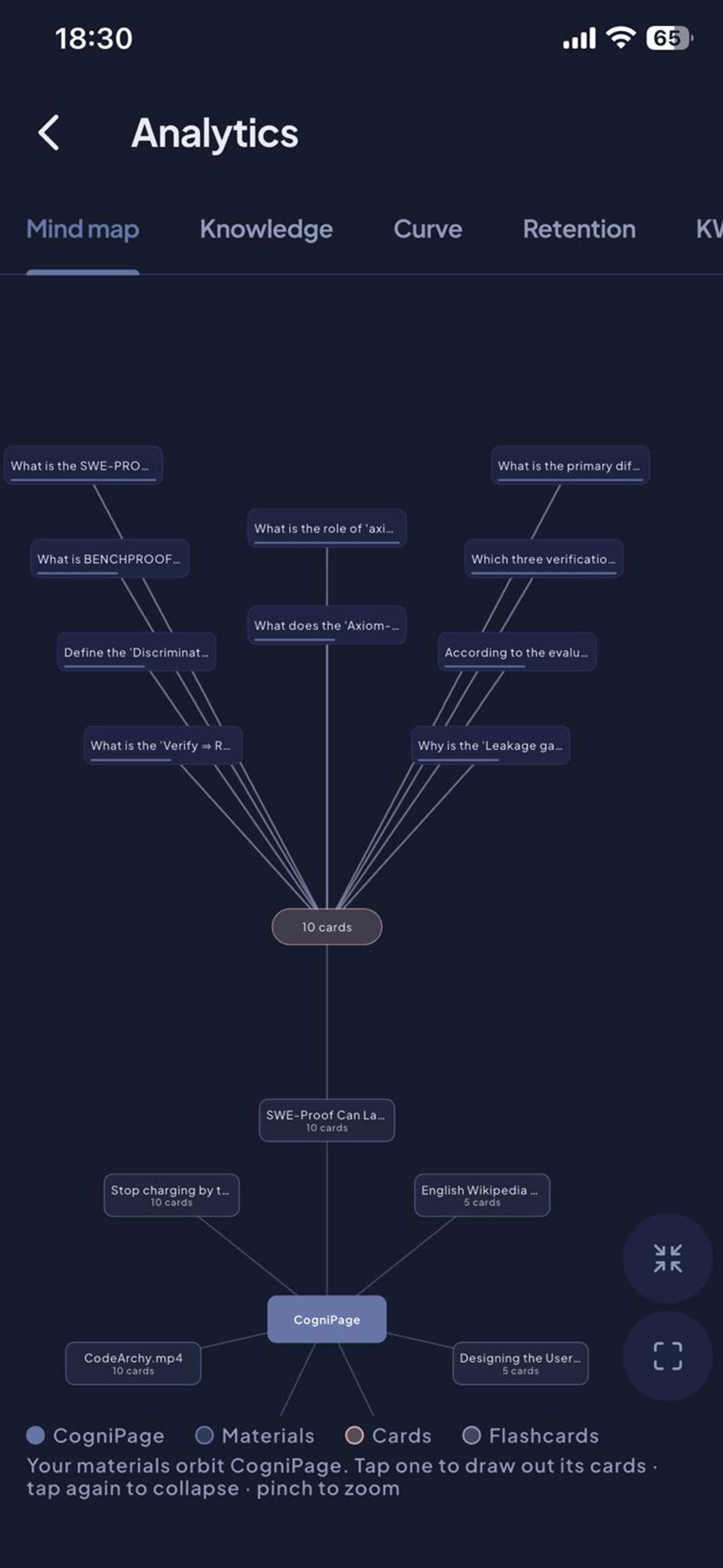
Mind Map: Your recalls mindmap
-
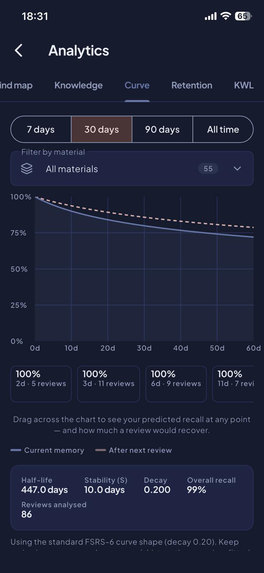
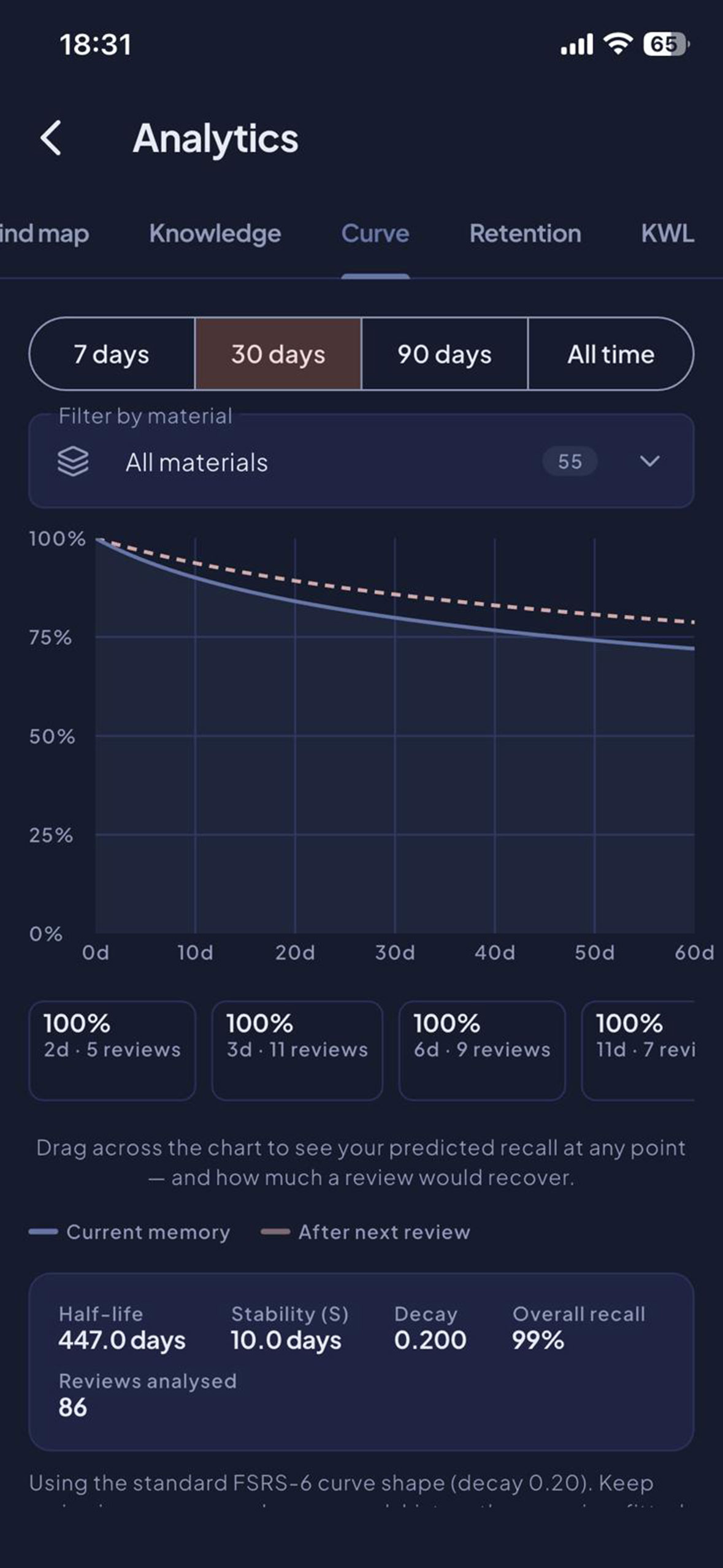
Forgetting Curve: The curve tailored to your retention data
-


Inspiration
We presently live in the age of information overload, either we are trying to consume information for workforce upskilling, personal growth, or prepare for exams or certifications, we consumes so much information and experience Illusion of Explanatory Depth because we keep dwelling on same information and fells we understand them, but few hours or days down the line, we bearly could remember most of those information.
The present solutions works but they measure our engagements rather than actually retention that survives, and becomes even worst with AI usage. Although, AI helps improves productivity, but impersonating us by offloading our cognitive, which makes our retention even worst.
We already ship CogniPage on macOS and Windows, where it captures what you read and schedules reviews using memory science. The first thing our 20+ student co-designers (secondary school and university) asked for was a phone version. Their phone is where they read on the bus, where their printed textbook gets photographed, and where they have five minutes before a lecture. So we built CogniPage Mobile as a new app for iPhone and iPad, in the Shipaton window, Android version on its way.
We had one hard rule: the learning itself is never paywalled. Reading, capture, spaced review, notes and progress tracking are free, work offline and work without an account. You only pay for the one part that costs us money to run, which is AI generation. RevenueCat made that model workable on both stores.
What it does
CogniPage turns what you read on your phone into long-term memory by creating memory layers that follows you as you grow.
- Read inside CogniPage: A built-in reader for web pages, PDFs and EPUBs. You can also send articles, links, PDFs or selected text in from any app's share sheet. As you read, CogniPage keeps the passages you actually spent time on. It uses real dwell time and re-reads, not highlights you had to remember to make.
- Read printed pages: Point the camera at a textbook. Text recognition runs on the device and passes three quality checks. No image is ever stored or uploaded.
- Watch-along: Play a lecture inside CogniPage. It uses the published captions, or transcribes the audio on the device. It never opens the microphone.
- AI flashcards and quizzes you didn't write: Each card links back to the passage it came from, so you can check it.
- Review just before you'd forget: Scheduling uses FSRS-6, the current leading spaced-repetition algorithm, fitted to your own review history rather than an average learner. A notification arrives when a card is due, and at no other time.
- See what you know: A concept mind map, your own forgetting curve drawn from your reviews, a retention heatmap, and your reading history.
- One library everywhere: Sign in and your phone syncs with the desktop app. A card reviewed on the bus is scheduled correctly on your laptop that evening.
- Private by design: No ads, no third-party analytics, no microphone, no screen recording. Only the passages you choose to send to AI leave the device, and nothing is used to train models.
How we built it
Architecture: one engine for every device. The scheduling maths, sync engine, database schema, content extraction and caption parsing are all in one Rust crate. The desktop app already runs it. The mobile apps calls the same crate through rust bridge. We didn't rewrite any correctness-critical logic. If phone and laptop disagreed on a card's recall probability by even \(10^{-6}\), last-write-wins sync would make the error permanent and invisible. Parity tests stop that from shipping.
RevenueCat is the store layer. Our backend decides entitlements:
purchases_flutterhandles StoreKit 2, and Google Play Billing when Android launches, through one SDK. It replaces two receipt validators, two server-notification pipelines and two refund and grace-period state machines.- One
aientitlement and a remotely configureddefaultoffering. The public key, entitlement ID and offering ID are served from our billing config endpoint. We can change packaging and prices from the RevenueCat dashboard without shipping a new build. Purchases.logIn(userId)on every sign-in and sign-out, so RevenueCat's customer ID always matches ours. The RevenueCat dashboard and our database can always be reconciled.- One RevenueCat webhook writes to the same subscription and credit-ledger tables as our desktop Stripe payments. It handles
INITIAL_PURCHASE,RENEWAL,PRODUCT_CHANGE,CANCELLATION,UNCANCELLATION,EXPIRATION,BILLING_ISSUE,NON_RENEWING_PURCHASE,REFUNDandTRANSFER. It is idempotent on the event ID: replaying the same renewal adds exactly one ledger entry. The result is one credit wallet across platforms. Credits bought on an iPhone can be spent on a Windows laptop.
Stack: Flutter (Riverpod, go_router), Rust core, SQLite, FastAPI backend, ML Kit for on-device text recognition, whisper.cpp for on-device speech-to-text, and FSRS-6.
Quality: 900+ automated tests, including a billing suite that tests every App Review requirement separately. There are WCAG AA contrast checks on every text/background pair, parity tests against the desktop's scheduling maths, and a CI job that fails if generated FFI bindings drift from the source.
Timeline: first Flutter commit on 22 August → feature parity with the desktop by 31 August → RevenueCat integrated on 2 September → submitted to the App Store → live on the App Store in 21 September after passing review.
Challenges we ran into
- iOS doesn't let an app read other apps. On the desktop, CogniPage passively captures text from any window you read. iOS has no API for that, and pretending otherwise gets an app rejected. So we changed the product: on a phone, CogniPage is where you read, through the reader, the scanner, the share sheet and the in-app player. This turned out better. A first-party reader knows exact scroll position, true time per paragraph and re-reads, so the memory model gets more accurate signals than it does on desktop.
- Two payment systems, one wallet. Desktop users pay through Stripe and phone users through the Stores. A learner can end up subscribed on both. We made our backend the only source of entitlement truth, with RevenueCat feeding into it rather than competing with it. The backend grants the better of two active plans, never credits both, and tells the learner which store owns the renewal so they cancel in the right place.
- App Store review, twice, over purchases. The first rejection was for a missing Terms of Use (EULA) link. Apple then required the links inside the purchase flow itself, not only in the listing, so we rebuilt the paywall to meet guideline 3.1.2 item by item. The second rejection was for "duplicate promotional images" across our five credit packs. We redesigned them as five genuinely different layouts. We then added a CI check that compares a luminance fingerprint of every image pair, so this can't slip back in.
- Lecture transcription without a microphone. We don't tap other apps' audio, which is off-limits and DRM-blocked on phones. We play the media inside CogniPage and transcribe that audio on the device.
Accomplishments that we're proud of
- Idea to live App Store app in about three weeks, with one shared engine across macOS, Windows, iPhone, iPad, and Android in store review.
- A monetization model students can trust. Nothing about remembering is paywalled, only AI generation, which is the part with a real cost per use. Subscriptions suit habitual learners, consumable packs suit exam-season spikes, and one wallet follows the learner across devices. With clear usage metrics.
- Traction: CogniPage's beta passed 600 downloads and 150 active learners in its first month.
- Privacy and offline-first. The whole learning loop works in airplane mode, signed out, with no ads and no trackers.
- An app that respects the reviewer. All eight permission and purchase declarations can be traced to code, and each one has a test.
What we learned
- Collect payments with RevenueCat, but keep entitlement decisions in one place. Once we had two payment providers, the only safe design was a single ledger that both write to. RevenueCat's single webhook made that a clean integration instead of two store pipelines.
- Charge for what costs you money, not for what makes the product good. Keeping the memory loop free builds the habit, and the AI features are what that habit leads people to buy.
- A platform limitation can improve the design. Losing passive capture on iOS pushed us to a reading surface that gives better data.
- App Review is a spec, so test it like one. Every rejection we got became an automated test.
What's next for CogniPage Mobile
- Adroid on Google Play. The build and release pipeline is ready and passing, and the RevenueCat products and webhook already work for it.
- RevenueCat experiments. A/B test the monthly/yearly split and pack sizes, add a free trial on the yearly plan, and add win-back offers for lapsed exam-season learners.
- Student and institution pricing. Low-cost plans for students in emerging markets, and cohort licenses for schools, starting with our 20-student co-design group.
- A clip-on camera for glasses. Students told us that capturing from printed books should be effortless. We're developing a tiny smart camera that clips onto any glasses and is in talks with a manufacturer. It feeds the same scan pipeline.

Log in or sign up for Devpost to join the conversation.