-
-
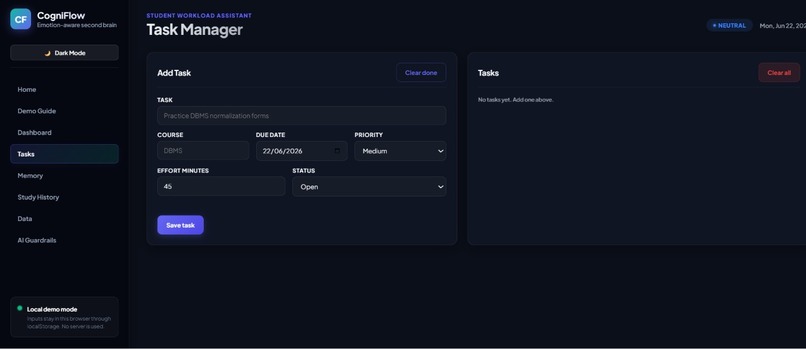
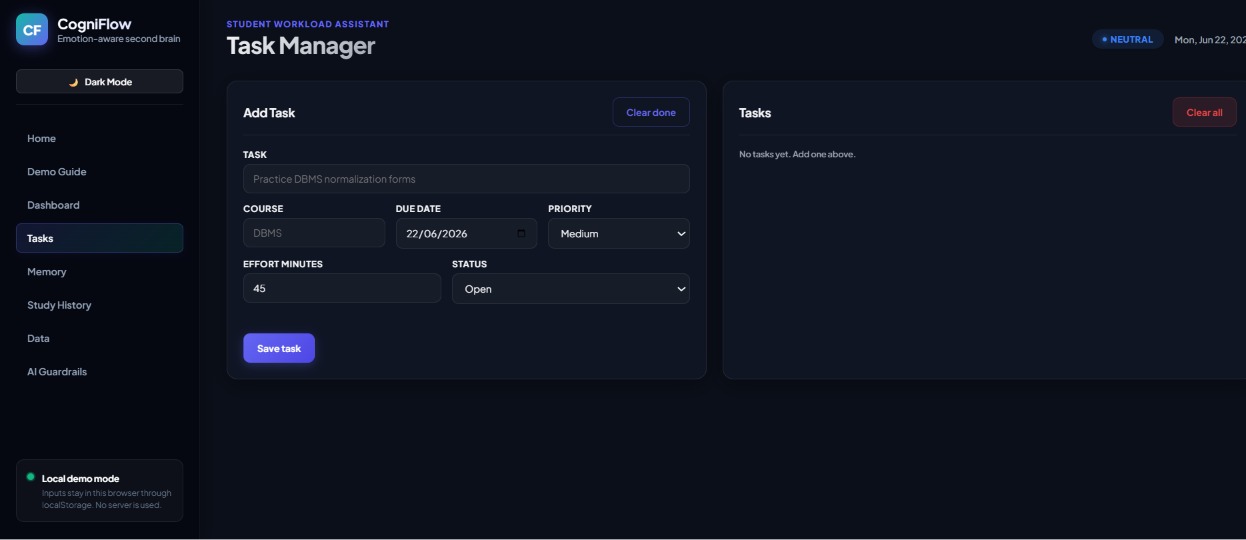
Task
-
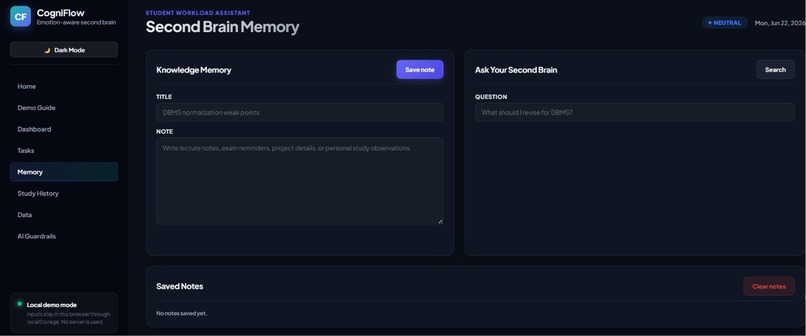
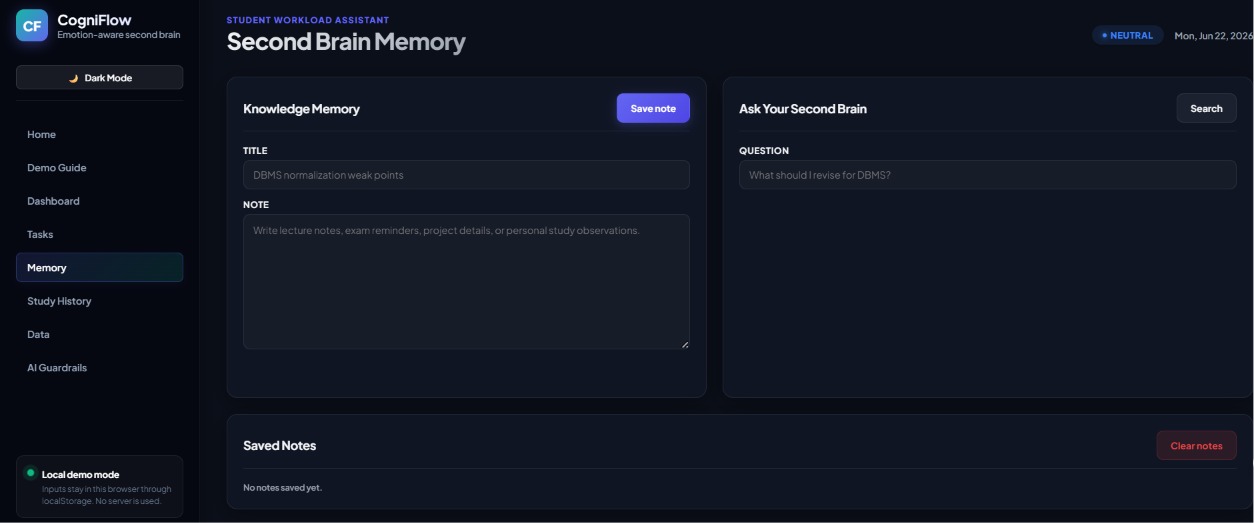
Memory
-
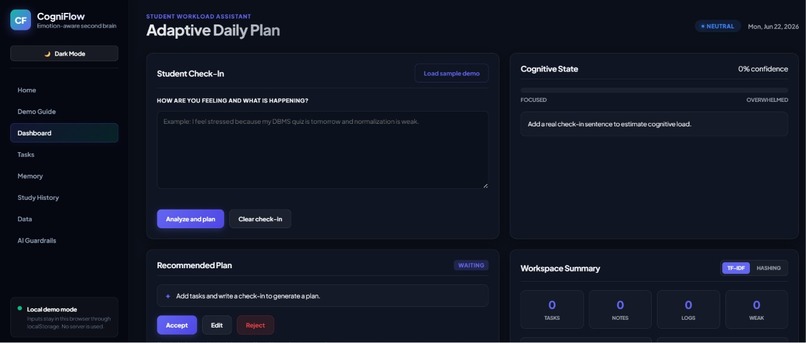
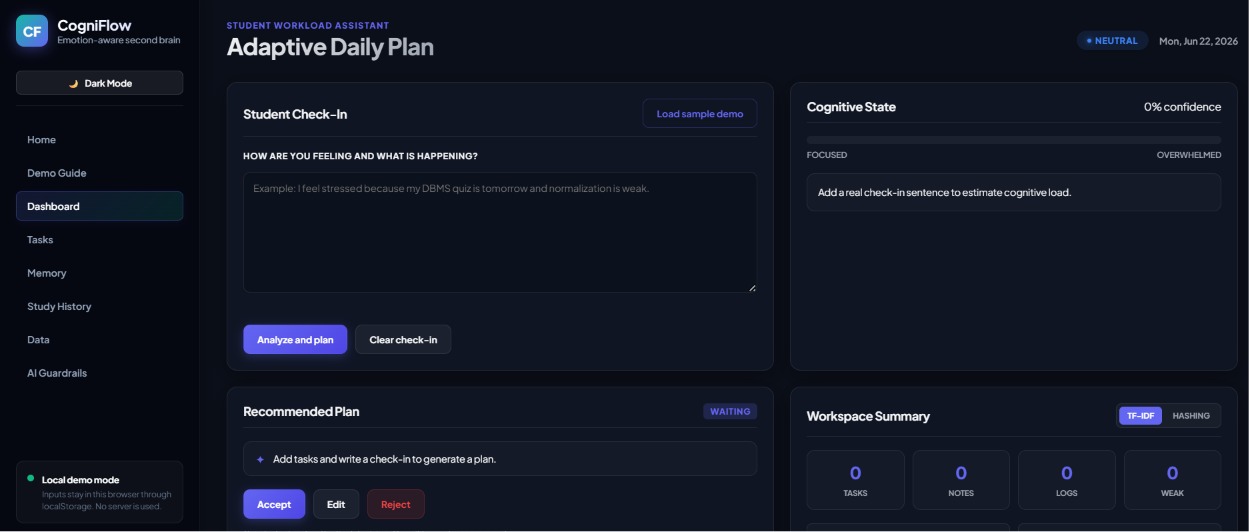
dashboard
-
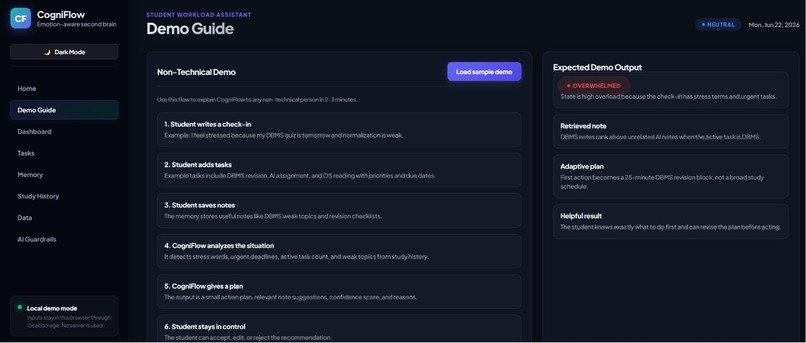
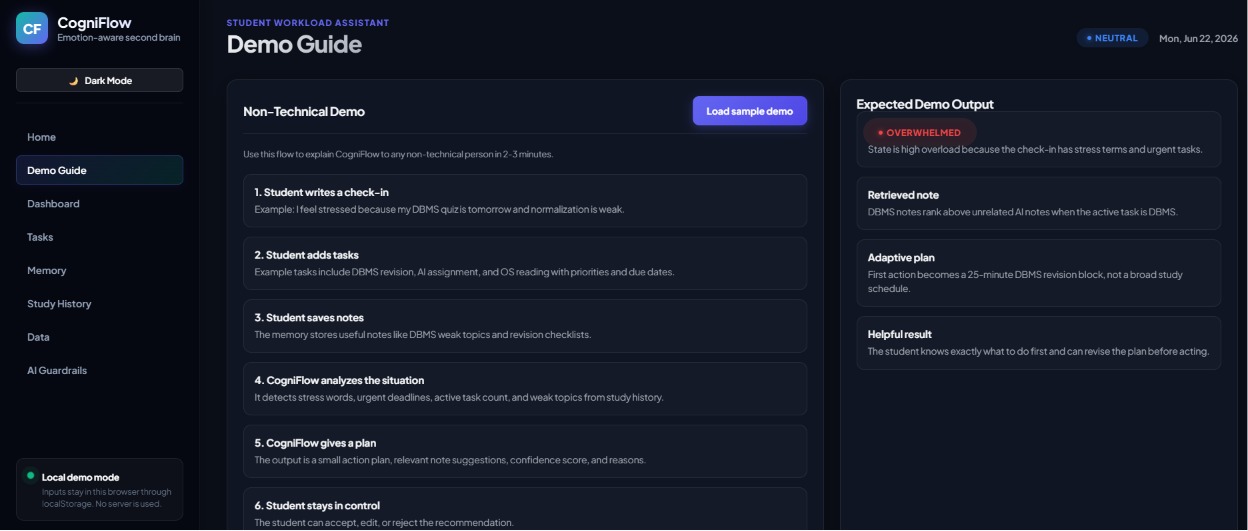
demo page
-
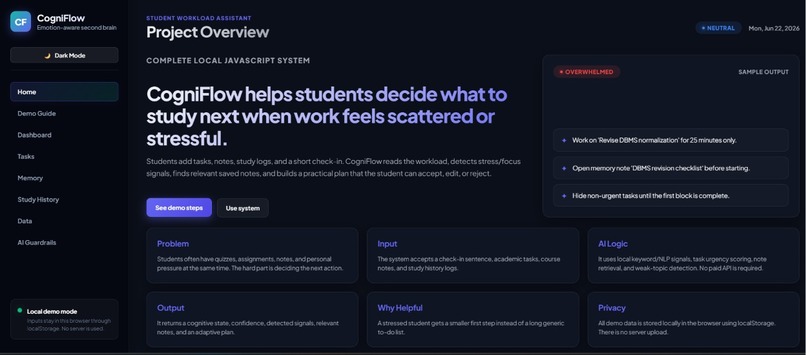
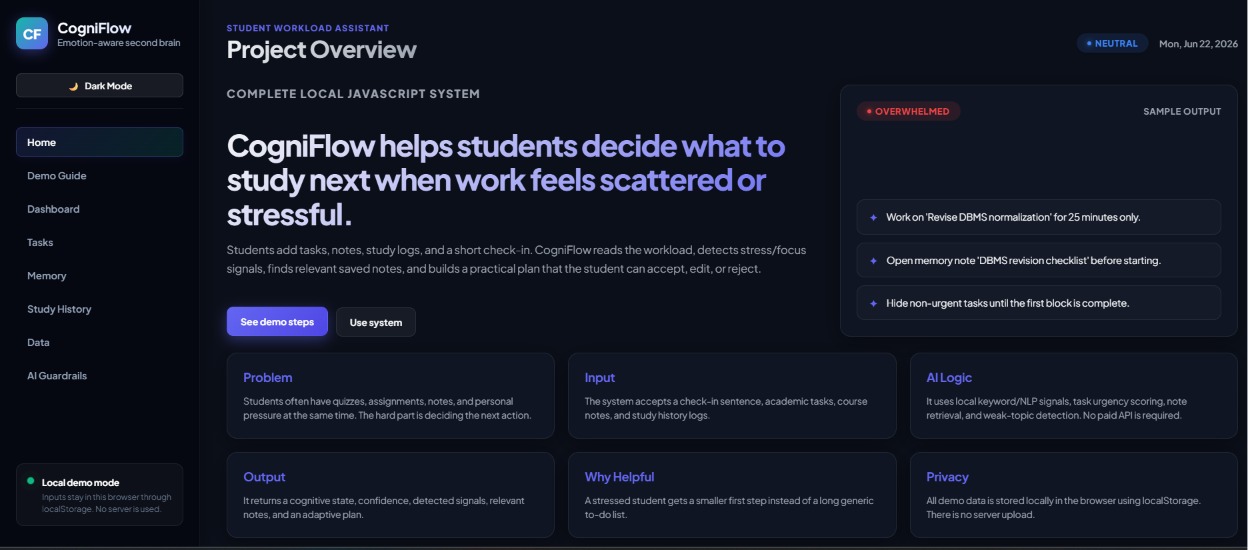
Home page
Inspiration
Every semester, millions of university students face the same invisible crisis — not a lack of information, but an overload of it. Six courses, overlapping deadlines, assignments, exam pressure, family obligations, and career anxiety all competing for attention at the same time. We have all been there: staring at a massive to-do list at 2 AM, knowing everything is urgent, yet completely paralyzed on where to start.
Existing tools store tasks or answer questions, but none of them ask: "How are you actually doing right now?" A student who is focused needs a different plan than one who is overwhelmed. We wanted to build something that does not just organize — it understands.
That is how CogniFlow was born: an emotionally aware second brain that adapts to the student's cognitive state and helps them decide what to do next.
What It Does
CogniFlow is an AI-powered decision-support tool where a student enters:
- Tasks with course, deadline, priority, and effort
- Notes as a personal knowledge memory
- A short natural-language check-in describing how they feel
The system then:
- Analyzes the check-in using NLP to detect stress and focus signals
- Classifies the student's cognitive state as focused, neutral, stressed, or overwhelmed
- Retrieves relevant saved notes using cosine similarity over term-frequency vectors (a lightweight local RAG approach)
- Generates an adaptive plan — the same task list produces different plans depending on the student's state
An overwhelmed student sees only 2–3 critical next actions. A focused student gets a deep-work block with the hardest task first. The student can then accept, edit, or reject the plan — the AI never decides for them.
How We Built It
We built CogniFlow as a fully static, browser-based application using HTML, CSS, and vanilla JavaScript — no frameworks, no paid APIs, no cloud backend.
Core AI modules:
Cognitive State Detector — A pattern-based NLP classifier that reads the student's natural-language check-in and analyzes multiple signals: stress and focus keyword frequency, active task count, deadline urgency (tasks due within 24 hours), and check-in length as an overload indicator. The detector outputs a state label, a confidence score, and transparent signal chips so the student can see why a state was detected and challenge it if needed.
Memory Engine — A local second-brain store that keeps notes in browser localStorage. When the student asks a question or the planner needs context, the engine tokenizes the query, builds term-frequency vectors, and ranks stored notes by cosine similarity. This simulates a lightweight RAG (Retrieval-Augmented Generation) pipeline entirely in the browser without any external API.
Adaptive Action Engine — Tasks are ranked using a scoring formula:
$$ \text{score} = \text{priority} \times 10 + \text{urgency} \times 4 - \text{effort} $$
The planner then reshapes the workload based on detected cognitive state:
- Focused — deep-work block, hardest task first
- Neutral — balanced urgent-priority plan
- Stressed — narrowed workload with short recovery breaks
- Overwhelmed — only 2–3 critical next actions, low-priority work hidden
Key design decisions:
- Local-first architecture — all data stays in localStorage. Zero network calls, zero cloud storage. This protects sensitive student notes and emotional signals by design.
- Transparent reasoning — every recommendation shows why it was made. Detected signals, confidence levels, and scoring logic are visible to the user.
- Human-in-the-loop — the AI recommends, the student decides. Accept, edit, or reject controls ensure academic and personal decisions remain under human control.
We also built a Python CLI version with the same pipeline for demonstration flexibility, along with comprehensive documentation covering architecture, responsible AI position, data disclosure, and a pitch script.
Challenges We Faced
Balancing simplicity with intelligence — We wanted meaningful NLP without external APIs or heavy ML models. Designing a rule-based classifier that produces genuinely useful cognitive state detection from short text inputs required careful keyword curation and multi-signal weighting. The confidence score uses a weighted combination:
\( \text{confidence} = w_1 \cdot \text{keyword_signal} + w_2 \cdot \text{task_pressure} + w_3 \cdot \text{urgency_signal} + w_4 \cdot \text{length_signal} \)
Getting these weights to feel accurate across different writing styles was a significant iteration challenge.
Making transparency feel natural — Showing confidence scores and signal chips without overwhelming the user. We iterated on the UI to make the AI's reasoning visible but not distracting — the goal was trust, not information overload.
Avoiding the "just another to-do app" trap — The challenge brief explicitly warns against tools that generate lists without reasoning through tradeoffs. We had to ensure every output reflects the student's state, not just their tasks. The same three tasks produce four completely different plans depending on cognitive load.
Privacy by design — Handling emotional signals and academic stress data responsibly. We chose a zero-network, browser-only architecture to eliminate data leakage risks entirely in the demo.
Keyword-based detection limitations — English-only stress and focus keywords do not capture how every student expresses themselves. We documented this as a known limitation and outlined multilingual calibration (Urdu, Hindi, Bengali) as a production upgrade path.
What We Learned
- AI does not have to be complex to be meaningful — a well-designed heuristic system with transparent reasoning can deliver real decision value at the point where students need it most.
- The hardest part of building a "second brain" is not storage or retrieval — it is understanding context. The same information needs different presentation depending on the user's cognitive state.
- Responsible AI is not a checkbox — it is a design philosophy. Framing CogniFlow as decision support rather than an authority shaped every feature we built.
- Building offline-first, privacy-respecting AI tools is not only possible — it is essential for sensitive use cases like student mental wellness and academic pressure.
What's Next
- Local embeddings to replace term-frequency vectors for smarter semantic retrieval
- Multilingual support for Urdu, Hindi, Bengali, and Hausa
- Calendar integration with explicit user consent
- Crisis-safe escalation messaging when users express high-risk language
- User correction loops so students can refine their own cognitive state labels over time, improving personalization without sending data to a server
