-
-
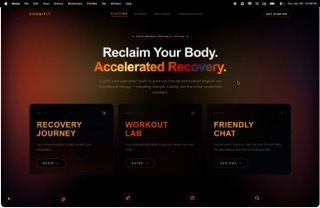
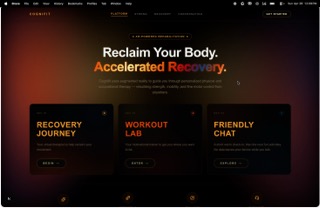
landing page
-
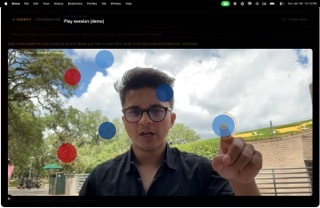
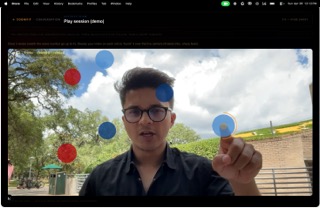
pop the bubble
-
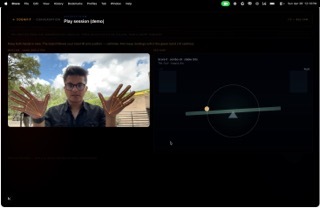
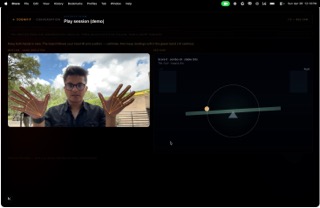
balance the see saw
-
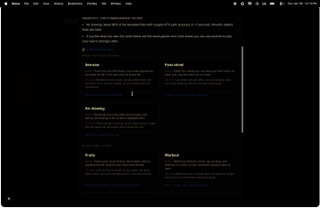
ai sumamry
-
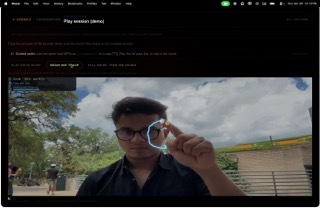
follow the shape
-
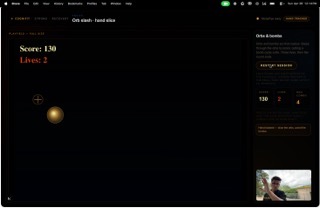
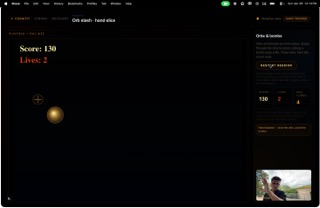
fruit ninja
-
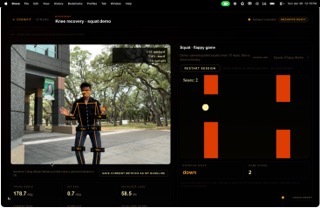
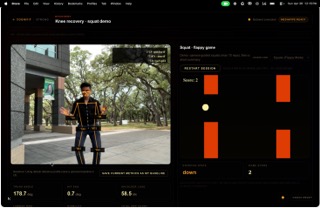
squat + flappy bird
-
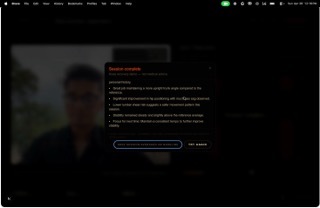
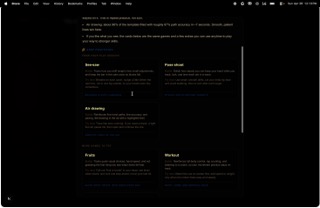
ai summary
Cognifit — Devpost submission
A HackABull VII project: a browser-based “play session” that bundles voice, camera, and lightweight games to explore balance, gross motor, and fine motor movement in a friendly, non-clinical way.
Inspiration
Too many check-ins around movement and recovery feel like paperwork or judgment. We wanted something that feels warm, game-like, and human—where a short voice introduction, three quick activities, and a celebratory wrap-up could live in one coherent experience. Cognifit is that guided flow: it’s inspired by rehab and school-based motor screens, but framed as a demo you play, not a grade you earn. The DNA-inspired journey visuals and hand-drawn brand energy on the landing page are meant to signal growth and connection, not a clinical waiting room.
What it does
Cognifit is a multi-route web app (Next.js) that strings together:
Conversation — A scripted, local voice dialogue: the app plays pre-generated voice lines (MP3s) and listens for the user’s answers with the microphone only in the browser (no STT/LLM in the basic path; timing is turn-based with silence detection). It sets a relaxed tone before deeper activities.
Play session (
/cognifit-session) — A three-step flow with optional spoken overview, synthetic countdown beeps, and per-step audio (seepublic/audio/cognifit-session/):- See-saw — Balance / timing: help blocks land in the safe zone while the board responds to the player.
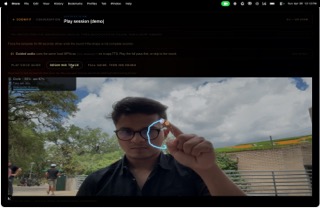
- Pose shoot — Gross motor: MediaPipe Hands tracks the index finger over the webcam; the user steadies on floating orbs until they “lock” (AR-style overlay on the camera feed in Cognifit mode).
- Air drawing — Fine motor: trace dashed templates (circle, line, etc.) with a glowing trail over the camera, with scoring, tolerance, and optional guided local audio clips.
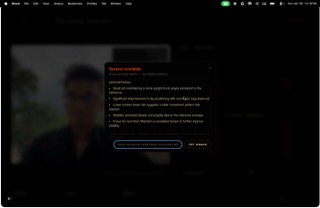
Session end — A summary dialog with narrative copy, links to practice games, and TTS from a prepared readout (
summary-readout.mp3) so the run ends on a encouraging note.
Additional experiences in the same product family include workout (pose-linked exercise lab with a WebSocket or similar real-time pipeline), recovery (squat-focused flow with ElevenLabs TTS and Ollama-backed session copy where configured), fruits (hand-slice mini-game with a workout-style small camera rail + full playfield), air-drawing standalone tuning page, pose-shoot standalone, conversation → tests navigation, and a polished home experience with Framer Motion and interactive “journey” visuals.
How we built it
- Frontend: Next.js (App Router), React, TypeScript, Tailwind CSS, Framer Motion (landing and transitions), shadcn/Radix UI (e.g. session summary Dialog).
- Canvas games: Custom 2D canvas game loops (pose orbs, air drawing, fruits) with
requestAnimationFrame, device pixel ratio–aware sizing, and careful letterboxing / 16:9 layouts so the camera and drawings aren’t visually distorted. - Vision / input: MediaPipe Hands (and related camera utilities) for hand landmarks; pose shoot can run in a lighter AR-over-camera path (simplified 75% opacity orbs) to reduce GPU load.
- Audio: Pre-generated MP3s (e.g. ElevenLabs export scripts in READMEs) for Cognifit session lines, air-drawing guidance, conversation, and recovery where applicable; Web Audio or small helpers for beeps; optional Next.js API routes for server-side TTS (e.g. ElevenLabs) and Ollama for recovery or summary text when environment keys are set.
- State & UX: Client-side session state for Cognifit snapshots, flex/dvh layouts for mobile-friendly full-bleed games, and iterative tuning of gesture classification (e.g. permissive “index extended” for drawing) and scoring (template coverage, max deviation, closed-path gap checks) so “complete” means actually tracing the shape.
Challenges we ran into
- Performance vs. beauty: Multi-layered blur and glow on AR orbs looked great but stressed the GPU; we simplified Cognifit pose orbs to flat 75% opacity fills and trimmed HUD text shadows.
- Layout & aspect ratio: Flex + aspect-ratio edge cases made the air-drawing and camera view look squashed; we fixed it with viewport-bounded 16:9 wrappers,
ResizeObserver, and, where needed, letterboxed game scaling (e.g. fruits playfield). - Fair scoring: Early “completion” used loose template-to-stroke tests, so a U-shaped stroke could “complete” a vertical I; we added tighter coverage radii, max trail-to-template deviation, and perimeter gap checks on closed shapes.
- Input reliability: Strict hand gestures often yielded no ink; we added a permissive path when the index is clearly extended, while keeping fist / low-confidence paths safe.
- Audio orchestration: Coordinating session overview, beeps, per-game intros, and missing-file fallbacks without breaking the flow required clear README contracts in
public/audio/**.
Accomplishments that we're proud of
- A cohesive end-to-end story: home → check-in → bundled three-game session → voiced summary, all in the browser.
- Playable, instructive mini-games that each stress a different motor theme (balance / gross / fine).
- Sincere copy and audio direction—users are told it’s a snapshot, not a report card.
- A tunable air-drawing engine (tolerance, time, shape, coverage math) and a pose stack that reuses the same MediaPipe building blocks in multiple games.
- Surviving integration pain (layout, ML inference, and canvas) while keeping the UI on-brand (dark theme, gold/blue/crimson accents, motion on the hero).
What we learned
- Canvas + live video + ML in one frame budget forces constant tradeoffs; measuring (blur off, single-pass fills) beats guessing.
- Scoring for “draw along this path” needs geometric constraints (perimeter, max deviation), not just a single percentage.
- Accessibility of gestures: Real hands are messier than lab point poses—product decisions (permissive ink) matter as much as model accuracy.
- Audio-first flows are powerful for kids and adults alike, but file naming, fallbacks, and README discipline are what keep the team sane at demo time.
What's next for Cognifit
- Deeper analytics (with consent): anonymized session JSON export is already a direction we’ve hinted at; next could be teacher/parent dashboards and progress over weeks.
- More shapes and adaptive difficulty in air draw; optional STT for open-ended conversation while preserving privacy.
- Stronger pose or game fusion in workout + recovery (one profile, one journey).
- PWA / installable build for Chromebook and tablet classrooms.
- Localization and reduced-motion / high-contrast profiles for wider inclusion.
Built for HackABull VII. Cognifit is a demo prototype—not a medical device or diagnostic.
Built With
- elevenlabs
- fastapi
- javascript
- mediapipe
- next


Log in or sign up for Devpost to join the conversation.