-
-
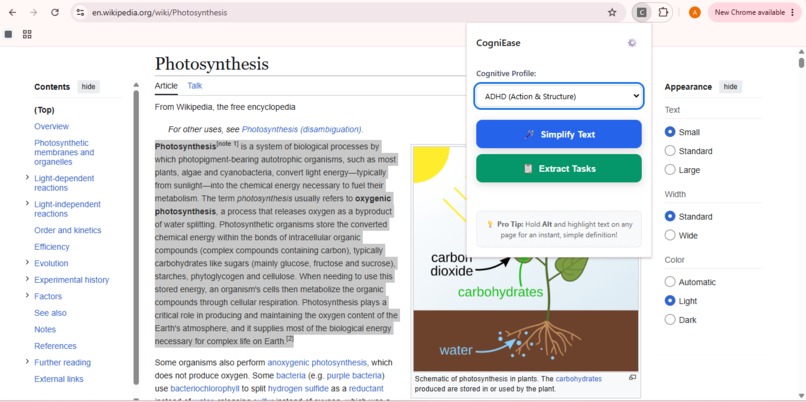
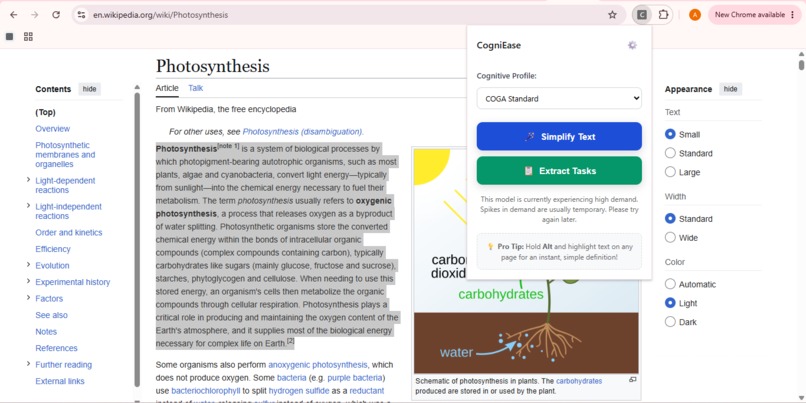
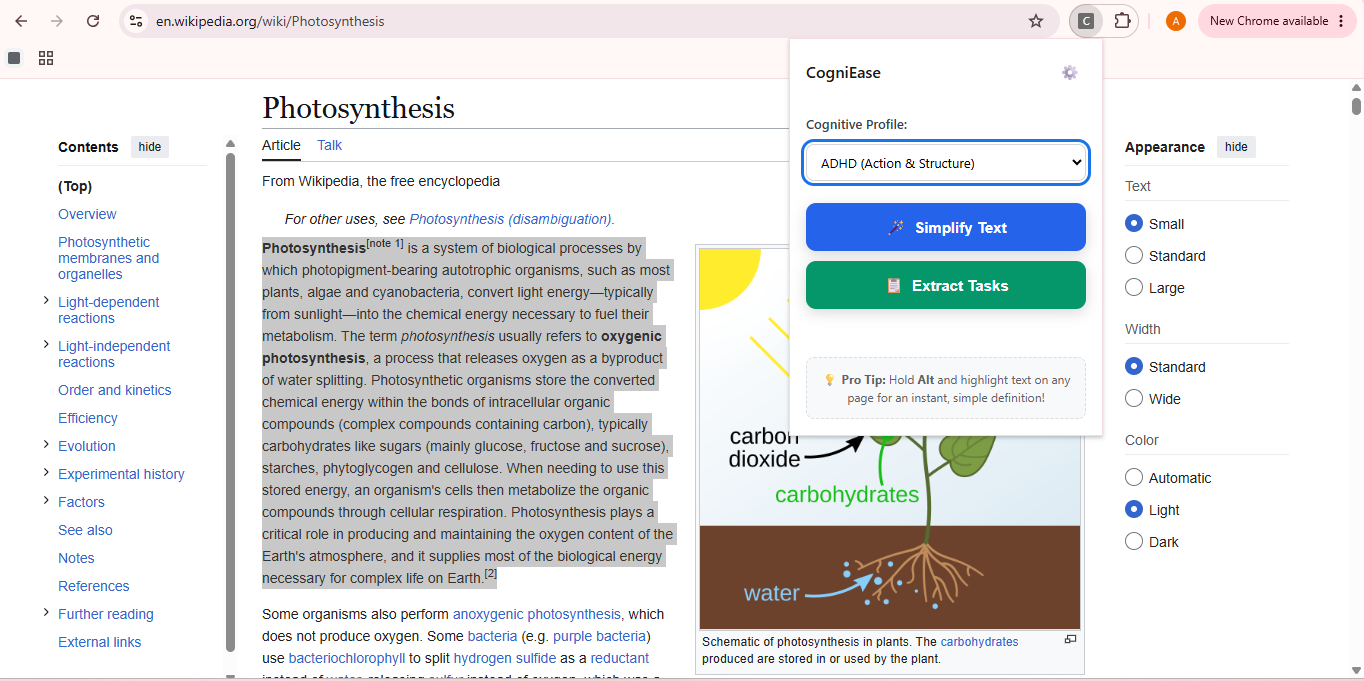
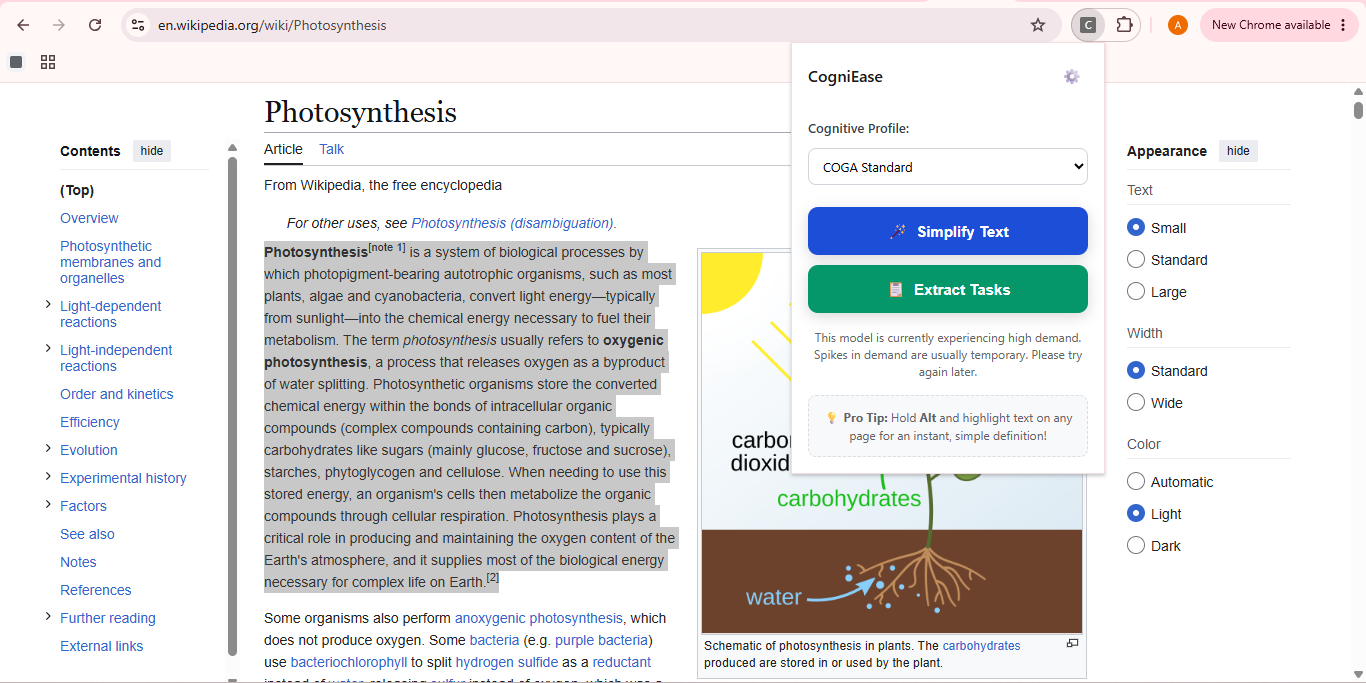
Profile Selection: Choose from 5 distinct cognitive profiles, like ADHD, to tailor the Gemini API's text transformation.
-
-
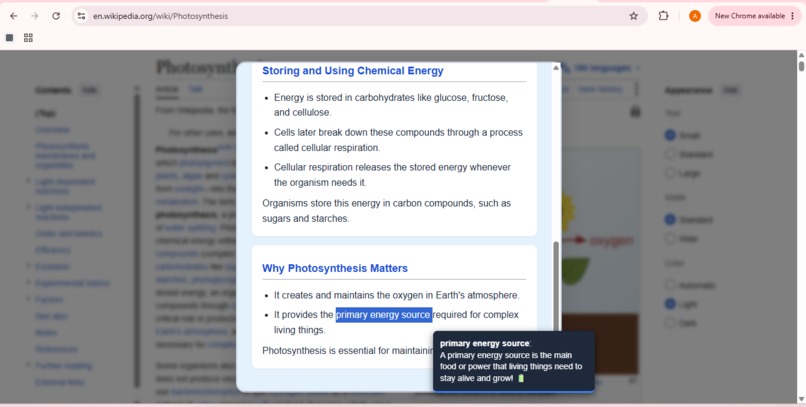
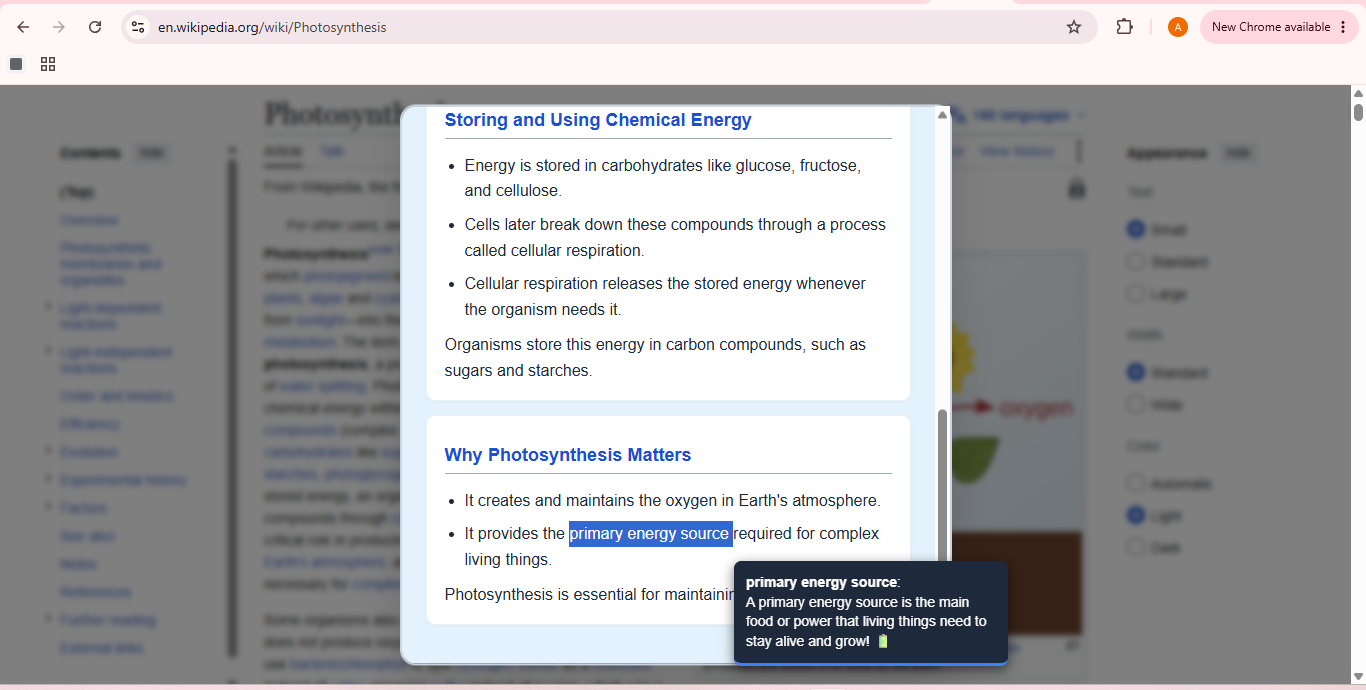
Hold Alt + select text for an instant, context-aware ELI5 definition via Gemini API right on the page!!
-
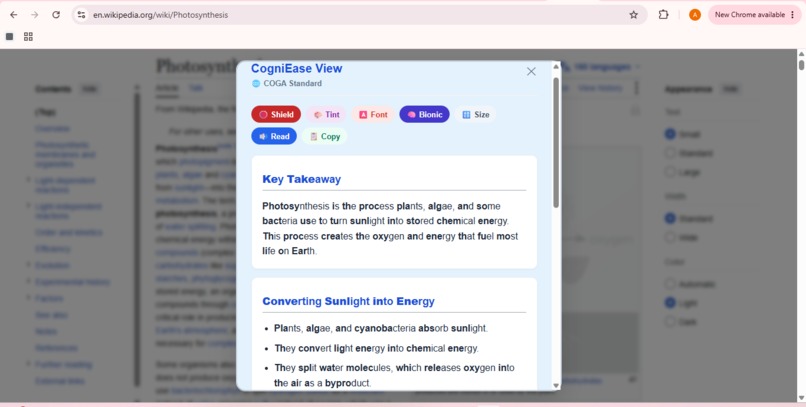
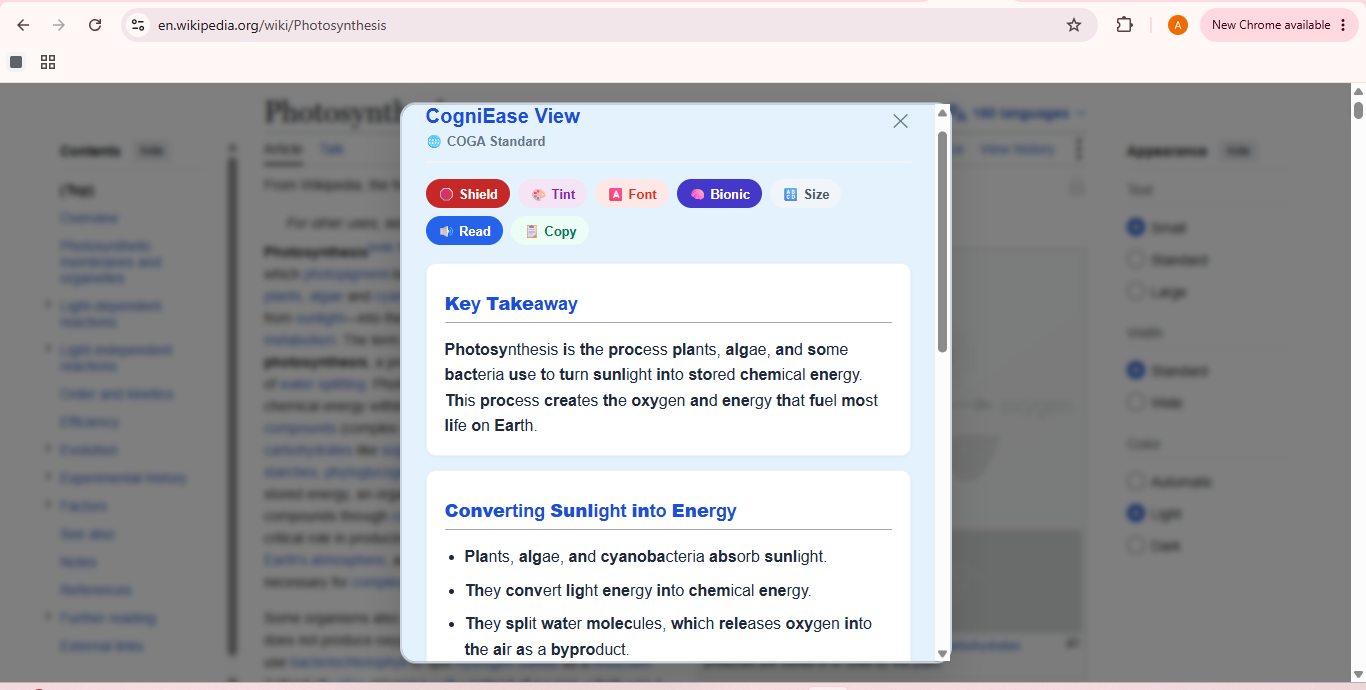
Assistive Suite: The rendered UI featuring a Key Takeaway (BLUF), structural bullets, and Bionic Reading overlays.
-
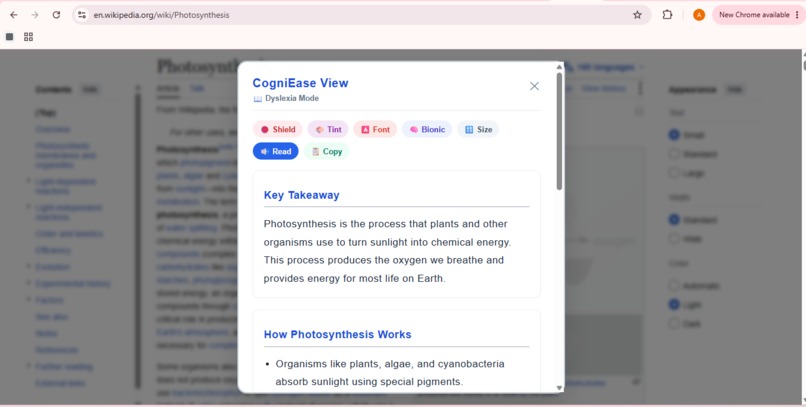
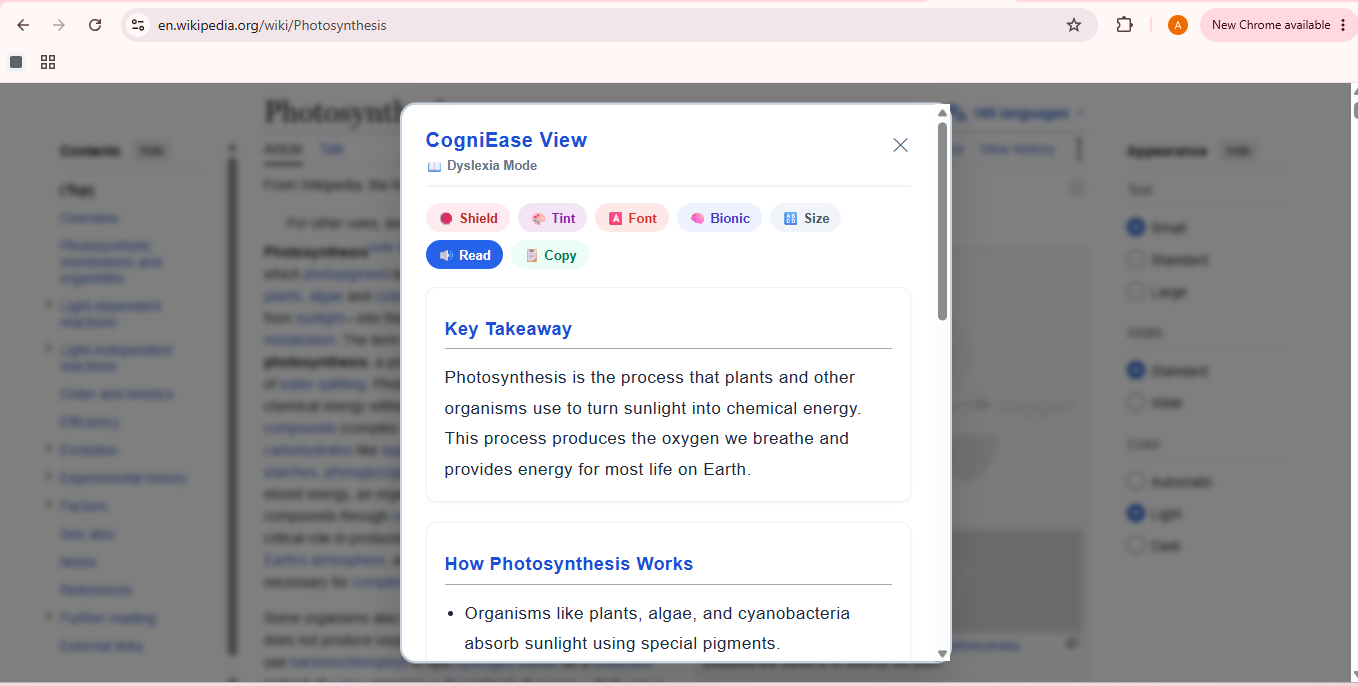
Dyslexia Mode: Re-renders dense articles into simpler vocabulary, featuring manual customization for fonts and layout.
Inspiration
If you research the most underrepresented community in digital accessibility, the data points directly to cognitive and learning disabilities. According to WebAIM, this demographic is actually larger than all other physical and sensory disabilities combined, yet it remains the most historically neglected area in accessibility research and web infrastructure. While the W3C has well-established protocols for screen readers and high-contrast visuals, they are only just beginning to map guidelines for cognitive load via the COGA Task Force.
For someone with ADHD, dyslexia, or autism—or a student experiencing cognitive burnout under a dense reading load—walls of text, complex jargon, and moving backgrounds are hard comprehension barriers. I realized the web needed a missing infrastructure layer: a comprehension reader. That is why I built CogniEase.
What it does
CogniEase is a Manifest V3 Chrome extension that re-renders selected web text for a user's specific cognitive profile in real time. Rather than acting as a generic AI summarizer, both the text transformation rules and the user interface adapt dynamically:
- 5 Adaptive Profiles: COGA Standard, ADHD (Action & Structure), Autism/IDD (Literal & Direct), Dyslexia (Simple Vocabulary & OpenDyslexic typography), and BrainEase (Neurotypical Fatigue).
- Dynamic Adaptive UI: Modifies layout parameters (font family, line height, letter spacing, colors, padding) based on the selected profile to eliminate eye-tracking strain.
- Bottom Line Up Front (BLUF): Automatically extracts a 2-sentence key takeaway at the top of every response to lower cognitive friction.
- Sensory Shield: A single-click toggle that freezes CSS animations, pauses video elements, and mutes visual noise to stop overstimulation.
- Context-Aware ELI5 Dictionary: Users can hold
Altand select any phrase (up to 5 words) for an instant inline explanation based strictly on the surrounding context. - Assistive Reading Suite: Includes synchronized block-by-block Text-to-Speech (TTS), Bionic Reading overlays, and custom background tinting.
How I built it
I built CogniEase natively using Vanilla JavaScript, HTML5, CSS3, and Chrome Extension APIs (Manifest V3). The backend intelligence communicates directly with the Google Gemini 3.6 Flash API.
A major architectural decision was bypassing brittle Markdown parsing. Instead of using fragile Regular Expressions to guess AI output formatting, I engineered the Gemini prompts to return strict JSON arrays (heading, bullets, paragraph). I then built a custom frontend rendering engine that maps these JSON objects directly into semantic, distraction-free DOM cards.
Challenges I ran into
- XSS Prevention: Safely handling arbitrary webpage text alongside AI responses required strict HTML-escaping before injecting content into the DOM, applying custom formatting safely on top of the escaped text.
- TTS State Management: I had to resolve browser-specific edge cases where
speechSynthesis.cancel()triggeredonendevents, which initially caused unwanted re-triggering of playback logic when hitting the Stop button. - Config-Driven Styling: To keep the codebase clean, I engineered a centralized config object to manage the Adaptive UI, rather than writing five different sprawling CSS stylesheets.
Accomplishments that I'm proud of
- Achieving true dynamic UI layout adaptation alongside text simplification.
- Eliminating UI fragmentation and layout bugs by implementing a deterministic JSON data pipeline.
- Building a seamless
Alt+selection context dictionary without relying on clunky external popups.
What I learned
I learned that hooking an LLM up to a "summarize this" prompt is only 20% of the challenge. The remaining 80% lies in deterministic data modeling, robust state management, XSS-safe DOM rendering, and designing a genuinely sensory-friendly user experience.
What's next for CogniEase
- Proxying API requests through a secure backend worker so the API key never lives on the client side.
- Adding per-site memory so the extension remembers a user's preferred profile for specific domains.
- Integrating an on-device, offline fallback simplifier.
Built With
- chrome
- css3
- google-gemini-api
- html5
- javascript
- json
- web-speech-api


Log in or sign up for Devpost to join the conversation.