-
-
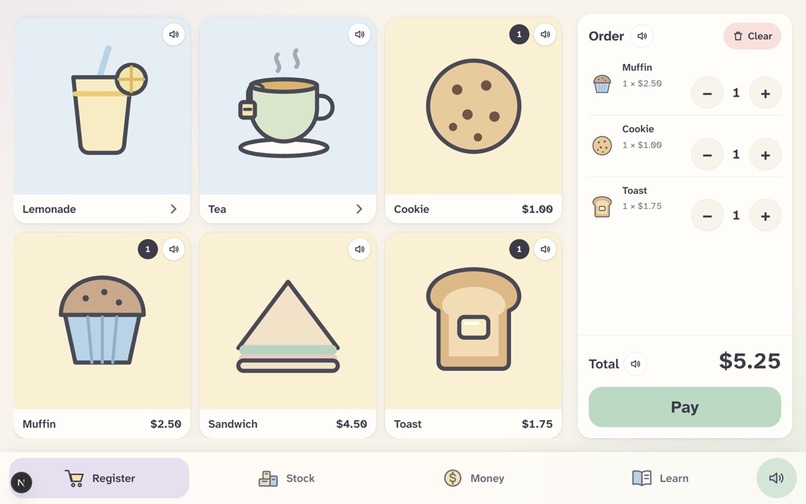
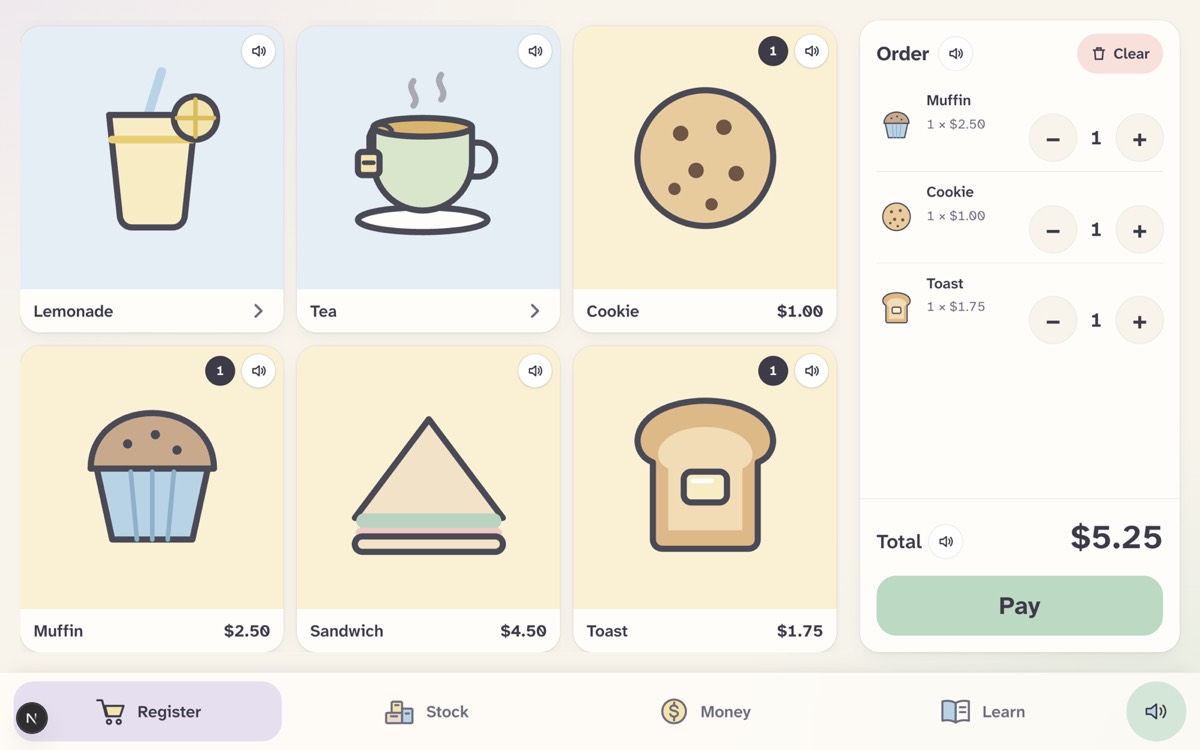
Register Screen
-
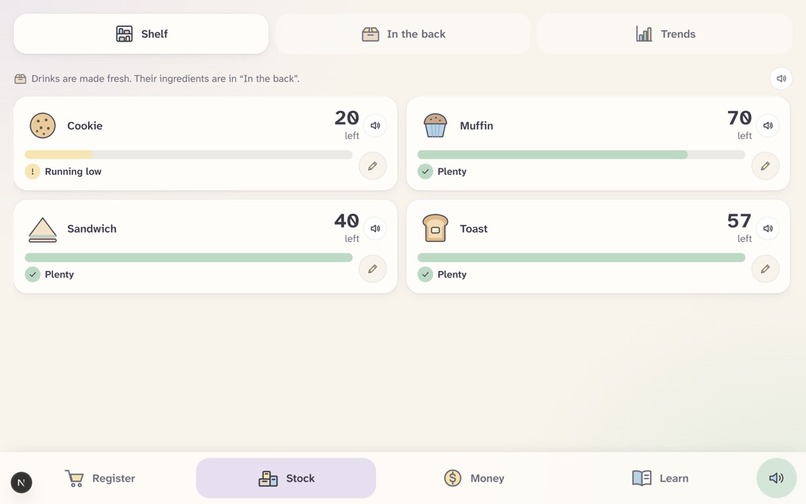
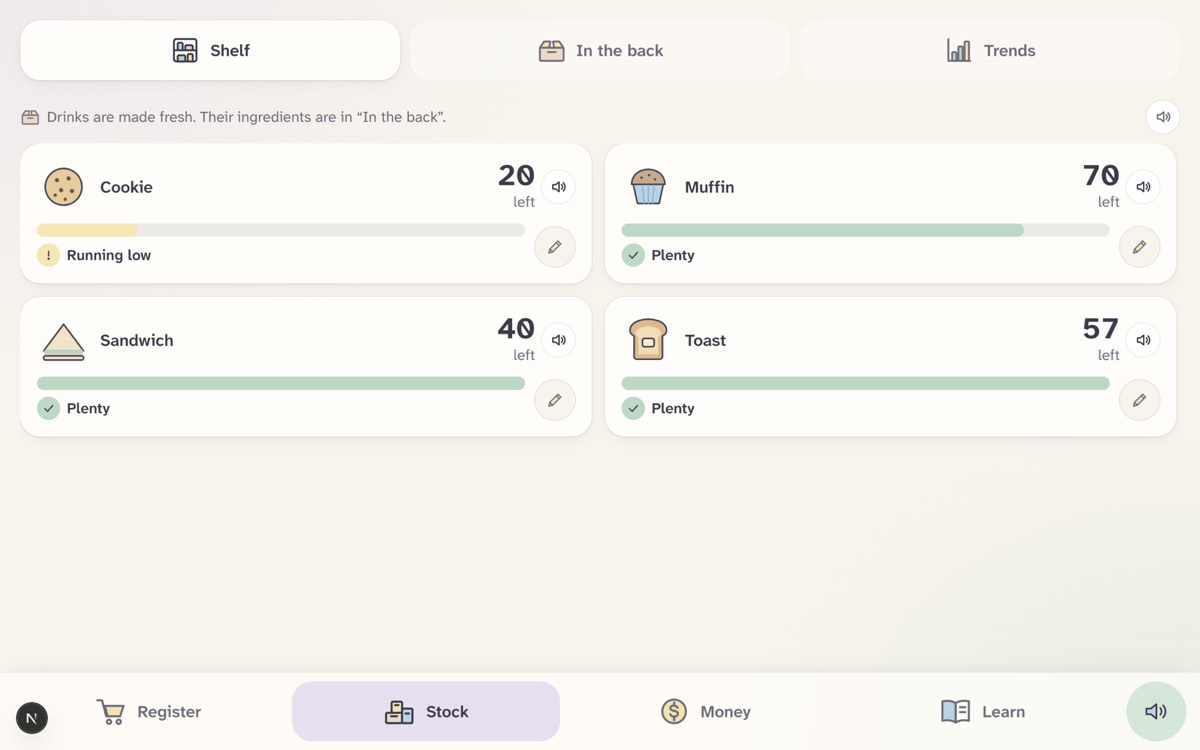
Stock Screen
-
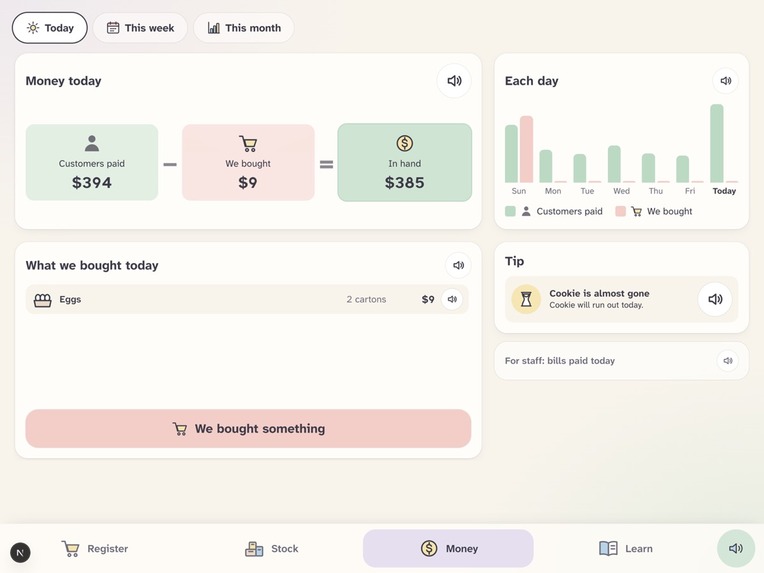
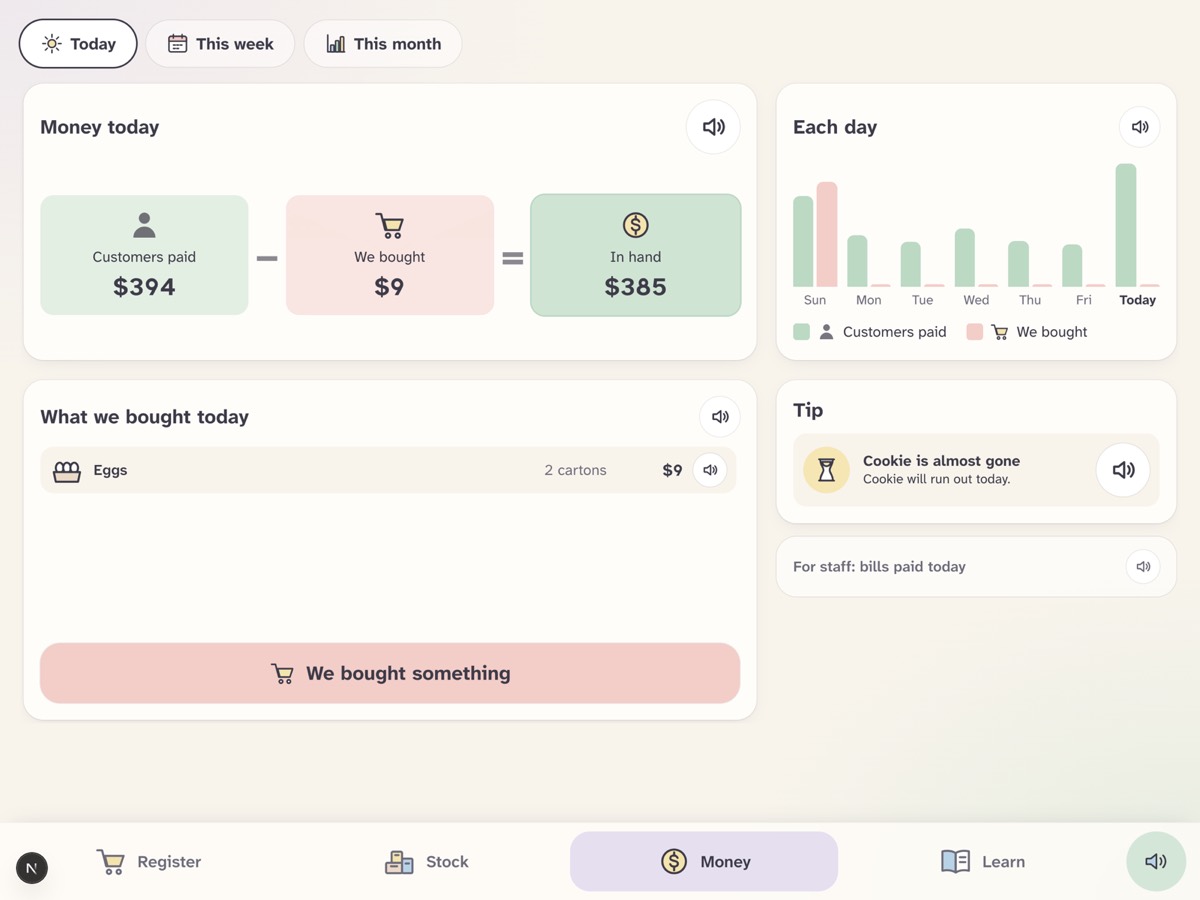
Money Screen
-
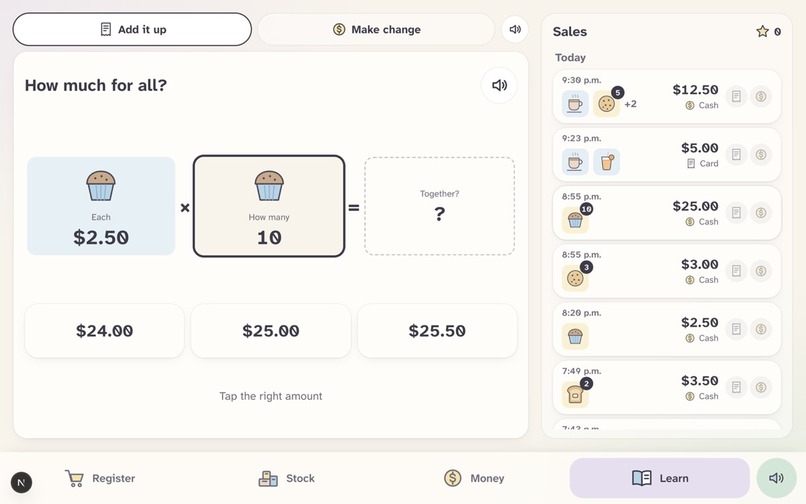
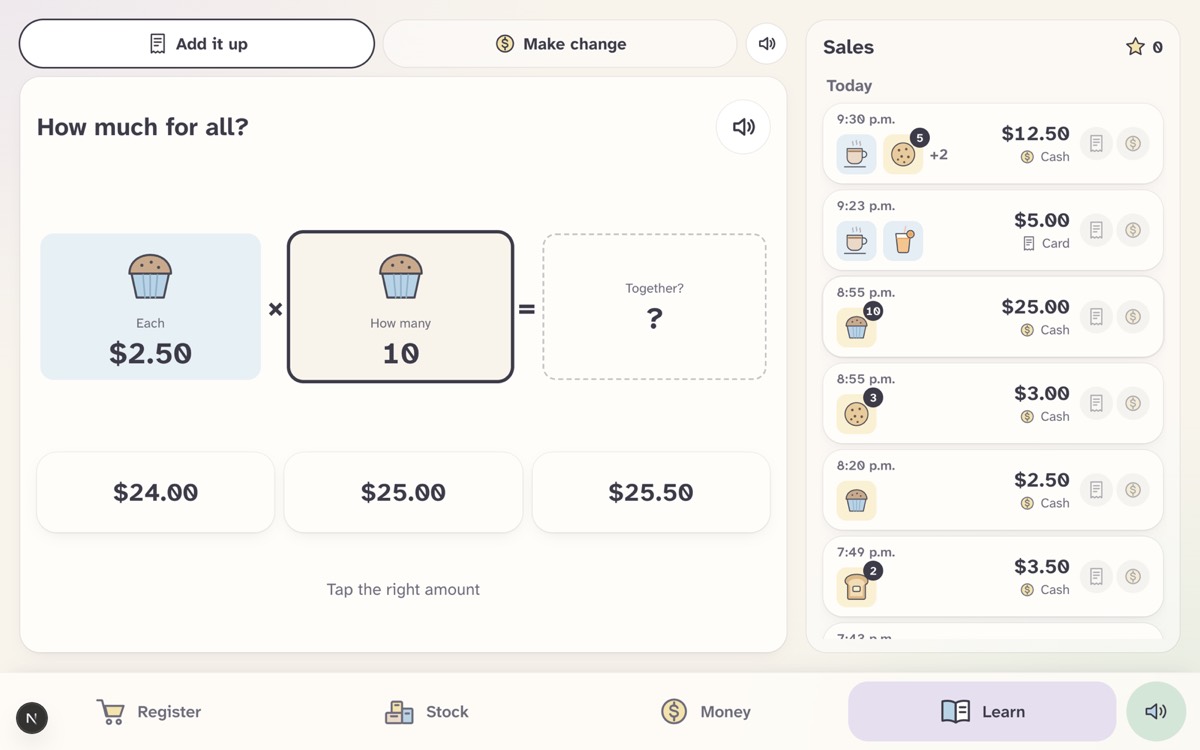
Learn Screen - Calculating Cost
-
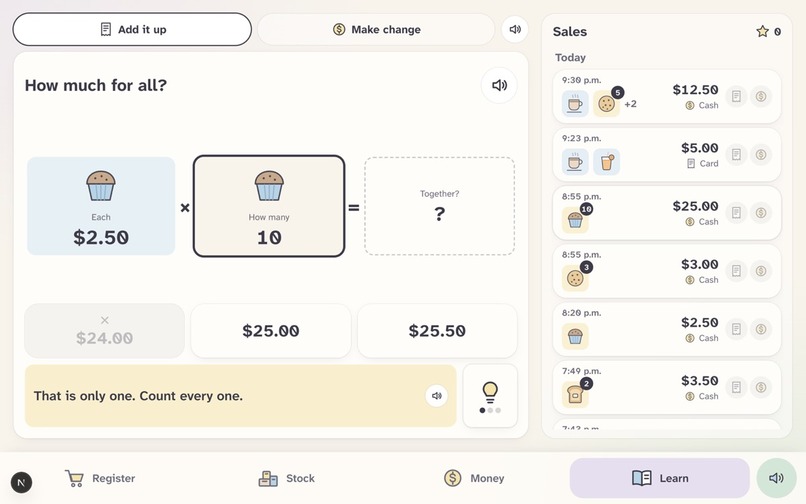
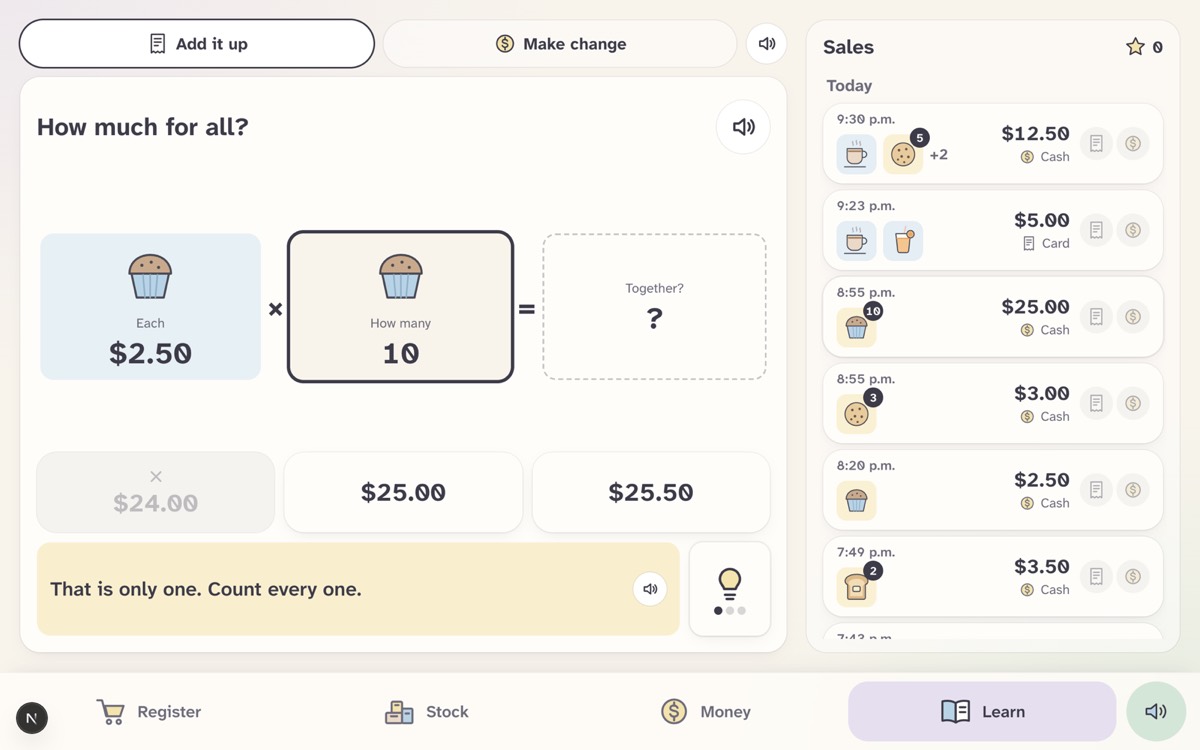
Learn Screen - Hints
-
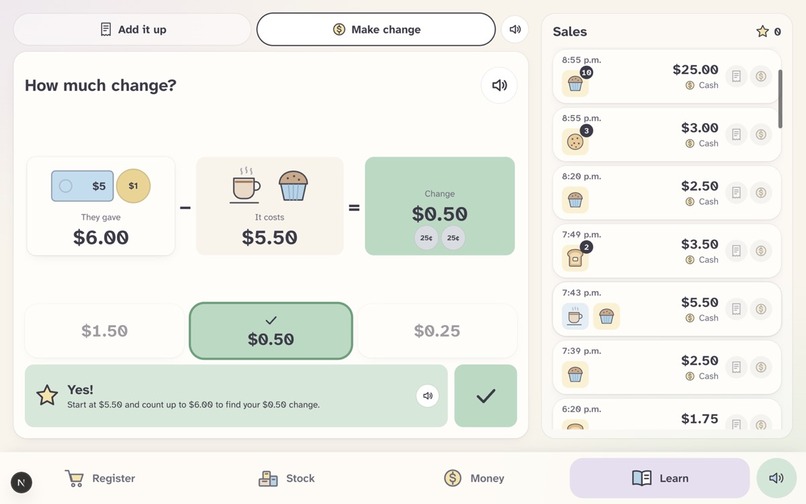
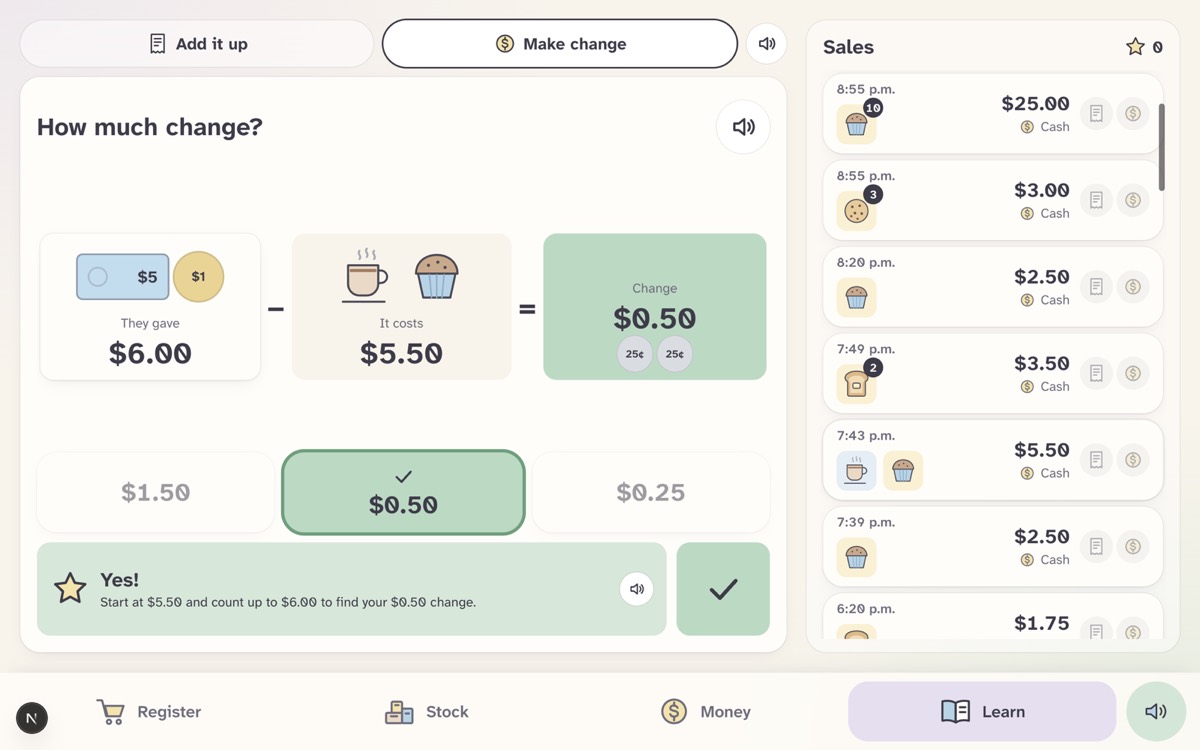
Learn Screen - Success
Inspiration
KW Habilitation runs a social-enterprise café, and its cashier is a person with an intellectual disability who finds reading and basic maths hard. A normal point-of-sale system is built for the opposite: small text, dense screens, and totals that appear without explanation. We wanted a register that works for this cashier, and turns the café's day-to-day work into a chance to learn what the numbers mean. The café's staff also need to see how the business is doing (sales, spending, stock, what is left over) without reading a spreadsheet.
What it does
Cafe POS is a picture-first café app with four screens:
- Register: tap pictures to build an order, pick a size for drinks, then pay with cash (tap the bills and coins the customer gave and see the change to hand back) or card. It keeps working with no Wi-Fi.
- Stock: what's on the shelf and in the back room, as pictures and "% full". It shows how many more drinks the café can make from its ingredients, and suggests what to buy.
- Money: customers paid minus what we bought equals money in hand, with a daily chart, busy hours, and three short plain-words tips.
- Learn: a log of every real sale. From any sale, the cashier practises adding up (why the items make the total) and making change. Wrong answers grey out, there are up to three hints, and a short "why" follows the right answer. A star marks a clean run.
Everything has big touch targets, very little text, and a read-aloud button.
How we built it
Next.js 16, React 19, TypeScript and Tailwind 4, installable as a PWA.
- Tiger Data (Postgres + TimescaleDB): every sale and its items are stored as time-series data, compressed automatically once they're a week old. The dashboards read from continuous aggregates (daily sales, sales by hour, item totals), charts fill days with no sales, and "days" follow the café's clock (Toronto time) so an evening sale doesn't land on tomorrow. Selling a drink subtracts its ingredients in the same transaction. Learn reads the real sales and never writes.
- Google Gemini: it writes the Learn hints and the "why", and the Money tips. Code decides what's right: it builds the questions and answer choices, and checks every Gemini sentence so a hint can't give the answer away. If Gemini is slow or down, fixed wording takes over without an error.
- ElevenLabs: every speaker button reads aloud, with numbers said the way a person says them ("$2.50 × 10" is "times"). Sentences are cached to save credits, and the browser's voice takes over if needed.
Challenges we ran into
- Teaching without telling. We wanted a tutor that helps but never gives the answer, so Gemini only writes words and code checks each sentence (no answer digits, no number words).
- Big orders. Practising "10 muffins and a coffee" as ten separate additions is tedious. We group repeats ("Muffin × 10") so it becomes two short questions.
- Missing data. The database doesn't record how much cash a customer handed over, so the change practice works it out from the total (and card sales say "pretend they gave").
- Screens that don't move. A box that shifts or resizes when you tap an answer is confusing for this user. We measured every tile before and after a tap and fixed each shift.
- Time and rate limits. Café days versus UTC days, offline sales counted exactly once, and Gemini's free-tier limits all needed careful handling.
Accomplishments that we're proud of
- A real learning loop (try, hint, why, star) on top of real transactions, not made-up examples.
- Gemini helps without being able to give the answer away, by design.
- A rules test that generates 1,900 questions and passes, and every menu item checked at 1 to 25 of each.
- The app works with no keys at all. Every route returns mock data and every AI or voice feature has a fixed fallback.
- A design that stays calm: pictures first, one idea per screen, and nothing that jumps.
What we learned
- Accessible design means removing things: words, choices and movement.
- Use AI for wording and keep the facts in code. That made it safe to let Gemini talk to a learner.
- Time-series features (continuous aggregates, gap-filled charts, compression) fit a café's data well.
- Fallbacks are part of the feature, because a live demo can't depend on a free-tier API.
What's next for Cafe POS App
- Record the cash customers actually hand over, so change practice uses the real amount.
- Save each learner's progress in the database instead of the device, so staff can see it.
- More practice types, plus goals with progress and a "what happens if we change a price" view for staff.
- A pilot with the café's staff and cashier, so their feedback shapes the next version.


