Inspiration# Codex Newskin
Inspiration
Programming is rewarding, but long development sessions can also become repetitive and visually monotonous. I spend a significant amount of time working in Codex Desktop, and I wanted to make that environment feel more personal, enjoyable, and visually inspiring.
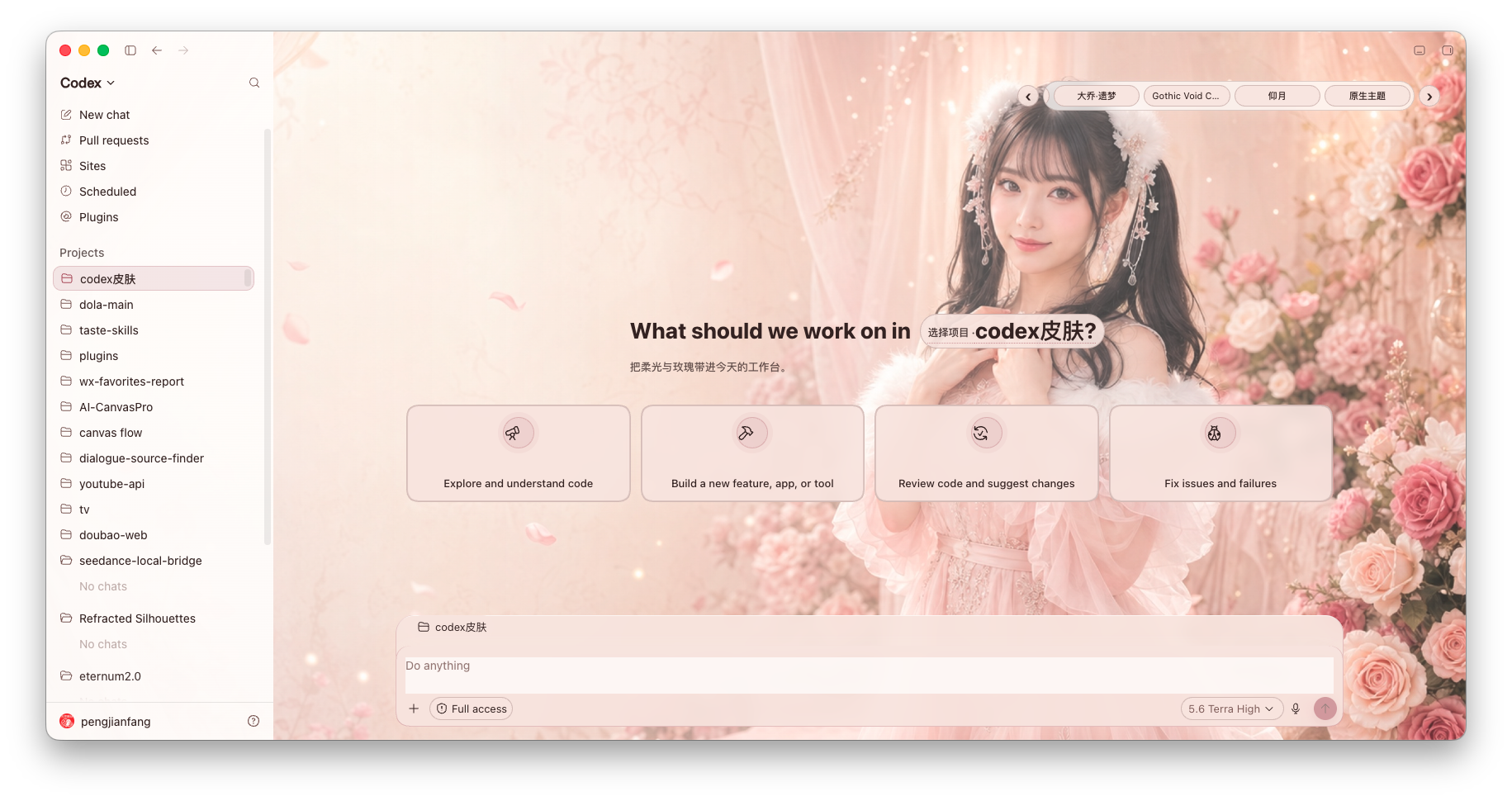
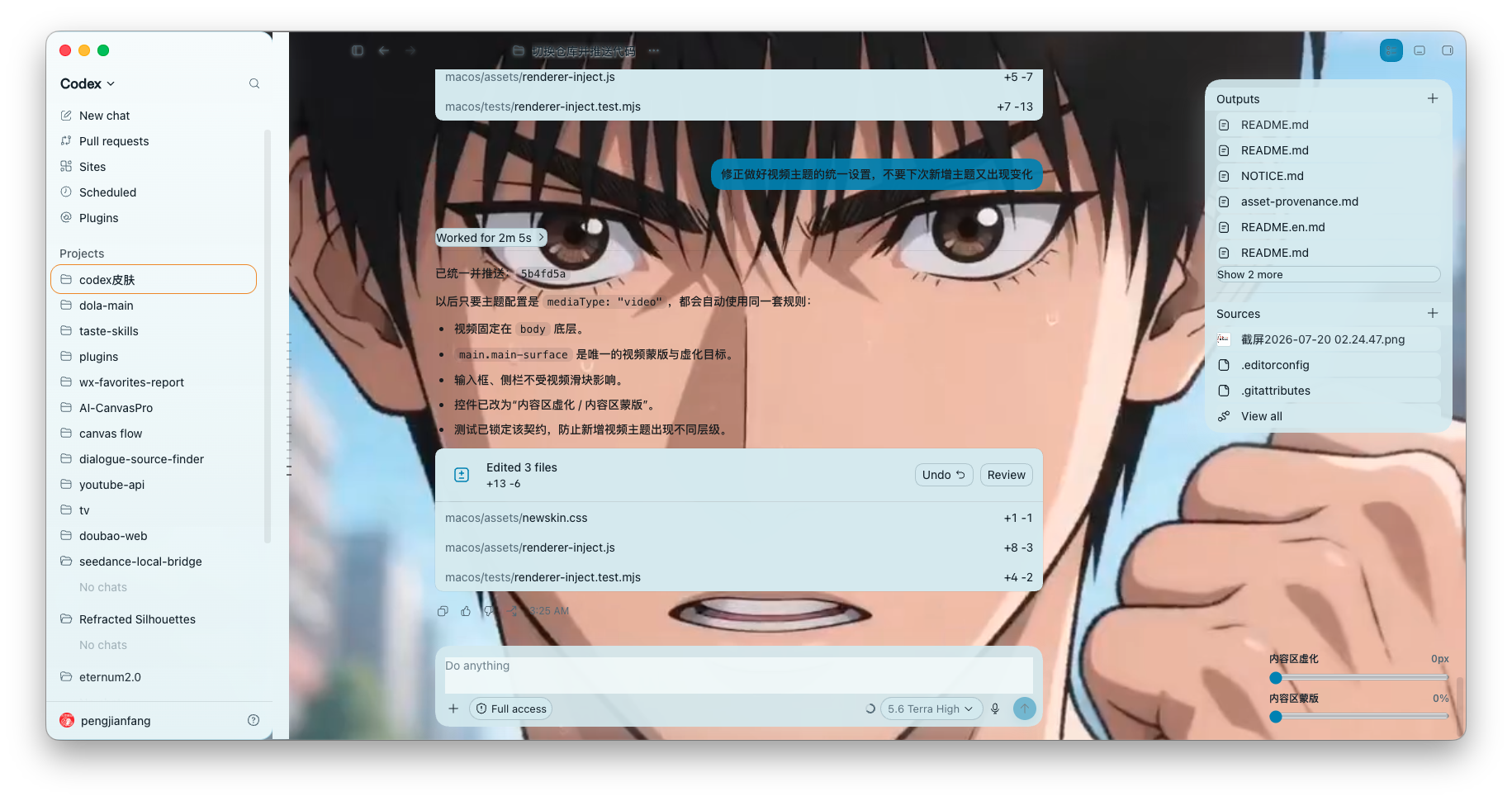
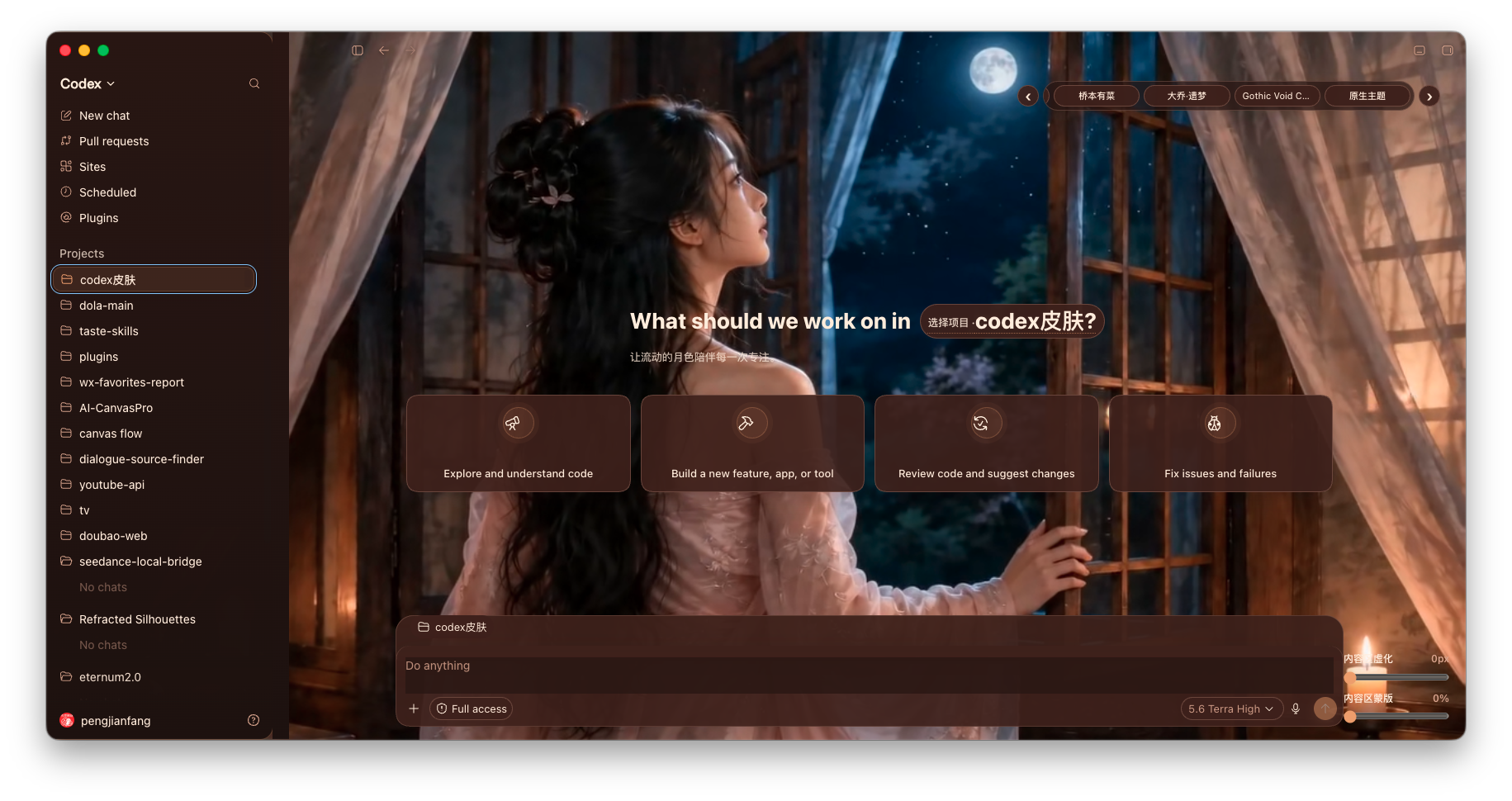
That idea became Codex Newskin: a local theming tool that allows users to apply images or videos as the background of Codex Desktop while preserving the original interface and functionality.
The goal was not to replace or rebuild Codex. Instead, I wanted to add a small amount of creativity and personality to an existing development workflow without interfering with the tools developers already rely on.
What the Project Does
Codex Newskin customizes the appearance of the official Codex Desktop application using local image or video backgrounds.
It preserves the native Codex interface, including:
- The sidebar
- Task pages
- The input box
- Buttons and controls
- Existing interactions and workflows
The project supports both macOS and Windows, with platform-specific installers, launchers, theme management tools, and restore procedures.
A key design principle is that the project does not modify the official application package, app.asar, code signature, API credentials, model settings, or provider configuration. The customization is applied locally through a Chrome DevTools Protocol connection bound to 127.0.0.1.
How I Built It
Codex Desktop is based on web technologies, so I explored whether its visual presentation could be customized through the Chrome DevTools Protocol.
The project uses a local CDP connection to access the application interface and apply visual styling at runtime. This makes it possible to insert a background layer without permanently modifying the official application files.
I separated the project into platform-specific implementations:
macos/      macOS installer, launcher, theme management, presets, and tests
windows/    Windows installer, tray tools, theme management, and tests
.github/    Continuous integration, issue templates, and project configuration
Users can import local assets such as:
- PNG
- JPEG
- WebP
- MP4
- WebM
- MOV
Video backgrounds are configured to play silently and continuously so they do not interrupt the development workflow.
I also created restore mechanisms for both platforms. Users can return to the original Codex appearance without reinstalling the application or manually editing system files.
Challenges
Preserving Interface Usability
The biggest challenge was adding a visual background without reducing the usability of the original interface.
A background may look attractive but still make text, buttons, panels, or input areas difficult to read. The project therefore needed to preserve sufficient contrast while keeping the interface interactive.
This also meant recommending background assets without readable text, fake interface elements, buttons, sidebars, or screenshots of application windows. These elements can visually conflict with the real Codex interface.
Supporting Dynamic Application Pages
Codex Desktop contains multiple views, including the home page, task pages, sidebars, input areas, and dynamically rendered components.
The theme needed to remain active as users moved between different pages. Applying a style once was not always sufficient because parts of the interface could be recreated or updated during navigation.
The implementation therefore had to account for changes in the page structure while avoiding interference with Codex functionality.
Cross-Platform Differences
macOS and Windows handle application launching, shortcuts, background processes, permissions, and recovery procedures differently.
Instead of forcing both systems into one implementation, I created separate installation and management flows for each platform. This increased the amount of work, but it made the project easier to maintain and safer for users.
Maintaining a Safe Recovery Path
Because the project interacts with a desktop application through a local debugging interface, it was important to provide a clear way to disable the customization and restore the official appearance.
The restore process became a core feature rather than an optional utility. A visual customization tool should always make it easy for users to return to the original state.
What I Learned
This project taught me that desktop application customization does not always require modifying application files or building a complete replacement client.
I learned more about:
- Chrome DevTools Protocol
- Electron-style desktop application interfaces
- Runtime CSS and DOM manipulation
- Dynamic page observation
- Cross-platform scripting
- Installer and launcher design
- Local security boundaries
- Reversible customization workflows
- Testing visual changes without breaking interaction
I also learned that visual customization is not only a design problem. It is equally a usability, compatibility, and safety problem.
A successful theme must do more than look good. It must preserve readability, respond correctly to interface changes, remain easy to install, and provide a dependable recovery mechanism.
The Result
Codex Newskin turns a functional but visually repetitive programming environment into a more personal workspace.
Users can choose calm scenery, abstract artwork, animated backgrounds, or other visual styles that make long coding sessions feel less monotonous. At the same time, the project keeps the original Codex workflow intact.
The project began with a simple idea: make programming feel slightly more enjoyable.
That idea developed into a cross-platform, local, reversible theming system designed to balance creativity with usability.

Log in or sign up for Devpost to join the conversation.