-
-
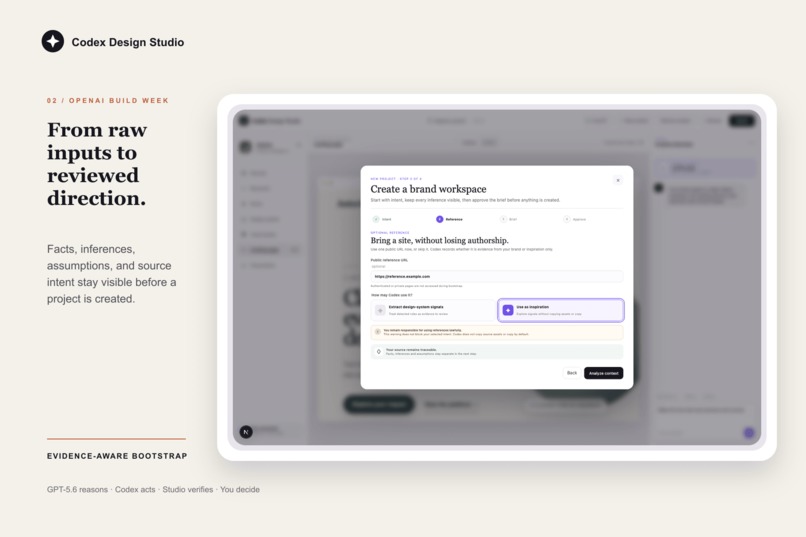
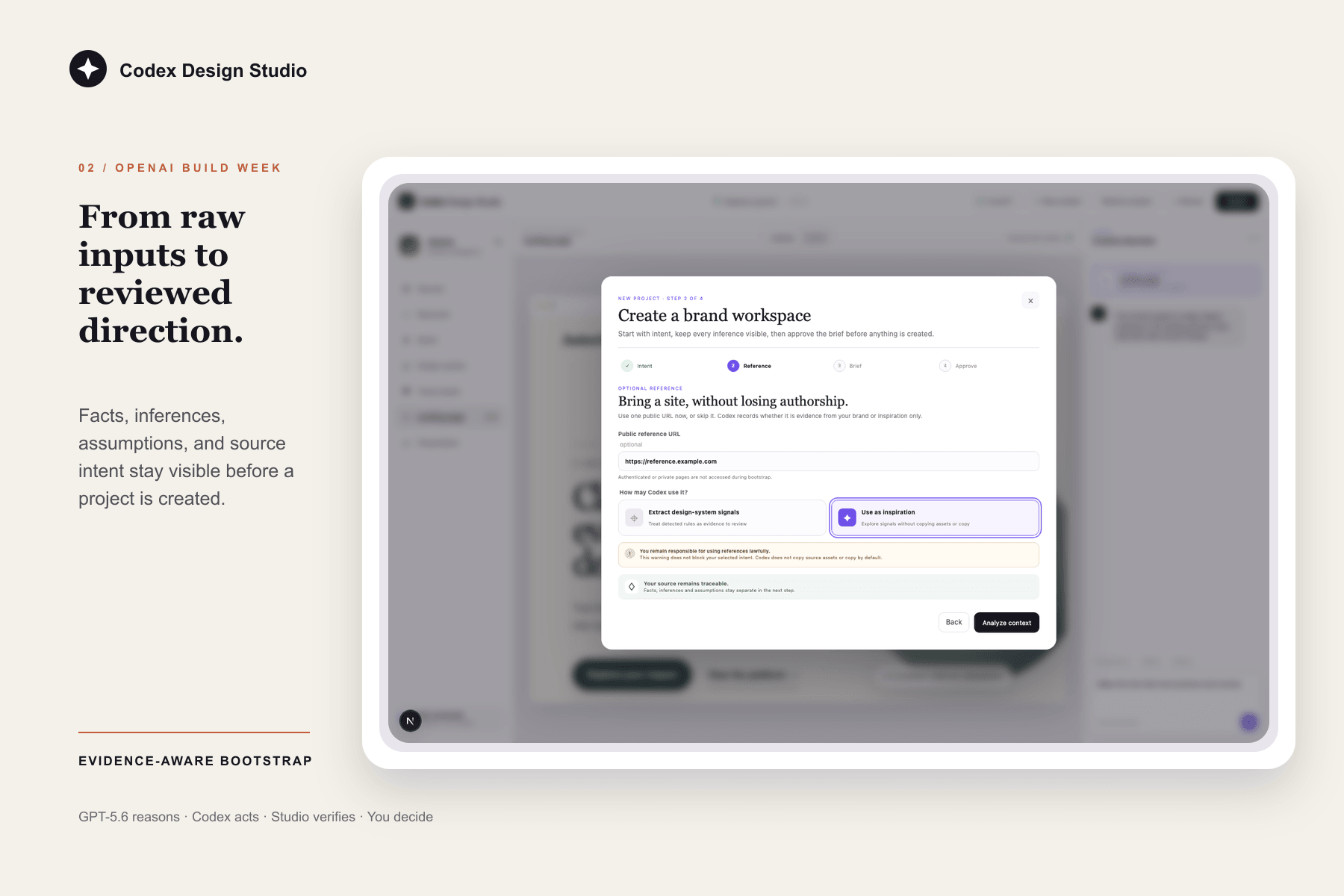
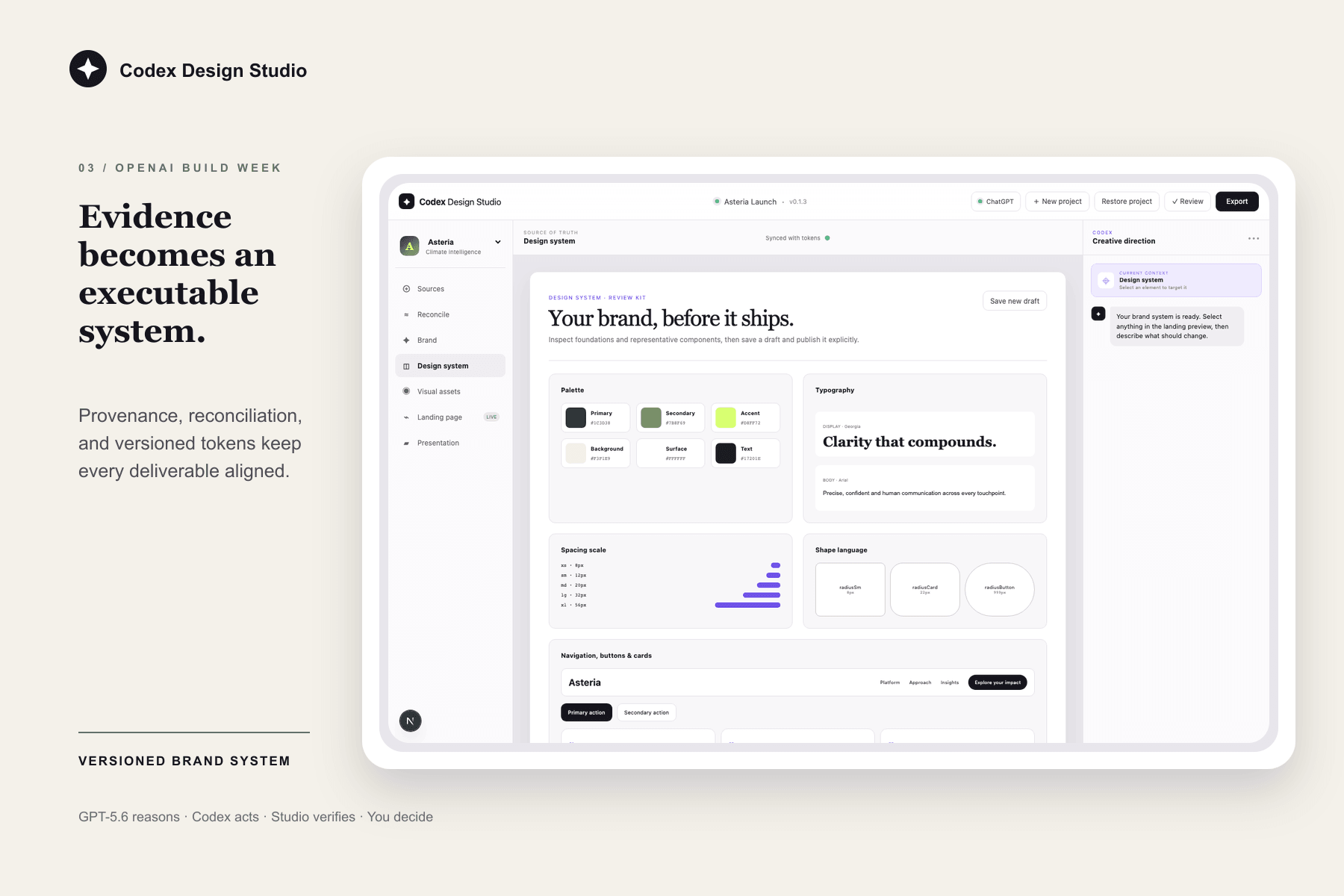
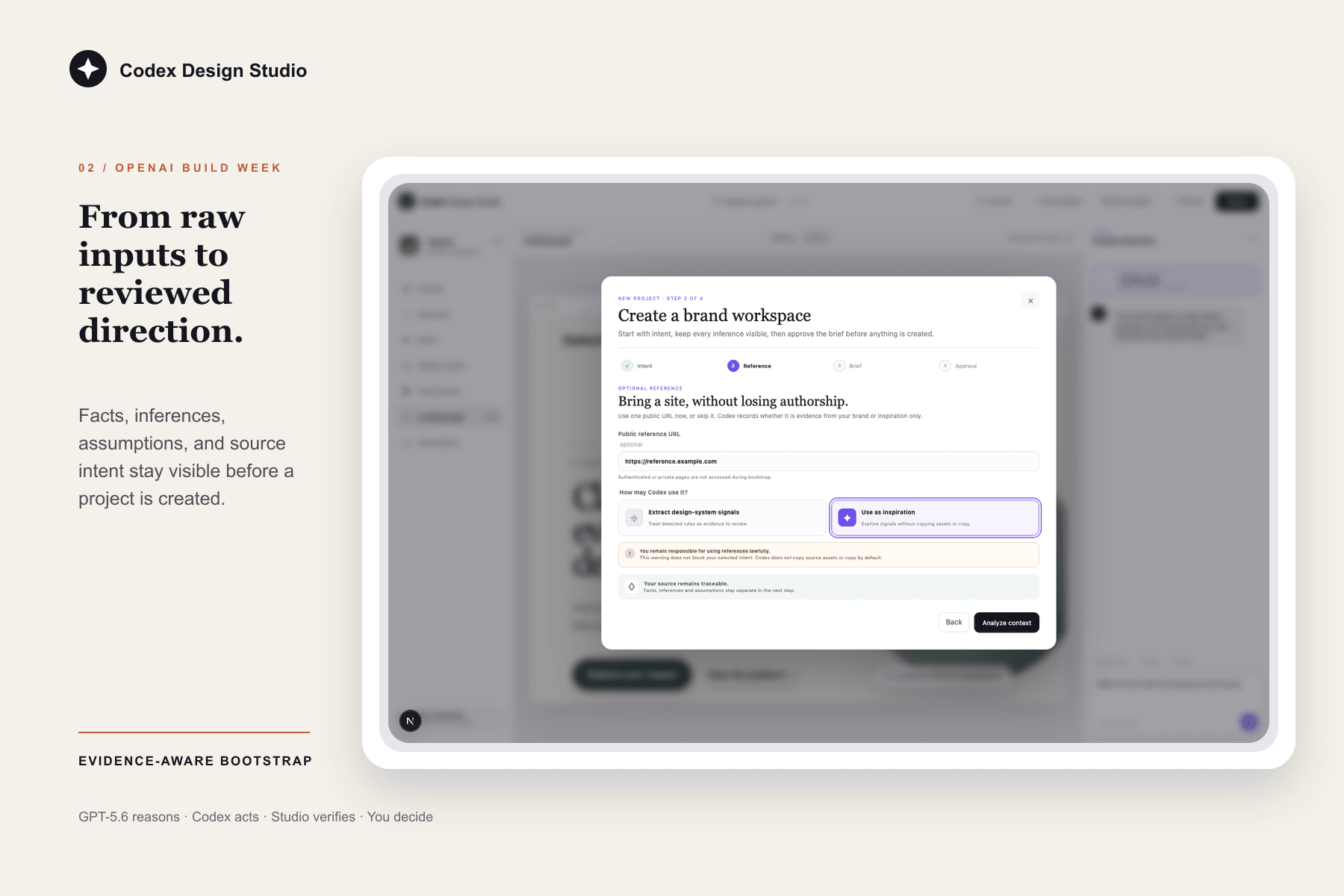
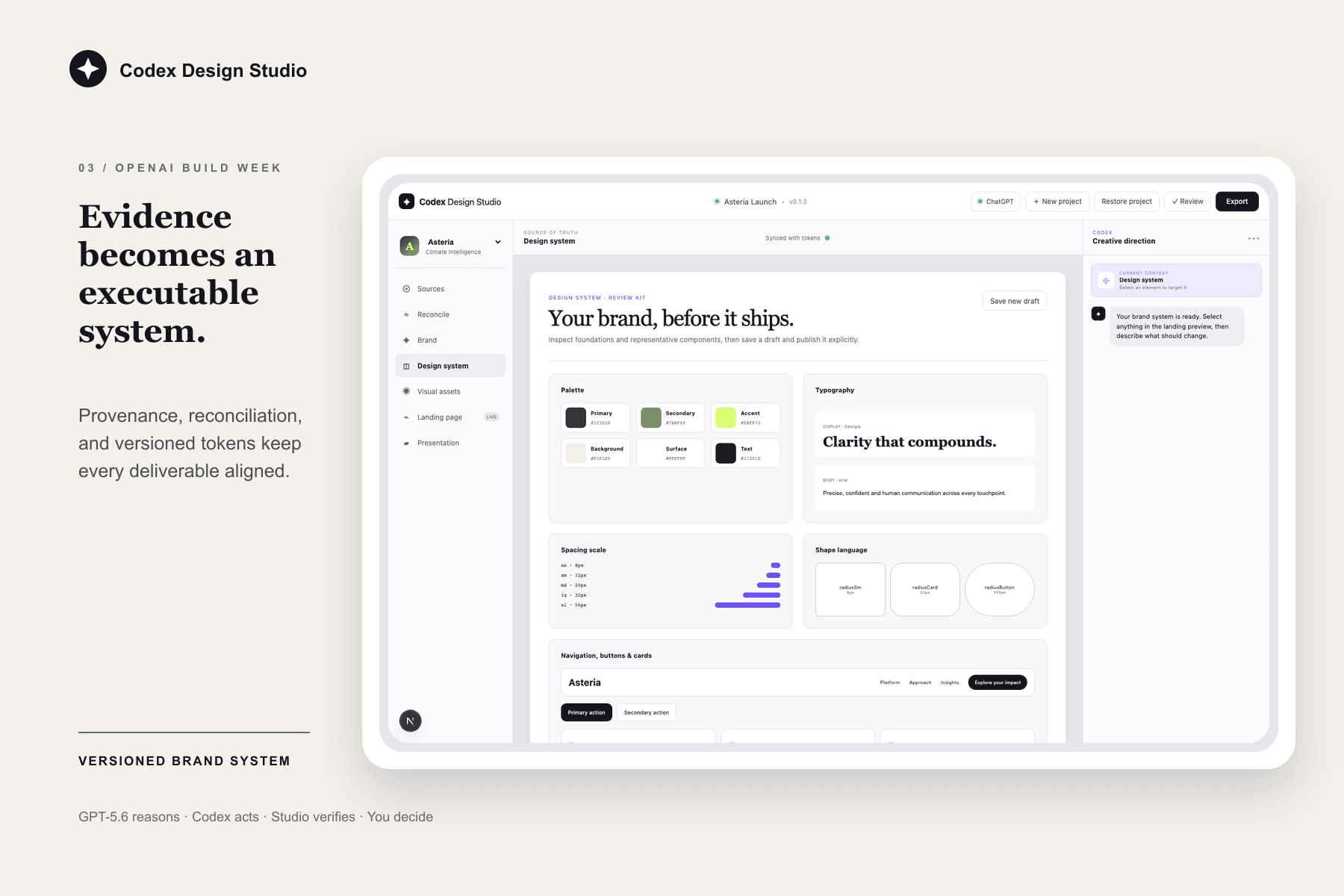
Ground each decision in visible sources, facts, inferences, and assumptions before creating the system
-
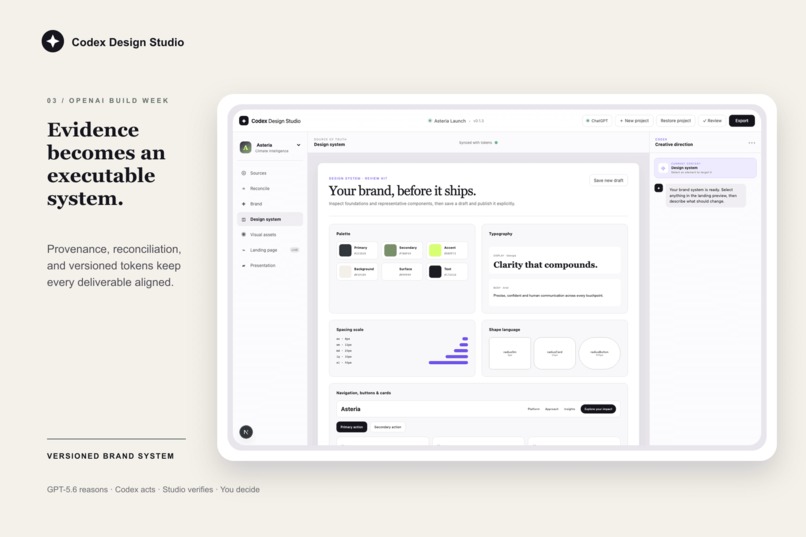
Turn evidence into a versioned Design System that keeps every future deliverable consistent
-
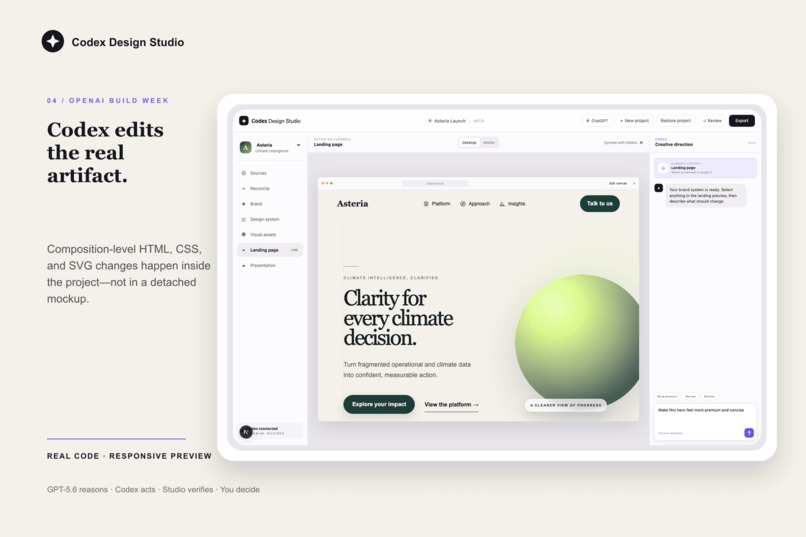
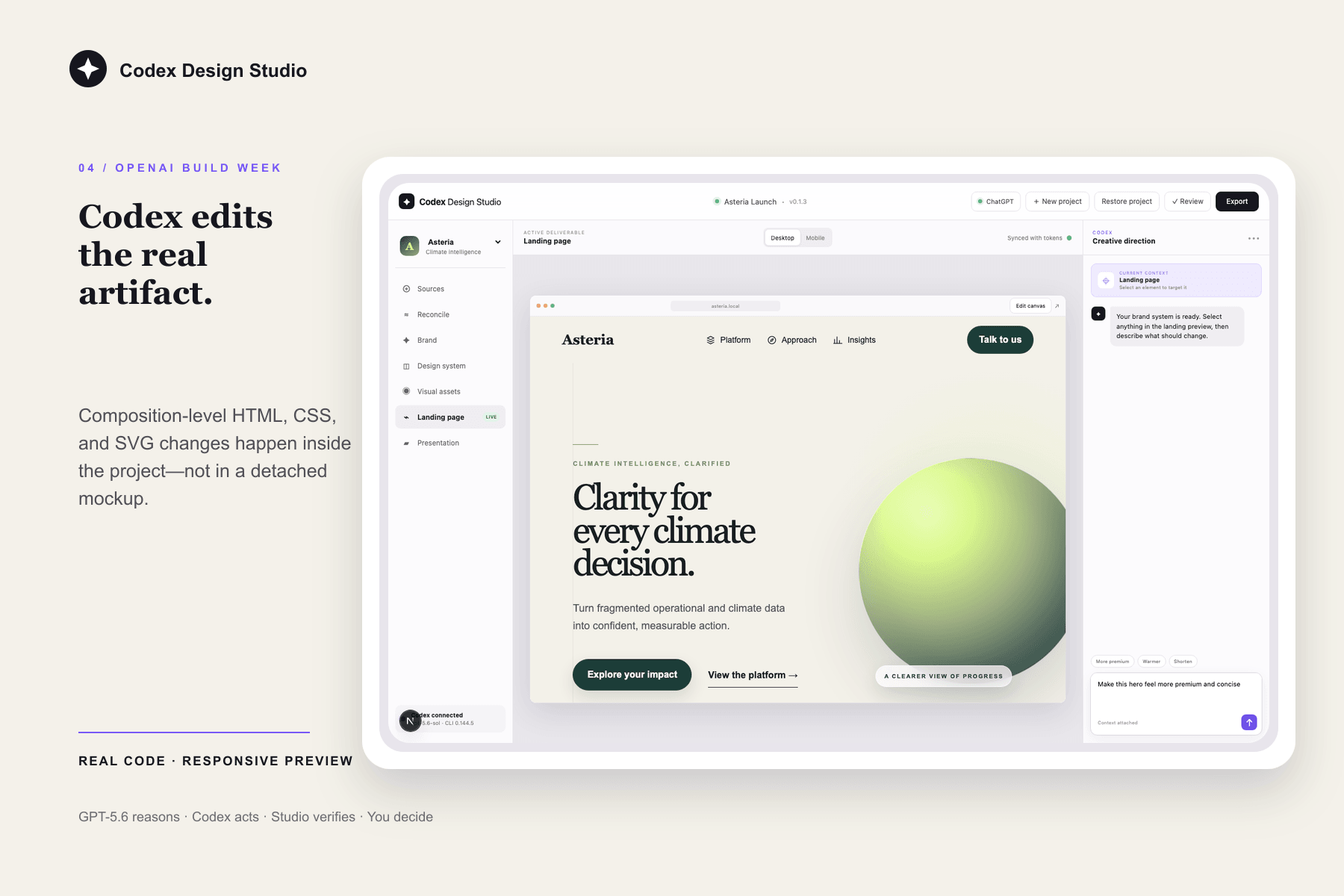
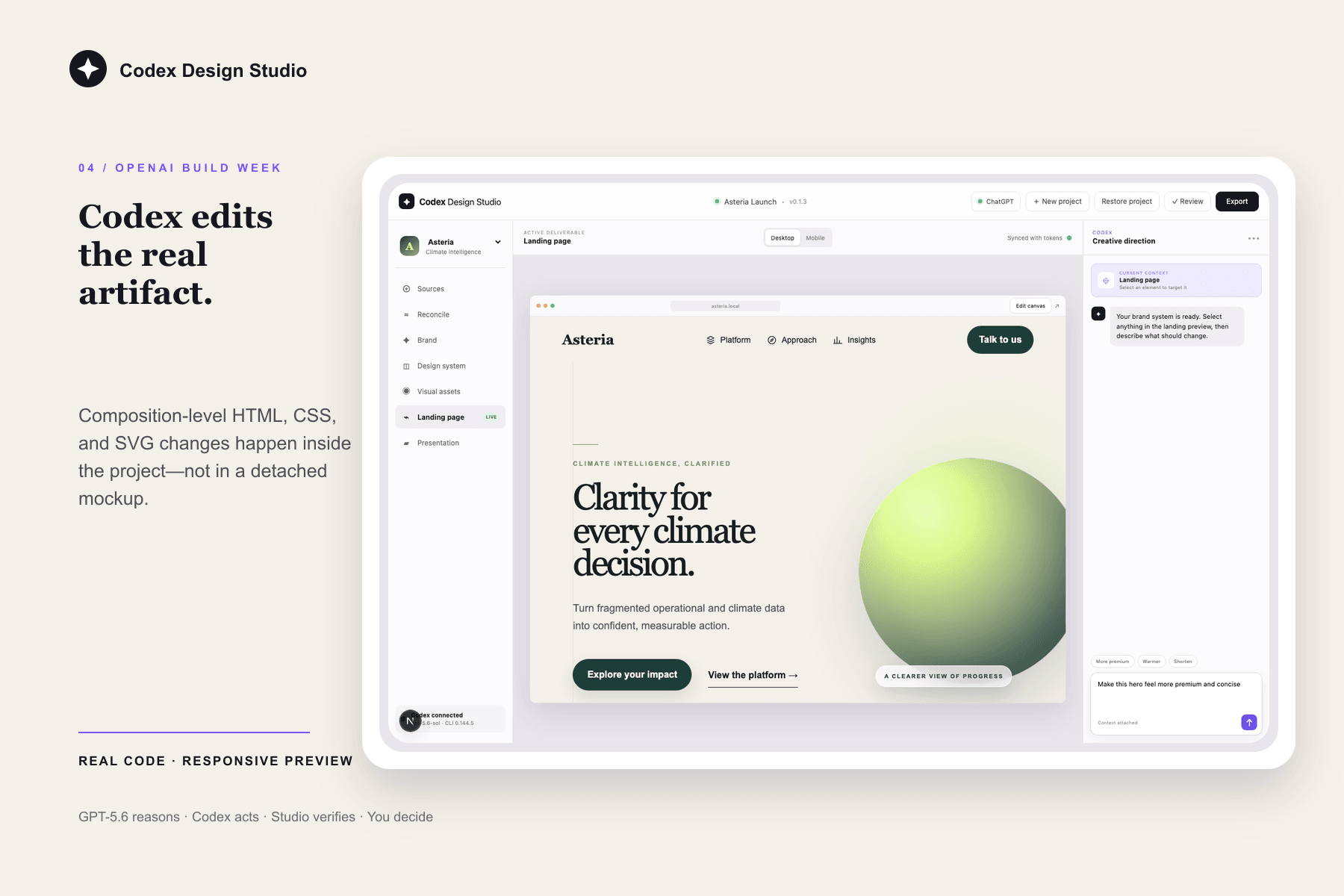
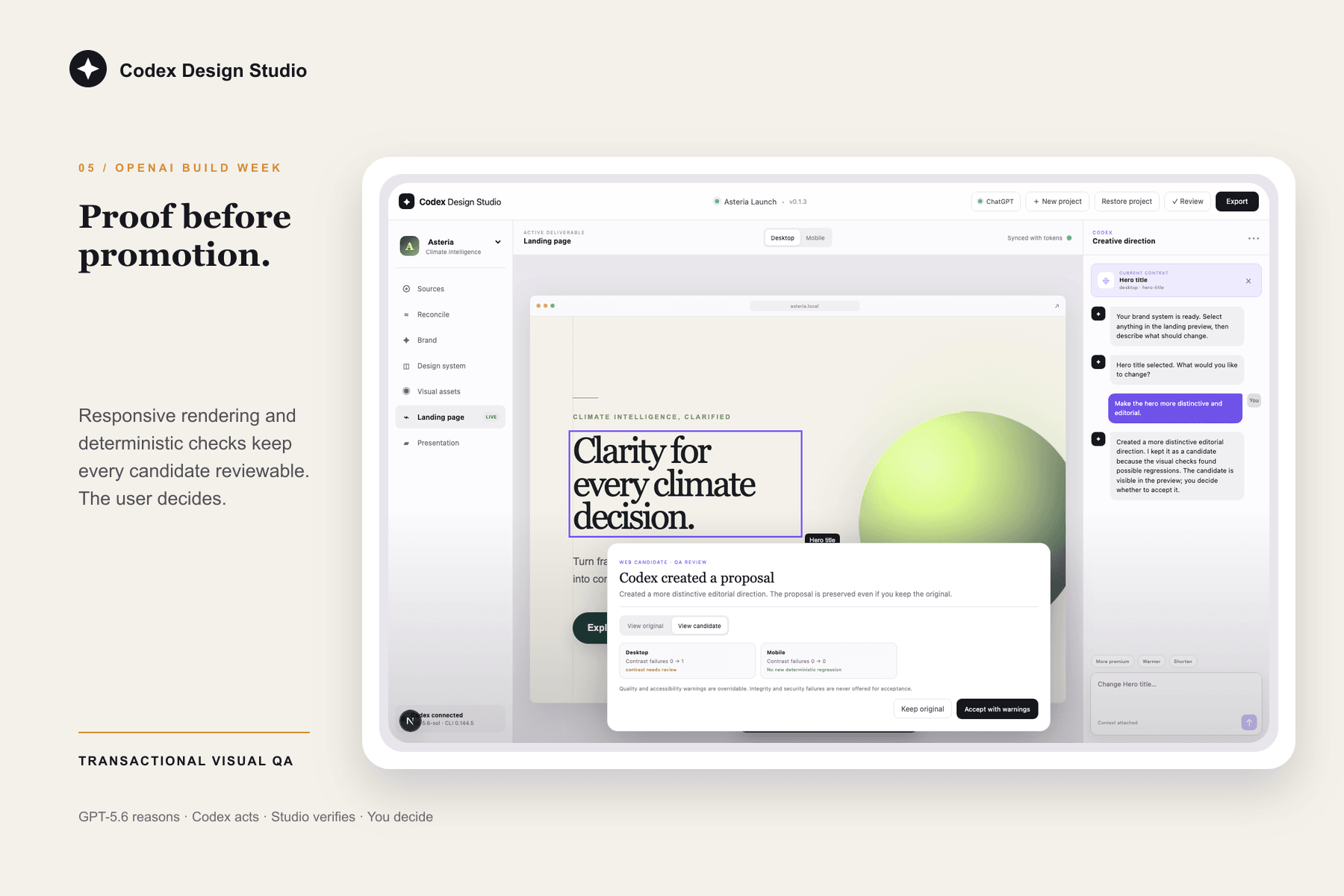
Ask Codex to edit the real artifact, then review a proposed change before accepting it
-
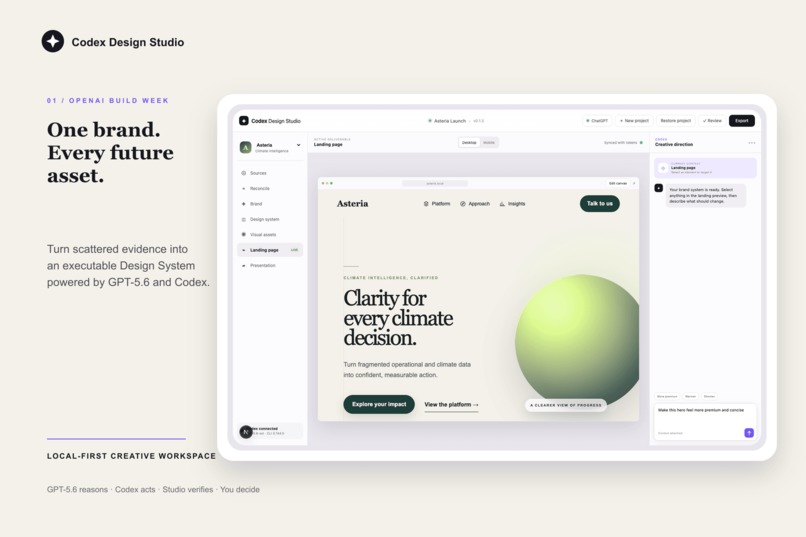
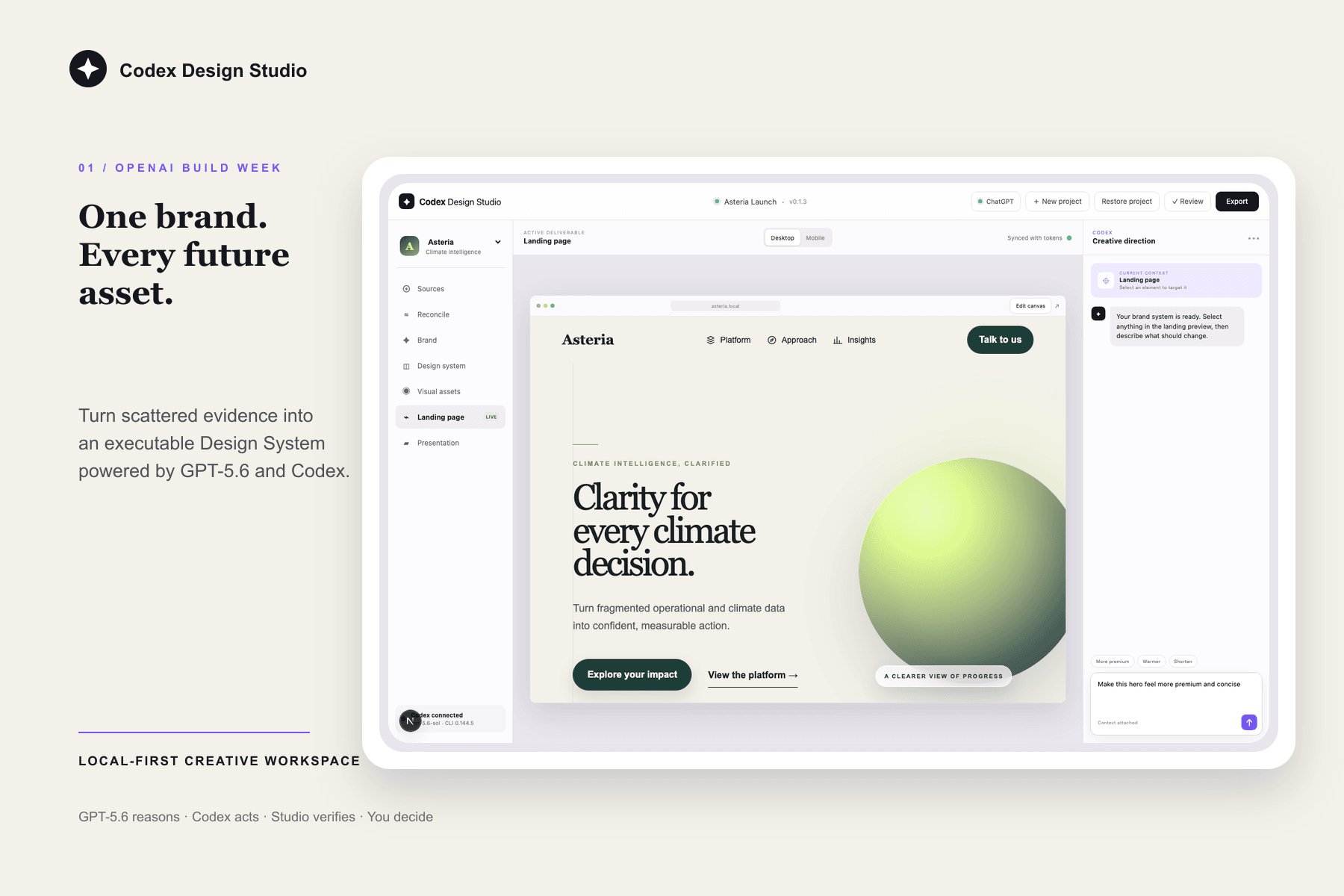
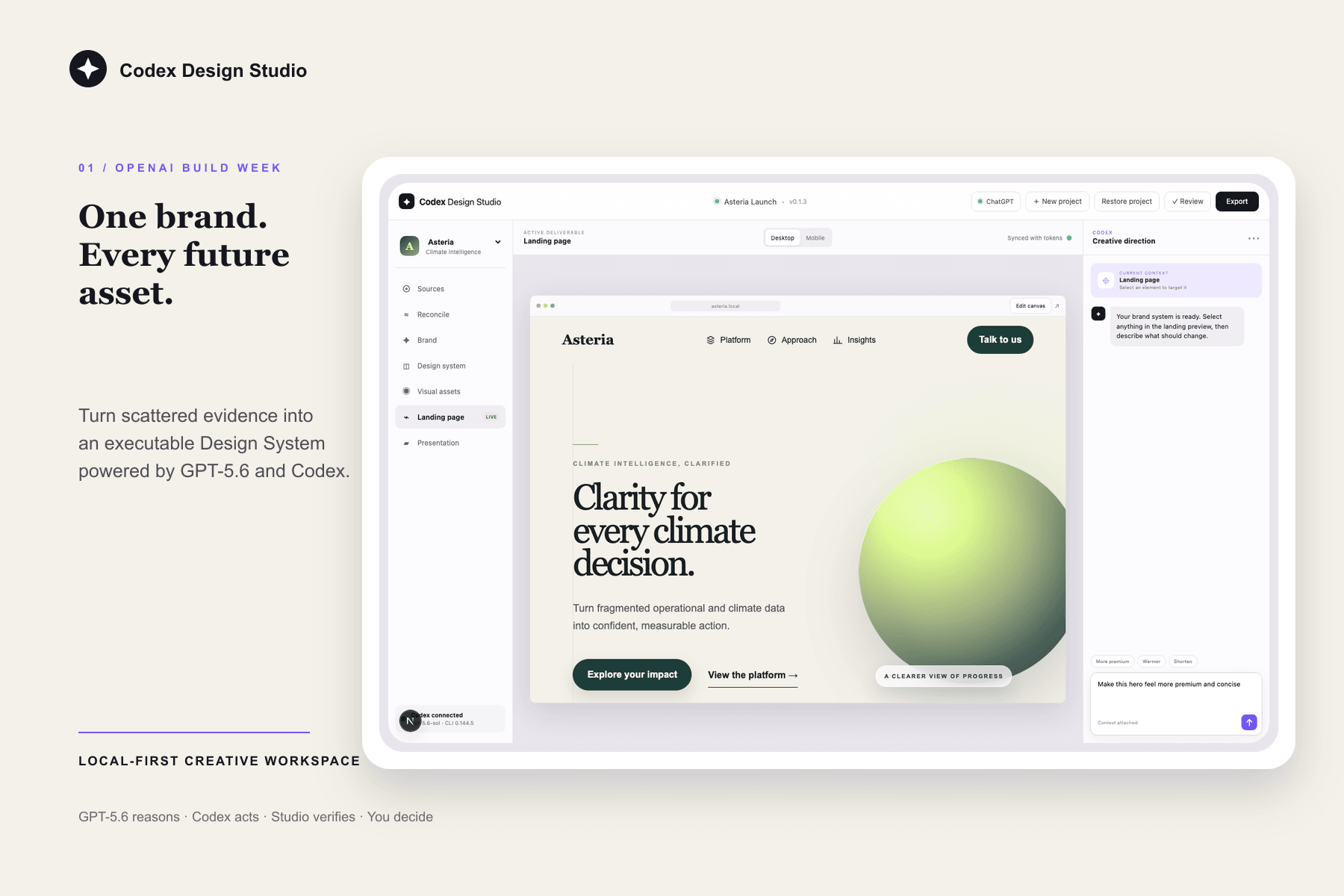
Turn scattered references into a coherent brand direction—without starting every asset from scratch
-
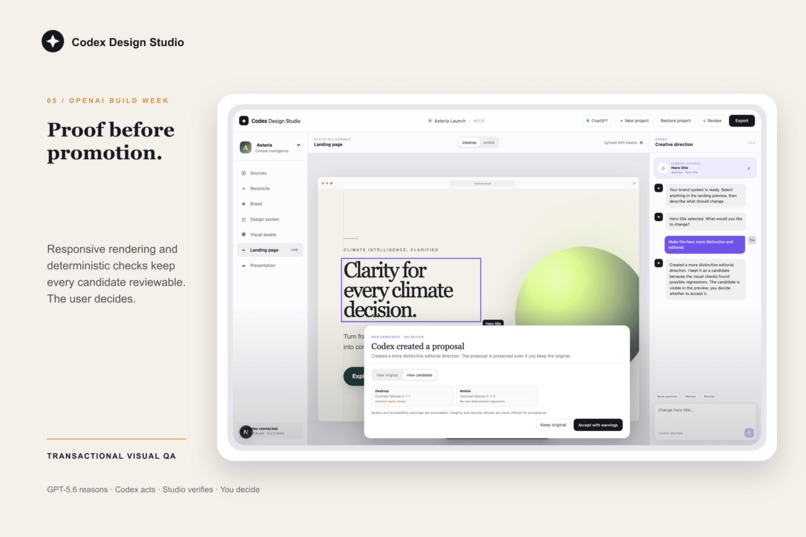
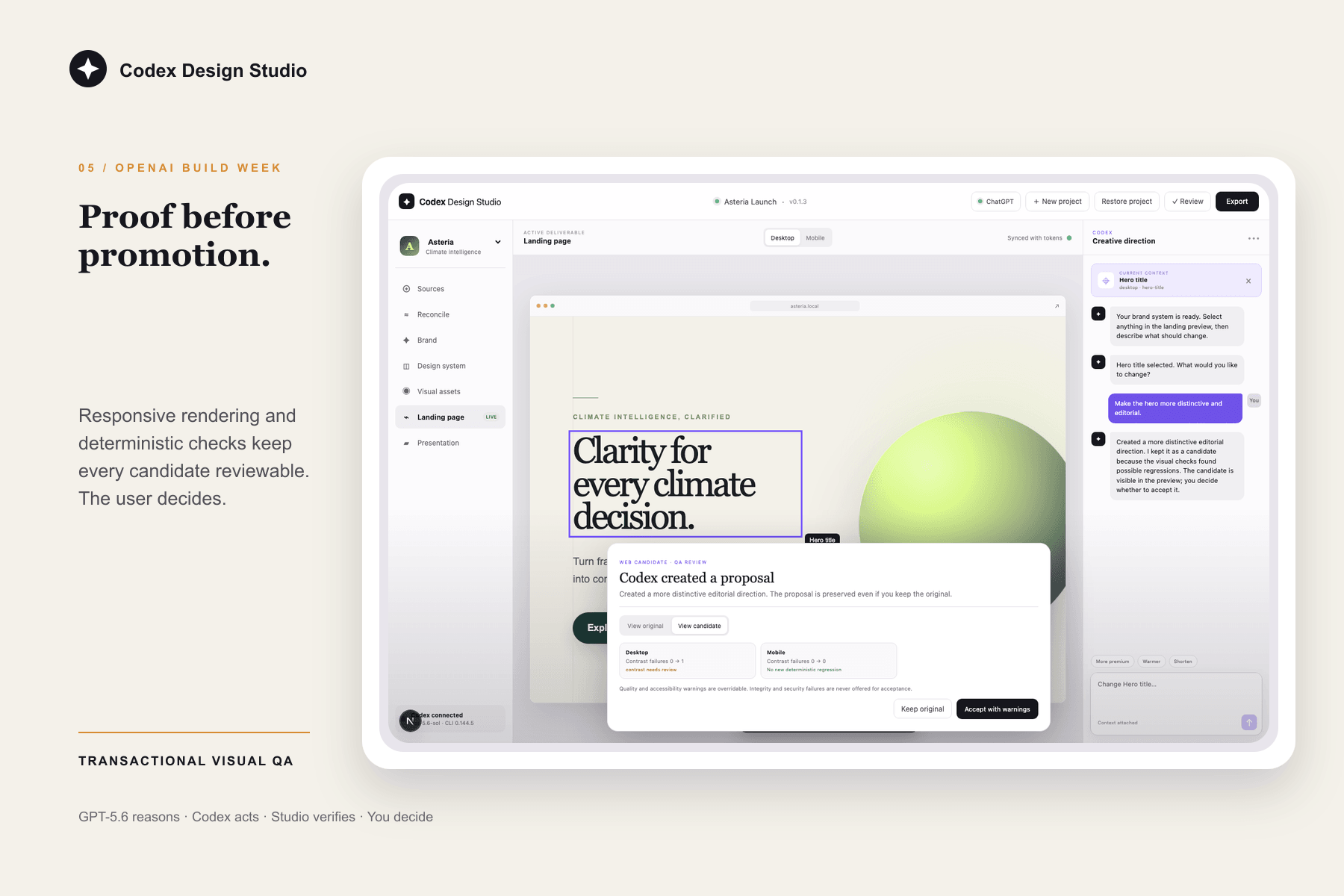
Validate responsive changes with visual QA before they become part of the project
-
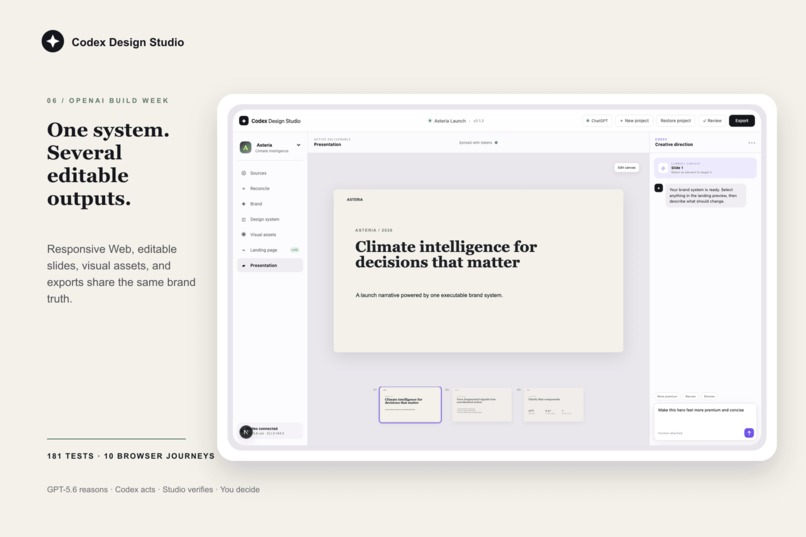
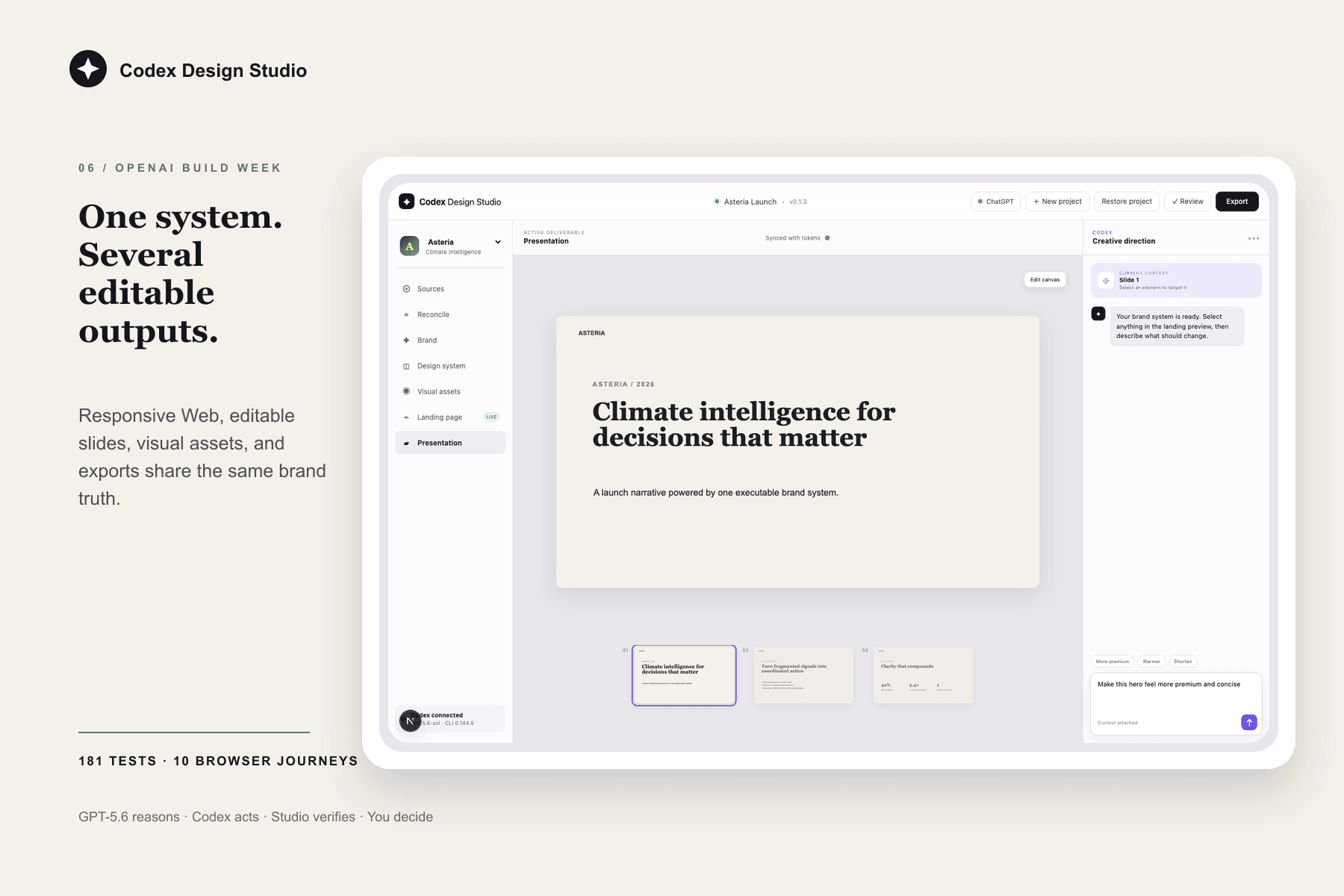
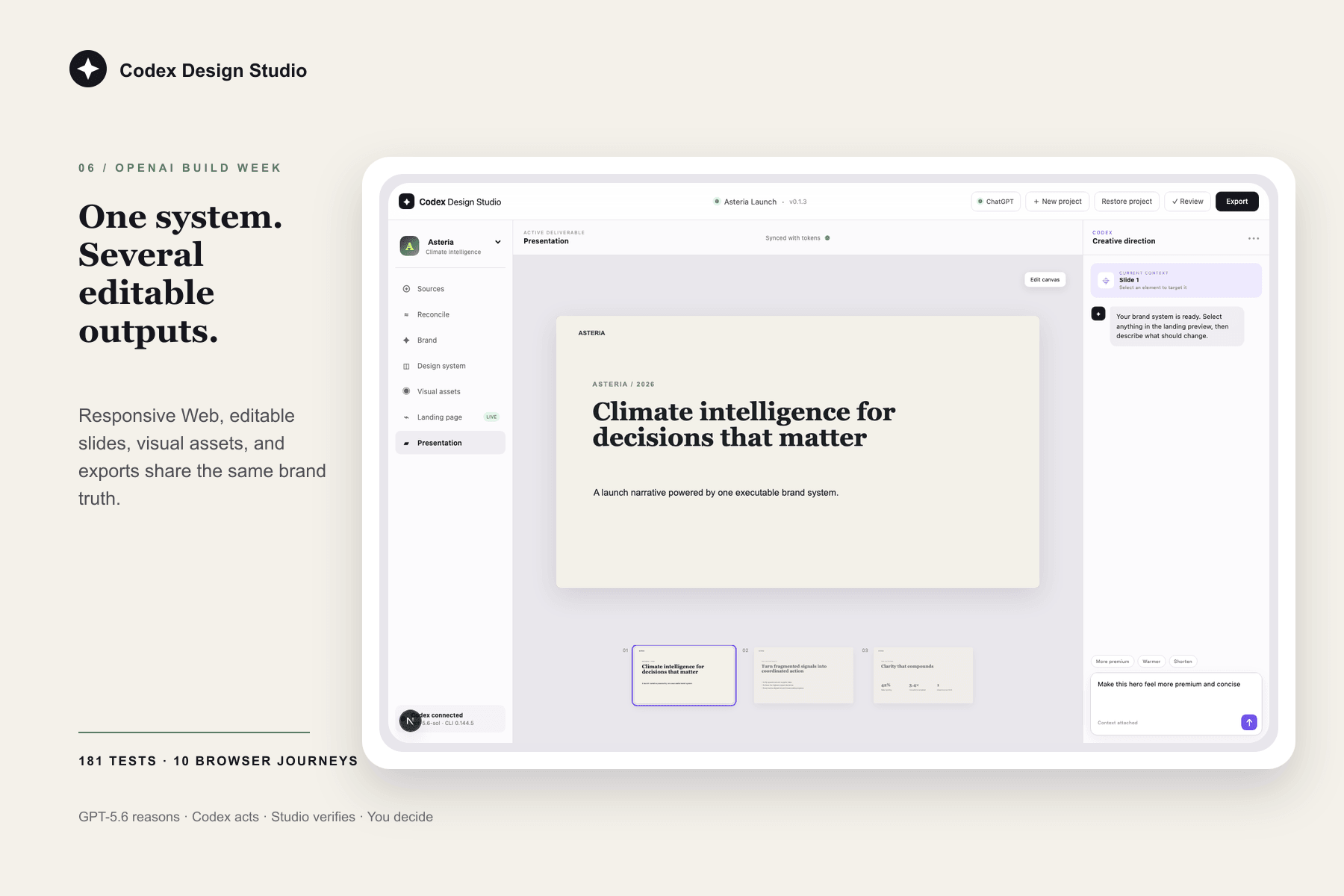
Create editable web pages, presentations, and visual assets from one trusted brand system
-
Codex Design Studio: create, build, and edit your brand’s assets and design system with AI
Inspiration
Building a brand should not mean rebuilding the same context for every new asset.
Founders, marketers, and designers often start with scattered references: a few screenshots, a logo, a moodboard, a landing page, and a lot of intuition. The real challenge is turning that material into a coherent identity that can grow across a website, a deck, social assets, and future campaigns.
Without a shared source of truth, each new asset starts from scratch. The result is slow production, inconsistent decisions, and a brand that loses its character as it grows.
What it does
I built Codex Design Studio as a desktop workspace for turning an early idea, a set of references, or an existing brand into a coherent Design System.
It gives a founder, marketer, or designer one place to bring together inspiration, visual references, and intent; establish a clear creative direction; create professional visual assets; and turn that direction into editable Web pages, presentations, and design assets. Codex and GPT-5.6 make that workflow accessible from the desktop application rather than requiring someone to assemble disconnected tools and prompts.
The goal is not to generate a one-off mockup. It is to give a growing brand a trusted creative foundation that makes every future asset more consistent, faster to produce, and still editable.
I also built the project to demonstrate a broader possibility: Codex can help carry a design direction through Design System work, professional visual assets, editable artifacts, and presentations—instead of stopping at code suggestions or a static mockup.
How I built it with Codex and GPT-5.6
I designed and built Codex Design Studio during OpenAI Build Week with Codex and GPT-5.6 Sol and Terra. I used a goal-driven workflow: I set the product direction, let Codex carry a well-scoped phase forward, reviewed the result in the real application, then made the next product decision.
This repeated across ideation, implementation, review, and testing. Codex stayed anchored to the goal through long development sessions, while focused subagents explored design options, implemented features, investigated defects, and extended test coverage. I used GPT-5.6 to challenge assumptions, compare approaches, and translate product intent into concrete technical work.
I remained the sole contributor and made every product and creative decision: the user problem, the desired experience, the creative direction, and the bar for shipping. Codex accelerated the execution around those decisions and let me take the project from concept to a tested desktop application for macOS and Windows in a few days.
Challenges I ran into
The hardest challenge was proving that the desktop application worked reliably end to end across platforms. A polished screen was not enough: I needed confidence that a person could create a project, review the evidence, edit real artifacts, validate a change, and export the result.
Automating that breadth of testing initially felt ambitious for a Build Week. Codex and GPT-5.6 made it practical: I used them to build and run end-to-end journeys, investigate failures, and improve the release path. They did not remove the need for judgment, but they made it possible to spend more time testing the experience than wiring up test infrastructure.
Accomplishments I'm proud of
- I turned scattered creative references into a reusable Design System.
- I kept Web, presentation, and visual artifacts directly editable after creation.
- I combined creation, editing, review, and export in one local-first workspace.
- I shipped tested packages for macOS and Windows in a few days.
- I used Codex and GPT-5.6 to take a user-centred product from a blank workspace to a demonstrable, testable release.
What I learned
This project changed my understanding of what Codex and GPT-5.6 can make possible.
I have used Codex intensively, every day, for more than a year. That perspective makes the progress especially tangible: I had already felt a clear step forward in the quality of the work with GPT-5.3 Codex. With GPT-5.6, I experienced another step change—both in how long a task can stay coherent and in the quality of the deliverables it can carry to completion.
I learned that Codex can stay anchored to a concrete goal through hours-long sessions. Rather than treating every prompt as a fresh request, I could set a direction, review progress, intervene when a decision needed my judgment, and let the work move forward across ideation, implementation, review, and testing.
Before this project, I had never created an Electron application for macOS or Windows. Codex made that learning curve far more approachable: I used it to build desktop packages, launch them, and interact with the real application to validate the experience as a user would. I learned the desktop stack while applying it to a product that had to work.
I was also integrating Codex App Server into a solution for the first time. That made the learning especially concrete: Codex was both the tool that helped me build the product and a technology I had to design, integrate, and test as part of the product experience.
Finally, I discovered a broader creative workflow. Before Build Week, I assumed that polished visual assets and a complete demo video required switching to ChatGPT or using OpenAI APIs directly. I used Codex to produce those assets and the demo workflow too, while keeping them connected to the product itself.
The important lesson was not that I could remove myself from the process. It was that I could spend more of my time on the work that needs product judgment: understanding the user problem, setting the creative direction, and deciding whether the result is ready to ship.
What's next for Codex Design Studio
I want to make it easier to bring richer brand sources into the workspace, collaborate on reviews, and turn a trusted Design System into every asset a growing brand needs.
Judge testing path
Download the tested desktop build: GitHub Release v0.1.1
- From that release, download the package for the test machine.
- Verify the matching SHA-256 manifest.
- Launch the unsigned package using the documented Gatekeeper or SmartScreen fallback if necessary.
- Choose an empty local workspace and connect a ChatGPT/Codex account.
- Create a project, review evidence and the synthesized brief, and approve the Brand System.
- Select an element in the Web canvas, request a composition-level change, inspect the responsive QA evidence, and accept or reject it.
- Open the editable presentation and export Web, PPTX, or token artifacts.
The deterministic source path is npm ci && npm run preflight && npm run check:all. The verified baseline is 181 Vitest checks on macOS/Linux, 179 applicable checks on Windows, 10 Chromium journeys, and a packaged Electron lifecycle journey on each native release runner.

Log in or sign up for Devpost to join the conversation.