Inspiration
As Codex workflows become more powerful, it can be difficult to understand what multiple agents are doing at the same time. Developers often have to switch between terminals, conversations, logs, diffs, and approval prompts just to reconstruct the state of a project.
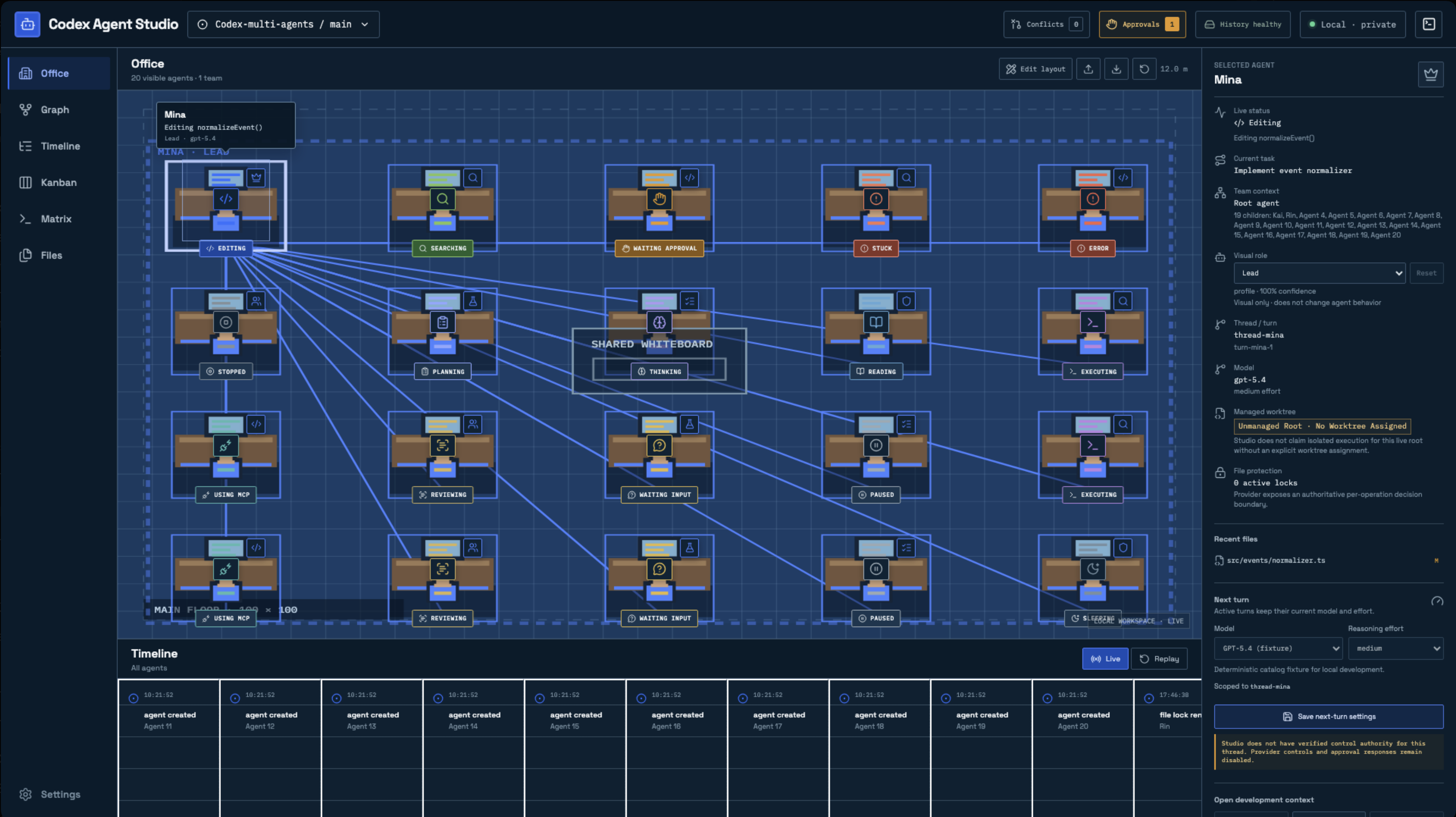
Codex Agent Studio was inspired by the idea of turning this invisible activity into a clear, interactive workspace. Instead of reading disconnected logs, users can see agents as part of a living office, understand their relationships, monitor progress, and intervene when necessary.
What it does
Codex Agent Studio is a local-first visual command center for multi-agent Codex workflows. It provides:
- A real-time office view of active agents
- Agent hierarchy, roles, teams, tasks, models, and worktrees
- Unified timelines and historical session replay
- Approval, steering, pause, stop, and restart controls
- Stuck-agent detection and conflict warnings
- Kanban task management
- File activity, dependency graphs, terminal matrices, and notifications
- Local persistence so project telemetry stays on the user’s device
How we built it
The system uses a provider-adapter architecture around the Codex App Server. Provider events are normalized into canonical events, persisted in SQLite, projected into workspace state, and streamed to a responsive web dashboard over authenticated HTTP and WebSockets.
The interface is built with React and TypeScript, with a local Node.js daemon handling sessions, persistence, recovery, permissions, and agent control. Deterministic mock providers and automated browser tests make the multi-agent experience reproducible during development.
Challenges
The hardest part was making a complex, asynchronous system understandable without overwhelming the user. We had to synchronize agent state, timelines, relationships, approvals, files, worktrees, and recovery state while keeping controls safe.
We also designed explicit boundaries around managed execution, conflict handling, session replay, and local privacy. This taught us that a useful agent interface needs to be more than a visualization: it must explain what is happening and help the user decide what to do next.
What we learned
We learned how important a stable event model is when many different real-time surfaces depend on the same underlying activity. We also learned that local-first architecture can provide powerful observability while keeping sensitive project data on the developer’s machine.
Built With
- codex-app-server
- css
- electron
- git-worktrees
- gpt-5.6
- http
- node.js
- playwright
- react
- sqlite
- typescript
- vite
- vs-code-extension-api
- websockets


Log in or sign up for Devpost to join the conversation.